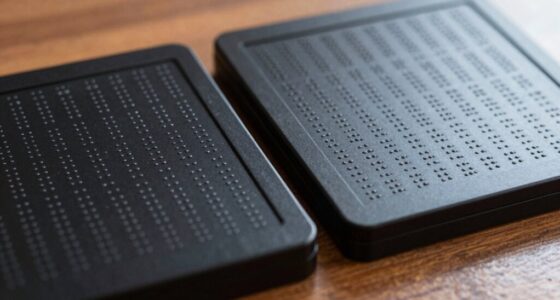
Tactile graphics and maps turn visual info into touchable formats so you can explore and understand complex images using your sense of touch. Through raised lines, textured symbols, and patterns, you can identify features like roads, buildings, and data points. This makes visual data accessible, building tactile skills and confidence. If you keep looking, you’ll discover how these tools open new doors to independence and understanding across diverse environments.
Open a free Amazon Business account
Business pricing, bulk buying and tax-exempt orders.
As an affiliate, we earn on qualifying purchases.
Key Takeaways
- Tactile graphics and maps convert visual information into textured formats for accessible touch-based exploration.
- They enable visually impaired users to interpret complex diagrams and data through tactile perception.
- Developing tactile literacy helps recognize textures and shapes quickly, improving navigation and understanding.
- Design considerations like size, spacing, and texture contrast enhance tactile readability and comprehension.
- Technological advances improve the creation and accessibility of tactile graphics, expanding visual information access.

Have you ever wondered how visually impaired individuals navigate and understand the world around them? It’s a fascinating process that relies heavily on sensory substitution and tactile literacy. When visual cues are unavailable, the sense of touch becomes an essential tool for gathering information. Tactile graphics and maps are specially designed to transform visual information into tactile formats, allowing you to explore and interpret data through touch. By feeling raised lines, textured symbols, and different patterns, you develop a form of tactile literacy—an indispensable skill that turns physical sensations into meaningful understanding.
Tactile graphics translate visual data into touch, empowering understanding through sensory substitution and tactile literacy.
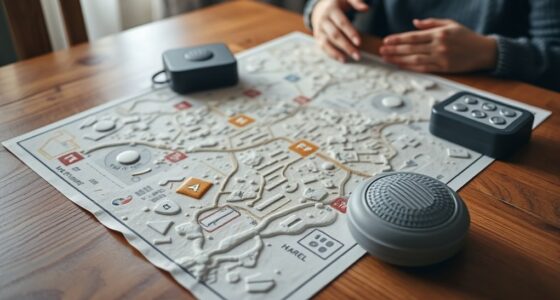
Sensory substitution plays a central role here. Instead of sight, your brain learns to interpret tactile stimuli as representations of visual information. For example, a tactile map might use various textures to distinguish between roads, buildings, and parks. You learn to recognize these tactile cues, which substitute for visual details, enabling you to navigate unfamiliar environments or understand complex diagrams without sight. This process requires practice and familiarity, but once mastered, it profoundly enhances independence and confidence.
Tactile literacy isn’t just about recognizing shapes; it’s about developing a language of touch that allows you to decode information quickly and accurately. You learn to differentiate between smooth surfaces, ridges, bumps, and other textures that indicate different features on a map or graphic. Over time, your tactile perception becomes sharper, allowing you to “read” a map simply by running your fingers over its surface. This skill transforms abstract visual concepts into concrete tactile experiences, making information accessible and meaningful.
Creating effective tactile graphics involves careful planning. Designers use various materials and techniques to ensure the raised elements are easily perceivable. They consider size, spacing, and texture contrast to optimize tactile readability. When you explore a tactile map, you’re engaging multiple senses—touch, spatial awareness, and memory—all at once. This multisensory approach strengthens your understanding and helps you build mental maps of new environments or concepts.
In essence, tactile graphics and maps serve as bridges, translating visual information into tactile forms that you can feel and interpret. They empower you to access a wealth of visual data, fostering independence and promoting active engagement with your surroundings. The development of tactile literacy through sensory substitution not only supports navigation but also enriches your overall understanding of the world, proving that touch is a powerful tool for learning and exploration beyond sight. Additionally, advances in visual technology have contributed to creating more detailed and user-friendly tactile graphics, further expanding access.
tactile maps for visually impaired
As an affiliate, we earn on qualifying purchases.
As an affiliate, we earn on qualifying purchases.
Frequently Asked Questions
How Are Tactile Graphics Created for Complex Images?
You create tactile graphics for complex images through careful haptic design, emphasizing sensory integration. First, you simplify intricate details into distinguishable textures and raised lines that convey key information. Using specialized tools and materials, you guarantee each element stands out, allowing users to interpret the image through touch. By balancing detail and clarity, you make complex visuals accessible, ensuring that the tactile experience effectively communicates the original visual information through sensory cues.
What Materials Are Best for Durable Tactile Maps?
Imagine holding a tactile map that withstands daily use; the best materials for this are durable plastics like PVC or high-density foam. They resist tearing and wear, ensuring the tactile map design stays intact over time. These materials offer excellent material durability, making them perfect for creating tactile maps that are both functional and long-lasting. You’ll appreciate how robust, clear, and dependable your tactile maps remain with these choices.
Can Tactile Graphics Be Integrated With Digital Technology?
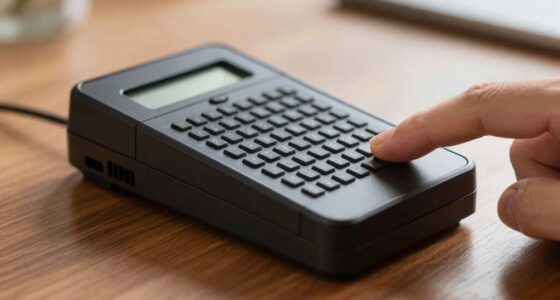
Yes, tactile graphics can be integrated with digital technology to enhance sensory integration and tactile storytelling. You can use electronic touchscreens or braille displays that combine tactile features with audio or visual cues, providing a richer experience. This integration helps you explore maps and graphics more interactively, making information accessible and engaging. By combining tactile and digital elements, you create an inclusive environment that supports diverse learning styles and needs.
How Do Tactile Maps Accommodate Different Disabilities?
You’ll find tactile maps designed to accommodate different disabilities by integrating assistive technology and sensory integration techniques. These maps use raised features, textures, and contrasting materials to help visually impaired users navigate and understand spatial layouts. They often include audio descriptions or braille labels, enhancing accessibility. By combining tactile feedback with modern assistive tech, these maps guarantee everyone, regardless of disability, can access and interpret spatial information confidently.
What Training Is Available for Interpreting Tactile Graphics?
Think of tactile literacy as opening a secret code, and graphic interpretation training as your map to decipher it. You can access specialized workshops, online courses, and community-led sessions designed to teach you how to interpret tactile graphics effectively. These trainings build your skills in understanding textures, symbols, and layouts, empowering you to navigate tactile maps confidently and gain richer access to visual information through active learning.
Conclusion
Tactile graphics and maps open up a world of visual information for everyone, especially those with visual impairments. They transform complex visuals into accessible, hands-on experiences that foster independence and understanding. By embracing these tools, you help create a more inclusive society. Don’t you think everyone deserves the chance to explore and learn from their surroundings, regardless of how they see it? Together, we can make visual information truly universal.
Fall Picks
fall essentials
As an affiliate, we earn on qualifying purchases.