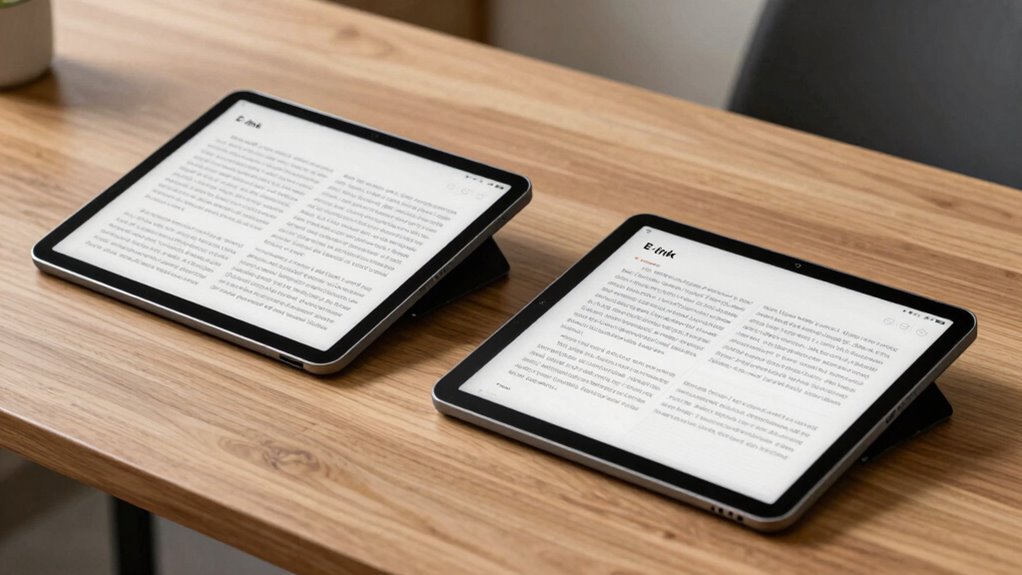

Choosing an e ink tablet for low vision reading involves balancing display quality, size, and usability. The BOOX Note Air 5 stands out for its versatile color display and Android 15 support, but its slower refresh rate may not suit multimedia-heavy tasks. The Huion Ink EB1011 offers a paper-like experience perfect for note-taking and handwriting, though it lacks color. For portability, the BOOX Tablet Go Color 7 Gen II provides vibrant color in a compact size, but its screen quality may fall short for some users. These picks reflect different priorities—whether it’s color, size, or note-taking—helping you find the best fit for your needs.

Get everyday helpers delivered free with Prime
- Fast, free delivery on millions of items
- Prime Video, Amazon Music and more included
- Member-only deals all year
Key Takeaways
- Color e Ink displays offer vibrant visuals but have inherent limitations like darker, grayer screens.
- Larger screens improve reading comfort but can be heavier and less portable.
- Stylus support varies, affecting handwriting and note-taking capabilities.
- Android support increases app flexibility but can introduce complexity.
- Battery life and refresh rates are tradeoffs that impact usage for low vision reading.
| BOOX Note Air 5 10.3″ E Ink Color Tablet with Android 15, 6GB RAM, 64GB Storage |  | Best Overall for Versatility and Color | Display: 10.3-inch Kaleido 3 color E Ink, 4096 colors | Resolution: B/W: 2480 x 1860, Color: 1240 x 930 | Stylus Support: 4096 pressure levels | VIEW ON AMAZON | See Our Full Breakdown |
| BOOX Tablet Go Color 7 Gen II E Ink Tablet Support Active Stylus InkSense (Black) |  | Best Compact Color E Ink for Portability | Display: 7″ Kaleido 3 color E Ink, 4096 colors | Resolution: 1680 x 1264 | Stylus Support: Active InkSense stylus (not included) | VIEW ON AMAZON | See Our Full Breakdown |
| BOOX Tablet Go 7 B/W E Ink Tablet 4G 64GB Support Active Stylus InkSense |  | Best Budget Black & White for Reading | Display: 7-inch HD ePaper | Resolution: 1680 x 1264 | Stylus Support: Active InkSense stylus (not included) | VIEW ON AMAZON | See Our Full Breakdown |
| BOOX Tablet Go 10.3 Gen II Lumi ePaper E Ink Tablet Notebook |  | Best for Reading, Browsing, and Note-Taking | Display: 10.3-inch, 2480×1860, 300 ppi | Stylus Support: 4096 pressure levels | OS: Android 15 | VIEW ON AMAZON | See Our Full Breakdown |
| Huion Ink EB1011 10.3-Inch E Ink Digital Notebook with Dual Front Light, Battery-Free Pen, and Handwriting-to-Text |  | Best for Writing and Handwriting | Display: 10.3-inch ePaper | Resolution: 1404 x 1872 (227 PPI) | Stylus: Battery-free, 8192 pressure levels | VIEW ON AMAZON | See Our Full Breakdown |
| e ink tablets for low vision reading | Display | OS | Storage | Resolution |
|---|---|---|---|---|
| BOOX Note Air 5 10.3" E Ink Co | 10.3-inch Kaleido 3 color E Ink, 4096 colors | Android 15 | 64GB | B/W: 2480 x 1860, Color: 1240 x 930 |
| BOOX Tablet Go Color 7 Gen II | 7" Kaleido 3 color E Ink, 4096 colors | Android 13 | 64GB | 1680 x 1264 |
| BOOX Tablet Go 7 B/W E Ink Tab | 7-inch HD ePaper | Android 13 | 64GB | 1680 x 1264 |
| BOOX Tablet Go 10.3 Gen II Lum | 10.3-inch, 2480×1860, 300 ppi | Android 15 | 64GB | — |
| Huion Ink EB1011 10.3-Inch E I | 10.3-inch ePaper | Android 11 | 64GB | 1404 x 1872 (227 PPI) |
More Details on Our Top Picks
BOOX Note Air 5 10.3″ E Ink Color Tablet with Android 15, 6GB RAM, 64GB Storage
The BOOX Note Air 5 stands out for its large, high-resolution 10.3-inch Kaleido 3 color E Ink display, making it ideal for users who want vibrant visuals without eye strain. Its Android 15 OS supports a wide range of apps, offering more functionality than most e Ink devices. The stylus support with 4096 pressure levels enables precise note-taking, and the long battery life makes it suitable for extended reading sessions. Compared with smaller or monochrome options, this tablet provides a richer visual experience, though the color display can appear darker and less vibrant than LCD screens. Refresh rates are slower, limiting multimedia use, but it excels in reading and light multimedia tasks.
Pros:- Vibrant color display with 4096 colors
- Runs on Android 15 for app flexibility
- Stylus with pressure sensitivity
- Long battery life
Cons:- Color E Ink screens are darker and grayer
- Slower refresh rate limits multimedia use
- Heavier compared to smaller tablets
Best for: Users seeking a versatile device capable of color reading, note-taking, and light multimedia use.
Not ideal for: Those needing fast refresh rates for animation or video, or seeking a lightweight, ultra-portable device.
- Display:10.3-inch Kaleido 3 color E Ink, 4096 colors
- Resolution:B/W: 2480 x 1860, Color: 1240 x 930
- Stylus Support:4096 pressure levels
- OS:Android 15
- RAM:6GB
- Storage:64GB
Our verdict“A highly versatile color E Ink tablet suited for low vision users who want more than just reading, accepting some display limitations.”
BOOX Tablet Go Color 7 Gen II E Ink Tablet Support Active Stylus InkSense (Black)
The BOOX Tablet Go Color 7 Gen II offers a 7-inch Kaleido 3 color E Ink display with 4096 colors, making it suitable for users who need a portable device with vibrant visuals. Running on Android 13, it supports a variety of formats and active stylus input (stylus not included), which is a plus for annotations and quick notes. Its lightweight design weighs only 195 grams, ideal for on-the-go use, but the smaller screen limits extended reading comfort. The color display, however, can appear darker or grayer compared to LCDs, and stylus support is limited to a specific stylus model, which might be an extra cost.
Pros:- Compact and lightweight design
- Vibrant color display with 4096 colors
- Supports a wide range of formats
- Runs on Android 13
Cons:- Color display has inherent limitations
- Stylus not included, support may be limited
- Smaller screen may cause eye strain for extended reading
Best for: Readers who prioritize portability and color visuals for casual reading and note-taking.
Not ideal for: Heavy multimedia users or those needing a larger screen for detailed reading.
- Display:7″ Kaleido 3 color E Ink, 4096 colors
- Resolution:1680 x 1264
- Stylus Support:Active InkSense stylus (not included)
- OS:Android 13
- Weight:195 g
- Storage:64GB
Our verdict“A portable, colorful e Ink device best suited for those who want mobility over large-screen comfort.”
BOOX Tablet Go 7 B/W E Ink Tablet 4G 64GB Support Active Stylus InkSense
The BOOX Tablet Go 7 features a 7-inch HD ePaper display with 1680 x 1264 resolution, offering clear monochrome reading. Running on Android 13 with 4GB RAM and 64GB storage, it supports a variety of formats and active InkSense stylus support (stylus not included). Its compact size makes it easy to carry, and the dual-mode display allows for different refresh options to reduce ghosting. While it lacks color, its affordability and simplicity make it ideal for users primarily interested in reading and browsing. The smaller screen, however, can be less comfortable for extended reading sessions, and refresh modes may slow page turns compared to LCD screens.
Pros:- Affordable price point
- Supports multiple document formats
- Compact and lightweight
- Supports active stylus
Cons:- Limited to monochrome display
- Smaller screen size for extended reading
- Refresh modes may cause slower page turns
Best for: Budget-conscious users seeking a dedicated monochrome e Ink device for reading and browsing.
Not ideal for: Users wanting color visuals or multimedia capabilities.
- Display:7-inch HD ePaper
- Resolution:1680 x 1264
- Stylus Support:Active InkSense stylus (not included)
- OS:Android 13
- Storage:64GB
Our verdict“An economical monochrome e Ink tablet perfect for simple reading and browsing, with some limitations on display size and performance.”
BOOX Tablet Go 10.3 Gen II Lumi ePaper E Ink Tablet Notebook
The BOOX Tablet Go 10.3 Gen II Lumi delivers a large 10.3-inch high-resolution ePaper display with 2480 x 1860 pixels, providing a comfortable reading experience with minimal eye strain. Its adjustable refresh modes improve display quality, especially during prolonged reading or browsing. Running on Android 15, it supports a wide array of formats and includes stylus input with 4096 pressure levels, making it suitable for note-taking, annotations, and light creative work. Its size offers a good balance between readability and portability, though battery life details are less clear, and the device is less suited for multimedia-heavy tasks due to its ePaper display.
Pros:- Large high-resolution display
- Supports multiple formats and stylus input
- Adjustable refresh modes
- Runs on Android 15
Cons:- Battery life details less specific
- Limited multimedia capabilities
- May be heavier than smaller models
Best for: Users seeking a larger, versatile device for reading, note-taking, and light media use.
Not ideal for: Those wanting a device primarily for multimedia or video consumption.
- Display:10.3-inch, 2480×1860, 300 ppi
- Stylus Support:4096 pressure levels
- OS:Android 15
- Storage:64GB
- Battery:3,700mAh
Our verdict“A well-rounded large-screen e Ink tablet suited for users who want a balance of reading and note-taking with some multimedia support.”
Huion Ink EB1011 10.3-Inch E Ink Digital Notebook with Dual Front Light, Battery-Free Pen, and Handwriting-to-Text
The Huion Ink EB1011 provides a 10.3-inch paper-like e-paper display that minimizes eye strain and offers a natural writing experience. Its battery-free stylus with 8192 pressure levels supports precise handwriting and drawing, making it ideal for professionals or students who prefer handwritten notes converted to text. The device’s dual-color front light enhances visibility in different lighting conditions, and its long battery life supports extended use. Compared to other devices, this model excels at handwriting but lacks color and multimedia capabilities, which may limit its appeal for those seeking a more multimedia-oriented device.
Pros:- Paper-like display reduces eye strain
- Battery-free stylus with high sensitivity
- Supports handwriting-to-text conversion
- Long-lasting battery
Cons:- Limited to monochrome display
- No color support
- More suited for writing than multimedia
Best for: Creative professionals or students focused on handwriting and note-taking with minimal eye strain.
Not ideal for: Users needing color visuals or multimedia playback.
- Display:10.3-inch ePaper
- Resolution:1404 x 1872 (227 PPI)
- Stylus:Battery-free, 8192 pressure levels
- OS:Android 11
- Storage:64GB
Our verdict“A dedicated handwriting-focused e Ink device perfect for note-takers who prioritize eye comfort over color or multimedia features.”

How We Picked
Our selections are based on a combination of display quality, size, stylus support, OS flexibility, and user reviews. We prioritized devices with high-resolution e-paper screens that minimize eye strain, especially for low vision users. Size was a key factor—larger screens are better for reading, but the weight and portability mattered. We also considered the availability of stylus input, OS support for accessibility apps, and battery life to ensure sustained use. Finally, we balanced price points against feature sets to recommend options suitable for different user needs and budgets.
| e ink tablets for low vision reading | OS |
|---|---|
| BOOX Note Air 5 10.3" E Ink Co | Android 15 |
| BOOX Tablet Go Color 7 Gen II | Android 13 |
| BOOX Tablet Go 7 B/W E Ink Tab | Android 13 |
| BOOX Tablet Go 10.3 Gen II Lum | Android 15 |
| Huion Ink EB1011 10.3-Inch E I | Android 11 |
Factors to Consider When Choosing E Ink Tablets For Low Vision Reading
Selecting the best e ink tablet for low vision reading requires understanding your primary needs—whether it’s color, size, or note-taking. Larger screens generally improve readability but may sacrifice portability. Color displays provide vibrant visuals but come with limitations like slower refresh rates and darker screens. Stylus support enhances usability for handwriting, but availability and quality vary. Android support can expand app options, though it adds complexity. Consider how much multimedia you want versus focus on reading and accessibility features.Display Size and Resolution
Size directly affects readability; larger screens reduce eye strain but are less portable. Resolution improves clarity, especially for low vision users. Balancing these factors based on your typical reading environment is key.
Color vs. Monochrome
Color e Ink displays offer vibrant visuals, ideal for images and colorful content, but tend to be darker and slower. Monochrome screens excel at pure text and are lighter on battery, making them suitable for extended reading.
Stylus and Input Options
Support for a stylus enhances note-taking and handwriting. Check if the stylus is included, its pressure sensitivity, and compatibility. For low vision users, precise and responsive stylus support can make a significant difference.
Operating System and App Support
Android-based devices provide access to a broader range of accessibility apps and customization options. However, they may require more setup and familiarity. Devices with dedicated e Ink OS may be simpler but less flexible.
Battery Life and Portability
Long battery life ensures sustained use without frequent recharging. Larger devices tend to be heavier, so consider your mobility needs. Devices with energy-efficient screens, like E Ink, typically last longer on a charge.
Frequently Asked Questions
Are color e Ink tablets suitable for low vision users?
Color e Ink tablets can provide vibrant visuals that might help some low vision users distinguish content better, especially if color coding is helpful. However, they often have darker, grayer displays and slower refresh rates compared to monochrome e Ink screens, which can reduce clarity and responsiveness. Ultimately, whether they are suitable depends on individual preferences and specific visual needs.
Is stylus support essential for low vision reading?
While not mandatory, stylus support can significantly enhance the usability of e Ink tablets for low vision users by enabling precise annotations, handwriting, and magnification. A responsive stylus can make reading, note-taking, and navigation easier, especially for those with limited dexterity or requiring larger text and annotations.
How does screen size impact low vision reading comfort?
Generally, larger screens improve readability by displaying larger text and images, reducing strain. However, they can be heavier and less portable. Smaller devices are easier to carry but may require zooming or magnification, which can be less convenient for some users. Finding the right balance depends on your typical reading environment and mobility needs.
Do I need an Android device for low vision accessibility apps?
Android devices offer a broad ecosystem of accessibility apps, screen readers, magnifiers, and customizable features that benefit low vision users. If you rely heavily on such apps, an Android-based e Ink tablet provides greater flexibility. However, it may also involve a steeper learning curve and more setup time compared to simpler, dedicated e Ink devices.
What is the main tradeoff when choosing an e Ink tablet for low vision reading?
The primary tradeoff is between display quality and device versatility. Larger, color, and high-resolution screens improve readability but often come with slower refresh rates, higher costs, and increased weight. Monochrome devices are lighter and better for extended reading but may lack visual vibrancy. Your choice depends on whether your priority is visual clarity, portability, or multifunctionality.
Conclusion
If you primarily need a device for detailed reading, note-taking, and some multimedia, the BOOX Note Air 5 offers a strong balance of size, color, and app support. For those seeking a portable, budget-friendly monochrome option, the BOOX Tablet Go 7 provides simplicity and affordability. Creative users focused on handwriting and minimal eye strain will find the Huion Ink EB1011 a compelling choice. Ultimately, your selection should match your specific visual needs, mobility, and whether you prioritize color, size, or note-taking capabilities.
Halloween Picks
halloween
As an affiliate, we earn on qualifying purchases.