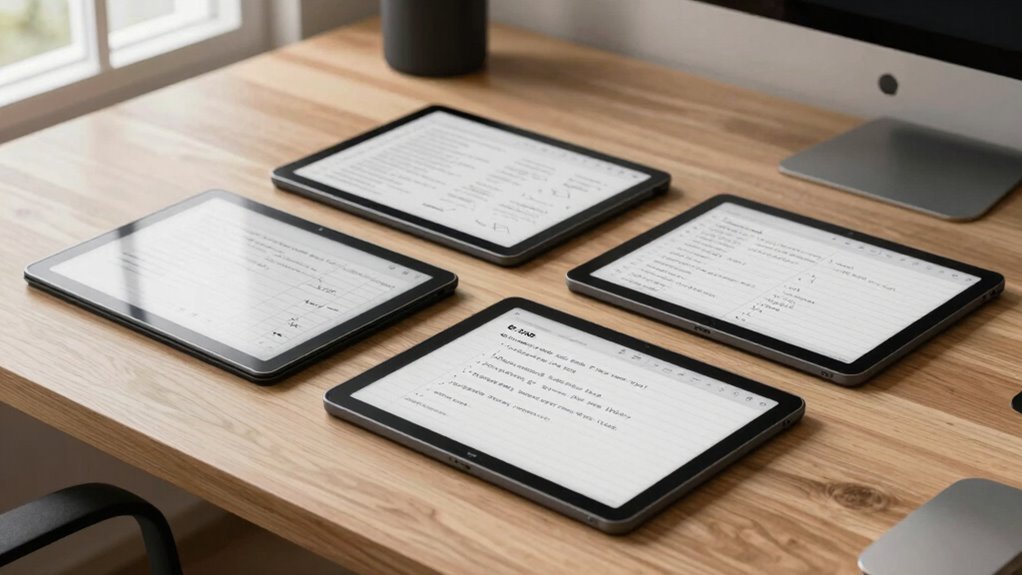

Choosing the right e ink note tablet for low vision users requires balancing visibility, ease of use, and feature set. The reMarkable Paper Pure stands out for its high-contrast, fast-response black-and-white display ideal for note-taking and document review, though it lacks color. The BOOX Tablet Go Color introduces a compact, color-enabled screen that can make reading images and documents more engaging, but it has inherent limitations in color vibrancy. The reMarkable Paper Pro offers a large, color display suited for detailed reading and sketching, yet it’s more expensive and less portable. This guide compares these options to help you find the best fit based on your priorities around contrast, color, size, and budget.
Key Takeaways
- High contrast black-and-white e ink tablets excel for clarity and simplicity, ideal for low vision users primarily needing text.
- Color E Ink devices provide visual variety but often suffer from darker screens and limited vibrancy, making them less ideal for detailed color work.
- Size matters: larger screens support easier reading and writing, but they tend to be heavier and less portable.
- Stylus support and cloud integration can enhance usability but may add complexity or cost.
- Budget and intended use (note-taking vs. reading vs. sketching) should guide the final choice.
| reMarkable Paper Pure with Marker Plus and Mist Green Sleeve Folio – 10.3-inch Digital Notebook with E Ink Display |  | Best Overall for High-Contrast Note-Taking | Display Size: 10.3 inches | Display Type: E Ink | Color: Black and white | VIEW ON AMAZON | See Our Full Breakdown |
| BOOX Tablet Go Color 7 Gen II E Ink Tablet Support Active Stylus InkSense (Black) |  | Best Compact Color E Ink for Reading and Browsing | Display: 7″ Kaleido 3 color E Ink | Resolution: 1680 x 1264 | Color PPI: 150 ppi | VIEW ON AMAZON | See Our Full Breakdown |
| reMarkable Paper Pro with Marker Plus and Black Leather Book Folio 11.8” Color E Ink Digital Notebook |  | Best for Large, Color Reading and Sketching | Display: 11.8-inch color E Ink | Features: Adjustable reading light, low-glare screen | Included Items: Marker Plus, 6 spare tips, folio | VIEW ON AMAZON | See Our Full Breakdown |
| BOOX Note Air 5 10.3″ E Ink Color Tablet with Android 15, 6GB RAM, 64GB Storage |  | Best High-Resolution Color for Reading and Note-Taking | Display: 10.3-inch Kaleido 3 color E Ink | Resolution: 2480 x 1860 B/W, 1240 x 930 color | Processor: Octa-core | VIEW ON AMAZON | See Our Full Breakdown |
| reMarkable Paper Pure with Marker 10.3-inch E-Ink Digital Notebook |  | Best for Simple, Clear Black-and-White Note-Taking | Display: 10.3-inch E-Ink | Color: Black and white | Model Number: RM92A-1000NW | VIEW ON AMAZON | See Our Full Breakdown |
| e ink note tablets for low vision user | Display |
|---|---|
| reMarkable Paper Pure with Mar | — |
| BOOX Tablet Go Color 7 Gen II | 7" Kaleido 3 color E Ink |
| reMarkable Paper Pro with Mark | 11.8-inch color E Ink |
| BOOX Note Air 5 10.3" E Ink Co | 10.3-inch Kaleido 3 color E Ink |
| reMarkable Paper Pure with Mar | 10.3-inch E-Ink |
More Details on Our Top Picks
reMarkable Paper Pure with Marker Plus and Mist Green Sleeve Folio – 10.3-inch Digital Notebook with E Ink Display
This device is distinguished by its high-contrast, fast-response e-ink display that mimics paper, making it easier for low vision users to read and write without glare. It supports handwriting, sketching, and note organization with various templates, yet its monochrome screen limits visual variety. Compared with color options, it offers superior clarity and minimal distraction. The cloud integration simplifies document sharing, though setup requires some initial effort. It’s ideal for users who prioritize clarity and simplicity over color.
Pros:- High-contrast, fast-response display for natural writing
- Supports multiple templates and cloud sync
- Lightweight and portable
Cons:- Black-and-white only; no color support
- Requires charging and setup
Best for: Low vision users needing clear, crisp text for note-taking and document review
Not ideal for: Those wanting color images or multimedia features
- Display Size:10.3 inches
- Display Type:E Ink
- Color:Black and white
- Response Time:21 ms
- Included Accessories:Marker Plus, Mist Green Sleeve Folio
Our verdict“Best for users who prioritize clarity and simplicity in note-taking and document review.”
BOOX Tablet Go Color 7 Gen II E Ink Tablet Support Active Stylus InkSense (Black)
The BOOX Tablet Go Color offers a vivid 7-inch color E Ink display with 4096 colors, supporting a wide range of document and image formats. Its lightweight, pocket-sized design and front light make it accessible for reading and browsing in various lighting conditions. However, its color technology results in darker, less vibrant screens than LCDs, and the stylus is not included, adding to the overall cost. Compared with monochrome devices, it provides more visual options but sacrifices some clarity and brightness. It’s a good choice for users who want color in a portable device but are willing to accept some display limitations.
Pros:- Vivid color display with 4096 colors
- Supports multiple document formats
- Light and portable with front light
Cons:- Color screens may appear darker or grayer
- Stylus not included
- Limited vibrancy compared to LCDs
Best for: Low vision users who prefer color for reading or visual differentiation
Not ideal for: Those needing high-contrast, pure black-and-white displays for detailed note-taking
- Display:7″ Kaleido 3 color E Ink
- Resolution:1680 x 1264
- Color PPI:150 ppi
- Black & White PPI:300 ppi
- OS:Android 13
Our verdict“Excellent for users seeking portable color display, with some compromises in vibrancy and clarity.”
reMarkable Paper Pro with Marker Plus and Black Leather Book Folio 11.8” Color E Ink Digital Notebook
The reMarkable Paper Pro features an expansive 11.8-inch color E Ink display that closely resembles paper, making it suitable for detailed reading, sketching, and note-taking. Its adjustable reading light enhances visibility indoors and outdoors, and the large screen supports more complex visual tasks. Despite its advantages, it’s less portable due to size and weight, and its high price may be prohibitive for some. This device is ideal for users who need a large, color-capable screen for detailed visual work but don’t prioritize portability.
Pros:- Large 11.8-inch color display for versatile use
- Paper-like writing experience
- Includes protective folio and multiple pen tips
Cons:- High price point
- Limited to digital note-taking
- Less portable due to size
Best for: Low vision users requiring a large, color display for detailed reading and sketching
Not ideal for: Those needing a lightweight, portable device or primarily monochrome notes
- Display:11.8-inch color E Ink
- Features:Adjustable reading light, low-glare screen
- Included Items:Marker Plus, 6 spare tips, folio
Our verdict“Best for users needing a large, color display for detailed work, accepting reduced portability.”
BOOX Note Air 5 10.3″ E Ink Color Tablet with Android 15, 6GB RAM, 64GB Storage
The BOOX Note Air 5 combines a 10.3-inch high-resolution color E Ink display with powerful hardware, including 6GB RAM and Android 15. Its support for a variety of document formats and the ability to run multiple apps makes it highly versatile. The device’s color display offers enhanced visual differentiation, but like other color E Ink screens, it tends to be darker and less vibrant than LCDs, which can hinder clarity for some users. It’s well-suited for those who want a larger device with advanced features but are aware of the inherent limitations of color E Ink technology.
Pros:- High-resolution color display suitable for diverse content
- Runs on Android 15 with ample RAM and storage
- Supports many formats and apps
Cons:- Color display may be darker or grayer
- Slower refresh rates limit animation-heavy use
- Color accuracy may be limited
Best for: Low vision users needing a larger, versatile device with color capabilities
Not ideal for: Users seeking a device mainly for high-contrast black-and-white reading or note-taking
- Display:10.3-inch Kaleido 3 color E Ink
- Resolution:2480 x 1860 B/W, 1240 x 930 color
- Processor:Octa-core
- RAM:6GB
- Storage:64GB
Our verdict“Best for users who want a larger, feature-rich device with color support, accepting some display limitations.”
reMarkable Paper Pure with Marker 10.3-inch E-Ink Digital Notebook
The reMarkable Paper Pure offers a straightforward 10.3-inch black-and-white E Ink display geared toward note-taking and document review. Its minimalistic design provides high-contrast text with a fast digital ink response, supporting cloud sharing and organization. While it’s excellent for clarity, the monochrome display limits visual variety, and the device’s price may be high considering its focus on basic note functions. This pick suits users who want a dedicated, simple device for text-based tasks without distractions.
Pros:- Fast, paper-like writing experience
- Supports organization and cloud sharing
- Uncluttered, simple interface
Cons:- Limited to black-and-white display
- Stylus required for best use
- Higher price for basic note-taking
Best for: Low vision users who need a focused, monochrome note device
Not ideal for: Those seeking color or multimedia features
- Display:10.3-inch E-Ink
- Color:Black and white
- Model Number:RM92A-1000NW
- Warranty:1-year limited
- Brand:reMarkable
Our verdict“Ideal for users prioritizing clarity and simplicity in black-and-white note-taking.”

How We Picked
We selected these devices based on their display quality, ease of use for low vision users, support for visual aids like high contrast and color, and feature sets that enhance accessibility. Devices with larger screens, fast response times, and good cloud or note organization support were prioritized. We also considered user reviews and device adaptability to different lighting conditions, ensuring each pick offers a clear advantage for specific needs while acknowledging their limitations.
Factors to Consider When Choosing E Ink Note Tablets For Low Vision Users
Selecting an e ink note tablet for low vision use hinges on understanding your priorities: clarity, size, color, and portability. The right device can make reading, writing, and reviewing documents easier, but tradeoffs exist between contrast and color vibrancy, size and weight, and price. This guide will walk through key factors to consider to help you choose the best device for your specific needs.
Display Quality and Contrast
For low vision users, high contrast displays are often more important than color. Monochrome e ink screens provide sharp, clear text with minimal glare, making them ideal for reading and note-taking. Color E Ink displays, while offering visual variety, tend to have darker, grayer screens that may be less suitable for users who rely heavily on visual clarity.
Size and Portability
The size of the display impacts ease of use. Larger screens (like 11.8 inches) support more detailed work but tend to be heavier and less portable. Smaller devices (around 7 inches) are easier to carry but can be harder to read or write on for users with low vision. Consider how much mobility and viewing comfort you need in your daily routine.
Color Support
Color E Ink devices provide visual diversity that can aid in differentiation and engagement. However, they often have limitations in vibrancy and contrast compared to LCD screens, which may reduce their effectiveness for some low vision tasks. If color isn’t a priority, monochrome devices generally offer better clarity and longer battery life.
Additional Features and Accessibility
Features like stylus support, adjustable lighting, cloud integration, and note organization can significantly enhance usability. For low vision users, features that improve visibility and ease of navigation are vital. Keep in mind that some features may add to the device’s cost or complexity.
Frequently Asked Questions
Are e ink note tablets suitable for low vision users?
Yes, e ink note tablets are often suitable because they provide high-contrast, glare-free screens that mimic paper, making reading and writing easier for users with low vision. Their simplicity and focus on text reduce visual clutter, but choosing the right size and contrast level is key to maximizing usability.
What are the main differences between monochrome and color e ink tablets?
Monochrome e ink tablets offer sharper, clearer text with high contrast, which benefits low vision users focused on reading and note-taking. Color e ink tablets add visual variety but tend to have darker screens and less vibrancy, which may hinder readability for some users. The choice depends on whether color or clarity is the priority.
Is size more important than color support for low vision users?
Generally, larger screens improve readability and ease of use, especially for users with low vision. However, size also affects portability. If mobility is essential, a smaller device might be better, but it may compromise comfort when reading or writing. The decision should consider your daily use environment.
Can I use these devices outdoors?
Many e ink devices feature low-glare screens and adjustable lighting, making outdoor use feasible. Devices with built-in front lights enhance visibility even in bright sunlight or shaded areas. However, screen reflectivity and size can still impact outdoor readability, so testing or reviewing user feedback is advisable.
Do I need a stylus for these tablets?
Most e ink note tablets support stylus input for precise handwriting and sketching. While some models include a stylus, others require purchasing one separately. For low vision users, a stylus can improve accuracy and control, especially if the device has small or detailed interfaces.
Conclusion
For users prioritizing maximum clarity and simplicity, monochrome devices like the reMarkable Paper Pure or reMarkable Paper Note are excellent choices, especially if you mainly need to read and write text. Those who want a portable device with some color support, like the BOOX Tablet Go Color, can enjoy visual variety at the expense of some vibrancy. Larger devices such as the reMarkable Paper Pro or BOOX Note Air 5 cater to users who require a bigger screen for detailed reading or sketching, though they may be less convenient for travel. Ultimately, your selection depends on balancing display size, color needs, portability, and budget to match your specific low vision needs.