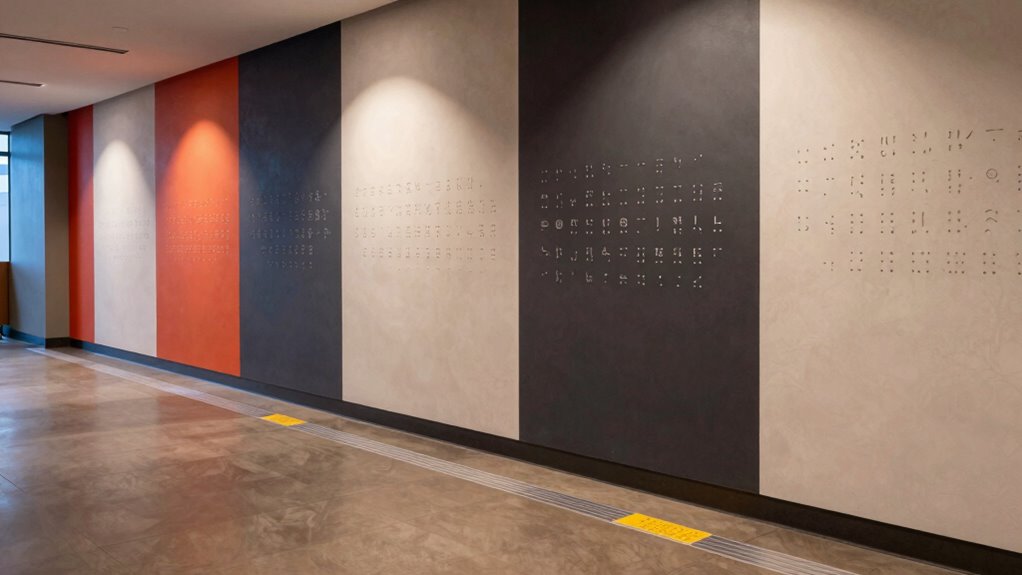

You can improve access for DeafBlind users by ensuring lighting is bright, even, and adaptive, which helps them detect tactile signs and navigate confidently. High contrast between surfaces and signs makes it easier to distinguish paths, while a clear, logical layout minimizes confusion and supports orientation. Incorporating tactile signage and auditory signals at decision points helps users move safely. If you keep exploring, you’ll discover even more ways to create inclusive environments that truly support all users.

Get everyday helpers delivered free with Prime
- Fast, free delivery on millions of items
- Prime Video, Amazon Music and more included
- Member-only deals all year
Key Takeaways
- Proper lighting and contrast enhance tactile and residual sight cues, aiding orientation and navigation for DeafBlind individuals.
- Even, bright lighting reduces shadows and glare, making tactile signage and environmental cues easier to locate and interpret.
- Clear, logical layouts with uncluttered pathways minimize confusion and support confident movement for DeafBlind users.
- Strategic placement of tactile signage and auditory signals at decision points improves spatial awareness and wayfinding.
- Integrating consistent lighting, contrast, and accessible signage creates an inclusive environment that reduces barriers for DeafBlind navigation.
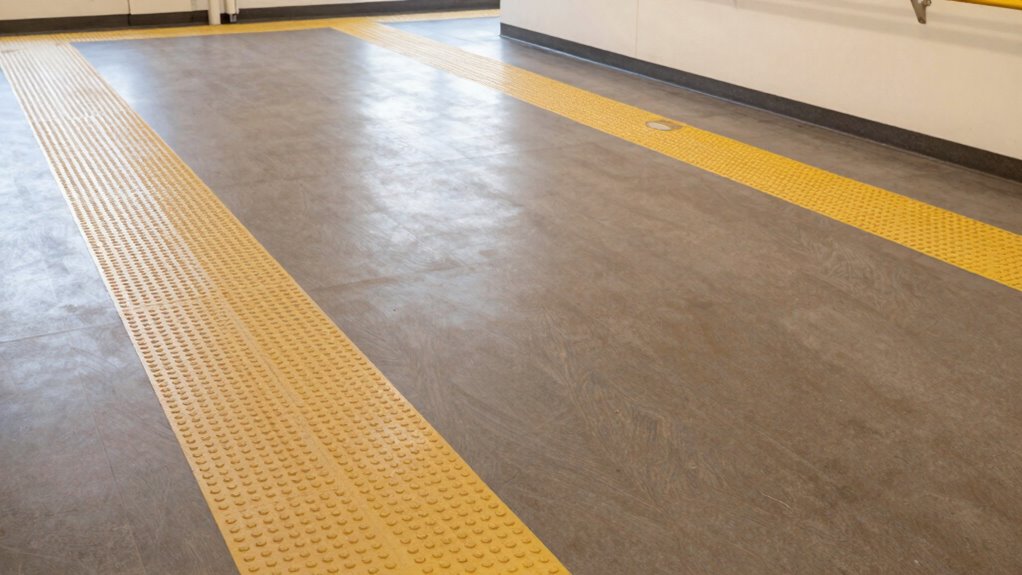
Creating an accessible environment for DeafBlind individuals starts with thoughtful lighting and layout choices. Your goal is to make navigation intuitive and safe, which means considering how lighting, contrast, and spatial arrangement work together. Tactile signage plays an essential role here, providing touch-based cues that help users identify locations and directions. You should position tactile signage at accessible heights and guarantee it’s easy to locate through touch. These signs can include raised symbols, braille, or textured patterns that guide individuals without relying on sight. Alongside tactile signage, integrating auditory signals such as gentle cues or vibrations helps reinforce wayfinding, especially when combined with lighting cues. For example, subtle auditory signals can alert someone to a nearby entrance or a change in elevation, making movement safer and more confident.
Lighting and contrast are vital because they help create a clear visual environment for those with residual sight, which benefits DeafBlind individuals who might have some usable vision. Bright, evenly distributed lighting eliminates shadows and reduces glare, making tactile signage more noticeable and easier to read through touch. High contrast color schemes—such as dark lettering on a light background—serve as visual cues that help users differentiate between surfaces, signs, and pathways. You want to avoid areas with inconsistent lighting or dark corners that can cause confusion or conceal tactile signage. Proper lighting not only enhances visibility but also reduces the cognitive load on users trying to interpret their surroundings. Additionally, lighting uniformity ensures that all parts of the environment are equally illuminated, preventing areas of shadow that could hinder navigation. An environment with consistent lighting supports intuitive navigation and minimizes errors. Developing a comprehensive lighting plan that accounts for all areas can further improve overall accessibility. Incorporating adaptive lighting systems can also help adjust illumination levels based on specific needs or time of day, increasing flexibility and safety.
Bright, even lighting and high-contrast colors improve visibility and reduce confusion for DeafBlind individuals.
Incorporating color contrast techniques into signage and pathways can further enhance visual cues and aid in differentiation. Layout design should prioritize logical, straightforward pathways that minimize confusion. You should arrange spaces so that tactile signage and auditory signals are strategically placed at decision points, like intersections or doorways. Clear, uncluttered routes with consistent patterns allow users to navigate confidently. Incorporate auditory signals at key locations—such as elevators, crosswalks, or room entrances—to provide non-visual cues. These signals can include beeps, voice prompts, or vibrations that confirm a user’s position or alert them to upcoming changes. Positioning auditory signals close to tactile signage ensures that users can rely on multiple senses for orientation, reducing the risk of disorientation. Consistent placement of cues and signage along a logical route also helps reinforce spatial awareness and confidence during navigation.
Ultimately, thoughtful lighting and layout design, combined with tactile signage and auditory signals, create an environment that empowers DeafBlind individuals to navigate independently and safely. Your focus should always be on consistency, clarity, and accessibility, ensuring that every element works together seamlessly. By doing so, you make spaces more inclusive, reducing barriers and fostering confidence for everyone who uses them.
tactile signage for accessibility
As an affiliate, we earn on qualifying purchases.
As an affiliate, we earn on qualifying purchases.
Frequently Asked Questions
How Do Different Types of Lighting Affect Deafblind Users’ Navigation?
Different lighting types greatly impact your navigation as a deafblind user. Bright, even ambient illumination helps sensors detect obstacles more accurately, while harsh or uneven lighting creates shadows that can confuse sensors. Proper sensor placement ensures consistent readings regardless of lighting changes. You benefit most from well-designed lighting that minimizes glare and shadows, allowing your sensors to operate smoothly, enhancing your safety and ease of movement in various environments.
What Are the Best Contrast Colors for Tactile or Audio Cues?
You should choose high color contrast for tactile cues, like black on white or yellow on black, to make them easily distinguishable. Strong contrast enhances tactile and audio signals, helping deafblind users quickly identify important information. Avoid low contrast combinations, which can blend together. By selecting colors with clear contrast, you improve accessibility and guarantee tactile cues stand out, making navigation safer and more efficient for deafblind individuals.
How Can Layout Changes Improve Accessibility During Emergencies?
Like a modern lighthouse in a storm, layout changes can greatly improve emergency access. You should position emergency signage where it’s easily seen and guarantee audible alerts are loud and clear from multiple angles. Clear pathways with minimal obstacles help DeafBlind users navigate safely. Incorporate tactile cues and consistent layouts so users can quickly find exits or safety equipment, reducing confusion during emergencies and enhancing everyone’s safety.
Are There Specific Lighting Standards for Deafblind-Friendly Environments?
There aren’t universal lighting standards specifically for deafblind-friendly environments, but focusing on sensory integration and environmental consistency helps. You should use uniform, stable lighting that minimizes flickering and shadows, making it easier for deafblind individuals to navigate. Consistent lighting levels across spaces support sensory cues and reduce confusion. By maintaining a predictable environment, you help deafblind users better interpret their surroundings and stay safe.
How Do Layout and Lighting Impact Social Interactions for Deafblind Individuals?
You might think layout and lighting don’t impact social interactions, but they’re essential for sensory integration and environmental awareness. Proper lighting highlights key areas, helping deafblind individuals navigate and engage confidently. Clear, organized layouts reduce confusion, making it easier to connect with others. When environments are thoughtfully designed, social interactions become more accessible, fostering inclusion and comfort. Your awareness of these factors can greatly improve social experiences for deafblind people.
Conclusion
Good lighting and thoughtful layout aren’t just about visibility—they’re about opening worlds. While bright lights can reveal details, they can also overwhelm; subtle cues might be missed in shadows. As a deafblind user, you navigate a space where contrast guides your touch, and layout offers safe passage. In this delicate balance, accessibility becomes more than design—it becomes a lifeline, proving that even small adjustments can bridge the gap between exclusion and inclusion.
Halloween Picks
halloween
As an affiliate, we earn on qualifying purchases.