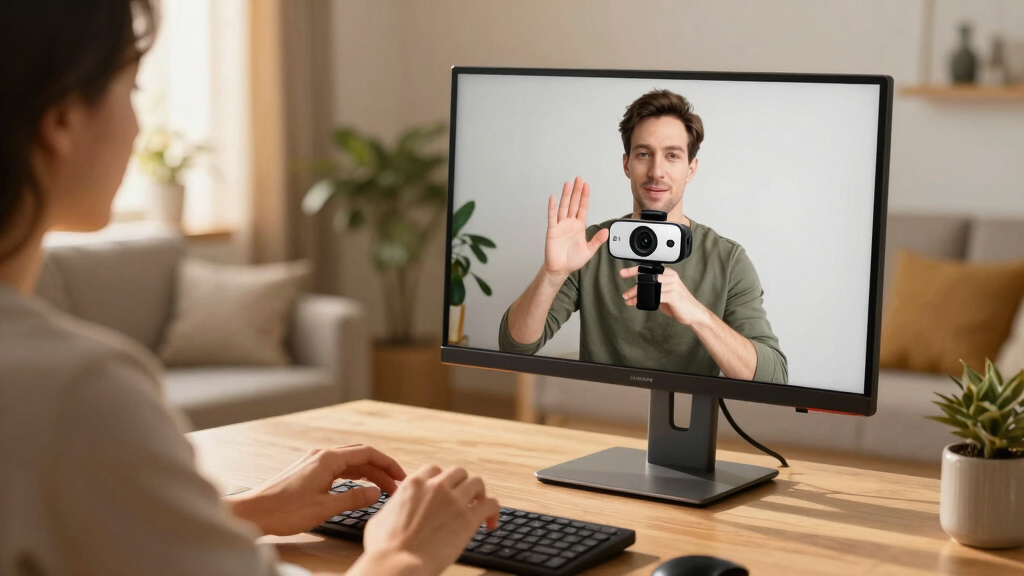
Finding the best 4K webcams for sign language video means balancing resolution, clarity, and ease of communication. The Logitech Brio Ultra HD Webcam stands out for its reliable 4K quality and compatibility with major platforms. The EMEET NOVA 4K Webcam is another top contender, offering excellent autofocus and lighting correction, essential for clear sign language display. On the other hand, tradeoffs often involve price versus feature set—higher resolution models can be more expensive and sometimes require better lighting conditions. Continue reading for a detailed comparison of these and other top options to find the best fit for your needs.
Key Takeaways
- High resolution alone isn’t enough; autofocus and lighting correction significantly impact sign language clarity.
- Most top webcams feature dual microphones, but audio quality varies, affecting overall communication effectiveness.
- Wide-angle lenses are common but can distort hand movements if not paired with good stabilization.
- Price correlates with additional features like hybrid zoom and dual-camera setups, but premium models aren’t always necessary for clear sign language videos.
- Compatibility and ease of setup are often overlooked but crucial for quick, hassle-free use during live communication.
| EMEET S600 4K Webcam for Streaming with Sony Sensor, PDAF Autofocus, 1080P@60FPS, Noise Reduction Mics, Privacy Cover |  | Best Overall for Professional Sign Language Video | Sensor Type: CMOS | Connectivity Technology: USB | Color: Black | VIEW LATEST PRICE | See Our Full Breakdown |
| EMEET NOVA 4K Webcam for PC, Ultra HD, PDAF Autofocus, Dual Mics, 73° FOV, Auto Light Correction, Privacy Cover |  | Best for Versatile Sign Language Communication and Professional Meetings | Sensor Type: CMOS | Connectivity Technology: USB | Special Features: 4K@30fps, Auto Light Correction, Dual Mics, PDAF Autofocus, Privacy Cover | VIEW LATEST PRICE | See Our Full Breakdown |
| AOC 4K Webcam for PC with Noise-Canceling Mic, Privacy Cover, Plug & Play, 90° FOV, USB-C & USB-A Adapter |  | Best Wide-Angle for Sign Language with Group or Larger Frames | Resolution: 4K Ultra HD | Field of View: 90° | Tilt: 180° | VIEW LATEST PRICE | See Our Full Breakdown |
| Logitech 4K Webcam |  | Best for High-Flexibility and Zoom for Sign Language Signaling | Resolution: 4K HD | Zoom: 5x HD | Field of View: 90°, 78°, 65° | VIEW LATEST PRICE | See Our Full Breakdown |
| EMEET C960 4K Webcam for PC with Auto Focus and Dual Mics |  | Best Budget-Friendly 4K for Sign Language Clarity | Resolution: 4K (switchable to 1080P) | Field of View: 73° | Focus: Auto (PDAF) | VIEW LATEST PRICE | See Our Full Breakdown |
| EMEET C60E Dual-Camera 4K Webcam for Streaming, Wide-Angle & Telephoto, 11X Hybrid Zoom, PDAF Autofocus, RGB Lighting, 2 Mics |  | Best for Versatile Dual-Camera Streaming and Professional Presentations | Camera Resolution: 4K Dual-Camera | Zoom: Max 11X Hybrid Zoom | Autofocus: PDAF Autofocus | VIEW LATEST PRICE | See Our Full Breakdown |
| Logitech Brio Ultra 4K HD Webcam for Streaming and Meetings |  | Best for High-Quality, Auto-Adjusted Sign Language Video | Resolution: 4K at 30 fps | Field of View: 65°, 78°, 90° | Microphone: Dual omnidirectional with noise cancellation | VIEW LATEST PRICE | See Our Full Breakdown |
| Logitech MX Brio Ultra HD 4K Webcam – Graphite |  | Best for AI-Enhanced Sign Language Video with Advanced Controls | Resolution: 4K at 30 fps, 1080p at 60 fps | Sensor: Advanced webcam sensor with larger pixels | Microphones: Dual beamforming noise-reducing microphones | VIEW LATEST PRICE | See Our Full Breakdown |
| 4k webcams for sign language video | Compatibility | Resolution | Field of View |
|---|---|---|---|
| EMEET S600 4K Webcam for Strea | — | — | — |
| EMEET NOVA 4K Webcam for PC | — | — | — |
| AOC 4K Webcam for PC with Nois | USB-C & USB-A | 4K Ultra HD | 90° |
| Logitech 4K Webcam | Windows, Mac, ChromeOS | 4K HD | 90°, 78°, 65° |
| EMEET C960 4K Webcam for PC wi | Windows, macOS, Android TV, Linux | 4K (switchable to 1080P) | 73° |
| EMEET C60E Dual-Camera 4K Webc | Windows 10/11, macOS 10.14+ | — | — |
| Logitech Brio Ultra 4K HD Webc | Windows, Mac, ChromeOS | 4K at 30 fps | 65°, 78°, 90° |
| Logitech MX Brio Ultra HD 4K W | Windows, macOS, Chrome OS, Linux | 4K at 30 fps, 1080p at 60 fps | — |
More Details on Our Top Picks
EMEET S600 4K Webcam for Streaming with Sony Sensor, PDAF Autofocus, 1080P@60FPS, Noise Reduction Mics, Privacy Cover
The EMEET S600 stands out for delivering crisp, detailed 4K video thanks to its Sony sensor, making it ideal for sign language communication where clarity is paramount. Its advanced PDAF autofocus ensures the image stays sharp even with movement, which is essential for dynamic signing. Unlike the Logitech 4K Webcam, which offers multiple field of view options, the S600’s fixed 73° FOV keeps the focus tightly on the signer, reducing distractions. The built-in noise-canceling microphones guarantee clear audio, a vital feature for sign language users relying on visual cues. However, the camera’s limited water resistance and fixed FOV may restrict outdoor or flexible setups. It requires software for customization and is best suited for indoor, professional environments. Overall, this model makes the most sense for users prioritizing image clarity and reliable autofocus in controlled settings.Pros:- High-quality 4K video with crisp image clarity
- Advanced PDAF autofocus for sharp focus
- Built-in noise-canceling microphones for clear audio
- Easy plug-and-play setup with broad compatibility
Cons:- Limited water resistance; not suitable for outdoor use
- Maximum FOV fixed at 73°, less flexible for wide-angle needs
- Requires software for advanced customization
Best for: Sign language interpreters or educators working primarily indoors in professional or studio environments.
Not ideal for: Outdoor users or those needing a wide or adjustable FOV for larger groups or outdoor sign language sessions, due to fixed FOV and water resistance limitations.
- Sensor Type:CMOS
- Connectivity Technology:USB
- Color:Black
- Special Features:1080P@60FPS, 4K@30FPS, Autofocus, Built-in Privacy Cover, Dual Noise-Canceling Mics
- Sensor Size:1/2.55 inch
- Viewing Angle:73 degrees
Our verdict“Best suited for indoor sign language sessions where clarity and precise focus are critical, and outdoor flexibility is less of a concern.”
EMEET NOVA 4K Webcam for PC, Ultra HD, PDAF Autofocus, Dual Mics, 73° FOV, Auto Light Correction, Privacy Cover
The EMEET NOVA excels with clear 4K resolution at 30FPS and automatic light correction, making it a solid choice for sign language videos in varied lighting conditions. Its 360° rotation and tripod compatibility provide flexibility that the Logitech 4K Webcam lacks, allowing for easy framing adjustments. While it offers fast PDAF autofocus for sharp images, the default video quality at 1080P unless software settings are adjusted may be a drawback for those requiring consistent 4K clarity. The dual omnidirectional microphones enhance natural sound, vital for sign language communication involving visual cues. Its incompatibility with Chrome OS limits some users, but it remains a good choice for Windows and Mac environments. This webcam is ideal for professionals needing adaptable positioning and reliable image quality.Pros:- High-quality 4K video with 30FPS
- Flexible 360° rotation and tripod compatibility
- Auto light correction for consistent image quality
- Dual omnidirectional mics for natural audio
Cons:- Video defaults to 1080P unless software adjustments are made
- No facial tracking or adjustable FOV
- Incompatible with Chrome OS
Best for: Video professionals, educators, or interpreters who need flexible camera positioning and dependable image quality in various lighting conditions.
Not ideal for: Chrome OS users or those seeking built-in wide-angle zoom or facial tracking features, as these are absent here.
- Sensor Type:CMOS
- Connectivity Technology:USB
- Special Features:4K@30fps, Auto Light Correction, Dual Mics, PDAF Autofocus, Privacy Cover
- Viewing Angle:73 degrees
- Weight:4.64 ounces
- Operating System:Android TV, Windows 10/11, macOS
Our verdict“Ideal for users seeking adaptable positioning and reliable image quality for sign language and professional communication in controlled environments.”
AOC 4K Webcam for PC with Noise-Canceling Mic, Privacy Cover, Plug & Play, 90° FOV, USB-C & USB-A Adapter
The AOC 4K Webcam offers a broad 90° field of view, making it well-suited for capturing sign language in group settings or wider scenes. Its plug-and-play simplicity and universal compatibility via USB-C and USB-A connections make setup straightforward. While the pixel-perfect 4K resolution ensures clear visuals, the lack of adjustable focus or zoom may hinder close-up sign language clarity, especially if used at a distance. The wide FOV helps include more of the signer and environment but may also introduce background distractions if not carefully framed. Its tilt and swivel features add some flexibility, but limited low-light performance details mean it may struggle in darker settings. This webcam is best for users needing an expansive view rather than close-up detail.Pros:- High-resolution 4K clarity for sharp visuals
- Wide 90° field of view for group or full-body signing
- Easy plug-and-play with universal compatibility
- Includes privacy cover for security
Cons:- No adjustable focus or zoom for close-up detail
- Potential background distractions in wide frames
- Limited information on low-light performance
Best for: Sign language educators or group sessions where capturing multiple signers or context in a wider frame is necessary.
Not ideal for: Individuals needing close-up, detailed sign language capture or low-light environments, due to fixed focus and limited low-light info.
- Resolution:4K Ultra HD
- Field of View:90°
- Tilt:180°
- Swivel:360°
- Compatibility:USB-C & USB-A
- Microphone:Built-in noise-canceling
Our verdict“Best suited for sign language educators or group sessions requiring a broad view rather than close-up detail.”
Logitech 4K Webcam
The Logitech 4K Webcam offers a versatile setup with multiple FOV presets and an impressive 5x HD zoom, catering well to sign language users who need close-up focus and framing flexibility. Its auto light adjustment with HDR improves visibility in diverse lighting, an advantage over fixed-focus models like the EMEET S600. However, its size and higher price point may be less appealing for portable or budget-conscious users. The privacy shutter and multiple FOV options make it suitable for various environments, but some features require additional software, which can complicate quick setups. This webcam is ideal for professionals demanding dynamic framing and zoom capabilities in a single device.Pros:- High-resolution 4K video with multiple FOV presets
- 5x HD zoom for close-up signing
- Auto light adjustment with HDR for varied lighting
- Privacy shutter included
Cons:- May be expensive compared to simpler webcams
- Larger size might reduce portability
- Requires compatible software for full feature use
Best for: Sign language interpreters or educators needing flexible framing, zoom, and multiple field of view options for zoomed-in clarity.
Not ideal for: Budget-conscious users or those seeking ultra-compact webcams, since it is larger and more expensive.
- Resolution:4K HD
- Zoom:5x HD
- Field of View:90°, 78°, 65°
- Frame Rate:Up to 90 fps
- Light Adjustment:Auto
- Compatibility:Windows, Mac, ChromeOS
Our verdict“Best suited for professionals who need zoom and flexible framing for detailed sign language communication.”
EMEET C960 4K Webcam for PC with Auto Focus and Dual Mics
The EMEET C960 combines solid 4K resolution with auto focus and auto light correction, offering a reliable option for sign language users on a budget. Its straightforward plug-and-play design and dual omnidirectional microphones ensure clear visuals and audio, comparable to pricier models like the Logitech Brio, but at a lower cost. The default 1080P setting, switchable to 4K via software, might pose a minor inconvenience for users who need consistent ultra-high definition without extra steps. Its modest FOV of 73° makes it suitable for close-up signing, but it lacks features like zoom or wide-angle framing. This webcam makes sense for those prioritizing affordability with dependable image quality.Pros:- Affordable 4K resolution with crisp visuals
- Auto focus and auto light correction for clarity
- Dual microphones for natural audio
- Easy setup with privacy cover
Cons:- Defaults to 1080P, requiring software for 4K
- No zoom or wide-angle features
- Limited low-light performance details
Best for: Budget-conscious sign language educators or remote workers who want reliable 4K quality without extra frills.
Not ideal for: Users needing wide-angle or wide framing for group sign language sessions or outdoor use, due to fixed FOV and limited low-light info.
- Resolution:4K (switchable to 1080P)
- Field of View:73°
- Focus:Auto (PDAF)
- Microphones:Dual omnidirectional
- Compatibility:Windows, macOS, Android TV, Linux
- Mounting:Tripod thread
Our verdict“A budget-friendly choice that delivers reliable 4K video for individual sign language communication in controlled environments.”
EMEET C60E Dual-Camera 4K Webcam for Streaming, Wide-Angle & Telephoto, 11X Hybrid Zoom, PDAF Autofocus, RGB Lighting, 2 Mics
The EMEET C60E stands out for its dual-camera setup, offering both wide-angle and telephoto views, which makes it particularly suited for sign language communication that benefits from multiple perspectives. Unlike the Logitech Brio, which relies on a single camera, the C60E’s dual lenses provide more dynamic framing options, but the zoom feature isn’t supported in 4K at high frame rates, limiting fluidity during fast movements. The RGB lighting adds a visual flair, yet it isn’t essential for sign language clarity. Its smart control options improve user experience, but the setup demands a USB 2.0 connection, which may hinder performance on newer systems. This pick makes the most sense for streamers or professionals who need flexible views and vibrant visuals, though it might be overkill for basic video calls.
Pros:- Dual-camera setup offers versatile wide-angle and telephoto views
- Smart remote and software controls enhance usability
- Vibrant RGB lighting improves visibility and aesthetic appeal
Cons:- Zoom feature isn’t supported in 4K, 60FPS, or YUY2 modes, limiting flexibility
- Requires USB 2.0 connection, which may limit compatibility with newer systems
Best for: Professionals and streamers who need multiple perspectives and vibrant lighting for sign language communication.
Not ideal for: Users with newer computers that lack USB 2.0 ports or those seeking a simple, straightforward webcam for basic sign language chats.
- Camera Resolution:4K Dual-Camera
- Zoom:Max 11X Hybrid Zoom
- Autofocus:PDAF Autofocus
- Lighting:RGB Lighting
- Microphones:2 Omnidirectional Microphones
- Compatibility:Windows 10/11, macOS 10.14+
- Connection:USB 2.0 Type-A
- Tripod Mount:Yes
Our verdict“This dual-camera webcam is ideal for sign language users who benefit from multiple views and visual customization, despite some technical limitations.”
Logitech Brio Ultra 4K HD Webcam for Streaming and Meetings
The Logitech Brio offers outstanding 4K video clarity with automatic light correction, making it well-suited for sign language video where clarity is paramount. Compared with the EMEET C60E, the Brio’s single-camera design simplifies setup but lacks the multi-view flexibility that some sign language users might find beneficial. Its adjustable field of view presets allow users to tailor framing for different environments, and the dual microphones with noise cancellation help ensure clear audio, a key factor for sign language interpretation. However, it demands a USB 3.0 port for optimal performance, which could be a barrier for older setups, and its higher price can deter casual users. This webcam is ideal for those prioritizing premium image quality and adaptable framing, though it may be more than necessary for straightforward sign language calls.
Pros:- Exceptional 4K video quality with auto light correction
- Multiple field of view options for adaptable framing
- Built-in noise-canceling dual microphones
Cons:- Requires USB 3.0 port for best performance, limiting compatibility
- Higher price point compared to basic webcams
Best for: Sign language communicators who require crisp 4K video with flexible framing and superior audio clarity.
Not ideal for: Users with older computers or tighter budgets who need a simpler, more affordable webcam.
- Resolution:4K at 30 fps
- Field of View:65°, 78°, 90°
- Microphone:Dual omnidirectional with noise cancellation
- Light Correction:RightLight 3
- Compatibility:Windows, Mac, ChromeOS
- Windows Hello:Yes
- Privacy Shutter:Yes
- Zoom:5x digital zoom
Our verdict“The Logitech Brio delivers premium 4K quality and flexible framing, making it ideal for sign language users who prioritize visual clarity and adjustable views.”
Logitech MX Brio Ultra HD 4K Webcam – Graphite
The Logitech MX Brio in graphite offers a blend of AI-enhanced image quality, adjustable controls, and robust connectivity, making it well-suited for sign language communication that benefits from high detail and customization. While the Brio standard model is praised for its high-resolution video at 4K and 1080p at 60fps, the MX version adds AI features that improve image sharpness and adaptiveness, especially useful in varied lighting conditions. Its dual beamforming microphones ensure clear audio, and the privacy cover offers security between sessions. The main drawback is its reliance on USB-C, which may require adapters for some systems, and its premium price might be prohibitive for casual users. This pick makes the most sense for professionals or serious users seeking top-tier image quality and smart controls for sign language videos.
Pros:- High-quality 4K video with AI enhancements for clarity
- Dual beamforming microphones with noise reduction
- Customizable controls and privacy cover for security
Cons:- Requires USB-C connection, possibly needing adapters
- Higher cost limits accessibility for casual users
- Larger size may reduce portability
Best for: Advanced sign language users and professionals who want AI-enhanced image quality and extensive customization options.
Not ideal for: Casual users or those with older or limited hardware that cannot support USB-C connections or higher price points.
- Resolution:4K at 30 fps, 1080p at 60 fps
- Sensor:Advanced webcam sensor with larger pixels
- Microphones:Dual beamforming noise-reducing microphones
- Features:Show Mode, AI-enhanced image quality, adjustable white balance
- Compatibility:Windows, macOS, Chrome OS, Linux
- Connectivity:USB-C
- Privacy Cover:Yes
Our verdict“The Logitech MX Brio combines AI-driven enhancements and professional features, making it perfect for users demanding top-tier image quality for sign language video.”

How We Picked
The webcams in this roundup were selected based on their ability to deliver crisp, detailed 4K video suitable for sign language communication. Key evaluation criteria included autofocus performance, low-light correction, microphone quality, and ease of use. We also prioritized models with stable connection options and good build quality to support consistent video clarity. The ranking reflects a balance between performance, value, and practical features, aiming to recommend options suitable for various user budgets and technical needs. Products with superior video processing and user-friendly interfaces ranked higher, while those with limited features or compatibility issues fell lower in the list.| 4k webcams for sign language video | Compatibility |
|---|---|
| EMEET S600 4K Webcam for Strea | — |
| EMEET NOVA 4K Webcam for PC | — |
| AOC 4K Webcam for PC with Nois | USB-C & USB-A |
| Logitech 4K Webcam | Windows, Mac, ChromeOS |
| EMEET C960 4K Webcam for PC wi | Windows, macOS, Android TV, Linux |
| EMEET C60E Dual-Camera 4K Webc | Windows 10/11, macOS 10.14+ |
| Logitech Brio Ultra 4K HD Webc | Windows, Mac, ChromeOS |
| Logitech MX Brio Ultra HD 4K W | Windows, macOS, Chrome OS, Linux |
Factors to Consider When Choosing Best 4k Webcams For Sign Language Video
Choosing the best 4K webcam for sign language video involves understanding several critical factors that influence clarity and usability. While resolution is important, how well the camera handles lighting, autofocus, and audio quality are equally vital. You should also consider compatibility with your devices and software, as well as ease of setup and maintenance. Making the right choice often involves tradeoffs between price, features, and future-proofing, so knowing what to prioritize helps ensure your investment enhances communication without unnecessary complexity.Resolution and Frame Rate
While 4K resolution provides the sharpest image, in sign language communication, clarity and smoothness matter more. Look for webcams that support at least 30fps at 4K for fluid motion, which helps viewers follow hand movements accurately. Higher frame rates reduce motion blur but often come at a higher cost and may require powerful hardware. Balance your need for detail with your device’s processing capabilities to avoid lag or dropped frames.Autofocus and Lighting Correction
Autofocus ensures your hands remain in sharp focus as you move, which is essential for sign language. Likewise, automatic light correction adapts to varying lighting conditions, preventing shadows or overexposure that can obscure gestures. Cameras lacking these features may require manual adjustments, which can be distracting and reduce the natural flow of conversation. Prioritizing these features can significantly improve visual clarity during live communication.Microphone Quality
Clear audio complements high-quality video, making communication smoother and reducing misunderstandings. Dual microphones with noise reduction are common, but their effectiveness varies. For sign language, minimizing background noise and echo is crucial, so consider webcams with dedicated, high-quality mics or plan to supplement with external audio devices if necessary. Good audio quality ensures your message is received without frustrating interruptions.Compatibility and Setup
Ensure the webcam works seamlessly with your operating system and preferred video platforms. Some webcams are plug-and-play, while others may require drivers or specific software. Compatibility issues can cause delays or setup frustrations, especially if used in urgent or live settings. Also, consider whether the camera’s mounting options suit your workspace—flexible mounts can make positioning easier for optimal sign language visibility.Additional Features and Future Proofing
Features like hybrid zoom, dual-camera setups, and adjustable fields of view can enhance versatility but also add cost. Think about your typical use case—if you need to display multiple angles or zoom into hands, investing in more advanced models makes sense. However, for straightforward communication, simpler models with strong autofocus and lighting correction are often sufficient. Balancing these features against your budget helps you avoid overpaying for extras you don’t need.Frequently Asked Questions
Is 4K resolution necessary for sign language videos?
While 4K resolution offers excellent image detail, it isn’t always essential for sign language communication. The key is having a camera that captures clear, sharp images with good autofocus and lighting correction. Many users find 1080p webcams sufficient if they include these features, and 4K is most beneficial if you plan to record or display detailed gestures or need the highest possible clarity for viewers with visual impairments.
How important is autofocus for signing videos?
Autofocus plays a critical role because sign language involves quick hand movements that need to stay in focus. Without it, you might experience blurry gestures, which hampers understanding. A camera with reliable autofocus ensures your hands remain sharp regardless of movement, making your signs easy to follow. Investing in autofocus capability is generally worthwhile for live sign language communication.
Can I use a standard webcam for sign language videos?
Yes, many standard webcams can work well if they support at least 1080p resolution and have decent autofocus and lighting correction. However, for the best experience at 4K, look for models specifically designed with high detail and quick focus capabilities. Basic webcams may struggle in low-light conditions or with fast movements, so consider your environment and whether additional lighting or external mics are needed.
What is the best field of view for sign language videos?
A field of view between 73° and 90° generally offers a good balance, allowing enough space to capture your hands and upper body without distortion. A wider field of view can sometimes introduce fisheye effects or unnecessary background, which may distract viewers. If your workspace is limited, a narrower view with adjustable zoom can help focus on your gestures while maintaining clarity.
Should I invest in a dual-camera setup for sign language communication?
Dual-camera setups can be beneficial if you want to show different angles or close-ups of your hands alongside your face. This is particularly useful for detailed signing or teaching purposes. However, for general sign language video calls, a single high-quality 4K webcam with a wide field of view and good autofocus usually suffices. Consider your specific needs and whether the added complexity justifies the cost.