Searching for the best e-ink tablets for low vision note-taking? The ideal device combines high-contrast displays, adjustable font sizes, and user-friendly interfaces to support accessible writing and reading. The BOOX Note Air 5 C stands out as the overall best thanks to its vibrant color display and robust Android ecosystem, making it versatile for various needs. The Kindle Scribe offers a straightforward experience at a more affordable price, while the reMarkable Paper Pro excels in paper-like writing feel. Tradeoffs often involve balancing display quality, cost, and feature complexity. Keep reading for a detailed breakdown of each option and how they compare to meet low vision note-taking needs.
Listen free for 30 days with Audible
Thousands of audiobooks and originals — cancel anytime.
Start your free trialAs an affiliate, we earn on qualifying purchases.
Key Takeaways
- Color e-ink screens, like the amazon.com/dp/B0FR4L5XMV?tag=deafvibes01-20&ascsubtag=dc-38338″ target=”_blank” rel=”nofollow sponsored noopener”>BOOX Note Air 5 C, significantly enhance visual contrast for low vision users compared to monochrome displays.
- Stylus support and responsive writing experiences are critical, but higher-end models often come with a higher price tag.
- Device versatility, such as Android integration or AI features, can improve functionality but may introduce complexity for some users.
- Display size impacts readability; larger screens like 11 inches are better for low vision, yet more cumbersome for portability.
- Pricing varies widely; budget options still provide basic note-taking, but premium devices offer advanced accessibility features.
| BOOX Note Air 5 C 10.3″ E Ink Tablet with Color Display, 6GB RAM, 64GB Storage, Android 15 |  | Best Overall for Versatile Color Note-Taking | Display: 10.3-inch Kaleido 3 color e-ink screen | Resolution: B/W: 2480 x 1860, Color: 1240 x 930 | Color: 4,096 colors | VIEW LATEST PRICE | See Our Full Breakdown |
| Penstar eNote Pro 10.3” Color E-Ink Digital Notebook with Stylus and Folio Cover |  | Best for Long-Lasting, AI-Enhanced Note-Taking | Display: 10.3-inch Kaleido 3 color E-Ink, 150 PPI, 2K QHD | Stylus: 8,192 pressure levels, no charging needed | Processor: Octa-core 2.2 GHz | VIEW LATEST PRICE | See Our Full Breakdown |
| reMarkable Paper Pro with Marker Plus |  | Best for Natural Paper-Like Reading and Sketching | Display: 11.8-inch Canvas Color | Features: Color display, adjustable reading light | Included Accessories: Marker Plus with built-in eraser, 6 spare tips | VIEW LATEST PRICE | See Our Full Breakdown |
| Kindle Scribe Essentials Bundle (64GB) – Black |  | Best for Reading and Light Note-Taking in a Sustainable Design | Storage: 64GB | Display: 10.2-inch glare-free, 300 ppi | Pen: Premium included | VIEW LATEST PRICE | See Our Full Breakdown |
| iFLYTEK AINOTE 2 10.65″ E Ink Tablet with Recording & AI Meeting Summaries |  | Best for Portable AI-Enhanced Note-Taking and Transcription | Display Technology: Electronic Ink | Screen Size: 10.65 inches | Resolution: 1440×1920 | VIEW LATEST PRICE | See Our Full Breakdown |
| BOOX Tablet Go Color 7 Gen II E Ink Tablet with Active Stylus |  | Best for Color Display and Versatile Reading | Display: 7-inch Kaleido 3 (4096 colors) glass screen | Resolution: 1680 x 1264 | Color PPI: 150 ppi | VIEW LATEST PRICE | See Our Full Breakdown |
| BOOX Tablet Go 10.3 Gen II Lumi ePaper E Ink Tablet |  | Best for Extended Reading and Note-Taking | Display: 10.3-inch HD ePaper glass screen, 2480×1860 | Resolution: 2480 x 1860 | Stylus Support: BOOX InkSense Plus, 4,096 pressure levels | VIEW LATEST PRICE | See Our Full Breakdown |
| Amazon Kindle Scribe (32GB) with Premium Pen – Like-New |  | Best for Pure Reading and Basic Note-Taking | Storage: 32GB | Display: 10.2-inch glare-free, 300 ppi | Includes: Premium Pen | VIEW LATEST PRICE | See Our Full Breakdown |
| Kindle Scribe Colorsoft 64GB (Newest Model) – 11” Color Display with Pen Included |  | Best for Large Color Display and Visual Clarity | Storage: 64GB | Display: 11-inch Colorsoft color display | Weight: 400g | VIEW LATEST PRICE | See Our Full Breakdown |
| VIWOODS AiPaper 10.65″ AI E Ink Tablet, Digital Notebook Bundle with Pen |  | Best for All-in-One Versatile Note-Taking and Reading | Display: 10.65 inches, Carta 1300 E Ink, 2560 x 1920 | Stylus: W2 Stylus Pro, 4096 pressure levels | Storage: 128GB | VIEW LATEST PRICE | See Our Full Breakdown |
| Kindle Scribe 64GB (Newest Model) with 11” Paper-Like Display and Premium Pen |  | Best Overall for Versatile Note-Taking and Reading | Storage: 64GB | Display: 11-inch glare-free with front light | Weight: 400g | VIEW LATEST PRICE | See Our Full Breakdown |
| iFLYTEK AINOTE 2 10.65″ E-Ink Digital Notebook |  | Best for Multilingual and AI-Enhanced Note-Taking | Display: 10.65 inches | Pressure Sensitivity: 1024 levels | Thickness: 4.2mm | VIEW LATEST PRICE | See Our Full Breakdown |
| e-ink tablets for low vision note-taking | Display | Storage |
|---|---|---|
| BOOX Note Air 5 C 10.3" E Ink | 10.3-inch Kaleido 3 color e-ink screen | 64GB |
| Penstar eNote Pro 10.3” Color | 10.3-inch Kaleido 3 color E-Ink, 150 PPI, 2K QHD | 128GB |
| reMarkable Paper Pro with Mark | 11.8-inch Canvas Color | — |
| Kindle Scribe Essentials Bundl | 10.2-inch glare-free, 300 ppi | 64GB |
| iFLYTEK AINOTE 2 10.65" E Ink | — | — |
| BOOX Tablet Go Color 7 Gen II | 7-inch Kaleido 3 (4096 colors) glass screen | 64GB |
| BOOX Tablet Go 10.3 Gen II Lum | 10.3-inch HD ePaper glass screen, 2480×1860 | 64GB |
| Amazon Kindle Scribe | 10.2-inch glare-free, 300 ppi | 32GB |
| Kindle Scribe Colorsoft 64GB | 11-inch Colorsoft color display | 64GB |
| VIWOODS AiPaper 10.65" AI E In | 10.65 inches, Carta 1300 E Ink, 2560 x 1920 | 128GB |
| Kindle Scribe 64GB | 11-inch glare-free with front light | 64GB |
| iFLYTEK AINOTE 2 10.65" E-Ink | 10.65 inches | — |
More Details on Our Top Picks
BOOX Note Air 5 C 10.3″ E Ink Tablet with Color Display, 6GB RAM, 64GB Storage, Android 15
The BOOX Note Air 5 C stands out for its impressive 10.3-inch Kaleido 3 color E Ink display with 4,096 colors, making it ideal for users who need color differentiation in notes or diagrams. Its Android 15 platform offers access to a wide array of apps, surpassing the functionality of simpler e-ink devices like the Kindle Scribe. While the color display enhances visual clarity, it also introduces inherent limitations such as slower refresh rates and darker, grayer hues compared to LCD screens. This tradeoff impacts users who require rapid updates or vibrant colors for detailed work. The device’s stylus with pressure sensitivity and high resolution supports precise note-taking, making it suitable for low-vision users who benefit from color cues. However, the slower refresh and limited multimedia capabilities mean it’s less suited for animation or fast-paced video content.
Pros:- High-resolution color E Ink display with 4,096 colors
- Runs on Android 15 for broad app compatibility
- Stylus with 4,096 pressure levels for precise note-taking
- Supports a variety of document and image formats
Cons:- Color E Ink screens have inherent limitations like darker, grayer display
- Slower refresh rates compared to LCD/LED screens
- Not suitable for animation-heavy or high-refresh-rate applications
Best for: Low vision users seeking a flexible, multi-purpose device that combines color note-taking with app access.
Not ideal for: Users needing fast refresh rates or vibrant, bright colors for dynamic content or high-speed annotations.
- Display:10.3-inch Kaleido 3 color e-ink screen
- Resolution:B/W: 2480 x 1860, Color: 1240 x 930
- Color:4,096 colors
- Touch:Stylus with 4,096 pressure levels + capacitive touch
- CPU:Octa-core
- Storage:64GB
Our verdict“This device is best for low vision users who want a versatile, color-capable e-ink tablet with app flexibility and are okay with slower refresh performance.”
Penstar eNote Pro 10.3” Color E-Ink Digital Notebook with Stylus and Folio Cover
The Penstar eNote Pro offers a bright 10.3-inch Kaleido 3 color E-Ink display with 2K QHD resolution, making it especially suited for users who prioritize reading comfort and AI-driven productivity. Its long battery life of up to three weeks and AI features like voice-to-text and note summarization set it apart from standard note-taking devices like the reMarkable Paper Pro, which focuses more on sketching and reading. While it excels in AI-powered tools and supports multiple formats, its primary design for reading and note-taking limits its ability to handle fast scrolling or multimedia-rich content. The device’s high price reflects its advanced features, which might be overkill for users seeking simple note-taking without AI assistance. Its learning curve could also challenge those unfamiliar with AI integrations.
Pros:- Vivid color display with adjustable lighting for comfortable reading
- AI-powered features like voice-to-text and note summarization
- Long-lasting battery of up to three weeks
- Supports a wide range of file formats
Cons:- Designed mainly for reading and note-taking, less for fast scrolling or video
- Relatively high price point due to advanced AI features
- Requires some learning curve to maximize AI tools
Best for: Low vision users who want an AI-enhanced, color e-ink device with long battery life for extensive note management and reading.
Not ideal for: Individuals who need quick, fluid scrolling or multimedia playback, as the device is optimized more for reading and AI features than speed.
- Display:10.3-inch Kaleido 3 color E-Ink, 150 PPI, 2K QHD
- Stylus:8,192 pressure levels, no charging needed
- Processor:Octa-core 2.2 GHz
- Storage:128GB
- Battery:6500mAh, up to 3 weeks
Our verdict“Ideal for low vision users seeking an AI-driven, long-battery-life color e-ink tablet for organized reading and notes.”
reMarkable Paper Pro with Marker Plus
The reMarkable Paper Pro emphasizes a natural, paper-like writing experience with its 11.8-inch Canvas Color display, making it well-suited for users who prioritize handwriting and sketching. Compared to the Penstar eNote Pro, it offers a more portable and ultra-slim form factor, but its focus remains on note organization, PDF annotation, and handwriting conversion rather than multimedia or AI features. Its adjustable reading light improves usability in various lighting conditions, but the device’s color capabilities are somewhat limited in vibrancy, and it is primarily designed for digital note-taking and reading rather than fast scrolling or multimedia entertainment. The cost can be significant, especially considering accessory needs for full functionality.
Pros:- Color display with a natural paper-like writing feel
- Adjustable reading light for comfort in different environments
- Supports organizing notes and converting handwriting to text
- Ultra-slim and portable design
Cons:- Limited to note-taking and reading, not multimedia or animations
- Potentially high cost for advanced features and accessories
- Requires compatible accessories for full functionality
Best for: Low vision users who want a portable, natural-feeling device for handwriting, reading, and annotating documents without complex AI features.
Not ideal for: Those seeking a device for multimedia consumption or rapid content switching, as it is optimized for writing and reading rather than video or fast navigation.
- Display:11.8-inch Canvas Color
- Features:Color display, adjustable reading light
- Included Accessories:Marker Plus with built-in eraser, 6 spare tips
- Connectivity:Organize with folders, convert handwriting
Our verdict“This device suits low vision users who need a portable, natural-feel tablet for handwriting and reading without multimedia demands.”
Kindle Scribe Essentials Bundle (64GB) – Black
The Kindle Scribe Essentials Bundle combines the familiar Kindle reading experience with basic note-taking capabilities on its 10.2-inch glare-free display. Its inclusion of a premium pen and folio enhances usability for low vision users who need a simple, integrated device. While it offers AI tools for handwriting conversion, it lacks the advanced color or AI features of more specialized devices like the Penstar eNote Pro, making it better suited for users who prioritize straightforward reading and light annotation. Its high-quality materials and sustainable design make it appealing, but the device’s focus on simplicity means it may fall short for those needing more intricate note management or color differentiation.
Pros:- Combines reading and note-taking with a high-quality, sustainable design
- Includes premium pen and folio for a complete package
- AI tools for converting handwriting to text
- Glare-free, 300 ppi display for clear reading
Cons:- Premium features come at a higher price
- Limited to basic note-taking and reading without advanced AI or multimedia
- Requires time to learn new note features
Best for: Low vision users who want an easy-to-use, sustainable device for reading and basic note-taking without complex AI features.
Not ideal for: Users who need advanced AI tools, color support, or multimedia capabilities beyond simple notes and reading.
- Storage:64GB
- Display:10.2-inch glare-free, 300 ppi
- Pen:Premium included
- Material:Plant-based leather folio
Our verdict“Ideal for low vision users wanting a simple, eco-friendly device for reading and light notes without extra complexity.”
iFLYTEK AINOTE 2 10.65″ E Ink Tablet with Recording & AI Meeting Summaries
The iFLYTEK AINOTE 2 offers a larger 10.65-inch paper-like E Ink display with 1440×1920 resolution, designed for users who need AI transcription, multi-language support, and extended battery life. Its long-lasting 111-day battery makes it stand out for daily, low-maintenance use, especially for those needing transcription and schedule management. Compared to the Penstar eNote Pro, it lacks advanced AI productivity tools but emphasizes AI meeting summaries and transcription, which can be a game-changer for note organization in low vision contexts. However, its reliance on Wi-Fi for AI features and limited offline functionality may hinder use in confidential or low-connectivity environments. Without external lighting, low-light writing may also pose a challenge.
Pros:- Paper-like writing experience with stylus support
- Long battery life up to 111 days
- Supports multi-language transcription and AI meeting summaries
- Lightweight and portable at 10.65″ size
Cons:- AI features require Wi-Fi, limiting offline use
- Not designed for multimedia or fast scrolling
- Limited functionality in dark environments without external lighting
Best for: Low vision users who want a portable, AI-assisted device with excellent battery life for transcription and note organization.
Not ideal for: Users requiring high-speed multimedia interactions or offline AI features, as AI functions depend on Wi-Fi and may not work in all settings.
- Display Technology:Electronic Ink
- Screen Size:10.65 inches
- Resolution:1440×1920
- Battery Life:111 days
- Memory Storage Capacity:64 GB
Our verdict“Best suited for low vision users needing AI transcription and long battery life for organized note-taking and meetings.”
BOOX Tablet Go Color 7 Gen II E Ink Tablet with Active Stylus
This model stands out for its 7-inch Kaleido 3 color E Ink screen, offering color support that can enhance visual distinctions, especially useful for low vision users who benefit from color cues. Compared with the larger, monochrome-focused BOOX Tablet Go 10.3 Gen II Lumi, it sacrifices some reading space but provides a more vivid, color-rich experience. The device runs on Android 13, allowing access to a variety of apps, though the color display’s inherent limitations mean images may appear darker or grayer than LCD screens. Stylus support is included but does not feature EMR technology, which could impact precision for detailed notes. This pick suits users who want portable color visuals for reading or light note-taking, but may not be ideal for those needing high-fidelity color accuracy or extensive stylus use.
Pros:- Color E Ink display supports visual differentiation for low vision needs
- Runs on Android 13 with access to apps and media
- Adjustable front lighting for comfortable reading
Cons:- Color E Ink screens have inherent limitations, resulting in darker or grayer images
- Stylus support lacks EMR technology and isn’t included in the box
Best for: Low vision users who prefer color differentiation combined with basic note-taking and reading functionalities
Not ideal for: Users seeking high-precision stylus input or detailed color accuracy for professional illustration
- Display:7-inch Kaleido 3 (4096 colors) glass screen
- Resolution:1680 x 1264
- Color PPI:150 ppi
- CPU:Octa-core
- RAM:4GB
- Storage:64GB
- Connectivity:Wi-Fi, Bluetooth 5.1
- Front Light:Yes (Warm and Cold)
- Battery:2,300mAh Li-ion
Our verdict“This device is best for low vision users who want portable color visuals for casual reading and annotations, accepting some display compromises.”
BOOX Tablet Go 10.3 Gen II Lumi ePaper E Ink Tablet
This 10.3-inch device offers a generous high-resolution ePaper display, making it ideal for users who need larger text and more space for notes. Its stylus with 4,096 pressure levels provides a sensitive, natural writing experience, comparable to paper, which is a step up from the smaller color model. Running on Android 15, it supports a broad range of formats and third-party apps, giving it a flexible edge over simpler eReaders. However, the battery life, lasting about a day under heavy use, and its relatively fragile build mean it may not suit all users, especially those needing all-day reliability or ruggedness. Compared to the smaller BOOX Tablet Go Color, this model prioritizes reading comfort and note-taking capacity, but sacrifices portability and long battery life.
Pros:- Large, high-resolution ePaper display supports comfortable reading
- Stylus with pressure sensitivity enhances note accuracy
- Supports a wide array of document formats and third-party apps
Cons:- Battery life lasts approximately one day with intensive use
- Build may feel fragile for frequent, rough handling
Best for: Low vision users who need a larger display for extended reading and detailed note-taking
Not ideal for: Those seeking a compact device for quick, on-the-go notes or with extended battery life
- Display:10.3-inch HD ePaper glass screen, 2480×1860
- Resolution:2480 x 1860
- Stylus Support:BOOX InkSense Plus, 4,096 pressure levels
- Processor:Octa-core
- RAM:4GB
- Storage:64GB
- Connectivity:Wi-Fi, Bluetooth 5.1
- Battery:3,700mAh
Our verdict“This tablet is well-suited for low vision users who want a larger, versatile device for reading and detailed notes, accepting some fragility and battery limitations.”
Amazon Kindle Scribe (32GB) with Premium Pen – Like-New
This refurbished Kindle Scribe offers a high-res, glare-free 10.2-inch display ideal for low vision readers who want an easy-on-the-eyes experience. Its AI tools for handwriting conversion and note summarization add practical value for those managing notes digitally, although the device’s focus remains on reading and simple annotations rather than complex note-taking. As a refurbished product, it may come in generic packaging and lacks the full ecosystem of a new device, which could be a concern for some. Its long battery life makes it suitable for extended reading sessions, but it doesn’t support social features or notifications, limiting its role as a full digital workspace. Compared with larger, more feature-rich devices, this model emphasizes simplicity and readability.
Pros:- High-resolution glare-free display reduces eye strain
- Long-lasting battery supports months of use
- AI tools for handwriting conversion and note summarization
Cons:- Refurbished status may affect long-term reliability
- Limited ecosystem and features compared to newer devices
Best for: Low vision users who prioritize reading and straightforward note-taking with long battery life
Not ideal for: Users needing advanced note features or multimedia support beyond basic writing
- Storage:32GB
- Display:10.2-inch glare-free, 300 ppi
- Includes:Premium Pen
- Warranty:Limited (refurbished)
Our verdict“This device is ideal for low vision users who want a simple, reliable e-reader with basic note capabilities and long battery life, accepting some ecosystem limitations.”
Kindle Scribe Colorsoft 64GB (Newest Model) – 11” Color Display with Pen Included
The Kindle Scribe Colorsoft’s 11-inch high-contrast color display makes it stand out for users who need larger text and color differentiation, beneficial for low vision note-taking and reading. The responsive, paper-like surface and included pen provide a natural writing experience, making it suitable for detailed notes or sketches. Its long battery life, lasting weeks, supports extended use without frequent recharging. However, as a dedicated reading and writing device, it doesn’t support complex multimedia or full tablet functions, and it relies heavily on cloud storage and compatible services. Compared with monochrome eInk tablets, the color display enhances visibility but may not be as crisp or detailed for high-precision tasks. This is a good choice for those who want a large, color-rich note-taking device but do not need additional tablet functionalities.
Pros:- Large, high-contrast color display enhances visual clarity
- Responsive, paper-like writing surface with included pen
- Long battery life supports weeks of use
Cons:- Limited to reading and writing; no full tablet features
- No mention of expandable storage
Best for: Low vision users seeking a large, color, paper-like device for reading and notes without distractions
Not ideal for: Users requiring extensive app support or multitasking beyond reading and writing
- Storage:64GB
- Display:11-inch Colorsoft color display
- Weight:400g
- Thickness:5.4mm
- Included Pen:Yes, no charging needed
- Battery Life:Weeks
Our verdict“This device is best for low vision users who want a large, color-enhanced note-taking experience with minimal distractions, accepting its limited app ecosystem.”
VIWOODS AiPaper 10.65″ AI E Ink Tablet, Digital Notebook Bundle with Pen
The VIWOODS AiPaper’s 10.65-inch Carta 1300 E Ink display offers high resolution and a natural, paper-like feel, making it suitable for long-form reading and detailed handwriting. Its 128GB storage and included bundle, featuring a protective folio and replacement nibs, support a full digital workflow. The stylus with 4,096 pressure levels allows precise notes and sketches, while AI tools assist with reading, translating, and organizing. Compared with smaller or less feature-rich options like the Kindle Scribe, it provides a more comprehensive experience for serious low vision note-takers. A potential drawback is the refresh latency during rapid writing, and it’s best suited for users comfortable with digital workflows. This model targets those who want a robust, all-in-one device for reading, note-taking, and idea organization.
Pros:- High-resolution display reduces glare and eye strain
- Responsive stylus supports precise handwriting and sketches
- AI tools enhance reading, translating, and organizing notes
Cons:- E Ink refresh rate can be noticeable during rapid writing
- Requires familiarity with digital workflows for full benefit
Best for: Low vision users who need a large, feature-rich digital notebook with AI assistance for organization
Not ideal for: Those seeking a lightweight, ultra-portable device or minimalistic reading-only device
- Display:10.65 inches, Carta 1300 E Ink, 2560 x 1920
- Stylus:W2 Stylus Pro, 4096 pressure levels
- Storage:128GB
- Included Accessories:Folio, nibs, USB-C cable
Our verdict“This device is best for low vision users who want a large, versatile digital notebook with AI tools and comprehensive accessories, accepting some refresh latency.”
Kindle Scribe 64GB (Newest Model) with 11” Paper-Like Display and Premium Pen
Compared to the iFLYTEK AINOTE 2, the Kindle Scribe offers a larger 11-inch display that provides a closer paper-like experience, making it ideal for low vision users who need to both read and write comfortably. Its long battery life and support for importing and exporting files add to its practicality, though it requires some initial adjustment for those new to digital notebooks. The included premium pen with eraser and shortcut button enhances usability, but the device’s premium features come at a higher price point, which might be a consideration for budget-conscious buyers. While not rugged or waterproof, its sleek design and lightweight build support extended use without fatigue.
Pros:- Large, glare-free 11-inch display mimics paper for comfortable reading and writing
- Includes a rechargeable pen with eraser and shortcut buttons for enhanced productivity
- Long-lasting battery supports weeks of continuous use without recharging
- Supports importing/exporting various file formats for versatile document handling
Cons:- Requires a learning curve for users unfamiliar with digital note-taking tools
- Premium features and large display come at a higher cost, potentially limiting accessibility
Best for: Low vision users seeking a high-capacity, all-in-one device for reading, note-taking, and document management
Not ideal for: Users needing rugged or waterproof devices for outdoor or harsh environments, or those with a tight budget
- Storage:64GB
- Display:11-inch glare-free with front light
- Weight:400g
- Thickness:5.4mm
- Pen:Premium graphite with eraser and shortcut
- Battery Life:Weeks
Our verdict“This device is best suited for users who want a premium, versatile e-ink tablet that combines reading and note-taking in one sleek package.”
iFLYTEK AINOTE 2 10.65″ E-Ink Digital Notebook
Compared with the Kindle Scribe, the iFLYTEK AINOTE 2 offers a slightly smaller 10.65-inch display but excels with AI-powered transcription and real-time translation, making it especially valuable for multilingual users or professionals who need accurate transcription on the go. Its ultra-slim profile at just 4.2mm enhances portability, and the 1024 pressure sensitivity allows for precise note-taking that feels natural. However, its reliance on the Android 14 OS means users need some familiarity with Android to fully utilize its features, and the price range remains unspecified, which could be a concern for budget-conscious buyers. The device’s e-ink display provides excellent readability but lacks multimedia capabilities, limiting its use for more dynamic content.
Pros:- High-quality e-ink display offers authentic paper-like writing experience
- AI-powered transcription and translation improve workflow and communication
- Extremely slim and lightweight, perfect for portability
- Supports 18 languages for transcription and 14 for translation
Cons:- Limited to e-ink display, not suitable for multimedia or color content
- Requires some familiarity with Android to maximize functionality
- Price range not clearly specified, which may impact decision-making
Best for: Multilingual professionals and users who prioritize AI features like transcription, translation, and lightweight portability
Not ideal for: Those seeking multimedia-rich tablets or rugged devices for outdoor use, or users unfamiliar with Android OS
- Display:10.65 inches
- Pressure Sensitivity:1024 levels
- Thickness:4.2mm
- Operating System:Android 14
- Languages Supported:18-language transcription, 14 major languages translation
Our verdict“This device is ideal for users who need a portable, AI-enhanced note-taking tool with multilingual capabilities, especially in professional contexts.”
How We Picked
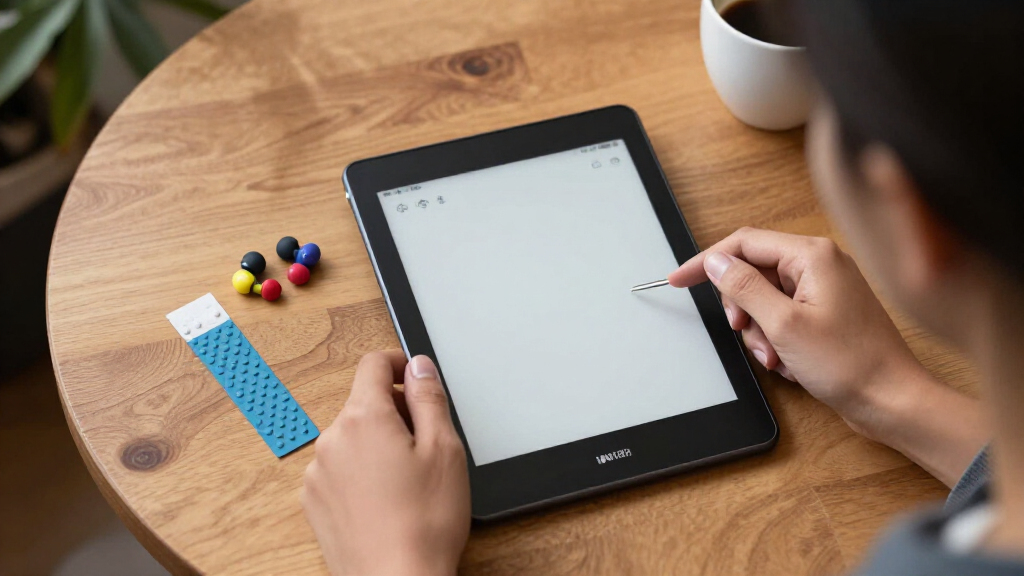
Our evaluation focused on factors that directly impact low vision users: screen size and contrast, text readability, ease of use, stylus responsiveness, and accessibility features. We compared display quality, device ergonomics, and software flexibility, prioritizing devices that simplify note-taking and reading. Cost was also considered, balancing affordability with feature set. The ranking reflects the best overall blend of these factors, highlighting devices that make low vision note-taking easier and more accessible without overwhelming the user with complexity.Factors to Consider When Choosing Best E-ink Tablets For Low Vision Note-taking
Choosing the best e-ink tablet for low vision note-taking involves several key considerations. First, display size and contrast are paramount, as larger, high-contrast screens reduce eye strain and improve readability. Second, stylus responsiveness affects writing ease—look for devices with low latency and comfortable stylus support. Third, software accessibility features such as adjustable font sizes, screen brightness, and text-to-speech can make a meaningful difference. Additionally, device ecosystem and compatibility matter if you want versatile apps or AI tools. Finally, consider portability versus screen size tradeoffs, and budget constraints to find a device that balances all these elements effectively.Display Quality and Size
For low vision note-takers, the display is the most critical factor. Larger screens, around 10-11 inches, provide more space for larger text and easier reading. High contrast settings and adjustable font sizes further improve visibility. Color e-ink options, such as on some BOOX models, can enhance differentiation between text and background, aiding users with low vision. However, larger displays often mean increased weight and bulk, so finding a balance between readability and portability is key.
Stylus Support and Writing Experience
Responsive stylus support with low latency ensures that writing and annotation feel natural and reduce frustration. Consider whether the device offers pressure sensitivity and palm rejection, as these features improve the note-taking experience. Devices like the reMarkable Paper Pro and Kindle Scribe include premium styluses designed for paper-like writing, which can be especially helpful for users with low vision who rely on tactile feedback. Cheaper models may lack this responsiveness, making long writing sessions tiring or less precise.
Accessibility and Software Features
Ease of use hinges on the availability of adjustable settings like font size, brightness, and contrast. Text-to-speech and AI-powered summarization can significantly boost usability for those with low vision. Devices with open ecosystems, such as Android-based tablets, allow for installing specialized apps and accessibility tools, whereas closed systems like Kindle tend to be more streamlined but less customizable. Make sure the device supports the reading and note-taking styles that fit your preferences and needs.
Price and Ecosystem
Budget considerations are important, but investing in a device with robust features can enhance accessibility and reduce frustration. While lower-cost options may suffice for simple note-taking, they often lack advanced contrast settings or AI capabilities. Premium devices typically offer better display technology, more seamless stylus support, and richer accessibility features. Consider whether the added investment aligns with your frequency of use and specific challenges related to low vision.
Frequently Asked Questions
Can I customize the display settings for better visibility?
Yes, most e-ink devices designed for low vision users offer customizable display settings. You can usually adjust contrast, font size, and brightness to suit your needs. Some devices also support color modes, which can improve differentiation for users with specific visual impairments. Exploring these options before making a purchase ensures the device can be tailored to your visual comfort and reading ease.
Are color e-ink screens worth the extra cost for low vision note-taking?
Color e-ink screens can significantly enhance contrast and differentiation, making them worthwhile if you find monochrome displays insufficient. They help distinguish text from backgrounds more easily, which can be a game-changer for some low vision users. However, they tend to be more expensive and may have slightly reduced battery life compared to monochrome options. If color contrast improves your reading experience, investing in a color model makes sense.
How important is stylus responsiveness for low vision note-taking?
Stylus responsiveness is crucial because it directly impacts the fluidity and ease of writing or annotating. Devices with low latency and pressure sensitivity provide a more natural experience, reducing fatigue and frustration. For users with low vision who rely heavily on tactile feedback, a high-quality stylus can make note-taking more intuitive, mimicking the feel of paper. Choosing a device with proven stylus support is often worth the extra cost.
Should I prioritize a larger screen or portability?
Deciding between a larger screen and portability depends on your typical use scenario. Larger screens, around 10-11 inches, improve readability and reduce eye strain, making them ideal for home or office use. However, they can be bulky and less convenient to carry. Smaller devices are easier to transport but may require more scrolling and zooming, which can be tiring for low vision users. Think about where you’ll use the device most often and choose accordingly.
Are open ecosystems better for accessibility customization?
Open ecosystems, such as Android-based tablets, offer greater flexibility for installing accessibility apps and customizing the interface. They allow you to tailor the device to your specific needs, including text-to-speech, magnification, and custom contrast settings. Closed systems like Kindle tend to be simpler and more streamlined, which can be easier for some users but less adaptable. Your comfort with technology and need for customization will influence which ecosystem suits you best.
Conclusion
For those seeking an all-around capable device, the BOOX Note Air 5 C offers a superb balance of display quality, versatility, and accessibility features, making it the best overall choice. If budget is a primary concern, the Kindle Scribe provides a straightforward note-taking experience at a more affordable price. For users prioritizing a natural writing feel, the reMarkable Paper Pro excels with its paper-like stylus and interface. Beginners or infrequent users might prefer simpler, more user-friendly options, while professionals with advanced needs should consider premium models with customizable features. Your ideal device depends on your specific visual needs, budget, and how you plan to use it.
NFL season / tailgating Picks
team gear
As an affiliate, we earn on qualifying purchases.