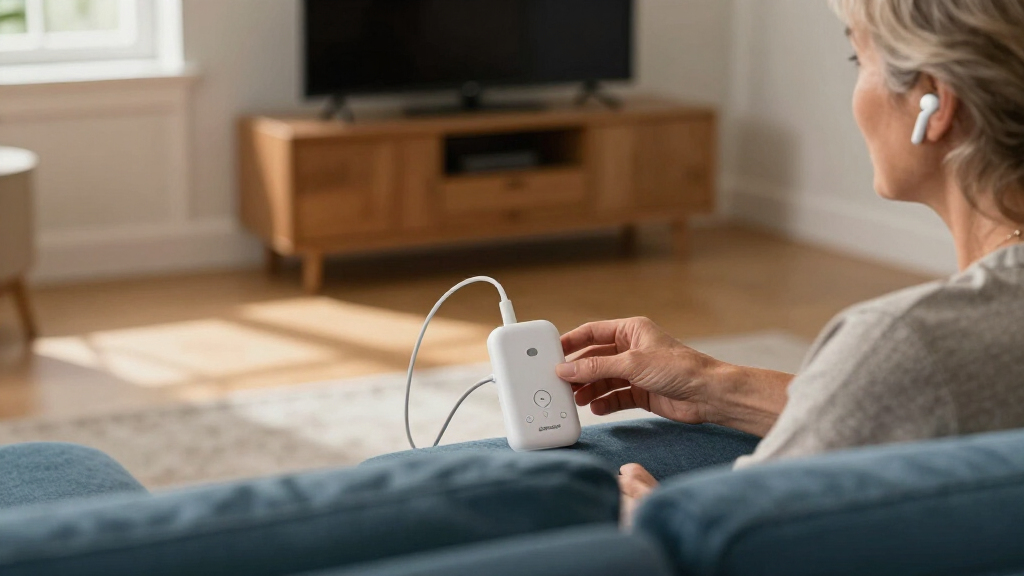

Bluetooth Auracast transmitters for TVs can send TV audio to compatible headphones or hearing aids, but support and setup differ across models. I’d make the HomeSpot BA210 v2 my best overall pick for a general-purpose TV setup, while the Sennheiser BTA1 stands out as a premium option and the Avantree Audikast 4HA targets users with selected hearing aids. The main tradeoffs are broad device compatibility versus hearing-aid-specific features, along with connection choices and setup complexity. A transmitter cannot add Auracast reception to headphones or hearing aids that lack it. Read on for the full breakdown and help matching a model to your TV and listening gear.

Get everyday helpers delivered free with Prime
- Fast, free delivery on millions of items
- Prime Video, Amazon Music and more included
- Member-only deals all year
Key Takeaways
- The HomeSpot BA210 v2 is the general-use lead pick: it is positioned as a versatile option rather than a transmitter limited to a specific hearing-aid ecosystem.
- Specialized hearing-aid models serve a different job: the Avantree C82 Aura and Audikast 4HA are aimed at hearing-aid use, so buyers should check device compatibility before choosing either.
- Avantree offers several distinct routes: Audikast 4T, Audikast 4, Audikast 4HA, C82 Aura, and Voyager HA are not interchangeable choices; their intended use and controls should guide the comparison.
- Connection and usability matter as much as the Auracast label: the right pick depends on the TV’s audio outputs and whether the user prefers a straightforward setup or added controls such as the Voyager HA’s OLED display.
- Brand and Bluetooth-version claims do not settle compatibility: products such as the Highgaze BA-55T and SUNITEC BT618T still need to match the receiving headphones or hearing aids and the TV’s available output.
| HomeSpot BA210 v2 Auracast Bluetooth Transmitter |  | Best for Flexible TV Connections | Model: BA210 v2 | Audio modes: Bluetooth A2DP and Auracast | Audio codecs: LC3, aptX Lossless, aptX HD | VIEW LATEST PRICE | See Our Full Breakdown |
| Avantree Audikast 4T Auracast TV Transmitter |  | Best for Switching Between Auracast and Standard Bluetooth | Model: Audikast 4T | Connectivity: Bluetooth and Auracast | Bluetooth version: 5.4 | VIEW LATEST PRICE | See Our Full Breakdown |
| Sennheiser BTA1 TV Transmitter for Auracast Headphones |  | Best for HDMI TV Setups | Model: BTA1 | Wireless technology: Bluetooth and Auracast | Audio inputs: HDMI, optical, analog | VIEW LATEST PRICE | See Our Full Breakdown |
| Highgaze BA-55T Bluetooth 5.4 Transmitter with Auracast and aptX |  | Best for Multi-Device Codec Flexibility | Model: BA-55T | Bluetooth version: 5.4 | Audio codecs: aptX Classic, aptX Low Latency, aptX HD, aptX Adaptive, LC3 | VIEW LATEST PRICE | See Our Full Breakdown |
| Avantree Audikast 4 Auracast and Bluetooth TV Transmitter |  | Best for Straightforward Optical or AUX Setups | Model: Audikast 4 | Connectivity: Bluetooth and Auracast | Audio inputs: Optical TOSLINK, 3.5 mm AUX | VIEW LATEST PRICE | See Our Full Breakdown |
| SUNITEC BT618T Auracast and Bluetooth 5.4 TV Audio Transmitter |  | Best for Flexible TV Connections | Bluetooth: 5.4 | Bluetooth chip: Qualcomm QCC3086 | Auracast codec: LE Audio LC3 | VIEW LATEST PRICE | See Our Full Breakdown |
| Avantree C82 Aura Auracast Transmitter for Hearing Aids |  | Best for USB-C Hearing-Aid Listening | Connection: USB-C | Bluetooth version: 5.4 | Supported standards: Auracast, LE Audio, LC3 | VIEW LATEST PRICE | See Our Full Breakdown |
| Avantree Audikast 4HA Auracast TV Transmitter for Selected Hearing Aids |  | Best for a Dedicated Hearing-Aid TV Setup | Connectivity: Bluetooth and Auracast | Bluetooth version: 5 | Audio inputs: Optical, AUX | VIEW LATEST PRICE | See Our Full Breakdown |
| Avantree Voyager HA Auracast Transmitter with OLED Display |  | Best Portable Option for Mixed Listening Devices | Connectivity: Auracast, Bluetooth 5.4 | Supported codecs: LC3 24K, aptX Adaptive | Input: 3.5 mm AUX | VIEW LATEST PRICE | See Our Full Breakdown |
| Bluetooth Auracast transmitters for TV | Warranty | Model |
|---|---|---|
| HomeSpot BA210 v2 Auracast Blu | 1 year | BA210 v2 |
| Avantree Audikast 4T Auracast | 24 months | Audikast 4T |
| Sennheiser BTA1 TV Transmitter | — | BTA1 |
| Highgaze BA-55T Bluetooth 5.4 | 1 year | BA-55T |
| Avantree Audikast 4 Auracast a | — | Audikast 4 |
| SUNITEC BT618T Auracast and Bl | 12 months | — |
| Avantree C82 Aura Auracast Tra | 24 months | — |
| Avantree Audikast 4HA Auracast | 24 months | — |
| Avantree Voyager HA Auracast T | 24 months | — |
More Details on Our Top Picks
HomeSpot BA210 v2 Auracast Bluetooth Transmitter
The HomeSpot BA210 v2 is a strong fit when a TV or receiver offers more than one kind of audio output: it accepts optical, RCA, and 3.5 mm AUX, while the Avantree Audikast 4T is limited to optical and AUX. That extra RCA option can simplify hookup to older televisions and audio gear. For shared listening, it broadcasts over Auracast, and the app lets you name the broadcast and adjust its volume. Its aptX Lossless support is another draw, though the receiver must support the relevant codec to benefit. The tradeoff is format setup: the TV’s optical output must be set to PCM, as Dolby and DTS are not supported. The advertised extended range also depends on compatible receivers, so I would not choose it based on range alone.
Pros:- Optical, RCA, and 3.5 mm inputs cover more TV and audio-system outputs than the Audikast 4T.
- Auracast broadcasts can serve multiple compatible receivers.
- App controls allow broadcast naming and volume adjustment.
- Supports aptX Lossless as well as LC3 and aptX HD.
Cons:- Optical TV audio must be set to PCM; Dolby and DTS are unsupported.
- Extended Auracast range depends on compatible receivers.
- Plastic enclosure may feel less substantial than a metal-bodied component.
Best for: TV owners with optical, RCA, or AUX audio outputs who want Auracast sharing and app control over broadcast settings.
Not ideal for: People whose TV sends Dolby or DTS over optical, or viewers who need HDMI input and do not have a compatible audio output.
- Model:BA210 v2
- Audio modes:Bluetooth A2DP and Auracast
- Audio codecs:LC3, aptX Lossless, aptX HD
- Inputs:Optical Toslink, RCA, 3.5 mm AUX
- Wireless range:Up to 165 ft (50 m) line of sight in standard mode; up to 330 ft (100 m) in open air in Auracast mode
- Controls and display:App and buttons; LED display
- Enclosure and color:Plastic; black
- Warranty:1 year
Our verdict“Choose the BA210 v2 if you need broad analog and optical TV connectivity plus app-managed Auracast sharing, and can use PCM audio.”
Avantree Audikast 4T Auracast TV Transmitter
The Avantree Audikast 4T stands out for households that want one transmitter to serve both Auracast listeners and a conventional Bluetooth headphone user. Auracast supports shared listening with compatible receivers, while classic Bluetooth connects to one standard receiver; the HomeSpot BA210 v2 offers broader source connections, but this Avantree makes the two listening modes an explicit part of its TV-focused setup. Its optical and AUX inputs cover many TVs, and aptX Adaptive, aptX HD, and LC3 support gives compatible receivers several codec paths. The main limitation is at the TV: there is no HDMI input, so HDMI-only sets need another audio route. Hearing aids also need to support Auracast Broadcast Audio; the transmitter cannot make non-Auracast hearing aids compatible. I see it as a practical dual-mode pick, not an HDMI solution.
Pros:- Supports Auracast and classic Bluetooth modes.
- Optical TOSLINK and 3.5 mm AUX inputs fit many TV audio outputs.
- Supports aptX Adaptive, aptX HD, aptX, SBC, and LC3.
- USB-C power and a 24-month warranty are specified.
Cons:- HDMI-only TVs are unsupported.
- Classic Bluetooth mode connects to only one standard receiver.
- Hearing aids must support Auracast Broadcast Audio.
Best for: Households that use a TV with optical or AUX output and want Auracast sharing alongside the option to connect one standard Bluetooth headphone or speaker.
Not ideal for: Owners of HDMI-only TVs or people expecting several conventional Bluetooth headphones to connect at once.
- Model:Audikast 4T
- Connectivity:Bluetooth and Auracast
- Bluetooth version:5.4
- Audio inputs:Optical TOSLINK, 3.5 mm AUX
- Supported codecs:aptX Adaptive, aptX HD, aptX, SBC, LC3
- Power source:USB-C
- Dimensions:2.7 × 2.9 × 2.6 in
- Warranty:24 months
Our verdict“Pick the Audikast 4T if your TV has optical or AUX output and you want both shared Auracast listening and a single conventional Bluetooth connection.”
Sennheiser BTA1 TV Transmitter for Auracast Headphones
The Sennheiser BTA1 is the clearest choice here for a TV setup that needs HDMI audio input: the HomeSpot BA210 v2 and both Audikast models rely on optical or analog connections instead. It also accepts optical and analog audio, so it can fit a wider mix of televisions and sources. For families or couples listening together, the BTA1 supports unlimited Auracast headphones with independent volume settings, letting each listener adjust without changing another person’s level. Speech Clarity, Virtual Surround Sound, and automatic volume normalization add listening options beyond basic transmission. The tradeoff is device compatibility: its main use is with Auracast-compatible headphones, rather than serving as a general-purpose bridge for any Bluetooth set. It also needs a wired connection to the TV, so it does not remove cable setup altogether.
Pros:- HDMI, optical, and analog inputs offer more TV connection choices than the Audikast 4T.
- Supports unlimited Auracast headphones with independent volume settings.
- Speech Clarity, Virtual Surround Sound, and automatic volume normalization add listening adjustments.
- Wireless range is specified up to 50 meters.
Cons:- Designed for Auracast-compatible headphones.
- Requires a wired connection to the TV.
- The supplied information does not specify supported audio codecs.
Best for: Households with HDMI-equipped TVs and multiple Auracast headphone users who want separate volume control for each listener.
Not ideal for: Buyers who need broad compatibility with standard Bluetooth headphones or want a transmitter that connects to the TV wirelessly.
- Model:BTA1
- Wireless technology:Bluetooth and Auracast
- Audio inputs:HDMI, optical, analog
- Audio outputs:Auracast, HDMI, optical, analog
- Headphone support:Unlimited Auracast headphones with independent volume settings
- Wireless range:Up to 50 meters
- Connectors:USB Type-C, USB Type-A
- Manufacturer warranty:2 years
Our verdict“Choose the BTA1 for HDMI TV connections and multi-listener Auracast headphone use with individual volume control.”
Highgaze BA-55T Bluetooth 5.4 Transmitter with Auracast and aptX
The Highgaze BA-55T brings a broad codec and streaming-mode list, including LE unicast and Auracast, which sets it apart from the TV-first Audikast 4. Its ability to remember up to eight devices may help a household switch among paired receivers without repeatedly setting them up. The aptX options—Classic, Low Latency, HD, and Adaptive—also give compatible devices multiple ways to handle audio. But the supplied product information does not list TV inputs such as optical, AUX, or HDMI, so I would not rank it ahead of the HomeSpot BA210 v2 or Sennheiser BTA1 for a known TV hookup. Compatibility details are also limited to selected devices, leaving buyers to verify their exact TV and receiver pairing. This is a feature-rich option, but its TV connection fit is less clearly documented.
Pros:- Supports both LE unicast and Auracast streaming.
- Can remember up to eight devices.
- Includes aptX Classic, Low Latency, HD, and Adaptive codecs, plus LC3.
- Bluetooth 5.4 is specified.
Cons:- The supplied specifications do not identify TV audio inputs.
- Compatibility information names selected devices rather than detailing broad TV support.
- The translation use case lacks specific setup or feature details.
Best for: Buyers who already know their TV audio connection and receiver are compatible and want Auracast, LE unicast, and multiple remembered devices.
Not ideal for: Shoppers who need clearly documented optical, AUX, or HDMI TV inputs before buying.
- Model:BA-55T
- Bluetooth version:5.4
- Audio codecs:aptX Classic, aptX Low Latency, aptX HD, aptX Adaptive, LC3
- Streaming modes:LE unicast and Auracast
- Remembered devices:Up to 8
- Compatible devices listed:PS5, Nintendo Switch, iPhone 15 and 16, Android
- Color:Black
- Warranty:1 year
Our verdict“Consider the BA-55T if its connection compatibility is confirmed and you value multiple streaming modes and remembered devices over clearly documented TV inputs.”
Avantree Audikast 4 Auracast and Bluetooth TV Transmitter
The Avantree Audikast 4 is a straightforward choice for a TV with optical or 3.5 mm output: it offers both Auracast sharing and classic Bluetooth without making HDMI connection part of the setup. Compared with the Audikast 4T, it has a similar input and codec profile, so the choice between them depends less on a different audio feature set than on the exact model and product details available to the buyer. Like the 4T, classic Bluetooth is limited to one device at a time; several listeners need compatible Auracast receivers instead. USB-C power is required, and HDMI-only TVs are out unless another audio output is available. Soundbar passthrough can also be a compatibility snag, so I would check the signal path before choosing it for a TV-and-soundbar system.
Pros:- Offers Auracast and classic Bluetooth listening modes.
- Optical and 3.5 mm AUX inputs cover common TV audio outputs.
- Supports aptX Adaptive, aptX HD, aptX, SBC, and LC3.
- Firmware is upgradeable and USB-C power is specified.
Cons:- HDMI-only TVs are unsupported.
- Classic Bluetooth connects to one device at a time.
- Soundbar passthrough setups may not work, and hearing aids need Auracast support.
Best for: TV owners with optical or AUX audio who want a simple transmitter for either one conventional Bluetooth listener or multiple Auracast-compatible listeners.
Not ideal for: People with HDMI-only TVs, households needing several standard Bluetooth connections, or buyers with a soundbar passthrough setup whose compatibility is uncertain.
- Model:Audikast 4
- Connectivity:Bluetooth and Auracast
- Audio inputs:Optical TOSLINK, 3.5 mm AUX
- Supported codecs:aptX Adaptive, aptX HD, aptX, SBC, LC3
- Power:USB-C, 5 V DC
- Audio output:Stereo, 2 channels
- Classic Bluetooth connections:One device
- Dimensions and warranty:2.7 × 2.9 × 2.6 in; 24 months
Our verdict“Choose the Audikast 4 for a TV with optical or AUX output when you want a simple route to Auracast sharing or one standard Bluetooth receiver.”
SUNITEC BT618T Auracast and Bluetooth 5.4 TV Audio Transmitter
The SUNITEC BT618T is the most connection-flexible pick in this group: HDMI ARC, optical, and AUX cover many TV setups, while its microphone input adds another source option. It can also pass audio to a wired soundbar while broadcasting wirelessly, which makes it a stronger fit for shared living rooms than the hearing-aid-only Avantree Audikast 4HA. Auracast can reach multiple compatible devices, while classic Bluetooth supports one-to-one listening with codecs including aptX Adaptive and aptX HD. The Vocal Boost EQ may help dialogue stand out, and the remote gives listeners a way to change settings from the sofa. The tradeoff is a plastic enclosure and a feature set that may be more than a simple TV-to-hearing-aid setup needs; Auracast also depends on compatible devices and, for some hearing aids, app settings.
Pros:- HDMI ARC, optical, AUX, and microphone inputs suit varied audio sources.
- Can pass audio to a wired soundbar while broadcasting wirelessly.
- Broadcasts Auracast to multiple compatible devices and supports one-to-one Bluetooth listening.
- Remote control and three EQ modes, including Vocal Boost, add practical TV-room controls.
Cons:- Auracast listening requires compatible LE Audio devices, and some hearing aids may need the feature enabled in an app.
- Plastic enclosure offers less substantial construction than a buyer might expect from a multi-input unit.
- Its range claim applies to open areas and may not reflect a typical home layout.
Best for: TV owners who need HDMI ARC or optical input, want to keep a wired soundbar connected, and may broadcast to several Auracast-compatible listeners.
Not ideal for: Buyers seeking a small, hearing-aid-only adapter or anyone whose listening devices lack Auracast or compatible Bluetooth support.
- Bluetooth:5.4
- Bluetooth chip:Qualcomm QCC3086
- Auracast codec:LE Audio LC3
- Classic Bluetooth codecs:aptX Adaptive, aptX HD, AAC, SBC
- Audio resolution:Up to 24-bit/96 kHz
- Inputs:HDMI ARC, optical (TOSLINK), 3.5 mm AUX, microphone
- Wireless range:Up to 100 m (330 ft) in open areas
- EQ modes:Vocal Boost, Balanced, Bass Boost
- Warranty:12 months
Our verdict“Choose the BT618T if you want broad TV input options and wired soundbar passthrough alongside Auracast broadcasting.”
Avantree C82 Aura Auracast Transmitter for Hearing Aids
The Avantree C82 Aura has a narrow job, and that focus is its advantage: it plugs into a USB-C device with audio output and broadcasts LC3 Auracast to multiple compatible hearing aids. Open and password-protected Private modes give users a choice between easy discovery and controlled access. At just 2 g, it is far more portable than a TV transmitter such as the SUNITEC BT618T, but it is not a TV adapter: it has no optical, AUX, or HDMI input and cannot serve Bluetooth headphones or speakers. That limitation matters for this roundup. Choose it for a USB-C source and supported hearing aids, not as a general living-room hub. Private Mode setup also involves configuring the transmitter through Avantree Updater on a PC, adding a step beyond simply plugging it in.
Pros:- Broadcasts to multiple Auracast-enabled hearing aids at once.
- Open and password-protected Private modes offer different access options.
- Small 2 g design is easy to carry between compatible USB-C devices.
- Uses Bluetooth 5.4, LE Audio, and LC3.
Cons:- Does not connect to TVs, Bluetooth headphones, speakers, cars, or game consoles.
- Requires a USB-C source that outputs audio.
- Private Mode configuration requires Avantree Updater on a PC.
Best for: Hearing-aid users who want a pocketable Auracast broadcaster for a USB-C phone, tablet, or other device that outputs audio over USB-C.
Not ideal for: TV viewers, headphone or speaker users, and anyone whose USB-C device lacks audio output or whose hearing aids do not support Auracast.
- Connection:USB-C
- Bluetooth version:5.4
- Supported standards:Auracast, LE Audio, LC3
- Audio output:Auracast
- Compatible devices:Auracast-enabled hearing aids
- Auracast modes:Private and Open
- Weight:2 g
- Warranty:24 months
Our verdict“Buy the C82 Aura only if your source is USB-C audio and your intended listeners use compatible Auracast hearing aids.”
Avantree Audikast 4HA Auracast TV Transmitter for Selected Hearing Aids
The Avantree Audikast 4HA is the most directly targeted option here for TV viewers whose hearing aids are on its supported list. Optical and AUX inputs make it easier to connect to a television than the USB-C-only C82 Aura, and listeners can adjust volume through their hearing aid or companion app instead of relying on a separate headphone control. Its hearing-aid-specific compatibility is also its main limitation: unlike the SUNITEC BT618T, it is not presented as a general transmitter for Bluetooth headphones or speakers. Setup requires joining the broadcast in the hearing aid app, so buyers should confirm both hearing-aid compatibility and app support before choosing it. The TV may also stop playing through its own speakers, depending on its settings, which can frustrate households that want TV audio for other listeners at the same time.
Pros:- Optical and AUX inputs connect to common TV audio outputs.
- Compatible listeners can adjust volume through their hearing aid or companion app.
- Supports Auracast broadcasting for multiple compatible listeners.
- Firmware can be upgraded via USB-C.
Cons:- Works only with selected Auracast-enabled hearing aids.
- Initial setup requires joining the broadcast through the hearing aid app.
- TV speakers may not remain active, depending on the TV and audio settings.
Best for: TV viewers with a supported Auracast hearing aid who want optical or AUX connection and volume control through the hearing aid or its app.
Not ideal for: Households that need one transmitter for ordinary Bluetooth headphones or speakers, or viewers who want TV speakers to stay active without checking their TV settings.
- Connectivity:Bluetooth and Auracast
- Bluetooth version:5
- Audio inputs:Optical, AUX
- Compatible devices:Selected Auracast-enabled hearing aids
- Installation:Wired
- Audio output mode:Stereo
- Power source:Corded electric
- Warranty:24 months
Our verdict“Pick the Audikast 4HA for a TV-and-hearing-aid setup after confirming your hearing aids are supported and your TV’s speaker behavior suits your household.”
Avantree Voyager HA Auracast Transmitter with OLED Display
The Avantree Voyager HA stands apart from the Audikast 4HA by pairing Auracast hearing-aid broadcasting with support for Bluetooth headphones, making it the more flexible choice for mixed listening devices. Its OLED display shows status at a glance, while touch volume control and private or public broadcast modes make it easier to manage a listening session. The 3.5 mm AUX input suits PCs, radios, and other wired sources, but it means this is not the most straightforward pick for a modern TV that offers only optical or HDMI ARC; the SUNITEC BT618T has a broader set of TV inputs. At 6 g with an included battery, the Voyager HA is portable, though buyers still need a wired AUX connection to feed external audio and compatible devices to receive its broadcasts.
Pros:- Supports Auracast hearing aids and Bluetooth headphones.
- OLED display shows device status.
- Private and public broadcast modes help manage access.
- Compact 6 g body includes a lithium polymer battery.
Cons:- Only a 3.5 mm AUX input is listed, unlike the SUNITEC BT618T’s HDMI ARC and optical connections.
- External audio sources require a wired AUX connection.
- Compatibility depends on the receiving device supporting Auracast or Bluetooth.
Best for: Listeners who move between AUX-equipped sources and want one compact transmitter for compatible Auracast hearing aids or Bluetooth headphones.
Not ideal for: TV owners whose only available output is optical or HDMI ARC, and buyers who want a transmitter with no wired source connection.
- Connectivity:Auracast, Bluetooth 5.4
- Supported codecs:LC3 24K, aptX Adaptive
- Input:3.5 mm AUX
- Display:OLED
- Audio modes:Mono, stereo
- Battery:Included lithium polymer battery
- Battery energy:0.79 Wh
- Weight:6 g
- Warranty:24 months
Our verdict“Choose the Voyager HA for portable AUX-source use across compatible hearing aids and Bluetooth headphones, not for a TV that needs optical or HDMI ARC input.”
How We Picked
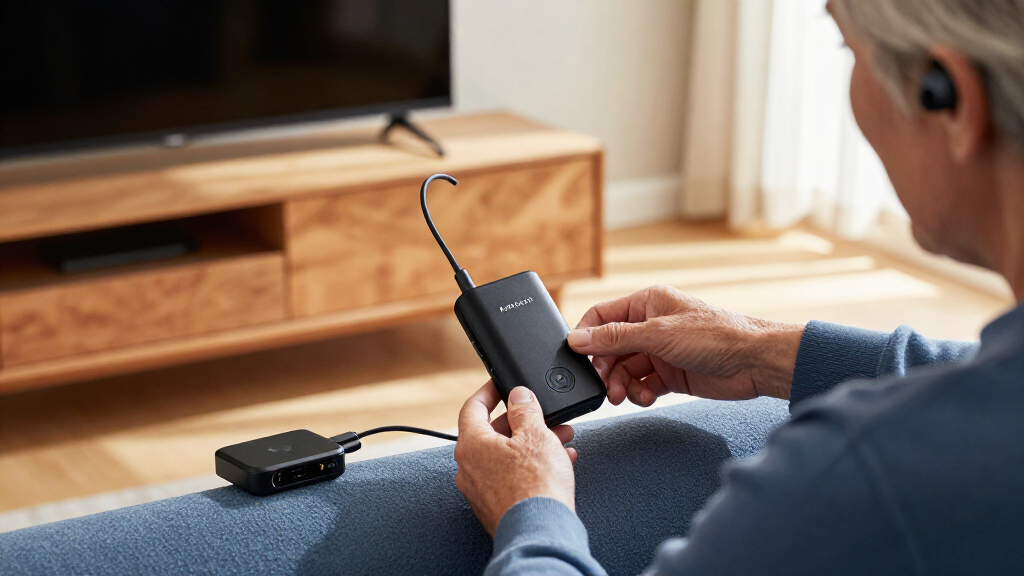
I ranked these transmitters around the decisions that affect a living-room setup: whether the intended headphones or hearing aids can receive the broadcast, whether the TV can connect through the transmitter’s supported inputs, and how much setup or day-to-day control the product appears to demand. I also weighed the stated use case, available features, and whether a model seems suited to general listening or to a specific hearing-aid audience. A transmitter’s Auracast support alone does not establish compatibility with every receiver.
The ranking favors models with a clear role and broader usefulness for typical TV listening, while placing specialized devices higher for buyers whose needs match their target audience. Models with added controls or a premium positioning are not automatic winners if a simpler option better fits the setup. Because exact compatibility and input support can vary by product version and receiver, buyers should verify the manufacturer’s current specifications before ordering.
| Bluetooth Auracast transmitters for TV | Model |
|---|---|
| HomeSpot BA210 v2 Auracast Blu | BA210 v2 |
| Avantree Audikast 4T Auracast | Audikast 4T |
| Sennheiser BTA1 TV Transmitter | BTA1 |
| Highgaze BA-55T Bluetooth 5.4 | BA-55T |
| Avantree Audikast 4 Auracast a | Audikast 4 |
| SUNITEC BT618T Auracast and Bl | — |
| Avantree C82 Aura Auracast Tra | — |
| Avantree Audikast 4HA Auracast | — |
| Avantree Voyager HA Auracast T | — |
Factors to Consider When Choosing Bluetooth Auracast Transmitters For TVs
Before picking a transmitter, I’d start with the entire audio path: TV output, transmitter input, and the receiving headphones or hearing aids. Auracast is only useful when each part of that chain fits the intended setup. These checks can prevent a purchase that supports the right wireless feature but cannot connect to your television or receiver.
Check the TV Output Before Comparing Wireless Features
Look at the ports on the television itself, not just the model name or its streaming capabilities. A TV may offer optical audio, analog output, HDMI ARC, or only some of these, and the transmitter must accept a compatible signal. Do not assume a transmitter can take audio directly from HDMI ARC unless its specifications say so. Also check whether the TV can send audio through its chosen output while its built-in speakers remain active. That setting affects whether other people can listen in the room at the same time.
Confirm Auracast Support on the Receiving Device
A transmitter broadcasts audio; it does not make ordinary Bluetooth headphones Auracast-capable. Check the exact headphone or hearing-aid model and, where relevant, its firmware and companion-app requirements. Product names that mention Auracast or hearing aids do not mean support extends to every device in that category. For hearing aids, verify the manufacturer’s approved compatibility list rather than relying on a general Bluetooth claim. If you are buying the transmitter as a gift, identify the recipient’s exact receiver model first.
Decide Whether You Need a Private Link or a Shared Broadcast
Auracast is designed for one-to-many audio, which can let multiple compatible receivers listen to the same TV source. That differs from the familiar one-to-one Bluetooth pairing many people use with headphones. Think about whether the household needs several listeners, a single private listening connection, or both options. Also check how the transmitter lets listeners find and join a broadcast; setup can depend on controls or an app on the receiving device. A shared broadcast is useful only if each listener can join it without a confusing setup routine.
Treat Latency and Lip Sync as Setup Questions
Wireless audio can arrive later than the image, and the result varies with the TV, transmitter, and receiver combination. Do not assume that a Bluetooth codec or a newer Bluetooth version guarantees lip-sync performance with every pair of headphones. Look for explicit latency information and audio-delay controls in the specifications for the complete setup. If you watch dialogue-heavy shows, confirm whether the TV can adjust audio delay in the direction your system needs. A small difference may be tolerable for casual viewing but distracting during close-up speech.
Choose Controls for the Person Who Will Use Them
A compact transmitter with few controls can suit a set-and-forget TV, while a display or more direct controls may help someone who changes settings often. Hearing-aid users may need a simpler path to start or rejoin the broadcast than a household comfortable with app-based setup. Check whether the device shows connection status and how a listener selects the desired Auracast stream. Consider where the transmitter will sit: controls that are easy to reach on a table may be less convenient behind a television. The easiest model is the one the actual listener can operate reliably.
Pay for a Specialization Only When It Matches Your Setup
Specialized hearing-aid transmitters can make sense when their supported devices match the user’s needs, but their narrower audience may be a poor fit for general headphones. A premium model is more compelling when its added features solve a real problem, such as easier control or a particular receiver compatibility requirement. A lower-complexity option may be better for a household that only needs TV audio sent to compatible headphones. Compare the exact supported receivers and inputs before treating extra features as an upgrade. Keep return and support policies in mind when compatibility cannot be confirmed in advance.
Frequently Asked Questions
Will an Auracast TV transmitter work with my existing Bluetooth headphones?
Only if those headphones support receiving Auracast broadcasts; ordinary Bluetooth audio reception is not enough. Check the exact headphone model’s specifications for Auracast receive support and any firmware or app requirements. A transmitter can advertise an Auracast stream, but it cannot add that capability to an incompatible headset. If the headphones only support conventional Bluetooth pairing, look for a transmitter mode explicitly suited to that connection instead. Confirm the mode you plan to use before choosing between these products.
Can two people listen to the same TV through one transmitter?
Auracast is intended to let multiple compatible receivers join a broadcast, but both listeners need receivers that can access that stream. Check whether the transmitter supports the broadcast arrangement you want and how each device joins it. The TV’s audio output settings also matter: some televisions mute their own speakers when external audio is active. If one person will use hearing aids and another headphones, confirm that both receiver types can join the same broadcast. Do not assume a standard Bluetooth pairing limit answers the Auracast question.
What should I check if my TV has optical audio but no headphone jack?
Check whether the transmitter accepts optical input and whether it includes or requires the right cable. Optical output settings on the TV may need to be set to PCM or another format supported by the transmitter; unsupported formats can result in silence. Also confirm that the TV’s optical output stays active while you watch, since some models handle speaker output differently. If you want to change volume with the TV remote, verify that optical audio allows that control on your television. These details can matter more than the wireless feature list.
Are hearing-aid-focused transmitters a better choice for every hearing-aid user?
No. A hearing-aid-focused product is only a better fit when it supports the exact hearing aids and the user can operate its connection method. The C82 Aura, Audikast 4HA, and Voyager HA have different product names and intended positioning, so check each model’s current compatibility information rather than treating them as equivalent. Ask whether the user’s hearing aids can receive Auracast directly or need a particular companion device. Also consider who will handle first-time setup and reconnecting after the TV is turned off. If compatibility is uncertain, confirm it with the hearing-aid maker or seller before purchase.
Should I choose a transmitter with an OLED display or prioritize a simpler setup?
A display can help when the listener benefits from visible status or frequent adjustments, but it does not guarantee easier Auracast pairing. For a device that will stay connected to one TV, fewer controls may be easier to live with. Compare what the display actually reports and whether settings can be changed without an app. If the listener has limited vision or dexterity, check the size and accessibility of controls rather than relying on the presence of a screen. Match the interface to the person who will use it most.
Conclusion
For most buyers seeking a flexible TV setup, I’d start with the HomeSpot BA210 v2 as the best overall choice. The Highgaze BA-55T or SUNITEC BT618T may suit value-minded shoppers comparing straightforward transmitter features, but I would verify their input and receiver compatibility before deciding. For a premium-leaning option, consider the Sennheiser BTA1; beginners should choose the model whose setup steps and controls best match their TV and headphones, rather than buying by brand or Bluetooth version alone. Hearing-aid users should focus on the Avantree C82 Aura, Audikast 4HA, or Voyager HA only after confirming support for their exact devices. The right pick is the one that connects to your TV and works with the receiver you already own.