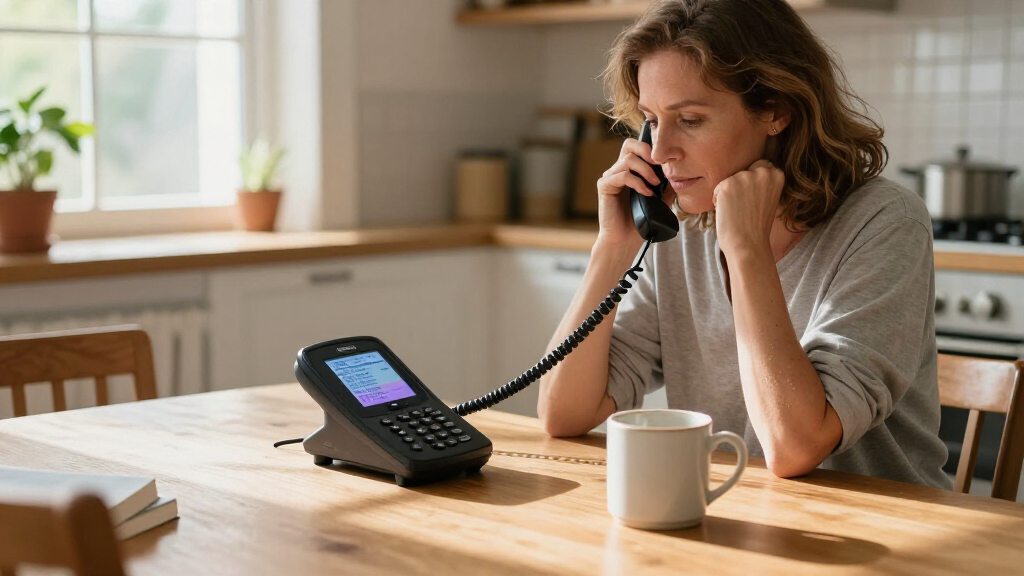

For callers who need spoken conversations shown as text, the Hamilton CapTel 2400iSPNBT is my best overall pick in this lineup because it is a dedicated captioned telephone with a large touch screen. The Hamilton CapTel 840i is another focused option, with large buttons for callers who prefer a more tactile interface. For people who mainly need louder or clearer audio, models such as the Panasonic KX-TGM430B offer amplification and speech features, but amplification is not the same as live captions. The central choice is whether you need text to follow the conversation, stronger sound, or an accessible mix of both. Read on for the full breakdown of which phone best matches your hearing needs, calling habits, and setup preferences.

Get everyday helpers delivered free — and shop member deals
- Fast, free delivery on millions of items
- Access to Prime Big Deal Days deals on October 6–7
- Prime Video, Amazon Music and more included
Key Takeaways
- The two Hamilton CapTel models are the only dedicated captioned phones in this group; the other eight focus on amplified sound, visual alerts, or easier dialing rather than displaying spoken calls as text.
- The CapTel 2400iSPNBT and 840i serve different interface needs: the 2400iSPNBT centers on a large touch screen, while the 840i uses large physical buttons.
- The Panasonic KX-TGM430B is the strongest audio-focused alternative among the named models, combining a substantial volume boost with Slow Talk and a visual ringer, but it does not replace a captioning service.
- Corded simplicity and cordless flexibility pull in opposite directions: the Clarity P300 and E814CC suit fixed-desk use, while cordless models can make calls easier from elsewhere at home.
- Before choosing any amplified phone, check the actual captioning, service, connection, and accessibility requirements; hearing-aid compatibility or a high volume boost alone does not mean calls will be captioned.
| Clarity 76593.000 P300 Picture ID Mild Hearing Loss Amplified Corded Phone |  | Best for Simple Photo Dialing | Telephone type: Corded | Incoming sound amplification: Up to 20 dB | Dialing aid: Programmable photo memory buttons | VIEW LATEST PRICE | See Our Full Breakdown |
| Clarity BT914 Severe Hearing Loss Cordless Phone with BT914HS Expandable Handset |  | Best for Severe Hearing Loss | Technology: DECT 6.0 (1.9 GHz) | Amplified volume: Up to 40 dB | Tone control: Yes | VIEW LATEST PRICE | See Our Full Breakdown |
| VTech SN5147 Amplified Corded/Cordless Senior Phone |  | Best for Power-Outage Readiness | Phone type: Amplified corded and cordless | Audio Assist: Up to 50 dB | Extra-loud ringer: Up to 90 dB | VIEW LATEST PRICE | See Our Full Breakdown |
| Panasonic KX-TGM430B Amplified Cordless Phone with Slow Talk, 40dB Volume Boost, 100dB Visual Ringer, Hearing Aid Compatibility, Large Screen, Backlit Keypad, Link2Cell |  | Best for Cell-Phone Linking | Volume boost: Up to 40 dB | Slow Talk: Yes | Ringer volume: Up to 100 dB | VIEW LATEST PRICE | See Our Full Breakdown |
| Clarity E814CC Amplified Corded Hearing Impaired Phone for Elderly |  | Best for Multi-Handset Corded Setup | Amplification: Up to 40 dB | Phone type: Corded with support for cordless handsets | Expandable handsets: Up to 4 | VIEW LATEST PRICE | See Our Full Breakdown |
| Panasonic Amplified Cordless Phone with Large Display and Hearing Aid Compatibility |  | Best for Amplification Without Captions | Handsets: 1 included; expandable to 6 | Volume boost: Up to 40 dB | Ringer volume: Up to 100 dB | VIEW LATEST PRICE | See Our Full Breakdown |
| Hamilton CapTel 2400iSPNBT Large Touch Screen Captioned Telephone |  | Best Touchscreen Captioned Pick | Display: Large touchscreen | Captioning: Real-time captions with auto and assisted modes | Amplified sound: Up to 40 dB | VIEW LATEST PRICE | See Our Full Breakdown |
| Hamilton CapTel 840i Large Button Captioned Telephone |  | Best Button-First Captioned Phone | Power source: Corded electric | Captioning: Real-time large captions; adjustable caption size | Amplified sound: Up to 40 dB | VIEW LATEST PRICE | See Our Full Breakdown |
| Clarity P300 Landline Phone with Sound Amplification and Adjustable Ringer |  | Best Simple Corded Option | Amplification: Up to 26 dB | Buttons: Large buttons | Connection: Wired | VIEW LATEST PRICE | See Our Full Breakdown |
| Clarity D702 Moderate Hearing Loss Cordless Phone with D702HS Expandable Handset |  | Best for Adjustable Listening and Assistive Devices | Handsets: D702 phone with D702HS expandable handset | Wireless technology: DECT 6.0 | Display and keypad: Large high-contrast caller ID screen and backlit keypad | VIEW LATEST PRICE | See Our Full Breakdown |
More Details on Our Top Picks
Clarity 76593.000 P300 Picture ID Mild Hearing Loss Amplified Corded Phone
The Clarity P300 is the most straightforward pick here for someone with mild hearing loss who wants familiar corded-phone operation and easier dialing. Its incoming sound amplification reaches 20 dB, while the programmable photo memory buttons can make calling selected contacts simpler than using a keypad alone. A bright visual ring indicator also gives a cue when a call comes in. Compared with the Clarity E814CC, the P300 is less powerful and lacks that model’s answering machine and cordless expansion, but its controls and purpose are more pared back. Its main limitation for this roundup is that it does not provide call captions; it supports hearing access through amplification and visual alerts instead. Choose it for uncomplicated landline use, not for severe hearing loss or mobile flexibility.
Pros:- Incoming sound amplification up to 20 dB
- Programmable photo memory buttons simplify dialing selected contacts
- Bright visual ring indicator supplements the audible ringer
- Large keypad supports easier number entry
Cons:- Does not caption calls; accessibility relies on amplification and visual alerts
- Corded, single-line design limits placement and expansion
- No caller ID or Bluetooth features are listed
Best for: People with mild hearing loss who want a simple corded landline and photo buttons for frequently called contacts.
Not ideal for: Callers who need live captions, stronger amplification, cordless use, caller ID, or Bluetooth connectivity.
- Telephone type:Corded
- Incoming sound amplification:Up to 20 dB
- Dialing aid:Programmable photo memory buttons
- Visual alert:Bright visual ring indicator
- Keypad:Large keypad
- Network:PSTN
- Line operation:Single-line
- Dimensions:10.5 x 9.7 x 2.9 inches
Our verdict“Choose the P300 for basic amplified corded calling and photo dialing, but skip it if you need captions or stronger hearing support.”
Clarity BT914 Severe Hearing Loss Cordless Phone with BT914HS Expandable Handset
Among these five, the Clarity BT914 puts the strongest emphasis on adjustable listening for severe hearing loss: incoming volume can reach 40 dB, and tone control lets callers tailor the sound. Hearing-aid compatibility adds another route to clearer conversations. Unlike the corded Clarity P300, this is a cordless system, expandable to five handsets, so a receiver can stay within reach in multiple rooms. Bluetooth pairing for up to two devices adds useful phone connectivity, though the supplied information does not describe live captioning. That distinction matters: this is an amplified phone, not a captioned phone. Its listed one-line LCD may be less comfortable for people who want a larger, information-rich screen, and the system requires four AAA batteries. I’d favor it over the VTech SN5147 when hearing-aid compatibility and Bluetooth matter more than backup power and call blocking.
Pros:- Incoming volume boosts up to 40 dB with tone control
- Hearing-aid compatible
- Expandable to five handsets for multi-room access
- Bluetooth pairs with up to two devices
Cons:- Does not provide call captions
- Requires four AAA batteries for operation
- One-line LCD offers less screen space than larger-display alternatives
Best for: People with severe hearing loss who want strong adjustable amplification, hearing-aid compatibility, and cordless handsets around the home.
Not ideal for: Buyers who require live call captions, a large display, or a corded base that can keep working during a power outage.
- Technology:DECT 6.0 (1.9 GHz)
- Amplified volume:Up to 40 dB
- Tone control:Yes
- Hearing-aid compatibility:Yes
- Expandable handsets:Up to 5
- Bluetooth:Pairs with up to 2 devices
- Display:1-line LCD
- Power:Battery powered; requires 4 AAA batteries
Our verdict“Pick the BT914 for powerful adjustable amplification and cordless Bluetooth use, not for captioning or outage-ready corded operation.”
VTech SN5147 Amplified Corded/Cordless Senior Phone
The VTech SN5147 is the lineup’s practical choice for households that want a corded base and a cordless handset rather than relying on one receiver. Its 50 dB Audio Assist, 90 dB extra-loud ringer, and visual alerts provide several ways to notice and follow calls. The base’s power backup during outages is a distinguishing benefit: the cordless Clarity BT914 offers Bluetooth and hearing-aid compatibility, but this VTech is the stronger fit when keeping basic phone access during a power cut matters. Spoken and visual caller ID, photo speed dial, and call blocking add useful everyday controls. It still does not offer live call captions, and the supplied details do not list Bluetooth or hearing-aid compatibility. I’d choose it over the P300 for its broader alerts and backup provision, while accepting a bulkier, more feature-heavy setup.
Pros:- 50 dB Audio Assist and a 90 dB extra-loud ringer
- Visual alerts and spoken and visual caller ID
- Corded base includes power backup during outages
- Photo speed dial, call blocking, and a digital answering machine
Cons:- Does not provide call captions
- Bluetooth and smartphone integration are not listed
- Bulkier feature set may be more than a user seeking simple operation needs
Best for: Older adults or households that want loud and visual call alerts, a cordless handset, and a corded base with outage backup.
Not ideal for: People who need live captions, Bluetooth or smartphone integration, or a compact phone with a minimal set of controls.
- Phone type:Amplified corded and cordless
- Audio Assist:Up to 50 dB
- Extra-loud ringer:Up to 90 dB
- Caller ID:Spoken and visual
- Call blocking:Up to 1,000 numbers
- Photo speed dial:4 slots
- Answering machine:22-minute digital
- Expandable handsets:Up to 4
- Power backup:Yes, during outages
Our verdict“Choose the SN5147 for loud alerts and outage backup across a corded base and cordless handset, but not for captions or Bluetooth.”
Panasonic KX-TGM430B Amplified Cordless Phone with Slow Talk, 40dB Volume Boost, 100dB Visual Ringer, Hearing Aid Compatibility, Large Screen, Backlit Keypad, Link2Cell
The Panasonic KX-TGM430B is the strongest match here for someone who wants an amplified home phone to work alongside a mobile. Its Link2Cell feature syncs with cell phones, while up to 40 dB of volume boost and Slow Talk address different listening challenges: louder audio helps with low volume, and slower speech can make conversations easier to follow. A ringer rated up to 100 dB, backlit keypad, and large display add useful visual and audible cues. Compared with the Clarity BT914, Panasonic adds Slow Talk and a larger backlit screen; the Clarity instead specifies pairing with up to two devices and expansion to five handsets. This model starts with one handset, although it can expand to six. It does not list call captioning, so buyers seeking text of the conversation should look to a dedicated captioned phone.
Pros:- Up to 40 dB volume boost plus Slow Talk
- Link2Cell syncs with cell phones
- Ringer reaches up to 100 dB and includes visual alert support
- Backlit LCD and keypad support visibility
Cons:- Does not provide call captions
- Only one handset is included, despite expansion support
- The interface may feel complex for people who want basic phone controls
Best for: People who want amplified landline calls and mobile-phone linking, with Slow Talk and visible controls for easier call handling.
Not ideal for: Buyers who need live captions, multiple handsets included in the box, or the simplest possible interface.
- Volume boost:Up to 40 dB
- Slow Talk:Yes
- Ringer volume:Up to 100 dB
- Link2Cell:Yes
- Hearing-aid compatibility:Yes
- Display:1.8-inch backlit LCD
- Included handsets:1
- Expandable handsets:Up to 6
- Power:Battery powered; 4 AA batteries included
Our verdict“Choose Panasonic for Slow Talk, strong amplification, and cell-phone linking, but not if captions or multiple included handsets are priorities.”
Clarity E814CC Amplified Corded Hearing Impaired Phone for Elderly
The Clarity E814CC suits buyers who want stronger amplification than the P300 and a corded base with room to add cordless handsets. Its up to 40 dB amplification, four tone settings, visual ringer, and large high-contrast display offer more ways to adapt the phone to hearing and visibility needs. Five speed-dial buttons and an answering machine also make it a fuller home-phone setup than the simpler P300. Compared with the Panasonic KX-TGM430B, the E814CC emphasizes the corded base and supports up to four handsets, while Panasonic brings Link2Cell, Slow Talk, and a specified 100 dB ringer. The E814CC’s cordless handsets are optional, and its larger, heavier design may be awkward in a small space. It does not provide call captions or list Bluetooth, so its accessibility comes from sound adjustment and visual cues rather than text.
Pros:- Incoming sound amplification up to 40 dB
- Four tone settings allow sound adjustment
- High-contrast display, jumbo buttons, and visual ringer
- Answering machine and support for up to four handsets
Cons:- Does not provide call captions
- Cordless handsets are optional rather than included
- Bulkier design and no listed Bluetooth connectivity
Best for: Households that want a corded amplified phone with an answering machine, visible alerts, and the option to add cordless handsets.
Not ideal for: People seeking live captions, Bluetooth or mobile-phone integration, a compact phone, or several cordless handsets included from the start.
- Amplification:Up to 40 dB
- Phone type:Corded with support for cordless handsets
- Expandable handsets:Up to 4
- Tone settings:4
- Speed-dial buttons:5
- Answering machine:Yes
- Display and keypad:Large high-contrast display and jumbo buttons
- Visual ringer:Yes
- Weight:3 lbs
Our verdict“Pick the E814CC for an amplified corded base with answering and handset-expansion options, but skip it if you need captions or mobile linking.”
Panasonic Amplified Cordless Phone with Large Display and Hearing Aid Compatibility
This Panasonic is an amplified phone, not a captioned phone: it does not display live text or caption voicemail, so it suits callers who can follow speech better with louder, slower audio. Its up to 40 dB volume boost and Slow Talk function give it more hearing support than the Clarity P300, which offers up to 26 dB amplification. A loud ringer and talking caller ID can also make incoming calls easier to notice and identify.
Compared with the captioned Hamilton CapTel 840i, this model depends on hearing amplified speech rather than reading captions. That keeps the calling experience more conventional, while its cordless handset and expansion to six handsets offer flexibility around the home. The tradeoff is a single handset in the box, plus a feature set that may feel busy for someone seeking a very simple phone. Choose it for stronger audio cues; skip it if captions are the main need.
Pros:- Volume boost up to 40 dB plus Slow Talk supports clearer listening.
- Ringer volume up to 100 dB helps make incoming calls more noticeable.
- Expandable to six handsets for use around the home.
- Talking caller ID, talking keypad, and call blocking add useful call-handling support.
Cons:- Does not provide live captions or captioned voicemail.
- Only one handset is included, so additional rooms require more handsets.
- Requires two AAA batteries and may feel bulky to some users.
Best for: People who understand speech more easily with amplification and slower playback, and want a cordless home phone that can serve multiple rooms.
Not ideal for: Callers who need live captions or captioned voicemail to follow conversations; this phone does not provide captioning.
- Handsets:1 included; expandable to 6
- Volume boost:Up to 40 dB
- Ringer volume:Up to 100 dB
- Display:1.8-inch backlit display
- Connectivity:DECT 6.0 Plus
- Answering machine:Yes; 17-minute recording capacity
- Additional features:Slow Talk, Talking Caller ID, Talking Keypad, Noise Reduction, intercom, call blocking for up to 250 numbers
- Power:Battery powered; 2 AAA batteries included
Our verdict“Pick this Panasonic if louder, slower speech is enough for your hearing needs, but choose a Hamilton CapTel model if you rely on text captions.”
Hamilton CapTel 2400iSPNBT Large Touch Screen Captioned Telephone
For buyers who need to read along, this is the most screen-focused option here. The Hamilton CapTel 2400iSPNBT pairs real-time captions with a large touchscreen, adjustable caption settings, and sound amplification up to 40 dB. Compared with the button-oriented Hamilton CapTel 840i, its touchscreen interface may suit someone who prefers large on-screen controls and wants caption settings close at hand. Both Hamilton models offer captioning and amplified audio, so the choice is less about basic access and more about how you prefer to interact with the phone.
Captioned voicemail and access to a 24/7 US captioning service add support beyond the live call. The tradeoff is dependence on high-speed internet and electrical power, along with a setup process that may be less straightforward than a conventional phone such as the Clarity P300. Service availability is limited to eligible US residents with hearing loss. This is a strong fit for a caption-first home setup, not for portable use or buyers outside its service area.
Pros:- Large touchscreen presents real-time captions and controls in one place.
- Auto and assisted captioning modes support captioned calls.
- Amplified sound up to 40 dB adds an audio option alongside captions.
- Captioned voicemail and access to a 24/7 US captioning service extend support beyond live calls.
Cons:- Requires high-speed internet and standard electrical power.
- Setup may be more involved than with a basic amplified phone such as the Clarity P300.
- Captioning service is limited to eligible US residents with hearing loss.
Best for: US residents with hearing loss who want a large touchscreen, adjustable live captions, and captioned voicemail at a fixed home phone location.
Not ideal for: People without high-speed internet or a reliable power outlet, callers outside the supported US service area, or anyone seeking a portable phone.
- Display:Large touchscreen
- Captioning:Real-time captions with auto and assisted modes
- Amplified sound:Up to 40 dB
- Connectivity:Wi-Fi capable; requires standard electrical power
- Hearing aid compatibility:Yes
- Voicemail:Captioned voicemail
Our verdict“Choose the 2400iSPNBT if a touchscreen and adjustable captions are your priority and you can meet its internet, power, and service requirements.”
Hamilton CapTel 840i Large Button Captioned Telephone
The CapTel 840i puts captions and physical controls ahead of touchscreen interaction. It provides real-time large captions, adjustable caption size, and sound amplification up to 40 dB, so callers can use text and audio together. Compared with the touchscreen Hamilton CapTel 2400iSPNBT, the 840i is the more natural match for someone who prefers a traditional button-led phone layout. Its built-in captioned voicemail also lets users review messages in text rather than relying only on listening.
This is a captioning-specific option, unlike the Panasonic Amplified Cordless Phone, which offers strong audio support but no captions. The 840i’s corded design and internet requirements make it better suited to a set home location than moving around the house. It also takes up more space than a compact handset. Buyers should check that high-speed internet, standard phone service, and US captioning eligibility are available before choosing it.
Pros:- Large real-time captions support reading along during calls.
- Amplified sound up to 40 dB provides an audio option alongside text.
- Adjustable caption size helps tailor text visibility.
- Built-in captioned voicemail and an 18-minute recording capacity support message review.
Cons:- Requires high-speed internet and standard phone service, limiting placement flexibility.
- Bulkier corded design is less portable than the cordless Panasonic amplified phone.
- Captioning service is limited to US residents with hearing loss.
Best for: Callers with hearing loss who want real-time captions, captioned voicemail, and a familiar large-button phone for a fixed home location.
Not ideal for: People who need cordless portability, lack high-speed internet or standard phone service, or prefer a touchscreen interface.
- Power source:Corded electric
- Captioning:Real-time large captions; adjustable caption size
- Amplified sound:Up to 40 dB
- Answering system:Digital answering system with captioned voicemail
- Recording capacity:18 minutes
- Conference calling:Supported
- Dimensions:7.5 x 9 x 6.5 inches
- Weight:2 pounds
Our verdict“Choose the 840i if you want captioning through a traditional large-button phone and do not need a cordless handset.”
Clarity P300 Landline Phone with Sound Amplification and Adjustable Ringer
The Clarity P300 is the simplest choice here, but it is not a captioned phone. It focuses on a wired connection, large buttons, and incoming-sound amplification up to 26 dB. That makes it a more straightforward fit than either Hamilton CapTel model for someone who wants basic hearing support without an internet-based captioning setup. Its adjustable ringer pitch and volume also let users tailor alerts, rather than relying on captions or a touchscreen to manage calls.
The tradeoff becomes clear against the Panasonic Amplified Cordless Phone: the Panasonic offers up to 40 dB of volume boost, Slow Talk, caller ID announcements, and cordless use, while the P300 keeps to a simpler corded format and lower amplification. That simplicity can be an advantage for a buyer who wants fewer features, but the P300 cannot help someone who needs written captions to understand speech. Choose it for basic amplification and large controls, not caption access.
Pros:- Sound amplification up to 26 dB supports easier listening.
- Large buttons make dialing more accessible.
- Adjustable ringer pitch and volume allow personalized alerts.
- Wired connection does not require handset batteries.
Cons:- Does not provide live captions or captioned voicemail.
- Lower amplification than the Panasonic model’s up to 40 dB boost.
- Corded design limits mobility around the home.
Best for: Callers who can follow speech with modest amplification and want a simple, wired phone with large buttons and adjustable ringer settings.
Not ideal for: People who need live captions, captioned voicemail, stronger amplification than 26 dB, or a cordless handset.
- Amplification:Up to 26 dB
- Buttons:Large buttons
- Connection:Wired
- Included accessories:25-foot telephone line cord and user guide
Our verdict“Pick the P300 for straightforward wired calling and modest audio amplification, but choose a Hamilton CapTel if you need captions.”
Clarity D702 Moderate Hearing Loss Cordless Phone with D702HS Expandable Handset
The Clarity D702 is an audio-focused cordless option for moderate hearing loss, not a captioning phone. Adjustable tone settings let users shape the sound to their listening needs, while its high-contrast caller ID screen and backlit keypad support call handling. Compatibility with assistive listening devices and a headset gives it a connection advantage over the basic Clarity P300, which is corded and centers on simple amplification rather than accessory compatibility.
Compared with the Panasonic Amplified Cordless Phone, the D702 offers tone adjustment and assistive-device compatibility, while the Panasonic lists a stronger volume boost, Slow Talk, talking caller ID, and a louder ringer. The D702’s cordless design helps with moving between rooms, but its product data does not list live captions or a stated amplification level. Its feature set is best for callers who rely on customized audio or listening accessories; anyone who needs text captions should choose a Hamilton CapTel instead.
Pros:- Adjustable tone settings support customized listening.
- High-contrast caller ID screen and backlit keypad aid call handling.
- Compatible with assistive listening devices and a headset.
- DECT 6.0 cordless technology is specified for clear, interference-reduced communication.
Cons:- Does not provide live captions or captioned voicemail.
- No amplification level is specified in the supplied product data.
- Requires four AA batteries and has a basic design for buyers seeking more advanced features.
Best for: People with moderate hearing loss who prefer cordless calling, adjustable tone settings, and compatibility with assistive listening devices or a headset.
Not ideal for: Callers who need live captions or captioned voicemail, or buyers who need a clearly stated high amplification level.
- Handsets:D702 phone with D702HS expandable handset
- Wireless technology:DECT 6.0
- Display and keypad:Large high-contrast caller ID screen and backlit keypad
- Assistive compatibility:Compatible with assistive listening devices and headset
- Answering system:Digital
- Recording capacity:30 minutes
- Power:Corded electric; 4 AA batteries required
- Dimensions and weight:9.1 x 7.7 x 5.8 inches; 2.6 pounds
Our verdict“Choose the D702 if tone customization and assistive-device compatibility matter more than captions or a stated high-volume boost.”
How We Picked
I ranked these phones by how directly they meet the search need: captioning spoken calls. That makes the Hamilton CapTel 2400iSPNBT and CapTel 840i the leading options for readers who need text during conversations. I compared their screen-and-touch approach with the 840i’s large-button interface, then considered how the remaining products address related needs such as louder audio, slower speech, visual alerts, hearing-aid compatibility, and corded or cordless use.
The ranking also reflects usability tradeoffs, not feature counts alone. I favored a clear distinction between true captioning and sound amplification, a practical interface for the intended user, and flexibility that may help with everyday calling. Because the listed product names do not establish every service, network, or setup requirement, I treat those as verification points rather than assume compatibility. The amplified phones appear as alternatives for people who can follow louder or clearer speech; they rank below the CapTel models for a buyer specifically seeking captions.
Factors to Consider When Choosing Captioned Phones For Hearing Loss
The most useful first step is to identify what makes phone calls difficult: missing words, trouble hearing speech, difficulty dialing, or not noticing incoming calls. Those problems can overlap, but the features that address them are not interchangeable. Use these checks to match the phone to the main barrier rather than buying based on an amplification figure alone.
Decide Whether You Need Captions or Louder Audio
Captioning turns spoken words into on-screen text, while amplification makes incoming sound louder; one does not automatically provide the other. If you regularly miss parts of speech even when callers speak clearly, a dedicated captioned phone may be a better fit than an amplified handset. If you understand speech when it is louder, a sound-boosting model could be simpler to use. Some people may benefit from both text and audio support, so check whether the specific phone and service provide the combination you want. A common mistake is choosing a phone labeled for hearing loss and assuming that label means captions are included. Confirm the feature on the exact model before ordering.
Check How Captioning Is Delivered
Captioned calling may depend on more than the handset, including a service, internet or telephone connection, and setup steps. Check what connection the model requires and whether captioning service is available for your location and calling situation. Ask whether calls to mobile phones, emergency services, or international numbers work as expected under the service terms. Do not assume that a touch screen or large display means captions will appear automatically. If the phone will be used by someone who does not manage accounts or network settings, arrange setup help before relying on it for daily calls. These checks can prevent a capable device from being difficult to use in practice.
Match the Interface to the Caller
Large physical buttons and a touch screen solve different usability problems. Tactile buttons can help callers who prefer pressing distinct keys or find touch controls hard to target. A large screen can make captions and call information easier to view, but menus and on-screen controls may take some practice. Think about vision, hand steadiness, memory, and whether the user can comfortably read the display from their usual chair. Another common mistake is judging accessibility from button size alone; screen contrast, font size, menu clarity, and handset grip also affect day-to-day use. If possible, review the operating instructions or interface details before choosing.
Choose Corded or Cordless Around Real Calling Habits
Corded phones favor a fixed, ready-to-use spot, while cordless handsets let the caller move around the home. A corded unit may suit someone who always calls from one table and wants fewer charging routines. Cordless models can be more convenient for moving between rooms, but they need charging and a reliable place to keep the handset. Consider who will answer incoming calls, where the phone will sit, and whether losing power should interrupt access to calling. Expandable handsets can help cover more rooms, though extra handsets add setup and charging needs. Choose the layout the user can maintain, not simply the one with more flexibility.
Look Beyond Volume for Clearer Conversation
More volume is not always the same as more intelligible speech. Features such as speech-rate control, tone adjustment, hearing-aid compatibility, and visual ringing address different barriers. A louder ringer may help someone notice an incoming call but does nothing to clarify the caller’s words once connected. If the user wears hearing aids, verify compatibility for the exact device and understand whether it applies to the handset, the connection method, or both. Consider room noise and the caller’s typical speaking pace as well as maximum amplification. Paying for a feature that does not match the caller’s specific difficulty may add complexity without improving conversations.
Plan for Setup, Maintenance, and Backup Calling
A phone’s support needs are part of its accessibility. Caption services may require initial registration or settings, while cordless models need charging and amplified units may need careful volume adjustment. Ask who can help with setup and whether the person using the phone can recover from a power, connection, or settings problem. Keep an alternate way to call available if the chosen phone depends on a connection that could fail. Also check how easy it is to clean the handset, replace batteries if applicable, and reach customer support for service questions. These details matter most when the phone is a primary communication tool rather than an occasional convenience.
Frequently Asked Questions
Are all amplified phones in this roundup captioned?
No. The Hamilton CapTel 2400iSPNBT and Hamilton CapTel 840i are the dedicated captioned-phone options named here. The Clarity and Panasonic alternatives focus on features such as amplification, speech adjustment, visual alerts, and handset flexibility. Those features may help someone with hearing loss, but they do not by themselves display a caller’s spoken words as text. If captions are a requirement, verify that the exact model includes or works with a captioning service before purchasing.
Should I choose the CapTel 2400iSPNBT or the CapTel 840i?
Start with the control style the caller is most comfortable using. The 2400iSPNBT is the touch-screen choice, while the 840i is the large-button option for someone who prefers physical keys. Think about whether the caller can use touch controls accurately and whether prominent tactile buttons are more reassuring. Also check the caption display and service requirements for the particular setup, rather than relying on model names alone. Neither interface is automatically better for every user; familiarity and ease of reading should guide the choice.
Can an amplified phone work well if I wear hearing aids?
It can, but compatibility should be confirmed for the specific phone and hearing aids. A product listing that mentions hearing-aid compatibility does not tell you how well it will work with a particular device, settings, or connection arrangement. Ask whether the phone supports the hearing-aid mode you use and whether the handset’s volume and tone controls remain useful alongside it. If captions are also needed, hearing-aid compatibility is not a substitute for captioning. Checking both needs separately can prevent buying a phone that addresses only part of the problem.
What should I verify before relying on a captioned phone as my only landline?
Confirm the phone’s required connection, captioning service availability, and setup steps before making it the household’s sole calling option. Ask whether the service works with the types of calls you make and what happens if internet or power service is interrupted. Check how the phone handles emergency calls and whether any special procedures apply. It is also sensible to identify a backup calling method in case the device or service is unavailable. These checks are especially useful when the phone supports routine care, work, or urgent communication.
Is a cordless model worth choosing over a corded phone for hearing loss?
Choose cordless when the caller needs to answer or make calls from different rooms and can keep the handset charged. A corded phone may be easier when calls happen in one place and the user prefers a handset that stays ready without charging routines. Hearing-loss features such as captions, amplification, or visual alerts matter separately from whether the handset is mobile. Consider whether the caller can locate the handset, return it to its charger, and use the base controls. The better format is the one that supports reliable calling in the user’s actual home routine.
Conclusion
Best overall for captions: I would start with the Hamilton CapTel 2400iSPNBT if a large touch-screen interface suits the caller. Best for physical-button users: the Hamilton CapTel 840i is the more natural fit for someone who wants a large-button captioned phone. Best value alternative for audio support: consider the Clarity P300 when a straightforward corded phone with sound amplification and an adjustable ringer meets the need, while recognizing that it is not a captioned phone. Best for beginners who mainly need louder, clearer calls: compare the Panasonic KX-TGM430B’s speech and volume features with a simpler corded option, and choose the controls the caller can manage. Best for specific needs: look at the other Clarity and Panasonic models for cordless use, visual alerts, or hearing-aid-related features, but verify each detail for the exact model. My final recommendation is simple: choose a CapTel for on-screen captions; choose an amplified alternative only when louder or adjusted audio, rather than text, addresses the main difficulty.
Halloween Picks
halloween
As an affiliate, we earn on qualifying purchases.