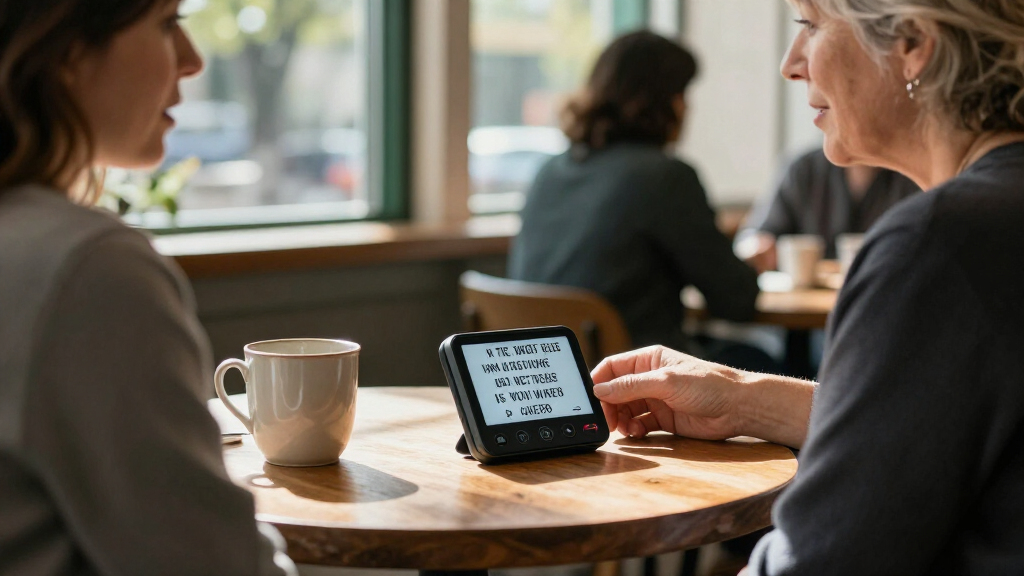

Portable speech-to-text devices pair a handheld recorder, wearable, or typing accessory with transcription tools, but they differ in how they capture speech and where the text gets processed. I rank the Plaud Note Pro as the best overall for buyers who want recording, transcripts, and summaries in one workflow; the iFLYTEK Offline Voice Recorder stands out for offline use, while the AI VoiceWriter is a better fit for direct dictation into writing apps. The main tradeoffs are transcription features versus privacy, dedicated recording versus quick voice typing, and app or service dependence versus local operation. Device names and AI features alone do not tell you whether a tool fits your speaking habits or work setting. Read on for the full comparison, buying advice, and recommendations by use case.

Get everyday helpers delivered free with Prime
- Fast, free delivery on millions of items
- Prime Video, Amazon Music and more included
- Member-only deals all year
Key Takeaways
- Plaud Note Pro leads the roundup for an all-in-one recording, transcription, and summary workflow; it is a different kind of tool from the AI VoiceWriter, which focuses on dictation into writing apps.
- The iFLYTEK Offline Voice Recorder stands apart for offline transcription in five languages, making it the clearest choice here for users who cannot rely on a cloud connection.
- The lineup splits between recorders that capture conversations for later transcription and accessories that help dictate while working; buyers should choose based on when they need text to appear.
- AI features such as summaries and transcription can depend on companion apps or online services, so the device’s recording ability and the service’s ongoing requirements are separate purchase questions.
- The EVISTR L359 emphasizes 128GB storage and conventional recording, while compact AI recorder options prioritize automated text workflows; storage capacity alone does not promise transcription quality.
| AI VoiceWriter Dictation and AI Writing Assistant with USB Dongle and Mobile App |  | Best for Desktop Dictation | Desktop compatibility: Windows 10 or later; macOS 13 or later | Mobile app compatibility: iOS 15 or later; Android 9.0 or later | Connection: USB dongle | VIEW LATEST PRICE | See Our Full Breakdown |
| Virtusx Jethro Wireless AI Mouse with Voice Typing and Meeting Recording |  | Best for Desk-Based Multitasking | Connectivity: Bluetooth and USB | Operating systems: Windows 10 or later; macOS 10.12 Sierra or later | Wireless range: 10 m | VIEW LATEST PRICE | See Our Full Breakdown |
| Comulytic Note Pro AI Voice Recorder |  | Best for Long Recording Sessions | Storage: Listed as 64 GB; product information also lists 16 GB | Continuous recording: Up to 45 hours | Standby time: Up to 107 days | VIEW LATEST PRICE | See Our Full Breakdown |
| Rpbznr AI Voice Recorder with Playback and Transcription |  | Best Standalone Recorder | Display: 5-inch touchscreen | Storage: 80 GB total: 16 GB built-in plus 64 GB microSD | Continuous recording: 6–8 hours | VIEW LATEST PRICE | See Our Full Breakdown |
| RECOLX AI Voice Recorder with GPT-5.2, Pearl Gray |  | Best Pocketable AI Recorder | Storage: 64 GB | Continuous recording: Up to 30 hours | Transcription languages: Up to 112 | VIEW LATEST PRICE | See Our Full Breakdown |
| Plaud Note Pro AI Voice Recorder with Transcription and Summaries |  | Best for Phone Calls and In-Person Meetings | Microphones: 4 MEMS microphones + 1 VPU | Transcription languages: 112 | Storage: 64 GB | VIEW LATEST PRICE | See Our Full Breakdown |
| AI Voice Recorder with Transcription and Summaries |  | Best for Built-In Translation Tools | Storage: 64 GB | Battery life: Up to 30 hours | Microphones: Dual built-in microphones | VIEW LATEST PRICE | See Our Full Breakdown |
| Plaud Note AI Voice Recorder, Black |  | Best Compact Everyday Recorder | Storage capacity: 64 GB | Recording time: Up to 30 hours | Battery standby time: Up to 60 days | VIEW LATEST PRICE | See Our Full Breakdown |
| iFLYTEK Offline Voice Recorder with Playback, AI Transcription in 5 Languages, Noise Reduction |  | Best for Offline Transcription and Long Events | Memory storage: 8 GB | Screen size: 3 inches | Battery life: Up to 190 hours | VIEW LATEST PRICE | See Our Full Breakdown |
| Pocket AI Voice Recorder with Auto Transcription, Space Grey |  | Best for Smartphone-First Recording | Model: PKT 01 | Storage: 64 GB | Battery life: Up to 4 days | VIEW LATEST PRICE | See Our Full Breakdown |
| EVISTR L359 Digital Voice Recorder with 128GB Storage and AI Transcription |  | Best for Long Recording Sessions | Storage: 128 GB | Maximum recording bitrate: 3072 Kbps | Recording time: Up to 33 hours | VIEW LATEST PRICE | See Our Full Breakdown |
| portable speech to text device | Storage | Transcription languages |
|---|---|---|
| AI VoiceWriter Dictation and A | — | — |
| Virtusx Jethro Wireless AI Mou | — | — |
| Comulytic Note Pro AI Voice Re | Listed as 64 GB; product information also lists 16 GB | 113 |
| Rpbznr AI Voice Recorder with | 80 GB total: 16 GB built-in plus 64 GB microSD | 134 online; 13 offline |
| RECOLX AI Voice Recorder with | 64 GB | Up to 112 |
| Plaud Note Pro AI Voice Record | 64 GB | 112 |
| AI Voice Recorder with Transcr | 64 GB | 90+ |
| Plaud Note AI Voice Recorder | — | 112 |
| iFLYTEK Offline Voice Recorder | — | — |
| Pocket AI Voice Recorder with | 64 GB | — |
| EVISTR L359 Digital Voice Reco | 128 GB | — |
More Details on Our Top Picks
AI VoiceWriter Dictation and AI Writing Assistant with USB Dongle and Mobile App
AI VoiceWriter is the strongest fit here for buyers who want to dictate directly into desktop apps rather than make recordings for later transcription. Its USB dongle works with Windows 10 or later and macOS 13 or later, while the mobile app turns an iOS or Android device into the microphone. Dictation spans 33 languages, and proofreading, rewriting, and formatting can help turn rough speech into usable text. Compared with the Comulytic Note Pro and RECOLX, which center on recording and later transcription, this setup is more geared to live writing at a computer. The tradeoff is that its AI writing tools cover fewer languages than dictation, and the listed recording time is under an hour. I’d skip it for long standalone recordings or phone-free use.
Pros:- Voice input works across desktop applications
- Dictation supports 33 languages
- Includes proofreading, rewriting, and formatting tools
- One-time purchase includes lifetime software updates
Cons:- AI assistance supports fewer languages than dictation
- Listed digital recording time is less than one hour
Best for: Multilingual writers who dictate into Windows or Mac desktop apps and want built-in text cleanup without a recurring software subscription
Not ideal for: People who need a standalone recorder for long interviews, lectures, or meetings, since the listed recording time is under one hour
- Desktop compatibility:Windows 10 or later; macOS 13 or later
- Mobile app compatibility:iOS 15 or later; Android 9.0 or later
- Connection:USB dongle
- Dictation languages:33
- AI assistance languages:8 listed languages
- Microphone setup:Mobile app used as microphone
- Weight:75 g
- Warranty:1 year
Our verdict“Choose AI VoiceWriter if your priority is multilingual live dictation and editing at a computer, not extended standalone recording.”
Virtusx Jethro Wireless AI Mouse with Voice Typing and Meeting Recording
The Virtusx Jethro takes a different approach to portable speech-to-text: it builds voice typing and meeting tools into a wireless mouse, so it suits a desk setup better than a pocket recorder. Its built-in microphone and app handle dictation, meeting recording, translation, and text editing on Windows and macOS. Compared with the AI VoiceWriter, Jethro adds mouse controls and meeting features, but VoiceWriter is the more direct choice for desktop dictation with broader stated language support. Jethro’s dependence on the Virtusx app and online tools also makes it less self-contained than the Rpbznr recorder. The included Pro period gives buyers a chance to try the added tools, but the Free plan has weekly word and monthly recording limits afterward. I’d pass if you want reliable, unrestricted transcription without app or plan constraints.
Pros:- Combines mouse controls with voice typing and meeting recording
- Adds translation, AI chat, and text editing through its app
- Works with Windows and macOS
- Rechargeable and includes three months of Virtusx Pro
Cons:- AI features require the Virtusx app and online tools
- Free plan limits voice typing to 1,000 words per week and recording to 120 minutes per month
- Right-handed design will not suit left-handed users
Best for: Right-handed Windows or Mac users who want voice typing and meeting capture integrated into a wireless desktop mouse
Not ideal for: People who need a standalone recorder, broad offline use, or ongoing voice typing beyond the Free plan limits
- Connectivity:Bluetooth and USB
- Operating systems:Windows 10 or later; macOS 10.12 Sierra or later
- Wireless range:10 m
- Controls:3 buttons
- Hand orientation:Right-handed
- Weight:0.23 kg
- Free plan limits:Up to 1,000 voice-typing words per week and 120 recording minutes per month
- Included subscription:3 months of Virtusx Pro
Our verdict“Pick Jethro if you want speech tools built into your daily mouse, but choose a dedicated recorder if portability or less restricted capture matters more.”
Comulytic Note Pro AI Voice Recorder
For buyers who need long stretches of audio capture, the Comulytic Note Pro stands out with up to 45 hours of continuous recording, automatic recording modes, and a slim magnetic body. Its triple-microphone array and noise reduction are intended to help capture meetings, interviews, and lectures, while app-based transcription supports 113 languages. Compared with the RECOLX, Comulytic lists more continuous recording time; RECOLX, by contrast, clearly specifies USB-C file export and adds templates and AI modes. Comulytic’s free Starter Plan includes basic summaries, but advanced AI features require an optional subscription. There is also a notable data inconsistency: storage is described as 64 GB in one place and 16 GB in another. I’d confirm the actual capacity before buying, especially if you plan to keep extensive recordings locally.
Pros:- Up to 45 hours of continuous recording
- Triple-microphone array with AI noise reduction
- App-based transcription supports 113 languages
- Slim design includes magnetic accessories and Wi-Fi file transfer
Cons:- Storage is listed inconsistently as 64 GB and 16 GB
- Advanced AI features require an optional subscription
- Transcription depends on the companion app
Best for: Interviewers, students, and meeting-heavy professionals who need long recording sessions and multilingual app-based transcription
Not ideal for: Buyers who need confirmed storage capacity or want advanced AI features without a subscription
- Storage:Listed as 64 GB; product information also lists 16 GB
- Continuous recording:Up to 45 hours
- Standby time:Up to 107 days
- Microphones:Triple-microphone array with AI noise reduction
- Recording range:Up to 5 m
- Transcription languages:113
- Audio formats:MP3 and WAV
- Connectivity:Wi-Fi sync; Bluetooth compatible
- Charging time:90 minutes
Our verdict“Choose Comulytic for extended recording and broad-language transcription, provided you verify the storage capacity and accept app-based paid features.”
Rpbznr AI Voice Recorder with Playback and Transcription
The Rpbznr AI Voice Recorder is the most self-contained option in this group: it records and plays audio on its own, with a 5-inch touchscreen, onboard storage, and no phone pairing required for recording. Its eight-microphone mix, speaker identification, and transcription in 134 languages online or 13 offline give it a wider language range than the RECOLX, which lists up to 112 transcription languages. Rpbznr also offers more onboard controls than the app-focused Comulytic Note Pro. That larger touchscreen and camera make it less pocket-minimal than the slim alternatives, while its 6–8 hours of continuous recording falls well short of Comulytic’s stated 45 hours. AI assistant use is limited to three times daily without a subscription, and recognition may suffer with noise or accents.
Pros:- Records and plays audio without a phone or pairing
- Transcription supports 134 languages online and 13 offline
- Includes speaker identification, summaries, bookmarks, and recording modes
- Local encryption and passcode options add recording security
Cons:- Continuous recording is limited to 6–8 hours
- AI assistant use is limited to three times daily without a subscription
- Recognition can be affected by background noise and accents
Best for: People who want a self-contained recorder with a screen, local playback, offline transcription, and onboard recording controls
Not ideal for: Buyers prioritizing long continuous battery life, a discreet pocket recorder, or unlimited AI assistant access without a subscription
- Display:5-inch touchscreen
- Storage:80 GB total: 16 GB built-in plus 64 GB microSD
- Continuous recording:6–8 hours
- Microphones:2 directional and 6 omnidirectional
- Microphone range:Up to 40 ft
- Transcription languages:134 online; 13 offline
- Battery capacity:2,000 mAh
- Camera:8 MP rear camera
- Interface:USB Type-C
Our verdict“Choose Rpbznr if standalone recording, playback, and offline language support matter more than compact size or long battery life.”
RECOLX AI Voice Recorder with GPT-5.2, Pearl Gray
The RECOLX AI Voice Recorder is a compact choice for people who want to capture speech, then turn it into organized notes with transcription, summaries, templates, and AI modes. Its 64 GB storage and USB-C export give recordings a straightforward path off the device, while up to 30 hours of continuous recording suits regular use away from a desk. Compared with the Comulytic Note Pro, RECOLX specifies USB-C export and offers 71 templates, but Comulytic claims longer recording time and Wi-Fi transfer. Its stated transcription support of up to 112 languages is broad, though not as extensive as Rpbznr’s online language count. The key uncertainty is ongoing AI access: the product includes a three-month Pro tools offer, but the terms after that period are not specified. There is no headphone jack either.
Pros:- Transcription supports up to 112 languages
- Up to 30 hours of continuous recording and 64 GB storage
- USB-C file export
- Includes noise reduction, summaries, 71 templates, and 5 AI modes
Cons:- No headphone jack
- Ongoing AI access terms after the three-month Pro tools offer are unspecified
- Recording time is shorter than the Comulytic Note Pro’s stated 45 hours
Best for: Mobile note-takers who want a small recorder with USB-C export, multilingual transcription, and structured AI note tools
Not ideal for: Buyers who need a headphone jack, clearly defined long-term AI access, or the longest recording time in this group
- Storage:64 GB
- Continuous recording:Up to 30 hours
- Transcription languages:Up to 112
- Connectivity:Bluetooth and USB-C
- Dimensions:3.35 × 2.13 × 0.13 in
- AI tools:Transcription, summaries, 71 templates, and 5 AI modes
- Microphone:Built-in
- Warranty:18 months
- Color:Pearl Gray
Our verdict“Choose RECOLX for a pocketable recorder with USB-C export and organized AI notes, but check the continuing AI terms if those tools are central to your workflow.”
Plaud Note Pro AI Voice Recorder with Transcription and Summaries
I’d put the Plaud Note Pro near the top for buyers who need one small device for both phone calls and face-to-face conversations. Its four MEMS microphones and VPU support those two recording situations, while its 112-language transcription and AI summaries can turn recordings into action items and follow-ups. At 30 g, it is easier to carry daily than the larger iFLYTEK recorder, though the iFLYTEK’s offline transcription and much longer stated battery life suit extended trips better. Plaud’s 64 GB storage and 30-hour recording capacity are generous for a slim device, and the AMOLED screen adds at-a-glance control. The tradeoff is that its free transcription plan covers only 300 minutes monthly, and it has no headphone jack for wired monitoring.
Pros:- Supports recording phone calls and in-person conversations
- Transcribes in 112 languages and generates summaries, action items, and follow-ups
- Compact 30 g design includes a 0.95-inch AMOLED display
- 64 GB storage and up to 30 hours of recording
Cons:- Free AI transcription is limited to 300 minutes per month
- No headphone jack for wired playback or monitoring
Best for: People who regularly record both phone calls and in-person meetings and want compact hardware with multilingual summaries.
Not ideal for: Users who need offline transcription, wired headphone monitoring, or more than 300 free transcription minutes each month.
- Microphones:4 MEMS microphones + 1 VPU
- Transcription languages:112
- Storage:64 GB
- Display:0.95-inch AMOLED
- Battery life:Up to 30 hours
- Weight:30 g (1.06 oz)
- Audio format:WAV
- Free transcription plan:300 minutes per month
Our verdict“Choose the Plaud Note Pro if you want a highly portable recorder for calls and meetings with multilingual AI summaries, and can work within its monthly transcription allowance.”
AI Voice Recorder with Transcription and Summaries
This recorder’s strongest distinction is its translation and study-oriented AI toolkit: alongside transcription in 90+ languages, the Boean app offers real-time translation across 91 languages, summaries, and mind maps. That makes it a more natural fit for multilingual conversations or language-learning notes than the Plaud Note, whose listed language support focuses on transcription and summaries. One-touch recording and voice activation reduce the fuss of capturing a discussion, while password protection adds a layer of privacy for stored files. With 64 GB of storage and up to 30 hours of battery life, it is equipped for regular use, and the 3.5 mm headphone jack gives it a playback option the Plaud models lack. The compromise is app dependence: cloud features require the companion app, and the included transcription allowance is 200 minutes per month.
Pros:- Transcription in 90+ languages and real-time translation across 91 languages
- AI summaries and mind maps add ways to review recordings
- Voice activation, one-touch recording, and password protection
- Includes a 3.5 mm headphone jack and USB-C file transfer
Cons:- Cloud features require the Boean companion app
- Included transcription is limited to 200 minutes per month
- More transcription time may require a paid plan
Best for: Multilingual students, travelers, and professionals who want transcription plus real-time translation and mind-map tools.
Not ideal for: Buyers who want transcription without a companion app or who expect to process long recordings on the included monthly plan.
- Storage:64 GB
- Battery life:Up to 30 hours
- Microphones:Dual built-in microphones
- Transcription languages:90+
- Translation languages:91
- Included transcription:200 minutes per month
- Headphone jack:3.5 mm
- File transfer:USB Type-C
Our verdict“Pick this model for its translation and mind-map features, but choose a Plaud Note if 112-language transcription and a more established cross-device app setup matter more.”
Plaud Note AI Voice Recorder, Black
The Plaud Note is the simpler compact choice for people who want to capture calls and conversations without carrying a conventional handheld recorder. Its slim, 30 g card-style body and dual recording modes make it easy to keep close, while 64 GB of local storage means recordings do not have to live only in the cloud. Like the newer Plaud Note Pro, it supports 112-language transcription and summaries; the Pro adds an AMOLED display and lists four MEMS microphones plus a VPU, so it has the clearer hardware advantage for buyers who want more on-device feedback. This standard Note still offers notes, images, and key-moment highlights for organizing material. Its main limitation is the 300-minute monthly Starter Plan, and users must follow local recording laws and inform others when required.
Pros:- Dual modes support phone calls and in-person conversations
- Transcription and summaries in 112 languages
- 64 GB local storage and up to 30 hours of recording
- Lightweight 30 g design with notes, images, and key-moment highlights
Cons:- Starter Plan includes only 300 transcription minutes per month
- Transcription and summaries rely on the Plaud app and web service
- Recording requires attention to consent and local laws
Best for: Mobile professionals who want a discreet, lightweight recorder for calls and in-person conversations, with local storage and app-based transcription.
Not ideal for: Buyers who need a built-in screen, offline transcription, or a larger included transcription allowance.
- Storage capacity:64 GB
- Recording time:Up to 30 hours
- Battery standby time:Up to 60 days
- Weight:30 g
- Dimensions:0.12 × 2.13 × 3.43 inches
- Transcription languages:112
- Microphone modes:Mono and stereo
- Starter transcription plan:300 minutes per month
Our verdict“Choose the Plaud Note for a slim, app-connected recorder with dual recording modes; pay attention to the Plaud Note Pro if a display and upgraded microphone setup matter to you.”
iFLYTEK Offline Voice Recorder with Playback, AI Transcription in 5 Languages, Noise Reduction
For buyers who need speech-to-text without an internet connection, the iFLYTEK offline recorder fills a different role from the app-centered Plaud models. Its transcription works in five languages offline, which can be useful at events or during travel where connectivity is unreliable. The six-microphone array with AI noise reduction is designed to help capture speech in busy surroundings, while built-in playback, smart bookmarks, and export to PDF, Word, or TXT support reviewing notes afterward. Its stated 190-hour battery life is far beyond the 30-hour figures listed for the Plaud Note devices, but this is not a pocket-card recorder: it weighs 100 g and has a 3-inch screen. Eight gigabytes of memory also trails their 64 GB. Accent or background noise can still affect transcription, and there is no headphone jack.
Pros:- Transcribes speech offline in five languages
- Six-microphone array includes AI noise reduction
- Up to 190 hours of stated battery life and recording time
- Built-in playback and export to PDF, Word, or TXT
Cons:- Eight gigabytes of storage is less than the 64 GB in the Plaud models
- Transcription covers five languages rather than the much broader Plaud language support
- No headphone jack, and transcription can falter with strong accents or background noise
Best for: Journalists, field workers, and event attendees who need offline transcription and long recording sessions without relying on an app connection.
Not ideal for: People seeking a credit-card-sized device, broad language coverage, or high-capacity local storage.
- Memory storage:8 GB
- Screen size:3 inches
- Battery life:Up to 190 hours
- Digital recording time:Up to 190 hours
- Weight:100 g
- Microphone array:6 microphones with AI noise-cancelling
- Transcription:Offline AI transcription in 5 languages
- Export formats:PDF, Word, TXT
Our verdict“Choose the iFLYTEK when offline transcription and extended battery life outweigh pocket-size portability and broad language coverage.”
Pocket AI Voice Recorder with Auto Transcription, Space Grey
Pocket is aimed at people who want a quick capture device tied closely to their phone, rather than a standalone recorder with a built-in display. Its one-tap recording covers meetings, calls, and conversations, while the AI can produce transcripts, summaries, action items, and answers to questions about saved recordings. MagSafe compatibility offers a convenient way for compatible phone users to keep it close, and its stated battery life of up to four days is longer than the 30-hour recording figures listed for the Plaud Note models. The tradeoff is less clarity around recording details: the provided specs list built-in microphones and Bluetooth but no microphone count or transcription language coverage. Some advanced AI functions also require an optional subscription, so this is less appealing to anyone seeking predictable, subscription-free speech-to-text.
Pros:- One-tap recording for meetings, calls, and conversations
- AI transcription, summaries, action items, and recording-based question answering
- 64 GB of storage
- MagSafe compatibility and up to four days of stated battery life
Cons:- Some advanced features require an optional subscription
- Product data does not specify transcription languages or offline transcription
- Uses a nonstandard battery
Best for: iOS or Android users who want one-tap meeting capture, MagSafe-compatible carrying, and AI tools for searching and summarizing recordings.
Not ideal for: Buyers who need stated language coverage, offline transcription, detailed microphone specifications, or access to every AI feature without an optional subscription.
- Model:PKT 01
- Storage:64 GB
- Battery life:Up to 4 days
- Microphone:Built-in
- Connectivity:Bluetooth
- Compatible devices:Smartphones; iOS and Android
- MagSafe compatibility:Yes
- Dimensions:1.77 × 3.2 × 7.4 inches (D × W × H)
Our verdict“Choose Pocket if you want smartphone-first recording with searchable AI tools and MagSafe-compatible carrying, but favor the Plaud Note if clearly specified multilingual transcription is a priority.”
EVISTR L359 Digital Voice Recorder with 128GB Storage and AI Transcription
The EVISTR L359 suits buyers who want a dedicated recorder first and AI tools after capturing audio. Its 128GB storage and up to 33 hours of recording time give it more room for extended interviews, classes, or field notes than a phone-dependent workflow may provide. Noise reduction and voice-activated recording can help manage routine capture, while one-touch recording keeps startup simple.
Unlike the Plaud Note Pro, the L359 emphasizes onboard recording capacity rather than a more compact recording setup. Its AI transcription, summaries, mind maps, and speaker identification are accessed through the AI DVR Link app, and phone transfers require wired OTG instead of Bluetooth. That makes it a better fit for buyers comfortable connecting devices by cable, but less convenient for quick wireless handoffs. Its mono built-in microphone is another tradeoff for people recording nuanced, multi-person audio.
Pros:- 128GB of storage supports substantial recording libraries
- Up to 33 hours of recording time suits extended sessions
- AI app features include transcription, summaries, mind maps, and speaker identification
- Voice activation, one-touch recording, and a hold switch support straightforward capture
Cons:- AI features depend on the AI DVR Link app
- Phone transfers use wired OTG rather than Bluetooth
- Built-in microphone is mono, limiting stereo capture
Best for: Students, interviewers, and field note-takers who need long recording capacity and are comfortable using a wired phone connection for AI processing
Not ideal for: Buyers who want wireless phone transfers, stereo microphone capture, or transcription that works without the companion app
- Storage:128 GB
- Maximum recording bitrate:3072 Kbps
- Recording time:Up to 33 hours
- Audio formats:MP3, WAV
- Connectivity:USB Type-C; wired OTG
- Microphone:Built-in, mono
- AI transcription languages:113
- Dimensions and weight:0.39 × 1.25 × 4 in; 2.24 oz (65 g)
Our verdict“Choose the EVISTR L359 if long recording capacity matters more than wireless transfers or a stereo microphone.”

How We Picked
I ranked these portable speech-to-text devices by how well their core design serves a real transcription task: capturing speech clearly, producing usable text, and making that text easy to retrieve or use. I weighed recording and transcription capabilities, offline operation, language support, noise handling, storage, portability, and how much setup a buyer may face. I also distinguished direct dictation tools from recorders intended to capture meetings or notes for later processing, since they solve different problems.
The ranking favors a strong balance of capture, transcription workflow, and everyday usability, rather than a long feature list on its own. A device with offline processing may rank higher for privacy-minded buyers even if it offers fewer automated extras, while a recorder with substantial storage does not automatically outrank a tool with a more direct path from speech to text. I also treated reliance on apps, accounts, or cloud services as a meaningful tradeoff, because those affect access and privacy after purchase.
Factors to Consider When Choosing Portable Speech To Text Devices
Choosing among these devices starts with the job you need done, not the word “AI” on the packaging. I would first decide whether I need live dictation, a record-now/transcribe-later workflow, or both, then check where audio and text are processed. These broader questions can prevent a mismatch that specifications alone may not reveal.
Choose Between Live Dictation and Later Transcription
A dictation accessory and a standalone recorder serve different moments in a workday. With live dictation, words flow into a document or message as you speak, which suits drafting and hands-free input. A recorder captures a class, interview, or meeting that you may transcribe afterward, so it can preserve a conversation without interrupting it. Buyers sometimes expect a recorder to behave like a keyboard microphone, or expect a dictation tool to save a complete meeting; those are separate workflows. If you need both, check whether one device supports both modes rather than assuming its transcription label covers them. The AI VoiceWriter represents the direct-input side of this lineup, while the dedicated recorder models are aimed more at saved audio and follow-up text.
Check Where Transcription Happens
“AI transcription” does not tell you whether speech is processed on the device, on a phone, or through an online service. Offline processing can help when recording in places with limited connectivity or when sending audio to a cloud service is unsuitable, but it may support fewer languages or features. Cloud-based tools can offer added functions such as summaries, though they may require an account, app, or continuing service access. Before buying, check whether transcription works without a network, which features stop working offline, and whether recordings leave your device. The iFLYTEK recorder’s offline support makes this distinction especially relevant in this roundup. Do not treat local recording as proof that transcription is also local.
Match Language and Accent Support to Your Speech
Language counts are only a starting point: recognition can vary with accent, specialized vocabulary, speaking pace, and background noise. A device that supports a language may still need corrections for names, technical terms, or speakers who switch languages mid-sentence. If accuracy matters for professional notes, look for a way to edit transcripts and test a representative sample before relying on the output. Check whether language settings apply to live dictation, saved recordings, or both, since those modes may differ. Multilingual buyers should confirm the exact supported languages rather than infer broad compatibility from a product title. Leave time for proofreading when a transcript will be shared or used as a record.
Think About the Recording Environment
Microphone placement and room conditions can matter more than extra software features. A quiet voice memo is an easier transcription task than a group meeting with overlapping speakers, echo, or street noise. Noise reduction may help, but it cannot recover every word that a microphone never captured clearly. Consider how close the device can stay to the speaker, whether it will be carried or left on a table, and whether you need to record phone calls or group discussions. A pocketable recorder is convenient, yet a small form factor may be less practical when it must capture voices from across a room. For shared conversations, check applicable consent rules before recording.
Treat Storage, Battery, and Export as One Workflow
Long recordings use storage and power, while transcription and summaries may rely on a phone or an online service. A large storage figure, such as the EVISTR L359’s 128GB, may suit buyers who keep many audio files, but it does not answer how easily those files become searchable text. Check recording time, charging method, file transfer options, and whether transcripts can be exported in a format you already use. A device that stores audio but makes retrieval awkward can create more work than it saves. For frequent use, consider what happens when the companion app is unavailable or you change phones. The best workflow keeps both the original recording and the text accessible without unnecessary steps.
Weigh Privacy Against Automated Convenience
Summaries and automated transcription can reduce manual work, but convenience may involve uploading audio or linking a device to an app account. For confidential conversations, check retention settings, deletion controls, access permissions, and whether local processing is available. Do not record sensitive material until you know how audio and transcripts are stored and who can access them. Conversely, buyers who mainly need quick personal notes may accept an app-based workflow if it makes search and sharing easier. Separate the device’s hardware capability from the policies of any transcription service it uses. A clear privacy policy and a usable deletion process matter as much as an AI feature list for sensitive work.
Frequently Asked Questions
Can I use a portable speech-to-text device without an internet connection?
Some models can transcribe offline, but many separate recording from transcription: they save audio locally and need a connection or companion app to produce text. The iFLYTEK Offline Voice Recorder is the clearest offline-focused option in this roundup, with transcription listed for five languages. Check which features remain available without a network, including playback, transcription, and export. Offline support may not include every language or AI feature. If connectivity is unreliable, confirm the full offline workflow before choosing.
Should I buy a dictation accessory or a dedicated voice recorder?
Choose a dictation accessory if you want speech to enter a document, email, or other app as you speak. Choose a recorder if you need to capture a class, interview, or meeting and turn it into text afterward. The AI VoiceWriter is positioned for direct voice typing, while products such as the Plaud models are dedicated recording tools with transcription workflows. A recorder may not replace a computer microphone, and a typing accessory may not keep a reliable standalone recording. If both tasks matter, verify that a single model explicitly supports each one.
Are AI summaries a substitute for a full transcript?
No. A summary can make key points faster to scan, but it may omit details, wording, or context that a full transcript preserves. For interviews, research, or decisions that need an accurate record, keep the original audio and review the transcript as well. Summary features are most useful for routine meetings or personal notes where a compact recap is enough. Check whether summaries require an app or online processing, since that can affect access and privacy. Treat generated summaries as a shortcut for review, not as a replacement for source material.
What should I check before recording meetings with multiple speakers?
First check microphone pickup, room noise handling, and how close the device needs to be to the speakers; transcription quality depends on the audio it captures. Then confirm whether the software can separate speakers or simply produce one block of text, since that distinction matters for meeting notes. Test the setup in a similar room before relying on it for a critical discussion. Keep in mind that overlapping speech and distant voices can cause errors even when a product advertises noise reduction. Also follow local rules and workplace policies on recording and participant consent.
Is a large storage capacity more important than transcription features?
It depends on whether you mainly archive audio or need searchable text soon after recording. Large storage, such as the EVISTR L359’s 128GB, can help people who keep many files, but capacity does not guarantee convenient transcription or export. Buyers who record short notes may get more value from a straightforward transcription workflow than from extra room for audio. Check transfer methods and file compatibility alongside capacity, particularly if you plan to keep backups or edit recordings elsewhere. For ongoing use, storage and transcription should be judged as parts of the same workflow.
Conclusion
For the broadest mix of recording, transcription, and summaries, I recommend the Plaud Note Pro as best overall; buyers who want a more direct path from speech to written drafts should choose the AI VoiceWriter instead. The best value depends on the workflow you need, so I would favor a simpler recorder for basic capture over paying for AI features you will not use. For a best premium pick, the Plaud Note Pro is the strongest all-in-one fit in this lineup. For beginners, the AI VoiceWriter’s direct voice-typing approach may be easier to understand than recording first and processing later. For specific needs, choose the iFLYTEK for offline transcription, or the EVISTR L359 if high storage capacity and conventional recording matter most. Before deciding, confirm your required languages, privacy needs, and whether you need live dictation or transcripts after recording.
Halloween Picks
halloween
As an affiliate, we earn on qualifying purchases.