


TL;DR

Get everyday helpers delivered free with Prime
- Fast, free delivery on millions of items
- Prime Video, Amazon Music and more included
- Member-only deals all year
Premium Ring security bundles combine cameras, doorbells, alarm equipment, sensors, or accessories, but the contents and subscription features vary by package and region. Compare the itemized device list, Wi-Fi and power needs, privacy controls, and recurring costs before choosing; a camera pack and an alarm kit solve different problems.
A box labeled premium Ring security bundle can hold a complete alarm setup—or just a group of cameras. That difference matters when you expect a door sensor to sound an alarm and discover the package only watches the driveway.
This guide helps you compare what the bundle actually includes, what a Ring subscription may add, and how to choose a replacement if a particular kit is difficult to find. You’ll also see how to match cameras and sensors to your home, estimate ongoing costs, and set privacy controls before the first notification reaches your phone.
Think of a security bundle as a toolbox. More tools help only when they fit the job, the wall, and the person using them. The key points for choosing are the device list, connectivity, power, subscription terms, monitoring options, and the spaces you want to cover.
Read the itemized contents: a camera bundle does not automatically include alarm equipment or entry sensors.
Match replacement products to their jobs; overlapping color or connectivity specifications do not make devices functionally interchangeable.
Verify current subscription, video history, monitoring, and regional terms on Ring’s plan page and the retailer listing.
Check Wi-Fi, power, mounting, and battery upkeep at each planned camera location before expanding coverage.
Estimate hardware, recurring plans, monitoring, accessories, and installation together, then position cameras to limit unnecessary recording.
What a Premium Ring Bundle Gives You—and What It May Leave Out
A premium Ring security bundle is a grouped package of Ring devices that may include cameras, a video doorbell, alarm equipment, sensors, a keypad, or accessories; some packages may also be paired with a subscription. The name alone does not tell you which of those pieces are in the box. Read the itemized contents to see whether you’re buying a camera system, an alarm system, or a mix.
That distinction changes what the setup can do. A camera can show you a visitor at the side gate, while a contact sensor can detect that a window opened. A camera-only set may give you useful video without creating an alarm perimeter. An alarm package may include a base station, keypad, and sensors, but fewer cameras than you need to watch a detached garage. The core implication here is functional separation: passive observation (cameras) and active intrusion detection (sensors) require different hardware architectures. A camera records what happens; a sensor triggers a response to a physical breach. Confusing the two leads to gaps in security where you think you are covered.
Imagine a family comparing two packages for a townhouse. One package includes several outdoor cameras; another includes a base station, keypad, and door sensors. The first may suit someone focused on seeing the front path and parking area. The second may fit someone who wants to know when a ground-floor door opens. Neither becomes a universal security system just because the packaging calls it premium. The tradeoff is often between visibility and deterrence. Cameras provide evidence and remote awareness, but they rarely deter a determined intruder. Sensors and sirens provide immediate local deterrence and notification, but they offer no visual context. Choosing one over the other is a strategic decision about what kind of security threat you are most concerned with.
A security bundle typically combines several Ring products, yet device counts and included services can differ by retailer, country, and promotion. [1] Use the name as a search clue, not a promise. Before checkout, write down each device, its power source, mounting hardware, connectivity requirements, and any subscription or monitoring terms shown in the listing. This due diligence prevents the common pitfall of buying a ‘premium’ bundle that lacks the specific component—like a siren or keypad—required to make the system operational for your needs.
A bundle is a collection, not a guarantee of coverage. The useful question is whether every included device has a clear job in your home.
Products Worth Considering

EcoFlow Delta 3 Ultra 3072Wh Portable Power Station – 3600W AC Output

Jackery HomePower 3600 Plus Portable Power Station, 3584Wh, 3600W
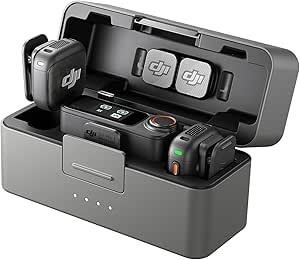
DJI Mic 3 Wireless Microphone Kit (2 Transmitters, 1 Receiver, Charging Case)
As an affiliate, we earn on qualifying purchases.
Choose a Replacement by Matching the Job, Not the Box Name
To replace a particular Ring kit, first identify the job each part performed, then compare candidate products against those jobs. A camera pack can replace outdoor video coverage, but it does not automatically replace an alarm base station, keypad, or entry sensors. Treat the old kit’s feature list as a checklist, not as a shopping label. This approach is critical because marketing terms like ‘bundle’ or ‘kit’ are often arbitrary groupings designed to move inventory, not necessarily to provide a balanced security solution.
For example, the Ring Alarm 5-Piece Kit with Ring Outdoor Cam Plus, Battery is a specific product name you may encounter while researching. Its current status can vary across listings and regions, so avoid assuming it is either universally available or permanently discontinued. If you cannot find the exact package, split the need into alarm functions and camera functions, then compare products for each part. The implication is that you must become your own systems integrator. Relying on pre-packaged bundles assumes your home’s layout and security priorities match the manufacturer’s average user profile, which is rarely the case.
The alternatives in the source brief include Ring Floodlight Cam Wired Plus (4-Pack), Ring Outdoor Cam (Stick Up Cam) Battery (4-Pack), Ring Spotlight Cam Plus Battery (3-Pack), and Ring Window and Door Sensor (6-Pack). The brief shows overlaps in attributes such as color, connectivity, or compatibility. Those overlaps can help narrow a search, but they do not establish that one product replaces the alarm features of another. For instance, a ‘compatible’ camera does not mean it can trigger an alarm siren; it merely means it can be viewed in the same app. Understanding this technical limitation prevents false confidence in your security posture.
Here is a practical comparison based on the supplied product descriptions. Confirm current specifications, requirements, and package contents on the relevant product listing before buying; product details can change. [1]
| Option | What it may cover | Check before you choose |
|---|---|---|
| Floodlight Cam Wired Plus (4-Pack) | Outdoor camera coverage with wired power | Wiring, mounting positions, Wi-Fi, and whether each location has suitable power |
| Outdoor Cam (Stick Up Cam) Battery (4-Pack) | Flexible outdoor or indoor camera placement, depending on setup | Charging routine, coverage area, Wi-Fi, and included accessories |
| Spotlight Cam Plus Battery (3-Pack) | Battery-powered camera coverage at several locations | Battery upkeep, placement, connectivity, and the exact pack contents |
| Window and Door Sensor (6-Pack) | Entry detection as part of a compatible alarm setup | Required base station or hub, protocol support, and alarm compatibility |
Say your old package watched the driveway and alerted you when a front window opened. A sensible replacement plan might use an outdoor camera for the driveway and compatible alarm equipment for the window. That is a more reliable match than choosing the product with the closest-sounding name. The tradeoff here is complexity versus coverage: building a custom stack requires more research but ensures every dollar spent addresses a specific vulnerability, whereas a generic bundle may leave you paying for redundant features while missing critical ones.
Check Subscription and Monitoring Terms Before You Count on Features
A Ring subscription may add cloud video history, saved recordings, alerts, or coverage across multiple devices, while some basic live-view or device functions may work without a paid plan. The exact feature set depends on the current plan, device, and region, so check Ring’s local plan information rather than assuming every bundle includes the same service. [1] The deeper implication is that Ring’s business model often separates hardware from essential utility. Without a subscription, you may own a camera that cannot record the very event you bought it to catch, turning a security device into a live-viewing toy. This dependency requires you to evaluate the long-term value proposition, not just the upfront hardware cost.
This matters most when you expect to review an event later. Suppose a delivery arrives while you’re on a train and your phone receives an alert. Live viewing may let you see what is happening at that moment, while recorded history may determine whether you can replay the clip after the driver leaves. Check the current subscription terms for the device and feature you care about. If you miss the live moment, the lack of cloud storage means the evidence is gone forever. This is a significant risk for liability or dispute resolution, making the subscription a functional necessity for many users, not just an optional add-on.
Professional monitoring is a separate question. Some Ring alarm setups and plans may offer optional monitoring, subject to local availability and eligibility. A box containing an alarm keypad does not, by itself, tell you whether monitoring is included, whether it costs extra, or which emergency response services apply in your area. Read the package and plan details together. The tradeoff here is autonomy versus response. Self-monitoring gives you control and saves money, but it relies on you being available and responsive. Professional monitoring adds a layer of redundancy, ensuring someone calls the police even if you are asleep or out of signal range, but it adds a recurring cost and potential contractual lock-in.
To avoid surprises, compare a camera-only plan with an alarm plan using your own needs. If you only want to answer the doorbell and view a live feed, you may value different features from someone who wants stored clips or a monitored alarm. Plan names and capabilities can change; verify the current terms when you shop. [1]
- List the features you need. For example, live viewing, video history, person alerts, or professional monitoring.
- Match each feature to a device and plan. Confirm whether it applies to your specific camera, doorbell, or alarm setup.
- Check local eligibility and billing. Look for region limits, trial periods, recurring charges, and cancellation terms.
- Recheck before purchase. The plan page and retailer listing should agree about what the bundle includes.
That four-step check takes only a few minutes, but it can stop you from buying a package for a feature that belongs to a separate plan. By mapping features to costs, you avoid the ‘subscription trap’ where the hardware is cheap but the total cost of ownership is high due to mandatory or highly desirable recurring fees.
Plan Camera Coverage Around Wi-Fi, Power, and Real Routes
A useful camera bundle places each camera where it can see a meaningful approach and maintain power and network access. Ring devices commonly rely on Wi-Fi and the Ring app, but camera placement, wiring, battery charging, and specific device requirements differ. Check the exact model’s requirements and your home’s signal before mounting hardware. [1] The critical insight here is that a camera is only as secure as its weakest link. If the Wi-Fi signal drops due to interference or distance, the camera may stop recording or fail to send alerts, creating a false sense of security. Physical placement must therefore prioritize network stability as much as visual field of view.
Start with the routes people actually use. A camera above the front door might catch a visitor’s face, while a driveway camera aimed too far down the road could miss someone approaching the garage. Walk from the sidewalk to your entrance and note where a person first becomes visible, where packages land, and which corners stay dark after sunset. A simple sketch can reveal that two cameras would cover the same patch while a side gate remains unseen. This process highlights the tradeoff between breadth and depth. You cannot cover every inch of a property with high fidelity; you must choose points of interest that offer the highest probability of detecting an intrusion or providing useful context.
Power changes the plan. A wired floodlight camera may suit a spot with appropriate wiring and mounting, but that location can demand more installation work. A battery camera can go where wiring is inconvenient, yet you’ll need to monitor and recharge it; how often depends on use and conditions. Dense activity, cold weather, and frequent recording can affect battery life, so don’t plan around a fixed interval unless the product guidance supports it. The implication is that battery cameras introduce a maintenance burden that can lead to security lapses if neglected. Wired cameras offer ‘install and forget’ reliability but require upfront effort and limit placement flexibility. Choose based on your willingness to perform routine maintenance versus your ability to run electrical wiring.
Wi-Fi has its own personality: it fades at the edges of a home and often struggles through brick, metal, or several walls. A camera that streams perfectly beside the router may stutter over a detached garage. Before installation, test the intended locations with the device setup process or another suitable signal check, then adjust the camera or network placement if the connection is weak. Ignoring this step is the most common cause of poor performance. A weak signal results in pixelated video, delayed alerts, and frequent disconnects, rendering the camera largely ineffective during critical moments.
For instance, a homeowner might put a battery camera by a back gate and a wired camera over a lit driveway. The combination can make sense if both locations have solid Wi-Fi and the owner is comfortable with battery upkeep at the gate. Good coverage comes from matching the device to the spot, not filling every corner with a lens. By balancing power constraints with signal strength, you create a robust system that works reliably when you need it most.
Estimate the Cost Over Time, Not Just at Checkout
The cost of a premium Ring bundle includes more than the initial hardware purchase: count any subscription, optional monitoring, extra accessories, installation materials, and recurring upkeep. A package can look attractive as a single purchase while requiring a plan for the video history or monitoring features you actually want. Add only costs that apply to your chosen devices and region, and verify current terms before you buy. [1] The trap here is ‘anchor pricing,’ where the low upfront cost of the bundle obscures the higher total cost of ownership. A $200 bundle that requires a $10/month plan costs $560 over three years, whereas a $300 bundle with no required plan might be cheaper in the long run if you don’t need the features the first bundle lacks.
Imagine two households choosing between a wired four-camera pack and a smaller battery camera set. The wired option may need compatible mounting and electrical work at each location; the battery set may avoid some wiring but call for charging and replacement accessories over time. The cheaper-looking checkout total does not settle which one costs less to live with. Your walls, power points, and tolerance for maintenance all change the calculation. The tradeoff is between capital expenditure (upfront installation costs) and operational expenditure (ongoing maintenance and battery replacements). For some, paying an electrician once is preferable to climbing a ladder every month; for others, the flexibility of battery power is worth the recurring effort.
Make a simple three-year worksheet. Put the hardware in the first column, monthly plan charges in the second, monitoring in the third, and installation or accessory costs in the fourth. Multiply recurring monthly charges by the number of months you expect to keep the service, then add one-time expenses. You don’t need a forecast down to the last cent; the exercise simply reveals which costs repeat and which stop after installation. This financial framing shifts the decision from ‘which box is cheaper’ to ‘which system is sustainable for my budget.’ It forces you to confront the reality that security is a service, not just a product.
Separate required costs from optional ones. If a feature you need depends on a subscription, include it in the total. If you are comfortable with live viewing and do not need cloud history, your plan choice may differ. Likewise, if professional monitoring is unavailable where you live, do not count it as part of the package’s value. The listing and local plan details should drive the estimate, not a generic bundle description. By isolating mandatory costs, you can identify bundles that offer genuine value versus those that rely on hidden recurring fees to appear affordable.
A practical tip: compare the total for the exact number of devices you will use. A six-sensor pack may leave extras in a drawer if you only have two accessible entry points, while a camera pack may leave a blind spot if the home has a long side path. Hardware earns its keep when it serves a real location or task. Buying in bulk often provides a lower unit price but a higher total waste if the devices don’t fit your specific home layout. Precision in planning saves money and reduces clutter.
Protect Privacy While Still Seeing the Places That Matter
You can make a connected camera setup more respectful and secure by protecting the account, limiting recording to useful areas, and checking each device’s privacy controls. No connected camera system is risk-free, and sensible account security does not remove every privacy concern. Review Ring’s current security and privacy options, then follow local rules for recording shared spaces. [1] The fundamental tension in connected security is between visibility and intrusion. While you want to see threats, you also want to avoid becoming a threat to your neighbors’ privacy. This is not just an ethical issue but a legal one, as recording audio or video of private spaces without consent can lead to lawsuits or fines in many jurisdictions.
Start with the account. Use a strong, unique password and turn on two-step verification if available for your account. Keep access limited to people who need it, and remove access when a household member or installer no longer needs it. These steps protect the door to your camera feed; they do not change what the cameras record outside. The implication is that your security is only as strong as your weakest link, which is often human error or credential reuse. A compromised account gives an attacker real-time access to your home’s interior and exterior, turning your security system into a surveillance tool for criminals.
Placement handles that second part. Aim a front-door camera at your own entrance and path rather than a neighbor’s windows. If the app offers privacy zones or recording controls for your device, use them to narrow what gets captured. For example, a camera pointed across a shared courtyard could include a neighbor’s patio; angling it toward your doorway may preserve the useful view and reduce incidental recording. This requires a shift in mindset from ‘cover everything’ to ‘cover only what is necessary.’ Over-covering not only risks legal issues but also creates data bloat and potential liability if the footage is subpoenaed or leaked.
Cloud storage deserves a quick review, too. Check what gets saved, how long clips remain available under your plan, who can view them, and how to delete recordings. Treat a recorded clip as sensitive household information. If you share clips, avoid exposing addresses, children, or routine patterns unless there is a clear reason. The tradeoff here is convenience versus data minimization. Cloud storage makes sharing and retrieving footage easy, but it also creates a centralized repository of sensitive data that can be targeted. Regularly reviewing and deleting unnecessary footage reduces this risk.
Before mounting anything, look at the camera’s view from a person’s perspective. Stand where a visitor would stand, then see whether the camera captures the intended path without lingering on private areas. A small change in angle can make a large difference: the lens can watch the gate while leaving a neighbor’s garden outside the frame. By proactively managing privacy, you maintain good neighborly relations and reduce legal exposure, ensuring your security system serves your needs without infringing on others.
Expand the System in Stages So Every Device Has a Purpose
You can generally plan a Ring setup as a system that grows over time, but check compatibility, plan coverage, and device limits before adding products. Shared branding does not mean every Ring device has identical features or requirements; confirm that the new camera, sensor, or accessory works with your specific setup. [1] The strategic advantage of staged expansion is that it allows you to validate the utility of each device before committing further resources. Buying a large bundle upfront often leads to ‘security fatigue,’ where users are overwhelmed by alerts and maintenance, eventually ignoring the system. Starting small ensures each addition is managed and valued.
A staged approach often produces a better fit than buying every possible device at once. Begin with the most important entry or approach, such as the front door and a ground-floor window. Live with the alerts for a week. If you receive repeated motion notices from passing cars, adjust the camera’s angle or settings before adding another camera that could create more noise. This iterative process highlights the importance of tuning. A camera that works well in theory may produce false positives in practice due to environmental factors like wind, shadows, or traffic. Learning to adjust sensitivity and zones is as important as the hardware itself.
Then expand based on an actual gap. Maybe the first week shows that the side gate is invisible from the front camera. Add one camera there, check Wi-Fi, and test its view at night. If you discover that the back door needs entry detection rather than video, look at compatible sensors and alarm equipment. Each purchase should close a named gap. This method prevents ‘shelf ware’—devices that are bought but never installed because they don’t fit the actual security workflow. It ensures that every dollar spent addresses a verified vulnerability.
Consider a small detached home with a front door, back door, and side gate. The owner might start with a doorbell camera, then add a battery camera at the gate after testing signal strength. Later, compatible sensors could add entry awareness to the doors. This sequence spreads setup work and helps the owner learn which alerts are useful before adding more devices. The tradeoff is time versus perfection. You will not have a comprehensive system on day one, but you will have a functional, manageable one that grows in reliability and relevance.
Expansion also affects plans. A subscription may cover multiple eligible devices, but limits and included features depend on current terms. Check whether adding a camera changes the plan you need, whether a sensor requires a base station, and whether the app supports the intended combination. A tidy system is one you can maintain: every device has a location, a purpose, and an owner who knows how to keep it powered and connected. By expanding thoughtfully, you avoid the complexity spiral where the system becomes too difficult to manage, leading to abandonment.
Frequently Asked Questions
What does a premium Ring security bundle include?
Contents vary: a package may combine cameras, a doorbell, alarm equipment, sensors, a keypad, or accessories. Some bundles focus only on cameras, so check the itemized listing before assuming an alarm base station or sensors are included.
Do I need a Ring subscription to use the devices?
Some basic device functions, such as live viewing, may work without a paid plan, while cloud video history and other features commonly depend on plan terms. Check the current regional plan details for your exact devices and the features you want.
Does a Ring bundle include professional monitoring?
Not necessarily. Monitoring may depend on the alarm setup, plan, eligibility, and location, and it may cost extra. Confirm whether it is offered in your area and whether the specific package includes it.
Can I use Ring cameras without an alarm system?
Yes, cameras and doorbells can be used without an alarm setup, though available features depend on the device and plan. If you want entry detection or an alarm response, check the compatible alarm equipment and sensor requirements separately.
Will Ring devices work during an internet or power outage?
Internet or power loss can interrupt remote access, notifications, and cloud features. A battery-powered camera may still have power during an outage, but it can still lose network access; check each device’s power and connectivity behavior for your setup.
How do I know whether an alternative replaces my old Ring kit?
List the old kit’s functions—such as outdoor video, entry sensors, keypad control, or alarm detection—and match each one to a compatible replacement. A camera pack may cover video needs without replacing alarm hardware, so compare functions rather than names or shared specifications.
Conclusion
Choose a bundle by writing down the exact job you need done at each door, window, and outdoor approach. Then match each job to a compatible device, confirm its power and Wi-Fi needs, and include any subscription or monitoring in your ongoing cost estimate.
The best setup is not the fullest box. It is the one that leaves you with useful alerts, clear coverage, and a camera pointed where it belongs.