AR glasses with live captions use advanced visual recognition and scene analysis to instantly interpret your surroundings. They identify text, signs, objects, and spoken words in real-time, then display relevant captions directly in your field of vision. The technology combines onboard processing with cloud services to guarantee quick, accurate delivery without distracting you from your environment. If you want to know more about how these smart glasses work, keep exploring how they enhance communication and awareness.
Key Takeaways
- AR glasses overlay real-time captions onto the user’s view by analyzing visual and speech data simultaneously.
- Visual recognition identifies objects, text, and scenes to generate accurate, context-aware captions.
- Scene analysis detects relevant environmental cues like signs or spoken words for tailored captioning.
- Advanced processing combines onboard hardware and cloud services for instant data analysis and caption display.
- User interfaces allow customization and easy interaction through gestures, voice commands, or touch controls.
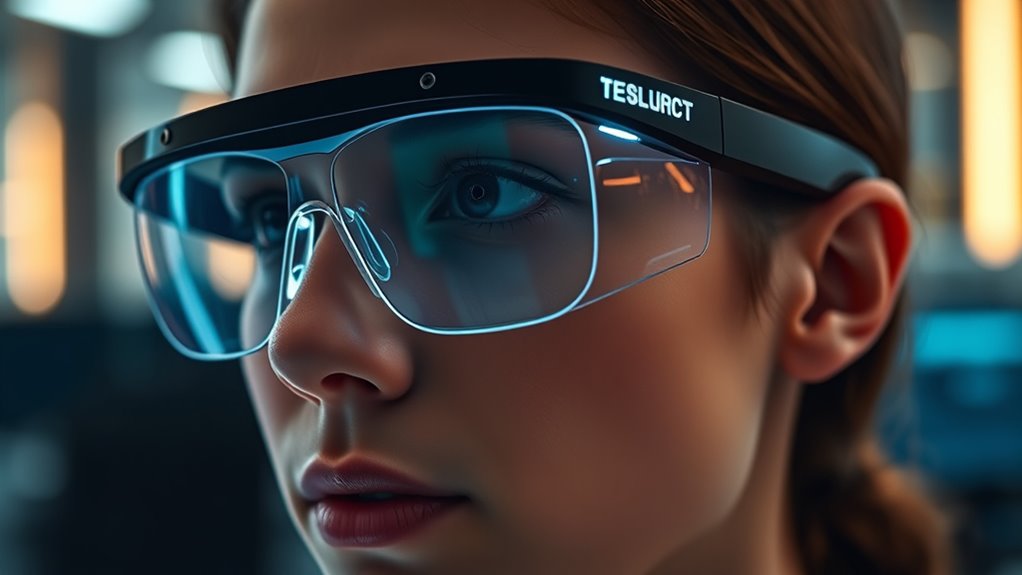
Augmented reality (AR) glasses with live captions are transforming the way you communicate and consume information. These devices seamlessly blend digital elements with your real-world view, allowing you to stay connected and informed without interrupting your environment. At the core of this technology is visual recognition, which helps the glasses interpret what you’re looking at and determine the appropriate information to display. When you glance at a conversation, a sign, or a screen, the AR glasses analyze the scene in real-time, identifying text, objects, and contextual cues to generate relevant captions or data overlays. This process guarantees that your experience is smooth, responsive, and tailored to your surroundings. Developing high-level Cultural Intelligence (CQ) enables designers and users alike to better understand and adapt to the diverse cultural contexts in which AR technology is deployed, enhancing user experience and acceptance.
The user interface of AR glasses with live captions is designed for simplicity and ease of use. Instead of cluttering your view with complicated menus, the interface overlays captions directly onto your field of vision, aligning them with the source material. As you look at a speaker, for example, the glasses detect their face and mouth movements, then display real-time captions that match their speech. These captions are dynamically positioned, ensuring they don’t obstruct your view of the environment. The interface often allows you to customize the appearance—such as font size, color, and transparency—to suit your preferences or lighting conditions. Gestures, voice commands, or touch controls on the device enable you to navigate through options effortlessly, making the experience intuitive.
Behind the scenes, sophisticated algorithms process visual data and speech recognition to deliver accurate captions instantly. The glasses constantly scan your surroundings, employing visual recognition to distinguish between different text sources or objects. This capability is essential for differentiating between signs, menus, or spoken words, making the captions relevant and context-aware. The user interface then presents this information in a way that feels natural, without requiring you to divert your attention from your environment. This real-time processing relies on a combination of powerful onboard processors and cloud-based services to ensure speed and accuracy.
Amazon Product B0F74DH64V
As an affiliate, we earn on qualifying purchases.
Frequently Asked Questions
How Do AR Glasses With Live Captions Handle Background Noise?
AR glasses with live captions handle ambient noise by using advanced microphones and noise-canceling technology, which filters out background sounds. This guarantees that speech remains clear and intelligible, even in noisy environments. You’ll notice improved speech clarity because the system focuses on the speaker’s voice, reducing distractions from ambient noise. This way, you can follow conversations easily without missing important details, no matter how loud your surroundings are.
Are Live Captions Customizable for Different Languages and Dialects?
Imagine your AR glasses as a chameleon, adapting seamlessly to your linguistic environment. Yes, you can customize live captions for different languages and dialects. They support language localization and dialect customization, making communication effortless across diverse regions. You’ll find these features handy when traveling or working with international teams. This personalization guarantees the captions resonate with your speech style and linguistic nuances, creating a truly immersive and inclusive experience.
What Is the Battery Life of AR Glasses With Live Caption Features?
You’ll find that the battery performance of AR glasses with live captions varies, typically lasting around 4 to 8 hours depending on usage. Effective power management features help extend battery life, so you can enjoy longer periods of captioning without frequent recharges. Keep in mind, streaming live captions demands more power, so opting for models with optimized power management can make a significant difference in your overall experience.
Can the Captions Be Stored or Exported for Later Use?
Yes, you can store and export captions from AR glasses with live captions. Most devices offer caption storage options, allowing you to save transcripts for later review. Export options are usually available through companion apps or cloud services, enabling you to transfer captions to your computer or other devices easily. This feature is handy for keeping records, sharing conversations, or reviewing important information at your convenience.
How Do AR Glasses With Live Captions Protect User Privacy?
You’re right to contemplate privacy concerns with AR glasses. They protect your data by using data encryption, which secures your spoken words and captions from unauthorized access. Additionally, many devices have built-in privacy features like local processing, so your conversations aren’t constantly sent to servers. Manufacturers often include options to disable recording or sharing, giving you control over your privacy and ensuring your live captions stay secure.

Avantree C82 Aura – Auracast Transmitter with Private & Public Modes for Auracast Hearing Aids, Qualcomm Bluetooth 5.4, Firmware Upgradeable, USB-C Audio Adapter for PC, Mac, Tablets, Phones
【FOR Auracast Hearing Aid Users】 Designed for Auracast-enabled hearing aids to stream audio from USB-C devices like PCs,...
As an affiliate, we earn on qualifying purchases.
Conclusion
Imagine walking into a busy café, feeling overwhelmed by chatter, until your AR glasses display live captions right in your line of sight. Just like a personal translator, they bridge the gap between you and the world around you. With over 80% of users reporting improved communication, these glasses aren’t just tech—they’re a game-changer, turning everyday moments into clear, connected experiences. Embrace the future, where silence no longer has to be deafening.

Avantree Audikast 4 - Auracast & Bluetooth TV Transmitter for Headphones & Selected Hearing Aids, aptX Adaptive & HD, Optical & AUX Output, Future-Ready & Upgradeable
【Check TV Compatibility Before Buying】Your TV must have Optical (TOSLINK) or 3.5 mm AUX output. TVs with HDMI...
As an affiliate, we earn on qualifying purchases.
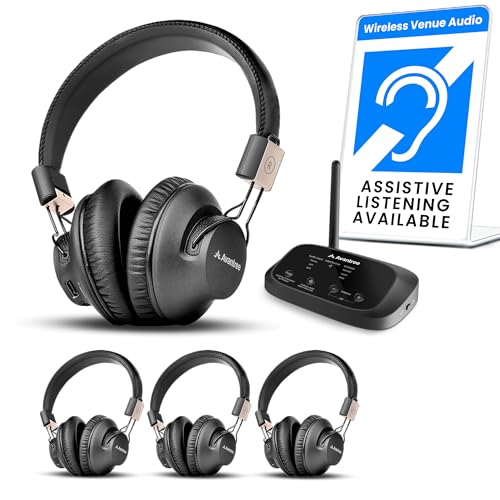
Avantree Quartet 2 - Wireless Group Listening Headphones & Transmitter for TV, Church, Classroom, Silent Discos, Plug & Play, 2.4GHz Expandable Multi-Headphone System with Low Latency & Clear Voice
【Seamless group listening】Instantly connect the Quartet 2 transmitter and share TV, movie, music, or live audio to 4...
As an affiliate, we earn on qualifying purchases.