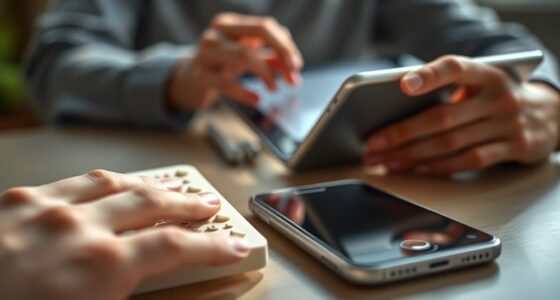

As a deafblind user, you access food labels, signs, and mail through tactile methods like Braille, textured surfaces, and raised symbols. Assistive devices, such as Braille displays and tactile maps, help you interpret digital or physical info independently. Tactile overlays on signs and labels enable quick identification, while electronic tools can read out or feel details. If you explore further, you’ll discover even more innovative techniques designed to enhance your autonomy and confidence.

Get everyday helpers delivered free with Prime
- Fast, free delivery on millions of items
- Prime Video, Amazon Music and more included
- Member-only deals all year
Key Takeaways
- DeafBlind users utilize tactile labels, Braille, and textured surfaces on food packaging and signs for information access.
- Assistive devices like Braille displays and tactile graphics enable reading food labels, signs, and mail independently.
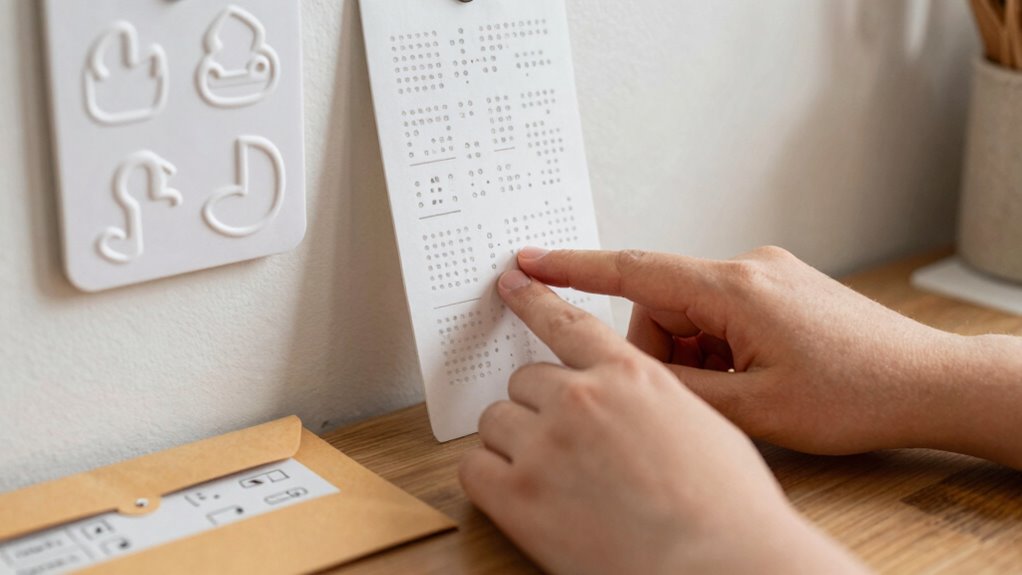
- Tactile overlays and embossed symbols help interpret public signs and spatial information.
- Digital tools such as Braille tablets and audio alerts facilitate mail and document reading.
- Combining tactile communication with assistive technology empowers users to independently access essential information.
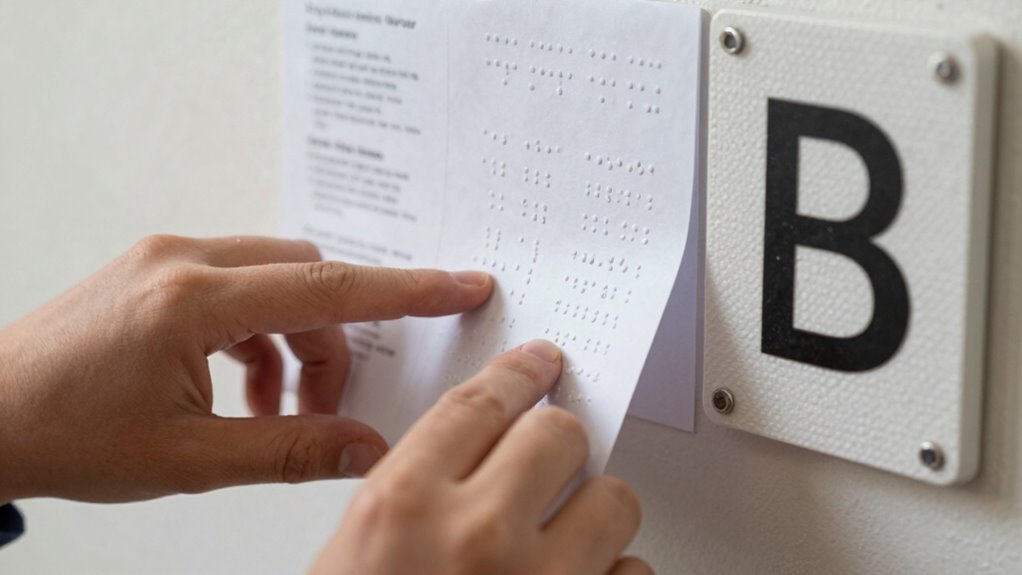
Have you ever wondered how DeafBlind individuals access important information on food labels, signs, and mail? It’s a question that highlights the remarkable ways people adapt and innovate to bridge sensory gaps. For DeafBlind users, tactile communication becomes essential. They often rely on touch to interpret their surroundings, using their fingers to feel raised symbols, Braille, or textured labels that convey critical details. Tactile communication allows them to access information directly, bypassing the need for sight or hearing. This method requires specialized tools and techniques, but it’s incredibly effective in providing independence and safety. Additionally, ongoing advancements in assistive technology continue to expand the possibilities for accessible communication and information retrieval. For example, innovations like tactile graphics and tactile maps further enhance spatial understanding for users.
Assistive technology plays a pivotal role in helping DeafBlind individuals access everyday information. Devices like Braille displays, refreshable and portable, convert digital text into tactile output that can be read with the fingertips. These tools are connected to smartphones, computers, or dedicated reading devices, allowing users to receive updates on food labels or mail content in real time. For example, a person can scan a food package with a portable scanner that reads the Braille label aloud or converts it into tactile symbols they can feel. Similarly, electronic magnifiers with tactile overlays can help interpret signs or written instructions in public spaces. These innovations make it possible to navigate environments that were once inaccessible.
Assistive tech like Braille displays and tactile overlays help DeafBlind individuals access information in real time.
When it comes to mail, assistive technology ensures that important documents don’t go unnoticed. Mail can be embossed with Braille, or digital copies can be relayed through tactile interfaces like Braille tablets. Some services even include audio or vibration alerts to notify users of new mail, combining tactile communication with other sensory cues. This way, DeafBlind individuals can independently check their mail, understand its contents, and respond promptly—just like sighted or hearing individuals do. Accessible mail services have become increasingly sophisticated, further supporting independence.
The integration of tactile communication with assistive technology exemplifies how adaptive solutions empower DeafBlind users. They can identify food labels by feeling textured surfaces or raised symbols, read signs through tactile overlays, and access mail via digital or embossed formats. These tools and techniques foster autonomy and reduce reliance on others. Whether it’s feeling the bumps on a nutrition label or using a high-tech device to read an email, the combination of tactile communication and assistive technology transforms how DeafBlind people engage with the world around them. It’s a tribute to human ingenuity and the ongoing pursuit of accessible, inclusive environments.
Products Worth Considering

Logitech MX Mechanical Wireless Illuminated Keyboard, Tactile Quiet, Graphite

Sonos Era 100 SL Compact Microphone-Free Speaker, White

LG UltraGear 32GX850A-B 32-inch 4K UHD Glossy OLED Gaming Monitor
As an affiliate, we earn on qualifying purchases.
Frequently Asked Questions
How Do Deafblind Users Identify Expiration Dates on Food Labels?
You identify expiration dates through tactile recognition, feeling the printed or embossed text on labels. Many use Braille interpretation if the date is printed in Braille, allowing you to read it by touch. Some labels incorporate raised symbols or textured markings to indicate expiration, making it easier for you to determine freshness without sight. This tactile approach guarantees you stay informed about food safety independently.
What Technologies Assist Deafblind Individuals in Reading Signs?
You can use assistive devices like tactile reading tools and electronic Braille displays to read signs. Tactile reading allows you to feel raised symbols or textures that convey information, while electronic devices convert visual information into Braille. These technologies enable you to access essential information in your environment independently, making everyday activities like reading signs more manageable and empowering you to stay informed and connected.
How Is Mail Typically Delivered to Deafblind Users?
Mail is usually delivered to you through tactile communication, where postal workers may use tactile markers or discuss the delivery directly. You might rely on Braille navigation to identify your mailbox or mailbox key, ensuring proper access. Once you receive mail, you use Braille or tactile labels to read and sort your correspondence. These methods help you stay connected and independent, even without visual or auditory cues.
Are There Specific Training Programs for Deafblind Access to Labels and Signs?
Yes, there are specific training programs designed for deafblind individuals to access labels and signs. You participate in tactile training, which helps you learn to interpret textures and raised symbols. Sensory adaptation techniques allow you to enhance your tactile perception over time. These programs focus on developing your skills to read braille labels and understand tactile signage, empowering you to navigate everyday situations more independently and confidently.
How Do Cultural Differences Impact Communication for Deafblind Individuals?
Cultural nuances profoundly impact communication for deafblind individuals by shaping how they interpret and respond to interactions. You might face communication barriers when cultural norms differ, affecting gestures, touch, or tactile sign language. Understanding these differences helps you adapt your approach, ensuring clearer, respectful exchanges. Being aware of cultural nuances allows you to navigate diverse settings confidently, fostering better connections and reducing misunderstandings with deafblind individuals from varied backgrounds.
Conclusion
In mastering ways to access food labels, signs, and mail, you turn challenges into stepping stones, proving that where there’s a will, there’s a way. Adaptive tools and technologies serve as your guiding light, helping you navigate the world with confidence and independence. Remember, no obstacle is too big when you find the right method. Keep pushing forward, and you’ll discover that even the smallest adjustments can open up a world of understanding and connection.