Deafblind individuals face challenges like relying on limited senses, sensory overload, and difficulty detecting obstacles when orienting themselves in unfamiliar spaces. Beacons help by emitting signals you can detect through vibrations or visual cues, guiding you accurately. QR codes offer quick access to essential info, while tactile cues like textured surfaces and environmental landmarks create a physical map for safe movement. Combining these tools with future innovations makes wayfinding more accessible—keep exploring to discover how these strategies enhance independence.
Key Takeaways
- Beacons emit signals detectable by wearable devices, providing precise location and real-time navigation cues for DeafBlind users.
- QR codes serve as tactile or visual markers that offer instant access to detailed environment and direction information.
- Tactile cues, such as textured ground patterns and wall indicators, enable independent navigation without reliance on sight or sound.
- Combining beacons, QR codes, and tactile cues creates a multi-sensory wayfinding system enhancing safety and orientation.
- Environmental modifications like tactile maps and landmark indicators support seamless integration of technological aids for DeafBlind navigation.
DeafBlind tactile beacons
As an affiliate, we earn on qualifying purchases.
As an affiliate, we earn on qualifying purchases.
What Are the Challenges DeafBlind People Face When Navigating?
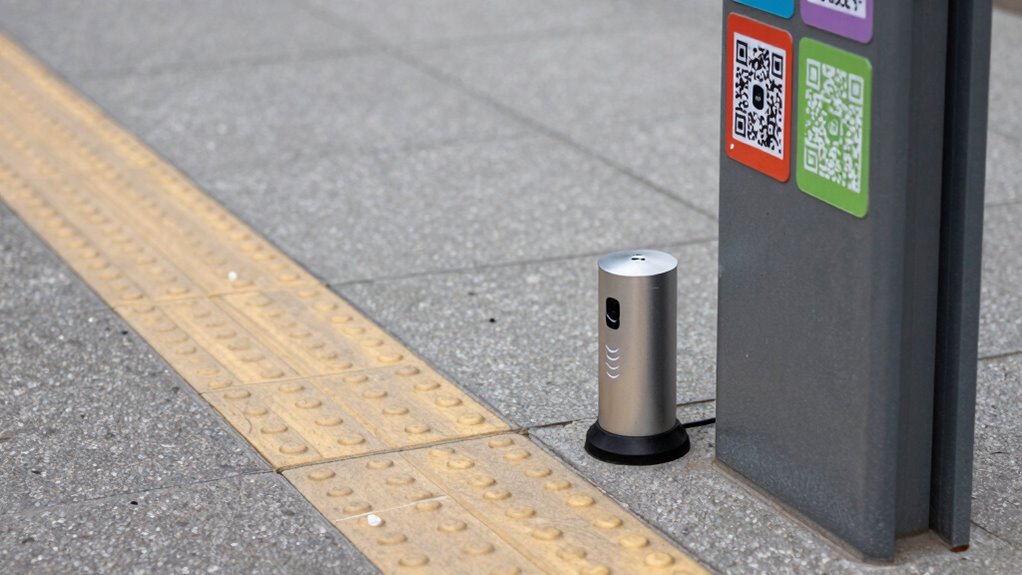
DeafBlind individuals face unique challenges when traversing their environment because they can’t rely on visual or auditory cues. Sensory overload often occurs when too many stimuli, like loud noises or bright lights, overwhelm their senses, making wayfinding difficult. Social barriers also pose significant problems, as they may struggle to communicate or receive assistance from others. This can lead to feelings of isolation or dependence, especially in busy public spaces. Without clear cues, you might find it hard to detect obstacles or understand your surroundings, increasing the risk of accidents. Navigating unfamiliar places becomes a formidable task, as you must rely on limited senses and alternative methods. Incorporating tactile cues and other assistive technologies can significantly improve navigation and safety for DeafBlind individuals. Additionally, sensory substitution devices can help translate visual or auditory information into tactile feedback, further aiding orientation. Using environmental modifications such as textured pathways and strategically placed beacons can create more accessible spaces. Overcoming these challenges requires tailored solutions that address both sensory overload and social barriers.
QR code navigation aids for DeafBlind
As an affiliate, we earn on qualifying purchases.
As an affiliate, we earn on qualifying purchases.
How Do Beacons Help With Deafblind Wayfinding?
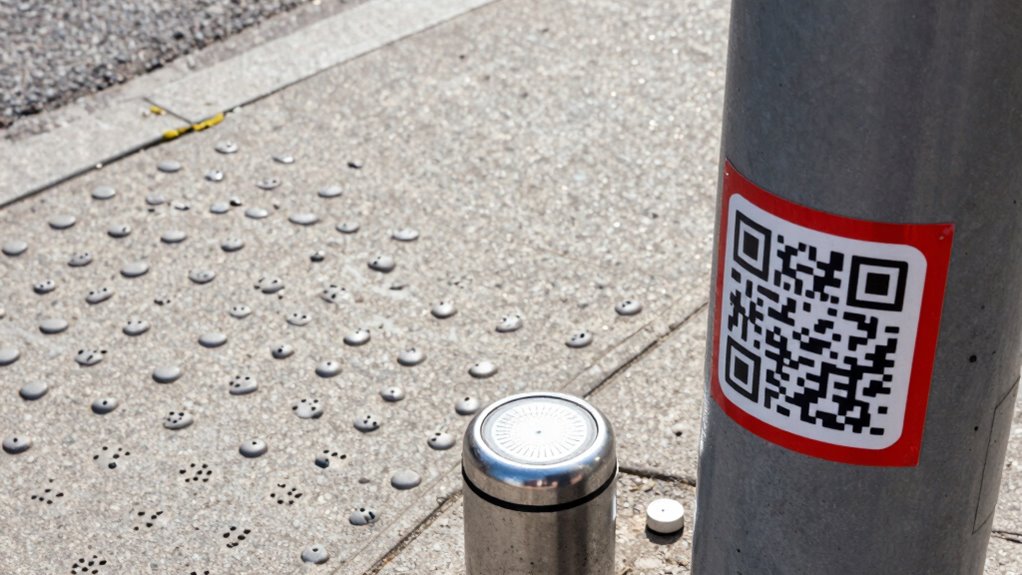
Beacons improve wayfinding by using signal detection methods that make it easier for you to locate your surroundings. They also enhance location accuracy, giving you precise information about your position. Additionally, user interaction features allow you to receive tailored guidance, making navigation more accessible and confident. Incorporating high-precision technology further increases the effectiveness of beacons in supporting your orientation needs. These advancements align with European cloud innovation efforts to develop reliable and secure infrastructure for assistive technologies. Moreover, the integration of timeless outdoor wisdom with modern tech ensures that users can navigate confidently in diverse environments. Understanding the importance of reliable infrastructure helps ensure consistent and accurate assistance during navigation. Recognizing the value of digital safety is essential to maintaining trust and security in assistive navigation systems.
Signal Detection Methods
When steering through unfamiliar environments, detecting signals quickly and accurately is essential for safe and effective wayfinding. Beacons assist by transmitting auditory signals and visual cues that help you identify nearby points of interest or navigation hazards. These signals are designed to cut through background noise and visual clutter, allowing you to focus on what matters most.
Key detection methods include:
- Using wearable devices that vibrate or emit auditory alerts when near a beacon
- Relying on visual cues like flashing lights or color-coded signals
- Combining auditory and visual signals for redundancy, ensuring you receive the message even if one sense is compromised
This multi-sensory approach increases your confidence and safety while orienting through complex environments.
Location Accuracy Improvements
Accurate location information is essential for safe and efficient wayfinding, especially in complex environments. Beacons greatly enhance spatial orientation by providing precise position data, helping you understand your exact location. This improvement allows for better sensory integration, as you can combine tactile cues with beacon signals to form a clear mental map. With more reliable positioning, you can navigate confidently, reducing disorientation and increasing safety. Beacons can correct drift in your spatial awareness, ensuring you stay oriented even when visual cues are limited. This precise location accuracy supports a seamless flow of information, enabling you to interpret your surroundings more effectively. Ultimately, beacons serve as a crucial tool in refining your sense of position, making wayfinding safer and more intuitive for deafblind individuals.
User Interaction Features
User interaction features allow deafblind individuals to engage directly with beacon technology, transforming raw location data into meaningful guidance. Through seamless sensor integration and an intuitive user interface, you can receive real-time alerts and tactile feedback that help navigate complex environments. These features enable you to access information quickly and accurately, enhancing independence.
Key aspects include:
- Customized alerts through haptic feedback or auditory cues
- Easy-to-use controls tailored for tactile interaction
- Adaptive interfaces that respond to your specific needs and preferences
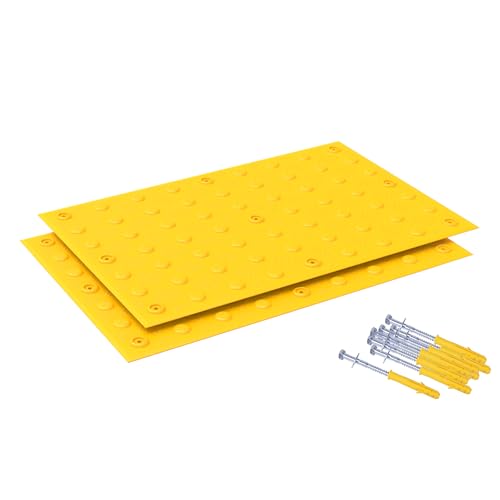
OranclUS 2 Pack 23.5"x35.5" Tactile Paving Warning Tiles, ADA Compliant Blind Pathway Floor Mats, Non-Slip Tactile Ground Surface Indicators for Sidewalks, Ramps & Public Spaces (23.5"x35.5" – 2 Pack)
ADA COMPLIANT TACTILE WARNING TILES: Designed to meet ADA accessibility guidelines, these tactile paving warning tiles provide detectable…
As an affiliate, we earn on qualifying purchases.
As an affiliate, we earn on qualifying purchases.
How Can QR Codes Improve Navigation for DeafBlind Travelers?
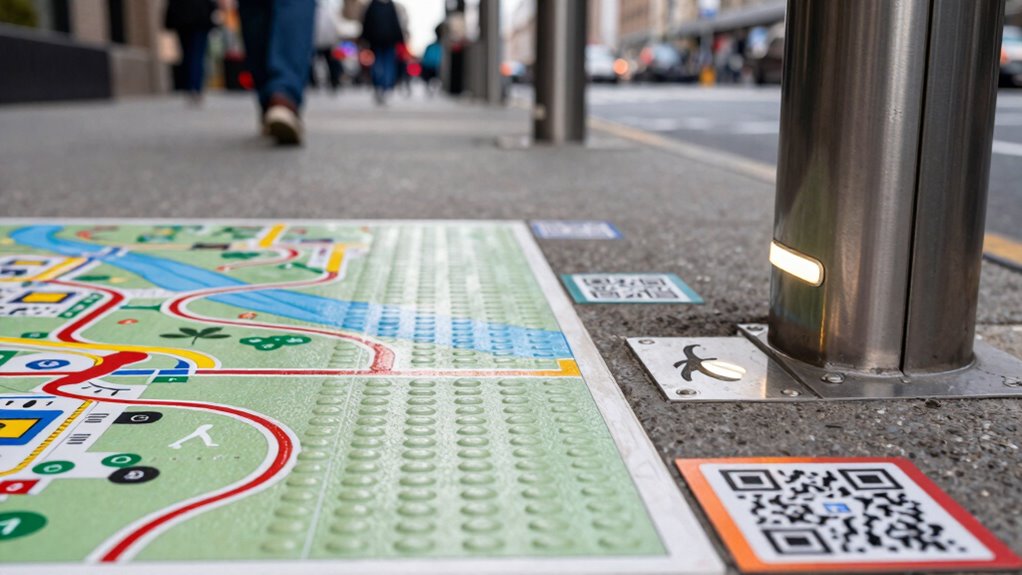
QR codes offer a practical solution for enhancing navigation for DeafBlind travelers by providing instant access to essential information through simple scans. They serve as effective visual marker systems, offering clear and durable cues that can be quickly identified. When scanned with a smartphone or specialized device, QR codes can deliver detailed audio description techniques, conveying location details, directions, and nearby points of interest. This immediacy helps you orient yourself more confidently in unfamiliar environments. Unlike static signs, QR codes can be updated easily, ensuring information stays current. Their integration into wayfinding systems bridges visual and auditory communication, making navigation more accessible. Overall, QR codes empower DeafBlind travelers by delivering critical information discreetly and efficiently, enhancing independence and safety during travel.

Assistive Technology for Visually Impaired and Blind People
As an affiliate, we earn on qualifying purchases.
As an affiliate, we earn on qualifying purchases.
What Tactile Cues and Environmental Changes Support DeafBlind Navigation?
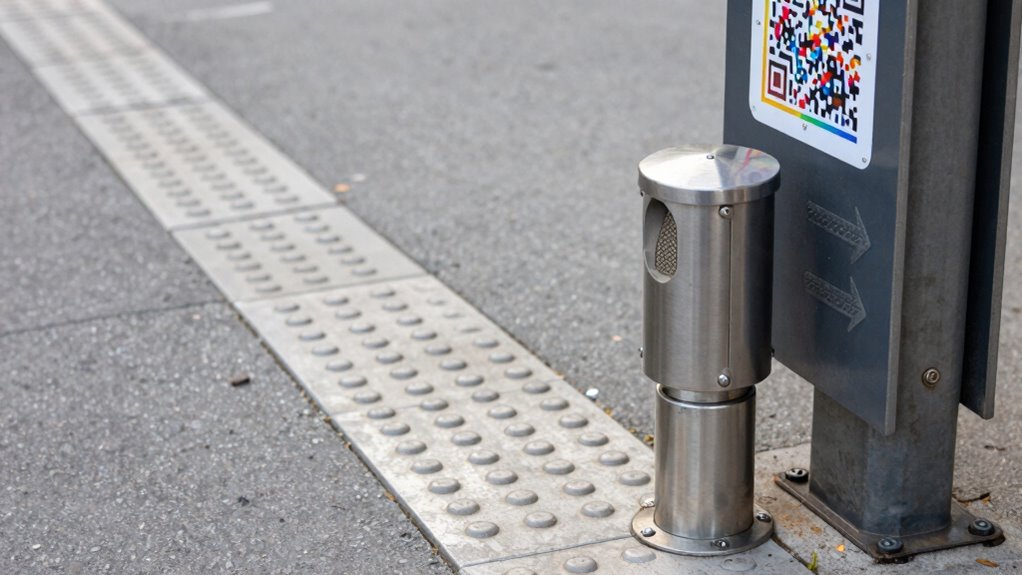
Tactile cues like paving patterns and textured wall surfaces help you sense your environment and stay oriented. Environmental landmark indicators provide key reference points to confirm your location. Together, these cues create a reliable system for navigation and safety.
Tactile Paving Patterns
Tactile paving patterns play a crucial role in helping DeafBlind individuals navigate public spaces safely and independently. The textured ground provides critical cues about different environments, such as crossings or platform edges. The tactile paving surfaces use distinct patterns to communicate specific information through touch underfoot. For example, a series of raised dots indicates a safe crossing, while a linear pattern signals a change in direction or a hazard. Recognizing these subtle differences allows you to stay oriented and make informed decisions. To maximize effectiveness, consider these key features:
- Use of contrasting textures to signal transitions
- Consistent pattern placement at crossings and stairs
- Durable, slip-resistant textured ground for safety
- Environmental cues through tactile paving patterns help reinforce navigation messages and adapt to changing surroundings. Incorporating standardized tactile patterns ensures consistency across different locations, making wayfinding more reliable for users. These tactile cues create a reliable environmental language that enhances navigation and independence.
Textured Wall Surfaces
Textured wall surfaces serve as crucial tactile cues that support DeafBlind individuals in steering their environment. By incorporating tactile wall patterns, you can easily identify different areas and changes in your surroundings. These textured surfaces provide continuous, recognizable feedback through your fingertips or cane, helping you maintain orientation and avoid obstacles. For example, raised ridges or embossed patterns on walls can signal transitions between spaces or indicate specific zones. Using consistent tactile wall patterns ensures that you can quickly interpret environmental cues without needing sight. Proper placement and uniformity of these textured surfaces make wayfinding more intuitive, reducing confusion and increasing safety. Additionally, integrating environmental modifications like textured surfaces can further enhance navigation and independence. Ultimately, textured wall surfaces are effective environmental modifications that enhance your ability to navigate independently and confidently.
Environmental Landmark Indicators
Environmental landmark indicators are essential tools that help you recognize and orient yourself within different spaces. These cues include tactile features, auditory signals, and visual signage that mark key locations or progressions. Tactile maps on walls or floors provide physical reference points, while auditory signals like bells or beeps alert you to nearby landmarks or crossings. Visual signage, when accessible, offers clear information for sighted companions or in combination with tactile cues. Using consistent environmental changes guarantees you can confidently navigate unfamiliar areas. For example:
- Tactile ground surface indicators signal upcoming intersections or hazards
- Auditory signals mark entrances or important waypoints
- Elevated or textured visual signage enhances visibility for those with residual sight
Implementing standardized environmental cues ensures reliable navigation across different locations.
How Can Technology and Tactile Strategies Be Combined for Independence?
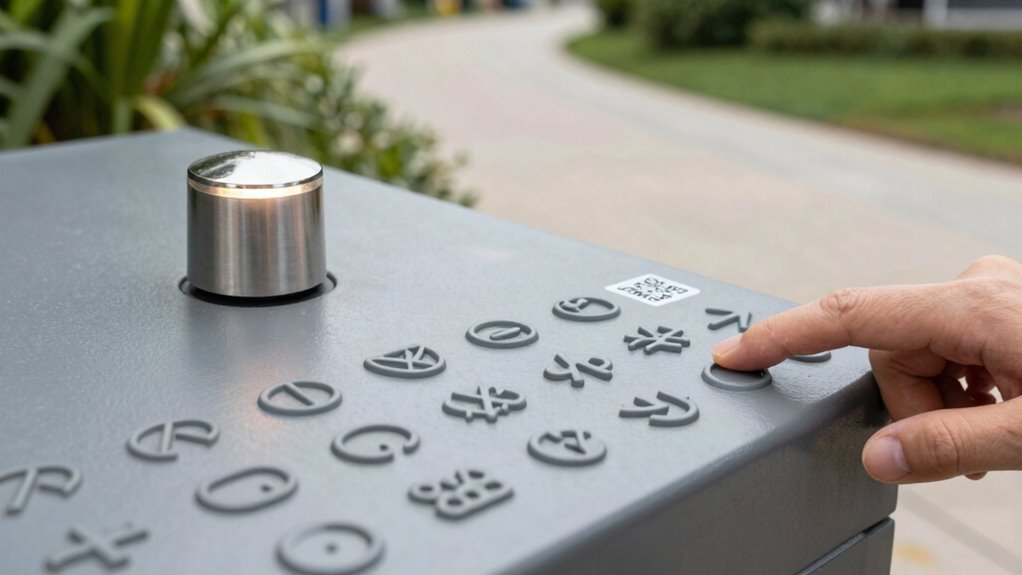
Combining technology with tactile strategies offers a powerful way to enhance independence for DeafBlind individuals. Sensory integration plays a key role, allowing you to receive information through multiple channels simultaneously. Assistive apps can relay real-time updates about your surroundings, while tactile cues—like textured maps or vibratory feedback—provide immediate, intuitive signals. When these tools work together, they create a seamless navigation experience, reducing reliance on others. For example, a smartphone app can identify nearby landmarks and transmit that information through a tactile device, such as a Braille display or vibrating wristband. This integration guarantees you stay informed and confident while moving through unfamiliar environments. By harnessing both technology and tactile strategies, you can develop a personalized, reliable system that promotes greater independence and safety.
What Are the Future Trends in Assistive Navigation for DeafBlind People?
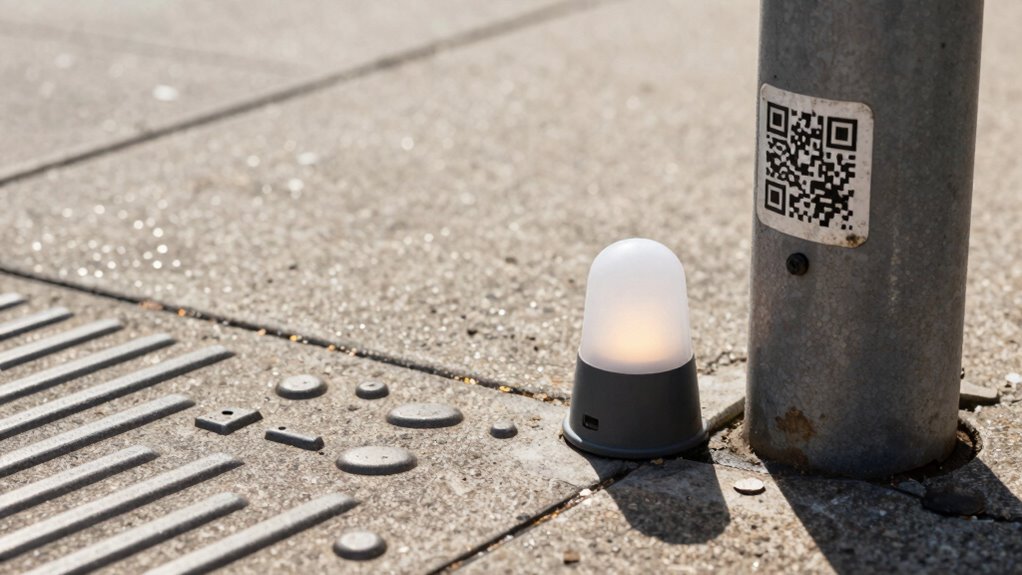
As technology continues to advance, the future of assistive navigation for DeafBlind individuals looks increasingly promising. Augmented reality (AR) and wearable devices will play a key role in creating seamless, real-time guidance. You might soon rely on AR glasses that overlay auditory or tactile cues directly onto your environment, providing instant location updates. Wearable devices could use advanced sensors to detect obstacles, identify landmarks, and communicate directions through vibrations or spoken alerts. These innovations will make navigation more intuitive and autonomous.
Future assistive navigation for DeafBlind people will feature AR overlays and tactile cues for seamless, real-time guidance.
- AR overlays that present environmental information directly to your senses
- Wearable sensors that detect hazards and relay data through tactile feedback
- Smart navigation apps that adapt to your surroundings in real time
Frequently Asked Questions
How Do Different Environments Affect the Effectiveness of Deafblind Navigation Aids?
Different environments considerably impact how well navigation aids work. In urban areas with loud acoustics, auditory cues might be drowned out, making beacons less effective. Poor lighting conditions can hinder tactile cues and the visibility of QR codes. You need to adapt your navigation tools to these surroundings, like using more tactile cues in dark areas or relying on vibrational beacons in noisy urban spaces to stay oriented and safe.
What Training Is Needed for Deafblind Individuals to Maximize Use of These Tools?
You need specialized training in sensory integration and communication strategies to maximize the use of navigation tools. This includes learning how to interpret tactile cues, operate beacons, and scan QR codes effectively. Practice helps you develop confidence and independence, enabling you to navigate various environments more safely. Working with a trained guide or orientation specialist guarantees you understand how to adapt these tools to different settings, enhancing your overall wayfinding skills.
Are There Cost Differences Between Various Assistive Navigation Technologies?
Think of assistive navigation tech like a toolbox—you’ll find some tools are pricier than others. When exploring cost comparison, you’ll notice that beacon systems often cost more due to infrastructure needs, while QR codes and tactile cues tend to be more affordable and easier to implement. Technology affordability varies, but balancing cost with functionality helps you choose the most effective solutions for your needs.
How Do Cultural Differences Influence the Acceptance of Tactile and Technological Cues?
Cultural perceptions heavily influence your acceptance of tactile and technological cues. In some cultures, tactile signals are highly valued for their tradition and familiarity, making you more receptive to them. Conversely, technological cues may be viewed with suspicion or skepticism, affecting your willingness to rely on them. Understanding these cultural nuances helps you better navigate and adapt assistive technologies, ensuring they’re more effectively integrated into your environment and daily routines.
What Are the Privacy Concerns Related to Beacon and QR Code Tracking?
You should be aware that beacon and QR code tracking raise data privacy concerns, as they can collect your location and usage data without clear transparency. It’s essential that user consent is obtained before tracking begins, ensuring your personal information remains protected. Without proper safeguards, your data could be misused or shared without your knowledge, so always check privacy policies and opt-in options when engaging with these technologies.
Conclusion
Charting the world as a deafblind person can feel like charting a course through uncharted waters. But with beacons, QR codes, and tactile cues, you gain a sturdy compass to guide you. These tools work together like a well-oiled machine, empowering you toward independence. As technology advances, the horizon looks brighter, promising smoother journeys ahead. You’re not just surviving—you’re steering your path with confidence and resilience.