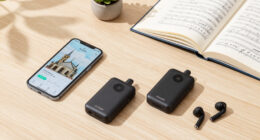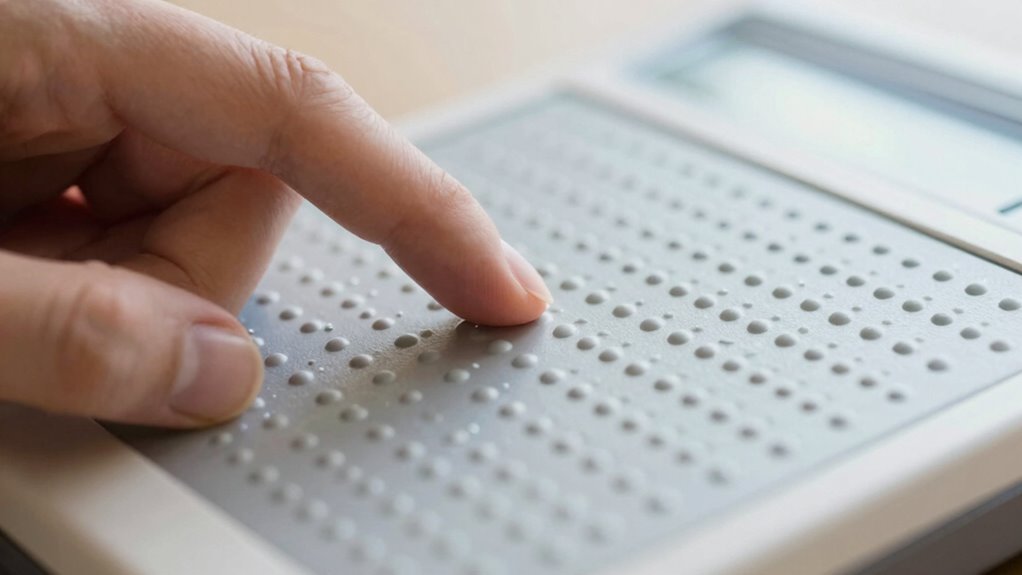

A refreshable braille display turns digital text into tactile sensations using small, movable pins that form braille characters. You connect it to your computer or smartphone, and it transforms on-screen info into touch-friendly braille instantly. You can navigate through text line by line, word by word, using simple buttons or gestures. As you get familiar with how it works, you’ll discover how it enhances independence. Keep exploring to learn more about mastering this helpful technology.

Get everyday helpers delivered free with Prime
- Fast, free delivery on millions of items
- Prime Video, Amazon Music and more included
- Member-only deals all year
Key Takeaways
- Refreshable braille displays convert digital text into tactile braille using movable pins that form characters.
- Users navigate content with simple buttons or touch gestures, moving line by line, word by word, or character by character.
- The device provides real-time tactile feedback, updating pin arrangements instantly during reading or navigation.
- Regular practice helps new users become familiar with tactile patterns, improving reading speed and confidence.
- Advances in technology are making these devices more affordable, precise, and user-friendly for wider accessibility.

Have you ever wondered how visually impaired individuals access digital text so easily? The answer often lies in a device called a refreshable braille display, a marvel of braille display technology that transforms digital information into tactile feedback. This device allows users to read text through a series of small, raised pins that move up and down to form braille characters. When you connect a refreshable braille display to your computer or smartphone, it instantly translates on-screen text into tactile symbols you can feel with your fingertips. This real-time conversion makes reading digital content accessible and immediate, giving you independence and control over your information.
The core feature of a refreshable braille display is its tactile feedback system. Unlike static braille books, these devices are dynamic, changing the arrangement of pins as you *steer through* documents or web pages. When you move the cursor or scroll, the pins adjust to show new braille characters, providing continuous, seamless feedback. This tactile feedback is essential because it allows you to feel the text clearly and accurately, mimicking the sensation of reading traditional braille but in a digital format. The refreshability means you don’t need to manually emboss new pages; instead, the device updates instantly, saving you time and effort. Understanding how these devices work helps new users appreciate the technology behind tactile reading and the importance of digital security in protecting sensitive information accessed through such devices. Additionally, ongoing advancements in braille display technology are making these tools more precise and affordable for users worldwide.
Understanding how to use a braille display involves familiarizing yourself with its *wayfinding* controls. Most devices have simple buttons or touch gestures that let you move through text line by line, word by word, or character by character. As you do so, the pins shift, revealing each new set of braille characters, giving you a tactile map of the digital content. Many devices also include features like cursor routing, which allows you to select specific parts of the text for editing or reading. This combination of tactile feedback and intuitive controls makes reading efficient and natural, even for those new to braille technology. Additionally, the development of refreshable braille technology continues to improve, making these devices more accessible and user-friendly for beginners. Practicing regularly will help you become more comfortable and confident in navigating digital text through tactile feedback.
For new users, getting comfortable with a refreshable braille display might seem challenging at first, but it quickly becomes intuitive. The key is to practice *orienteering* different texts and exploring the tactile sensations of the pins. Over time, you’ll develop a sense of how different patterns correspond to words and sentences, enhancing your reading speed and comprehension. The ability to access digital information through tactile feedback not only broadens your communication options but also empowers you to engage more fully with the digital world. *In essence*, a refreshable braille display bridges the gap between sighted and visually impaired experiences, opening a world of knowledge at your fingertips.
Products Worth Considering

Jackery HomePower 3600 Plus Portable Power Station, 3584Wh, 3600W

Apple MacBook Air 13-inch Laptop with M5 Chip, 16GB Memory, 512GB SSD, Liquid Retina Display, and Touch ID – Midnight

Jackery Explorer 300 Portable Power Station, 292Wh
As an affiliate, we earn on qualifying purchases.
Frequently Asked Questions
How Do I Maintain and Clean My Refreshable Braille Device?
To maintain and clean your refreshable braille device, follow regular cleaning routines by gently wiping the keypad and display with a soft, slightly damp cloth. Avoid harsh chemicals that could damage sensitive parts. Maintenance tips include keeping the device free of dust and debris, checking for loose connections, and storing it in a dry, safe place when not in use. Regular care ensures peak performance and longevity of your braille device.
What Is the Battery Life Typically Like for These Devices?
Your refreshable braille device’s battery life varies, but typically, you’ll get about 8-10 hours of use, perfect for a long workday or a lengthy train ride. With smart power management—like turning off when not in use—you can extend this. Think of battery longevity as your device’s stamina; the better you manage power, the longer your device stays lively, ready to translate your thoughts into tactile brilliance.
Can Refreshable Braille Devices Connect to Smartphones or Computers?
Yes, refreshable braille devices can connect to smartphones and computers. They typically feature various connectivity options like Bluetooth or USB, allowing you to easily sync with your devices. This compatibility enhances your experience by enabling you to read emails, documents, or browse the web directly on the braille display. Always check the device’s compatibility list to guarantee it supports your smartphone or computer’s operating system for seamless connectivity.
Are There Affordable Options for Beginners or Students?
Sure, because everyone loves splurging on high-tech gadgets, right? Luckily, there are affordable options for beginner-friendly devices that won’t make your wallet cry. These devices are designed to be simple, portable, and easy to use, making them perfect for students or newcomers. You can find budget-friendly refreshable braille options that still offer reliable performance, so you don’t have to break the bank to get started with braille technology.
How Durable Are the Tactile Pins in Everyday Use?
The tactile pins in refreshable Braille devices are quite durable, designed to withstand daily use. Braille technology has advanced to guarantee tactile durability, so you can reliably read without worrying about pins wearing out quickly. With proper care, these pins maintain their shape and function over time, providing consistent tactile feedback. Overall, the tactile durability of modern refreshable Braille devices makes them a dependable tool for everyday reading and communication.
Conclusion
As you explore refreshable braille, remember that its true power lies in enhancing independence and connection. Some say technology can replace traditional reading, but it’s more about expanding possibilities. Like a key opening new worlds, refreshable braille offers freedom and access. Embrace it with confidence, knowing that your journey is about more than reading—it’s about empowering your voice and presence in every space you enter. Trust in its potential to transform your experience.