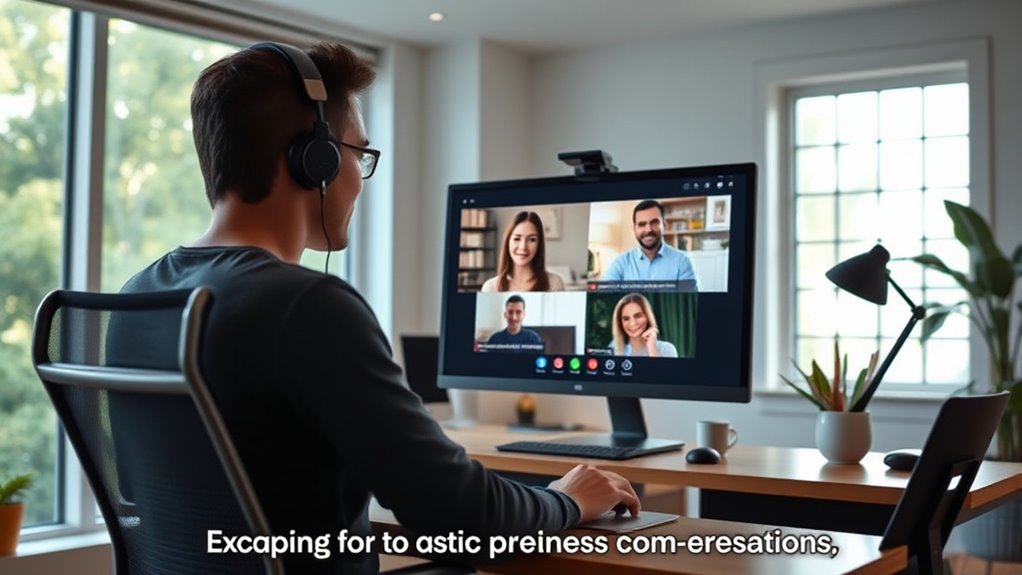

To run better remote meetings with captions, guarantee everyone knows captions are available and encourage active participation. Use reliable, integrated speech recognition tools that provide accurate, real-time captions, and customize them for visibility. Captions make meetings more accessible, boost engagement, and foster inclusivity, helping all attendees follow along and contribute confidently. Implementing these strategies creates a more productive environment—there’s much more to discover if you continue exploring how captions can transform your meetings.
Key Takeaways
- Use reliable automatic speech recognition tools that seamlessly integrate with your video conferencing platform.
- Inform participants about caption availability and encourage active engagement during meetings.
- Customize caption settings like font size and background for better visibility and accessibility.
- Promote a culture of inclusivity by emphasizing the importance of captions for all participants.
- Ensure captions are accurate and reliable to facilitate clear communication and sustained focus.

Remote meetings can be challenging, especially when participants struggle to keep up or miss important details. One effective way to improve the experience is by integrating captions into your meetings. Captions enhance meeting accessibility, ensuring everyone, including those with hearing impairments or language barriers, can fully participate. When you use captions, you’re removing obstacles that might prevent some attendees from understanding or engaging with the discussion. This not only supports inclusivity but also fosters a more collaborative environment where all voices can be heard.
Integrating captions in remote meetings boosts accessibility and fosters inclusive, collaborative discussions for all participants.
To make your meetings more engaging and accessible, consider implementing clear engagement strategies alongside captions. For instance, encourage participants to follow along with captions actively, which helps maintain focus and minimizes distractions. When everyone can see the conversation in real-time, it becomes easier to stay engaged and respond promptly. Additionally, captions serve as a visual aid, reinforcing spoken words and making complex information easier to grasp. This is especially helpful when discussing technical topics or data-heavy presentations, as it ensures everyone is on the same page.
Another key aspect is choosing the right captioning tools that integrate seamlessly with your video conferencing platform. Automatic speech recognition technology has improved considerably, providing real-time captions that are accurate and reliable. By using these tools, you make it easier for participants to follow along without the frustration of missing parts of the conversation. Furthermore, many platforms allow you to customize captions, adjusting font size or background color for better visibility, which further enhances meeting accessibility.
Incorporating captions also encourages better participation. When attendees see that the meeting is designed with accessibility in mind, they tend to feel more comfortable sharing their ideas or asking questions. This openness boosts overall engagement, making meetings more productive and dynamic. Remember, the goal is to create an environment where everyone can contribute equally, regardless of their hearing ability or language proficiency.
Finally, make sure to inform participants about the availability of captions at the start of each meeting. This sets the expectation that the meeting is accessible and helps everyone understand how to use the feature effectively. Additionally, using vetted captioning technology ensures high accuracy and reliability, further supporting inclusive communication. By doing so, you’re demonstrating your commitment to inclusion and encouraging active participation. To conclude, adding captions to your remote meetings improves meeting accessibility, supports engagement strategies, and creates a more inclusive, effective virtual workspace. When you prioritize these elements, your meetings become not just more accessible but also more productive and engaging for all involved.
Frequently Asked Questions
Can Captions Be Customized for Different Languages?
Yes, captions can be customized for different languages through multilingual support. You can select or upload specific language options, making your meetings accessible to a diverse audience. Caption customization allows you to tailor the captions to match your group’s language preferences, ensuring clarity and better understanding. This feature helps create inclusive, engaging remote meetings, no matter where your participants are from or what language they speak.
How Do Captions Impact Meeting Security and Confidentiality?
Captions can raise privacy concerns and impact data security during meetings. You should verify that caption providers use secure platforms and encrypt data to protect sensitive information. By taking these steps, you prevent unauthorized access and maintain confidentiality. It is crucial to review privacy policies regularly and choose reputable services, so your meeting content stays private, and your organization’s data security remains intact.
Are Captions Effective for Participants With Hearing Impairments?
Captions are highly effective for participants with hearing impairments because they serve as assistive technology, ensuring everyone can follow the conversation. You’ll notice increased user engagement when captions are used, as they make the meeting more inclusive. By providing real-time text, you help remove barriers, allowing all participants to actively contribute and stay engaged, fostering better communication and collaboration across the team.
What Are the Costs Associated With Implementing Captions?
Getting the ball rolling on captions involves costs that can add up. You’ll want to do a thorough cost analysis, considering subscription fees or pay-per-use charges for caption services. Keep in mind, feature customization might increase expenses, especially if you need specific integrations or advanced options. While there’s an initial investment, the benefits of clearer communication often outweigh the costs, making it a smart move for inclusive, effective meetings.
How Do Captions Integrate With Existing Meeting Platforms?
You can easily integrate captions with your existing meeting platform through built-in features or third-party tools. Most platforms support meeting platform integration by enabling caption services directly or via compatible apps. You also get caption customization options, allowing you to adjust fonts, colors, and positioning to match your branding or preferences. This seamless integration enhances accessibility and engagement without disrupting your usual meeting workflow.
Conclusion
By incorporating captions into your remote meetings, you’re opening the door to clearer communication and inclusivity. Think of captions as the lighthouse guiding everyone safely through the fog of virtual discussions. They help guarantee no one gets lost in the waves of conversation, making your meetings more effective and engaging. Embrace captions, and watch your remote meetings become a well-lit path where everyone’s voice can shine brightly.