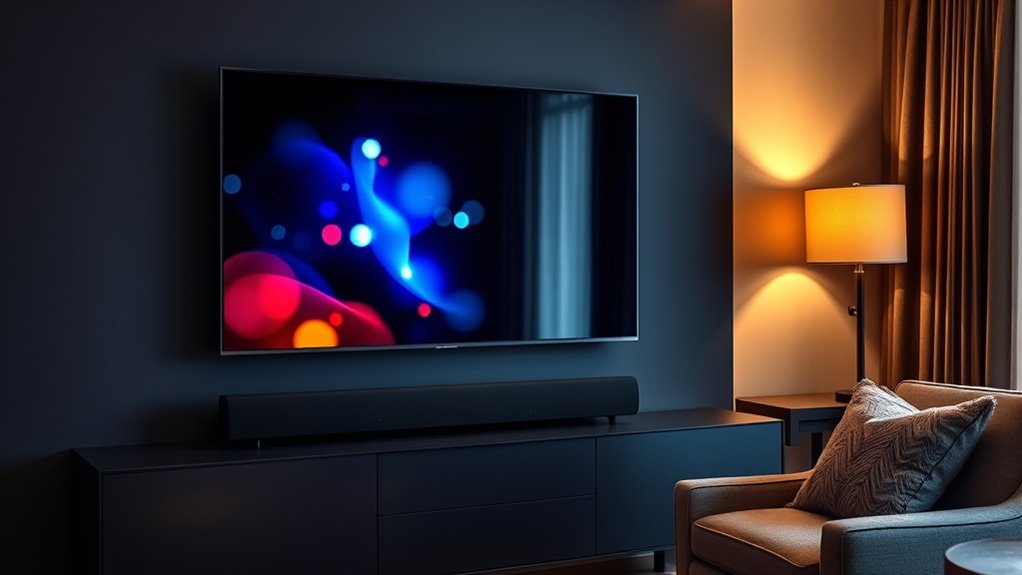

To improve your TV audio, start by enabling captions for clearer dialogue during noise or quiet scenes. Invest in a good soundbar or external speakers—they deliver richer and more balanced sound. Use your TV’s audio settings to calibrate sound for your room, and take advantage of voice control features to adjust volume and modes easily. Combining these options enhances your overall listening experience. Keep exploring to uncover how each feature can make your TV audio even better.
Key Takeaways
- Enable captions to assist understanding of dialogue, especially in noisy environments or for accessibility.
- Use soundbars or external speakers for enhanced audio clarity and richer sound experience.
- Utilize voice control features to adjust volume, switch sound modes, and toggle captions easily.
- Calibrate audio settings, automatically or manually, for balanced sound and clear dialogue.
- Pair external audio devices with smart voice assistants for seamless, personalized listening options.

Ever wondered how the sound quality of your TV can make or break your viewing experience? It’s not just about the picture anymore—crystal-clear audio is just as important. When your TV offers voice control features, it becomes easier to manage sound settings without fumbling through menus. With voice commands, you can adjust the volume, switch audio modes, or even turn captions on and off, all by simply speaking. This makes your setup more intuitive and accessible, especially if you prefer hands-free control. To get the best sound out of your TV, however, you need to consider audio calibration. Proper calibration ensures your TV’s internal speakers or external sound devices are balanced and optimized for your space. Many modern TVs come with automatic audio calibration features that analyze the room’s acoustics and adjust sound settings accordingly. But you can also fine-tune manually to get a more personalized experience, ensuring dialogue remains clear and background effects don’t overpower voices. Additionally, exploring sound quality improvements can further enhance your audio setup to achieve richer sound. Using voice control and audio calibration together can substantially enhance your listening experience. When you calibrate your audio correctly, your TV can deliver more immersive sound, making movies, shows, and even music more engaging. Voice control adds convenience, allowing you to tweak audio settings on the fly without disrupting what you’re watching. For example, if dialogue becomes hard to hear during a noisy scene, you can simply tell your TV to increase dialogue clarity or switch to a speech-enhancement mode. Many smart TVs also integrate with voice assistants like Alexa or Google Assistant, giving you even more control options. These features let you toggle captions, change audio tracks, or adjust volume levels quickly and effortlessly. Additionally, investing in a soundbar or external speakers can amplify your audio experience. When you pair high-quality sound devices with your TV, you’re not just improving volume—you’re enhancing clarity and depth. Many soundbars support voice control and can be calibrated to match your room’s acoustics, providing richer, more balanced sound. Remember, the key to outstanding TV audio is not just hardware but also proper setup. Take the time to run audio calibration, whether manually or through your TV’s automatic features. Combine that with voice control, and you’ll find managing your TV’s sound becomes seamless and more tailored to your preferences. Ultimately, these tools help guarantee your viewing experience is immersive, clear, and effortlessly controllable, making every moment in front of your screen better than ever.

Samsung B-Series Soundbar HW B400F 2.0 ch Soundbar with Built in Subwoofer (2025 Model) One Remote Control, Surround Sound Expansion, Voice Enhance Mode
FULL, BALANCED SOUND WITH A SUBWOOFER INCLUDED: Immerse yourself in your favorite content with perfectly balanced sound and…
As an affiliate, we earn on qualifying purchases.
As an affiliate, we earn on qualifying purchases.
Frequently Asked Questions
How Do I Connect a Soundbar to My Smart TV?
To connect your soundbar to your smart TV, start by placing the soundbar in a good spot, ideally directly below or in front of your TV for ideal sound. Use either an HDMI ARC or optical cable for the best connection, or enable Bluetooth if your soundbar supports wireless pairing. Turn on Bluetooth, select your soundbar on your TV’s Bluetooth menu, and pair them. Enjoy improved audio instantly!
What Are the Best Hearing Aids Compatible With TV Audio?
You can find hearing aids with strong hearing aid compatibility and TV audio integration features. Look for models that support Bluetooth or have direct streaming capabilities, allowing seamless connection to your TV. Many modern hearing aids are designed to work effortlessly with TV audio, enhancing your listening experience. Check the specifications for compatibility with your TV’s audio output options to guarantee smooth integration and clear sound quality.
Can Captions Be Customized for Different Viewers?
Yes, captions can be customized for different viewers. You can adjust caption settings to match each viewer’s preferences, like font size, style, and background color. Many TVs and streaming services allow you to personalize caption options individually, so everyone in your household can enjoy comfortable, easily readable captions tailored to their needs. Just explore your device’s accessibility or caption menu to set up these preferences for each viewer.
Are There Wireless Options for TV Audio Streaming?
Yes, there are wireless options for TV audio streaming. You can use Bluetooth connectivity to wirelessly stream sound from your TV to compatible devices like speakers or headphones. Wireless streaming offers convenience and reduces cable clutter, allowing you to enjoy high-quality audio from your TV without physical connections. Just guarantee your TV and audio devices support Bluetooth or other wireless streaming technologies for seamless, hassle-free listening.
How Do I Troubleshoot Audio Sync Issues?
If you’re experiencing audio delay, start by checking your device’s settings for a sync adjustment feature. Many TVs and soundbars allow you to manually fix the audio delay by adjusting the sync. You can also try restarting your equipment or updating firmware. If issues persist, disconnect and reconnect your audio devices, ensuring all connections are secure. These steps help realign your audio and visuals for a seamless viewing experience.

New Sony Calibration Mic Measurement Microphone ECM-AC2 Part Number 154277421 1-542-670-21 154271011 1-542-710-11 154267021 1-542-774-21, Auxiliary
Genuine SONY ECM-AC2 Calibration Microphone for SONY Audio Video Receiver Home Theater systems. Pic 2 shows common Error…
As an affiliate, we earn on qualifying purchases.
As an affiliate, we earn on qualifying purchases.
Conclusion
Exploring TV audio options can seem like finding your way through a labyrinth, but with the right choices—whether captions, soundbars, or tailored listening options—you’ll soon enjoy a clearer, richer soundscape. Think of your TV setup as a symphony waiting to be conducted; with a few adjustments, you’ll transform your viewing experience into a harmonious masterpiece. So, trust your ears, explore your options, and let your entertainment resonate with clarity and depth.
Samsung B-Series Soundbar HW B400F 2.0 ch Soundbar with Built in Subwoofer (2025 Model) One Remote Control, Surround Sound Expansion, Voice Enhance Mode
FULL, BALANCED SOUND WITH A SUBWOOFER INCLUDED: Immerse yourself in your favorite content with perfectly balanced sound and…
As an affiliate, we earn on qualifying purchases.
As an affiliate, we earn on qualifying purchases.
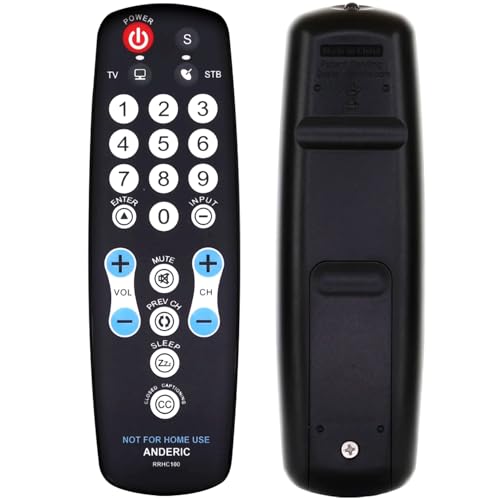
Anderic EzWipe Universal TV Remote Control – 1-Device – TV Only – for Hospitality, Hotels, Motels, Commercial TVs – Clean Wipeable Membrane Surface – RRHC100
EzWipe Surface: The flat membrane surface of the RRHC100 makes cleaning a breeze. With a simple wipe, you…
As an affiliate, we earn on qualifying purchases.
As an affiliate, we earn on qualifying purchases.