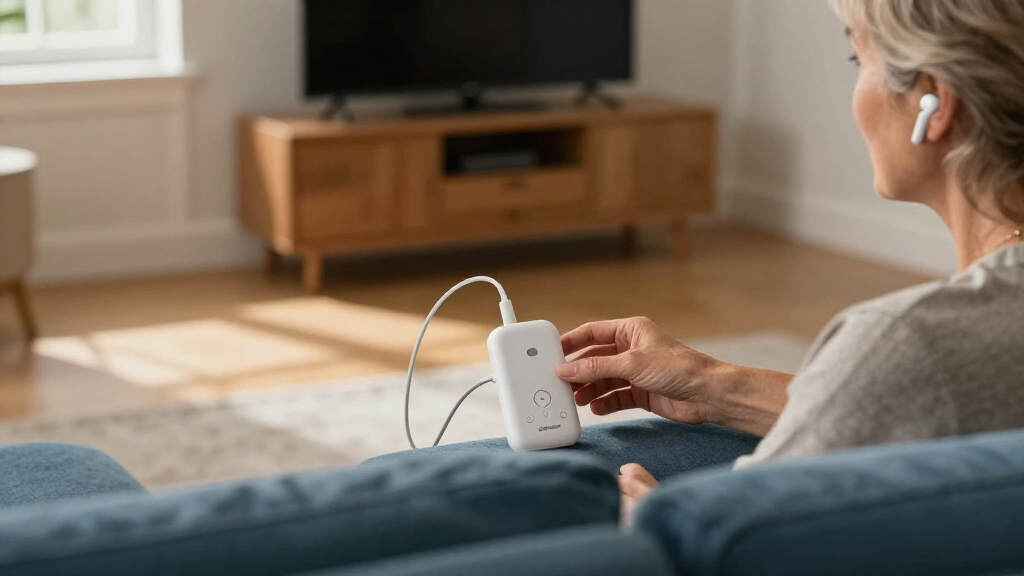

For TV listening, I’d start with the Avantree Audikast 4 as the best overall choice in this lineup, with the Sennheiser BTA1 standing out for headphone-focused setups and the Avantree Audikast 4HA for selected hearing aids. The main choice is between broad TV connectivity, a setup tailored to a specific listener, and the device compatibility each transmitter supports. Auracast can let compatible receivers tune into a shared audio broadcast, but a transmitter alone does not make ordinary headphones Auracast-ready. I compare the ten options by their stated TV use, connection flexibility, and audience fit. Read on for the full breakdown and guidance on matching a transmitter to your TV and listening gear.

Get everyday helpers delivered free with Prime
- Fast, free delivery on millions of items
- Prime Video, Amazon Music and more included
- Member-only deals all year
Key Takeaways
- The Audikast 4 is my best overall pick because it is positioned as a general TV transmitter, while the 4HA has a narrower focus on selected hearing aids.
- The BTA1 is the clearest headphone-oriented option; buyers whose priority is hearing aid compatibility should compare it with the Audikast 4HA and Voyager HA instead.
- Several products serve different jobs despite sharing Auracast branding: the C82 Aura is presented as a transmitter, while the airplane adapter is aimed at travel audio rather than a permanent TV setup.
- Connection and receiver compatibility matter as much as the broadcast feature. A TV and listening device both need a workable connection path and support for the intended Auracast use.
- Avantree offers the broadest range of specialized choices in this list, including the general Audikast 4, 4HA, 4T, C82 Aura, and Voyager HA; the right model depends on the listener and setup.
| HomeSpot BA210 v2 Auracast Bluetooth Transmitter |  | Best for Flexible Connections | Brand: HomeSpot | Model: BA210 v2 | Connectivity: Bluetooth A2DP and Auracast | VIEW LATEST PRICE | See Our Full Breakdown |
| SUNITEC BT618T Auracast and Bluetooth 5.4 TV Audio Transmitter |  | Best for HDMI ARC Setups | Brand: SUNITEC | Model: BT618T | Bluetooth version: 5.4 | VIEW LATEST PRICE | See Our Full Breakdown |
| MoerLink Bluetooth 5.3 Auracast Audio Transmitter |  | Best Compact USB Pick | Brand: Moerlab | Model: M22-001-01 | Bluetooth: Bluetooth 5.3 | VIEW LATEST PRICE | See Our Full Breakdown |
| Avantree Audikast 4HA Auracast TV Transmitter for Selected Hearing Aids |  | Best for Compatible Hearing Aids | Brand: Avantree | Model: Audikast 4HA | Connectivity: Auracast broadcast | VIEW LATEST PRICE | See Our Full Breakdown |
| Sennheiser BTA1 TV Transmitter for Auracast Headphones |  | Best for Shared Headphone Listening | Brand: Sennheiser | Model: BTA1 | Supported standards: Auracast, Bluetooth | VIEW LATEST PRICE | See Our Full Breakdown |
| Avantree Audikast 4 Auracast and Bluetooth TV Transmitter |  | Best for Mixed Headphone and Hearing Aid Households | Audio outputs: Optical (TOSLINK) or 3.5 mm AUX | Listening modes: Auracast and Classic Bluetooth | Classic Bluetooth connections: One device at a time | VIEW LATEST PRICE | See Our Full Breakdown |
| Bluetooth LE Audio Adapter and Auracast Transmitter for Airplanes |  | Best for Travel and AUX Sources | Connectivity: Bluetooth LE Audio (Auracast) and Classic Bluetooth | Audio codecs: aptX and aptX Adaptive | Battery life: Up to 35 hours | VIEW LATEST PRICE | See Our Full Breakdown |
| Avantree Audikast 4T Auracast TV Transmitter |  | Best Codec Flexibility | Bluetooth: Bluetooth 5.4 | Audio codecs: aptX Adaptive, aptX HD, aptX, SBC, LC3 | Inputs: Optical TOSLINK and 3.5 mm AUX | VIEW LATEST PRICE | See Our Full Breakdown |
| Avantree C82 Aura Auracast Transmitter |  | Best for USB-C Hearing Aid Listening | Audio source: USB-C device that outputs audio | Bluetooth: Bluetooth 5.4 | Audio codec: LC3 | VIEW LATEST PRICE | See Our Full Breakdown |
| Avantree Voyager HA Auracast Transmitter with OLED Display |  | Best for Compatible Hearing Aid Owners | Technology: Auracast | Audio codec: aptX Adaptive | Display: OLED | VIEW LATEST PRICE | See Our Full Breakdown |
| Bluetooth Auracast transmitters for TV | Brand | Model |
|---|---|---|
| HomeSpot BA210 v2 Auracast Blu | HomeSpot | BA210 v2 |
| SUNITEC BT618T Auracast and Bl | SUNITEC | BT618T |
| MoerLink Bluetooth 5.3 Auracas | Moerlab | M22-001-01 |
| Avantree Audikast 4HA Auracast | Avantree | Audikast 4HA |
| Sennheiser BTA1 TV Transmitter | Sennheiser | BTA1 |
| Avantree Audikast 4 Auracast a | — | — |
| Bluetooth LE Audio Adapter and | — | — |
| Avantree Audikast 4T Auracast | — | — |
| Avantree C82 Aura Auracast Tra | — | — |
| Avantree Voyager HA Auracast T | — | — |
More Details on Our Top Picks
HomeSpot BA210 v2 Auracast Bluetooth Transmitter
I’d put the HomeSpot BA210 v2 near the top for TV owners who want several ways to connect and may use both Auracast and conventional Bluetooth headphones. Its optical, RCA, and 3.5 mm inputs suit older and newer TVs, while its desktop app gives more control over broadcast settings than the compact MoerLink M22. The stated range is also ample for many open-room setups. The tradeoff is format support: a TV’s optical output must be set to PCM, and Dolby or DTS audio is unsupported, so some setups may need a settings change or a different audio source. Auracast also only helps if your headphones or receivers support it. I’d choose this for connection flexibility, not for surround formats or a no-configuration setup.
Pros:- Optical, RCA, and 3.5 mm inputs cover a broad range of TVs and audio sources
- Auracast can broadcast to multiple compatible receivers
- Supports aptX Lossless and aptX HD for compatible Bluetooth devices
- Desktop app provides broadcast and volume controls
Cons:- Optical TV output must be set to PCM
- Dolby and DTS formats are unsupported
- Auracast requires compatible headphones or receivers
Best for: TV owners with optical, RCA, or AUX outputs who want one transmitter for Auracast and standard Bluetooth devices
Not ideal for: Viewers whose TV outputs Dolby or DTS over optical and who do not want to change its audio format to PCM
- Brand:HomeSpot
- Model:BA210 v2
- Connectivity:Bluetooth A2DP and Auracast
- Audio codecs:aptX Lossless, aptX HD, LC3
- Audio inputs:Digital optical, 3.5 mm AUX, RCA
- Channels:2
- Range:Up to 165 ft (50 m) line of sight in standard mode; up to 330 ft (100 m) in open air with Auracast
- Warranty:1 year
Our verdict“Choose the BA210 v2 if you need flexible TV connections and app controls, and your TV can output PCM audio.”
SUNITEC BT618T Auracast and Bluetooth 5.4 TV Audio Transmitter
The SUNITEC BT618T is a strong fit when HDMI ARC is the simplest route from a TV to a transmitter. That connection, alongside optical and AUX, makes it more TV-focused than the USB-only MoerLink M22, and its audio pass-through can keep a wired listening path available alongside wireless use. Vocal Boost and two other EQ modes give viewers a way to adjust the sound for speech or fuller audio. It can broadcast to multiple Auracast devices or connect to one Bluetooth device, but those modes depend on the receiving hardware. The stated 100-meter range refers to open areas, so walls and layout may affect real-world coverage. I’d favor it over the HomeSpot BA210 v2 when HDMI ARC and included remote control matter more than the HomeSpot’s desktop app.
Pros:- HDMI ARC, optical, and AUX inputs suit varied TV connections
- Supports Auracast broadcasting and one-to-one Bluetooth streaming
- Wired and wireless audio pass-through supports mixed listening setups
- Vocal Boost EQ and included remote add convenient control
Cons:- Auracast broadcasting requires compatible LE Audio receivers
- The stated maximum range is for open areas and may not reflect an indoor TV setup
Best for: TV owners with HDMI ARC who want Auracast broadcasting, wired pass-through, and simple remote access to audio modes
Not ideal for: Buyers who need a transmitter that works with ordinary Bluetooth headphones in a multi-device broadcast
- Brand:SUNITEC
- Model:BT618T
- Bluetooth version:5.4
- Chip:Qualcomm QCC3086
- Inputs:HDMI ARC, optical (SPDIF/TOSLINK), 3.5 mm AUX, microphone
- Audio codecs:LC3, aptX Adaptive, aptX HD, AAC, SBC
- Maximum audio resolution:24-bit/96 kHz
- Wireless range:Up to 100 m (330 ft) in open areas
- Audio modes:Auracast broadcast; one-to-one Bluetooth
Our verdict“Pick the BT618T if your TV has HDMI ARC and you want pass-through plus multiple audio modes in one transmitter.”
MoerLink Bluetooth 5.3 Auracast Audio Transmitter
At just 32 × 18 × 6 mm and 2.5 g, the MoerLink is the smallest, simplest option in this group. Its plug-and-play USB design makes sense for a TV or console with a usable USB audio connection, and it can send audio to multiple Auracast-compatible headphones, speakers, or hearing aids. Compared with the cable-rich SUNITEC BT618T, it cuts setup hardware and extra controls down to a minimum. That compactness also limits flexibility: the supplied information lists no optical, HDMI ARC, or analog audio input, so it won’t suit TVs that need a separate audio connection. It supports Linux and Windows, but does not list broader TV-specific controls or codec details. I’d choose it for a compatible USB setup where size and simplicity matter more than connection options.
Pros:- Very small and lightweight at 2.5 g
- Plug-and-play USB setup
- Can broadcast to multiple compatible receivers
- Supports Linux and Windows
Cons:- No optical, HDMI ARC, or analog input is listed
- Auracast requires compatible receiving devices
- Product data provides limited detail on codecs and TV-specific controls
Best for: People connecting a TV, computer, or game console with USB audio who want a tiny Auracast adapter
Not ideal for: TV owners relying on optical, HDMI ARC, or analog audio outputs, or buyers who need detailed codec and input information
- Brand:Moerlab
- Model:M22-001-01
- Bluetooth:Bluetooth 5.3
- Audio support:Auracast and LE Audio
- Compatible devices:TV, PC, game console, compatible hearing aid
- Compatible operating systems:Linux, Windows
- Dimensions:32 × 18 × 6 mm (1.29 × 0.67 × 0.28 in)
- Weight:2.5 g
Our verdict“Choose the MoerLink if your TV or device supports USB audio and you want a small, straightforward Auracast transmitter.”
Avantree Audikast 4HA Auracast TV Transmitter for Selected Hearing Aids
The Avantree Audikast 4HA has a focused job: send TV audio to selected Auracast-enabled hearing aids. Optical and AUX inputs cover common TV audio connections, while USB-C firmware updates provide a way to keep its software current. Compared with the Sennheiser BTA1, which targets Auracast headphones and offers sound-processing features, the 4HA is the more specific choice for hearing-aid users. That focus narrows its audience. It will not work with non-Auracast hearing aids, and pairing requires joining the broadcast through the hearing aid’s companion app. Whether the TV’s own speakers stay active depends on the TV and its audio settings, which can affect shared viewing. I’d pick this only after confirming that the exact hearing aids are supported and the household’s speaker setup will work.
Pros:- Designed to stream TV audio directly to selected compatible hearing aids
- Optical and AUX inputs support common TV audio outputs
- USB-C supports firmware updates
Cons:- Does not work with non-Auracast hearing aids
- Initial setup requires the hearing aid companion app
- TV speaker playback may depend on the TV’s audio settings
Best for: People with a supported Auracast-enabled hearing aid who want to hear TV audio directly through it
Not ideal for: Owners of non-Auracast hearing aids or households that need guaranteed simultaneous TV speaker and hearing-aid audio
- Brand:Avantree
- Model:Audikast 4HA
- Connectivity:Auracast broadcast
- TV audio inputs:Optical or AUX
- Compatibility:Selected Auracast-enabled hearing aids
- Firmware updates:USB-C
Our verdict“Choose the Audikast 4HA when your hearing aids are confirmed compatible and direct personal TV audio is the priority.”
Sennheiser BTA1 TV Transmitter for Auracast Headphones
The Sennheiser BTA1 stands out for shared TV listening: it supports unlimited Auracast headphones, each with independent volume settings. Speech Clarity and volume normalization target two common TV frustrations, while Virtual Surround Sound offers a more tailored sound option than the straightforward broadcast approach of the HomeSpot BA210 v2. HDMI, optical, and analog inputs give it broad connection coverage, and the stated range reaches 50 meters. The main limitation is the headphone requirement: listeners need Auracast-compatible models, so existing standard Bluetooth headphones may not join a multi-headphone broadcast. It also connects to the TV by cable, which means placement depends on the wired connection. I’d choose it for households that want several compatible listeners to adjust volume independently, rather than for someone seeking a compact USB adapter like the MoerLink.
Pros:- Supports multiple Auracast headphones with independent volume settings
- Speech Clarity and volume normalization address dialogue and loudness changes
- HDMI, optical, and analog inputs support varied TV connections
- Offers Surround and stereo output modes
Cons:- Requires Auracast-compatible headphones
- Uses a wired connection to the TV
- The stated range is up to 50 meters and may vary with the setup
Best for: Households where multiple people with Auracast headphones want separate volume control while watching TV
Not ideal for: Buyers who want to use existing standard Bluetooth headphones or avoid a wired TV connection
- Brand:Sennheiser
- Model:BTA1
- Supported standards:Auracast, Bluetooth
- Audio inputs:HDMI, optical, analog
- Audio output modes:Surround, stereo
- Wireless range:Up to 50 meters
- Headphone support:Unlimited Auracast headphones
- Cable connectors:USB Type-C, USB Type-A
Our verdict“Pick the BTA1 if several Auracast headphone users need personal volume control and TV-focused sound features.”
Avantree Audikast 4 Auracast and Bluetooth TV Transmitter
Two listening modes make the Audikast 4 a flexible pick for a household where some people have Auracast receivers and others use standard Bluetooth headphones. Auracast can share TV audio with multiple compatible devices, while Classic Bluetooth connects one device at a time. Compared with the hearing-aid-focused Avantree Audikast 4HA, this model also accommodates regular Bluetooth headphones and speakers. That flexibility depends on the TV having an optical or 3.5 mm AUX output; HDMI-only TVs cannot connect directly. It also lacks soundbar passthrough, so buyers with a soundbar in the signal path should check their setup before choosing it. I’d pick this for mixed-device listening, but the Audikast 4T may suit buyers who prioritize newer listed codecs.
Pros:- Offers both Auracast sharing and Classic Bluetooth listening
- Auracast can serve multiple compatible receivers at once
- Works with regular Bluetooth headphones and speakers as well as compatible hearing aids
Cons:- Requires an optical or 3.5 mm AUX output on the TV
- Classic Bluetooth connects to only one device at a time
- Does not support soundbar passthrough
Best for: Households with both Auracast-compatible hearing aids and standard Bluetooth headphones who have an optical or AUX TV output
Not ideal for: People with HDMI-only TVs, soundbar passthrough setups, or multiple standard Bluetooth headphones to connect at once
- Audio outputs:Optical (TOSLINK) or 3.5 mm AUX
- Listening modes:Auracast and Classic Bluetooth
- Classic Bluetooth connections:One device at a time
- Auracast receivers:Compatible headphones, speakers, or hearing aids
- Standard Bluetooth receivers:Regular Bluetooth headphones or speakers
- TV requirement:Optical or 3.5 mm AUX output; HDMI-only TVs unsupported
- Soundbar passthrough:Not supported
Our verdict“Choose the Audikast 4 if your household mixes standard Bluetooth gear with Auracast receivers and your TV has optical or AUX audio out.”
Bluetooth LE Audio Adapter and Auracast Transmitter for Airplanes
Portable AUX connectivity is the main reason to choose this adapter: it can connect to airplane dual-prong jacks with the included adapter, as well as other 3.5 mm sources. Up to 35 hours of playback makes it more suited to travel than the TV-focused Avantree Audikast 4, which is built around optical or AUX TV outputs and does not list a battery runtime. This model can also share audio with multiple Auracast-enabled devices, while classic Bluetooth codecs provide another listening option. For a TV setup, though, it only addresses the AUX connection and offers no listed optical input; buyers should check their TV’s output and whether the adapter’s portable form fits their plans. Hearing aids also need Bluetooth LE Audio support, and some require Auracast activation in their app.
Pros:- Includes an adapter for airplane dual-prong audio jacks
- Works with other 3.5 mm AUX sources
- Up to 35 hours of playback per charge
- Supports Auracast sharing with multiple compatible devices
Cons:- Does not list an optical TV input
- Hearing aids must support Bluetooth LE Audio and may need app activation for Auracast
- Battery requires recharging for continued use
Best for: Frequent flyers and portable-audio users who need one rechargeable adapter for airplane jacks and 3.5 mm AUX sources
Not ideal for: TV owners who need optical input or a stationary transmitter without a battery, and hearing aid users whose devices lack Auracast
- Connectivity:Bluetooth LE Audio (Auracast) and Classic Bluetooth
- Audio codecs:aptX and aptX Adaptive
- Battery life:Up to 35 hours
- Charging:USB-C rechargeable
- Audio input:3.5 mm AUX
- Airplane connection:Dual-prong adapter included
- Auracast sharing:Simultaneous sharing with Auracast-enabled devices
- Hearing aid requirement:Bluetooth LE Audio (Auracast) support
Our verdict“Pick this compact adapter for travel and AUX sources, while TV owners needing optical input should look at the Avantree Audikast 4.”
Avantree Audikast 4T Auracast TV Transmitter
The Audikast 4T stands out for its broad listed codec support, including aptX Adaptive, aptX HD, SBC, and LC3. That gives buyers with compatible receivers more format options than the Avantree C82 Aura, which is limited to LC3 and is aimed at hearing aids from USB-C sources rather than TVs. The 4T pairs that flexibility with Auracast shared listening and a Classic Bluetooth mode for one standard headphone or speaker, so it can serve a mixed household. The limits are familiar for a wired TV transmitter: the TV needs optical TOSLINK or 3.5 mm AUX, and HDMI-only sets are unsupported. Hearing aids must specifically support Auracast Broadcast Audio, so broad codec support does not mean every hearing aid will connect.
Pros:- Supports Auracast shared listening with compatible receivers
- Offers Classic Bluetooth for one standard headphone or speaker
- Lists aptX Adaptive, aptX HD, aptX, SBC, and LC3
- USB-C power supports a wired TV installation
Cons:- Requires optical TOSLINK or 3.5 mm AUX TV output
- HDMI-only TVs are unsupported
- Hearing aids must support Auracast Broadcast Audio
Best for: TV listeners with compatible Auracast receivers who want several codec options and occasional use with one standard Bluetooth headset
Not ideal for: Owners of HDMI-only TVs or hearing aid users who have not confirmed support for Auracast Broadcast Audio
- Bluetooth:Bluetooth 5.4
- Audio codecs:aptX Adaptive, aptX HD, aptX, SBC, LC3
- Inputs:Optical TOSLINK and 3.5 mm AUX
- Power source:USB-C
- Installation:Wired
- Compatible devices:Bluetooth headphones, earbuds, and Auracast-compatible hearing aids
- Classic Bluetooth:One standard headphone or speaker
- Color:Titanium
Our verdict“Choose the Audikast 4T if you want a TV-focused Auracast transmitter with broad codec support and a single-device Bluetooth fallback.”
Avantree C82 Aura Auracast Transmitter
The C82 Aura fills a narrow role: it sends audio from a USB-C source to compatible Auracast hearing aids, with private, password-protected and open broadcast modes. That makes it a poor match for a TV roundup unless the source device actually outputs audio over USB-C. By comparison, the Avantree Audikast 4 and Audikast 4T take optical or AUX TV audio, and both also offer a Classic Bluetooth option for standard headphones. The C82 instead focuses on broadcasting to multiple compatible hearing aids using Bluetooth 5.4 LE Audio and LC3. Buyers who need a TV connection, earbuds, or speakers should skip it; the stated incompatibilities include TVs and Bluetooth audio devices. Its value is in a specific hearing aid and USB-C setup, not general living-room use.
Pros:- Can broadcast to multiple compatible Auracast hearing aids
- Provides private password-protected and open modes
- Uses Bluetooth 5.4 LE Audio with LC3
- USB-C connection suits compatible USB-C audio sources
Cons:- Does not work with TVs, cars, or game consoles
- Requires a USB-C source that outputs audio
- Does not support Bluetooth headphones, speakers, earbuds, or LE Audio unicast devices
Best for: Hearing aid users who want to broadcast audio from a USB-C phone, tablet, or other compatible USB-C audio source
Not ideal for: TV owners, or anyone seeking to connect Bluetooth headphones, earbuds, or speakers
- Audio source:USB-C device that outputs audio
- Bluetooth:Bluetooth 5.4
- Audio codec:LC3
- Broadcast modes:Private, password-protected, and open
- Compatible receivers:Compatible Auracast-enabled hearing aids
- Incompatible receivers:Bluetooth headphones, speakers, earbuds, and LE Audio unicast devices
- Incompatible sources:TVs, cars, and game consoles
Our verdict“Choose the C82 Aura only for compatible hearing aids and a USB-C audio source; for a TV, the Audikast 4T is a better fit.”
Avantree Voyager HA Auracast Transmitter with OLED Display
For buyers with a supported hearing aid, the Voyager HA offers a dedicated AUX-based Auracast transmitter with private and public streaming modes. Its OLED display shows device status, which can make setup and checking the connection clearer than the simpler TV-oriented Audikast 4, though the Voyager’s listed compatible receivers are specific hearing aid families rather than general Bluetooth headphones. A 3.5 mm AUX input can connect devices such as PCs, radios, and treadmills; the provided data does not list optical input, so TV owners need an AUX output available. Compatibility is the deciding constraint: supported models include selected ReSound, Jabra, GN Danalogic, and Starkey devices. Firmware can be upgraded through the official website, but that does not broaden the stated receiver list.
Pros:- Offers private and public Auracast streaming modes
- OLED display shows device status
- 3.5 mm AUX input supports sources such as PCs, radios, and treadmills
- Firmware can be upgraded through the official website
Cons:- Compatibility is limited to specified Auracast hearing aid models
- No optical input is listed for TV connections
- Not positioned for standard Bluetooth headphones or speakers
Best for: Owners of a listed compatible ReSound, Jabra, GN Danalogic, or Starkey hearing aid who want private or public AUX audio streaming
Not ideal for: People using standard Bluetooth headphones or hearing aids outside the listed compatible models, and TV owners without AUX output
- Technology:Auracast
- Audio codec:aptX Adaptive
- Display:OLED
- Input:3.5 mm AUX
- Streaming modes:Private and public
- Firmware:Upgradeable through the official website
- Compatible hearing aids:ReSound Nexia, Vivia, Savi; Jabra Enhance Pro/Select; GN Danalogic Extend; Starkey Edge AI
Our verdict“Choose the Voyager HA if your hearing aid is on its compatibility list and your TV or other source has AUX out.”
How We Picked
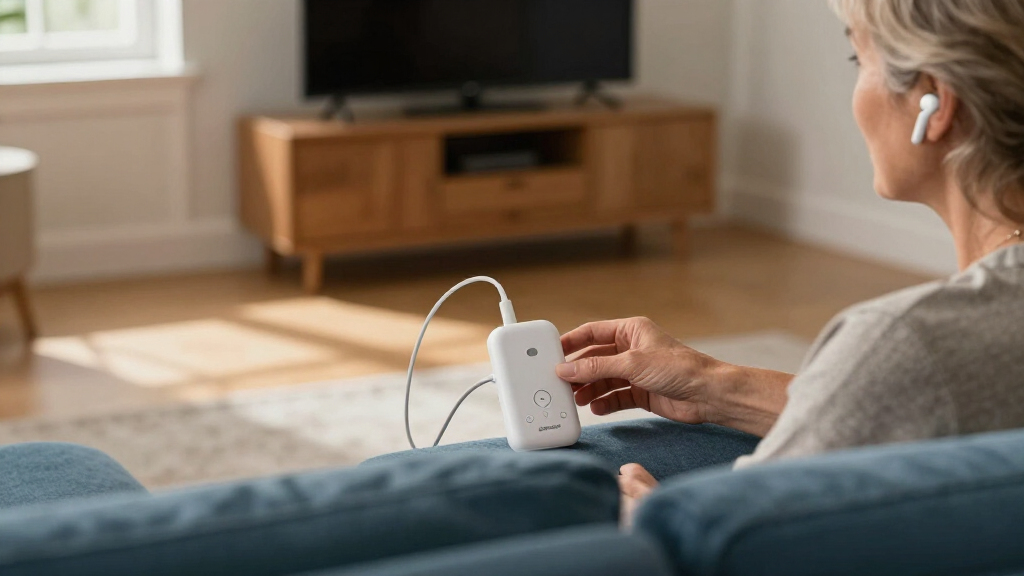
I ranked these products for the specific job of sending TV audio to Auracast-compatible receivers. I weighed how directly each is presented for TV use, how its stated purpose matches a common listener setup, and whether its connection approach appears suited to leaving it connected to a television. A product aimed at selected hearing aids or headphones can be a stronger fit for that audience than a more general transmitter, even if it is less versatile for other households.
The ranking also reflects how clearly each option serves a distinct buyer. General TV models lead for readers seeking a straightforward starting point; specialized hearing aid and headphone models follow for buyers whose receiver choice is already known. Travel-focused adapters rank lower for a fixed TV setup, since that use case is less directly aligned. Product details can vary by version, so I recommend checking the manufacturer’s compatibility information and supported TV connections before choosing.
| Bluetooth Auracast transmitters for TV | Brand | Model |
|---|---|---|
| HomeSpot BA210 v2 Auracast Blu | HomeSpot | BA210 v2 |
| SUNITEC BT618T Auracast and Bl | SUNITEC | BT618T |
| MoerLink Bluetooth 5.3 Auracas | Moerlab | M22-001-01 |
| Avantree Audikast 4HA Auracast | Avantree | Audikast 4HA |
| Sennheiser BTA1 TV Transmitter | Sennheiser | BTA1 |
| Avantree Audikast 4 Auracast a | — | — |
| Bluetooth LE Audio Adapter and | — | — |
| Avantree Audikast 4T Auracast | — | — |
| Avantree C82 Aura Auracast Tra | — | — |
| Avantree Voyager HA Auracast T | — | — |
Factors to Consider When Choosing Bluetooth Auracast Transmitters For TVs
Before choosing a model, I’d map the signal path from the TV to the listener. The transmitter’s Auracast label answers only part of the question: the TV needs a usable audio output, and the headphones or hearing aids need to receive the broadcast in the way you intend. These broader checks can prevent a mismatch that a feature list alone may not make obvious.
Check Your TV’s Audio Outputs First
Find out which audio outputs your television actually provides before settling on a transmitter. TVs may offer optical audio, analog output, HDMI ARC, or some combination, and an adapter designed for one path may not connect directly to another. A common mistake is to assume that Bluetooth in the TV means it can send Auracast; those are separate capabilities. Check whether the transmitter accepts the TV’s output and whether the TV settings let that output remain active while speakers are muted or in use. If you use a soundbar, check whether the TV can route audio to both the soundbar and transmitter at once. This can matter more than a transmitter’s headline wireless specification.
Match the Receiver to the Person Who Will Listen
List the exact headphones or hearing aids that will receive the broadcast, including their model and generation. Auracast availability and setup can differ across products, even within one brand, so a device described as Bluetooth-compatible may not be an Auracast receiver. For hearing aids, look for explicit support for the intended aid or a compatible companion device; a general TV transmitter may not cover every model. Households with multiple listeners should check whether each receiver can join the same broadcast and whether individual volume control is available on the receiving device. Buying for the listener’s current gear is usually safer than choosing by the transmitter name alone.
Decide Whether You Need Auracast or a Private Headphone Link
Auracast is designed to broadcast audio that compatible receivers can join, which can suit more than one listener. A conventional one-to-one Bluetooth connection may be easier when only one person uses headphones and those headphones lack Auracast support. These approaches solve different problems, so confirm which listening modes a particular model supports rather than treating them as interchangeable. If you need TV speakers to keep playing for other people, verify how the transmitter handles simultaneous audio output. Also check whether the receiver can control its own listening level without changing the room volume. That decision helps narrow the field before you compare extra features.
Consider Setup, Controls, and Broadcast Privacy
Think about who will operate the transmitter after installation. A display or clear controls can make input selection and broadcast status easier to understand, especially for someone who does not want to manage settings through a phone. Ask whether joining the broadcast requires an app, a code, or a scan on the receiver, and how easily guests could connect. In a shared home, the ability to identify the intended broadcast can reduce confusion with nearby Auracast sources. A simpler device may be a better choice for a fixed setup, while more controls can help when the listener changes rooms or receivers. Check the manufacturer’s instructions for the actual pairing process.
Pay for the Use Case You Will Keep Using
Extra features are useful when they remove a real friction point, such as supporting a specific hearing aid setup or making the broadcast easier to manage. They add less value if your TV has one fixed output and one compatible receiver. Compare the product’s stated audience and connection options with your setup instead of treating a larger feature list as a sign of a better fit. Travel-focused adapters may make sense for someone who also wants an airplane audio solution, but they may be awkward as a permanent home installation. Consider future receiver upgrades too: a transmitter only helps if the devices you plan to use can join its broadcast. This is where a general TV model can be a sensible middle ground for households still deciding on headphones.
Frequently Asked Questions
Can I use an Auracast TV transmitter with ordinary Bluetooth headphones?
Only if the transmitter also supports a connection mode those headphones can receive, or if the headphones themselves support Auracast. Ordinary Bluetooth audio support does not by itself mean a headphone can join an Auracast broadcast. Check the exact headphone model and transmitter specifications before buying. If your headphones lack Auracast, a conventional Bluetooth TV transmitter may fit your current setup better. If you want Auracast, factor a compatible receiver into the total setup.
Will one transmitter let two people listen on separate headphones?
Auracast is intended to let multiple compatible receivers tune into a broadcast, but both headphones need to support the relevant receiving feature. Their controls and volume adjustment may work independently, though that depends on the receivers. Confirm the transmitter’s broadcast behavior and the headphone makers’ instructions rather than assuming every Bluetooth pair can join together. If one listener uses hearing aids, check those models separately because support can be more specific. A shared broadcast is most useful when everyone’s receiving gear is already compatible.
Do I need a new TV to use Auracast?
Usually, the key question is whether your existing TV has an audio output the transmitter can accept. A separate transmitter can provide the broadcast function, but it still needs a wired audio feed from the TV. Check your TV’s output type and the transmitter’s supported inputs before ordering. Also look at the TV’s audio settings, since some sets require you to enable optical or analog output manually. A new TV is only one possible route and may be unnecessary for a compatible existing setup.
Can a transmitter send TV audio to hearing aids without extra equipment?
That depends on the exact hearing aid model and how it receives Auracast. Some aids may support direct reception, while others may need a compatible accessory or may not support Auracast at all. The Audikast 4HA and Voyager HA are the more hearing aid-focused choices in this roundup, but their compatibility should be checked against the aid manufacturer’s current list. Confirm the complete path from TV output to transmitter to hearing aid before purchasing. A product category label alone cannot confirm direct compatibility.
What should I choose if I also want to use the adapter on airplanes?
The airplane adapter in this lineup is the clearest match for someone who wants a travel audio accessory as well as TV listening. For a permanent television installation, I’d compare it with the dedicated TV models, since they are more directly framed around that use. Check the adapter’s connection method against both the TV output and the aircraft’s seat audio jack. Also confirm how it pairs with your intended headphones and whether its controls suit both settings. If the TV is the main job, a dedicated TV model may be easier to leave in place.
Conclusion
For most TV listeners, I’d choose the Avantree Audikast 4 as the best overall, because its general TV focus makes it the strongest starting point in this group. The MoerLink Bluetooth 5.3 Auracast Audio Transmitter is my best value-style pick for buyers seeking a straightforward transmitter, though I’d verify its TV connections and receiver compatibility before deciding. For a premium, headphone-oriented setup, the Sennheiser BTA1 is the option I’d compare first. Beginners should start with a general TV model such as the Audikast 4 and confirm the TV output and headphone support before setup. For selected hearing aids, compare the Audikast 4HA and Voyager HA; for travel use alongside TV listening, consider the airplane adapter. The best fit is the one that connects to your TV and works with the listener’s actual receiving device.
Halloween Picks
halloween
As an affiliate, we earn on qualifying purchases.