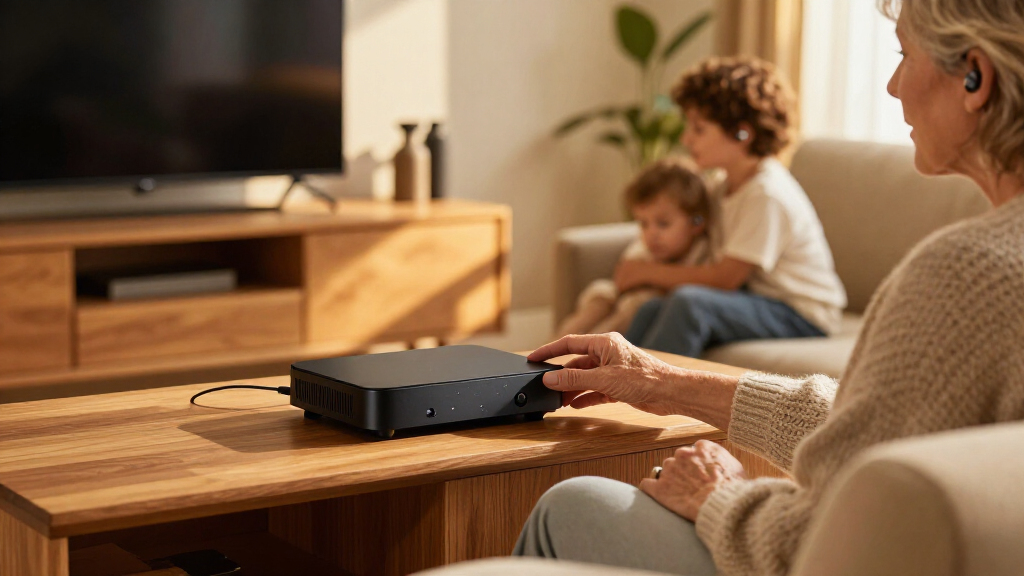

Bluetooth TV streamers for hearing aids send television audio directly to compatible hearing devices, but the right choice depends on your hearing-aid brand and the connections your TV supports. I name the Avantree Audikast 4 my best overall pick for its Auracast and Bluetooth options, while the Phonak TV Connector and Oticon TV Adapter 3.0 stand out for buyers with compatible hearing aids who want a brand-matched setup. The main tradeoff is between wider device compatibility and the direct, simpler pairing offered by manufacturer-specific streamers. Check compatibility before comparing connection features, since a streamer that cannot pair with your hearing aids is no help. Read on for the full breakdown of all 12 options and how to choose among them.

Get everyday helpers delivered free with Prime
- Fast, free delivery on millions of items
- Prime Video, Amazon Music and more included
- Member-only deals all year
Complete the kit


Key Takeaways
- Compatibility sets the shortlist: ReSound, Jabra, Signia, Oticon, and Phonak models are designed for specific hearing-aid families, so broad Bluetooth support does not automatically mean they will pair with every hearing aid.
- Auracast expands sharing possibilities, but only for compatible devices: Several Avantree models, HomeSpot BA210 v2, and SUNITEC BT618T offer Auracast features; hearing-aid support and setup requirements still need checking.
- One brand family can contain different use cases: The Audikast 4, 4HA, and 4T are separate choices, and buyers should compare their stated compatibility and connection needs rather than treating them as interchangeable.
- Manufacturer streamers favor a matched system: ReSound, Signia, Oticon, and Phonak options may be the more direct route for supported hearing aids, but they are less useful when a household uses different hearing-aid brands.
- TV connections affect setup as much as wireless features: Check the television’s available audio outputs and any need to share sound with the TV speakers before choosing a transmitter.
| Avantree Audikast 4 Auracast and Bluetooth TV Transmitter |  | Best Overall for Mixed Receiver Types | Brand: Avantree | Model: Audikast 4 | Connectivity: Bluetooth and Auracast | VIEW LATEST PRICE | See Our Full Breakdown |
| Avantree Audikast 4HA Auracast TV Transmitter for Selected Hearing Aids |  | Best for Supported Auracast Hearing Aids | Brand: Avantree | Model: Audikast 4HA | Connectivity: Bluetooth and Auracast | VIEW LATEST PRICE | See Our Full Breakdown |
| Avantree Audikast 4T Auracast TV Transmitter |  | Best for Shared Auracast Listening | Connectivity: Auracast Broadcast Audio and Classic Bluetooth | Compatible receivers: Auracast headphones, speakers, and selected hearing aids; one regular Bluetooth headphone or speaker in Classic Bluetooth mode | TV audio inputs: Optical TOSLINK or 3.5 mm AUX output | VIEW LATEST PRICE | See Our Full Breakdown |
| ReSound Unite TV Streamer 2 |  | Best for Compatible ReSound Hearing Aids | Brand: ReSound | Model: Unite TV Streamer 2 | Compatibility: Select ReSound hearing aids | VIEW LATEST PRICE | See Our Full Breakdown |
| Signia TV Sound Bluetooth Transmitter for Hearing Aids |  | Best for Supported Signia-Group Hearing Aids | Connectivity: Bluetooth | Compatible devices: Hearing aids and televisions | Supported hearing aid families: Rexton, Miracle-Ear, Signia, and Connexx | VIEW LATEST PRICE | See Our Full Breakdown |
| HomeSpot BA210 v2 Auracast Bluetooth Transmitter |  | Best Flexible Connection Options | Model: BA210 v2 | Wireless modes: Standard Bluetooth and Auracast broadcast | Audio codecs: aptX Lossless, aptX HD, LC3 | VIEW LATEST PRICE | See Our Full Breakdown |
| Trihear ClearTV Bluetooth TV Streamer for Hearing Aids |  | Best for Two Compatible Hearing-Aid Pairs | Model: CT001 | Compatibility: Bluetooth-enabled Pho and Uni model hearing aids | Simultaneous connections: Up to 2 pairs (4 devices) | VIEW LATEST PRICE | See Our Full Breakdown |
| SUNITEC BT618T Auracast and Bluetooth 5.4 TV Audio Transmitter |  | Best for a Shared TV-and-Soundbar Setup | Model: BT618T | Bluetooth version: 5.4 | Chipset: Qualcomm QCC3086 | VIEW LATEST PRICE | See Our Full Breakdown |
| TV Streamer+ for Compatible ReSound and Jabra Hearing Aids |  | Best for ReSound and Jabra Hearing-Aid Owners | Compatible ReSound hearing aids: Sensia, Vivia, Nexia, Savi | Compatible Jabra hearing aids: Enhance Pro 20 and 30 | Connectivity: Wireless TV audio streaming | VIEW LATEST PRICE | See Our Full Breakdown |
| Signia Connexx TV Sound for Hearing Aids |  | Best for Signia and Connexx Hearing Aids | Compatibility: Bluetooth-enabled Signia and Connexx hearing-aid devices | Audio inputs: Optical (TOSLINK) and analog audio cable | Audio format: Dolby Digital TV audio | VIEW LATEST PRICE | See Our Full Breakdown |
| Oticon TV Adapter 3.0 – Wireless Bluetooth TV Audio Streaming Device for Oticon Hearing Aids, Black |  | Best for Oticon Hearing Aid Owners | Wireless range: Up to 15 meters | Compatibility: Oticon Opn, Opn S, Opn Play, Xceed, Engage, More, Siya, Ponto 4 and Ponto 5 processors | Audio formats: PCM stereo and Dolby Digital | VIEW LATEST PRICE | See Our Full Breakdown |
| Phonak TV Connector for Compatible Hearing Aids |  | Best for Phonak Households with Multiple Audio Sources | Compatible hearing aids: Phonak Marvel, Paradise, Lumity, Audéo, Naída and Bolero | Audio inputs: Optical TOSLINK and 3.5 mm AUX | Audio output mode: Stereo | VIEW LATEST PRICE | See Our Full Breakdown |
| Bluetooth TV streamers for hearing aid | Model |
|---|---|
| Avantree Audikast 4 Auracast a | Audikast 4 |
| Avantree Audikast 4HA Auracast | Audikast 4HA |
| Avantree Audikast 4T Auracast | — |
| ReSound Unite TV Streamer 2 | Unite TV Streamer 2 |
| Signia TV Sound Bluetooth Tran | — |
| HomeSpot BA210 v2 Auracast Blu | BA210 v2 |
| Trihear ClearTV Bluetooth TV S | CT001 |
| SUNITEC BT618T Auracast and Bl | BT618T |
| TV Streamer+ for Compatible Re | — |
| Signia Connexx TV Sound for He | — |
| Oticon TV Adapter 3.0 | — |
| Phonak TV Connector for Compat | — |
More Details on Our Top Picks
Avantree Audikast 4 Auracast and Bluetooth TV Transmitter
I’d choose the Audikast 4 when a household needs more than one route for private TV listening. Its Auracast and Classic Bluetooth modes cover compatible hearing aids alongside standard headphones or speakers, while optical and 3.5 mm AUX inputs suit TVs with either output. That flexibility gives it a broader role than the ReSound Unite TV Streamer 2, which is designed for select ReSound hearing aids. The main catch is that Classic Bluetooth connects to only one receiver, and Auracast works only with compatible devices. This is not a fix for every TV setup: HDMI-only TVs and soundbar passthrough arrangements are unsupported. Firmware upgrades add some scope for future updates, but buyers should check their TV outputs and receiver compatibility before choosing it.
Pros:- Supports both Auracast receivers and Classic Bluetooth headphones or speakers
- Optical and 3.5 mm AUX inputs fit many TVs with analog or digital audio outputs
- Can send TV audio privately to compatible hearing aids or headphones
- Firmware is upgradeable
Cons:- Classic Bluetooth mode connects to only one receiver
- Does not support HDMI-only TVs or soundbar passthrough setups
- Direct hearing aid use depends on Auracast compatibility
Best for: Households with an optical- or AUX-equipped TV and a mix of Auracast hearing aids and standard Bluetooth listening devices
Not ideal for: People with HDMI-only TVs, soundbar passthrough setups, or hearing aids that lack Auracast support
- Brand:Avantree
- Model:Audikast 4
- Connectivity:Bluetooth and Auracast
- Audio inputs:Optical TOSLINK and 3.5 mm AUX
- Supported standards:aptX Adaptive, aptX HD, aptX, SBC, LC3
- Power:USB-C; 5 V DC
- Dimensions:2.7 × 2.9 × 2.6 in
- Warranty:24 months
Our verdict“Choose the Audikast 4 if you want flexible Auracast and standard Bluetooth listening and your TV has optical or AUX audio output.”
Avantree Audikast 4HA Auracast TV Transmitter for Selected Hearing Aids
The Audikast 4HA is the more hearing-aid-focused choice for listeners with a supported Auracast model: it broadcasts TV sound to compatible aids, where the listener can adjust volume through the aids or their companion app. Unlike the broader Avantree Audikast 4, this version is presented specifically around selected Auracast hearing aids rather than a mix of receiver types. That focus does not remove the need to check compatibility carefully; the product works with only selected models, and setup involves joining the broadcast in the hearing aid app. Optical and AUX inputs cover common TV audio outputs, but the TV’s settings determine whether its speakers can stay on at the same time. I’d pick it for supported aids and skip it if app-based setup or uncertain speaker behavior would be a problem.
Pros:- Broadcasts TV audio to selected Auracast-enabled hearing aids
- Allows the listener to adjust volume through hearing aids or a companion app
- Optical and AUX inputs support common TV audio outputs
- Supports firmware updates through USB-C
Cons:- Compatibility is limited to selected Auracast hearing aids
- Initial setup requires joining the broadcast through the hearing aid app
- Whether TV speakers remain active depends on TV audio settings
Best for: Owners of a specifically supported Auracast hearing aid who want independent listening volume and have an optical- or AUX-equipped TV
Not ideal for: People with hearing aids outside the supported models, those who want setup without a companion app, or households that require TV speakers to remain active
- Brand:Avantree
- Model:Audikast 4HA
- Connectivity:Bluetooth and Auracast
- Bluetooth version:Bluetooth 5
- TV audio inputs:Optical and AUX
- Audio output mode:Stereo
- Compatibility:Selected Auracast-enabled hearing aids
- Firmware updates:USB-C
- Warranty:24 months
Our verdict“Choose the Audikast 4HA if your hearing aids are on its supported list and you want app- or aid-controlled TV volume.”
Avantree Audikast 4T Auracast TV Transmitter
The Audikast 4T suits a shared-listening setup: Auracast can broadcast TV audio to compatible headphones, speakers, and selected hearing aids, with listeners adjusting volume independently of the TV. That makes it a more natural fit for multiple compatible Auracast receivers than the Audikast 4HA, whose stated focus is selected hearing aids. It also offers Classic Bluetooth, but only for one regular headphone or speaker at a time. For hearing aid buyers, the key distinction is that Auracast Broadcast Audio support is required; the Bluetooth label alone does not establish compatibility. The TV also needs an optical TOSLINK or 3.5 mm AUX output. HDMI-only TVs and soundbar passthrough setups are out, so this model’s shared-listening advantage depends on both the TV connection and the receivers in the household.
Pros:- Supports shared Auracast broadcasts to compatible hearing aids, headphones, and speakers
- Lets listeners adjust receiver volume independently of TV volume
- Classic Bluetooth provides an option for one standard headphone or speaker
- aptX Adaptive and aptX HD are supported with compatible headphones
Cons:- Direct hearing aid use requires Auracast Broadcast Audio support
- Classic Bluetooth mode supports only one regular receiver
- Requires optical or AUX TV output and does not support HDMI-only or soundbar passthrough setups
Best for: Households with multiple Auracast-compatible listeners who want each person to set a comfortable TV volume
Not ideal for: People whose hearing aids lack Auracast Broadcast Audio support or whose TV uses HDMI-only audio or unsupported soundbar passthrough
- Connectivity:Auracast Broadcast Audio and Classic Bluetooth
- Compatible receivers:Auracast headphones, speakers, and selected hearing aids; one regular Bluetooth headphone or speaker in Classic Bluetooth mode
- TV audio inputs:Optical TOSLINK or 3.5 mm AUX output
- Bluetooth audio codecs:aptX Adaptive and aptX HD with compatible headphones
- Hearing aid requirement:Auracast Broadcast Audio support
- Classic Bluetooth receiver limit:One regular headphone or speaker
- Unsupported setups:HDMI-only TVs and soundbar passthrough
Our verdict“Pick the Audikast 4T for shared TV listening when everyone’s receivers support Auracast and the TV has optical or AUX output.”
ReSound Unite TV Streamer 2
The ReSound Unite TV Streamer 2 is the focused pick for owners of compatible ReSound hearing aids who prefer a dedicated link over a general-purpose Auracast transmitter. The product description emphasizes a direct wireless connection and straightforward use once programmed, but setup requires synchronization by a hearing-aid professional. That makes it less independent to install than the app-joined Audikast 4HA, while also narrowing its audience to select ReSound models. The supplied warranty is only 30 days, a shorter stated coverage period than the 24 months listed for the Avantree options. Its appeal is specialization rather than broad compatibility: if your hearing aids are supported and professional programming is accessible, it may fit neatly into that system; if not, its dedicated design offers little flexibility.
Pros:- Designed specifically for select ReSound hearing aids
- Provides a direct wireless TV audio connection
- Described as easy to use once programmed
- Includes a 30-day warranty from the listed seller
Cons:- Requires synchronization by a hearing-aid professional
- Works only with compatible ReSound hearing aid models
- Listed warranty coverage is 30 days
Best for: Owners of compatible ReSound hearing aids who can have the streamer synchronized by a hearing-aid professional
Not ideal for: People with other hearing aid brands, those seeking a self-configured Auracast transmitter, or buyers who want longer stated warranty coverage
- Brand:ReSound
- Model:Unite TV Streamer 2
- Compatibility:Select ReSound hearing aids
- Connection type:Wireless TV audio
- Setup:Synchronization by a hearing-aid professional
- Warranty:30 days
Our verdict“Choose the Unite TV Streamer 2 if you own a compatible ReSound model and can arrange professional synchronization.”
Signia TV Sound Bluetooth Transmitter for Hearing Aids
The Signia TV Sound Bluetooth Transmitter is a straightforward choice for owners of compatible Signia, Rexton, Miracle-Ear, or Connexx hearing aids. Its plug-and-play setup is a contrast with the ReSound Unite TV Streamer 2, which requires professional synchronization, though the Signia unit still depends on a compatible hearing aid rather than serving as a universal Bluetooth transmitter. The product is described as sending TV audio directly to hearing aids for clearer private listening, but the supplied details do not specify TV input types or a broader receiver list. That makes it harder to judge fit for unusual TV setups than the optical- and AUX-equipped Avantree Audikast 4. I’d treat compatibility confirmation as the deciding step: the named hearing-aid families make the audience clearer, while the limited compatibility keeps this from being a flexible household option.
Pros:- Streams TV audio directly to compatible hearing aids
- Supports listed Signia, Rexton, Miracle-Ear, and Connexx hearing aid families
- Described as plug-and-play
- Designed for private listening without disturbing others
Cons:- Works only with compatible hearing aids
- TV input types are not specified in the supplied product details
- Listed channel count is one
Best for: Owners of compatible Signia, Rexton, Miracle-Ear, or Connexx hearing aids who want a simple dedicated TV listening setup
Not ideal for: People using other hearing aid brands or buyers who need a transmitter with specified optical or AUX input support
- Connectivity:Bluetooth
- Compatible devices:Hearing aids and televisions
- Supported hearing aid families:Rexton, Miracle-Ear, Signia, and Connexx
- Installation type:Wireless
- Number of channels:1
- Item weight:0.34 kg
- Manufacturer:Sivantos
- Color:Black-grey
Our verdict“Choose this Signia transmitter if you use a supported hearing aid family and want a dedicated, plug-and-play TV audio link.”
HomeSpot BA210 v2 Auracast Bluetooth Transmitter
The HomeSpot BA210 v2 suits buyers who want a TV transmitter that can serve more than one kind of listening setup. Its AUX, RCA, and optical inputs cover many TVs, while standard Bluetooth works with compatible devices and Auracast adds broadcast listening for compatible receivers. That flexibility gives it a broader role than the Trihear ClearTV, which targets Pho and Uni hearing aids specifically. The tradeoff is that setup may take more care: optical audio must be set to PCM, since Dolby and DTS are unsupported. Auracast also only helps if the hearing aids or headphones support it. The listed range reaches 165 feet in standard mode and 330 feet in open-air Auracast mode, but those figures describe different connection modes, not a guaranteed indoor distance.
Pros:- Offers both standard Bluetooth and Auracast broadcast modes
- AUX, RCA, and optical inputs support a range of audio sources
- Includes cables for all three listed input types
- Supports aptX Lossless, aptX HD, and LC3 with compatible devices
Cons:- Optical TV output must be set to PCM; Dolby and DTS are unsupported
- Auracast requires compatible headphones or receivers
- Plastic enclosure and app-and-button controls may be less straightforward than a hearing-aid-brand-specific streamer
Best for: Households with several audio sources or compatible Auracast devices that want one transmitter for TV and other equipment.
Not ideal for: People seeking a plug-and-play adapter guaranteed to work with a specific hearing-aid brand, or anyone whose TV cannot output PCM over optical.
- Model:BA210 v2
- Wireless modes:Standard Bluetooth and Auracast broadcast
- Audio codecs:aptX Lossless, aptX HD, LC3
- Inputs:3.5 mm AUX, RCA, Toslink optical
- Range:Up to 165 ft (50 m) line of sight in standard mode; up to 330 ft (100 m) in open air in Auracast mode
- Controls:App control and buttons
- Included cables:3.5 mm AUX, RCA, Toslink optical
- Warranty:1 year
Our verdict“Choose the BA210 v2 if you want multiple input options and can confirm that your hearing devices support its Bluetooth mode.”
Trihear ClearTV Bluetooth TV Streamer for Hearing Aids
The Trihear ClearTV has a clear advantage for households where two people use supported Pho or Uni hearing aids: it can stream to two pairs at once. Its low-latency stereo audio is intended to keep speech and picture in sync, and its stated range of up to 20 meters allows some movement around the room. Compared with the HomeSpot BA210 v2, this is a more hearing-aid-specific choice rather than a flexible transmitter for many Bluetooth devices. That focus also brings its main limitation: compatibility is restricted to supported Pho and Uni models, so buyers should verify their exact hearing aids before choosing it. The product information also does not identify its TV input connections, making it harder to confirm fit with a particular television before purchase.
Pros:- Streams to as many as two pairs of supported hearing aids
- Low-latency stereo audio is designed to stay synchronized with video
- Stated wireless range reaches up to 20 m (66 ft)
- Rechargeable battery provides up to 12 hours of use
Cons:- Compatibility is limited to supported Pho and Uni hearing-aid models
- TV audio connection options are not specified in the product data
- Battery-powered use requires charging rather than relying solely on a fixed TV connection
Best for: Couples or family members who both use compatible Trihear Pho or Uni Bluetooth hearing aids and want synchronized TV audio.
Not ideal for: Owners of other hearing-aid brands or buyers who need confirmed optical, HDMI ARC, or analog input details before selecting a streamer.
- Model:CT001
- Compatibility:Bluetooth-enabled Pho and Uni model hearing aids
- Simultaneous connections:Up to 2 pairs (4 devices)
- Audio:Low-latency stereo, 2 channels
- Wireless range:Up to 20 m (66 ft)
- Battery life:Up to 12 hours
- Battery type:Lithium-ion
- Item weight:50 g
Our verdict“Pick the ClearTV when two listeners have supported Pho or Uni hearing aids, but confirm your TV connection and device compatibility first.”
SUNITEC BT618T Auracast and Bluetooth 5.4 TV Audio Transmitter
The SUNITEC BT618T stands apart for a shared listening arrangement: it can send audio to wireless listeners while also feeding a wired soundbar. Its HDMI ARC, optical, AUX, and microphone inputs offer more connection choices than the Trihear ClearTV, whose TV inputs are not specified in the supplied details. Auracast can serve multiple compatible devices, while one-to-one Bluetooth covers a single Bluetooth listener; the three EQ modes include Vocal Boost for emphasizing dialogue. The tradeoff is compatibility: Auracast requires LE Audio support, and some hearing aids may need the feature enabled in their companion app. The advertised 100-meter range applies to open areas, so it should not be treated as a typical indoor TV-room range.
Pros:- Can output to a wired soundbar and wireless listeners simultaneously
- HDMI ARC, optical, AUX, and microphone inputs support varied setups
- Auracast broadcasting supports multiple compatible devices
- Vocal Boost, Balanced, and Bass Boost EQ modes offer listening adjustments
Cons:- Auracast requires compatible Bluetooth LE Audio devices
- Some hearing aids may require Auracast activation in their companion app
- The stated 100 m range is for open areas, not a guaranteed indoor distance
Best for: Households that want a wired soundbar to keep playing while an Auracast-compatible hearing-aid user listens privately.
Not ideal for: Buyers whose hearing aids lack Auracast or LE Audio support, or anyone expecting the open-area range figure to apply through walls.
- Model:BT618T
- Bluetooth version:5.4
- Chipset:Qualcomm QCC3086
- Inputs:HDMI ARC, optical (TOSLINK), 3.5 mm AUX, microphone
- Audio codecs:LC3, aptX Adaptive, aptX HD, AAC, SBC
- Maximum audio resolution:24-bit/96kHz
- EQ modes:Vocal Boost, Balanced, Bass Boost
- Wireless range:Up to 100 m (330 ft) in open areas
- Included accessories:3.5 mm audio cable, charging cable, microphone cable, optical cable, remote control
Our verdict“Choose the BT618T if you need simultaneous soundbar and wireless output and have confirmed Auracast compatibility with your hearing aids.”
TV Streamer+ for Compatible ReSound and Jabra Hearing Aids
The TV Streamer+ makes the most sense for owners of the listed ReSound or Jabra hearing aids who want a direct, plug-and-play brand-compatible link. Independent volume adjustment in the hearing aids lets a listener set TV sound to their preference without changing the room’s overall volume. That is a more focused fit than the HomeSpot BA210 v2, which offers standard Bluetooth and Auracast for a broader range of compatible devices but does not promise support for these named hearing-aid families. The Streamer+ is less flexible if your household uses another brand: its compatibility list is specific, and the supplied information does not state a wireless range or describe its audio inputs. Those gaps make it harder to compare placement and TV connection requirements with options such as the SUNITEC BT618T.
Pros:- Designed for direct streaming to the listed ReSound and Jabra hearing aids
- Plug-and-play setup avoids a more involved general-purpose Bluetooth configuration
- Independent volume adjustment lets the hearing-aid user set a personal level
- Allows the listener to move around the room while streaming
Cons:- Compatibility is restricted to the listed ReSound and Jabra models
- Wireless range is not specified
- TV audio input options are not provided in the supplied product data
Best for: People with ReSound Sensia, Vivia, Nexia, or Savi hearing aids, or Jabra Enhance Pro 20 or 30 models, who want direct TV streaming and personal volume control.
Not ideal for: Users with hearing aids outside the listed ReSound and Jabra models, or buyers who need published range and input details to plan installation.
- Compatible ReSound hearing aids:Sensia, Vivia, Nexia, Savi
- Compatible Jabra hearing aids:Enhance Pro 20 and 30
- Connectivity:Wireless TV audio streaming
- Setup:Plug and play
- Volume control:Independent adjustment in hearing aids
- Wireless range:Not specified
Our verdict“Choose the Streamer+ if you own one of its listed ReSound or Jabra hearing aids and prioritize direct streaming over broad device compatibility.”
Signia Connexx TV Sound for Hearing Aids
The Signia Connexx TV Sound is the brand-specific pick for people using compatible Signia or Connexx Bluetooth hearing aids. It accepts both optical and analog audio, giving buyers two ways to connect a TV, and its LED indicators make pairing status easier to read than a setup with no visual feedback. The product description also states that it handles Dolby Digital audio and can stream to multiple pairs, a useful combination for shared viewing. Compared with the TV Streamer+, which serves specified ReSound and Jabra models, this device is aimed at a different hearing-aid ecosystem rather than offering a universal Bluetooth connection. That focused compatibility is its main tradeoff: owners of other brands should look at options such as the HomeSpot BA210 v2 and verify device support. It also has no built-in speaker for listening without hearing aids.
Pros:- Designed for Bluetooth-enabled Signia and Connexx hearing aids
- Supports optical and analog audio inputs
- Can stream to multiple pairs of hearing aids
- LED indicators assist with pairing status
Cons:- Compatibility is limited to Signia and Connexx Bluetooth hearing aids
- No built-in speaker provides direct listening without hearing aids
- Wireless range is not specified in the supplied product data
Best for: Signia or Connexx hearing-aid users who want direct TV audio, support for multiple pairs, and a choice of optical or analog input.
Not ideal for: People with hearing aids from other brands or households that need a built-in speaker for listeners who are not wearing hearing aids.
- Compatibility:Bluetooth-enabled Signia and Connexx hearing-aid devices
- Audio inputs:Optical (TOSLINK) and analog audio cable
- Audio format:Dolby Digital TV audio
- Simultaneous listening:Supports multiple pairs of hearing aids
- Pairing indicator:LED indicators
- Dimensions:3.5 in L x 0.5 in W
- Item weight:6 oz
- Warranty:1-year manufacturer warranty
Our verdict“Choose the Connexx TV Sound if your hearing aids are compatible Signia or Connexx models and you want direct TV streaming with optical or analog input.”
Oticon TV Adapter 3.0 – Wireless Bluetooth TV Audio Streaming Device for Oticon Hearing Aids, Black
Direct streaming for compatible Oticon devices is this adapter’s main advantage: it sends TV audio to hearing aids without requiring a separate Streamer Pro. Pairing is button-free and described as taking under a minute, which makes setup simpler than a transmitter that calls for more steps. Its 15-meter wireless range gives listeners room to move around the home while staying connected. Compared with the Phonak TV Connector, this is the more focused pick for Oticon users, while the Phonak unit serves a specified range of Phonak models and offers optical and 3.5 mm inputs. The Oticon adapter supports PCM stereo and Dolby Digital, but compatibility is limited to the listed Oticon devices. Streamer users need the TV Adapter 2.0 instead, and some Opn and Siya models can pair with only one adapter at a time. It also needs continuous external power.
Pros:- Streams TV audio directly to compatible Oticon hearing aids without a separate Streamer Pro.
- Button-free pairing is described as taking under 60 seconds.
- Wireless range reaches up to 15 meters.
- Supports PCM stereo and Dolby Digital audio.
Cons:- Does not work with Oticon Streamer devices; those users need TV Adapter 2.0.
- Opn and Siya hearing aids can pair with only one adapter at a time.
- Requires an external power source and has no built-in battery.
Best for: Owners of compatible Oticon hearing aids who want a dedicated TV connection with straightforward pairing and no separate Streamer Pro.
Not ideal for: People using Oticon Streamer devices, Opn or Siya users who need to pair multiple adapters, and anyone who needs a battery-powered transmitter.
- Wireless range:Up to 15 meters
- Compatibility:Oticon Opn, Opn S, Opn Play, Xceed, Engage, More, Siya, Ponto 4 and Ponto 5 processors
- Audio formats:PCM stereo and Dolby Digital
- Connection:Bluetooth
- Pairing:Button-free; described as taking under 60 seconds
- Power:Includes power adapter; no charging required
- Design:Slim black housing
Our verdict“Choose this dedicated adapter if you own a listed Oticon hearing aid and want direct TV streaming with simple pairing.”
Phonak TV Connector for Compatible Hearing Aids
The Phonak TV Connector suits listeners who want one transmitter for a TV and other audio equipment: optical TOSLINK and 3.5 mm inputs cover both newer and older setups, including computers and stereos. It sends two-channel stereo to compatible Phonak hearing aids and automatically reconnects when they come within range, reducing the need to repeat the connection process. Its stated 15-meter range matches the Oticon TV Adapter 3.0, but their compatibility is the deciding difference: this model is for listed Phonak families, while the Oticon adapter is designed for supported Oticon devices. The Phonak unit also includes both connection cables and a power adapter, so the basic setup accessories are supplied. Its main limitation is its narrow ecosystem: people with other hearing aid brands cannot use it, and the supplied data does not identify a broader wireless compatibility standard.
Pros:- Supports optical TOSLINK and 3.5 mm AUX audio inputs.
- Automatically reconnects to compatible hearing aids within range.
- Streams stereo audio up to 15 meters.
- Includes a power adapter, optical cable and 3.5 mm cable.
Cons:- Compatibility is limited to specified Phonak hearing aid models.
- Requires an available optical or 3.5 mm audio output on the source device.
- Needs a power adapter, so it is not a battery-powered option.
Best for: Phonak Marvel, Paradise, Lumity, Audéo, Naída or Bolero users who want to stream from a TV, computer or stereo with optical or AUX output.
Not ideal for: People with non-compatible hearing aids or anyone seeking a transmitter that serves multiple hearing aid brands.
- Compatible hearing aids:Phonak Marvel, Paradise, Lumity, Audéo, Naída and Bolero
- Audio inputs:Optical TOSLINK and 3.5 mm AUX
- Audio output mode:Stereo
- Channels:2
- Wireless range:Up to 15 meters (50 feet)
- Included accessories:Power adapter, optical audio cable, 3.5 mm audio cable and user manual
- Color:Black
Our verdict“Pick this transmitter if you use a listed Phonak hearing aid and want included cables plus optical and AUX source connections.”
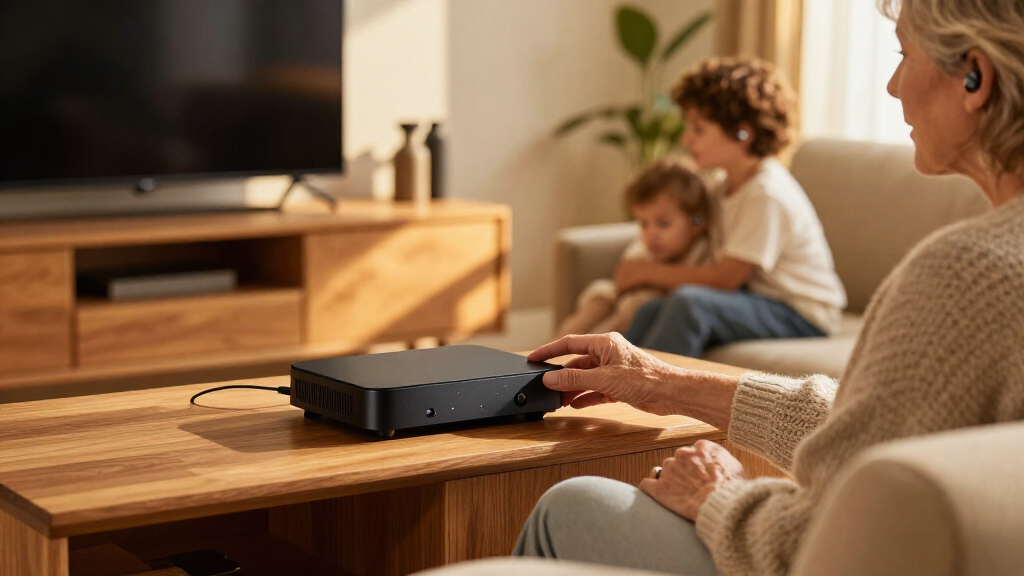
How We Picked
I ranked these Bluetooth TV streamers for hearing aids by how clearly they serve a real buyer need: compatibility with hearing aids, available TV audio connections, setup demands, and usefulness for different listening situations. I also weighed whether each device offers a broad Auracast or Bluetooth approach or is designed around one hearing-aid brand. Those distinctions affect who can use a streamer, how much planning is needed before purchase, and whether it can serve a mixed-device household.
The ranking gives priority to clear compatibility paths and practical flexibility, then accounts for specialized benefits such as a brand-matched connection. A model is not ranked higher just for having more wireless features: those features matter only when the user’s hearing aids support them. I treat exact compatibility as a prerequisite, not a minor detail, and advise checking the manufacturer’s supported-device list and the TV’s outputs before buying. The lineup includes distinct models with different intended pairings, so buyers should confirm the exact model rather than relying on a family name.
| Bluetooth TV streamers for hearing aid | Model |
|---|---|
| Avantree Audikast 4 Auracast a | Audikast 4 |
| Avantree Audikast 4HA Auracast | Audikast 4HA |
| Avantree Audikast 4T Auracast | — |
| ReSound Unite TV Streamer 2 | Unite TV Streamer 2 |
| Signia TV Sound Bluetooth Tran | — |
| HomeSpot BA210 v2 Auracast Blu | BA210 v2 |
| Trihear ClearTV Bluetooth TV S | CT001 |
| SUNITEC BT618T Auracast and Bl | BT618T |
| TV Streamer+ for Compatible Re | — |
| Signia Connexx TV Sound for He | — |
| Oticon TV Adapter 3.0 | — |
| Phonak TV Connector for Compat | — |
Factors to Consider When Choosing Bluetooth TV Streamers For Hearing Aids
Before choosing a streamer, I would work from the hearing aids and television outward. A familiar Bluetooth label does not guarantee that a TV transmitter can connect to a particular hearing aid, and a feature-rich unit may be the wrong fit if its inputs do not match your television. These checks help prevent the most common mismatch: buying based on the transmitter’s wireless name instead of the full audio path.
1. Confirm the Exact Hearing-Aid Compatibility
Start with the hearing-aid make, model, and generation, then check the streamer’s official compatibility information or ask the hearing-care provider. Bluetooth audio support is not universal: hearing aids may use a brand-specific protocol, Auracast, or an accessory designed for that product family. Do not assume that two devices from one hearing-aid brand work with the same streamer; model generation can matter. If several people in the home wear hearing aids, check support for each person’s device before buying. This step can narrow the field more effectively than comparing transmitter features.
2. Match the TV’s Audio Output to the Transmitter
Look at the television’s available audio outputs, such as optical audio, analog audio, or HDMI ARC, and compare them with the streamer’s listed inputs. A connection mismatch can add adapters, extra cables, or setup steps that are easy to miss when shopping. Check whether the TV must be set to PCM or another output format, since some transmitters may not handle every audio setting. If you use a soundbar or AV receiver, confirm that connecting a streamer will not disrupt that system. Keep the TV manual or model number handy when verifying compatibility.
3. Decide Whether You Need Brand-Specific Pairing or Wider Sharing
A dedicated accessory from the hearing-aid maker can be a straightforward choice when all listeners use that compatible family. Multi-format transmitters may suit mixed households or buyers who want to explore Auracast, but they still depend on support in the receiving hearing aids. Ask whether other viewers need to hear the TV through its speakers or headphones at the same time. Also check how many listening devices can connect at once and whether the setup supports each listener’s needs. Do not pay for a sharing feature unless the people and devices in your home can use it.
4. Plan for TV Speakers and Everyday Controls
Some households want TV audio routed to hearing aids while the television speakers remain on for family members; others prefer the room to stay quiet. Simultaneous audio behavior varies, so verify whether the TV and streamer can send sound to both destinations without a noticeable delay. Find out how volume is adjusted: it may be controlled through the hearing aids, a phone app, or the television rather than the transmitter itself. A setup that works on paper can feel awkward if the listener must manage several controls each evening. Ask about delay and audio-sync adjustments if lip-sync is a concern.
5. Weigh Setup Simplicity Against Future Flexibility
A brand-matched streamer can reduce guesswork for someone who wants one direct route from TV to hearing aids. A flexible transmitter can offer more options, but more connection modes may also mean more settings and compatibility checks. Think about whether you expect to replace the television, hearing aids, or both in the near future. If you are buying for a family member, consider who will handle pairing and troubleshooting after installation. The best fit is often the one that the listener can use consistently, not the one with the longest feature list.
6. Check What Comes in the Box and What Support Is Available
Before ordering, review the included cables, power supply, pairing instructions, and any required accessories. Missing or unsuitable cables can complicate setup, especially when the TV is mounted or its ports are hard to reach. Check the manufacturer’s guidance for firmware updates, troubleshooting, and supported hearing-aid models. If the streamer is part of a hearing-care ecosystem, ask the provider whether they can help with pairing and adjustments. This is particularly useful for first-time users who may find a brand-specific setup easier with professional assistance.
Frequently Asked Questions
Will any Bluetooth TV transmitter work with my hearing aids?
No. A transmitter’s Bluetooth label alone does not confirm that it can send audio to your hearing aids, since hearing devices may require a particular protocol, Auracast support, or a compatible brand accessory. Check the exact hearing-aid model and generation against the transmitter’s official compatibility list. If the information is unclear, ask your hearing-care provider or the manufacturer before buying. That check can prevent a return caused by a basic pairing mismatch.
How do I choose between an Auracast transmitter and a streamer made for my hearing-aid brand?
Choose based on what your hearing aids support and whether you need to serve more than one kind of listener. An Auracast-capable transmitter may suit compatible devices and could be useful for sharing audio, while a brand-specific streamer may provide a more direct match for supported hearing aids. Neither description guarantees compatibility with every model. Check which features your own hearing aids can receive, then consider whether other household members need the same stream. Avoid choosing on the wireless standard alone.
Can other people hear the TV through its speakers while I stream audio to my hearing aids?
That depends on the television’s audio settings and the streamer’s connection method. Some setups can send audio to the hearing aids while leaving the TV speakers active, while others may mute the speakers or require a separate setting. Confirm this behavior for your TV model and check whether simultaneous output creates an echo or lip-sync difference. If shared listening matters, make it a purchase requirement rather than assuming it will work. A quick test with the TV’s audio menu can clarify the options.
Do I need a particular audio output on my television?
Possibly. The streamer must accept an output your TV can provide, such as optical or analog audio, and some setups may require a compatible HDMI audio connection. Compare the ports on the TV with the streamer’s listed inputs before ordering. Also check the TV’s audio format settings, since the output format may need adjustment for the transmitter. If a soundbar is connected, confirm how adding the streamer affects that connection.
Should I buy a TV streamer from my hearing-aid provider or choose a third-party model?
A streamer from the hearing-aid maker can be a sensible choice when it is confirmed to work with your exact devices and you want help from the same provider. A third-party transmitter may offer a wider set of connection options or support for a different listening setup, but its wireless features do not guarantee hearing-aid compatibility. Compare the supported models, TV inputs, simultaneous speaker behavior, and pairing instructions rather than choosing by brand alone. If someone else will install or troubleshoot the device, ask whether they are familiar with that specific model.
Conclusion
I would start with the Avantree Audikast 4 as the best overall for buyers who want Auracast and Bluetooth options, provided their hearing aids support the needed connection. For a best value choice, compare the HomeSpot BA210 v2 and SUNITEC BT618T against the TV ports and hearing-aid compatibility you actually need; their feature set only pays off when it fits your devices. The best premium or brand-matched pick depends on your hearing aids: consider the ReSound or Jabra TV Streamer+ for compatible ReSound or Jabra devices, Signia’s TV Sound options for supported Signia aids, Oticon TV Adapter 3.0 for compatible Oticon aids, and Phonak TV Connector for supported Phonak aids. For beginners, I would favor the accessory confirmed by the hearing-care provider, since a known match can simplify setup. If your priority is a specific Avantree model, compare the Audikast 4HA and 4T by their stated compatibility and connection requirements rather than assuming they are interchangeable. Whichever route you choose, confirm the exact hearing-aid model and TV audio output before ordering.
Fall Picks
fall essentials
As an affiliate, we earn on qualifying purchases.