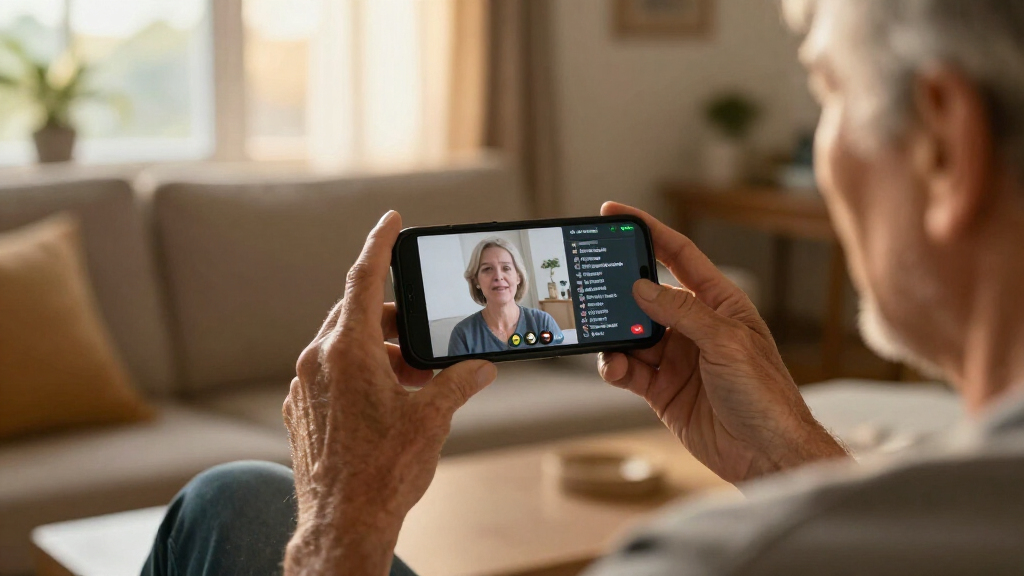
Choosing a caption phone means balancing readable call captions, sound amplification, ease of use, and the setup your home can support. I rank the Hamilton CapTel 2400iSPNBT first for its large touchscreen and adjustable display, while the Hamilton CapTel 840i is the better fit for people who prefer physical buttons. The CapTel MDL 200 is a more limited option: the supplied information confirms a corded design and recording capacity, but does not establish that it provides live call captions.

Get everyday helpers delivered free with Prime
- Fast, free delivery on millions of items
- Prime Video, Amazon Music and more included
- Member-only deals all year
That distinction matters. The two Hamilton models list real-time captions for incoming and outgoing calls, along with amplification and captioned voicemail. Both require power and high-speed internet, and their captioning service is restricted to eligible U.S. residents who register; the 840i also explicitly requires telephone service. The MDL 200 has far less documented capability, so I rank it third rather than treating its hearing-impaired positioning as proof of captioning features. My recommendations focus on what the provided product details actually support.
Key Takeaways
- Best overall: I rank the Hamilton CapTel 2400iSPNBT first for its large touchscreen, adjustable caption presentation, up to 40 dB amplification, and captioned voicemail.
- Best for physical-button users: The Hamilton CapTel 840i has large buttons and the same stated maximum amplification and real-time captioning features as the 2400iSPNBT.
- Neither Hamilton model is setup-free: Plan for high-speed internet and electrical power; the 840i explicitly requires telephone service, while the 2400iSPNBT may require it depending on service configuration.
- Service eligibility matters: Hamilton captioning is available to eligible U.S. residents with hearing loss after registration, so verify eligibility and connection requirements before choosing either model.
- MDL 200 needs verification: Its supplied details mention a 17-minute recording capacity, but do not confirm real-time captions, amplification, display, or captioning-service availability.
| Hamilton CapTel 2400iSPNBT Captioned Telephone with Large Touchscreen |  | Best Overall — the strongest documented choice for a touchscreen-first caption setup | Phone type: Corded | Display: Large touchscreen | Captioning: Real-time incoming and outgoing captions; automated or live operator assistance | VIEW LATEST PRICE | See Our Full Breakdown |
| Hamilton CapTel 840i Captioned Telephone with Large Buttons |  | Best for Physical Buttons — straightforward dialing with documented caption and amplification support | Phone type: Corded | Controls: Single keypad with large buttons | Captioning: Real-time captions for incoming and outgoing calls; automated or live operator assistance | VIEW LATEST PRICE | See Our Full Breakdown |
| CapTel MDL 200 Corded Phone for the Hearing Impaired |  | Best Only as a Basic, Information-Limited Option — verify caption capability before choosing | Phone type: Corded | Manufacturer: CapTel | Model: MDL 200 | VIEW LATEST PRICE | See Our Full Breakdown |
| caption phones for deaf user | Phone type | Amplification | Captioning | Requirements |
|---|---|---|---|---|
| Hamilton CapTel 2400iSPNBT Cap | Corded | Up to 40 dB | Real-time incoming and outgoing captions; automated or live operator assistance | High-speed internet and electrical power; telephone service in some cases |
| Hamilton CapTel 840i Captioned | Corded | Up to 40 dB; adjustable tone | Real-time captions for incoming and outgoing calls; automated or live operator assistance | High-speed internet, telephone service, and electrical power |
| CapTel MDL 200 Corded Phone fo | Corded | Not specified in the supplied product details | — | — |
More Details on Our Top Picks
Hamilton CapTel 2400iSPNBT Captioned Telephone with Large Touchscreen
Best Overall — the strongest documented choice for a touchscreen-first caption setup
View Latest PriceI rank the Hamilton CapTel 2400iSPNBT first because it combines the key call-access features with a large touchscreen that gives captions a prominent place in everyday use. It displays real-time captions for incoming and outgoing calls, and the user can adjust caption size and tone. For someone who reads along while listening, that ability to change the display can make the conversation easier to follow than a fixed presentation. The phone also states up to 40 dB of amplification, hearing aid compatibility, and captioned voicemail displayed on the screen.
Compared with the CapTel 840i, the 2400iSPNBT is the better match for people who want to interact through a touchscreen rather than prioritize large physical keys. The two models are close on the core captioning offer: each lists automated captioning or live operator assistance, up to 40 dB amplification, and captioned voicemail. I would choose between them primarily by interface and connection requirements, not by assuming that one has inherently better captions. The 2400iSPNBT supports several listed telephone service types, including VoIP, analog, digital cable, DSL, and FIOS telephone services, though its description says telephone service may be needed in some cases.
The main tradeoff is setup. This is not a standalone phone that works without infrastructure: it needs high-speed internet and electrical power, and some configurations also need telephone service. Captioning is available only to eligible U.S. residents with hearing loss after registration. Those conditions should be checked before the phone is chosen, especially if the household has limited broadband or wants a simple backup phone for power outages. Its single-line operation also makes it a home-phone tool rather than a multi-line communications hub.
I place it above the 840i because the touchscreen and listed flexibility across telephone-service types give buyers more ways to tailor the experience. That advantage is not universal: someone who finds touch controls less comfortable may prefer the 840i’s large buttons. Still, for a buyer whose priority is a configurable caption display and accessible call audio, the 2400iSPNBT is the most complete option in this lineup.
Pros:- Displays real-time captions for incoming and outgoing calls, with automated or live operator assistance options.
- Large touchscreen with adjustable caption size and tone.
- Up to 40 dB amplification and hearing aid compatibility.
- Captioned voicemail is shown on the touchscreen; digital answering system stores up to 18 minutes.
Cons:- Requires high-speed internet and electrical power; telephone service may also be required.
- Captioning service requires registration and is limited to eligible U.S. residents with hearing loss.
- Touchscreen-first operation may be less suitable for callers who prefer tactile physical keys.
Best for: A U.S. resident who qualifies for the captioning service, has the required internet and power, and wants a large configurable touchscreen for calls and captioned voicemail.
Not ideal for: Someone who needs a phone that works without broadband or mains power, is not eligible for the service, or strongly prefers physical dialing buttons.
- Phone type:Corded
- Display:Large touchscreen
- Captioning:Real-time incoming and outgoing captions; automated or live operator assistance
- Amplification:Up to 40 dB
- Voicemail:Digital answering system; 18-minute recording capacity; captioned voicemail
- Telephone compatibility:VoIP, analog, digital cable, DSL, and FIOS telephone services
- Requirements:High-speed internet and electrical power; telephone service in some cases
- Captioning eligibility:Eligible U.S. residents with hearing loss; registration required
Our verdict“I recommend the 2400iSPNBT for eligible buyers who want the most configurable caption display, provided their home can meet its connection and power requirements.”
Hamilton CapTel 840i Captioned Telephone with Large Buttons
Best for Physical Buttons — straightforward dialing with documented caption and amplification support
View Latest PriceThe Hamilton CapTel 840i is my pick for people who would rather dial with large physical buttons than use a touchscreen. Its main job is still captioned calling: it displays real-time captions for incoming and outgoing conversations, offers automated captions or live operator assistance, and provides up to 40 dB of amplified sound. Caption size and tone are adjustable, while the digital answering system displays voicemail captions. That is a substantial set of documented call-access features for a button-led design.
Compared with the 2400iSPNBT, the 840i gives up the large touchscreen in favor of a more conventional keypad. I see that as a meaningful interface choice, not a simple step down. Tactile keys may feel more direct to someone who wants to find dialing controls by touch, while the 2400iSPNBT is more appealing if changing caption size and using a touchscreen are central preferences. Their stated amplification ceiling and captioning modes are similar, so I would not pick the 840i on the assumption that its captions are more accurate or that it amplifies more.
The 840i has a clearer and less flexible connection requirement in the supplied details: it calls for high-speed internet, telephone service, and electrical power. That can rule it out for a home without a compatible phone service, even when broadband is available. As with the 2400iSPNBT, service access is limited to eligible U.S. residents with hearing loss who register. The large buttons do not change those service conditions, and a corded, powered device is not a dependable option during an outage unless the household has a suitable backup power plan.
I place the 840i second because its captioning and amplification capabilities closely match the leading pick, but its stated requirements leave less ambiguity about the need for telephone service and its design is less suited to buyers who want a touchscreen. That is not a reason to skip it if physical controls are the priority. It is the more fitting choice for someone who wants a familiar keypad, visible captions, and adjustable sound, and who can meet the required home connections.
Pros:- Real-time captions for incoming and outgoing calls, with automated or live operator assistance.
- Large-button design offers a tactile alternative to the 2400iSPNBT touchscreen.
- Up to 40 dB amplification with adjustable tone and caption size.
- Digital answering system displays voicemail captions and records up to 18 minutes.
Cons:- Requires high-speed internet, telephone service, and electrical power.
- Captioning service requires registration and is limited to eligible U.S. residents with hearing loss.
- Does not offer the large touchscreen interface of the 2400iSPNBT.
Best for: A caller who prefers large physical dialing buttons, wants real-time captioning and amplified sound, and has high-speed internet, telephone service, and electrical power.
Not ideal for: Someone who wants a touchscreen, lacks telephone service, needs a phone independent of household power, or cannot register for the captioning service.
- Phone type:Corded
- Controls:Single keypad with large buttons
- Captioning:Real-time captions for incoming and outgoing calls; automated or live operator assistance
- Amplification:Up to 40 dB; adjustable tone
- Caption display:Large screen with adjustable caption size
- Answering system:Digital; 18-minute recording capacity; displays voicemail captions
- Requirements:High-speed internet, telephone service, and electrical power
- Captioning eligibility:Eligible U.S. residents with hearing loss; registration required
Our verdict“I recommend the 840i over the touchscreen model when large physical buttons matter more than interface flexibility and the household meets all three connection requirements.”
CapTel MDL 200 Corded Phone for the Hearing Impaired
Best Only as a Basic, Information-Limited Option — verify caption capability before choosing
View Latest PriceThe CapTel MDL 200 is the hardest model in this roundup to recommend for a buyer specifically seeking a caption phone. The supplied information identifies it as a corded phone for people with hearing impairment and lists a 17-minute recording capacity. It does not confirm real-time captions, a caption display, amplified sound, captioned voicemail, or access to a captioning service. Those omissions matter more than the product name: for this comparison, I cannot treat an unverified caption feature as a working reason to buy.
That makes the MDL 200 very different from the two Hamilton phones. The 2400iSPNBT and 840i explicitly describe captions for both incoming and outgoing calls, give maximum amplification figures, and state that voicemail captions appear on screen. The MDL 200 has no comparable detail in the supplied listing. A recording capacity could be useful for messages, but it does not tell me whether recordings are transcribed or whether the phone can show live conversation text. I would ask the seller or manufacturer to confirm those capabilities and compatibility before relying on it for accessible calling.
Its possible advantage is simplicity: it is described as a corded phone, and the listed recording capacity is 17 minutes. But the listing does not provide enough information to compare its setup demands, display, controls, hearing aid compatibility, or service eligibility with the Hamilton models. I would not assume it works without broadband, or that it offers a simpler route to captioning, just because those details are absent. Missing specifications are a reason to verify, not evidence of a feature.
I rank this third because the core promise of this article is access to calls through captions, and the provided details do not establish that the MDL 200 supplies that function. It may suit a buyer looking for a basic corded phone who has independently confirmed that its features match their needs. For a deaf user who needs readable live captions, I would choose one of the Hamilton models unless the MDL 200’s current documentation clearly confirms an equivalent captioning service and compatible setup.
Pros:- Corded phone design.
- Listed recording capacity of 17 minutes.
- Identified as a phone designed for people with hearing impairment.
Cons:- Supplied information does not confirm real-time captions or a caption display.
- Amplification, hearing aid compatibility, connection requirements, and captioning eligibility are not specified.
- Recording capacity alone does not establish that voicemail is captioned or transcribed.
Best for: A buyer considering a basic corded phone for hearing-related needs who can verify its current captioning, display, and connection capabilities directly before purchase.
Not ideal for: A deaf user who needs confirmed real-time captions for incoming and outgoing calls or wants clearly documented amplification and captioned voicemail.
- Phone type:Corded
- Manufacturer:CapTel
- Model:MDL 200
- Recording capacity:17 minutes
- Intended use:Phone for people with hearing impairment
- Live captioning:Not confirmed in the supplied product details
- Amplification:Not specified in the supplied product details
Our verdict“I would not choose the MDL 200 as a caption phone without direct confirmation that it provides the live captioning and setup features you need.”
How We Picked
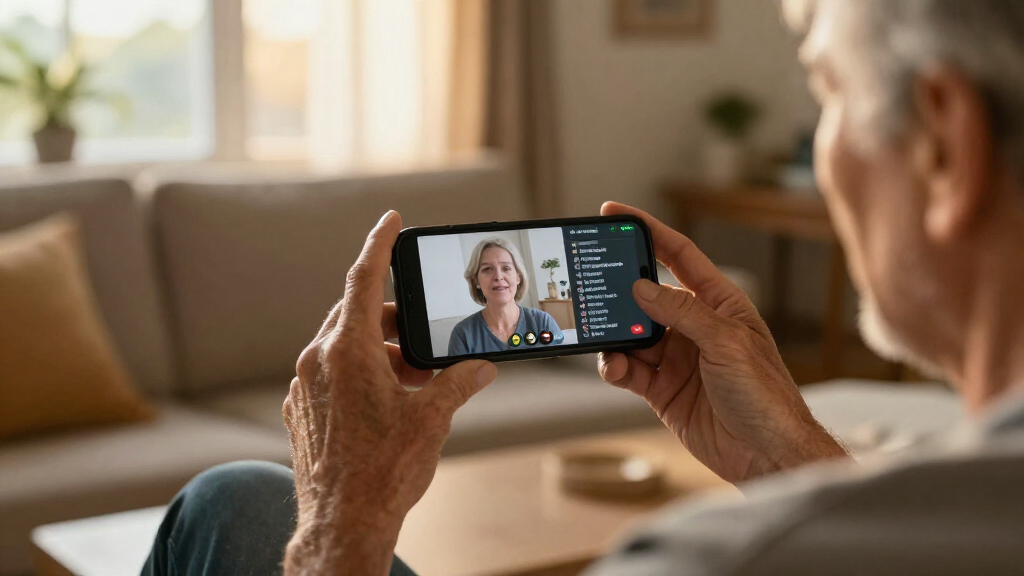
I ranked these phones by how well the supplied information supports the central need in this roundup: following a telephone conversation through captions. A product marketed for people with hearing impairment is not automatically a caption phone, so I separated confirmed live-caption capabilities from features that are missing or unspecified. The Hamilton models provide clear details about incoming and outgoing captions, caption presentation, amplification, and voicemail. The CapTel MDL 200 listing does not provide comparable evidence about captions, so it cannot rank alongside them on that core function.
I also compared the practical differences that shape daily use. The 2400iSPNBT puts its emphasis on a large touchscreen and configurable caption appearance. The 840i instead offers large physical buttons, which may be easier for someone who wants familiar tactile dialing rather than a touchscreen-first interface. Both state up to 40 dB of amplification and offer automated captions or live operator assistance. Neither removes the need to check the home setup: the products rely on internet and power, service eligibility applies, and telephone-line requirements vary by model and configuration.
Finally, I considered how much confidence a buyer can place in the available specifications. I did not fill gaps in the MDL 200 listing with assumptions, and I did not treat a recording-capacity figure as proof of captioned voicemail or live captions. Before purchasing, I would confirm current connection requirements, captioning registration rules, and whether any phone line or service plan is needed for the intended setup. This ranking favors documented caption usefulness over a broad product label.
| caption phones for deaf user | Captioning | Amplification | Requirements |
|---|---|---|---|
| Hamilton CapTel 2400iSPNBT Cap | Real-time incoming and outgoing captions; automated or live operator assistance | Up to 40 dB | High-speed internet and electrical power; telephone service in some cases |
| Hamilton CapTel 840i Captioned | Real-time captions for incoming and outgoing calls; automated or live operator assistance | Up to 40 dB; adjustable tone | High-speed internet, telephone service, and electrical power |
| CapTel MDL 200 Corded Phone fo | — | Not specified in the supplied product details | — |
Factors to Consider When Choosing Caption Phones For Deaf Users
For this category, I would begin with one question: does the phone clearly provide captions during live calls? After that, compare the screen or keypad, amplification, and the service and power needs. The three products here do not provide equal evidence on those points.
Confirm live captions before comparing other features
A caption phone should make spoken telephone conversations readable while the call is taking place. Both Hamilton models explicitly list real-time captions for incoming and outgoing calls, as well as automated captioning or live operator assistance. The MDL 200 details provided here do not confirm live captions, so I would not select it for that purpose unless current documentation from the seller or manufacturer fills in the gap.
Also check what a captioning option means for the way you prefer to communicate. The Hamilton listings offer a choice between automated captioning and live operator assistance. The supplied details do not describe how those options are activated or the precise service workflow, so confirm the current process before buying. If you depend on captions for every call, ask about registration, availability, and what happens if the internet connection or service is unavailable.
Choose the interface you will use comfortably
The main day-to-day distinction between the two Hamilton models is the control style. The 2400iSPNBT uses a large touchscreen with adjustable caption size and tone, making it the stronger fit for someone who wants a screen-centered experience. The 840i has large buttons, giving callers a physical keypad rather than a touchscreen-first layout. Neither design is universally better: eyesight, dexterity, familiarity, and personal preference all affect which interface is easier to use.
If you are deciding for someone else, let that person try a similar touchscreen and keypad before settling on a model where possible. Think about everyday actions, not only dialing: changing caption size, adjusting sound, checking voicemail, and answering a call. The supplied information does not establish the MDL 200’s display or keypad layout, so ask for those details rather than assuming they match the Hamilton phones.
Match amplification to your listening needs
The 2400iSPNBT and 840i both state up to 40 dB of amplification. The 2400iSPNBT is listed as hearing aid compatible, while the 840i details emphasize adjustable tone and caption size alongside its amplified sound. These specifications make the Hamilton options more clearly documented for buyers who use a mix of listening and reading during calls.
A maximum amplification figure does not say whether a particular phone will be comfortable or suitable for an individual’s hearing. If you use hearing aids, confirm compatibility and ask a hearing-care professional about any specific connection or sound needs. The MDL 200 listing does not give an amplification figure or hearing aid compatibility, so I would seek confirmation before treating it as an alternative for someone who relies on those functions.
Check internet, phone service, and power requirements
Neither Hamilton phone should be treated as a cordless, self-contained captioning solution. The 2400iSPNBT requires high-speed internet and electrical power; telephone service may also be needed depending on the setup. The 840i’s listed requirements explicitly include high-speed internet, telephone service, and electrical power. Because those conditions can affect whether a phone works at all, confirm compatibility with your provider and home connection before ordering.
Ask whether your specific telephone service is supported and whether any separate account, registration, or configuration is required. The 2400iSPNBT lists several service types, but that does not remove the need to confirm your own setup. Both Hamilton products limit captioning service to eligible U.S. residents with hearing loss after registration. If the phone will be used in a place without reliable broadband or power, consider whether a separate backup communication method is needed.
Treat voicemail details carefully
Voicemail can matter as much as live conversations when calls are missed. The Hamilton models both list captioned voicemail and an 18-minute recording capacity, so their stated feature sets make it possible to read messages rather than relying only on audio. That is a useful difference from the MDL 200 listing, which gives a 17-minute recording capacity but does not say that recorded messages are captioned.
Do not equate a recording duration with transcription. Before purchase, confirm where captions appear, how messages are stored, and whether any service or connection must be active for captioned voicemail to work. If you mostly receive messages rather than answer live calls, those details may shape your choice as much as the phone’s keypad or display.
Use the listing’s gaps as questions, not promises
The MDL 200 entry is much shorter than the Hamilton product details. It names a corded phone and a 17-minute recording capacity but does not establish several features that matter in a caption-phone purchase. I would ask directly about live call captions, caption display, amplification, hearing aid compatibility, power and internet needs, and service eligibility. If those answers are unavailable, the two Hamilton models are safer choices for a buyer who needs documented caption functionality.
Even fuller listings may not capture every current service rule or setup detail. Confirm the latest information with the seller or captioning provider, especially if the phone is for a person with specific hearing, vision, dexterity, or home-network needs. A model’s role in this guide is based on the details provided, not a substitute for checking current requirements.
Frequently Asked Questions
Which phone in this comparison has the clearest documented live captioning?
Both the Hamilton CapTel 2400iSPNBT and Hamilton CapTel 840i explicitly list real-time captions for incoming and outgoing calls, with automated captioning or live operator assistance. The 2400iSPNBT adds a large touchscreen, while the 840i emphasizes large physical buttons. The MDL 200 information provided does not confirm live captions, so I would verify that feature before considering it for this purpose.
Do these phones work without high-speed internet?
The two Hamilton models require high-speed internet according to their supplied details. The 840i also explicitly requires telephone service and electrical power; the 2400iSPNBT requires electrical power and may require telephone service depending on the setup. The MDL 200 listing does not state its connection requirements, so the absence of an internet requirement in that listing should not be taken as confirmation that it works without internet.
Is the 2400iSPNBT better than the 840i?
I rank the 2400iSPNBT first for its large touchscreen and configurable caption presentation, but it is not the best fit for everyone. The 840i may suit someone who prefers large tactile buttons. Both Hamilton models list real-time captions, up to 40 dB amplification, and captioned voicemail. Choose based on interface preference and confirmed connection needs rather than assuming one provides better caption quality.
Can I use Hamilton captioning service outside the United States?
The supplied information says captioning service is available to eligible U.S. residents with hearing loss after registration. It does not establish availability for buyers outside the United States. If you live elsewhere, contact the service provider or seller to confirm whether registration and captioning are available in your location before choosing either Hamilton model.
Does the CapTel MDL 200 provide captioned voicemail?
The provided MDL 200 details list a 17-minute recording capacity, but they do not say that messages are captioned or transcribed. I would not assume recording capacity includes captioned voicemail. Ask the seller or manufacturer to confirm whether the phone displays live-call captions and voicemail captions, along with any service and connection requirements.
Conclusion
For a buyer who qualifies for the service and wants a configurable, screen-centered experience, I recommend the Hamilton CapTel 2400iSPNBT. If physical dialing buttons are a higher priority and the household has broadband, telephone service, and power, the Hamilton CapTel 840i is the more suitable fit. I would choose the CapTel MDL 200 only after confirming that its current version provides the live captions and other accessibility features needed; the supplied details are not enough to recommend it as a confirmed caption phone. Across all three options, verify service eligibility and home connection requirements before buying.