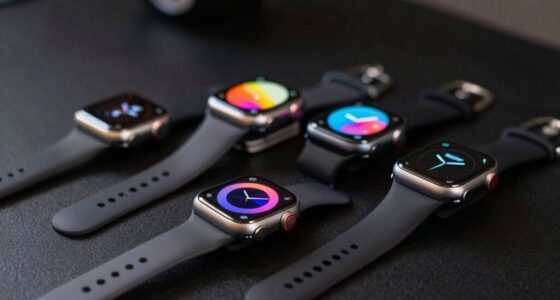

Captioning smart glasses can mean very different things: some show a virtual screen, while others send spoken content to a phone app for transcription or translation. For meeting notes and spoken-language tools, KWENRUN AI Smart Glasses stand out because they list meeting transcription and summaries; for broader language coverage, XO AI Smart Glasses claim translation in more than 140 languages. If a private, large display matters more than captions, VITURE Beast XR/AR Glasses are the strongest screen-focused pick—but the provided details do not describe a captioning feature.

Get everyday helpers delivered free with Prime
- Fast, free delivery on millions of items
- Prime Video, Amazon Music and more included
- Member-only deals all year
I rank these by how directly their listed functions support captioning-related needs, then by practical differences such as whether a phone app is required, whether a camera is included, and how the glasses handle everyday audio and fit. The main tradeoff is clear: captioning and transcription features depend on companion apps, while VITURE offers advanced display hardware without a stated transcription workflow. I would choose based on the exact task—meeting notes, translated conversation, or a wearable screen—rather than treating these products as interchangeable accessibility tools.
Key Takeaways
- KWENRUN is the clearest meeting-oriented choice here because its listed features include transcription and summaries, though the supplied details do not explain caption display, supported transcription languages, or app workflow.
- XO claims real-time translation across more than 140 languages, but recording and translation require its companion app and an online connection; its camera captures 1080p rather than 4K.
- The other AI glasses include translation and voice assistance, but their descriptions do not confirm on-lens captions or meeting transcription, so app functionality should be checked before buying for accessibility.
- VITURE Beast has the most capable stated display—1200p per eye, 120 Hz, and built-in 3DoF—but the product information does not list speech recognition, captions, or translation.
- Battery, connectivity, and camera priorities separate the AI options: KWENRUN lists up to 10 hours of music playback and has no camera, while the 4K-camera model adds capture features but requires its app for translation and file management.
| KWENRUN AI Smart Glasses with Photochromic Lenses, Translation, and Bluetooth Audio |  | Best for meeting transcription | Transcription: Meeting transcription and summaries listed | Translation: Real-time translation listed; language count not specified | Audio: Bluetooth open-ear audio | VIEW LATEST PRICE | See Our Full Breakdown |
| XO AI Smart Glasses with 1080p Camera and Real-Time Translation, Black |  | Best for wide-language translation | Camera: 1080p video and photos | Translation: More than 140 languages listed | Connectivity: Bluetooth; iOS and Android phone compatibility | VIEW LATEST PRICE | See Our Full Breakdown |
| AI Smart Glasses with 4K Camera, Real-Time Translation, and Photochromic Lenses |  | Best for camera-first smart features | Camera: 4K video; high-resolution photos; 8 MP listed in product title | Stabilization: Electronic Image Stabilization | Translation: More than 100 languages via companion app | VIEW LATEST PRICE | See Our Full Breakdown |
| VITURE Beast XR/AR Glasses, 1200p Micro-OLED Display, 58° FOV |  | Best virtual display, not a confirmed captioning tool | Display: Sony Micro-OLED | Resolution: 1200p per eye | Field of view: 58 degrees | VIEW LATEST PRICE | See Our Full Breakdown |
| captioning smart glasse | Translation | Audio | Battery | Lenses |
|---|---|---|---|---|
| KWENRUN AI Smart Glasses with | Real-time translation listed; language count not specified | Bluetooth open-ear audio | Up to 10 hours music; up to 8 hours talk | Photochromic with UV and blue-light protection |
| XO AI Smart Glasses with 1080p | More than 140 languages listed | — | 80 mAh; up to 6 hours use | — |
| AI Smart Glasses with 4K Camer | More than 100 languages via companion app | Bluetooth open-ear audio and hands-free calling | — | Photochromic with blue-light filtering |
| VITURE Beast XR/AR Glasses | — | — | — | — |
More Details on Our Top Picks
KWENRUN AI Smart Glasses with Photochromic Lenses, Translation, and Bluetooth Audio
KWENRUN is my most direct match for meeting-focused captioning needs because the supplied description specifically lists meeting transcription and summaries. That sets it apart from the 4K-camera model and XO, whose descriptions highlight translation and recording but do not mention meeting notes. It also has a useful audio-first design: Bluetooth 5.4 open-ear listening keeps the wearer aware of nearby sounds, and the product claims up to 10 hours of music playback or 8 hours of talk time.
There is an important gap between that promise and a confirmed captioning workflow. The listing does not explain whether a transcript appears on a phone, whether captions are shown in the glasses, which languages the meeting tool supports, or whether it works without an internet connection. I would verify those details before relying on it for a lecture, work meeting, or accessibility need. Compared with VITURE, KWENRUN names transcription but has no stated display; compared with XO, it names meeting summaries but provides no stated language count for translation.
The no-camera design may suit people who want voice tools without recording video, but it also rules out hands-free photo and video capture offered by the two camera-equipped AI options. Photochromic lenses add day-to-day convenience, although the manufacturer notes they may not darken inside most vehicles. My ranking puts KWENRUN first for the explicit transcription claim, not because the supplied information establishes on-lens captions or superior recognition accuracy.
Pros:- Meeting transcription and summaries are explicitly listed.
- Open-ear Bluetooth 5.4 audio supports calls and listening while keeping surroundings audible.
- Claims up to 10 hours of music playback and up to 8 hours of talk time.
- USB-C charging and photochromic lenses add practical everyday features.
Cons:- No camera for hands-free photos or video.
- The supplied description does not clarify caption display, supported transcription languages, or offline use.
- Photochromic lenses may not darken inside most vehicles.
Best for: People seeking meeting transcription and summaries, open-ear audio, and a camera-free design, provided they confirm where transcripts appear and how the app works.
Not ideal for: Buyers who need confirmed on-lens captions, a camera, a stated translation-language range, or lenses that reliably darken inside a vehicle.
- Transcription:Meeting transcription and summaries listed
- Translation:Real-time translation listed; language count not specified
- Audio:Bluetooth open-ear audio
- Bluetooth:Bluetooth 5.4
- Battery:Up to 10 hours music; up to 8 hours talk
- Lenses:Photochromic with UV and blue-light protection
- Camera and GPS:No camera; no GPS
- Charging:USB-C; approximately 2 hours
Our verdict“I would start with KWENRUN for meeting-related transcription, but I would confirm the app’s caption display and language support before treating it as an accessibility device.”
XO AI Smart Glasses with 1080p Camera and Real-Time Translation, Black
XO stands out for its stated support for more than 140 languages, making it the clearest pick here for travelers or multilingual conversations where translation coverage is the priority. It also records 1080p video and takes photos, so it offers a camera workflow that KWENRUN deliberately omits. Voice or one-touch controls may make hands-free capture more practical than reaching for a phone, while magnetic charging and an included storage case add useful everyday details.
The key limitation is dependence on the companion app and an online connection for recording and translation features. That makes XO less appealing where connectivity is unreliable or where the wearer wants an independent glasses-based tool. The supplied information also does not say that translated words appear in the lenses; I would treat the translation feature as an app-supported function until the maker confirms the output method. Compared with KWENRUN, XO gives a language count and a camera but does not list meeting transcription or summaries. Compared with the 4K-camera option, it claims broader language coverage but records at 1080p.
Battery life is listed as up to six hours of continuous use, a figure worth weighing for long travel days or extended events. Its IP64 rating offers a clearer stated water-resistance classification than the other AI options, though it does not remove the app and network constraints. This is my translation-first pick, not my strongest recommendation for meeting captions, since no dedicated transcription feature is specified.
Pros:- Lists real-time translation support for more than 140 languages.
- Records 1080p video and takes photos hands-free.
- Offers voice or one-touch controls and magnetic charging.
- IP64 water-resistance rating is specified.
Cons:- Recording and translation require the companion app and an online connection.
- Up to six hours of continuous use may not suit long days.
- The supplied details do not confirm on-lens caption output or meeting transcription.
Best for: Travelers and multilingual users who value the stated 140-plus translation-language coverage, hands-free 1080p recording, and app-connected phone use.
Not ideal for: People who need offline translation, confirmed captions visible in the lenses, dedicated meeting transcription, or longer stated continuous battery use.
- Camera:1080p video and photos
- Translation:More than 140 languages listed
- Connectivity:Bluetooth; iOS and Android phone compatibility
- App and network:Companion app and online connection required for recording and translation
- Battery:80 mAh; up to 6 hours use
- Standby:Up to 100 hours
- Water resistance:IP64
- Charging:Magnetic; about 2 hours
Our verdict“I would choose XO over KWENRUN when stated translation breadth and a camera matter more than meeting summaries or a camera-free design.”
AI Smart Glasses with 4K Camera, Real-Time Translation, and Photochromic Lenses
This model is the camera-first choice in the group: it lists 4K video, high-resolution photos, electronic image stabilization, and 32 GB of storage. Those features matter to someone who wants to capture what they see without holding a phone, and stabilization is intended to reduce visible shake. The glasses also pair that capture setup with open-ear Bluetooth audio, hands-free calling, translation in more than 100 languages, object recognition, and a ChatGPT voice assistant.
For a caption-focused buyer, however, the list of AI features is not the same as a confirmed captioning feature. The provided description does not mention meeting transcription, text displayed in the lenses, or caption controls. Translation runs through a companion app, and file management also requires the app, so this is less self-contained than the product name may suggest. Compared with XO, it offers a higher stated video resolution and stabilization but lists support for over 100 languages rather than over 140. Compared with KWENRUN, it adds a camera and object recognition but does not explicitly list meeting transcription.
Photochromic lenses may help when moving between brighter and dimmer settings, and open-ear sound avoids sealing off the wearer from ambient audio. Yet buyers should account for its plastic frame and the lack of GPS, particularly if location-based functions matter. I rank it below the translation-first XO for language coverage and below KWENRUN for explicitly stated meeting transcription, while giving it a distinct role for people who value capture features alongside AI tools.
Pros:- Lists 4K video, high-resolution photos, and electronic image stabilization.
- Includes 32 GB storage and hands-free calling through open-ear audio.
- Companion app supports translation in over 100 languages and AI object recognition.
- Photochromic lenses adapt to changing light.
Cons:- Translation and file management depend on a companion app.
- The supplied description does not confirm on-lens captions or meeting transcription.
- No GPS functionality is listed.
Best for: People who want hands-free 4K video and photos, image stabilization, open-ear audio, and app-based translation or voice-assistant features in one pair.
Not ideal for: Buyers focused on verified meeting captions, offline translation, GPS, or a lightweight metal-frame display system.
- Camera:4K video; high-resolution photos; 8 MP listed in product title
- Stabilization:Electronic Image Stabilization
- Translation:More than 100 languages via companion app
- AI features:Object recognition and ChatGPT voice assistant
- Storage:32 GB
- Audio:Bluetooth open-ear audio and hands-free calling
- Lenses:Photochromic with blue-light filtering
- Compatibility:iOS and Android smartphones
Our verdict“I would choose this over XO for its stated 4K capture and stabilization, but not for a captioning workflow that has not been described.”
VITURE Beast XR/AR Glasses, 1200p Micro-OLED Display, 58° FOV
VITURE Beast has the strongest stated display hardware in this roundup: Sony Micro-OLED panels, 1200p resolution per eye, a 120 Hz refresh rate, and a 58-degree field of view create a large virtual-screen proposition rather than a conventional audio-first smart-glasses experience. Built-in 3DoF tracking and screen modes can help keep virtual content positioned or arranged without relying entirely on app customization. Electrochromic dimming, Auto Transparency, and adjustable arms also address viewing conditions and fit.
That sophistication does not make it a captioning product on the evidence supplied. The product details do not list speech recognition, real-time translation, meeting transcription, or caption display. SpaceWalker supports multiple operating systems and can provide multi-screen features, but it requires a compatible device; I would not assume that the software includes captions without checking its current feature set. Compared with KWENRUN, VITURE offers a defined visual display but lacks a stated transcription function. Compared with XO and the 4K-camera glasses, it has no listed camera or translation workflow.
The 88-gram metal frame is relatively light for a display-focused design, and prescription-ready support broadens its potential fit. Still, the two listed interpupillary-distance ranges—regular up to 70 and large up to 74—may not cover every wearer. I place VITURE fourth for captioning specifically, despite its display advantages, because a capable virtual screen is not proof that captions can be generated or shown. It makes more sense for buyers seeking XR viewing who are prepared to verify caption compatibility separately.
Pros:- 1200p per eye Sony Micro-OLED display with 120 Hz refresh rate.
- 58-degree field of view, built-in 3DoF tracking, and adjustable screen modes.
- Electrochromic dimming and Auto Transparency support changing viewing conditions.
- Metal frame, adjustable arms, interchangeable nose pads, and prescription-ready support.
Cons:- No captioning, transcription, or translation function is listed in the supplied details.
- SpaceWalker and multi-screen features require a compatible device.
- Fit options are limited to the two specified interpupillary-distance ranges.
Best for: XR users who want a high-resolution virtual display, 3DoF tracking, adjustable viewing modes, and prescription-ready support rather than a confirmed transcription tool.
Not ideal for: People buying specifically for speech-to-text, live translation, meeting notes, or a stated on-lens caption feature.
- Display:Sony Micro-OLED
- Resolution:1200p per eye
- Field of view:58 degrees
- Refresh rate:120 Hz
- Virtual screen:174 inches
- Tracking:Built-in 3DoF
- Dimming:9 or more electrochromic levels; Auto Transparency
- Weight and fit:88 g; regular up to 70 iPD and large up to 74 iPD
- Compatibility:SpaceWalker for iOS, Android, macOS, and Windows
Our verdict“I would pick VITURE for an XR display rather than captioning, unless its current software is confirmed to support the exact caption workflow I need.”

How We Picked
I compared these four products against the practical meaning of captioning smart glasses: helping a wearer follow spoken content through captions, transcription, or translated speech. The supplied product details vary in how directly they support that purpose. KWENRUN explicitly lists meeting transcription and summaries; XO and the 4K-camera model list real-time translation through companion apps; VITURE describes a virtual display and tracking, but not a captioning tool. I keep those distinctions visible rather than assuming a display or AI label means captions are available.
My ranking gives the most weight to clearly stated speech-to-text or transcription features, followed by the usefulness of translation, the practical limits of app dependence, and the hardware details that shape daily wear. I also weigh camera presence, battery claims, water resistance, compatibility, and controls where the product information provides them. Those details matter because a glasses-based workflow is only useful if it fits the wearer’s phone, routine, and setting.
This is a comparison of the specifications and claims provided, not a claim that I verified caption accuracy, app quality, comfort, or real-world battery performance. None of the supplied descriptions confirms that words appear directly in the wearer’s field of view, and they do not provide caption latency, text size, or accessibility settings. I would confirm those details with the manufacturer before choosing any of these for essential communication, hearing access, or a workplace accommodation. The order reflects the stated feature match, not a guarantee of performance.
| captioning smart glasse | Translation | Audio | Lenses | Charging |
|---|---|---|---|---|
| KWENRUN AI Smart Glasses with | Real-time translation listed; language count not specified | Bluetooth open-ear audio | Photochromic with UV and blue-light protection | USB-C; approximately 2 hours |
| XO AI Smart Glasses with 1080p | More than 140 languages listed | — | — | Magnetic; about 2 hours |
| AI Smart Glasses with 4K Camer | More than 100 languages via companion app | Bluetooth open-ear audio and hands-free calling | Photochromic with blue-light filtering | — |
| VITURE Beast XR/AR Glasses | — | — | — | — |
Factors to Consider When Choosing Captioning Smart Glasses
Before choosing, I would separate three jobs that product listings often group together: live captions, translated conversation, and a virtual display. A translation tool may convert speech between languages without producing a useful transcript; a virtual screen may show content without creating text from speech. The products here do not all state the same capabilities, so I would match the purchase to the task rather than the broad label “AI smart glasses.”
Check what “captioning” means in the product
Ask whether the glasses provide speech-to-text captions, meeting transcription, translation subtitles, or only audio translation. Then find out where the text appears: directly in the lenses, in a phone app, or in a saved transcript after a conversation. That difference affects whether you can follow a speaker while looking ahead or must check a phone. Here, KWENRUN explicitly lists meeting transcription and summaries, while XO and the 4K-camera model list translation. VITURE lists a display, but no speech-to-text capability. Those descriptions do not establish that any one product offers reliable on-lens captions.
I would also check whether captions can be resized, repositioned, saved, or used with a particular language and speaking environment. A feature name alone does not tell me its accuracy in a noisy room, how quickly text appears, or whether multiple speakers are separated. For work, education, or hearing access, ask the manufacturer for a demonstration and confirm compatibility before treating a claim as a dependable accommodation.
Account for phone, app, and internet dependence
App requirements shape the whole experience. XO states that recording and translation require its companion app and an online connection; the camera-first model also uses an app for translation and file management. Those dependencies can be manageable if your phone is nearby and connected, but they matter on flights, in low-signal locations, or when you want to avoid checking a screen. The KWENRUN description identifies phone compatibility but does not explain whether transcription works offline. I would ask that question directly rather than infer an answer from the feature list.
VITURE takes a different route: SpaceWalker supports iOS, Android, macOS, and Windows, but its display and multi-screen functions require a compatible device. That may suit someone who already plans to use a phone or computer as the content source, but it is not equivalent to autonomous transcription. Compare the exact phone operating system and app requirements before buying; broad compatibility wording does not guarantee every feature works on every device.
Choose between camera, audio, and display priorities
A camera can help capture a hands-free point of view, but it does not automatically improve captions. The 4K-camera model lists stabilization, photos, and video; XO records 1080p. KWENRUN has no camera, which may appeal to people who prefer a less recording-oriented design, while VITURE focuses on a virtual screen. I would decide whether capture is genuinely useful or whether it adds controls, file management, and privacy questions without helping the main captioning task.
Audio design is another separate decision. Open-ear audio on the AI glasses can support calls and listening without sealing off outside sound, while VITURE is built around visual content and HARMAN AudioEFX. If you need captions because hearing spoken audio is difficult, audio features may be secondary; if you also want calls or translation playback, they may matter more. Match the glasses to the way you expect to receive information, not just the number of listed features.
Treat battery and charging claims as context
Battery figures are not directly comparable unless the usage mode is the same. KWENRUN lists up to 10 hours of music playback and 8 hours of talk time; XO lists up to six hours of use and a two-hour charge; the other product details do not supply a comparable battery figure. Camera recording, translation, calls, and transcription may place different demands on a battery than standby or music playback. I would look for runtime details for the exact feature I plan to use, especially for all-day meetings or travel.
Charging methods can also affect routine. XO uses magnetic charging, while KWENRUN lists USB-C. The supplied description for VITURE emphasizes display and fit rather than a battery number, so I would check whether its intended setup draws power from a connected device and what that means for extended viewing. Do not assume a music-playback estimate represents continuous captioning or recording time.
Check fit, lenses, and the setting where you will wear them
Glasses need to fit well enough to stay comfortable and keep the display or controls usable. VITURE offers adjustable arms, interchangeable nose pads, and prescription-ready support, but lists only two iPD ranges. KWENRUN and the 4K-camera option use photochromic lenses; the KWENRUN listing warns that its lenses may not darken inside most vehicles. A lens that adapts outdoors may still behave differently behind a windshield or in other lighting conditions, so I would not treat “photochromic” as a guarantee for every setting.
Water-resistance claims also vary in specificity: XO lists IP64, while the other AI products are described as water resistant without a supplied rating. That difference can help clarify the stated protection level, but it does not make any pair suitable for swimming or careless exposure. For prescription wearers, verify lens options and fit directly; for extended use, seek clear dimensions, return terms, and comfort information from the seller.
Set expectations for privacy and essential use
Camera glasses deserve extra thought in workplaces, classrooms, and private conversations. XO and the 4K-camera model include recording hardware; KWENRUN does not. I would check how recording is indicated, where files are stored, how they are transferred, and whether the people around you are comfortable being recorded. App-based AI tools may also send audio or other content for processing, so review the product’s privacy and data-handling information before using them for sensitive discussions.
If captions are needed for safety, healthcare, education, or a formal accommodation, I would not rely on a product description alone. Confirm the caption output, transcription languages, offline behavior, and support process with the manufacturer, and keep another communication method available. These options have different stated strengths, but the supplied information does not provide independent accuracy tests or prove that their features meet a particular accessibility standard.
Frequently Asked Questions
Do any of these glasses confirm that captions appear directly in the lenses?
The supplied details do not explicitly confirm on-lens captions for any of the four products. KWENRUN lists meeting transcription and summaries, while XO and the 4K-camera model list translation through companion apps. VITURE offers a virtual display, but its description does not say it can generate captions from speech. I would ask each manufacturer where text appears and request a demonstration before buying for live caption access.
Which option is the strongest match for meeting notes?
KWENRUN is the clearest match on the information provided because it specifically lists meeting transcription and summaries. That claim still leaves questions about languages, speaker separation, app requirements, where the transcript appears, and whether the feature works offline. XO and the 4K-camera model list translation, not meeting transcription, so I would not assume their translation tools produce searchable meeting notes.
Which glasses list the broadest translation coverage?
XO lists real-time translation in more than 140 languages, the largest stated language count among these products. Its description also says translation requires the companion app and an online connection. The 4K-camera model lists more than 100 languages, while KWENRUN gives no language count in the supplied details. I would confirm the specific language pair and how translated text or speech is delivered before travel.
Are VITURE Beast XR glasses a captioning product?
The supplied product information describes VITURE as an XR display with Micro-OLED panels, 3DoF tracking, dimming, and compatible-device software. It does not list speech recognition, translation, transcription, or captions. A virtual screen could potentially display text from another source, but that is not the same as the glasses creating captions. I would confirm that the software and connected device support the exact caption workflow before choosing it for that purpose.
What should I verify before relying on smart glasses for accessibility?
I would verify whether the glasses produce live speech-to-text, where the text appears, which languages and accents are supported, how quickly captions arrive, and whether the feature works without internet access. I would also check battery runtime during continuous transcription, phone compatibility, privacy practices, and whether the text can be adjusted for readability. For essential communication or a formal accommodation, ask for a trial or demonstration and keep a backup option available.
Conclusion
For meeting-oriented transcription, I would start with KWENRUN because it is the only product here whose supplied description explicitly mentions meeting transcription and summaries; I would confirm the output and app details first. For multilingual travel and the widest stated translation coverage, XO is the clearest fit, with the tradeoff of online and companion-app dependence. Choose the 4K-camera model if hands-free capture and stabilization are the priority alongside app-based AI tools, not because its listing confirms meeting captions. Pick VITURE Beast for XR viewing and a high-spec virtual display, not as a standalone captioning solution.
My final filter is simple: if captions must appear in your field of view or support a specific accessibility need, ask the manufacturer to demonstrate that exact workflow before buying. These four products offer different combinations of transcription claims, translation, camera features, and display hardware, but the provided information does not establish that they deliver equivalent captioning. Choose for the stated task, verify what the glasses actually display, and keep a fallback for important conversations.
Black Friday Picks

Kindle Paperwhite Signature Edition, 32 GB (12th Generation, 2024), Metallic Black
As an affiliate, we earn on qualifying purchases.