

Among these captioned telephones for hearing loss, I’d choose the Hamilton CapTel 840i as the best overall because it pairs call captions with large, easy-to-read buttons. The CapTel 2400iSPNBT is a stronger fit if you want a large touchscreen, while the Clarity XLC3.4+ offers cordless convenience and amplification rather than captions. The main tradeoff is whether you need to read what callers say or simply hear them more clearly, along with choices around wired versus cordless use and interface complexity. Captioning features and setup requirements can differ from standard amplified phones, so check what service and connectivity each model needs. Read on for the full comparison and guidance on which type best matches your hearing and household needs.

Get everyday helpers delivered free with Prime
- Fast, free delivery on millions of items
- Prime Video, Amazon Music and more included
- Member-only deals all year
Key Takeaways
- Captioning and amplification solve different problems: Hamilton’s CapTel models display spoken call content, while the JeKaVis, SOS, and Clarity models focus on louder audio, easier controls, or emergency access.
- The CapTel 840i is the most balanced captioned choice here: its large buttons offer a more familiar phone layout than the CapTel 2400iSPNBT’s large touchscreen.
- The CapTel 2400iSPNBT suits screen-first users: its touchscreen is the standout interface, but buyers who prefer physical buttons may find the 840i easier to operate.
- Cordless freedom comes with a different priority: the Clarity XLC3.4+ includes two handsets and amplification, but it does not replace a captioned phone for callers who need text support.
- Emergency features and captions are not interchangeable: the SOS phone’s wireless pendant addresses emergency access, while it does not provide the same call-captioning function as the Hamilton models.
| JeKaVis J-P02 Amplified Corded Phone with Large Buttons, White |  | Best Simple Amplified Phone | Phone type: Single-line corded landline | Amplification: Up to 40 dB | Hearing aid compatible: Yes | VIEW LATEST PRICE | See Our Full Breakdown |
| SOS Big Button Landline Phone with Wireless Emergency Pendant |  | Best for Emergency Calling | Phone type: Single-line corded landline | Dialing: Big buttons and picture dial | Emergency feature: Wireless pendant calls saved emergency numbers in sequence | VIEW LATEST PRICE | See Our Full Breakdown |
| Hamilton CapTel 840i Captioned Telephone with Large Buttons |  | Best Overall for Captioning | Phone type: Corded captioned telephone | Captioning: Automatic or assisted with live operator support | Amplification: Up to 40 dB gain | VIEW LATEST PRICE | See Our Full Breakdown |
| Hamilton CapTel 2400iSPNBT Captioned Telephone with Large Touchscreen |  | Best Touchscreen Captioned Phone | Telephone type: Corded captioned telephone | Captioning: Automated or live operator assistance | Amplification: Up to 40 dB | VIEW LATEST PRICE | See Our Full Breakdown |
| Clarity XLC3.4+ Cordless Phone with Two XLC3.6+ Handsets for Severe Hearing Loss |  | Best Cordless Multi-Handset Option | Telephone type: Cordless | Technology: DECT 6.0, 1.9 GHz | Handsets included: Two XLC3.6+ handsets | VIEW LATEST PRICE | See Our Full Breakdown |
| Clarity AltoPlus Amplified Corded Phone, Black |  | Best for Amplified Calls Without Captioning | Phone type: Corded | Incoming sound amplification: Up to 53 dB | Outgoing speech amplification: Up to 15 dB | VIEW LATEST PRICE | See Our Full Breakdown |
| captioned telephones for hearing loss | Dimensions | Phone type | Amplification | Answering system |
|---|---|---|---|---|
| JeKaVis J-P02 Amplified Corded | 8.27 × 8.27 × 3.15 inches | Single-line corded landline | Up to 40 dB | — |
| SOS Big Button Landline Phone | 7 × 7 × 3 inches | Single-line corded landline | — | — |
| Hamilton CapTel 840i Captioned | 7.5 × 9 × 6.5 inches | Corded captioned telephone | Up to 40 dB gain | Digital, with 18-minute voicemail recording capacity |
| Hamilton CapTel 2400iSPNBT Cap | 3.64 × 12.56 × 9.54 inches | — | Up to 40 dB | Digital, with 18-minute recording capacity |
| Clarity XLC3.4+ Cordless Phone | 15.5 × 14 × 10.25 inches | — | — | — |
| Clarity AltoPlus Amplified Cor | — | Corded | — | Digital; records up to 17 minutes |
More Details on Our Top Picks
JeKaVis J-P02 Amplified Corded Phone with Large Buttons, White
The JeKaVis J-P02 is a straightforward choice for callers who can hear better with amplification but do not need words transcribed on a screen. Its up-to-40 dB amplification and separate handset, speakerphone, and ringer controls let users adjust more than just call volume. The large, readable buttons and wall-mountable base also suit someone who wants a familiar corded phone in an accessible spot. Compared with the Hamilton CapTel 840i, it is simpler and does not depend on internet access or captioning registration, but it cannot display what the other caller says. It also lacks the SOS pendant included with the AtsCares phone. This is a practical fit for hearing loss where louder audio is enough; buyers who rely on captions should choose a CapTel model instead.
Pros:- Amplification up to 40 dB, with hearing aid compatibility
- Separate volume controls for handset, speakerphone, and ringer
- Large buttons measuring 1 × 1.1 inches
- Phone-line powered and wall-mountable
Cons:- Does not provide captions, unlike the Hamilton CapTel models
- Requires a corded phone line
- Speed dialing requires two-touch dialing rather than one-touch contact buttons
Best for: Callers who want large, easy-to-read buttons and adjustable amplified audio on a basic landline phone, without internet-dependent captioning.
Not ideal for: People who need written captions to follow speech, or anyone without access to a corded phone line.
- Phone type:Single-line corded landline
- Amplification:Up to 40 dB
- Hearing aid compatible:Yes
- Volume controls:Handset, speakerphone, and ringer
- Button size:1 × 1.1 inches
- Power source:Telephone line
- Mounting:Wall-mountable
- Dimensions:8.27 × 8.27 × 3.15 inches
Our verdict“Choose the JeKaVis if adjustable amplification and simple large-button dialing matter more than on-screen captions.”
SOS Big Button Landline Phone with Wireless Emergency Pendant
The clearest reason to choose this AtsCares phone is its wireless SOS pendant, which can call saved emergency numbers in sequence until someone acknowledges the call. That adds a safety-focused function the JeKaVis J-P02 and both Hamilton CapTel phones do not list. For everyday dialing, large buttons and picture dialing make saved contacts easier to reach without remembering numbers. The phone also offers amplified audio, though the supplied product details do not specify its gain, so it is harder to compare directly with the CapTel models’ stated 40 dB amplification. Unlike those models, it does not provide captions. It works without a monthly subscription, but still depends on a compatible phone line and is limited to one line. Buyers who need spoken conversation rendered as text should choose a captioning phone instead.
Pros:- Wireless pendant can call saved emergency numbers in sequence
- Large buttons and picture dialing simplify reaching saved contacts
- Amplified audio is designed to make calls easier to hear
- No monthly subscription is required
Cons:- Does not display real-time captions like the Hamilton CapTel 840i or 2400iSPNBT
- Requires a compatible analog, landline, or VoIP phone line
- Single-line operation and no conference calling
Best for: Older adults or people with hearing loss who want picture-based contact dialing and a wearable one-touch emergency calling option on a compatible phone line.
Not ideal for: Callers who need real-time captions, or households seeking multiple phone lines or conference calling.
- Phone type:Single-line corded landline
- Dialing:Big buttons and picture dial
- Emergency feature:Wireless pendant calls saved emergency numbers in sequence
- Compatible lines:Analog, landline, and VoIP
- Power:Corded electric; requires 2 AAA batteries
- Standby time:24 hours
- Dimensions:7 × 7 × 3 inches
- Warranty:1 year against manufacturer defects
Our verdict“Pick this model when pendant-based emergency calling and simple contact dialing matter more than captions or advanced call features.”
Hamilton CapTel 840i Captioned Telephone with Large Buttons
The Hamilton CapTel 840i earns the strongest place here for buyers who need captions to follow phone conversations: it shows real-time text for incoming and outgoing calls, rather than relying on louder audio alone. Its large screen, adjustable text size, and simple menu navigation make captions easier to read and manage, while up-to-40 dB amplification and tone control give users an audio option too. Compared with the touchscreen CapTel 2400iSPNBT, the 840i is the more button-oriented pick for someone who prefers a conventional keypad and large-button layout. Both require internet, power, registration, and eligible US captioning service; this model also needs telephone service. The 18-minute voicemail recording with captions is useful, but the setup requirements make it less suitable for someone seeking a plug-in-only phone.
Pros:- Real-time captions for incoming and outgoing calls
- Large screen with customizable caption text size
- Up to 40 dB amplification with volume and tone controls
- Captioned voicemail and 18-minute digital recording capacity
Cons:- Requires high-speed internet, telephone service, and electrical power
- Captioning requires registration and is limited to eligible US residents with hearing loss
- Does not offer the touchscreen interface of the CapTel 2400iSPNBT
Best for: Eligible US residents with hearing loss who want real-time captions, a large readable display, and physical buttons rather than a touchscreen.
Not ideal for: People without high-speed internet, telephone service, and electrical power, or callers outside the eligible US captioning service area.
- Phone type:Corded captioned telephone
- Captioning:Automatic or assisted with live operator support
- Amplification:Up to 40 dB gain
- Answering system:Digital, with 18-minute voicemail recording capacity
- Requirements:High-speed internet, telephone service, and standard electrical power
- Captioning eligibility:Eligible US residents with hearing loss; registration required
- Dimensions:7.5 × 9 × 6.5 inches
- Weight:2 pounds
Our verdict“Choose the 840i if readable live captions and physical controls are your priority and you meet its service and connection requirements.”
Hamilton CapTel 2400iSPNBT Captioned Telephone with Large Touchscreen
The CapTel 2400iSPNBT is the touchscreen alternative for people who want real-time captions with a large, adjustable display. It combines captions for incoming and outgoing calls with up to 40 dB amplification, hearing aid compatibility, captioned voicemail, and automated or live operator captioning. Compared with the button-focused CapTel 840i, its large touchscreen may suit users who prefer on-screen controls and want three-way conference calling. That interface is not automatically easier for everyone, though: buyers who find touch controls less familiar may prefer the 840i’s more conventional layout. Both Hamilton phones depend on high-speed internet, power, registration, and eligible US service; this model may also require telephone service. Its broader network compatibility is useful, but it does not remove those setup requirements.
Pros:- Real-time captions with automated or live operator assistance
- Large touchscreen with adjustable caption size and tone control
- Up to 40 dB amplification and hearing aid compatibility
- Captioned voicemail and three-way conference calling
Cons:- Requires high-speed internet and electrical power; telephone service may also be needed
- Captioning requires registration and is limited to eligible US residents with hearing loss
- Touchscreen controls may be less suitable for users who prefer the CapTel 840i’s button-oriented approach
Best for: Eligible US residents with hearing loss who prefer a large touchscreen and want live captions, hearing aid compatibility, and three-way calling.
Not ideal for: People who prefer physical controls, cannot access high-speed internet and electrical power, or do not qualify for the captioning service.
- Telephone type:Corded captioned telephone
- Captioning:Automated or live operator assistance
- Amplification:Up to 40 dB
- Call features:Three-way conference calling; single-line operation
- Answering system:Digital, with 18-minute recording capacity
- Compatibility:VoIP and analog, digital cable, DSL, and FIOS telephone networks
- Requirements:High-speed internet, electrical power, and telephone service in some cases
- Dimensions:3.64 × 12.56 × 9.54 inches
Our verdict“Choose the 2400iSPNBT if you want captions on a large touchscreen and can meet its service, power, and internet requirements.”
Clarity XLC3.4+ Cordless Phone with Two XLC3.6+ Handsets for Severe Hearing Loss
This Clarity bundle suits households that need phones in several rooms and want cordless mobility rather than a single fixed station. It includes a base and two additional XLC3.6+ handsets, plus hearing aid compatibility and talking caller ID, which can announce who is calling without requiring the user to read a display. The dual power battery backup is another useful distinction from the corded JeKaVis J-P02, although this phone’s battery requirements add upkeep. Despite the severe-hearing-loss positioning, the supplied details do not state an amplification level or any captioning function. That makes it less suitable than the Hamilton CapTel 840i or 2400iSPNBT for people who need spoken words displayed as text. Choose it for cordless access and multiple handsets, not for captioned calls.
Pros:- Includes two additional XLC3.6+ handsets for use around the home
- Hearing aid compatible
- Talking caller ID announces incoming caller information
- Dual power battery backup
Cons:- No captioning feature is listed, unlike the Hamilton CapTel phones
- Product details do not specify an amplification level
- Requires 9 AAA batteries
Best for: Households with severe hearing loss that want cordless phones in multiple rooms, hearing aid compatibility, and audible caller announcements.
Not ideal for: Anyone who needs real-time captions, wants a stated amplification level before choosing, or prefers a corded phone with fewer batteries to maintain.
- Telephone type:Cordless
- Technology:DECT 6.0, 1.9 GHz
- Handsets included:Two XLC3.6+ handsets
- Hearing aid compatible:Yes
- Caller ID:Talking
- Battery backup:Dual power
- Batteries required:9 AAA batteries
- Dimensions:15.5 × 14 × 10.25 inches
Our verdict“Choose this bundle for cordless access and multiple handsets, but select a Hamilton CapTel if you need conversations captioned.”
Clarity AltoPlus Amplified Corded Phone, Black
The Clarity AltoPlus is an amplified landline, not a captioned telephone: it does not display spoken words as text. I’d place it in this roundup as an alternative for people who can follow clearer, louder speech but do not need captions. Incoming sound amplification reaches 53 dB, and the phone can amplify outgoing speech by up to 15 dB, which may help both sides of a call communicate more comfortably. Its 100 dBA ringer, tilting LCD, speed-dial buttons, and 17-minute answering system add practical support at home.
Compared with the Hamilton CapTel 840i, the AltoPlus offers no captioning, so it is a poor substitute for someone who relies on reading dialogue. Its advantage over the cordless Clarity XLC3.4+ is a straightforward corded setup; the tradeoff is less freedom to move around. The single-line design and plastic enclosure also keep it focused on basic home use.
Pros:- Incoming sound amplification up to 53 dB and outgoing speech amplification up to 15 dB
- Ringer volume reaches up to 100 dBA
- Tilting LCD and three speed-dial buttons make call information and frequent contacts easier to access
- Digital answering system holds up to 17 minutes of recordings
Cons:- Does not provide captions, unlike the Hamilton CapTel models in this roundup
- Single-line operation limits use in households needing multiple phone lines
- Corded design restricts mobility, and the enclosure is plastic
Best for: People who want a corded home phone with strong incoming and outgoing amplification, a very loud ringer, and no need for speech-to-text captions.
Not ideal for: Callers who need captions to understand speech, or households that want cordless mobility, multiple lines, or a more robust enclosure.
- Phone type:Corded
- Incoming sound amplification:Up to 53 dB
- Outgoing speech amplification:Up to 15 dB
- Maximum ringer volume:Up to 100 dBA
- Display:Large tilting LCD
- Speed-dial memory:3 buttons
- Answering system:Digital; records up to 17 minutes
- Line operation:Single-line
- Dimensions and weight:12.9 x 11.7 x 4.4 inches; 4.3 pounds
Our verdict“Choose the AltoPlus if louder, amplified calls are enough for you; choose a Hamilton CapTel model instead if you need captions to follow conversations.”
How We Picked
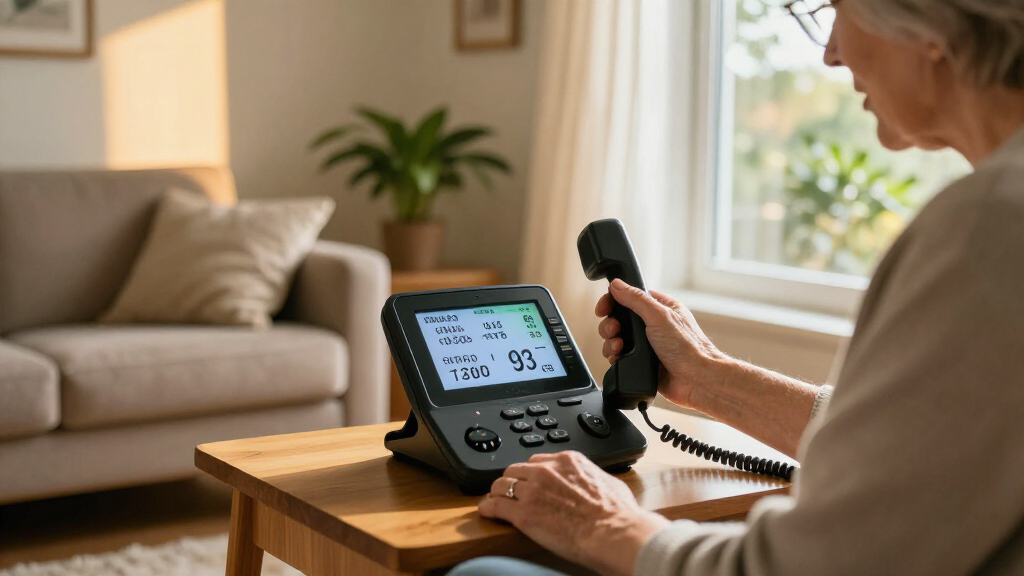
I compared the six phones by how directly they address communication barriers related to hearing loss. The main criteria were whether a model provides call captions or amplified audio, how easy its controls and display are to use, and whether its setup and form factor fit common home routines. I also weighed practical differences such as corded versus cordless use, multiple handsets, and the SOS phone’s pendant.
The ranking favors the Hamilton CapTel 840i as the most balanced option for shoppers specifically seeking captions, with the CapTel 2400iSPNBT following for buyers who prefer a touchscreen. The remaining phones are included as alternatives for people whose primary need is louder sound, cordless mobility, simplified dialing, or emergency access. They are not ranked as substitutes for captioning; a phone that amplifies sound may still leave a caller’s words unclear.
| captioned telephones for hearing loss | Phone type | Amplification | Answering system |
|---|---|---|---|
| JeKaVis J-P02 Amplified Corded | Single-line corded landline | Up to 40 dB | — |
| SOS Big Button Landline Phone | Single-line corded landline | — | — |
| Hamilton CapTel 840i Captioned | Corded captioned telephone | Up to 40 dB gain | Digital, with 18-minute voicemail recording capacity |
| Hamilton CapTel 2400iSPNBT Cap | — | Up to 40 dB | Digital, with 18-minute recording capacity |
| Clarity XLC3.4+ Cordless Phone | — | — | — |
| Clarity AltoPlus Amplified Cor | Corded | — | Digital; records up to 17 minutes |
Factors to Consider When Choosing Captioned Telephones For Hearing Loss
Before choosing a phone, identify the communication barrier you need it to address. A caption display, louder audio, larger controls, and an emergency pendant serve different purposes, and no single feature guarantees that a phone will suit every caller or home.
Do You Need Captions, Amplification, or Both?
Start with what tends to break down during calls: hearing speech, understanding it, or operating the phone. Captioning displays spoken words as text, which can help when amplified sound remains difficult to follow. Amplification raises call volume, but louder audio may not resolve unclear speech and may be uncomfortable for some users. Avoid choosing a standard amplified phone just because it is marketed for hearing loss if reading captions is the main need. If both audio and text support matter, verify the specific model’s functions rather than assuming one feature implies the other.
Check Captioning Service and Connection Requirements
A captioned telephone may rely on an internet connection and a captioning service, so confirm the requirements before purchase. Check whether the intended location has a reliable connection and whether setup requires an account, activation, or specific network equipment. A phone’s caption display is useful only if its service works in the household’s circumstances. Ask about service availability and any eligibility rules that apply where you live. This step can prevent a mismatch that a product feature list alone will not reveal.
Choose Controls That Match the User
Large buttons, a touchscreen, and a simple keypad each suit different habits and abilities. Physical buttons can be easier for users who rely on touch or prefer familiar landline controls, while a touchscreen can provide a larger visual interface but may require more precise taps. Think about vision, dexterity, memory, and whether the phone will be used by one person or several household members. A common mistake is to pick the screen that looks easiest without checking how calls are answered, adjusted, and ended. If possible, compare the actual control layout and display size before deciding.
Balance Corded Stability With Cordless Reach
A corded phone stays in one place and can be straightforward to locate, while cordless handsets let the user take calls in different rooms. More mobility can help someone who has trouble reaching a fixed phone, but it also introduces charging and handset-location routines. Consider where calls usually happen and whether a second handset would be genuinely useful. Do not assume a cordless design provides captions or stronger sound; those capabilities depend on the model. Choose the form factor around daily movement, not convenience claims alone.
Treat Emergency Access as a Separate Requirement
An emergency pendant can address a different need from a phone designed to make conversation easier to understand. Check how the pendant connects to the phone, how it is worn, and whether its intended range suits the home. Also decide who will respond to an alert and whether other household or personal emergency arrangements are already in place. A pendant should not be treated as a captioning feature, and a captioned phone should not automatically be treated as an emergency-response system. If emergency access is a priority, evaluate that function independently from call clarity.
Plan for Setup, Support, and Everyday Use
Consider who will install and maintain the phone, especially if setup involves network access, service activation, or multiple handsets. Review the maker’s instructions and support options before buying, and check what happens if the internet or power is unavailable. This matters particularly for captioned models, since their core text feature may depend on services beyond the handset itself. A more advanced interface can offer a larger display but may take longer for a new user to learn. Pick the model the user can operate consistently, not the one with the longest feature list.
Frequently Asked Questions
Do all phones in this roundup show captions during calls?
No. The Hamilton CapTel 840i and CapTel 2400iSPNBT are the captioned options in this lineup. The JeKaVis, SOS, Clarity XLC3.4+, and Clarity AltoPlus are alternatives focused on features such as amplification, large buttons, cordless use, or an emergency pendant. If reading speech is the main requirement, do not assume an amplified phone offers captions. Confirm the exact model and service details before choosing.
Should I choose the CapTel 840i or the CapTel 2400iSPNBT?
Choose based on the interface you are most comfortable using. The 840i is the more straightforward fit for someone who wants a captioned phone with large physical buttons, while the 2400iSPNBT is better suited to a user who prefers a large touchscreen. Consider vision and dexterity as well as screen size: touchscreen controls may require more precise taps. Also check each model’s setup and connection requirements. If the user is unsure about touch controls, the button-based design is the safer starting point.
Can an amplified phone replace a captioned telephone?
Not if the user specifically needs to read the other person’s words. Amplification makes audio louder, while captioning presents speech as text; these features address different barriers. Some callers may find louder sound sufficient, but volume alone may not help when speech remains difficult to distinguish. The Clarity and other amplified options in this roundup should be viewed as alternatives for users who can follow calls more easily with stronger audio. Match the phone to the user’s actual experience rather than relying on the product category label.
What should I check before setting up a captioned phone?
Check whether the model needs internet access, service activation, or an account to provide captions. Confirm that the planned phone location has a suitable connection and review any service availability or eligibility conditions that apply. Ask who will handle setup if the user is not comfortable with network configuration. It is also sensible to check how calls work during an internet or power interruption. These details can affect day-to-day usefulness even when the phone itself has the desired display and controls.
Is the SOS phone a good choice for someone who needs captions?
The SOS phone’s main distinction is its wireless emergency pendant, not call captioning. It may suit a household that prioritizes an emergency-access feature and wants large-button dialing, but that does not make it a substitute for a CapTel model. If the user needs to read call speech, choose a phone with an explicit captioning function. Some households may need to weigh both communication access and emergency planning, since one feature does not cover the other. Review the pendant’s operation and fit for the home separately from the phone’s call usability.
Conclusion
For a buyer whose priority is reading calls, I recommend the Hamilton CapTel 840i as the best overall because it combines captions with a familiar large-button layout. The CapTel 2400iSPNBT is my best premium-style pick for users who want a large touchscreen, while the 840i is also the best choice for beginners who prefer physical controls. For best value, first decide whether you need captions at all: the JeKaVis may suit someone seeking a simpler amplified, large-button phone, but it is not a captioning replacement. For specific needs, choose the Clarity XLC3.4+ for cordless reach and multiple handsets, or the SOS phone when its emergency pendant is the priority. If louder audio alone is not enough, keep the decision focused on the Hamilton captioned models.