Welcome to our comprehensive Accessibility Tech Gear Checklist 2026, designed specifically for individuals seeking reliable hearing and assistive technology solutions. Whether you’re new to assistive devices or looking to upgrade your current setup, this guide will help you navigate the options with confidence. We focus on practical, user-friendly gear that enhances daily life and communication.

Get everyday helpers delivered free with Prime
- Fast, free delivery on millions of items
- Prime Video, Amazon Music and more included
- Member-only deals all year
This checklist is organized into key categories, including hearing aids, assistive listening devices, vibration alerts, visual signaling, captioning devices, and hearing protection. Each section features carefully selected products, highlighting their strengths and suitability for different needs. Use this guide as a quick reference to identify features, compatibility, and what to prioritize when shopping for accessible tech gear.
To get the most out of this checklist, consider your specific needs, environment, and budget. Think about how each device integrates into your daily routine and whether it complements your existing technology. Remember, the right gear can significantly improve communication, safety, and independence. Happy shopping!
Hearing Aids
Hearing aids are a cornerstone of auditory assistance, especially for those with moderate to severe hearing loss. The OTC Rechargeable Digital Hearing Aids are designed for ease of use, featuring in-ear discreteness and rechargeable batteries for convenience. These devices matter because they provide a cost-effective alternative to traditional hearing aids, with simple controls suitable for seniors and adults alike. When choosing a hearing aid, look for features like adjustable volume, noise reduction, and compatibility with smartphones. Proper fit and comfort are essential, so consider the size and shape of the device relative to your ear anatomy. Ensure that the device offers a secure fit and is easy to insert and remove, especially if you’ll wear it daily.
Beware of common mistakes such as selecting a device without proper fit testing or ignoring compatibility issues with your existing tech. It’s also important to check for features that match your lifestyle, like waterproofing or specific sound profiles. Always consult with an audiologist if possible, to ensure the device aligns with your hearing needs and preferences. Proper maintenance and regular cleaning will extend the lifespan of your hearing aids and keep their performance optimal.
What to look for:
- Rechargeable battery system
- Adjustable volume controls
- Noise reduction features
- Comfortable, secure fit
- Compatibility with smartphones
OTC Rechargeable Digital Hearing Aids for Seniors Adults, In-Ear Discreet Design

These OTC digital hearing aids are designed for seniors and adults with mild-to-moderate hearing loss. They feature automatic noise cancellation, multiple scene modes, adjustable volume, and a long-lasting rechargeable battery, all in a discreet in-ear design that requires no Bluetooth pairing or complex setup.
Pros:
- Discreet and comfortable in-ear design suitable for daily use
- Long-lasting rechargeable battery provides up to 60 hours of use
- Multiple scene modes and adjustable volume for personalized hearing experience
- No need for Bluetooth or complex setup, easy to operate
Cons:
- Limited to mild-to-moderate hearing loss, may not suit severe cases
- Requires manual operation via button, which may be less convenient for some users
- No smartphone app connectivity for advanced customization
Best for: Adults seeking discreet, rechargeable hearing aids
Not ideal for: For severe hearing loss or complex audiometric needs
Bottom line: Reliable, user-friendly hearing aids enhance everyday communication.
Assistive Listening Devices
Assistive Listening Devices (ALDs) like the Listen Technologies LS-31-072 iDSP Essentials Level 2 Stationary RF System are vital for improving sound clarity in challenging environments. This device matters because it helps users hear better in settings like theaters, churches, or lecture halls, where background noise or distance can hinder understanding. When selecting an ALD, consider frequency range, ease of setup, and compatibility with other hearing devices. The LS-31-072 offers a reliable RF connection, ensuring stable audio transmission, which is crucial for effective communication.
Common mistakes include overlooking the range of the device or choosing an incompatible system. Make sure the device supports the necessary channels and is compatible with your existing hearing aids or cochlear implants. Ease of use is also important; look for straightforward controls and clear indicators. Proper placement of the receiver and microphone can dramatically improve performance. Regular maintenance and batteries are necessary to keep the system functioning smoothly, so factor those into your planning.
What to look for:
- Stable RF connectivity
- Ease of setup and operation
- Compatibility with hearing aids
- Adequate transmission range
- Durable build quality
Listen Technologies LS-31-072 iDSP Essentials Level 2 Stationary RF System (72 M

The Listen iDSP Essentials Level 2 Stationary RF System is designed for assistive listening in venues, offering three frequencies for easy installation and management. It provides a long transmission range of up to 457.2 meters (1,500 feet), ensuring comprehensive coverage.
Pros:
- Multiple frequencies for flexible installation
- Long transmission range covers large venues
- Digitally tuned for stable transmission
Cons:
- Limited to 72 MHz frequency band
- Requires technical setup for optimal use
Best for: Individuals attending group or public events
Not ideal for: For personal, everyday use in quiet settings
Bottom line: A dependable ALD enhances understanding in noisy environments.
Vibration Alerts
The Vibration Plate Exercise Machine offers more than just fitness; it’s also an effective alert system for those with hearing impairments. This device vibrates to signal notifications, alarms, or calls, making it a versatile addition to your assistive tech arsenal. It matters because it provides a hands-free method to stay alert, especially during workouts or when you’re away from your phone or other devices. When choosing a vibration alert device, look for adjustable vibration intensity, compatibility with your existing devices, and ease of use. The size and portability can also influence how often and where you can use it.
Many users make the mistake of selecting a device with insufficient vibration strength or poor battery life. Ensuring the device can connect seamlessly to your phone or other alert sources is key to reliable performance. Consider whether the device’s vibration patterns are customizable to suit your preferences. Proper placement—such as on the wrist or near the bed—can maximize effectiveness. Regular charging and maintenance will ensure that your vibration alerts are always ready when needed.
What to look for:
- Adjustable vibration intensity
- Long battery life
- Compatibility with devices
- Portability and ease of use
- Customizable alert patterns
Visual Signaling Devices
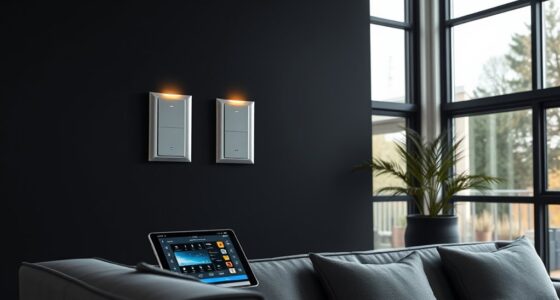
While we don’t list a specific product for visual signaling, understanding what to look for is essential. Visual signaling devices are designed to alert users through flashing lights or visual indicators, making them ideal for environments where sound isn’t an option. They can notify you of doorbells, phone calls, or alarms, ensuring you stay informed. When choosing a visual signaling device, prioritize loud, bright, and customizable alerts. Compatibility with your existing home automation or alert systems can enhance convenience. Placement flexibility is also important—devices should be easily visible from key areas in your home or workspace.
Common mistakes include selecting devices with insufficient brightness or poor visibility, which diminishes effectiveness. Make sure the device’s visual signals are noticeable without being overwhelming. Ease of installation and integration with other assistive tech are additional factors to consider. Regular testing and maintenance will ensure your visual alerts work reliably when needed, providing peace of mind and increased safety.
What to look for:
- Bright, flashing lights
- Customizable alert settings
- Compatibility with home systems
- Ease of installation
- Portability for different locations
Captioning Devices
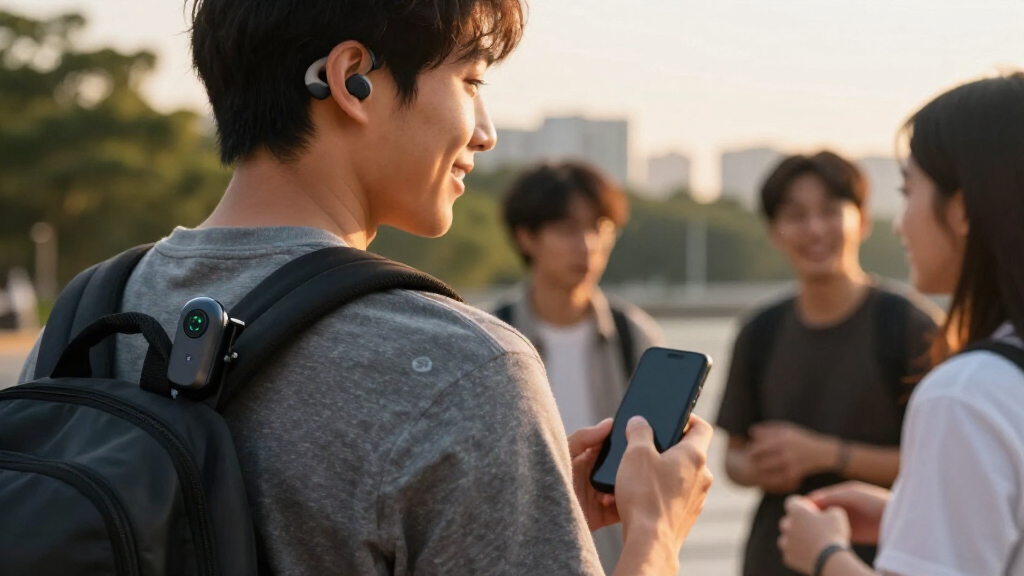
The Speech-to-Text Converter is an indispensable tool for real-time captioning, transforming spoken words into written text instantly. This device matters because it offers a direct communication bridge for those who prefer or require visual cues. When selecting a captioning device, look for accuracy, speed, and ease of use. Compatibility with multiple platforms, such as smartphones and computers, can enhance versatility. Consider whether the device supports multiple languages or dialects if needed, and check for features like customizable text size or color for better readability.
Many users make the mistake of choosing devices with limited vocabulary or slow response times, which can hinder communication. Proper setup and regular updates will improve performance. Reliability is key, so opt for devices with good customer support and warranty options. This technology is especially useful in meetings, classrooms, or social settings, making conversations accessible and inclusive for everyone.
What to look for:
- High accuracy and speed
- Compatibility with devices
- Customizable text display
- Multi-language support
- Ease of setup and maintenance
Speech-to-Text Converter

A device or software that converts spoken words into written text. Suitable for transcription, note-taking, and accessibility purposes.
Pros:
- Facilitates quick transcription of speech to text
- Useful for accessibility and note-taking
Cons:
- Lacks detailed specifications or features
- No user reviews or ratings available
Best for: Students, professionals, and social settings
Not ideal for: For casual or infrequent captioning needs
Bottom line: Instant text conversion enhances communication clarity.
Hearing Protection
Hearing protection devices like Hearing Aids for Seniors with Moderate Hearing Loss are crucial for safeguarding your hearing health. Features such as noise canceling and comfortable fit help users enjoy daily activities without risking further damage. When choosing hearing protection, consider the device’s sound quality, durability, and ease of maintenance. Proper fitting is essential to ensure optimal protection and comfort, especially during extended wear. Additionally, look for features like adjustable volume and environmental noise filtering to customize the experience according to your surroundings.
Common mistakes include selecting devices that don’t fit well or lack sufficient noise reduction capabilities. Regular cleaning and professional check-ups can prolong device lifespan and maintain effectiveness. Always verify compatibility with your specific hearing profile, and consult with an audiologist if possible. Good hearing protection not only preserves your hearing health but also enhances overall quality of life by reducing exposure to harmful noise levels.
What to look for:
- Effective noise canceling
- Comfortable, secure fit
- Adjustable volume control
- Durable and easy to clean
- Compatibility with hearing profiles
Hearing Aids for Seniors Moderate Hearing Loss, Noise Canceling, Rechargeable, V

These rechargeable hearing aids are designed for seniors with moderate hearing loss, featuring noise reduction, whistling suppression, and high-definition sound quality. They are lightweight, comfortable, and easy to operate with one-touch controls, providing up to 80 hours of use on a single charge.
Pros:
- Long-lasting battery life with fast USB-C charging
- Comfortable, lightweight design with customizable ear domes
- Easy to operate with intuitive controls and sound memory
Cons:
- No smartphone app or advanced customization options
- Limited to moderate hearing loss; not suitable for severe cases
- Requires manual adjustment for optimal fit
Best for: Seniors and adults needing reliable hearing protection
Not ideal for: For severe hearing impairment or complex needs
Bottom line: Quality hearing protection safeguards your auditory health.
When approaching your accessibility tech purchases, prioritize your most immediate needs first—whether it’s clear hearing, effective alerts, or visual notifications—and build from there. A systematic, budget-conscious approach ensures you get the most value and functionality without overwhelm. Remember, investing in the right gear can dramatically improve your daily communication, safety, and independence.
Stay confident in your choices and don’t hesitate to seek expert advice or user reviews to guide your decisions. Accessibility technology continues to evolve, offering more options than ever before. With this checklist, you’re well-equipped to make informed, practical purchases that truly enhance your quality of life. Happy shopping and here’s to greater accessibility and empowerment!