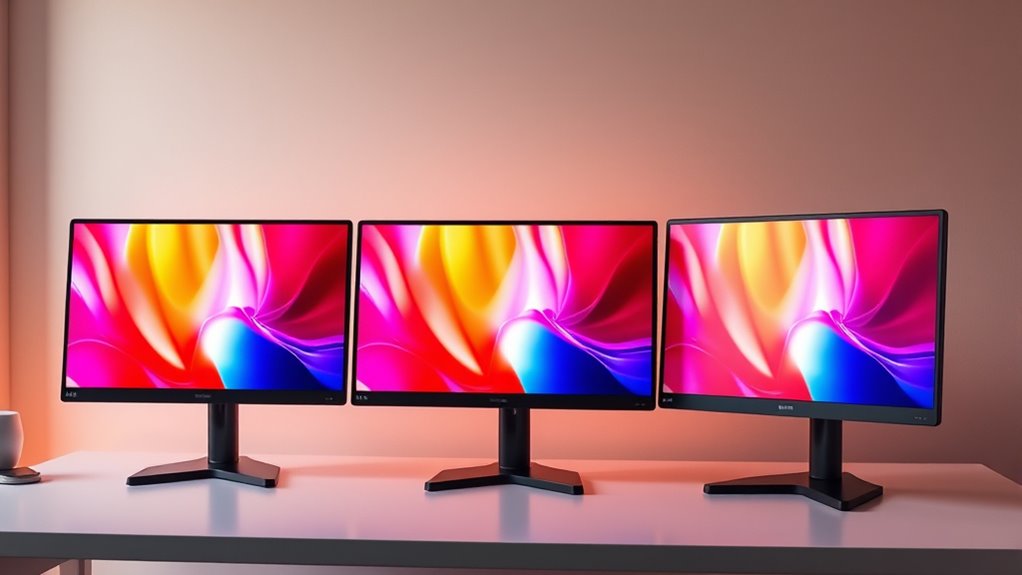

Searching for a 4K color E Ink monitor for a PC means weighing a specific tradeoff: color and detail against the slower refresh and lower resolution of the one E Ink option here. The Bigme B251 is my lead pick for readers who want color E Ink and a front light, while the BenQ RD320U is a more practical 4K choice for long coding sessions. For a faster, more versatile PC screen, the Dell S2725QS brings 120Hz motion and ComfortView Plus, though it is a conventional IPS LCD rather than E Ink.

Get everyday helpers delivered free with Prime
- Fast, free delivery on millions of items
- Prime Video, Amazon Music and more included
- Member-only deals all year
This lineup is not five versions of the same technology. Only the Bigme uses color E Ink; the other four are backlit LCD monitors with different approaches to comfort, sharpness, color, and PC use. I rank them by how well their stated features serve the eye-comfort query while accounting for the basic compromises buyers will notice at a desk: screen technology, resolution, refresh behavior, ergonomics, and connections. If you require true 4K, the Bigme does not meet that resolution; if you require true color E Ink, none of the other four is a substitute.
Key Takeaways
- The Bigme B251 is the only color E Ink monitor here, but its 3200 × 1800 resolution falls short of 4K and its 15Hz refresh rate limits motion-heavy PC use.
- The Dell S2725QS is my PC pick for smoother everyday motion, pairing 4K IPS with 120Hz and ComfortView Plus, but its listed ports are only two HDMI connections.
- The BenQ RD320U suits programmers who want a large 32-inch 4K canvas, matte surface, coding modes, and USB-C; its 60Hz refresh rate and 34.17-pound weight constrain the setup.
- The LG 27UP650K-W offers 4K, 95% DCI-P3, Reader Mode, Flicker Safe, and an adjustable stand, but its 60Hz panel is less fluid than Dell’s 120Hz option.
- The BenQ MA270UP makes the most sense for a MacBook-centered desk, with dual USB-C ports and 90W power delivery; the supplied information does not establish it as a color E Ink display.
| Bigme B251 25.3-Inch Color E Ink Monitor |  | Best Color E Ink Pick | Screen size: 25.3 inches | Display technology: Color E Ink | Resolution: 3200 × 1800 pixels | VIEW ON AMAZON | See Our Full Breakdown |
| Dell 27 Plus 4K Monitor – S2725QS |  | Best for Smooth 4K PC Use | Display size: 27 inches | Resolution: 3840 × 2160 (4K) | Panel: IPS LED | VIEW ON AMAZON | See Our Full Breakdown |
| BenQ RD320U 32” 4K Programming Monitor with Nano Matte Panel and Eye-Care Technology |  | Best for Programming Comfort | Display size: 32 inches | Resolution: 3840 × 2160 (4K UHD) | Display type: LED LCD | VIEW ON AMAZON | See Our Full Breakdown |
| LG 27UP650K-W 27-inch 4K UHD IPS Computer Monitor |  | Best Value for Everyday 4K | Display size: 27 inches | Resolution: 3840 × 2160 (4K UHD) | Panel type: IPS | VIEW ON AMAZON | See Our Full Breakdown |
| BenQ MA270UP 27” 4K Monitor for MacBook with USB-C, P3 Color Gamut, Adjustable Stand |  | Best for a MacBook-Centered Desk | Display size: 27 inches | Resolution: 3840 × 2160 (4K) | Color gamut: P3 | VIEW ON AMAZON | See Our Full Breakdown |
| 4k color e ink monitors for eye comfort | Resolution | Refresh rate | Display size | Response time |
|---|---|---|---|---|
| Bigme B251 25.3-Inch Color E I | 3200 × 1800 pixels | 15 Hz | — | 36 milliseconds |
| Dell 27 Plus 4K Monitor | 3840 × 2160 (4K) | 120 Hz | 27 inches | 0.03 ms |
| BenQ RD320U 32” 4K Programming | 3840 × 2160 (4K UHD) | 60 Hz | 32 inches | — |
| LG 27UP650K-W 27-inch 4K UHD I | 3840 × 2160 (4K UHD) | 60 Hz | 27 inches | 5 ms |
| BenQ MA270UP 27” 4K Monitor fo | 3840 × 2160 (4K) | — | 27 inches | — |
More Details on Our Top Picks
Bigme B251 25.3-Inch Color E Ink Monitor
The Bigme B251 is the only monitor in this group that actually uses color E Ink, which gives it a clear role for buyers who specifically want that display type at a PC desk. Its customizable front light and four refresh modes let users adapt the screen to different tasks, while HDMI, DisplayPort, USB-C, and USB-A provide more connection variety than the listed ports on the Dell. That combination makes the B251 the closest match to the query’s E Ink intent, not a direct winner on resolution.
The important qualification is right in the numbers: its 3200 × 1800 resolution is below 4K, and a 15Hz refresh rate with 36ms response time makes scrolling and video feel far less immediate than on the 120Hz Dell or even the 60Hz LCD choices. At 25.3 inches, it offers a generous work surface, but buyers should expect to trade fluidity for the particular E Ink viewing experience. The glossy finish may also be a poor fit for a desk with strong reflections, especially compared with the matte BenQ RD320U and Dell S2725QS.
I would choose it when color E Ink and a front light are the priorities, and the PC workload is mostly static reading, writing, or reference material. I would skip it for fast scrolling, gaming, frequent video, or any requirement for genuine 3840 × 2160 output. It is the most faithful match to color E Ink, but buyers must accept that it does not satisfy the title’s 4K criterion.
Pros:- The only color E Ink screen in this comparison
- Customizable front light and four refresh modes
- HDMI, DisplayPort, USB-C, and USB-A connectivity
- Large 25.3-inch display with voice command support
Cons:- 3200 × 1800 resolution is below 4K
- 15Hz refresh and 36ms response time are limiting for motion
- Glossy finish can reflect ambient light
Best for: PC users who prioritize color E Ink, a customizable front light, and multiple input types for mostly static work.
Not ideal for: Buyers who require true 4K resolution, fluid scrolling, gaming, or a matte screen surface.
- Screen size:25.3 inches
- Display technology:Color E Ink
- Resolution:3200 × 1800 pixels
- Refresh rate:15 Hz
- Response time:36 milliseconds
- Screen finish:Glossy
- Front light:Customizable
- Connectivity:HDMI, DisplayPort, USB-C, USB-A
Our verdict“Choose the Bigme B251 for color E Ink on a PC, provided its below-4K resolution and slow refresh fit your workload.”
Dell 27 Plus 4K Monitor – S2725QS
For a PC user who wants a conventional 4K screen with comfortable-use features and responsive motion, the Dell S2725QS is the most balanced alternative in this lineup. Its 27-inch IPS panel combines 3840 × 2160 resolution and a 120Hz refresh rate, a pairing the E Ink Bigme cannot match for sharpness or scrolling speed. ComfortView Plus is described as reducing blue light, and the matte finish is a practical contrast with Bigme’s glossy surface.
The Dell’s 99% sRGB coverage, 350-nit brightness, and 1500:1 contrast ratio support general productivity and media viewing, while AMD FreeSync Premium is a bonus for compatible gaming setups. This is still an LED IPS display, not E Ink, and the product information does not establish that its eye-comfort feature eliminates fatigue or replaces sensible lighting and breaks. The listed connections are a narrower point: two HDMI ports are specified, with no USB-C or DisplayPort mentioned, so users with a PC and several peripherals may need to plan their cabling.
Compared with the 60Hz LG 27UP650K-W, Dell’s higher refresh rate makes moving windows and scrolling feel more fluid. Compared with the 32-inch BenQ RD320U, it gives up screen area and coding modes but offers faster motion and a more compact footprint. I rank it ahead of those LCD alternatives for a broad PC setup because it brings together 4K, 120Hz, matte finish, and named comfort technology. It is my practical PC lead for smooth 4K, not a choice for shoppers set on E Ink.
Pros:- 4K resolution with a 120Hz refresh rate
- ComfortView Plus blue-light reduction feature
- Matte finish and 99% sRGB color coverage
- AMD FreeSync Premium and integrated speakers
Cons:- Only two HDMI ports are specified
- No USB-C or DisplayPort connection is listed in the supplied details
- Integrated speakers may not suit buyers seeking stronger audio
Best for: PC owners seeking a 27-inch 4K IPS display with 120Hz motion and stated blue-light reduction.
Not ideal for: Buyers who need color E Ink, USB-C display connectivity, or more than two specified HDMI inputs.
- Display size:27 inches
- Resolution:3840 × 2160 (4K)
- Panel:IPS LED
- Refresh rate:120 Hz
- Response time:0.03 ms
- Brightness:350 nits
- Color gamut:99% sRGB
- Ports listed:2 HDMI
- Finish:Matte
Our verdict“For a PC desk that needs sharp 4K and smoother motion, I would pick the Dell, while accepting that it is an LCD and has limited listed ports.”
BenQ RD320U 32” 4K Programming Monitor with Nano Matte Panel and Eye-Care Technology
The BenQ RD320U is the desk-focused pick for people who spend much of the day reading code and want a large 4K canvas. Its 32-inch panel, nano matte finish, coding modes with light and dark themes, and night-hours protection speak directly to prolonged text work. The matte surface can help reduce distracting reflections, while the coding modes let a user choose a presentation that suits a room and task. USB-C is listed, an advantage over the Dell’s specified HDMI-only connections.
Its 60Hz refresh rate is standard for office work but clearly behind the Dell’s 120Hz if smooth scrolling, gaming, or rapid motion is a priority. The stated 2000:1 contrast ratio is a useful distinction from the Dell’s 1500:1, though panel type is given as LED LCD rather than E Ink. The RD320U offers a broader workspace than the 27-inch LG and BenQ MA270UP, but that size comes with a considerable 34.17-pound weight; check desk and arm capacity before building around it. Only USB-C is named in the supplied connectivity details, so buyers should verify whether their intended PC connection and peripherals are covered.
I place it behind Dell for general PC versatility because the Dell’s faster refresh is more adaptable across mixed tasks. For coding-heavy work, though, the RD320U’s screen size and modes can make it the stronger fit. It remains a backlit LCD, so it cannot deliver the display behavior of Bigme’s E Ink panel. Choose it for a spacious, reflection-conscious coding setup; skip it if you want a light monitor or high refresh for games.
Pros:- Large 32-inch 4K workspace
- Nano matte panel designed to reduce reflections
- Coding modes, night-hours protection, and customizable backlight
- USB-C connectivity is specified
Cons:- 60Hz refresh rate is less fluid than the Dell’s 120Hz
- 34.17-pound weight calls for a sturdy desk or compatible mount
- Supplied connectivity details do not list additional ports
Best for: Developers who want a large 4K screen, matte surface, coding modes, and USB-C for a workstation.
Not ideal for: Fast-paced gamers, buyers seeking E Ink, or users with a desk setup that cannot support a heavy display.
- Display size:32 inches
- Resolution:3840 × 2160 (4K UHD)
- Display type:LED LCD
- Contrast ratio:2000:1
- Refresh rate:60 Hz
- Finish:Nano matte
- Aspect ratio:16:9
- Connectivity listed:USB Type-C
- Weight:34.17 pounds
Our verdict“The RD320U is my coding pick for a large, matte 4K LCD, though its weight and 60Hz refresh limit its appeal for other setups.”
LG 27UP650K-W 27-inch 4K UHD IPS Computer Monitor
The LG 27UP650K-W brings together the core features many PC users want from a desk monitor: 27-inch 4K resolution, an adjustable stand, broad color coverage, and named eye-comfort settings. Its 95% DCI-P3 coverage gives it a wider stated gamut than the Dell’s 99% sRGB figure, though those are different color-space measurements and should not be treated as directly interchangeable. Reader Mode and Flicker Safe are the comfort features listed, while height, tilt, and pivot adjustments help users place the screen at a workable position.
Compared with the Dell S2725QS, the LG is capped at 60Hz instead of 120Hz, so the Dell is the better fit for fast scrolling, compatible gaming, and a more fluid desktop. The LG’s color and adjustable stand may appeal more to users focused on media, documents, and flexible positioning. It also offers HDR 400 and webOS streaming, whereas the Dell’s supplied description highlights FreeSync and integrated speakers. Like those two, the LG is an IPS LCD; Reader Mode and Flicker Safe do not make it an E Ink screen.
The LG lands below the BenQ RD320U because it lacks the latter’s 32-inch coding-focused design and named night-hours protection, yet it may suit a wider range of mixed home-office uses than a specialized coding monitor. Its HDMI and DisplayPort connections make a straightforward PC setup possible. This is a sensible all-round 4K LCD choice if 60Hz is enough and an adjustable stand matters more than the Dell’s faster refresh.
Pros:- 4K IPS panel with 95% DCI-P3 coverage
- Reader Mode and Flicker Safe features
- Height, tilt, and pivot stand adjustments
- HDMI and DisplayPort connectivity
Cons:- 60Hz refresh is below the Dell’s 120Hz
- 5ms response time may not satisfy competitive gamers
- Supplied details describe an LCD, not color E Ink
Best for: PC users who want 27-inch 4K, a flexible stand, wide-gamut color, and Reader Mode for everyday work.
Not ideal for: Buyers who need color E Ink, 120Hz motion, or a screen tuned specifically for extended coding sessions.
- Display size:27 inches
- Resolution:3840 × 2160 (4K UHD)
- Panel type:IPS
- Refresh rate:60 Hz
- Response time:5 ms
- Color gamut:95% DCI-P3
- Eye-comfort features:Reader Mode, Flicker Safe
- Stand adjustments:Height, tilt, pivot
- Connectivity:HDMI, DisplayPort
Our verdict“I recommend the LG for everyday 4K PC work when stand flexibility and Reader Mode matter more than 120Hz motion.”
BenQ MA270UP 27” 4K Monitor for MacBook with USB-C, P3 Color Gamut, Adjustable Stand
The BenQ MA270UP is the most specialized option for buyers whose PC desk is built around a MacBook. Its 27-inch 4K resolution, P3 color gamut, two USB-C ports, and 90W power delivery support a tidy laptop-to-monitor connection that can carry display and charging. The stand adjusts for height, tilt, swivel, and pivot, and integrated controls for MacBook brightness and volume make it more tailored to that ecosystem than any other screen here.
That specialization also sets its limits. The supplied description says it is calibrated for MacBook and highlights MacBook controls; Windows PC buyers should confirm which of those controls and color behaviors apply to their setup. The listing does not specify a refresh rate, response time, or named eye-care technology, so it is hard to compare its motion or comfort directly with Dell’s 120Hz panel and ComfortView Plus. And although this monitor meets the 4K part of the query, its stated display type is not color E Ink. P3 color and laptop power delivery serve a different goal from the Bigme’s E Ink focus.
Compared with the LG, the MA270UP offers more USB-C charging and Mac integration, while the LG gives explicit HDMI and DisplayPort connections plus Reader Mode and Flicker Safe. Compared with the Dell, BenQ is a more convenient fit for a MacBook dock but lacks the Dell’s listed refresh and eye-comfort details. I place it fifth for this particular search because its strongest differentiators are platform-specific. For a MacBook workstation, however, the single-cable convenience and adjustable stand can outweigh that mismatch.
Pros:- 4K resolution with P3 color gamut
- Two USB-C ports with 90W power delivery
- Stand supports height, tilt, swivel, and pivot
- MacBook brightness and volume controls are integrated
Cons:- Product features are centered on MacBook compatibility
- Refresh rate and response time are not specified in the supplied details
- No built-in speakers are mentioned
Best for: MacBook owners who want a 27-inch 4K P3 display, adjustable positioning, and USB-C charging from the monitor.
Not ideal for: Shoppers requiring color E Ink, clearly specified eye-comfort technology, or a monitor primarily chosen for Windows PC features.
- Display size:27 inches
- Resolution:3840 × 2160 (4K)
- Color gamut:P3
- Connectivity:2 HDMI, 2 USB-C
- USB-C power delivery:90 W
- Additional charging:15 W for iPad or iPhone
- Stand adjustments:Height, tilt, swivel, pivot
- Platform features:MacBook brightness and volume controls
Our verdict“Choose the MA270UP for a MacBook-centered 4K desk with USB-C charging, but look elsewhere for E Ink or documented eye-care features.”

How We Picked
I judged each screen against the title’s two promises: 4K resolution and color E Ink, then checked how well its supplied features support comfortable PC use. That distinction matters because the list contains just one color E Ink display, and it is 3200 × 1800 rather than 3840 × 2160. I did not treat an LCD with eye-care features as equivalent to E Ink; instead, I considered it as an alternative for buyers who prioritize 4K, smoothness, or workstation ergonomics.
My order reflects distinct use cases. The Bigme ranks first for the defining E Ink angle, despite failing the strict 4K requirement. Dell ranks next for a PC setup where 4K clarity, 120Hz motion, and stated blue-light reduction matter together. BenQ’s RD320U follows for coding comfort and screen area, then LG for a balanced 27-inch 4K LCD with color coverage and adjustable positioning. The BenQ MA270UP is last for this particular query because the supplied details emphasize MacBook integration and P3 color, not E Ink or named eye-care technology. Its USB-C features still make it a relevant Mac desk alternative.
I used only the specifications and descriptions supplied for these products. Where a detail is absent—such as a port type, speaker quality, or a particular eye-care certification—I do not assume it is present. Refresh rate, response time, finish, display type, screen size, connection options, and stand adjustment all affect PC suitability, so each has a place in the comparison. My rankings are a guide to matching stated features with buyer needs, not a claim of clinical eye-health benefit.
Factors to Consider When Choosing 4k Color E Ink Monitors For Eye Comfort
I would begin by deciding which part of the phrase “4K color E Ink” is non-negotiable. In this group, those qualities do not appear together: the Bigme is color E Ink but below 4K, while the four 4K choices are LCD monitors. Once that is clear, match the screen to your PC workload and desk.Choose between E Ink and true 4K
The Bigme B251 is the sole color E Ink option here, but its 3200 × 1800 resolution is below 3840 × 2160. That means a buyer cannot get both specified traits from this shortlist. If E Ink is the deciding feature, accept the resolution compromise and consider whether 15Hz is sufficient for reading, writing, and other mostly static tasks. If 4K is mandatory, select among the LCD models and treat their eye-care tools as features of a conventional backlit display, not as E Ink.
Match refresh rate to the way you use a PC
Refresh rate matters most when content moves. At 120Hz, the Dell S2725QS has the clearest advantage for frequent scrolling, window movement, and compatible games. The LG and RD320U specify 60Hz, which is suited to ordinary office tasks but less fluid by comparison. Bigme’s 15Hz and 36ms response time put it in a separate category: it is a specialist for a slower, more static workflow, not a general-purpose screen for rapid motion. The MA270UP’s refresh rate is not provided, so buyers should check that specification if motion performance affects their choice.
Look at comfort features and screen finish together
Comfort is not one specification. Bigme offers a customizable front light; Dell lists ComfortView Plus and a matte finish; LG lists Reader Mode and Flicker Safe; BenQ RD320U adds a nano matte panel, coding modes, night-hours protection, and a customizable backlight. These descriptions point to different ways of setting up a screen, but none establishes a guaranteed result for every viewer. Room lighting, brightness, viewing distance, text size, and breaks still affect how comfortable a monitor feels. The glossy Bigme may also reflect more light than the matte LCD options, depending on the room.
Size, stand, and connection choices affect daily use
For a compact 27-inch desk, the Dell, LG, and MA270UP share a familiar screen size; the LG explicitly offers height, tilt, and pivot, while BenQ’s MacBook model adds swivel. The RD320U expands to 32 inches, a benefit for large code windows or side-by-side documents, but weighs 34.17 pounds and asks more of the desk or mount. Port planning is just as practical: Bigme lists HDMI, DisplayPort, USB-C, and USB-A; LG lists HDMI and DisplayPort; Dell lists two HDMI ports; RD320U lists USB-C; and the MA270UP supplies two HDMI and two USB-C ports with up to 90W laptop charging. Confirm compatibility with the exact PC or dock you intend to connect.
Do not treat color-gamut figures as direct equivalents
LG specifies 95% DCI-P3, Dell lists 99% sRGB, and BenQ MA270UP names a P3 gamut. These figures refer to color spaces that cover different ranges, so a larger percentage in one is not automatically better than a smaller percentage in another. For a PC used for general documents, text clarity and positioning may matter more. For creative work, check the color requirements of your software and workflow, and seek calibration details suited to that work rather than relying on a single gamut figure.
Frequently Asked Questions
Is there a true 4K color E Ink monitor in this comparison?
No. The Bigme B251 is the only color E Ink monitor listed, and its resolution is 3200 × 1800. The Dell, LG, and two BenQ monitors specify 3840 × 2160 resolution, but their supplied descriptions identify them as LCD or do not describe them as E Ink. I would treat the title’s two criteria as separate choices when deciding among these products.
Which option is the strongest choice for a Windows PC?
For a general PC setup, I would start with the Dell S2725QS because it combines 4K IPS resolution, 120Hz refresh, a matte finish, and ComfortView Plus. Its listed connections are two HDMI ports, so check that they suit your computer and other devices. A coding-focused PC user may prefer the larger BenQ RD320U, while someone who specifically wants color E Ink should look at Bigme and accept its slower refresh and lower resolution.
Does a monitor with eye-care features guarantee less eye strain?
No feature list can guarantee that a particular monitor will feel comfortable for every viewer. The Dell, LG, and RD320U name specific comfort features, and Bigme offers a customizable front light, but these products remain different display types with different behavior. Brightness, room lighting, text scale, viewing distance, and personal sensitivity all matter. I would use the listed features as selection clues, then set the monitor to suit the room and task.
Is the Bigme B251 suitable for everyday PC work?
It can suit PC work that involves reading, writing, and reference material, especially for a buyer who specifically wants color E Ink and a front light. Its 15Hz refresh rate and 36ms response time are significant limitations for smooth scrolling, video, and games, and 3200 × 1800 is below 4K. The Dell is a better fit for fast-moving general PC use, while the Bigme is for buyers who prioritize its distinct display technology.
Which monitor works best with a MacBook?
The BenQ MA270UP is the most directly tailored to a MacBook, with P3 color, brightness and volume controls, and two USB-C ports that provide up to 90W power delivery. Its four-way stand adjustment adds flexibility to the desk setup. The LG and Dell are also 27-inch 4K alternatives, but the details provided emphasize different features. Buyers who use Windows should verify how much of the BenQ’s MacBook-specific control integration applies to their computer.
Conclusion
My recommendation depends on which compromise you are prepared to make. For color E Ink on a PC, choose the Bigme B251 if static work and 3200 × 1800 resolution meet your needs. For the strongest all-around 4K PC alternative with smooth motion, I would choose the Dell S2725QS. Developers who want a larger matte coding workspace should look at the BenQ RD320U; everyday 4K users who value an adjustable stand and Reader Mode have a good fit in the LG 27UP650K-W. MacBook owners who want USB-C charging and P3 color should consider the BenQ MA270UP. None combines true 4K and color E Ink, so that distinction should guide the final choice.
Halloween Picks
halloween
As an affiliate, we earn on qualifying purchases.