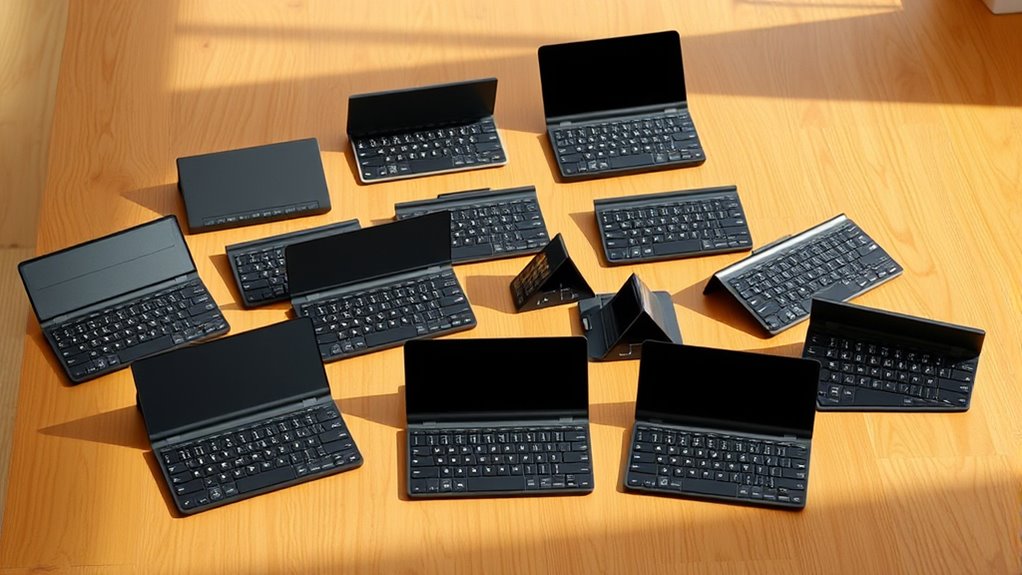

For a balance of full-size typing and portability, the ProtoArc XK01 is my best overall pick in this foldable Bluetooth keyboard roundup. The TECKNET with number pad suits spreadsheet work, while the Samsers with touchpad is a better fit for phone and tablet use without a separate mouse. The main tradeoff is between a wider typing layout and a smaller folded footprint; adding a touchpad or number pad can also change how easily a keyboard packs. I compare all 14 options by layout, travel convenience, and the work each is designed to handle. Read on for the full breakdown and help choosing the right fit.

Get everyday helpers delivered free with Prime
- Fast, free delivery on millions of items
- Prime Video, Amazon Music and more included
- Member-only deals all year
Key Takeaways
- The ProtoArc XK01 stands out as the balanced full-size option, while the XK04 is the compact alternative for buyers who put carry size first.
- Number pads appear on both TECKNET options, making them more suited to data entry than touchpad-first designs.
- Touchpad models such as the Samsers, iClever BK08, and ProtoArc XK01 TP combine typing and pointer control, but ask buyers to choose a more feature-packed layout.
- The ProtoArc XKM01 pairs a keyboard with a mouse, a useful choice when pointer control matters more than carrying a single device.
- The lineup includes several similar Samsers and ProtoArc models; buyers should compare the exact layout and included features rather than relying on brand or model family alone.
| TECKNET Foldable Rechargeable Bluetooth Keyboard with Number Pad |  | Best for Multi-Device Number Entry | Model: TK-KB046 | Layout: 99-key QWERTY | Connectivity: Bluetooth and USB-A receiver | VIEW ON AMAZON | See Our Full Breakdown |
| Samsers Foldable Bluetooth Keyboard with Touchpad |  | Best for Phone-First Setups | Connectivity: Bluetooth | Layout: 64-key QWERTY | Compatible operating systems: iOS, Android, Windows | VIEW ON AMAZON | See Our Full Breakdown |
| Samsers Foldable Bluetooth Keyboard with Touchpad, Gray |  | Best for Cross-Platform Touchpad Use | Model: KT03 | Connectivity: Bluetooth | Layout: 64-key QWERTY | VIEW ON AMAZON | See Our Full Breakdown |
| ProtoArc XK01 Full-Size Foldable Bluetooth Keyboard, Black |  | Best for Full-Size Travel Typing | Keys: 105 | Keycap size: 0.65 in | Folded dimensions: 8.46 × 4.68 × 0.78 in | VIEW ON AMAZON | See Our Full Breakdown |
| Wireless Foldable Bluetooth Keyboard Full-Size for Travel, Black |  | Best for Clicky Key Preference | Layout: QWERTY, full-size | Connectivity: Bluetooth; listing also names USB-C | Compatibility: Laptop, PC, smartphone, tablet | VIEW ON AMAZON | See Our Full Breakdown |
| ProtoArc XKM01 Full-Size Foldable Keyboard and Mouse Combo |  | Best Full-Desk Travel Kit | Layout: QWERTY, 105 keys | Connectivity: Bluetooth and 2.4G USB | Device switching: Up to 3 devices | VIEW ON AMAZON | See Our Full Breakdown |
| ProtoArc XK04 Foldable Compact Keyboard for Phones and Tablets, Black |  | Best Lightweight Three-Device Pick | Model: XK04 | Layout: QWERTY; listed as 65 keys, with conflicting product data | Connectivity: Bluetooth 5.1 | VIEW ON AMAZON | See Our Full Breakdown |
| ProtoArc Backlit Foldable Keyboard XK01 Plus Bluetooth Portable Keyboard for Travel |  | Best for Dim Workspaces | Layout: Full size, 105 keys | Folding design: Tri-fold | Backlight: White, 3 adjustable brightness levels | VIEW ON AMAZON | See Our Full Breakdown |
| iClever BK08 Foldable Keyboard with Touchpad for Phone and Tablet, Gray |  | Best Pocketable Keyboard with Touchpad | Layout: 65 keys | Dimensions: 6.23 × 3.54 × 0.59 inches | Weight: 7.05 oz | VIEW ON AMAZON | See Our Full Breakdown |
| TECKNET Foldable Bluetooth Keyboard with Touchpad and Numpad |  | Best Multifunction Compact Pick | Model: TK-KB035 | Layout: 64-key QWERTY | Connectivity: Bluetooth | VIEW ON AMAZON | See Our Full Breakdown |
| Foldable Bluetooth Keyboard with Touchpad, Rechargeable, Space Gray |  | Best Compact Touchpad Pick | Connectivity: Bluetooth | Touchpad: Multi-touch | Battery: Rechargeable lithium battery | VIEW ON AMAZON | See Our Full Breakdown |
| PopBloom Foldable Bluetooth Keyboard |  | Best Lightweight Quiet-Key Pick | Connectivity: Bluetooth | Keyboard layout: QWERTY | Design: Foldable, portable, full-size | VIEW ON AMAZON | See Our Full Breakdown |
| ProtoArc XK01 TP Foldable Keyboard with Touchpad, Black |  | Best for Multi-Device Setups | Keyboard layout: QWERTY, 88 keys | Design: Tri-fold | Keycaps: 0.65 in | VIEW ON AMAZON | See Our Full Breakdown |
| Samsers Full-Size Foldable Bluetooth Keyboard |  | Best Accessory Bundle | Connectivity: Bluetooth 5.1 | Compatible devices: Laptop, PC, smartphone, tablet | Device connections: Up to 3 | VIEW ON AMAZON | See Our Full Breakdown |
| foldable bluetooth keyboard | Connectivity | Layout | Weight | Compatibility |
|---|---|---|---|---|
| TECKNET Foldable Rechargeable | Bluetooth and USB-A receiver | 99-key QWERTY | — | — |
| Samsers Foldable Bluetooth Key | Bluetooth | 64-key QWERTY | 5.53 oz | — |
| Samsers Foldable Bluetooth Key | Bluetooth | 64-key QWERTY | 5.53 ounces | — |
| ProtoArc XK01 Full-Size Foldab | — | — | — | — |
| Wireless Foldable Bluetooth Ke | Bluetooth; listing also names USB-C | QWERTY, full-size | — | Laptop, PC, smartphone, tablet |
| ProtoArc XKM01 Full-Size Folda | Bluetooth and 2.4G USB | QWERTY, 105 keys | 1.5 pounds | Android, Chrome OS, macOS, Windows, iOS, iPadOS |
| ProtoArc XK04 Foldable Compact | Bluetooth 5.1 | QWERTY; listed as 65 keys, with conflicting product data | 7.8 oz | Android, Windows |
| ProtoArc Backlit Foldable Keyb | Bluetooth 5.1 | Full size, 105 keys | — | Android, Windows, iOS, Mac OS |
| iClever BK08 Foldable Keyboard | Bluetooth; no USB receiver | 65 keys | 7.05 oz | Windows, macOS, iOS, Android, Chrome OS |
| TECKNET Foldable Bluetooth Key | Bluetooth | 64-key QWERTY | — | iOS, Windows, Android, macOS |
| Foldable Bluetooth Keyboard wi | Bluetooth | — | — | iOS, Android, Windows, Linux |
| PopBloom Foldable Bluetooth Ke | Bluetooth | — | 5.53 ounces | — |
| ProtoArc XK01 TP Foldable Keyb | Bluetooth 5.1 | — | — | — |
| Samsers Full-Size Foldable Blu | Bluetooth 5.1 | — | 9.1 oz | — |
More Details on Our Top Picks
TECKNET Foldable Rechargeable Bluetooth Keyboard with Number Pad
The TECKNET TK-KB046 suits travelers who still need a number pad for spreadsheets, forms, or frequent data entry. Its 99-key layout folds down to a stated 7.26 × 4.52 × 0.9 inches, and three-device switching lets one keyboard serve a laptop, tablet, and phone. Compared with the ProtoArc XK01, it offers a similarly practical full-size style with a slightly different key count, while the Samsers touchpad models save space by dropping the number pad. Quiet scissor-switch keys and USB-C recharging support work in shared spaces and away from an outlet. The tradeoff is that the USB-C cable charges only; the listed USB-A receiver may be useful for compatible devices, but it is not a wired connection. Warranty coverage also requires registration.
Pros:- Folds into a compact form for travel
- Pairs with up to three devices
- Includes a numeric keypad and multimedia shortcuts
- Quiet keys and rechargeable battery suit mobile work
Cons:- USB-C cable is for charging only
- Warranty requires registration
Best for: Traveling spreadsheet users who switch among a laptop, tablet, and phone and need a numeric keypad.
Not ideal for: Buyers who want a built-in trackpad, a wired USB-C typing connection, or a keyboard without warranty registration steps.
- Model:TK-KB046
- Layout:99-key QWERTY
- Connectivity:Bluetooth and USB-A receiver
- Device compatibility:Laptop, tablet, smartphone
- Operating systems:Windows, Mac, iOS, Android
- Folded dimensions:7.26 × 4.52 × 0.9 inches
- Features:Foldable, rechargeable, lightweight, quiet
- Warranty:36 months; registration required
Our verdict“Choose the TECKNET if you need a foldable keyboard with a number pad and multi-device pairing more than a built-in trackpad.”
Samsers Foldable Bluetooth Keyboard with Touchpad
The Samsers foldable keyboard with touchpad is built for a phone or tablet setup where carrying a separate mouse would defeat the point of going light. Its 64-key layout, multi-touch trackpad, and phone stand combine typing and basic pointer control in one portable kit; at 5.53 ounces, it is lighter to pack than the full-size ProtoArc XK01, which adds a number pad and more keys. That compact layout has a cost: anyone entering figures or using navigation keys all day may find the TECKNET more suitable. Battery life is listed at up to 48 hours, with a 2–3 hour charge time. Compatibility has limits too: older iOS and Android versions do not support the trackpad, and the keyboard is not water resistant.
Pros:- Combines a foldable keyboard, multi-touch trackpad, and phone stand
- Weighs 5.53 ounces for a light travel load
- Supports iOS, Android, and Windows devices
- Listed battery life is up to 48 hours
Cons:- 64-key layout omits a numeric keypad
- Trackpad support excludes older iOS and Android versions
- Not water resistant
Best for: Phone and tablet users who want a lightweight typing setup with a built-in stand and pointer control.
Not ideal for: Buyers who need a numeric keypad, protection from spills, or trackpad support on older mobile operating systems.
- Connectivity:Bluetooth
- Layout:64-key QWERTY
- Compatible operating systems:iOS, Android, Windows
- Weight:5.53 oz
- Battery life:Up to 48 hours
- Charging time:2–3 hours
- Wireless range:Up to 10 m
- Features:Foldable, multi-touch trackpad, phone stand, hotkeys and media keys
Our verdict“Pick this Samsers model for a compact phone or tablet workstation, but choose the TECKNET if number entry matters more than an integrated trackpad.”
Samsers Foldable Bluetooth Keyboard with Touchpad, Gray
The gray Samsers KT03 fills much the same compact role as the black Samsers touchpad keyboard, with listed support extending to Mac OS alongside iOS, Android, and Windows. Its 64-key scissor-switch layout, built-in trackpad, and phone stand make it easier to work from a compatible mobile device without packing a mouse. At 5.53 ounces, it prioritizes portability over the broader typing area of the TECKNET TK-KB046, whose number pad is more useful for data entry. The KT03 charges via USB-C and is listed for up to 48 hours per charge, but older iOS and Android versions are excluded from trackpad support. Its lack of water resistance also calls for care when using it on the go.
Pros:- Built-in multi-touch trackpad and phone stand reduce accessories to carry
- Listed compatibility includes Mac OS, Windows, iOS, and Android
- Scissor-switch keys and USB-C charging
- Weighs 5.53 ounces and is listed for up to 48 hours of use
Cons:- 64-key layout lacks a numeric keypad
- Trackpad does not support older iOS and Android versions
- Not water resistant
Best for: Travelers with a compatible Mac, Windows, iOS, or Android device who want a compact keyboard and touchpad together.
Not ideal for: People who rely on a number pad, use older mobile operating systems, or need a water-resistant keyboard.
- Model:KT03
- Connectivity:Bluetooth
- Layout:64-key QWERTY
- Switch type:Scissor switch
- Compatible operating systems:iOS, Android, Windows, Mac OS
- Battery life:Up to 48 hours
- Charging:USB-C
- Weight:5.53 ounces
- Dimensions:11.89 × 3.85 × 0.2 inches
Our verdict“Choose the KT03 for a compact, cross-platform touchpad setup, while the TECKNET is a better fit for number-heavy work.”
ProtoArc XK01 Full-Size Foldable Bluetooth Keyboard, Black
The ProtoArc XK01 is the clearest choice here for buyers who want a full-size typing layout in a foldable package. Its 105 keys, number pad, and navigation keys give it a more complete desktop feel than either 64-key Samsers touchpad model, though those alternatives make more room for pointer control and a phone stand. The tri-fold body measures 8.46 × 4.68 × 0.78 inches when folded, and Bluetooth 5.1 supports switching among up to three devices. Quiet scissor switches and 12 dedicated media and function shortcuts suit shared workspaces. The tradeoff is that a full-size layout remains bulkier than a compact phone-first keyboard, and the listed 150-day figure is standby time, not active typing time.
Pros:- 105-key layout includes a number pad and navigation keys
- Switches among up to three Bluetooth devices
- Tri-fold design with hinges tested for 10,000+ folds
- Quiet scissor switches and 12 dedicated shortcuts
Cons:- Full-size key layout takes more space than compact touchpad models
- 150-day battery figure refers to standby, not active use
Best for: Remote workers and frequent travelers who need a number pad and navigation keys across several Bluetooth devices.
Not ideal for: Phone-first travelers who prioritize the smallest possible kit or need a built-in trackpad and stand.
- Keys:105
- Keycap size:0.65 in
- Folded dimensions:8.46 × 4.68 × 0.78 in
- Bluetooth:Version 5.1; connects to up to 3 devices
- Battery:USB-C rechargeable; up to 150 days standby
- Hinge durability:Tested for 10,000+ folds
- Switch type:Scissor switch
- Shortcuts:12 dedicated media and function shortcuts
Our verdict“Choose the XK01 if you want the most complete typing layout in this group and can spare more bag space than a compact touchpad keyboard needs.”
Wireless Foldable Bluetooth Keyboard Full-Size for Travel, Black
This full-size tri-fold keyboard stands apart from the quieter ProtoArc XK01 with its clicky switches and metal hinge, giving buyers a more pronounced typing response in a foldable design. It includes a numeric keypad, Mac-specific Command and Option keys, and Windows Ctrl keys, so it can cover familiar shortcuts across different device setups. The listing describes switching among up to three devices and long standby battery life, though it does not state a runtime figure. Compared with the TECKNET TK-KB046, this model emphasizes a durable hinge and cross-platform key markings, while the TECKNET supplies specific operating-system compatibility and a stated folded size. No backlighting means dim rooms are a weak point, and the compact full-size design may still feel cramped to buyers used to a desktop keyboard.
Pros:- Tri-fold design includes a full numeric keypad
- Pairs with up to three devices with quick switching
- Metal hinge is described as durable and drop-resistant
- Mac and Windows shortcut keys support familiar layouts
Cons:- Clicky switches may be disruptive in quiet shared spaces
- No backlighting for low-light typing
- No wired typing option; USB-C is listed as connectivity but the description specifies Bluetooth
Best for: Travel typists who prefer clicky keys, need a number pad, and switch between Android or Windows devices.
Not ideal for: People who work in dim rooms, need quiet key presses, or want a wired typing mode or broader listed OS compatibility.
- Layout:QWERTY, full-size
- Connectivity:Bluetooth; listing also names USB-C
- Compatibility:Laptop, PC, smartphone, tablet
- Supported operating systems:Android, Windows
- Switch type:Clicky
- Battery:USB-C rechargeable with long standby
- Build:Metal hinge, described as drop-resistant
- Additional features:Media shortcuts, Mac Command and Option keys, Windows Ctrl keys
Our verdict“Pick this model if you want a foldable number pad and clicky keys, but the quieter ProtoArc XK01 is better suited to shared workspaces.”
ProtoArc XKM01 Full-Size Foldable Keyboard and Mouse Combo
The XKM01 is the most desk-oriented pick in this group: its 105-key layout and number pad preserve familiar full-size typing, while the bundled mouse, phone stand, and hard case make a more complete travel workstation than the keyboard-only ProtoArc XK01 Plus. Three-device switching and Bluetooth plus 2.4G USB give it more connection flexibility than models that rely on Bluetooth alone. The tradeoff is bulk: at 1.5 pounds, it is less pocketable than the iClever BK08 or ProtoArc XK04, and its flat desk-only design is a poor match for typing on a lap. The keys also lack backlighting, so the XK01 Plus is the better fit for dim workspaces. I’d rank this highest for travelers who value a familiar keyboard and included pointing device over the lightest possible bag.
Pros:- Full-size 105-key layout includes a number pad
- Connects through Bluetooth or a 2.4G USB receiver and supports up to three devices
- Includes a slim rechargeable mouse, phone stand, and hard carrying case
- USB-C charging and long stated standby times reduce routine charging
Cons:- At 1.5 pounds, it is substantially less pocketable than the iClever BK08 or ProtoArc XK04
- Flat desk placement makes it unsuitable for lap or sofa typing
- No keyboard backlight for low-light use
Best for: Traveling professionals who need a full-size number pad, mouse, and phone stand for desk work across several devices.
Not ideal for: Light packers and people who type on a lap or in dim rooms; it is heavier than compact picks and has no backlight.
- Layout:QWERTY, 105 keys
- Connectivity:Bluetooth and 2.4G USB
- Device switching:Up to 3 devices
- Mouse DPI:1000 / 1600 / 2400
- Charging:USB-C rechargeable keyboard and mouse
- Weight:1.5 pounds
- Standby time:Up to 150 days for keyboard; up to 200 days for mouse
- Compatibility:Android, Chrome OS, macOS, Windows, iOS, iPadOS
- Included accessories:Hard case, phone stand, slim mouse, USB receiver
Our verdict“Choose the XKM01 if you want a portable full-size desk setup with a mouse and number pad, and can accept the extra weight.”
ProtoArc XK04 Foldable Compact Keyboard for Phones and Tablets, Black
The XK04 favors easy packing over a spacious typing surface. At 7.8 ounces with a PU leather cover, it is far easier to carry than the full-size ProtoArc XKM01, while its three-device Bluetooth pairing suits someone moving between a phone, tablet, and computer. The 10.76-inch width gives it more room than the pocket-sized iClever BK08, but the 65-key layout still asks for some adjustment and may feel cramped during long writing sessions. Product information also lists conflicting key counts, so buyers should treat the stated compact layout with caution. Its listed operating system support is narrower than the XKM01’s, and there is no mouse or number pad. I’d choose it for occasional mobile typing where low carry weight matters more than full-size comfort.
Pros:- Light 7.8-ounce design with a protective PU leather cover
- Pairs with up to three devices
- USB-C rechargeable with up to 150 days of stated standby
- Wider typing surface than pocket-sized models such as the iClever BK08
Cons:- Compact key layout can feel cramped for extended typing
- Product data conflicts on the key count
- Listed compatibility covers Android and Windows only
Best for: Phone and tablet users who want a light keyboard for travel and switch among up to three devices.
Not ideal for: People who write for hours, need a number pad, or depend on broad operating system support; the compact layout and listed compatibility are limited.
- Model:XK04
- Layout:QWERTY; listed as 65 keys, with conflicting product data
- Connectivity:Bluetooth 5.1
- Device connections:Up to 3
- Unfolded dimensions:10.76 × 4.07 inches
- Weight:7.8 oz
- Charging and standby:USB-C rechargeable; up to 150 days standby
- Compatibility:Android, Windows
- Cover and warranty:PU leather cover; 2-year warranty
Our verdict“Pick the XK04 for lightweight travel typing across a few devices if you can adapt to a compact layout.”
ProtoArc Backlit Foldable Keyboard XK01 Plus Bluetooth Portable Keyboard for Travel
The XK01 Plus is the clearest choice for low-light typing here: its three-level white backlight gives it an advantage over the non-backlit XKM01 and compact XK04 when working in a dim room or during travel. Its 105-key full-size layout also keeps familiar spacing and shortcut access, while the tri-fold design, phone stand, and bag make it easier to pack than a conventional desktop keyboard. That full-size feel comes with a folding mechanism that may be a durability concern over time. Switching devices can also require re-pairing, which is less convenient than the XKM01’s stated three-device switching and mixed Bluetooth/USB connection options. I’d place it above compact models for nighttime work, but below the XKM01 for a ready-to-use multi-device desk kit.
Pros:- Tri-fold full-size 105-key layout
- Three adjustable levels of white backlighting
- Compact folded dimensions for a full-size keyboard
- Includes a phone stand and PU leather bag
Cons:- Folding mechanism may wear with repeated use
- Device switching may require re-pairing
- Backlight is white only
Best for: Traveling writers and remote workers who need full-size keys and backlighting in dim workspaces.
Not ideal for: People who frequently switch between devices or prioritize long-term hinge durability over backlit full-size typing.
- Layout:Full size, 105 keys
- Folding design:Tri-fold
- Backlight:White, 3 adjustable brightness levels
- Connectivity:Bluetooth 5.1
- Folded dimensions:8.46 × 4.68 × 0.78 inches
- Battery:Rechargeable; up to 150 days standby
- Compatibility:Android, Windows, iOS, Mac OS
- Included accessories:Phone stand, PU leather bag
Our verdict“Choose the XK01 Plus if backlit full-size typing matters more than seamless device switching or a simpler hinge design.”
iClever BK08 Foldable Keyboard with Touchpad for Phone and Tablet, Gray
The BK08 combines the smallest listed footprint with built-in cursor control, making it a practical alternative to carrying a separate mouse alongside a phone or tablet. Its 7.05-ounce weight and 6.23-inch length are easier to tuck away than the ProtoArc XKM01, while aircraft-grade aluminum on the bottom and reinforced hinges add structure to the compact folding design. The integrated touchpad helps on devices without a convenient pointer, but it does not work with Samsung DeX, and the keyboard has no USB receiver or backlight. Compared with the TECKNET TK-KB035, the BK08 emphasizes pocketability and construction; the TECKNET offers a touchpad that can also switch to numeric keypad mode and claims longer standby. I’d choose this for mobile control, not extended typing.
Pros:- Pocket-sized 7.05-ounce foldable design
- Integrated touchpad removes the need for a separate mouse
- Aluminum bottom and reinforced hinges
- Connects to up to three Bluetooth devices across several operating systems
Cons:- Touchpad does not work with Samsung DeX mode
- No backlighting or USB receiver
- Compact 65-key layout is less suited to long typing sessions
Best for: Phone and tablet users who want a very compact keyboard with cursor control and broad operating system compatibility.
Not ideal for: Samsung DeX users, people who need backlit keys, or anyone who wants a full-size typing surface.
- Layout:65 keys
- Dimensions:6.23 × 3.54 × 0.59 inches
- Weight:7.05 oz
- Materials:Aircraft-grade aluminum bottom, ABS top cover
- Connectivity:Bluetooth; no USB receiver
- Device switching:Up to 3 devices
- Battery:Rechargeable lithium-ion; up to 60 days per charge
- Charging:USB-C
- Compatibility:Windows, macOS, iOS, Android, Chrome OS
Our verdict“Choose the BK08 if a pocketable keyboard and touchpad matter more than spacious keys or a USB receiver.”
TECKNET Foldable Bluetooth Keyboard with Touchpad and Numpad
The TK-KB035 makes one compact surface do three jobs: its touchpad can switch between pointer control, numeric keypad, and touch-off modes. That flexibility sets it apart from the iClever BK08, whose touchpad is dedicated to cursor control, and gives number-heavy tasks a useful option without the XKM01’s full-size dedicated number pad. The tradeoff is a 64-key layout that may take time to learn, plus the numeric mode means the pad is not a separate physical number section. Its 7.15-inch length keeps it portable, while the stand and pouch round out the travel kit. The USB-C cable charges the keyboard only, and the stated standby time is long but may not reflect active use. I’d rank it for adaptable mobile work rather than conventional typing comfort.
Pros:- Touchpad offers pointer, numeric keypad, and touch-off modes
- Pairs with up to three devices
- Compact tri-fold format includes a stand and storage pouch
- USB-C charging and auto-sleep support longer intervals between charges
Cons:- Compact 64-key layout may take adjustment
- Numeric keypad is a mode rather than a dedicated physical number pad
- USB-C cable is for charging only
Best for: Mobile users who want a compact keyboard and touchpad, with occasional numeric entry and switching across several devices.
Not ideal for: People who need full-size keys or a dedicated physical number pad, or who expect one cable to handle more than charging.
- Model:TK-KB035
- Layout:64-key QWERTY
- Connectivity:Bluetooth
- Device pairing:Up to 3 devices
- Touchpad modes:Touchpad, numeric keypad, touch-off
- Dimensions:7.15 × 4.22 × 0.63 inches
- Wireless range:Up to 10 m (33 ft)
- Charging and standby:USB-C rechargeable; up to 300 days standby
- Compatibility:iOS, Windows, Android, macOS
Our verdict“Pick the TK-KB035 if you want one compact device for typing, pointing, and occasional numeric entry.”
Foldable Bluetooth Keyboard with Touchpad, Rechargeable, Space Gray
This pocket-size keyboard suits travelers who want pointer control without packing a separate mouse. Its built-in multi-touch touchpad can make navigating a phone or tablet easier than with the PopBloom Foldable Bluetooth Keyboard, which is described with quiet keys but no touchpad. The rechargeable battery takes about two hours to charge and is advertised to last up to two months, though actual endurance will depend on use. It also supports iOS, Android, Windows, and Linux, giving it broader listed operating-system coverage than PopBloom. The tradeoff is a specific compatibility cutoff: it does not support iOS 13.4 and below or Android 3.0 and below. This is a practical compact choice for people who value an integrated touchpad, but the provided details do not specify key count or folded dimensions.
Pros:- Folds to a pocket-size form for travel
- Multi-touch touchpad combines typing and pointer control
- Rechargeable battery is advertised for up to two months
- Lists compatibility with iOS, Android, Windows, and Linux
Cons:- Does not support iOS 13.4 and below or Android 3.0 and below
- Key count and folded dimensions are not provided
Best for: Phone and tablet travelers who want a pocket-size keyboard with integrated pointer control and use a supported operating-system version
Not ideal for: People using iOS 13.4 or earlier or Android 3.0 or earlier, or buyers who need documented key count and folded dimensions before choosing
- Connectivity:Bluetooth
- Touchpad:Multi-touch
- Battery:Rechargeable lithium battery
- Full charge time:About 2 hours
- Advertised battery life:Up to two months
- Auto-sleep:After 10 minutes without typing
- Compatibility:iOS, Android, Windows, Linux
- Color:Space Gray
Our verdict“Choose it if a compact foldable keyboard with a touchpad matters more than detailed layout specifications.”
PopBloom Foldable Bluetooth Keyboard
At 5.53 ounces, PopBloom is a light option for people who want to add a foldable keyboard to a phone or tablet bag without much weight. Its quiet keys suit shared spaces, while the QWERTY layout and listed iOS, Android, and Windows compatibility cover common travel setups. Compared with the touchpad-equipped Foldable Bluetooth Keyboard with Touchpad, Rechargeable, Space Gray, PopBloom is the simpler choice: it has no listed pointer control, but emphasizes quiet typing and a light carry. Its battery is specified for up to 48 hours of continuous use or 180 days on standby, so active-use endurance is less compelling than its standby figure may suggest. The enclosure is plastic, and the listing mentions a storage bag while its title specifies the keyboard only, leaving the accessory uncertain.
Pros:- Lightweight at 5.53 ounces
- Quiet keys suit libraries and shared workspaces
- Foldable QWERTY design is portable
- Lists compatibility with iOS, Android, and Windows
Cons:- Continuous-use battery life is specified as up to 48 hours
- Storage bag is referenced in the description but inclusion is unclear
- Plastic enclosure may feel less substantial than buyers seeking a more premium build expect
Best for: Travelers who prioritize low carry weight and quiet typing on a compatible phone, tablet, or computer
Not ideal for: People who need an integrated touchpad, more than 48 hours of stated continuous use, or certainty about included storage accessories
- Connectivity:Bluetooth
- Keyboard layout:QWERTY
- Design:Foldable, portable, full-size
- Weight:5.53 ounces
- Battery life:Up to 48 hours continuous use; 180 days standby
- Power source:Rechargeable built-in lithium battery
- Compatible operating systems:iOS, Android, Windows
- Enclosure material:Plastic
- Color:Blue-black
Our verdict“Pick PopBloom for quiet, lightweight travel typing if a touchpad and longer stated active-use runtime are not priorities.”
ProtoArc XK01 TP Foldable Keyboard with Touchpad, Black
The XK01 TP makes the most sense for someone who moves between several devices and wants a portable keyboard with a place to prop up a phone. Its three-device pairing, integrated multi-touch trackpad, and built-in phone stand combine functions that the simpler PopBloom Foldable Bluetooth Keyboard does not list. A 60-minute inactivity timer and advertised 120-day standby help reduce battery drain between sessions; USB-C charging also keeps the power connection familiar. The tri-fold body and included pouch add structure for carrying, but its listed dimensions of 15.19 × 4.68 × 0.48 inches may take more bag space than a pocket-size foldable. Compatibility details are limited to the Android operating-system family, so buyers using other systems should check fit before choosing. Its feature set is strong, but its broad-use claims are harder to confirm from the provided compatibility data.
Pros:- Pairs with up to three devices
- Integrated multi-touch trackpad adds pointer control
- Tri-fold design includes a phone stand and PU leather pouch
- USB-C charging and up to 120 days of standby are specified
Cons:- Listed dimensions may make it less compact than smaller travel keyboards
- Operating-system compatibility details are limited to Android
- Battery capacity is 300 mAh, but active-use runtime is not provided
Best for: Android users who switch among up to three devices and want a keyboard, trackpad, and phone stand in one travel kit
Not ideal for: Buyers who need clearly listed support for iOS or Windows, or who want the smallest folded footprint
- Keyboard layout:QWERTY, 88 keys
- Design:Tri-fold
- Keycaps:0.65 in
- Switch type:Scissor-switch
- Connectivity:Bluetooth 5.1
- Multi-device pairing:Up to 3 devices
- Charging:USB-C
- Standby time:Up to 120 days
- Dimensions:15.19 × 4.68 × 0.48 in
Our verdict“Choose the XK01 TP if Android compatibility, multi-device switching, and an integrated stand matter more than compact folded size.”
Samsers Full-Size Foldable Bluetooth Keyboard
This Samsers is a straightforward pick for travelers who want a more complete typing setup in the box. It pairs with up to three devices and switches between them with one click, while the included phone holder and pouch help turn a mobile device into a ready-to-use workspace. Compared with the ProtoArc XK01 TP Foldable Keyboard with Touchpad, Samsers lists a full-size QWERTY layout and practical accessories, but no integrated touchpad; pointer control requires another device or accessory. Its scissor-switch keys and 11 × 4.8-inch unfolded footprint suggest a laptop-like layout, while the 9.1-ounce weight remains portable without being the lightest option here. USB-C charging takes about two hours, and standby is listed at up to 120 days, but active-use battery life is not stated. The keyboard also has no water-resistance rating.
Pros:- Connects to up to three devices with one-click switching
- Scissor-switch QWERTY layout has 78 keys
- Includes a travel pouch, phone holder, and charging cable
- USB-C charging and up to 120 days of standby are specified
Cons:- No water-resistance rating is listed
- Active-use battery life is not specified
- At 9.1 ounces, it weighs more than the PopBloom foldable
Best for: Mobile workers who carry a phone holder and want one foldable keyboard that can switch among a phone, tablet, and computer
Not ideal for: People who need a built-in touchpad, documented active-use battery life, or water resistance
- Connectivity:Bluetooth 5.1
- Compatible devices:Laptop, PC, smartphone, tablet
- Device connections:Up to 3
- Keyboard layout:QWERTY, 78 keys
- Key switch type:Scissor-switch
- Unfolded dimensions:11 × 4.8 in
- Weight:9.1 oz
- Battery and charging:Rechargeable USB-C; about 2 hours to charge
- Standby time:Up to 120 days
Our verdict“Choose Samsers if included phone and travel accessories matter more than an integrated touchpad or a stated active-use runtime.”

How We Picked
I ranked these keyboards by how well their layouts serve common travel setups: phone or tablet typing, longer writing sessions, number-heavy work, and use with a separate pointer device. I gave more weight to a practical balance of typing space and portability than to feature count alone, since a number pad, touchpad, or bundled mouse is only useful when it fits the buyer’s routine.
That puts the ProtoArc XK01 first as a straightforward full-size foldable choice, with specialized models following when they solve a clearer need. Compact designs rank higher for buyers who prioritize a smaller carry, while touchpad and combo models suit people seeking fewer separate accessories. Product names and listed features establish the distinctions here; buyers should check the current listing for details such as device compatibility, connection behavior, and what accessories are included.
| foldable bluetooth keyboard | Connectivity |
|---|---|
| TECKNET Foldable Rechargeable | Bluetooth and USB-A receiver |
| Samsers Foldable Bluetooth Key | Bluetooth |
| Samsers Foldable Bluetooth Key | Bluetooth |
| ProtoArc XK01 Full-Size Foldab | — |
| Wireless Foldable Bluetooth Ke | Bluetooth; listing also names USB-C |
| ProtoArc XKM01 Full-Size Folda | Bluetooth and 2.4G USB |
| ProtoArc XK04 Foldable Compact | Bluetooth 5.1 |
| ProtoArc Backlit Foldable Keyb | Bluetooth 5.1 |
| iClever BK08 Foldable Keyboard | Bluetooth; no USB receiver |
| TECKNET Foldable Bluetooth Key | Bluetooth |
| Foldable Bluetooth Keyboard wi | Bluetooth |
| PopBloom Foldable Bluetooth Ke | Bluetooth |
| ProtoArc XK01 TP Foldable Keyb | Bluetooth 5.1 |
| Samsers Full-Size Foldable Blu | Bluetooth 5.1 |
Factors to Consider When Choosing Foldable Bluetooth Keyboards
Before choosing a foldable Bluetooth keyboard, decide what your travel setup needs to do. A keyboard that fits beside a phone for quick notes has different priorities from one intended for long documents or spreadsheet work. These broader checks can help you narrow the field beyond the model names.
Choose a layout for the work you actually do
Full-size layouts give your hands more room, which can matter during long typing sessions, but they take up more space when packed. Compact layouts reduce bulk and may pair naturally with a phone, though the smaller keys or tighter spacing can feel less comfortable for extended writing. Number pads favor calculations and data entry, while touchpads favor pointer control on a tablet. Before buying, consider which of those tasks happens most often rather than trying to get every feature in one device. If your work varies, a conventional layout plus a separate mouse may be easier to adapt than a crowded all-in-one design.
Treat folded size and typing comfort as a paired decision
A small folded footprint is useful only if the open keyboard remains comfortable enough for your typical sessions. Compare the keyboard’s open dimensions and key layout, not just how compact it looks in a product photo. A travel keyboard for occasional messages can tolerate a different compromise from one used for hours of writing. Think about where you will use it, too: a narrow café table may favor a shorter layout, while a hotel desk can accommodate a full-size model. If possible, check the return terms so you can assess the layout in your own setup.
Decide whether a touchpad replaces anything you carry
A built-in touchpad can reduce the need to pack a separate mouse, particularly when a phone or tablet is your main screen. It also adds another control surface, which may not help if you already prefer a mouse or use a touchscreen for navigation. Check that the device and operating system you plan to use support the keyboard’s pointer functions. Do not assume every touchpad model works the same way across phones, tablets, and computers. If pointer control is central to your workflow, verify that behavior for your specific device before choosing.
Match a number pad to the amount of numeric work
A number pad can speed up repeated data entry, budgets, and calculations when you work with figures often. For notes, email, and general writing, it may add bulk without saving meaningful time. Consider whether you can use your device’s on-screen number controls for occasional entries. If the keyboard will share a small bag pocket with a phone or tablet, compare the added layout area with the convenience of dedicated number keys. Choose the pad for a repeated work need, not simply because the feature is available.
Check compatibility and connection details before checkout
Bluetooth support alone does not confirm that every shortcut, pointer function, or layout will behave as expected with your device. Check the listing for supported operating systems and any notes about switching between devices or reconnecting. If you plan to use the keyboard with more than one device, confirm the connection controls support that arrangement. Also check charging method, battery information, and whether a cable is included if those details affect your travel routine. These checks can prevent a compact keyboard from becoming an inconvenient extra to carry.
Pay for features that replace gear or remove friction
A touchpad, number pad, backlighting, or included mouse is worthwhile when it replaces something you would otherwise pack or makes a frequent task easier. Each extra can also increase the layout’s complexity or change the way it fits into your bag. Compare the full setup you want to carry, not only the keyboard itself: a combo may be convenient if it includes a mouse you need, while a simpler keyboard may suit a touchscreen-first tablet user. Backlighting matters most when you often work in dim spaces, and is less useful if you mostly type at a desk. Make the added feature earn its place through a real use case.
Frequently Asked Questions
Should I choose a full-size foldable keyboard or a compact one for a tablet?
Choose a full-size layout if you expect to write for long stretches and have room to set it up. A compact model makes more sense when the keyboard has to fit in a small bag or accompany a phone on the move. Consider how often you will type versus use the tablet’s touchscreen. Also check the open dimensions, since “full-size” and “compact” can vary across models. The best fit is the smallest layout you can type on comfortably for your usual tasks.
Is a built-in touchpad useful if my tablet has a touchscreen?
It can help when you use the tablet like a laptop, work with precise pointer tasks, or want to keep your hand on the keyboard while navigating. If you mostly tap, scroll, and select directly on the screen, the touchpad may add little value. Confirm that pointer features work with your tablet’s operating system before buying. A model without a touchpad can leave more room for keys or a simpler layout. Let your usual navigation habits decide.
When is a number pad worth the extra space?
A dedicated number pad is useful for frequent spreadsheet entry, bookkeeping, or calculations where you enter strings of numbers. For occasional figures in messages or documents, the number row is often enough. The added keys can make the keyboard wider, so compare its packed and open size with your travel space. If numeric work is central to your routine, that space may save time every day. If it is occasional, a more compact layout may be easier to carry.
Can I use one foldable Bluetooth keyboard with both a phone and a computer?
Many keyboards in this category are intended for phones, tablets, and computers, but compatibility details differ by model and operating system. Check the product listing for supported systems and whether it offers a convenient way to switch between paired devices. Do not assume shortcuts or touchpad controls will behave identically on each device. If you plan to move between a phone and computer often, prioritize clear device-switching instructions. Verify those details before relying on one keyboard for both setups.
Should I get a keyboard and mouse combo or a keyboard with a touchpad?
A combo suits buyers who prefer a separate mouse for pointer work and have room to carry it. A built-in touchpad keeps the setup in one device and can work well on a compact surface or during travel. The mouse may offer a more familiar control style, while the touchpad avoids a separate accessory. Check what the combo actually includes and confirm the keyboard’s compatibility with your devices. Choose based on how you navigate, not on the number of included features.
Conclusion
For the broadest mix of typing space and portability, I recommend the ProtoArc XK01 as best overall. The TECKNET Foldable Rechargeable Bluetooth Keyboard with Number Pad is my value-oriented pick for buyers who need dedicated numeric entry, while the ProtoArc XK01 Plus is the premium-leaning choice for those who want backlighting. Beginners who want a clear full-size starting point can look at the Samsers Full-Size Foldable Bluetooth Keyboard. For specific needs, choose the ProtoArc XK04 for a compact phone and tablet setup, the Samsers with Touchpad for integrated pointer control, or the ProtoArc XKM01 if you prefer a bundled mouse. Match the layout to your routine and check compatibility details before deciding.