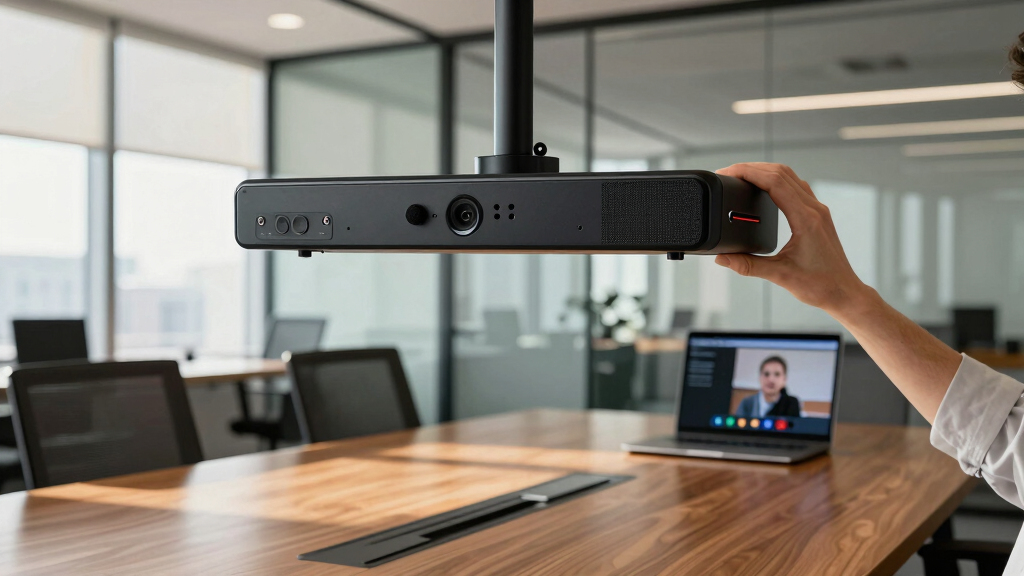

Choosing the best video conferencing bars for accessible offices involves balancing clarity, ease of use, and compatibility with various needs. The Logitech Rally Bar + Tap IP Graphite Bundle stands out as the overall best, offering a reliable mix of high-quality audio and video with intuitive controls. For smaller spaces, the Logitech Rally Bar Mini + Tap IP Bundle provides a compact yet powerful option, while the Poly Studio X52 excels in larger conference rooms with its versatile features. Buyers face tradeoffs between price, size, and feature set, making it essential to match the product to actual space and accessibility requirements. Continue reading for a detailed breakdown of each option to find the best fit for your office setup.
Listen free for 30 days with Audible
Thousands of audiobooks and originals — cancel anytime.
Start your free trialAs an affiliate, we earn on qualifying purchases.
Key Takeaways
- The top picks balance high-quality audio and video with accessibility features like intuitive controls and integration with assistive tech.
- Size matters: smaller rooms benefit from compact models like the Rally Bar Mini, while larger spaces need more robust systems like the X52.
- Ease of use and setup are critical for accessibility — models with touch panels or simplified controls score higher in real-world use.
- Price ranges vary widely; investing in a slightly more expensive model often yields better accessibility and future-proofing.
- Compatibility with major platforms (Zoom, Teams) and certifications for accessibility can significantly influence user experience.
| Logitech Rally Bar + Tap IP Graphite Bundle for Video Meeting Rooms |  | Best Overall for Professional Conference Rooms | Video Quality: High-definition | Audio: Premium microphones and speakers | Includes: Rally Bar and Tap | VIEW LATEST PRICE | See Our Full Breakdown |
| MeetingBar A25 – All-in-One 4K Video Conferencing Solution for Small Rooms with Triple Cameras and Microphone Array |  | Best Value for Small Rooms with Versatile Platform Support | Camera System: Triple 4K cameras with 151° FOV | Microphone Array: 8 MEMS microphones | Microphone Range: 5 meters | VIEW LATEST PRICE | See Our Full Breakdown |
| Poly Studio X52 All-in-One Video Bar with TC10 Controller Kit |  | Best for Medium-Sized Rooms with Advanced Features | Camera: 20MP 4K UltraHD | Display: 10-inch high-res touch | Audio: Built-in stereo, NoiseBlockAI | VIEW LATEST PRICE | See Our Full Breakdown |
| Poly Studio P15 Personal Video Bar (Plantronics + Polycom) – 4K Video Quality with Camera, Microphones & Speaker – Certified for Zoom and Teams |  | Best for Versatile Personal and Small Group Use | Resolution: 4K | Microphone: Multi-mic with NoiseBlockAI | Camera Features: Automatic framing, privacy shutter | VIEW LATEST PRICE | See Our Full Breakdown |
| Logitech Video Conferencing Camera – 30 fps – Graphite – USB 3.0 |  | Best for Midsize Rooms Needing Simple, Reliable Setup | Frame Rate: 30 fps | Color: Graphite | Connectivity: USB 3.0 | VIEW LATEST PRICE | See Our Full Breakdown |
| Jabra PanaCast 50 180° Panoramic 4K Meeting Room Webcam, Black |  | Best Overall for Conference Rooms | Camera Resolution: 13 MP per camera | Field of View: 90°, 120°, 140°, 180° | Video Resolution: 4K | VIEW LATEST PRICE | See Our Full Breakdown |
| Yealink A10-020 All-in-One Video Conferencing System with CTP18 Touch Panel |  | Best for Small Rooms and Home Offices | Camera: 4K wide-angle (120°) | Microphones: 8 MEMS microphones | Display: 8-inch touch panel | VIEW LATEST PRICE | See Our Full Breakdown |
| Polycom Poly Studio X30 All-in-One Video Bar with Touch Control, 4K Conferencing System (Renewed) |  | Best for Small Conference Rooms with Professional Features | Model Number: 2200-86260-001 | Resolution: 4K Ultra HD | Includes: TC8 Touch Controller | VIEW LATEST PRICE | See Our Full Breakdown |
| Logitech Rally Bar Mini + Tap IP Bundle for Video Meeting Rooms |  | Best for Small to Medium Rooms with AI-Enhanced Features | Product Type: Video Meeting Room Bundle | Display: 10.1-inch touch screen | Features: Motorized pan and tilt, 4x digital zoom, beamforming mic | VIEW LATEST PRICE | See Our Full Breakdown |
| video conferencing bars for accessible office | Connectivity |
|---|---|
| Logitech Rally Bar + Tap IP Gr | Ethernet and HDMI |
| MeetingBar A25 | Direct to CTP25 |
| Poly Studio X52 All-in-One Vid | RJ-45, USB |
| Poly Studio P15 Personal Video | USB-C |
| Logitech Video Conferencing Ca | USB 3.0 |
| Jabra PanaCast 50 180° Panoram | USB-A |
| Yealink A10-020 All-in-One Vid | Wi-Fi, Bluetooth, Ethernet, HDMI |
| Polycom Poly Studio X30 All-in | — |
| Logitech Rally Bar Mini + Tap | Network-connected |
More Details on Our Top Picks
Logitech Rally Bar + Tap IP Graphite Bundle for Video Meeting Rooms
This bundle from Logitech stands out for its high-quality video and audio performance, making it ideal for executive or dedicated meeting spaces. Compared with the Poly Studio X52, it offers a more seamless setup and integrated hardware, but the lack of detailed specifications and fabric options can be a concern for users seeking full transparency or customization. Its comprehensive design supports large, professional environments where clarity is paramount, though it may be overkill for smaller offices or casual use. The Rally Bar combined with Tap provides a cohesive experience that prioritizes performance over affordability, making it the best choice for organizations committed to high-end meetings.
Pros:- Exceptional video and audio clarity for professional settings
- Includes both Rally Bar and Tap for complete conferencing control
- Designed specifically for large meeting environments
Cons:- Limited detailed specifications may hinder detailed assessment
- No fabric or care info, affecting long-term aesthetics and maintenance
Best for: Large, professional conference rooms needing high-end quality and reliable hardware integration
Not ideal for: Small startups or casual team spaces with limited budgets or space constraints
- Video Quality:High-definition
- Audio:Premium microphones and speakers
- Includes:Rally Bar and Tap
- Designed for:Professional meeting rooms
- Connectivity:Ethernet and HDMI
- Size:Large form factor
Our verdict“Best suited for organizations that require top-tier, professional-grade video conferencing hardware in large conference rooms.”
MeetingBar A25 – All-in-One 4K Video Conferencing Solution for Small Rooms with Triple Cameras and Microphone Array
The Yealink MeetingBar A25 offers a compelling mix of broad coverage and platform flexibility, especially with its triple-camera system providing a 151° FOV—ideal for small rooms where everyone should be visible. It outperforms simpler single-camera options like the Logitech Video Conferencing Camera by offering a wider view and better audio with its long-range mics and noise reduction. However, it’s primarily suited for small spaces, and larger rooms may find its coverage insufficient. Its Android 13 platform supports future updates, making it a cost-effective choice for budget-conscious offices that want reliable performance without sacrificing features.
Pros:- Ultra-wide 151° view ensures everyone is visible
- High-quality audio with noise suppression and long-range mics
- Supports multiple platforms including Teams and Zoom for flexibility
- Future-ready with Android 13 for seamless updates
Cons:- Limited to small room environments; not suitable for large spaces
- Requires compatible platform for full feature utilization
Best for: Small offices or team huddle rooms seeking a versatile, future-proof video solution
Not ideal for: Large conference spaces or environments requiring extensive room coverage
- Camera System:Triple 4K cameras with 151° FOV
- Microphone Array:8 MEMS microphones
- Microphone Range:5 meters
- Operating System:Android 13
- Compatibility:Microsoft Teams, Zoom, BYOD
- Connectivity:Direct to CTP25
Our verdict“This pick makes the most sense for small, collaborative offices that need wide coverage and platform flexibility at a good price point.”
Poly Studio X52 All-in-One Video Bar with TC10 Controller Kit
The Poly Studio X52 is tailored for medium-sized rooms, offering 4K UltraHD video with intelligent framing, which surpasses the Logitech Rally Bar’s image quality in clarity and AI features. The integrated touch display and remote management via Poly Lens make it easier to operate than the more basic Logitech Video Conferencing Camera. However, its higher price point and complex features may be overwhelming for smaller organizations or those with less technical staff. Compared to the P15, it’s better suited for shared conference rooms with multiple users, providing flexibility with its connection options and management tools.
Pros:- High-quality 4K UltraHD video with AI-enhanced framing
- Remote management simplifies setup and ongoing control
- Supports multiple cloud platforms and connection protocols
- Enhanced audio with noise filtering
Cons:- Cost may be prohibitive for small budgets
- Requires robust network infrastructure for optimal use
- Features could be complex for new users
Best for: Medium-sized teams needing high-quality video, easy remote management, and AI features
Not ideal for: Small offices or organizations with limited technical support
- Camera:20MP 4K UltraHD
- Display:10-inch high-res touch
- Audio:Built-in stereo, NoiseBlockAI
- Connectivity:RJ-45, USB
- Supported Protocols:H.323, SIP
- Features:AI framing, smart audio
Our verdict“This system is best for medium-sized rooms where high-quality video and remote management are priorities, despite its higher cost and complexity.”
Poly Studio P15 Personal Video Bar (Plantronics + Polycom) – 4K Video Quality with Camera, Microphones & Speaker – Certified for Zoom and Teams
The Poly Studio P15 offers a premium 4K experience with easy automatic framing and rich audio, making it ideal for individual professionals or small shared spaces. It outperforms the Logitech Video Conferencing Camera’s basic features by integrating AI-powered framing and noise filtering, but the need for separate adapters for USB-A can complicate setup. Its compatibility with both PC and Mac and platforms like Zoom and Teams make it highly versatile. Compared with the MeetingBar A25, the P15 is better suited for personal use or smaller group settings, where mobility and simplicity are more important than wide coverage.
Pros:- Sharp 4K video with automatic framing
- Rich, clear audio with noise suppression
- Works seamlessly with major platforms and devices
- AI features enhance user experience
Cons:- USB-C cable included but USB-A adapters sold separately
- Setup could be complex for less tech-savvy users
- Designed mainly for individual or small group use
Best for: Remote workers or small office setups needing high-quality, easy-to-use video with AI features
Not ideal for: Large conference rooms or teams that require wide-angle coverage
- Resolution:4K
- Microphone:Multi-mic with NoiseBlockAI
- Camera Features:Automatic framing, privacy shutter
- Connectivity:USB-C
- Compatibility:PC & Mac, Zoom, Teams
- Included Cables:USB-C (adapter not included)
Our verdict“This pick is perfect for remote professionals or small teams prioritizing high-quality video and audio in a compact form factor.”
Logitech Video Conferencing Camera – 30 fps – Graphite – USB 3.0
The Logitech Video Conferencing Camera excels in delivering reliable, plug-and-play video quality with intelligent auto-framing and adaptive lighting, making it a strong choice for midsize meeting rooms. It’s more straightforward and affordable compared to the Poly Studio X52, which offers AI features and management tools. However, this camera is limited to midsize rooms and cannot scale for larger conference areas. Its reliance on a USB 3.0 port means compatibility with most modern systems, but it may lack the advanced AI and management capabilities that higher-end models provide. This makes it a practical choice for organizations seeking simplicity and decent performance without extra bells and whistles.
Pros:- Easy plug-and-play with no extra software needed
- Auto-framing and lighting adjustments improve video quality
- High-quality audio with noise suppression
- Sleek, all-in-one design suitable for midsize rooms
Cons:- Limited to midsize rooms; not suitable for large spaces
- Requires USB 3.0 port for optimal performance
- Lacks advanced AI features of higher-end options
Best for: Midsize conference rooms or teams needing a reliable, straightforward camera setup
Not ideal for: Large rooms or offices looking for AI-driven features and advanced management
- Frame Rate:30 fps
- Color:Graphite
- Connectivity:USB 3.0
- Features:RightSight, RightLight, RightSound
- One-Touch Join:Yes
- Supported Platforms:Zoom, Teams, others
Our verdict“This is an excellent choice for midsize offices that want a simple, reliable, and effective video camera without extra complexity.”
Jabra PanaCast 50 180° Panoramic 4K Meeting Room Webcam, Black
The Jabra PanaCast 50 stands out for delivering crisp, 4K panoramic video with a wide 180° field of view, making it ideal for larger conference rooms compared to the more compact Yealink A10-020. Its real-time video stitching and HDR optimization ensure clear visuals in varied lighting, but the high price and need for USB-A ports might limit some offices. Unlike the Yealink system, which emphasizes auto framing and AI tracking, the PanaCast prioritizes expansive coverage, making it perfect for teams that need to see multiple participants easily. However, its fixed design limits portability, so it’s best suited for dedicated meeting spaces rather than flexible work setups.
Pros:- Exceptional 4K panoramic video with adjustable FOV
- Plug-and-play setup with remote control
- Compatible with major conferencing platforms like Teams and Zoom
Cons:- Requires USB-A port, possibly needing adapters for newer laptops
- Premium price point may be a barrier
- Limited mobility, designed solely for fixed installation
Best for: Medium to large conference rooms where high-quality panoramic video enhances team collaboration
Not ideal for: Small home offices or portable setups due to size and fixed installation requirements
- Camera Resolution:13 MP per camera
- Field of View:90°, 120°, 140°, 180°
- Video Resolution:4K
- Connectivity:USB-A
- Includes:USB-A cable, remote control
- Compatibility:Microsoft Teams, Zoom
Our verdict“This is best for conference rooms where expansive, high-quality video coverage justifies a higher investment.”
Yealink A10-020 All-in-One Video Conferencing System with CTP18 Touch Panel
The Yealink A10-020 offers an all-in-one solution perfect for small offices and home setups, with a 4K camera featuring AI auto framing and tracking that automatically keeps participants centered. Its 8-inch touch panel simplifies control, and its seamless integration with Teams and Zoom makes it accessible for users needing straightforward, reliable video. Compared with the Poly Studio X30, which excels in noise reduction and wide coverage, the Yealink system emphasizes ease of use and intelligent framing, making it a strong choice for smaller spaces. However, its limited room size and reliance on Wi-Fi or Ethernet mean it may not perform optimally in larger or more complex environments.
Pros:- All-in-one design with integrated camera, microphones, and speakers
- AI auto framing and speaker tracking enhance meeting focus
- Certified compatibility with Teams and Zoom
Cons:- Primarily for small rooms, not suitable for larger spaces
- Requires Wi-Fi or wired network, which might limit flexibility
- Limited to small room configurations
Best for: Small meeting rooms or home offices needing automatic framing and simple setup
Not ideal for: Large conference spaces or environments requiring extensive room coverage
- Camera:4K wide-angle (120°)
- Microphones:8 MEMS microphones
- Display:8-inch touch panel
- Operating System:Android 13
- Connectivity:Wi-Fi, Bluetooth, Ethernet, HDMI
- Certifications:Teams Room, Zoom Room
Our verdict“This system is ideal for small, focused meeting environments prioritizing automation and ease of use.”
Polycom Poly Studio X30 All-in-One Video Bar with Touch Control, 4K Conferencing System (Renewed)
The Polycom Poly Studio X30 provides a compact yet powerful 4K video solution, including noise reduction, smart audio, and a wide-angle camera suitable for small rooms. Its touch controller simplifies meeting management, and the renewed status offers a more affordable entry point—though it may come with limited warranty and potential connectivity quirks. Compared to the Jabra PanaCast 50, which emphasizes panoramic coverage, the Poly Studio X30 balances high-quality video with integrated audio features, making it a good fit for smaller teams focused on clear communication. Its narrower coverage might limit its use in larger spaces or dynamic layouts, but it excels at delivering reliable, clutter-free conferencing in confined rooms.
Pros:- 4K ultra HD resolution with wide-angle lens
- Includes intuitive touch controller for easy operation
- Noise reduction and smart audio technology improve clarity
Cons:- Renewed product may have limited warranty and support
- Designed for small rooms, not for large conference halls
- Some users report occasional connectivity issues
Best for: Small meeting rooms requiring high-quality 4K video and integrated audio capabilities
Not ideal for: Large conference halls or flexible layouts due to limited coverage range
- Model Number:2200-86260-001
- Resolution:4K Ultra HD
- Includes:TC8 Touch Controller
- Coverage:Wide-angle for small rooms
- Features:Noise reduction, smart audio
- Weight:8.33 pounds
Our verdict“This is well-suited for small, professional environments needing high-quality video and simplified control, despite some potential reliability concerns.”
Logitech Rally Bar Mini + Tap IP Bundle for Video Meeting Rooms
The Logitech Rally Bar Mini + Tap IP bundle offers a flexible, all-in-one setup ideal for small to medium spaces, combining motorized pan and tilt with 4x zoom and beamforming microphones that adapt to room dynamics. Its 10.1-inch touch controller allows intuitive control, making it easier for users with accessibility needs to manage meetings. Compared with the Yealink A10-020, which emphasizes automatic framing, the Rally Mini focuses on customizable coverage and advanced AI features that enhance both video and audio clarity. The reliance on a network connection means setup is straightforward but may pose issues in environments with unstable Wi-Fi. This package is best for offices seeking a balanced, scalable solution with smart tech integration.
Pros:- All-in-one design simplifies installation
- Motorized pan, tilt, and 4x zoom for adaptable coverage
- AI features optimize video and audio quality
Cons:- Requires network connection for full functionality
- Limited details on care instructions and fabric type
- Potential connectivity issues in unstable networks
Best for: Small to medium rooms needing flexible camera coverage and AI-enhanced audio
Not ideal for: Large conference rooms or offices with limited or unreliable network connectivity
- Product Type:Video Meeting Room Bundle
- Display:10.1-inch touch screen
- Features:Motorized pan and tilt, 4x digital zoom, beamforming mic
- Connectivity:Network-connected
- Includes:Rally Bar Mini, Tap IP Controller
Our verdict“This bundle suits offices that value flexibility, AI-driven enhancements, and straightforward control for small-to-medium meeting spaces.”
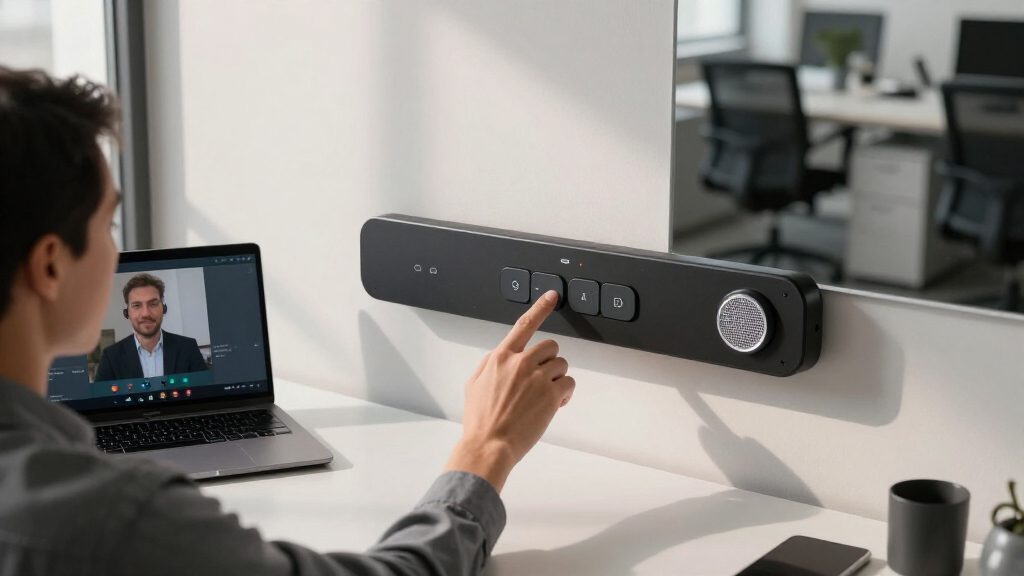
How We Picked
These products were selected based on their overall performance, ease of use, build quality, and compatibility with accessibility needs. We prioritized models that offer clear audio and video, intuitive controls, and integration options for assistive technologies. Size and setup flexibility were key factors, especially for offices with varied space constraints. We also considered user reviews and industry certifications to ensure the systems are accessible and reliable. The ranking reflects a balance of features, value, and suitability for different office environments, ensuring buyers can find a solution tailored to their specific needs.Factors to Consider When Choosing Best Video Conferencing Bars For Accessible Offices
When choosing a video conferencing bar for an accessible office, it’s important to consider several factors that impact usability, integration, and overall experience. Accessibility isn’t just about compliance; it’s about making sure every team member can participate fully. The right system should blend ease of use with high-quality audio and video, while fitting within the physical space and budget constraints. Below are key considerations to guide your decision-making process beyond just feature lists.Room Size and Layout
Matching the conferencing system to your room size is crucial. Smaller rooms require compact, easy-to-setup bars that don’t overwhelm the space, like the Rally Bar Mini. Larger conference areas benefit from models with multiple microphones and wider field-of-view cameras, such as the Poly Studio X52. Consider the room’s shape and seating arrangement to ensure everyone’s voice and image are captured clearly. Overly large systems in small rooms can cause clutter, while underpowered setups in big spaces may result in poor audio or video quality.
Ease of Use and Accessibility Features
Ease of use is especially important for accessibility. Look for systems with straightforward controls, touch panels, or remote management to minimize complexity. Features like large buttons, clear interfaces, and compatibility with assistive devices make a difference. Also, verify if the device offers adjustable audio levels, closed captioning support, or integration with screen readers. Avoid systems that require complicated setup or have minimal user support, as these can hinder participation for some users.
Compatibility and Integration
Ensuring the conferencing bar works seamlessly with your existing platforms—such as Zoom, Microsoft Teams, or Webex—is essential. Also, check if the device supports integration with access control or assistive tech like speech-to-text apps. Some systems come with certified integrations that make accessibility smoother. Failing to verify these can lead to frustrations or the need for additional equipment, which complicates the setup and reduces reliability.
Audio and Video Quality
High-quality audio and video are non-negotiable for effective communication. Look for models with multiple microphones and wide-angle cameras, which help capture voices from different parts of the room. Features like noise suppression and echo cancellation improve clarity, especially in accessible environments where background noise can be an issue. A balance between camera resolution and microphone pickup range ensures everyone can see and hear clearly without overwhelming the space or the user with unnecessary complexity.
Budget and Long-Term Value
While it can be tempting to choose the cheapest option, investing in a system with better accessibility features often pays off over time. Consider the device’s durability, upgradeability, and support options. Sometimes, a higher initial cost provides better integration, easier maintenance, and a longer lifespan. Don’t forget to factor in potential training or onboarding costs for users unfamiliar with the technology, as these impact overall value and user satisfaction.
Frequently Asked Questions
What features make a video conferencing bar accessible for all users?
Features that enhance accessibility include large, tactile controls or touch screens, easy-to-understand interfaces, and compatibility with assistive technologies like speech recognition or screen readers. Adjustable audio levels, clear visual indicators, and straightforward setup processes also contribute significantly. Devices that support captioning or have visual cues for status further improve participation for users with sensory impairments. When choosing a system, prioritize those with proven accessibility certifications or positive reviews from diverse user groups.
How important is size when selecting a conferencing bar for an accessible office?
Size plays a key role in ensuring the device fits comfortably within the workspace without causing clutter or obstructing movement. Smaller, compact models like the Rally Bar Mini are ideal for small or shared offices where space is limited, while larger systems with more microphones or wider cameras are better suited for bigger rooms. Selecting a size that matches your space ensures ease of use and accessibility, making it easier for users to interact with the system without strain or frustration.
Can these systems be integrated with assistive technology or alternative communication tools?
Many modern conferencing bars support integration with popular assistive technologies, such as speech-to-text apps, screen readers, or expanded control interfaces. Compatibility varies between models, so verifying integration options before purchase is essential. Some systems come with dedicated APIs or support for third-party software that makes participation easier for users with disabilities. Proper integration can significantly enhance the inclusiveness of your office communication setup, but it’s worth confirming these features during the selection process.
Is it worth paying more for a premium conferencing bar with advanced accessibility features?
Investing in a higher-priced system often yields better accessibility options, more reliable performance, and future-proofing. Premium models typically include features like advanced audio processing, wider field-of-view cameras, and better integration with accessibility tools. While the upfront cost is higher, these benefits can reduce frustration, improve participation, and decrease ongoing maintenance or upgrades. For organizations committed to inclusivity, the long-term advantages outweigh the initial expense.
What should I consider if I need a conferencing system for multi-language or diverse user groups?
In environments with multi-language or diverse users, look for systems that support multiple audio channels, real-time captioning, or translation services. Devices with clear audio pickup and customizable interface languages can facilitate smoother communication. Ensuring the system can handle diverse accents and speech patterns without losing clarity is also important. These features help create an inclusive environment where all participants can engage fully, regardless of language or communication preferences.
Conclusion
For organizations seeking the best overall experience, the Logitech Rally Bar + Tap IP Bundle offers a balanced mix of quality, accessibility, and ease of use. Budget-conscious buyers or smaller offices will find the Logitech Rally Bar Mini + Tap IP Bundle a compelling choice, thanks to its compact size and solid features. For larger or more complex spaces, the Poly Studio X52 provides advanced capabilities and scalability. Beginners or those new to conferencing tech might prefer systems with simplified controls like the Poly Studio P15, while tech-forward offices aiming for premium features should consider higher-end models with extensive integration options. Matching the right system to your office’s size, accessibility needs, and budget will ensure everyone stays connected and included.
NFL season / tailgating Picks
team gear
As an affiliate, we earn on qualifying purchases.