

A braille display works by translating digital text into tactile feedback you can feel. It uses small, movable pins arranged in lines or grids that rise and lower to form braille characters as you navigate the screen. This setup lets you read onscreen content through touch with clear, distinct sensations. The design is ergonomic and compatible with various devices, making accessible info easy to explore. Keep going to discover more about how these devices enhance your digital experience.

Get everyday helpers delivered free with Prime
- Fast, free delivery on millions of items
- Prime Video, Amazon Music and more included
- Member-only deals all year
Key Takeaways
- Braille displays convert on-screen text into tactile feedback by raising and lowering pins in real time.
- They use small, movable pins arranged in standard Braille patterns to form characters.
- The devices connect to computers or smartphones, translating digital content into tactile sensations.
- Pins move smoothly to create distinct, familiar Braille dots for quick recognition.
- Their ergonomic design ensures comfortable, accessible use for visually impaired users.
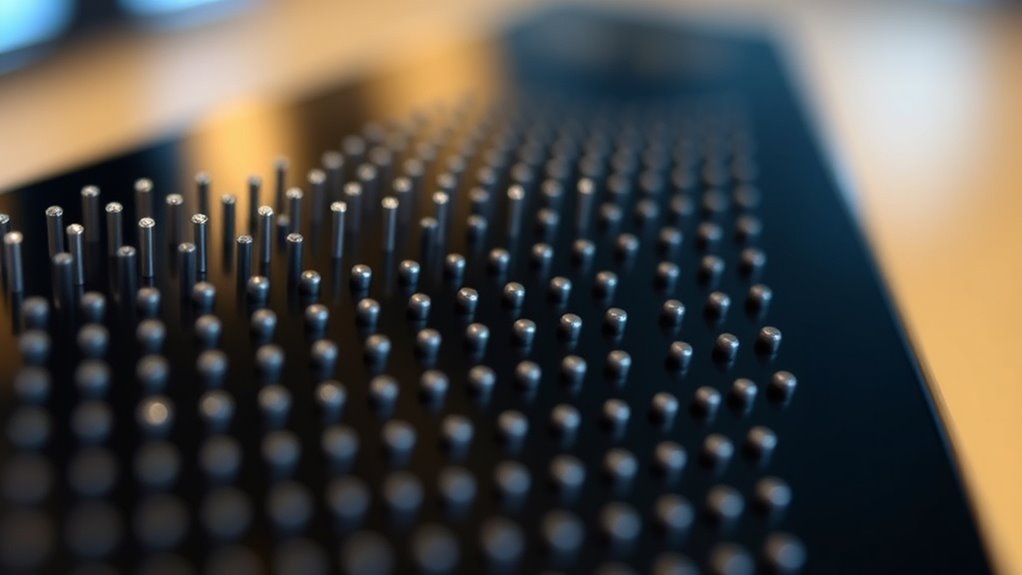
Have you ever wondered how visually impaired individuals access digital content? Braille displays make this possible by translating on-screen text into tactile information that users can read with their fingertips. These devices consist of a series of small, movable pins arranged in a line or grid. When connected to a computer or smartphone, the display dynamically raises and lowers these pins to form Braille characters, allowing blind users to read digital text in real time. The tactile feedback provided by the pins is vital; it gives a clear, distinct sensation for each character, enabling quick and accurate reading. This tactile interaction is seamless, with the pins moving smoothly and promptly as the user navigates through documents, emails, or web pages. Additionally, many braille displays utilize standardized dimensions for the pins to ensure compatibility and ease of use across different devices and content types.
Braille displays translate on-screen text into tactile feedback, enabling seamless digital access for visually impaired users.
The design of a Braille display emphasizes ergonomic considerations to guarantee comfort during extended use. Since users often read for long periods, the device’s shape and button placement are carefully crafted to reduce strain. Many displays are slim and lightweight, fitting comfortably in the hands or sitting on a desk without causing fatigue. The spacing between the pins is optimized to match standard Braille cell dimensions, making it intuitive for those familiar with Braille to read without confusion. The keyboard or control buttons are often positioned in a way that allows easy navigation without unnecessary movement, enabling users to switch pages or commands effortlessly. Some devices also feature adjustable angles or supports, catering to individual preferences and reducing wrist or neck strain.
Furthermore, the tactile feedback from the pins isn’t just about reading text; it also enhances the overall user experience. By providing a tactile cue that mimics the sensation of raised dots on traditional Braille, users can quickly identify different types of content, such as headings, links, or emphasized text. This tactile interaction fosters independence, allowing users to explore digital content confidently without relying on sighted assistance. The ergonomic design complements this experience by ensuring that the tactile feedback is consistent and comfortable, which is essential for maintaining focus and reducing fatigue during prolonged reading sessions.
In essence, Braille displays are sophisticated tools that combine tactile feedback with ergonomic design to bridge the gap between digital content and tactile perception. They empower visually impaired individuals to access information seamlessly, fostering greater independence and participation in the digital world. By translating complex text into a tactile format that feels natural and comfortable, these devices make digital literacy accessible and efficient for everyone.
Braille display for visually impaired
As an affiliate, we earn on qualifying purchases.
As an affiliate, we earn on qualifying purchases.
Frequently Asked Questions
How Durable Are Electronic Braille Displays Over Time?
Electronic braille displays are quite durable if you perform regular device maintenance and handle them carefully. The material durability of the braille cells and electronic components helps them withstand daily use, but avoiding exposure to moisture and dust is vital. Over time, wear and tear may occur, but with proper care and periodic checks, your device can serve you reliably for years. Prioritize maintenance to extend its lifespan and guarantee ideal performance.
Can Braille Displays Be Used Outdoors in Bright Sunlight?
Can you use your braille display outdoors in bright sunlight? Absolutely, but be aware that weather resistance and screen brightness matter. Bright sunlight can wash out the display, making it harder to read. Modern braille displays often feature adjustable screen brightness and weather-resistant designs, so you can confidently navigate outdoor environments. Think of it as a loyal companion, resilient against the elements, ensuring you stay connected wherever life takes you.
Are There Portable Options for Long-Distance Travel?
Yes, you can find portable braille displays designed for long-distance travel. These devices feature a compact, lightweight design that easily fits into your travel accessories. They’re built to be durable and battery-efficient, making them ideal for extended use on the go. With a portable design, you can stay connected and read comfortably wherever your travels take you, ensuring accessibility and independence during long trips.
How Do Users Customize the Tactile Feedback?
You can customize the tactile feedback on a braille display by adjusting user settings to suit your preferences. Most devices let you personalize the speed, sensitivity, and type of feedback, ensuring a comfortable reading experience. Simply access the settings menu, select tactile feedback options, and tweak them until you find what works best for you. This user settings personalization helps make long reading sessions more enjoyable and tailored to your needs.
What Is the Average Lifespan of a Braille Display Device?
A braille display typically lasts between 3 to 5 years, but with proper maintenance tips, you can extend its life considerably. Technological advancements continue to improve durability and performance, making newer models more resilient. To maximize lifespan, keep the device clean, avoid extreme temperatures, and update the software regularly. While some units may last longer with care, expect most to need replacement or repairs within this timeframe.
Conclusion
In summary, braille displays beautifully bridge the barrier between blindness and literacy. By transforming text into tactile, tiny tumblers, they provide a powerful pathway to knowledge and independence. As you explore these devices, picture the precision and persistence behind each pin’s position, opening doors to new discoveries. With every tap and touch, braille displays serve as beacons of belief, boosting confidence and creating a clear, compelling connection to the world around you.
Halloween Picks
halloween
As an affiliate, we earn on qualifying purchases.