Accessibility is not a single device, setting, or accommodation. It is the practice of removing barriers so that people who are Deaf, hard of hearing, or managing other communication needs can participate more fully in conversations, entertainment, work, education, travel, fitness, parenting, and community life.

Get everyday helpers delivered free — and shop member deals
- Fast, free delivery on millions of items
- Access to Prime Big Deal Days deals on October 6–7
- Prime Video, Amazon Music and more included
The most useful accessibility setup is usually personal and layered. One person may rely on hearing technology, captions, and visual alerts, while another prefers sign language, text-based communication, and vibration notifications. Some people want amplification; others primarily need clearer speech or an alternative to audio. This hub explains the major categories of hearing and assistive technology, how they fit together, and what to consider when choosing tools for everyday situations.
Start With the Barrier, Not the Product
Assistive technology works best when it addresses a clearly defined problem. Instead of beginning with a product category, identify where communication or awareness breaks down. Is speech difficult to understand in groups? Are television programs too quiet or unclear? Can you notice a doorbell, alarm, crying baby, or approaching vehicle? Do phone calls create more difficulty than face-to-face conversations?
Separating these needs helps prevent one device from being expected to solve everything. Common accessibility goals include:
- Making speech louder or clearer
- Converting spoken language into readable text
- Sending sound directly from a television, phone, or microphone
- Replacing audible notifications with light or vibration
- Reducing distracting or uncomfortable environmental noise
- Improving access to meetings, classes, public events, and entertainment
- Supporting safer routines at home and while traveling
Hearing ability can also vary by frequency, environment, fatigue, distance, and background noise. A tool that helps in a quiet room may be less effective in a restaurant or lecture hall. Whenever hearing changes suddenly, occurs on one side, or is accompanied by pain, pressure, drainage, dizziness, or persistent ringing, seek appropriate medical care rather than treating technology as a substitute for evaluation.
hearing aids with rechargeable batteries
As an affiliate, we earn on qualifying purchases.
As an affiliate, we earn on qualifying purchases.
Hearing Aids, Bone Conduction, and Personal Amplification
Conventional hearing aids
Hearing aids are programmed to support an individual hearing profile. Styles differ in where they sit, how visible they are, and how they handle controls, microphones, batteries, and wireless connections. Selection should account for hearing needs as well as dexterity, vision, comfort, maintenance, and the places where the devices will be used.
Features such as directional microphones, rechargeable batteries, telecoils, remote controls, and app-based adjustments may be useful, but more features do not automatically mean better access. Reliable fit, understandable controls, and appropriate professional support can matter just as much.
Bone conduction options
Bone conduction technology transmits vibration through the skull rather than relying only on sound traveling through the outer and middle ear. It may be relevant in certain situations, but suitability depends on the type and degree of hearing loss, anatomy, comfort, and clinical guidance. Some systems are worn externally, while others involve medically managed solutions.
Our guide to bone conduction hearing aid options provides a starting point for comparing available designs and practical features. Use any product comparison as preparation for a conversation with a qualified hearing professional, especially when medical assessment or device programming is involved.
Personal amplifiers
Personal sound amplifiers can make selected sounds louder, often through a handheld or remote microphone. They may help with occasional listening tasks, but they are not interchangeable with hearing aids and may not address a specific hearing profile. Before choosing amplification, consider whether the real problem is volume, speech clarity, distance, competing noise, or lack of visual information.
Speech-to-Text and Captioning Tools
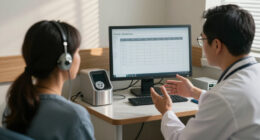
For many people, readable speech is more useful than louder speech. Speech-to-text tools convert spoken language into text on a phone, tablet, computer, or dedicated display. They can support one-to-one conversations, appointments, classes, customer-service interactions, group discussions, and workplace meetings.
Options range from built-in live-caption features to specialized transcription hardware. Our overview of speech-to-text devices for people with hearing loss explores equipment intended to make spoken communication easier to follow.
When evaluating transcription technology, look beyond screen size and appearance. Important considerations include:
- Accuracy in background noise and with multiple speakers
- Support for the languages and accents you encounter
- Offline availability when internet access is unreliable
- Text size, contrast, and display positioning
- Battery life and charging requirements
- Privacy practices for recorded or processed conversations
- The ability to save, share, or delete transcripts
- Ease of correcting errors and identifying speakers
Automated captions can make mistakes, particularly with names, technical terms, or overlapping speech. In medical, legal, educational, and other high-stakes settings, ask about qualified interpreters, professional captioning, or other formal accommodations rather than relying exclusively on consumer transcription.
Television, Streaming, and Shared Entertainment
Accessible entertainment may combine captions, direct audio streaming, room speakers, and visual interfaces. Captions are useful even when amplification is available because they preserve dialogue that may be obscured by music, accents, or sound effects. Check whether a service offers captions before beginning a program, and customize their size, color, background, and placement when those controls are available.
Direct audio connections can reduce the effect of room distance and competing sound. Bluetooth-based broadcast audio, including Auracast-compatible systems, is designed to let supported transmitters share audio with compatible receiving devices. If you are exploring this category, see our comparison of Auracast transmitters for television.
Compatibility deserves careful attention. A transmitter, television, hearing device, earbuds, and phone may each support different standards or profiles. Confirm connections and required accessories before purchasing. Also consider whether several people need to listen at different volume levels, whether captions will remain visible, and whether the system is easy to operate without navigating complicated menus.
Phones, Tablets, and Digital Accessibility
Modern phones and tablets can serve as portable accessibility centers. Depending on the device and operating system, they may provide live captions, video calling, text communication, sound recognition, mono audio, adjustable left-right balance, vibration patterns, visual flashes, enlarged text, and compatibility with hearing devices.
A larger display may make captions, video calls, and communication cards easier to see. People comparing affordable home or travel screens can use our guide to Amazon Fire tablets as one reference point. Before choosing a tablet, verify that the specific model supports the apps, accessibility settings, calling services, and external devices you expect to use.
Set up accessibility features before an urgent situation arises. Add important contacts, enable emergency information, test notification patterns, and place captioning or communication apps where they are easy to find. Family members and caregivers should learn the setup without removing the user’s control over privacy and preferences.
Alerts, Awareness, and Safety at Home
Accessible alerts translate sound into another signal. Doorbells, smoke alarms, carbon-monoxide alarms, alarm clocks, appliance timers, telephone ringers, and baby monitors may use flashing lights, vibration, connected displays, or wearable notifications.
A resilient setup uses more than one channel. For example, an alert may combine a bright visual signal with bed vibration or a phone notification. Placement matters: a light hidden behind the user, a vibrating receiver left on a desk, or an app silenced by power-saving settings may fail to get attention.
Test alerts from the rooms where they must be noticed, including while doors are closed and while the user is asleep. Follow local safety requirements and manufacturer instructions for alarms. Consumer smart-home devices can supplement safety equipment, but they should not replace required certified alarms.
Noise Management and Listening Comfort
Noise reduction is not only about hearing protection. It can also support concentration, sensory comfort, study, travel, and recovery from sound fatigue. Ear muffs, earplugs, and active noise-control products work in different ways and may suit different environments.
Our guide to noise-reducing ear muffs for quiet comfort can help readers compare form factors and intended uses. Consider fit, weight, clamping pressure, portability, communication needs, and whether the product is intended for occupational hearing protection or general noise reduction.
Reducing too much sound can create awareness risks near traffic, machinery, children, alarms, or other hazards. In workplaces or activities with damaging noise levels, follow applicable safety guidance and select properly rated protection rather than relying on ordinary headphones.
Accessibility During Fitness, Parenting, and Travel
Accessibility needs continue beyond conversations and media. Exercise equipment may use spoken coaching, beeps, or small screens; parenting products may depend on audible alerts; travel tools may announce changes without displaying them clearly. Planning for these moments makes daily routines more independent and predictable.
Fitness at home
When building an accessible exercise space, favor equipment with visible timers, readable controls, stable positioning, and instructions that do not depend entirely on audio. Our selection of home workout equipment can help you consider the physical setup, while your accessibility review should cover captioned instruction, visual interval cues, lighting, and safe awareness of the surrounding room.
Parenting and caregiving
Parents may combine visual or vibrating baby alerts with direct line of sight and established checking routines. When selecting mobility gear, controls and safety information should be easy to inspect and operate. Our guide to baby strollers for everyday journeys can support broader product research, but accessibility factors such as visibility, phone placement, notification access, and one-handed operation should be evaluated separately.
Travel and outdoor awareness
Use text alerts for transit changes when available, save destinations in writing, and keep backup charging options for essential devices. If traveling with a dog, location tools may provide an additional layer of awareness. Our guide to GPS dog collars that work without a subscription covers one category to explore. Coverage, positioning method, battery condition, and local connectivity can affect any tracking system, so it should not replace secure identification, a leash, or supervision.
Communication Strategies That Make Technology Work Better
Good communication is a shared practice, not a task assigned only to the Deaf or hard-of-hearing person. Technology performs better when people face each other, keep their mouths visible, reduce background noise, avoid speaking from another room, and take turns in groups.
Ask the individual what works rather than assuming. Helpful options may include:
- Moving to a quieter or better-lit location
- Using text, captions, sign language, or written keywords
- Positioning a remote microphone near the speaker
- Repeating a sentence in different words instead of saying it identically
- Sharing agendas, names, addresses, and technical terms in advance
- Confirming important details in writing
- Pausing so transcription or interpretation can keep pace
In workplaces, schools, healthcare settings, and public services, personal gadgets do not eliminate an organization’s responsibility to provide applicable accommodations. Discuss communication access early and document important arrangements.
How to Choose an Assistive Technology Setup
Begin with one recurring situation and define success in practical terms. You might want to understand a television without increasing the room volume, read conversation during appointments, notice an alarm while asleep, or follow a meeting from across a table.
Then compare solutions using the conditions that actually matter: compatibility, comfort, accuracy, visibility, battery life, privacy, maintenance, portability, support, and ease of use. If possible, try the equipment in a realistic environment. Check return terms and warranties before buying, and involve a hearing-care professional when fitting, programming, or medical suitability is relevant.
Finally, create a backup. Batteries drain, wireless connections fail, captions make errors, and phones lose service. A written communication option, spare charger, secondary alert method, or printed emergency card can keep an inconvenience from becoming a barrier.
Build an Accessibility System Around the Person
The strongest accessibility system respects identity, choice, and context. Deafness is not experienced in one universal way, and not every Deaf or hard-of-hearing person wants amplification. Some people move fluidly among sign language, speech, captions, hearing devices, and text depending on the setting.
Start with the person’s priorities, solve the most disruptive barriers first, and connect tools only when they make life simpler. A thoughtful combination of communication practices, visual information, hearing technology, environmental alerts, and reliable backups can provide better access than any single device on its own.
Fall Picks
fall essentials
As an affiliate, we earn on qualifying purchases.