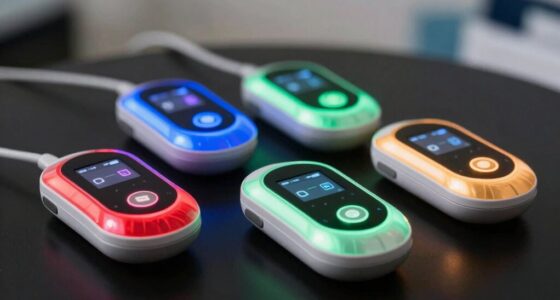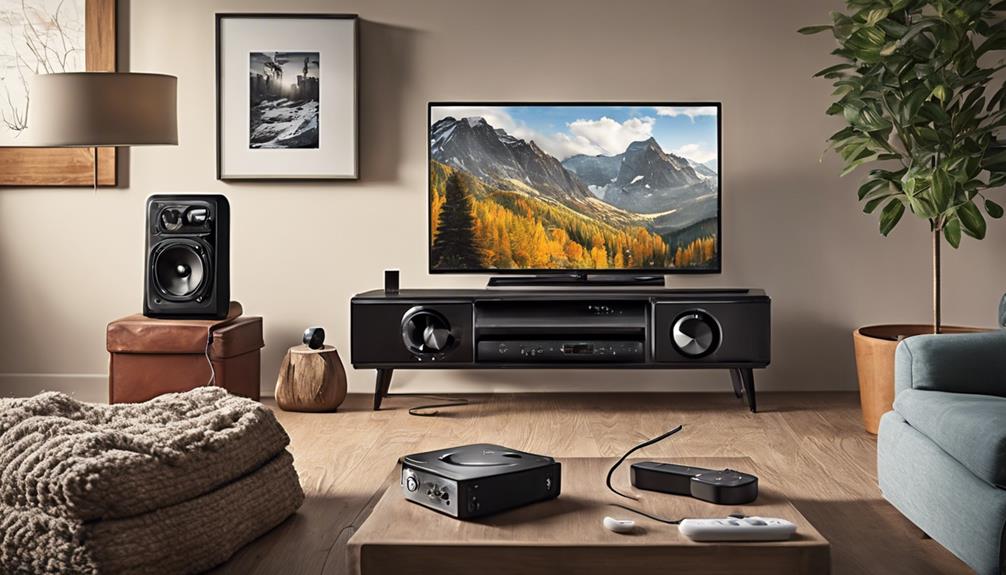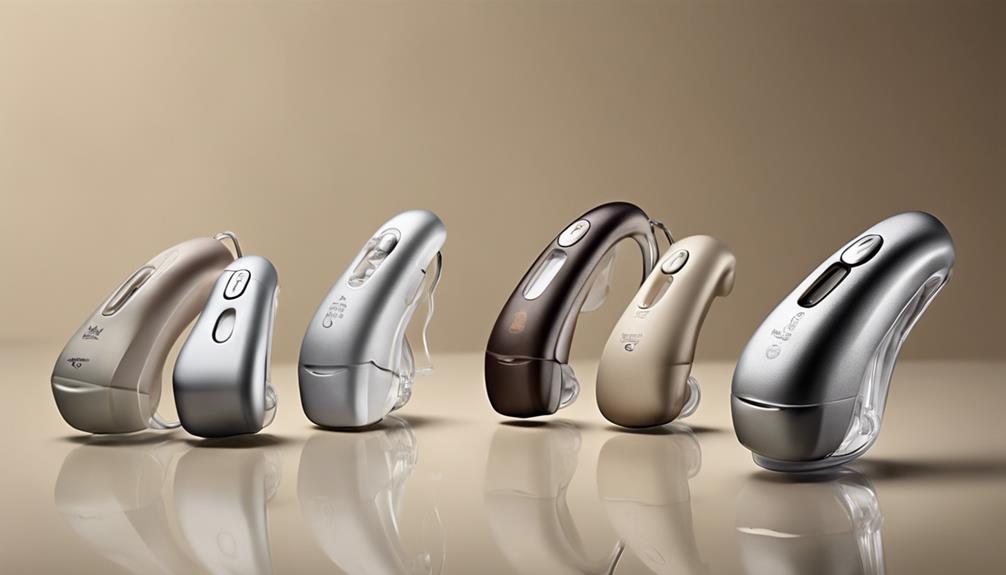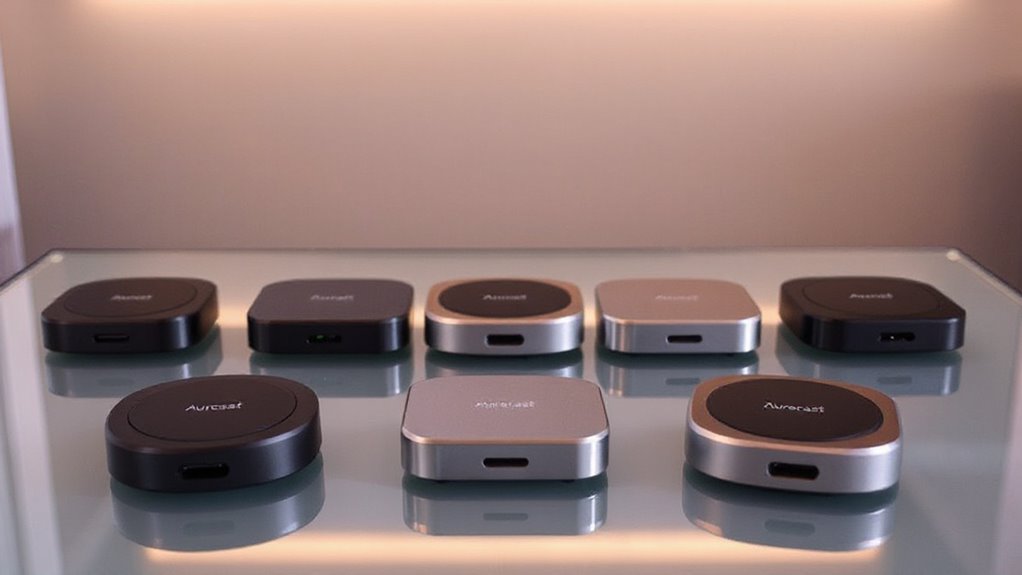

I rank the BA210 v2 with aptX Lossless as the best overall Auracast transmitter for TV because it combines strong sound potential with optical connectivity. The Avantree Voyager is a simpler choice for beginners, while the Audikast 4HA is better suited to selected hearing aids. The main tradeoffs are broad receiver compatibility, audio delay, connection options, and whether you need a general TV transmitter or a hearing-aid-focused model. Continue reading for the full comparison and a buyer-focused guide to choosing the right fit.

Get everyday helpers delivered free with Prime
- Fast, free delivery on millions of items
- Prime Video, Amazon Music and more included
- Member-only deals all year
Key Takeaways
- BA210 v2 with aptX Lossless leads the roundup for buyers who want advanced audio support and a dependable optical connection.
- Avantree Voyager offers the friendliest starting point when a display and straightforward controls matter more than maximum flexibility.
- Audikast 4HA and Audikast 4T serve more specialized hearing-aid setups, so they are not interchangeable with general headphone transmitters.
- The bundled BA210 v2 with JY538 neckband speaker is the most practical choice for buyers who need both a transmitter and a wearable listening device.
- Audikast 4 makes the most sense for simple headphone sharing, but buyers seeking the widest codec and input flexibility should spend more on the BA210 v2 or Voyager.
| BA210 v2 Auracast Bluetooth Transmitter with aptX Lossless and Optical Inputs |  | Best Overall | Connectivity: Bluetooth, Optical, 3.5mm, RCA | Supported Audio Codecs: aptX Lossless, aptX HD, AAC, MP3, WAV, FLAC | Range: Up to 165 ft line-of-sight; 50-80 ft indoors; up to 330 ft in Auracast mode | VIEW ON AMAZON | See Our Full Breakdown |
| Avantree Voyager Bluetooth 5.4 Audio Transmitter with OLED Display and Auracast Support |  | Best for Travel and Occasional TV Use | Bluetooth Version: Bluetooth 5.4 | Supported Standards: Bluetooth 5.4, aptX Adaptive | Display: OLED | VIEW ON AMAZON | See Our Full Breakdown |
| BA210 v2 Auracast Bluetooth 5.3 Transmitter with JY538 Neckband Speaker, 50 Hrs Battery, aptX Adaptive/LL/HD, Optical/3.5mm/RCA, for TV & Audio Systems |  | Best TV Bundle | Bluetooth Version: Bluetooth 5.3 | Audio Codecs: aptX Adaptive, Low Latency, HD | Battery Life: Up to 50 hours | VIEW ON AMAZON | See Our Full Breakdown |
| Avantree Audikast 4T – Auracast TV Transmitter for Selected Hearing Aids |  | Best for Hearing-Aid Flexibility | Compatibility: Bluetooth headphones, earbuds, Auracast-compatible hearing aids, TVs with Optical or AUX output | Supported Standards: aptX Adaptive, aptX HD, aptX, SBC, LC3 | Installation Type: Wired | VIEW ON AMAZON | See Our Full Breakdown |
| Avantree Audikast 4HA – Auracast TV Transmitter for Selected Hearing Aids |  | Best for Dedicated Auracast Hearing-Aid Use | Compatibility: Auracast-enabled hearing aids | TV Connection: Optical or AUX | Firmware Updates: USB-C | VIEW ON AMAZON | See Our Full Breakdown |
| Avantree Audikast 4 – Auracast & Bluetooth TV Transmitter for Headphones |  | Best for Mixed Headphone Compatibility | Audio outputs supported by TV: Optical (TOSLINK) or 3.5 mm AUX | Wireless modes: Auracast and Classic Bluetooth | Hearing aid compatibility: Auracast-enabled hearing aids | VIEW ON AMAZON | See Our Full Breakdown |
| auracast transmitters for tv | Compatibility | Bluetooth Version |
|---|---|---|
| BA210 v2 Auracast Bluetooth Tr | TVs, gaming consoles, hearing aids, Bluetooth headphones | — |
| Avantree Voyager Bluetooth 5.4 | Bluetooth headphones and earbuds, including AirPods and Bose QC35 | Bluetooth 5.4 |
| BA210 v2 Auracast Bluetooth 5. | — | Bluetooth 5.3 |
| Avantree Audikast 4T | Bluetooth headphones, earbuds, Auracast-compatible hearing aids, TVs with Optical or AUX output | — |
| Avantree Audikast 4HA | Auracast-enabled hearing aids | — |
| Avantree Audikast 4 | — | Not specified |
More Details on Our Top Picks
BA210 v2 Auracast Bluetooth Transmitter with aptX Lossless and Optical Inputs
I rank the BA210 v2 first because it combines the widest TV connection options with strong audio support and long reach. Optical, AUX, and RCA inputs make it easier to connect older and newer televisions than the travel-focused Avantree Voyager, while Auracast can share one program with several compatible listeners. aptX Lossless is appealing for music and high-quality TV audio, but it only helps when the receiving headphones or hearing aids support it. The main tradeoff is setup: optical audio must be set to PCM, and the average customer rating suggests some buyers may encounter friction. Compared with the bundled BA210 v2 with JY538 neckband, this version gives me more flexibility to choose my own listening device, but it does not include one.
Pros:- Optical, 3.5mm AUX, and RCA inputs suit a wide range of TVs and audio equipment
- Supports aptX Lossless, aptX HD, AAC, MP3, WAV, and FLAC
- Long wireless reach, including extended Auracast range
- Can broadcast audio to multiple compatible devices
Cons:- Optical TV output must be configured for PCM instead of Dolby or DTS
- Setup may be confusing for less technical buyers
- Average customer rating points to inconsistent ownership experiences
Best for: TV owners who want one transmitter for headphones, hearing aids, gaming consoles, and multiple audio inputs
Not ideal for: Buyers who want plug-and-play setup, Dolby or DTS passthrough, or an included headset
- Connectivity:Bluetooth, Optical, 3.5mm, RCA
- Supported Audio Codecs:aptX Lossless, aptX HD, AAC, MP3, WAV, FLAC
- Range:Up to 165 ft line-of-sight; 50-80 ft indoors; up to 330 ft in Auracast mode
- Inputs:Optical, 3.5mm AUX, RCA
- Compatibility:TVs, gaming consoles, hearing aids, Bluetooth headphones
- Enclosure Material:Plastic
- Warranty:1 year
Our verdict“Choose this when you want the most flexible TV transmitter and are comfortable adjusting audio settings.”
Avantree Voyager Bluetooth 5.4 Audio Transmitter with OLED Display and Auracast Support
I would choose the Avantree Voyager for someone who moves between flights, hotel rooms, and occasional TV listening rather than building a permanent home setup. Its rechargeable battery and OLED display make pairing easier to follow than on the BA210 v2 models, especially when switching between devices. Auracast lets compatible headphones share a broadcast, but classic Bluetooth mode supports only one headset. That limitation matters for family TV viewing. It also needs a 3.5mm AUX connection, so it is less suitable for televisions with optical output only and cannot connect directly to hearing aids, phones, or TVs without the right adapter. Compared with the Avantree Audikast 4T, this is more portable but much less focused on fixed TV and hearing-aid use.
Pros:- Rechargeable battery supports portable use without a permanent power connection
- OLED screen shows pairing and device information clearly
- Bluetooth 5.4 and Auracast support suit newer headphones
- Simple controls are easier for travel use than transmitter setups without a display
Cons:- Requires a 3.5mm AUX connection and is not a flexible optical TV solution
- Does not support hearing aids, phones, or TVs without AUX access
- Classic Bluetooth mode connects to only one headset
Best for: Frequent travelers who want a battery-powered transmitter for airplane entertainment and occasional AUX-equipped TVs
Not ideal for: Households seeking a permanent optical TV connection, hearing-aid support, or two-headphone classic Bluetooth listening
- Bluetooth Version:Bluetooth 5.4
- Supported Standards:Bluetooth 5.4, aptX Adaptive
- Display:OLED
- Power Source:Rechargeable battery
- Battery:1 lithium polymer battery included
- Compatibility:Bluetooth headphones and earbuds, including AirPods and Bose QC35
- Supported Media Type:MP3
Our verdict“Pick this for portable AUX listening, but skip it for a dedicated home TV or hearing-aid setup.”
BA210 v2 Auracast Bluetooth 5.3 Transmitter with JY538 Neckband Speaker, 50 Hrs Battery, aptX Adaptive/LL/HD, Optical/3.5mm/RCA, for TV & Audio Systems
The BA210 v2 with JY538 neckband speaker makes the most sense when I want a ready-made private-listening package instead of sourcing headphones separately. Its optical, AUX, and RCA inputs match the connectivity of the standalone BA210 v2, while the included neckband adds an immediate listening option for TV, gaming, or outdoor use. 50-hour battery life reduces charging interruptions, and aptX Adaptive, Low Latency, and HD codecs can help keep dialogue aligned with the picture when compatible. The tradeoff is a narrower upgrade path: buyers who already own premium headphones may get more value from the standalone BA210 v2. Compared with the Avantree Audikast 4T, this bundle is less hearing-aid-specific but more self-contained for general TV listening.
Pros:- Includes a JY538 neckband speaker, reducing the need to buy a separate receiver
- 50-hour battery life supports extended TV and gaming sessions
- Optical, 3.5mm, and RCA inputs work with many home audio sources
- Supports aptX Adaptive, Low Latency, and HD audio
Cons:- The included neckband may be less appealing than a buyer’s existing headphones
- Auracast sharing requires compatible receiving devices
- Setup can be complicated for users unfamiliar with transmitter pairing
Best for: TV viewers who want a transmitter and included neckband speaker with long battery life for private listening
Not ideal for: Buyers who already own preferred headphones or need a hearing-aid-focused transmitter with broader device guidance
- Bluetooth Version:Bluetooth 5.3
- Audio Codecs:aptX Adaptive, Low Latency, HD
- Battery Life:Up to 50 hours
- Connectivity:Optical, 3.5mm, RCA
- Included Receiver:JY538 neckband speaker
- Audio Sharing:Auracast Audio Sharing
- App Integration:QK Audio App
Our verdict“Choose this bundle when an included long-lasting neckband matters more than selecting your own premium headphones.”
Avantree Audikast 4T – Auracast TV Transmitter for Selected Hearing Aids
I place the Avantree Audikast 4T high for viewers who want one TV transmitter that can serve both Auracast hearing aids and ordinary Bluetooth headphones. Its dual-mode design gives me more flexibility than the hearing-aid-only Audikast 4HA, while aptX Adaptive, aptX HD, and LC3 cover a wider range of listening hardware. The benefit is private TV audio at a personally comfortable volume, which can help when household members prefer different sound levels. The catch is compatibility: only selected Auracast hearing aids work, and the television needs optical or AUX output. HDMI-only TVs are excluded. Compared with the BA210 v2, this model is more targeted toward hearing support but offers fewer source connections and less codec breadth.
Pros:- Supports both Auracast and classic Bluetooth listening modes
- Works with selected Auracast hearing aids, headphones, earbuds, and speakers
- Offers aptX Adaptive, aptX HD, aptX, SBC, and LC3 support
- USB-C power suits modern TV setups
Cons:- Requires optical or AUX TV output and cannot connect directly to HDMI-only systems
- Auracast hearing-aid support is limited to selected models
- Initial setup may be difficult for non-technical users
Best for: Households that use Auracast hearing aids but also want the option to connect Bluetooth headphones or earbuds
Not ideal for: HDMI-only TV owners or buyers whose hearing aids are not listed as compatible
- Compatibility:Bluetooth headphones, earbuds, Auracast-compatible hearing aids, TVs with Optical or AUX output
- Supported Standards:aptX Adaptive, aptX HD, aptX, SBC, LC3
- Installation Type:Wired
- Power Source:USB-C
- Hardware Interface:Bluetooth
- Connector Type:USB Type-C
- Number of Ports:3
- Color:Titanium
Our verdict“Buy this when hearing-aid support and Bluetooth flexibility matter more than broad input coverage.”
Avantree Audikast 4HA – Auracast TV Transmitter for Selected Hearing Aids
The Avantree Audikast 4HA is the most focused option here: I would select it when the only goal is sending TV audio to compatible Auracast hearing aids. Its optical and AUX connections cover the common TV outputs, while volume control through the hearing aids or their app keeps listening private without changing the room’s speaker level. Firmware updates through USB-C give the product a path for later compatibility improvements. That specialization also limits it. Unlike the Audikast 4T, it is not positioned as a general Bluetooth transmitter for multiple headphone types, and setup requires joining the Auracast broadcast through a hearing-aid app. Buyers should verify hearing-aid and TV compatibility before purchase, especially if their television uses HDMI only.
Pros:- Purpose-built for Auracast-enabled hearing aids
- Supports private TV listening with volume control from the hearing aids or app
- Optical and AUX inputs fit common television audio outputs
- USB-C firmware updates may add later compatibility support
Cons:- Works only with Auracast-enabled hearing aids
- Joining the broadcast through a hearing-aid app adds setup steps
- Depends on the TV’s available output and audio settings
Best for: Auracast hearing-aid users who want a dedicated, private TV audio connection with app-based volume control
Not ideal for: Buyers who need ordinary Bluetooth headphone support, broad receiver compatibility, or a simple HDMI connection
- Compatibility:Auracast-enabled hearing aids
- TV Connection:Optical or AUX
- Firmware Updates:USB-C
- Setup Requirement:Join the Auracast broadcast through a hearing-aid app
- Listening Control:Volume control through hearing aids or app
- Primary Use:Private TV audio streaming
Our verdict“Choose this for a dedicated Auracast hearing-aid setup, not as a general-purpose TV headphone transmitter.”
Avantree Audikast 4 – Auracast & Bluetooth TV Transmitter for Headphones
The Avantree Audikast 4 earns its place by serving households that need both Auracast and classic Bluetooth in one TV transmitter. That makes it more flexible than the hearing-aid-focused Avantree Audikast 4T, since it can work with compatible hearing aids as well as ordinary Bluetooth headphones. Optical and 3.5 mm AUX inputs cover many older and current TVs, while private listening keeps the room quiet for other viewers. The tradeoff is a fairly narrow setup path: HDMI-only TVs are excluded, soundbar passthrough systems are unsupported, and Bluetooth mode connects to one device at a time. Compared with the feature-heavy BA210 v2, this is the simpler pick for straightforward TV listening, but it lacks that model’s broader input and multi-device appeal.
Pros:- Supports both Auracast and classic Bluetooth modes
- Works with compatible hearing aids and standard Bluetooth headphones
- Optical and 3.5 mm AUX inputs suit many TV setups
- Enables private listening without disturbing other viewers
Cons:- Cannot connect to HDMI-only TVs
- Bluetooth mode supports only one connected device at a time
- Does not support soundbar passthrough configurations
Best for: Households switching between Auracast hearing aids and standard Bluetooth headphones on a TV with Optical or 3.5 mm audio output
Not ideal for: HDMI-only TV owners, soundbar passthrough setups, or families who need two Bluetooth listeners connected at once
- Audio outputs supported by TV:Optical (TOSLINK) or 3.5 mm AUX
- Wireless modes:Auracast and Classic Bluetooth
- Hearing aid compatibility:Auracast-enabled hearing aids
- Bluetooth connection limit:One device at a time
- Bluetooth version:Not specified
- TV listening use:Private audio through headphones or hearing aids
- HDMI compatibility:Not compatible with HDMI-only TVs
- Soundbar passthrough:Not supported
Our verdict“Choose the Audikast 4 when you want one transmitter for Auracast hearing aids and regular Bluetooth headphones, provided your TV has a compatible audio output.”

How We Picked
I ranked these transmitters around the way people actually use a TV: connecting the available audio output, keeping speech and video aligned, pairing with compatible receivers, and living with the controls after setup. I gave extra weight to input flexibility, receiver compatibility, low-delay audio support, display clarity, and the practical quality of each product’s included accessories. A transmitter could not rank highly on sound features alone if its audience was limited to a narrow hearing-aid group.
The order reflects the best balance for the largest number of TV buyers, followed by value, ease of setup, premium audio features, and specialized use cases. That places the BA210 v2 first for its broad feature mix, while the Avantree models move ahead when their simpler design or hearing-aid focus better matches a specific buyer. Drawbacks such as limited compatibility, fewer inputs, extra setup steps, or a higher price count directly against each product.
| auracast transmitters for tv | Compatibility | Bluetooth Version |
|---|---|---|
| BA210 v2 Auracast Bluetooth Tr | TVs, gaming consoles, hearing aids, Bluetooth headphones | — |
| Avantree Voyager Bluetooth 5.4 | Bluetooth headphones and earbuds, including AirPods and Bose QC35 | Bluetooth 5.4 |
| BA210 v2 Auracast Bluetooth 5. | — | Bluetooth 5.3 |
| Avantree Audikast 4T | Bluetooth headphones, earbuds, Auracast-compatible hearing aids, TVs with Optical or AUX output | — |
| Avantree Audikast 4HA | Auracast-enabled hearing aids | — |
| Avantree Audikast 4 | — | Not specified |
Factors to Consider When Choosing Auracast Transmitters For Tv
Choosing an Auracast transmitter for TV is less about buying the newest Bluetooth version and more about matching the transmitter to your television, listening device, and household routine. I would check these five factors before comparing prices, since a small mismatch can make an otherwise capable transmitter frustrating to use.
Check the TV Output Before You Buy
Your TV may offer optical, 3.5mm, RCA, HDMI ARC, or only wireless audio, and transmitters do not accept every format. Optical output is often the cleanest wired route, but it may require changing the TV’s digital audio setting to PCM. A 3.5mm connection is easier on older sets, while RCA works well with televisions that send audio through red and white ports. I would avoid assuming that HDMI ARC is supported just because it appears on the TV. Also check whether the chosen output disables the television’s built-in speakers, since that can affect shared viewing. A transmitter with several input options costs more, but it reduces the chance of needing an adapter later.
Match the Transmitter to the Receiver
Auracast is a broadcast feature, not a guarantee that every Bluetooth headphone or hearing aid will connect. Receiver compatibility depends on the listener’s headphones, earbuds, neckband, or hearing aids supporting the right Auracast profile. Some specialized transmitters are aimed at selected hearing aids and may not be the best route for ordinary headphones. I would confirm the receiving device’s Auracast support before placing an order. If more than one person will listen, check how each receiver joins the broadcast and whether private pairing remains available. Paying for a transmitter with broad support has little value if the receiving device is limited to classic Bluetooth.
Prioritize Lip-Sync for TV Speech
Music can tolerate a little delay, but a drifting voice is distracting during films, news, and live sports. Low-latency support helps reduce the gap between a person’s lips and the sound reaching your ears, although both the transmitter and receiver need compatible modes. Advanced codecs may improve sound quality, yet they do not automatically remove delay. I would treat codec names as a match between two devices, not as a promise from the transmitter alone. If speech clarity matters more than rich music playback, a simpler low-delay setup may be the better buy. Check whether your television adds processing delay of its own, since the transmitter cannot correct every source of lag.
Decide Whether You Need One Listener or Several
Auracast becomes more useful when several people need the same TV audio without turning the volume up for everyone else. Multi-listener broadcasting can support that setup, but each listener still needs a compatible receiver and a manageable way to join the broadcast. For one person, classic point-to-point Bluetooth may be simpler and more predictable. For a couple or family, broadcast sharing can reduce repeated pairing and make independent volume control easier. I would also check the expected room size and whether the transmitter’s antenna placement is practical near the TV. A strong feature list cannot compensate for poor receiver placement or a crowded wireless environment.
Balance Setup Ease Against Long-Term Flexibility
A small display, clear status lights, physical controls, and stored pairing information can matter more than an extra codec for daily TV use. Simple controls are especially helpful when the transmitter will be used by someone who does not want to manage an app or repeat pairing steps. Battery-powered accessories add freedom, but they also introduce charging and replacement needs. Dedicated hearing-aid models may simplify one listening routine while limiting future use with other devices. I would pay more for extra inputs or easier controls when the transmitter will serve several TVs or listeners. For a single bedroom TV, a compact and focused model may deliver better value than a feature-heavy unit.
Frequently Asked Questions
Can I use an Auracast transmitter with any Bluetooth headphones?
No, ordinary Bluetooth headphones do not automatically support Auracast broadcasts. The headphones or earbuds need compatible Auracast reception, and some models may support only classic Bluetooth pairing. Check the receiver specifications before buying the transmitter, especially if you already own the listening device. If your headphones lack Auracast, a standard Bluetooth transmitter may be a better match. I would also confirm whether the transmitter can switch between Auracast and regular Bluetooth modes if you want broader device support.
Is an optical connection better than a 3.5mm connection for TV use?
Optical is often preferable when your TV provides it because it sends a clean digital signal and avoids some analog noise. A 3.5mm connection is easier to set up and works well with televisions that lack optical output. The better choice depends on your TV’s output behavior, not just the connector’s reputation. Optical may require setting the TV to PCM, while 3.5mm can sometimes control whether the built-in speakers stay active. I would choose a transmitter with both inputs if the same unit may move between different televisions.
Should I buy a hearing-aid-focused transmitter or a general TV model?
Choose a hearing-aid-focused transmitter when your main goal is reliable use with the supported hearing aids listed by the manufacturer. A general model is more flexible if you may use headphones, earbuds, or a neckband speaker later. The right category depends on your receiver first, not on the transmitter’s headline feature list. Hearing-aid models can simplify pairing but may offer fewer useful options for other listeners. I would confirm compatibility with the exact hearing-aid model before paying for a specialized unit.
Do I need aptX Lossless or aptX Adaptive for watching TV?
Not always. These codecs can help with sound quality or latency when the receiving device supports the same codec, but TV dialogue does not require the highest available audio specification. Codec matching matters more than codec count, so a transmitter with many formats may add little if your headphones use a different standard. Buyers focused on films, music, or premium headphones may appreciate the extra flexibility. For basic speech listening, easy setup and stable lip-sync may matter more than lossless playback.
Can two people listen to the same TV through Auracast?
That is one of Auracast’s strongest use cases, provided both listening devices can join the broadcast. Each person may be able to adjust volume on their own receiver, which is useful when listeners have different hearing needs. Multi-listener support still depends on compatible receivers and a simple joining process. I would check whether the transmitter supports the intended broadcast mode and whether both devices can remain connected reliably in the room. If only one person needs wireless audio, a standard paired connection may involve fewer steps.
Conclusion
I would choose the BA210 v2 with aptX Lossless as the best overall option for buyers who want strong audio support, optical input, and room to grow. The Avantree Voyager is my best value and beginner-friendly pick when a clear display and simpler operation matter most. For premium sound features, the BA210 v2 remains the stronger choice, while the bundled BA210 v2 with JY538 neckband speaker fits buyers who want a ready-to-use wearable listening setup. Buyers with selected hearing aids should focus on the Audikast 4HA or 4T, and those who want a straightforward headphone transmitter should choose the Audikast 4. The best match comes down to your TV output, receiving device, and whether one or several people need private TV audio.
Halloween Picks
halloween
As an affiliate, we earn on qualifying purchases.