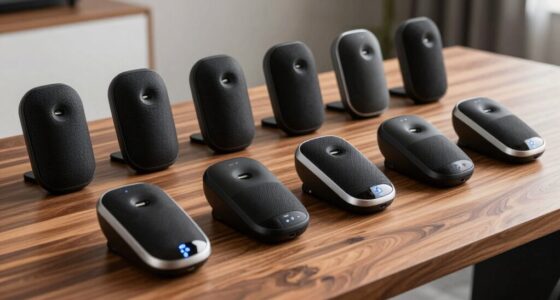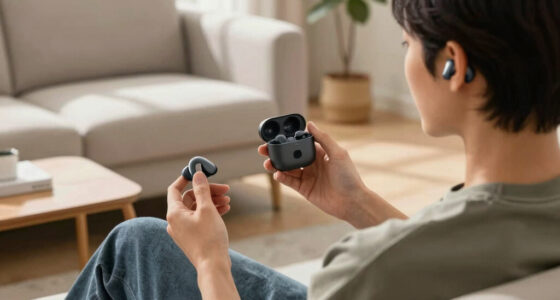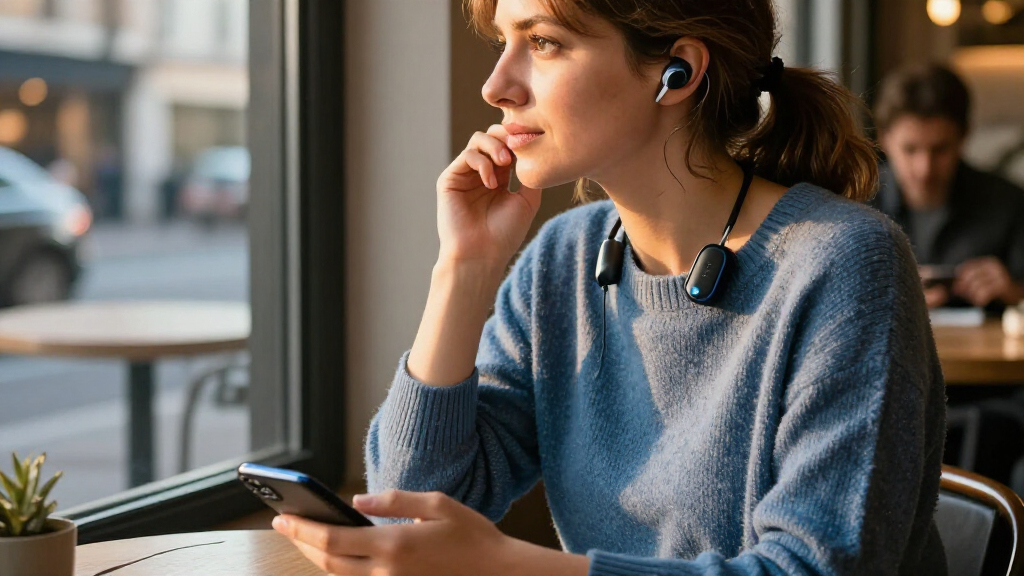

Bluetooth hearing aid streamers can send TV audio or phone calls directly to compatible hearing aids, but compatibility and intended use matter more than a long feature list. I’d put the TV Streamer+ for ReSound and Jabra first for buyers with those hearing aids, while the Oticon ConnectClip stands out for hands-free calls and remote-microphone use. For broader Auracast experimentation, the SUNITEC BT618T and HomeSpot BA210 v2 offer a different route than brand-specific TV accessories. The main tradeoff is between a simple, dependable connection for one hearing-aid family and a more flexible transmitter that may require extra compatibility checks. Read on for the full breakdown, including who each option suits and where its limitations matter.

Get everyday helpers delivered free with Prime
- Fast, free delivery on millions of items
- Prime Video, Amazon Music and more included
- Member-only deals all year
Complete the kit

![Size 312 [Scissor-Free] PR41 1.45V Zinc Air Hearing Aid B...](https://m.media-amazon.com/images/I/71twAXoLyIL._AC_SL480_.jpg "11 Best Bluetooth Hearing Aid Streamers for TV and Everyday Listening in 2027 6")
Key Takeaways
- Hearing-aid compatibility is the first filter: Phonak, Oticon, Signia, Widex, ReSound, and Jabra products in this lineup are not interchangeable, so confirm your exact hearing-aid model before choosing.
- TV listening and everyday streaming are different jobs: Dedicated TV connectors focus on sending television audio, while ConnectClip and COM-DEX also target calls or remote-microphone use.
- Auracast transmitters are a separate buying path: SUNITEC BT618T, Avantree Audikast 4HA, and HomeSpot BA210 v2 may suit Auracast-compatible setups, but compatibility must be verified across both transmitter and hearing aids.
- Brand-specific connectors reduce setup uncertainty: Phonak TV Connector, Signia Connexx TV Sound Streamer, and Lillu TV Connector V2 are aimed at particular ecosystems, trading broad compatibility for a more focused fit.
- The best pick depends on where sound comes from: Choose a TV-focused streamer for home viewing, a clip-on microphone streamer for conversations and calls, or a general transmitter only when its connection standard matches your devices.
| SUNITEC BT618T Auracast and Bluetooth 5.4 TV Audio Transmitter |  | Best for Multi-Listener Auracast Setups | Model: BT618T | Bluetooth version: 5.4 | Inputs: HDMI ARC, Optical TOSLINK, 3.5 mm AUX, microphone | VIEW LATEST PRICE | See Our Full Breakdown |
| TV Streamer+ for ReSound and Jabra Hearing Aids |  | Best for Simple Brand-Matched TV Streaming | Compatible hearing aids: ReSound Sensia, Vivia, Nexia, and Savi | Compatible Jabra models: Jabra Enhance Pro 20 and 30 | Connectivity: Wireless TV audio streaming | VIEW LATEST PRICE | See Our Full Breakdown |
| Avantree Audikast 4HA Auracast Bluetooth TV Transmitter for Selected Hearing Aids |  | Best for App-Controlled Auracast TV Listening | Model: Audikast 4HA | Connectivity: Bluetooth and Auracast | Supported standards: Bluetooth 5, Auracast | VIEW LATEST PRICE | See Our Full Breakdown |
| TUCSTORE Oticon ConnectClip Wireless Bluetooth Microphone & Streamer (Compatible with Oticon Hearing Aids) |  | Best for Conversations and Hands-Free Calls | Connectivity: Bluetooth | Compatible devices: Oticon Opn, More, Siya, Xceed, Ruby, Zircon, Intent, Real, Own, Engage, Play, One | Connector type: Micro USB | VIEW LATEST PRICE | See Our Full Breakdown |
| Lillu TV Connector V2 for Compatible Phonak Hearing Aids |  | Best App-Free Pick for Compatible Phonak Users | Compatible devices: Phonak Marvel, Paradise, Lumity, Infinio, Sphere i90, and Unitron Discover Next | Connections: Optical, RCA, and 3.5 mm audio | Range: Up to about 15 metres line of sight | VIEW LATEST PRICE | See Our Full Breakdown |
| Signia Connexx TV Sound Streamer for Hearing Aids |  | Best for Signia and Connexx TV Listening | Model: Connexx TV Sound V1.2 | Compatible devices: Bluetooth-enabled Signia and Connexx hearing aids | Audio inputs: Optical and analog | VIEW LATEST PRICE | See Our Full Breakdown |
| Phonak TV Connector Wireless Audio Streamer for Hearing Aids |  | Best for Phonak TV Setup | Compatible hearing aids: Phonak Marvel, Paradise, Lumity, Audéo, Naída, and Bolero | Audio inputs: Optical TOSLINK and 3.5 mm AUX | Audio output: Stereo | VIEW LATEST PRICE | See Our Full Breakdown |
| Oticon ConnectClip Bluetooth Streamer and Remote Microphone for Oticon Hearing Aids |  | Best for Calls and Remote Microphone Use | Connectivity: Bluetooth | Functions: Audio streaming, hands-free calls, remote microphone, hearing aid control | Battery: Rechargeable | VIEW LATEST PRICE | See Our Full Breakdown |
| Trihear ClearTV Bluetooth TV Streamer for Hearing Aids |  | Best for Two-Pair TV Listening | Model: CT001 | Compatibility: Bluetooth-enabled Pho and Uni model hearing aids | Maximum hearing aid connections: 2 pairs (4 devices) | VIEW LATEST PRICE | See Our Full Breakdown |
| COM-DEX Bluetooth Streamer for Widex Hearing Aids – Hands-Free Calls |  | Best for Simple Widex Phone Streaming | Compatibility: Widex hearing aids; smartphones, tablets, and Bluetooth-enabled devices | Battery life: Up to 8 hours of streaming | Charging method: USB port | VIEW LATEST PRICE | See Our Full Breakdown |
| HomeSpot BA210 v2 Auracast Bluetooth Transmitter |  | Best for Flexible TV and Multi-Receiver Streaming | Brand: HomeSpot | Model: BA210 v2 | Connectivity: Bluetooth A2DP and Auracast | VIEW LATEST PRICE | See Our Full Breakdown |
More Details on Our Top Picks
SUNITEC BT618T Auracast and Bluetooth 5.4 TV Audio Transmitter
The SUNITEC BT618T is the most flexible choice here for a household that wants to send TV sound to several compatible listeners at once. Its Auracast broadcast can serve multiple Auracast-enabled devices, unlike the Lillu TV Connector V2, which is limited to compatible Phonak and Unitron hearing aids. HDMI ARC, optical, AUX, and microphone inputs also make the BT618T useful with more than a television, while wired soundbar passthrough lets other people keep listening through speakers. The tradeoff is compatibility: Auracast must be supported and may need enabling in a hearing aid’s app, so this is not a universal hearing aid streamer. Setup instructions also call for starting playback before joining the broadcast. Choose it for format flexibility, not if you need a model-specific, plug-and-play hearing aid accessory.
Pros:- Broadcasts to multiple compatible Auracast devices simultaneously
- HDMI ARC, optical, AUX, and microphone inputs support varied sources
- Wired soundbar passthrough can keep speaker listening available
- Vocal Boost and two other EQ modes let listeners tailor the sound
Cons:- Auracast support and app settings are required on receiving devices
- Setup instructions require playback to begin before joining the broadcast
- Codec support does not guarantee compatibility with every hearing aid
Best for: Households with multiple Auracast-compatible listeners who want one transmitter for a TV and other audio sources.
Not ideal for: People whose hearing aids lack Auracast support or who want a dedicated streamer with confirmed compatibility for a specific hearing aid brand.
- Model:BT618T
- Bluetooth version:5.4
- Inputs:HDMI ARC, Optical TOSLINK, 3.5 mm AUX, microphone
- Audio codecs:LC3, aptX Adaptive, aptX HD, AAC, SBC
- Maximum audio resolution:24-bit/96 kHz
- Wireless range:Up to 100 m (330 ft) in open areas
- EQ modes:Balanced, Vocal Boost, Bass Boost
- Audio passthrough:Wired and wireless simultaneous output
Our verdict“Choose the BT618T if several listeners have Auracast-compatible devices and you want broad input and output options.”
TV Streamer+ for ReSound and Jabra Hearing Aids
The TV Streamer+ makes the most sense when you already use one of its supported ReSound or Jabra hearing aids and want a direct route from the television to your ears. Its plug-and-play setup avoids the Auracast broadcast-joining step required by the Avantree Audikast 4HA, and independent volume adjustment lets you change your listening level without altering the TV volume for everyone else. The main cost of that simplicity is a narrow compatibility list: it supports specified ReSound and Jabra models, not hearing aids generally. Unlike the SUNITEC BT618T, it is presented as a TV streamer rather than a multi-source transmitter, and its range is described only as allowing movement around the room. I’d choose it for a compatible hearing aid and a straightforward TV setup, but not for mixed-brand households or broader audio use.
Pros:- Streams TV audio directly to the listed compatible hearing aids
- Plug-and-play setup keeps installation straightforward
- Independent hearing aid volume control leaves TV volume unchanged
- Wireless range supports moving around the room while listening
Cons:- Compatibility is limited to the specified ReSound and Jabra models
- Requires a TV connection and is not described as a general-purpose audio transmitter
Best for: Owners of ReSound Sensia, Vivia, Nexia, or Savi hearing aids, or Jabra Enhance Pro 20 or 30, who want uncomplicated TV listening.
Not ideal for: People with other hearing aid brands or anyone seeking a transmitter for a PC, turntable, or multiple connection types.
- Compatible hearing aids:ReSound Sensia, Vivia, Nexia, and Savi
- Compatible Jabra models:Jabra Enhance Pro 20 and 30
- Connectivity:Wireless TV audio streaming
- Setup:Plug and play
- Volume control:Independent hearing aid volume adjustment
- Wireless range:Allows movement around the room
Our verdict“Pick this streamer if your hearing aids are on the compatibility list and you want simple TV listening with separate volume control.”
Avantree Audikast 4HA Auracast Bluetooth TV Transmitter for Selected Hearing Aids
The Avantree Audikast 4HA is a TV-focused Auracast option for buyers who have checked that their hearing aids are among the supported models. It connects through optical or AUX, then lets listeners adjust volume on the hearing aid or in its companion app. That makes it more targeted than the SUNITEC BT618T, whose extra HDMI ARC, microphone, and broader source options suit people building a more flexible audio setup. The Audikast can broadcast to multiple listeners, but that benefit depends on compatible Auracast devices, and initial setup requires joining the broadcast through an app. There is another practical wrinkle: whether TV speakers stay active depends on the television’s audio settings. I’d favor it for a selected compatible hearing aid pair and a simple wired TV connection, not for buyers who need assured speaker passthrough or app-free setup.
Pros:- Optical and AUX inputs cover common TV audio connections
- Can broadcast to multiple compatible Auracast listeners
- Volume can be adjusted on the hearing aid or in its companion app
- USB-C firmware updates are supported
Cons:- Works only with selected Auracast-enabled hearing aids
- Initial setup requires joining the broadcast through a hearing aid app
- TV speaker output depends on the television’s audio settings
Best for: TV viewers with selected Auracast-enabled hearing aids who are comfortable joining a broadcast through a companion app.
Not ideal for: People who need broad hearing aid compatibility, app-free setup, or guaranteed simultaneous TV speaker output.
- Model:Audikast 4HA
- Connectivity:Bluetooth and Auracast
- Supported standards:Bluetooth 5, Auracast
- Audio inputs:Optical, AUX
- Compatible devices:Selected Auracast-enabled hearing aids
- Power source:Corded electric
- Audio output mode:Stereo
- Warranty:24 months
Our verdict“Choose the Audikast 4HA if your hearing aids are confirmed compatible and you want an app-controlled Auracast connection dedicated to TV audio.”
TUCSTORE Oticon ConnectClip Wireless Bluetooth Microphone & Streamer (Compatible with Oticon Hearing Aids)
Unlike the TV-first SUNITEC BT618T and Avantree Audikast 4HA, the Oticon ConnectClip is a wearable, everyday Bluetooth accessory built around conversations as well as streaming. A conversation partner can wear it as a remote microphone, sending speech to compatible Oticon hearing aids when background noise makes face-to-face listening harder. It also handles hands-free calls and provides volume and program controls on the clip, so its value extends beyond television. Compatibility is broad across the listed Oticon families, but it remains brand-specific and does not offer the multi-listener Auracast approach of the BT618T. The listing specifies a single audio channel and a Micro USB connector, which may limit appeal for buyers seeking newer connection standards or a dedicated home TV transmitter. This is the better pick for Oticon users who want a wearable speech aid and phone streamer in one.
Pros:- Remote microphone can send a conversation partner’s voice to hearing aids
- Supports hands-free calling and Bluetooth audio streaming
- Clip provides volume and program controls
- Compatible with a broad list of Oticon hearing aid families
Cons:- Requires a compatible Bluetooth-enabled Oticon hearing aid
- Single audio channel limits its use for multi-channel listening setups
- Micro USB connection is less current than newer connector types
Best for: Oticon hearing aid users who want a wearable remote microphone for conversations plus Bluetooth calling and audio streaming.
Not ideal for: People seeking a dedicated TV transmitter, Auracast broadcast, or compatibility with hearing aids from other brands.
- Connectivity:Bluetooth
- Compatible devices:Oticon Opn, More, Siya, Xceed, Ruby, Zircon, Intent, Real, Own, Engage, Play, One
- Connector type:Micro USB
- Form factor:Lavalier
- Number of channels:1
- Weight:14.4 ounces
- Dimensions:8 x 3 x 4.5 inches
- Special feature:Volume control
Our verdict“Choose the ConnectClip if you use a listed Oticon hearing aid and need conversation support and hands-free calls more than a TV-only streamer.”
Lillu TV Connector V2 for Compatible Phonak Hearing Aids
The Lillu TV Connector V2 is a practical pick for compatible Phonak and Unitron users who want TV sound sent directly to their hearing aids without an app-based setup. It arrives with optical, RCA, and 3.5 mm cables, making it easier to connect across common television outputs than the Avantree Audikast 4HA, which lists optical and AUX inputs. Multiple compatible listeners can connect, but the stated line-of-sight range is about 15 metres, far shorter than the open-area range listed for the SUNITEC BT618T. Compatibility is also limited: the listed platforms exclude older Phonak Venture and Belong devices, and the brand relationship is independent rather than official. I’d choose it for a supported hearing aid and a straightforward TV setup, after checking the exact model and included contents; it is not the flexible choice for mixed brands or non-TV sources.
Pros:- Streams TV audio directly to listed compatible hearing aids
- Includes optical, RCA, and 3.5 mm audio cables
- Setup does not require a smartphone app
- Supports multiple compatible hearing aid listeners
Cons:- Not compatible with older Phonak Venture or Belong platforms
- Range is limited to about 15 metres line of sight
- Exact compatibility and included box contents may need confirmation
Best for: Owners of listed Phonak or Unitron hearing aids who want app-free TV streaming and a straightforward wired connection.
Not ideal for: Users of older Phonak Venture or Belong hearing aids, people needing longer-range listening, or households with different hearing aid brands.
- Compatible devices:Phonak Marvel, Paradise, Lumity, Infinio, Sphere i90, and Unitron Discover Next
- Connections:Optical, RCA, and 3.5 mm audio
- Range:Up to about 15 metres line of sight
- Listeners:Multiple compatible hearing aid users simultaneously
- Setup:Plug and play; no app required
- Included items:TV Connector unit, optical cable, RCA cable, 3.5 mm cable, and power supply
- Brand relationship:Lillu is independent and not affiliated with Phonak or Sonova
Our verdict“Choose the Lillu V2 if you have a listed Phonak or Unitron hearing aid and want app-free TV streaming with several cable options.”
Signia Connexx TV Sound Streamer for Hearing Aids
The Signia Connexx TV Sound is a focused choice for watching TV through compatible Signia or Connexx hearing aids. Optical and analog inputs give it a practical fit with different television setups, while the included cables reduce the need to source connections separately. Its independent volume adjustment lets listeners set their own level without changing the TV volume for everyone else, and it can pair with multiple hearing aids at once. Compared with the Phonak TV Connector, this is the brand-specific option for Signia and Connexx users rather than Phonak users; neither is a universal streamer. The tradeoff is narrow compatibility: it does not serve other hearing aid brands, and the supplied details do not specify wireless range or rechargeable operation. I’d choose it for straightforward home TV streaming within its supported ecosystem.
Pros:- Streams TV and music directly to compatible Signia and Connexx hearing aids
- Independent volume adjustment avoids changing the room’s TV volume
- Can pair with multiple hearing aids simultaneously
- Includes optical and analog audio cables
Cons:- Works only with Bluetooth-enabled Signia and Connexx hearing aids
- Wireless range is not specified in the supplied product details
Best for: Signia or Connexx hearing aid users who want a dedicated TV connection with optical and analog input options.
Not ideal for: People using other hearing aid brands, or buyers seeking a multi-brand streamer with a stated wireless range.
- Model:Connexx TV Sound V1.2
- Compatible devices:Bluetooth-enabled Signia and Connexx hearing aids
- Audio inputs:Optical and analog
- Power source:USB cable
- Dimensions:3.5 × 0.5 inches
- Weight:6 ounces
- Included components:TV Sound device, analog audio cable, Micro USB cable, optical TOSLINK cable
- Warranty:1 year
Our verdict“Choose the Connexx TV Sound if your hearing aids are compatible Signia or Connexx models and TV listening is your main need.”
Phonak TV Connector Wireless Audio Streamer for Hearing Aids
For supported Phonak users, the TV Connector keeps the job simple: connect a television or other audio source over optical TOSLINK or 3.5 mm AUX, then stream stereo audio to the hearing aids. Automatic reconnection is useful for regular TV watching, since it reduces the need to repeat pairing steps whenever listening resumes. Its stated range of up to 15 meters gives some freedom to move around the room, though walls and layout may affect practical reach. Compared with the Signia Connexx TV Sound, this model serves a different hearing aid ecosystem and specifies a wireless range; both offer optical and analog-style connections. The key limitation is the same kind of brand lock-in: it supports listed Phonak families, not hearing aids generally. I’d favor it over a broader-purpose Bluetooth accessory when reliable TV use is the priority.
Pros:- Streams stereo audio directly to supported Phonak hearing aids
- Optical TOSLINK and 3.5 mm AUX inputs suit common audio setups
- Automatically reconnects to hearing aids within range
- Specified wireless range of up to 15 meters
Cons:- Compatibility is limited to supported Phonak hearing aid models
- A dedicated TV streamer is less suited to buyers prioritizing calls or remote-microphone use
Best for: Phonak Marvel, Paradise, Lumity, Audéo, Naída, or Bolero users who want a dedicated TV audio link.
Not ideal for: Listeners with non-Phonak hearing aids or buyers who need a single streamer to work across hearing aid brands.
- Compatible hearing aids:Phonak Marvel, Paradise, Lumity, Audéo, Naída, and Bolero
- Audio inputs:Optical TOSLINK and 3.5 mm AUX
- Audio output:Stereo
- Wireless range:Up to 15 meters (50 feet)
- Color:Black
- Package contents:TV Connector, power adapter, optical cable, 3.5 mm audio cable, user manual
Our verdict“Pick the Phonak TV Connector for supported Phonak hearing aids when easy TV reconnection and stereo streaming matter most.”
Oticon ConnectClip Bluetooth Streamer and Remote Microphone for Oticon Hearing Aids
The Oticon ConnectClip is the most versatile everyday pick here for Oticon wearers who need more than TV audio. It streams from compatible Bluetooth devices, supports hands-free phone calls, and can act as a remote microphone—useful when a conversation partner’s voice needs to reach the hearing aids more clearly in a noisy setting. Its clip-on format keeps the accessory close at hand, while hearing aid volume and program controls add convenience beyond basic streaming. Unlike the TV-focused Phonak TV Connector, the ConnectClip is designed around mobile audio and conversation, not a dedicated TV input connection. That broader role comes with limits: it works only with listed Oticon series, and the provided information gives no battery runtime or wireless range. I’d choose it for varied daily listening, not as a first choice for a living-room TV setup.
Pros:- Streams audio from compatible Bluetooth devices
- Supports hands-free phone calls
- Remote microphone function can help carry a speaker’s voice in noisy settings
- Clip-on rechargeable design also provides hearing aid volume and program control
Cons:- Compatible only with Oticon hearing aids in the listed series
- Battery runtime and wireless range are not provided
Best for: Oticon Real, More, or Opn users who want phone streaming, hands-free calls, and a remote microphone in one accessory.
Not ideal for: People using other hearing aid brands, or buyers whose only goal is connecting a television through optical or AUX input.
- Connectivity:Bluetooth
- Functions:Audio streaming, hands-free calls, remote microphone, hearing aid control
- Battery:Rechargeable
- Design:Clip-on
- Compatibility:Oticon Real, More, and Opn series
Our verdict“Choose the ConnectClip if you use a compatible Oticon model and value calls and remote-microphone support more than a dedicated TV link.”
Trihear ClearTV Bluetooth TV Streamer for Hearing Aids
The Trihear ClearTV stands out for households where two pairs of compatible hearing aids need the same TV audio. It supports up to four hearing aid devices at once, while low-latency stereo streaming is intended to keep sound more closely aligned with the on-screen action. The listed 20-meter range offers more room to move than the Phonak TV Connector’s stated 15-meter range, though that comparison does not establish performance through walls or in every home. Setup is described as plug-and-play, and a built-in display can make status easier to check. The tradeoffs are its limited compatibility with Pho and Uni models and reliance on a rechargeable battery rated for up to 12 hours per charge. Compared with the Signia and Phonak TV options, it is the stronger household pick for simultaneous listening, but less suited to users outside its supported hearing aid families.
Pros:- Can connect up to two pairs of compatible hearing aids simultaneously
- Low-latency stereo audio is designed to reduce delay against video
- Listed wireless range reaches up to 20 meters
- Built-in display and plug-and-play setup simplify basic operation
Cons:- Compatibility is limited to supported Pho and Uni Bluetooth hearing aid models
- Requires recharging, with up to 12 hours of use per charge
Best for: Households with compatible Pho or Uni hearing aids that want two pairs to receive TV audio at the same time.
Not ideal for: People with other hearing aid brands or anyone who prefers a continuously powered streamer over a rechargeable device.
- Model:CT001
- Compatibility:Bluetooth-enabled Pho and Uni model hearing aids
- Maximum hearing aid connections:2 pairs (4 devices)
- Wireless range:20 m (66 ft)
- Audio:Low latency, stereo, 2 channels
- Battery:Rechargeable lithium-ion
- Battery life:Up to 12 hours
- Item weight:50 g
Our verdict“Choose ClearTV if two pairs of compatible Pho or Uni hearing aids need to share TV audio, and rechargeable operation suits your routine.”
COM-DEX Bluetooth Streamer for Widex Hearing Aids – Hands-Free Calls
The COM-DEX is a practical pick for Widex users who want phone audio and calls routed to both hearing aids without carrying a clip-on accessory. Its neck-worn design keeps the built-in microphone near the speaker, supporting hands-free calls, while one-button control offers a simpler alternative to the Oticon ConnectClip’s added remote-microphone and hearing aid program functions. The listed battery life of up to eight hours of streaming suits regular daily use, though it means planning around USB charging for longer stretches. Dual-phone pairing is another useful detail for people who switch between two devices. The tradeoff is narrow Widex compatibility, and some advanced features require the smartphone app. Unlike the TV-specific Signia Connexx TV Sound, COM-DEX is aimed at mobile listening and calls rather than connecting directly to a television.
Pros:- Streams calls, music, and other audio to compatible Widex hearing aids
- Built-in microphone supports hands-free calling
- Up to eight hours of streaming per charge
- One-button control and dual-phone pairing support straightforward daily use
Cons:- Limited to compatible Widex hearing aid models
- Advanced features require a smartphone app
- Eight-hour maximum streaming time may require charging during longer days
Best for: Widex hearing aid users who want a neck-worn Bluetooth link for calls and everyday audio from a phone or tablet.
Not ideal for: People with non-Widex hearing aids, those who need a dedicated TV streamer, or users who want to avoid app-dependent features.
- Compatibility:Widex hearing aids; smartphones, tablets, and Bluetooth-enabled devices
- Battery life:Up to 8 hours of streaming
- Charging method:USB port
- Control type:One-button and app control
- Design:Neck-worn
- Noise reduction switch:Yes
- Color:Champagne White
Our verdict“Choose COM-DEX if you use compatible Widex hearing aids and want a simple neck-worn accessory for phone audio and hands-free calls.”
HomeSpot BA210 v2 Auracast Bluetooth Transmitter
The HomeSpot BA210 v2 is a flexible TV audio transmitter for buyers whose hearing devices or headphones can receive standard Bluetooth or Auracast. Unlike hearing-aid-specific options such as the Phonak TV Connector or TV Streamer+ for ReSound and Jabra Hearing Aids, it is not tied to one hearing-aid brand; that broad compatibility can also mean it may not connect directly to hearing aids that lack Bluetooth or Auracast reception. Its AUX, RCA, and optical inputs, plus included cables, make it easier to match with different TV outputs. Auracast can send audio to multiple compatible receivers, while aptX Lossless and aptX HD offer additional codec support. The tradeoff is setup: optical TV audio must be set to PCM, and Dolby and DTS are unsupported. I’d choose it for flexible, compatible receivers—not as a substitute for a brand-matched hearing-aid streamer.
Pros:- Supports both standard Bluetooth A2DP and Auracast broadcasting.
- AUX, RCA, and Toslink Optical inputs and included cables suit a range of TV connections.
- Auracast mode can broadcast to multiple compatible receivers.
- App and onboard buttons provide options for adjusting broadcast settings and volume.
Cons:- Optical TV audio must be set to PCM; Dolby and DTS are not supported.
- Multi-receiver Auracast streaming only works with Auracast-compatible devices.
- Unlike the Phonak TV Connector and other brand-specific streamers, it may not pair directly with hearing aids that lack standard Bluetooth or Auracast reception.
Best for: People with Auracast-compatible hearing devices or Bluetooth receivers who want one transmitter for a TV and other audio sources, including multi-listener setups.
Not ideal for: Owners of hearing aids that require a brand-specific streamer, or TV users who need Dolby or DTS output over optical and cannot change the audio setting to PCM.
- Brand:HomeSpot
- Model:BA210 v2
- Connectivity:Bluetooth A2DP and Auracast
- Audio codecs:LC3, aptX Lossless, aptX HD
- Inputs:3.5 mm AUX, RCA, Toslink Optical
- Range:Up to 165 ft (50 m) line of sight; 50–80 ft (15–25 m) indoors; up to 330 ft (100 m) in open air with Auracast
- Controls:App and buttons
- Warranty:1 year
Our verdict“Choose the HomeSpot BA210 v2 if your receivers support Bluetooth or Auracast and you want flexible inputs, but pick a hearing-aid-brand streamer if direct compatibility is your priority.”
How We Picked
I ranked these Bluetooth hearing aid streamers by how clearly they serve a real listening task: TV audio, phone calls, remote-microphone use, or transmission to compatible Auracast hearing aids. I gave more weight to stated compatibility and a clear use case than to broad claims about wireless features. A product built for one hearing-aid family can be a better choice than a more general transmitter when it reduces pairing and setup uncertainty.
I also compared ease of matching, versatility, and likely setup tradeoffs. Brand-specific TV accessories rank well for buyers who already own the matching hearing aids, while microphone-and-call streamers earn a distinct place for people who need more than television sound. General Auracast transmitters appear lower because they call for more careful checking of standards, device support, and connection needs. Since no single streamer fits every hearing aid, the ranking is organized around usefulness for its intended buyer rather than treating the products as interchangeable.
Factors to Consider When Choosing Bluetooth Hearing Aid Streamers
Before choosing a streamer, start with your hearing-aid model and the sound source you want to connect. These products may all use wireless audio, but they solve different connection problems. The following checks can prevent a mismatch that looks suitable on a product page but does not work with your setup.
Match the streamer to your exact hearing-aid model
Start with the manufacturer, model generation, and any accessory requirements listed for your hearing aids. Compatibility can vary within the same brand, so a connector described for a company’s hearing aids may not support every device it sells. Ask your hearing-care professional or check the manufacturer’s compatibility information before buying. Do not assume a standard Bluetooth phone connection means the hearing aids can receive audio from any Bluetooth transmitter. A focused accessory may be a safer choice than a general-purpose transmitter when the hearing aids require a specific pairing method. This check matters most when comparing the Phonak, Oticon, Signia, Widex, ReSound, and Jabra-specific options in this roundup.
Decide whether you need TV audio, calls, or a remote microphone
Write down the main listening problem you want to solve before comparing features. A TV streamer sends television sound to hearing aids, while a remote microphone can pick up speech near the speaker and pass it to the wearer. A call-focused accessory may also handle phone audio, but that does not automatically make it the best choice for watching TV. Buyers often pay attention to the word “Bluetooth” and miss that two devices can use wireless connections for entirely different purposes. If you need both television audio and clearer conversation across a room, check whether one accessory genuinely covers both tasks or whether separate equipment is needed. Choose for your most frequent use first, then treat extra functions as a bonus.
Check the audio source and connection path
Identify the outputs on your television or other source, then compare them with the transmitter’s supported inputs. A streamer that works with your hearing aids can still be a poor fit if it cannot connect cleanly to your TV, receiver, or set-top box. Also check whether the setup sends audio to hearing aids alone or can serve another listener at the same time. Some buyers focus only on wireless standards and overlook the cable and input arrangement needed at home. If you use a soundbar or receiver, confirm how the streamer will fit into that existing chain before ordering. A straightforward signal path can matter more day to day than extra wireless features.
Treat Auracast support as a compatibility check, not a guarantee
Auracast can make broadcast audio available to compatible receiving devices, but the label alone does not prove that a particular hearing-aid model will connect. Check support on both ends and look for any required app, firmware, or setup steps. A conventional, brand-matched TV streamer may be more predictable if your only goal is sound from one television. A general Auracast transmitter may make more sense if you already own compatible devices or want to explore broadcast audio beyond the TV. Avoid buying one on the assumption that any hearing aid with Bluetooth can receive Auracast. Verify the full pairing path before treating it as a flexible replacement for a dedicated accessory.
Weigh convenience against accessory count and setup
A single-purpose TV connector can be easier to place and use than a multifunction device, while a microphone-and-call streamer may reduce the number of accessories you carry. That convenience is only useful if you will use those extra functions and can manage their setup. Consider who will pair the equipment, whether controls need to be within reach, and how often you will move it between rooms. A transmitter kept beside the television has different practical demands from a clip-on device used for conversation. Check the maker’s guidance for power, placement, and ongoing maintenance before deciding that a feature-rich option saves effort. Fewer steps at the time you listen can be more valuable than a longer feature list.
Spend more only for a need the accessory actually solves
Paying for a brand-matched accessory can be worthwhile when it provides the connection your hearing aids are designed to use. A premium or multifunction streamer is harder to justify if you only need a basic TV link and will not use its microphone or call functions. On the other hand, choosing a cheaper general transmitter that cannot pair with your hearing aids is a false economy. Compare the complete setup, including any separate cables or accessories you may need, rather than judging the transmitter alone. If your hearing-aid compatibility remains uncertain, get confirmation before spending on a device with broader but less specific claims. The right amount to spend follows the listening task and confirmed fit, not the number of features.
Frequently Asked Questions
Can any Bluetooth hearing aid streamer connect to any Bluetooth hearing aid?
No. A product’s Bluetooth label does not guarantee that it can send audio to every hearing aid, since devices can use different connection methods and manufacturer-specific accessories. Check the exact hearing-aid model against the streamer’s compatibility information before buying. This is especially important when comparing brand-specific connectors with general-purpose Auracast transmitters. If the manufacturer’s information is unclear, ask your hearing-care professional to confirm the pairing route.
Should I buy a TV streamer or a remote microphone streamer?
Choose a TV streamer when television audio is your main problem and you want that sound sent to your hearing aids. A remote microphone is more useful when understanding a nearby speaker matters, such as during a conversation or meeting. Some products combine microphone and call functions, but those features do not automatically replace a dedicated TV connection. Think about where you struggle most often and check that the device is designed for that audio source. If both situations matter, confirm whether one compatible accessory handles both before buying.
Is an Auracast transmitter a safe substitute for a hearing-aid brand’s TV connector?
Not automatically. An Auracast transmitter only works for this purpose if the receiving hearing aids support the relevant broadcast connection and can be set up with that transmitter. A brand-specific connector may be the simpler option when your hearing aids are designed for it and your goal is just TV audio. Auracast can be appealing if you already have compatible devices or want broadcast audio for other uses, but check support on both ends first. Do not rely on the transmitter’s standard name alone as proof of hearing-aid compatibility.
What should I check if I use a soundbar or receiver with my TV?
Check which audio outputs remain available when the soundbar or receiver is connected, then confirm that the streamer accepts one of them. Adding a transmitter in the wrong place can leave you without sound through the room speakers or create a setup that is awkward to switch. Look for guidance on whether the TV and hearing aids can receive audio at the same time. If your equipment uses a receiver or multiple sources, map the signal path before choosing a streamer. A quick check of your TV and sound system connections can prevent buying an otherwise compatible device that does not fit your setup.
Do I need one streamer for TV and another for phone calls?
It depends on your hearing aids and which functions a compatible accessory supports. Some options in this roundup are aimed at television audio, while ConnectClip and COM-DEX are positioned for calls or microphone use as well. Do not assume that a TV transmitter will handle phone calls simply because both use wireless audio. Check whether your hearing aids already connect directly to your phone, since that may make a separate call streamer unnecessary. If you need multiple functions, compare the setup and compatibility for each one rather than choosing by the broadest feature claim.
Conclusion
For a best overall pick within a defined compatibility group, I’d start with TV Streamer+ if you use compatible ReSound or Jabra hearing aids and mainly want television audio. Buyers who want more than TV sound should compare Oticon ConnectClip for Oticon hearing aids or COM-DEX for compatible Widex devices, while the brand-matched Phonak, Signia, and Lillu options suit buyers who want a dedicated television link for their hearing-aid ecosystem. For a beginner, the simplest choice is usually the connector explicitly listed for your exact hearing-aid model, not the transmitter with the broadest wireless claims. If Auracast is your specific need, consider SUNITEC BT618T, Avantree Audikast 4HA, or HomeSpot BA210 v2 only after checking that your hearing aids can receive its broadcast. I’d treat best value as the compatible device that solves your main listening problem without paying for unused functions, and reserve a premium or multifunction pick for buyers who will use its added call or microphone capabilities. Match the product to your hearing aids first, then choose based on where you need clearer sound.