
Automatic speaker identification helps you make sense of group meetings by accurately recognizing who spoke and when. It tags speech segments to the right person, reducing confusion and improving transcript clarity. This technology handles overlapping conversations and similar voices, making recordings more organized and easier to review. Whether in real time or afterwards, it guarantees clear attribution and better collaboration. Keep exploring to see how this innovation can transform your meetings even further.
Key Takeaways
- Automatically tags speakers in recordings, clarifying who said what during group meetings.
- Differentiates voices to improve transcript accuracy and reduce confusion among participants.
- Enables real-time speaker identification, enhancing live communication and decision-making.
- Reduces manual effort in reviewing recordings, saving time and increasing efficiency.
- Organizes meeting content with labeled segments, making it easier to navigate and reference.

Automatic speaker identification is a technology that allows computers to recognize and verify individual voices quickly and accurately. This capability plays a crucial role in making group meetings more organized and manageable. When multiple people are talking, it can be difficult to follow who said what, especially if the conversation is lengthy or complex. Voice recognition, a core component of this technology, enables the system to identify specific speakers based on their unique vocal patterns. This means that, during a meeting, the system can tag each segment of speech to the correct individual, eliminating confusion and making transcripts more precise.
One of the key processes involved in automatic speaker identification is speaker diarization. Think of speaker diarization as a way to distinguish between different speakers in an audio recording. It automatically segments the conversation into parts spoken by each person, effectively answering the question, “Who spoke when?” By doing this, it creates a clear timeline of voices, which is essential for accurate transcription and analysis. Using advanced algorithms, the system learns to differentiate voices based on various acoustic features, such as pitch, tone, and speech patterns. As a result, it can reliably separate overlapping conversations and identify speakers even when their voices are similar. Moreover, voice recognition accuracy has significantly improved with recent innovations, making this technology more dependable than ever.
This technology considerably reduces the effort needed to review meeting recordings. Instead of manually listening and trying to match voices, you get a neatly organized transcript with labeled speakers. This not only saves time but also improves the accuracy of documentation, making it easier to reference specific comments or decisions. With automatic speaker identification, you can quickly search through recordings to find relevant sections, knowing exactly who said what. This is especially useful in legal, corporate, or research settings where precise attribution is critical.
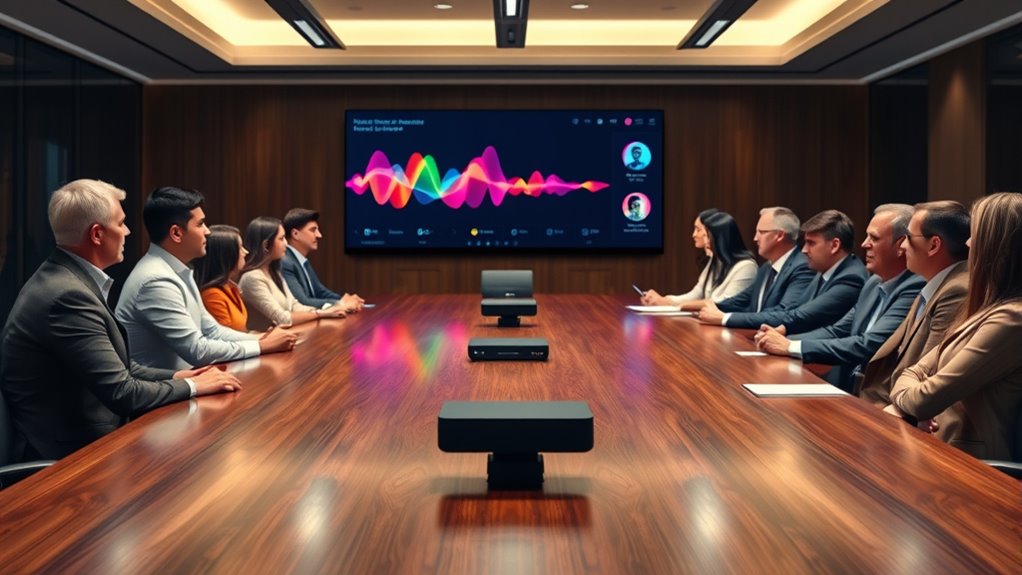
Moreover, voice recognition and speaker diarization work together to enhance real-time applications. During live meetings, the system can provide instant identification of speakers, helping participants keep track of who’s speaking at any given moment. This can be particularly helpful in virtual meetings, where audio quality might vary and multiple participants may speak simultaneously. By accurately tagging voices, the technology promotes clearer communication and reduces misunderstandings.
In short, automatic speaker identification transforms chaotic, hard-to-follow group conversations into well-organized, easily navigable records. It leverages voice recognition and speaker diarization to distinguish individuals, streamline documentation, and improve clarity. Whether for transcription, analysis, or live meetings, this technology makes managing multi-party conversations simpler, more accurate, and more effective.
Amazon Product B0F74DH64V
As an affiliate, we earn on qualifying purchases.
Frequently Asked Questions
How Accurate Is Automatic Speaker Identification in Noisy Environments?
In noisy environments, automatic speaker identification’s accuracy can vary. Your voice recognition system relies on effective noise filtering to distinguish speakers amid background sounds. When noise levels are high, the system might struggle, leading to misidentification or errors. However, advancements in noise filtering technology are improving accuracy, enabling better performance even in challenging conditions. Overall, while not perfect, current systems are increasingly reliable with proper noise filtering techniques.
Can It Differentiate Speakers With Similar Voice Characteristics?
Sure, automatic speaker identification is perfect at differentiating speakers with similar voice characteristics—if you believe voice similarity isn’t a challenge. In reality, it often struggles because the system relies on feature distinction, which can be minimal among similar voices. So, if you’re counting on it to tell apart voice twins, don’t hold your breath; it’s not quite so clever without clear differences.
What Are the Privacy Concerns Related to Speaker Identification?
You might worry about privacy concerns with speaker identification, especially regarding voice data collection. When companies use this technology, they often store and analyze your voice data, which raises questions about misuse or unauthorized access. To protect yourself, make sure you give clear user consent and understand how your voice data will be used. Being informed helps you make better decisions about sharing your voice in group settings.
How Does It Perform in Real-Time Group Meetings?
In real-time group meetings, voice recognition and speaker tracking work together to identify who’s speaking instantly. You’ll notice it accurately follows multiple voices, even when people speak over each other. The system adapts quickly, providing seamless speaker labels during conversations. While it generally performs well, background noise or overlapping speech can sometimes challenge accuracy. Overall, it helps make meetings clearer and more organized by pinpointing individual contributions efficiently.
What Are the Costs Associated With Implementing This Technology?
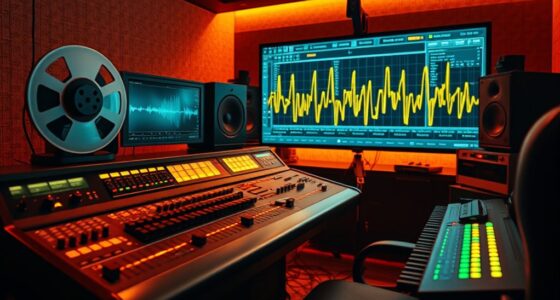
Imagine stepping into a bustling control room, where every device hums with potential. When you consider costs, you’ll want a thorough cost analysis to understand hardware, software, and training expenses. Implementation challenges might include integrating new tech smoothly into existing systems. While upfront costs can seem intimidating, the improved clarity in group meetings can boost productivity, making the investment worthwhile. You’ll weigh these factors carefully for smart, effective decision-making.

Avantree C82 Aura – Auracast Transmitter with Private & Public Modes for Auracast Hearing Aids, Qualcomm Bluetooth 5.4, Firmware Upgradeable, USB-C Audio Adapter for PC, Mac, Tablets, Phones
【FOR Auracast Hearing Aid Users】 Designed for Auracast-enabled hearing aids to stream audio from USB-C devices like PCs,...
As an affiliate, we earn on qualifying purchases.
Conclusion
By now, you see how automatic speaker identification transforms group meetings, making conversations clearer and more efficient. Did you know that these systems can accurately identify speakers 90% of the time? This technology not only saves time but also improves collaboration by ensuring everyone’s voice is recognized. As it continues to evolve, you’ll find it becoming an essential tool for smoother, more productive meetings — helping your team stay connected and on track.

Avantree Audikast 4 - Auracast & Bluetooth TV Transmitter for Headphones & Selected Hearing Aids, aptX Adaptive & HD, Optical & AUX Output, Future-Ready & Upgradeable
【Check TV Compatibility Before Buying】Your TV must have Optical (TOSLINK) or 3.5 mm AUX output. TVs with HDMI...
As an affiliate, we earn on qualifying purchases.

HomeSpot BA210 v2 Auracast Bluetooth Transmitter, LC3, AptX Lossless, AptX HD, Optical & 3.5mm Inputs, Compatible with Galaxy Buds 2 Pro, Buds 3, JY300 JM320, Hearing Aids and Bluetooth Headphones
【Auracast Broadcast Audio】 Triple-click the rear button to switch between standard Bluetooth A2DP Music Streaming mode and Auracast—the...
As an affiliate, we earn on qualifying purchases.