

AI accessibility tools are useful in real life because they adapt to your needs, making digital and physical environments easier to navigate. Voice recognition allows you to control devices just by speaking, while screen magnification and customizable settings help you see and interpret content clearly. With intuitive design and real-time feedback, these tools boost your independence and confidence. Keep exploring to discover how these innovations can truly transform your daily experiences and expand your possibilities.

Get everyday helpers delivered free with Prime
- Fast, free delivery on millions of items
- Prime Video, Amazon Music and more included
- Member-only deals all year
Key Takeaways
- Voice recognition enables hands-free device control and communication, increasing independence for users with impairments.
- Screen magnification and customizable contrast improve content visibility tailored to individual visual needs.
- Adaptive algorithms and machine learning personalize assistance, enhancing effectiveness over time.
- Intuitive interfaces and simplified navigation ensure ease of use across various devices and environments.
- Integration of multiple features creates comprehensive support, facilitating confident navigation of digital and real-world spaces.
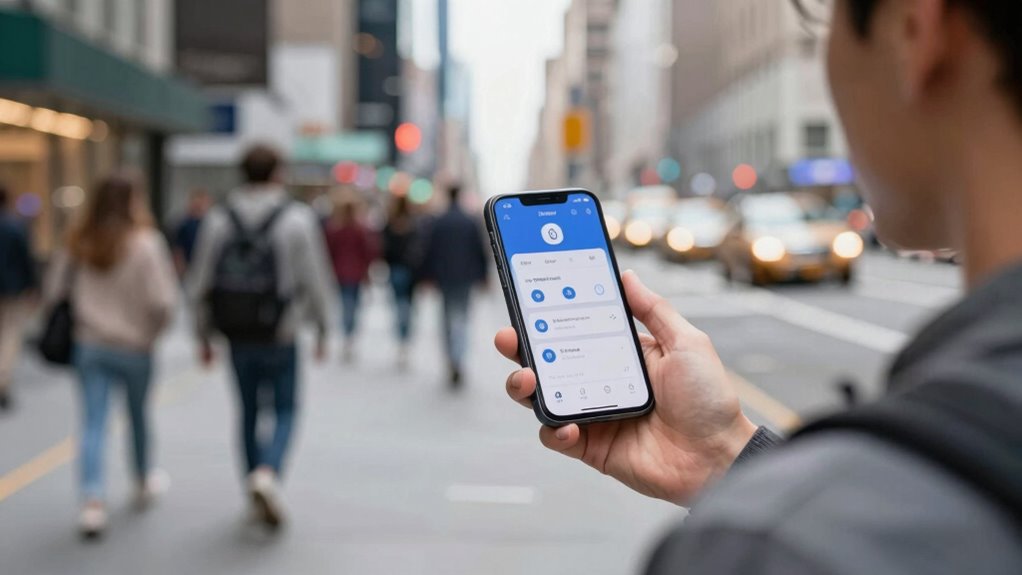
Artificial intelligence accessibility tools are transforming the way people with disabilities navigate the world, making everyday tasks more manageable and inclusive. When these tools are effective, they seamlessly integrate into your daily routines, removing barriers that once seemed insurmountable. A key feature of many useful AI accessibility tools is voice recognition. With voice recognition technology, you can control devices, compose messages, or search the internet simply by speaking. This capability is especially crucial if you have limited mobility or find typing difficult. The system accurately interprets your commands, reducing frustration and increasing independence. The more responsive and accurate the voice recognition, the more natural and effortless your interactions become. It learns from your speech patterns over time, improving its understanding and making your experience smoother. Additionally, many tools incorporate screen magnification features that help users with visual impairments see content more clearly. When a tool offers effective screen magnification, you can zoom into text, images, or interface elements without losing clarity or functionality. This feature enables you to read emails, browse websites, or use apps with less eye strain. Good screen magnification tools also allow you to customize the size and contrast of content, making it easier to interpret. This flexibility ensures that you can adjust your view to suit your specific needs, whether you prefer larger text or high contrast colors. When these features work well together, they create an environment where you can navigate digital spaces confidently and comfortably. In addition, adaptive algorithms continually refine their performance, ensuring that the tools remain effective as your needs evolve. Incorporating personalization options enables these tools to better align with individual preferences, further increasing their usefulness. Integrating machine learning into these tools allows for more personalized experiences and smarter assistance, further enhancing their usefulness. Furthermore, many AI-powered tools include customizable settings that adapt to individual preferences, enhancing overall usability. Beyond these core features, the usefulness of an AI accessibility tool depends on its ease of use and adaptability. Intuitive interfaces mean you don’t have to struggle with complicated menus or confusing commands. Instead, you can focus on accomplishing your goals quickly. Compatibility across devices and platforms also plays a big role; a tool that works smoothly on your phone, tablet, or computer ensures consistent support wherever you are. Additionally, real-time feedback and learning capabilities make these tools more effective over time, tailoring themselves to your habits and preferences. When voice recognition and screen magnification are integrated into a single, user-friendly platform, they empower you to perform tasks independently, boosting confidence in your digital interactions. Ultimately, a truly useful AI accessibility tool adapts to your needs, minimizes obstacles, and enhances your ability to engage with the world around you.
voice recognition assistive device
As an affiliate, we earn on qualifying purchases.
As an affiliate, we earn on qualifying purchases.
Frequently Asked Questions
How Do AI Accessibility Tools Adapt to Individual User Needs?
You find that AI accessibility tools adapt to your needs through personalization strategies and adaptive interfaces. These tools analyze your usage patterns and preferences, automatically customizing features to improve your experience. They adjust in real-time, offering tailored support whether you require speech recognition, text enlargement, or other assistive functions. This dynamic adaptation ensures that the tools stay aligned with your evolving needs, making everyday tasks more manageable and inclusive.
Are AI Accessibility Tools Cost-Effective for Small Organizations?
Yes, AI accessibility tools can be cost-effective for small organizations. You should conduct a thorough cost analysis to weigh the initial investment against potential benefits, like improved inclusivity and productivity. Consider your budget considerations carefully, focusing on scalable solutions that meet your specific needs without overspending. Many tools offer flexible pricing or free tiers, making it easier for small organizations to implement accessibility features without straining their resources.
What Are Common Challenges in Implementing AI Accessibility Solutions?
Like trying to navigate a spaceship through asteroid fields, implementing AI accessibility solutions can be tricky. You might face challenges with user engagement, as users may resist new tech or find it unintuitive. Technology integration is another hurdle, requiring seamless compatibility with existing systems. Overcoming these issues demands patience, ongoing training, and feedback to guarantee your AI tools truly serve everyone’s needs and enhance overall accessibility.
How Do AI Tools Ensure User Privacy and Data Security?
AI tools guarantee your privacy and data security by using strong data encryption, which protects your information from unauthorized access. They also prioritize obtaining your explicit user consent before collecting or processing any data, ensuring transparency. Regular security audits and adherence to privacy regulations further bolster protection, giving you confidence that your personal details are safe and that the tool operates responsibly and ethically in real-life situations.
Can AI Accessibility Tools Replace Human Assistance Entirely?
AI accessibility tools can’t replace human assistance entirely because they lack emotional support and nuanced understanding. While they enhance creativity and provide practical help, they don’t offer the empathy or personalized connection that humans do. You benefit most when AI complements human help, enabling you to feel supported emotionally and creatively. This synergy ensures you receive thorough assistance that technology alone cannot fully provide.
Conclusion
In real life, an AI accessibility tool becomes truly useful when it seamlessly fits into your daily routines, addressing genuine needs. Imagine a visually impaired person using AI-powered screen readers that adapt to different environments, helping them navigate confidently. For instance, a case study showed how such tools improved independence and safety. When these tools are intuitive, reliable, and personalized, they empower you to overcome barriers and participate fully in everyday activities.
Fall Picks
fall essentials
As an affiliate, we earn on qualifying purchases.