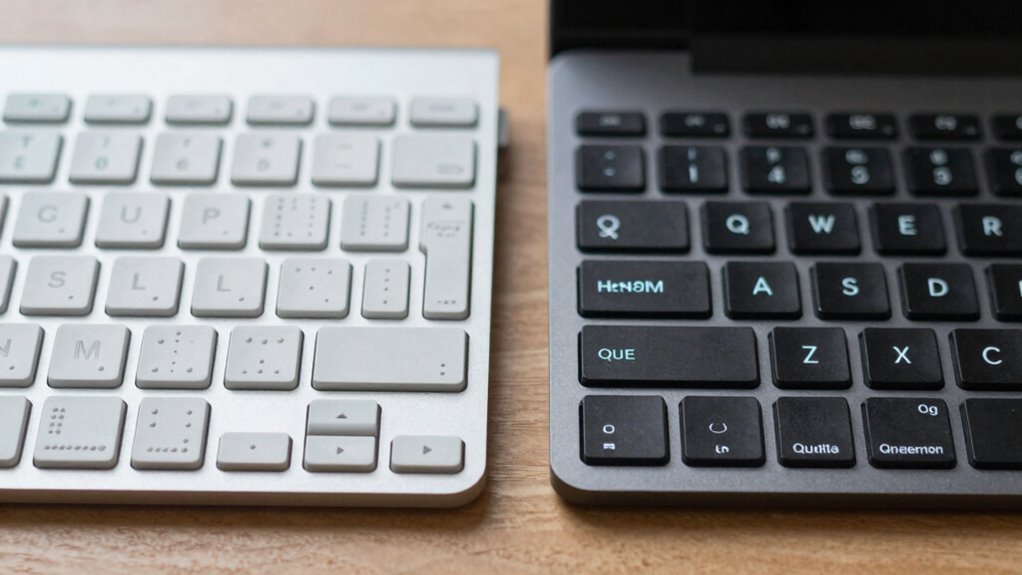

If you’re comparing Braille and QWERTY keyboards for work, QWERTY usually allows you to type faster because of familiarity, muscle memory, and ergonomic design. Braille keyboards rely on tactile pattern recognition, which takes more time to master but can improve with practice. Your speed depends on your experience and comfort with each system. Keep exploring to find out more about how these keyboards can fit your work needs.
Key Takeaways
- QWERTY keyboards typically enable faster typing speeds due to muscle memory and ergonomic design.
- Braille keyboards may start slower but can achieve comparable speeds with consistent tactile pattern practice.
- Familiarity with the layout significantly influences typing efficiency and speed on both keyboard types.
- Ergonomic features and device design impact comfort and sustained productivity during extended work sessions.
- For quick, high-volume work tasks, QWERTY generally offers a speed advantage over Braille input systems.

Arteck Split Ergonomic Keyboard with Cushioned Wrist and Palm Rest, 2.4G USB Wireless Comfortable Natural Ergonomic Split Keyboard, for Windows Computer Desktop Laptop
Split Design Ergonomic: Split design helps to position wrists and forearms in a natural, relaxed position.
As an affiliate, we earn on qualifying purchases.
As an affiliate, we earn on qualifying purchases.
What Are the Key Differences Between Braille and QWERTY Keyboards?

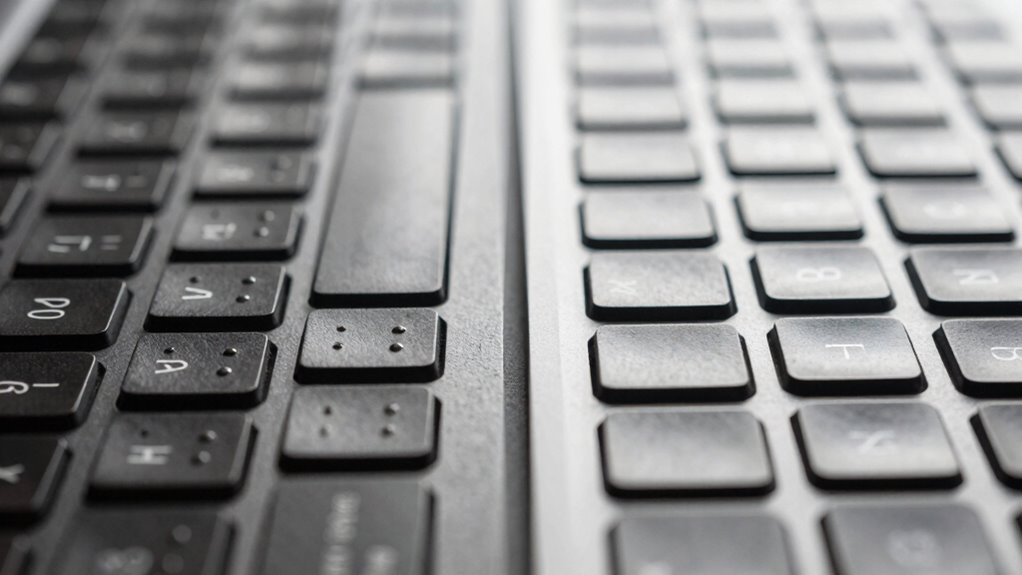
While both Braille and QWERTY keyboards are used for typing, they serve very different purposes and have distinct designs. Braille keyboards focus on tactile feedback, allowing users to read and input text through raised dots that represent characters. This tactile approach helps visually impaired users feel their way around the keys, making it intuitive and accessible. In contrast, QWERTY keyboards are designed for speed and efficiency, with a layout optimized for finger movement and typing flow. Keyboard ergonomics also differ; Braille keys are often arranged in a linear or specialized pattern to enhance tactile recognition, while QWERTY keys prioritize comfort during long typing sessions. These fundamental differences shape how each keyboard supports its users’ needs.

Hable One Portable Braille Keyboard for Visually Impaired – Wireless Braille Typing Device for Smartphones and Tablets – Compact Braille Machine for Easier, Faster, and More Accurate Typing
Broad Smartphone & Tablet Compatibility: Connects easily to your iPhone and Android smartphones and tablets, allowing you to…
As an affiliate, we earn on qualifying purchases.
As an affiliate, we earn on qualifying purchases.
How Do Braille and QWERTY Keyboards Compare in Typing Speed?
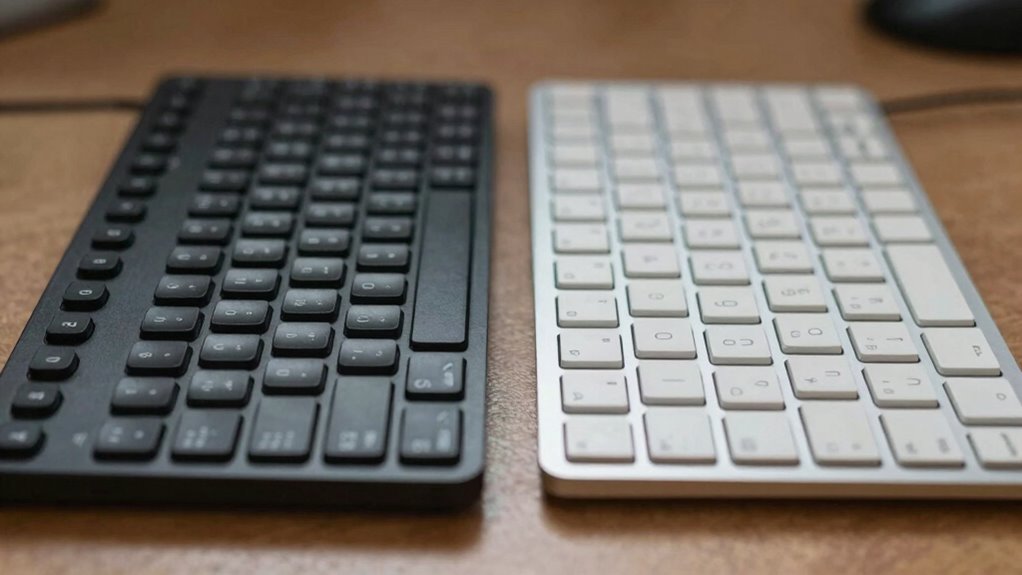
You might find that typing speed varies considerably between Braille and QWERTY keyboards. Learning curves can also differ, affecting how quickly users become proficient. Exploring these differences helps you understand which keyboard better suits your needs.
Typing Speed Differences
Comparing the typing speeds of Braille and QWERTY keyboards reveals notable differences rooted in their design and purpose. QWERTY keyboards focus on speed, benefiting from familiarity and ergonomic design that allows quick finger movement. Braille keyboards, emphasizing tactile feedback, often have slower speeds initially but improve with practice. Your typing on QWERTY can reach higher words per minute due to muscle memory, while Braille’s reliance on touch slows you down initially. However, Braille can become faster with experience as your fingers adapt to the tactile patterns. Here’s a quick comparison:
| Aspect | QWERTY | Braille |
|---|---|---|
| Tactile Feedback | Less direct | Highly tactile |
| Learning Curve | Steep at start | Gentle but steady |
| Speed Potential | Higher with practice | Improves over time |
| Ergonomic Design | Optimized for speed | Focused on tactile comfort |
| Initial Familiarity | Widely known | Requires learning |
Learning Curve Variations
The learning curves for Braille and QWERTY keyboards differ markedly due to their design philosophies. With Braille, you often start by mastering tactile patterns, which can be similar to learning musical notation—a process that takes time but offers deep comprehension. It requires memorizing combinations of dots, making initial progress slower but more precise. In contrast, QWERTY’s layout emphasizes familiarity from everyday typing and gaming interfaces, where muscle memory develops quickly. However, reaching peak speed on QWERTY might demand more practice to overcome common mistakes. If you’re used to gaming interfaces or musical notation, adapting to Braille may seem challenging at first but can lead to greater typing accuracy over time. Both require dedication, but their distinct learning curves shape how fast you’ll become proficient. Additionally, technology integration can facilitate learning and improve typing efficiency for both systems.

Amazon Basics Wired QWERTY Keyboard, Works with Windows, Plug and Play, Easy to Use with Media Control, Full-Sized, Black
KEYBOARD: The keyboard has hot keys that enable easy access to Media, My Computer, Mute, Volume up/down, and…
As an affiliate, we earn on qualifying purchases.
As an affiliate, we earn on qualifying purchases.
What Factors Affect How Fast You Can Type on Each Keyboard?

Your typing speed depends on how quickly you can learn and adapt to each keyboard’s design. The learning curve for mastering Braille or QWERTY can be steep or smooth, affecting your progress. Additionally, the physical layout and feel of the keys influence how comfortably and efficiently you can type. Recognizing the importance of Free Floating key mechanisms can also impact typing comfort and speed, especially for extended use. Furthermore, the presence of Water Resistance features in some keyboards can enhance durability and reliability during long typing sessions. Incorporating Essential Oils for Comfort into your workspace can help reduce stress and improve focus during long typing periods. Understanding how Passive Voice Detection tools can identify passive constructions may also contribute to clearer, more direct communication. Moreover, being aware of Ergonomic Design principles can significantly influence typing efficiency and reduce fatigue during prolonged use.
Learning Curve Challenges
Learning how quickly you can type on each keyboard depends largely on your prior experience, familiarity with the layout, and how comfortable you are with tactile feedback. With a Braille keyboard, you may face a steeper learning curve because mastering tactile feedback involves memorizing patterns of raised dots, which can be unfamiliar at first. The ergonomic design also plays a role, as some Braille devices are less intuitive and require more practice to develop muscle memory. In contrast, QWERTY keyboards benefit from widespread use and established muscle memory, making the learning curve less steep for many users. However, adapting to tactile feedback on a QWERTY keyboard can still pose challenges for those switching from other layouts or for users with limited tactile sensitivity. Additionally, piercing care and hygiene practices can influence your overall comfort and dexterity when using different input devices.
Physical Keyboard Design
The physical design of a keyboard considerably influences how quickly you can type. Ergonomic considerations, such as key placement and finger comfort, play a essential role in reducing fatigue and increasing speed. A well-designed keyboard minimizes hand movement, allowing for more efficient typing. Device portability also impacts your typing speed, especially if you frequently switch between devices; compact, lightweight keyboards are easier to carry and set up. For Braille keyboards, tactile key layout is critical, requiring precise finger positioning, which may slow you down initially. tactile key layout is essential for effective Braille input, ensuring users can accurately locate keys without visual cues. QWERTY keyboards benefit from familiar layouts that support rapid typing. Overall, a keyboard’s physical structure, balancing ergonomics and portability, directly affects your ability to type swiftly and comfortably. Ergonomic design considerations help prevent strain and improve overall typing efficiency. Additionally, market availability of specialized keyboards influences how easily users can find devices suited for their needs, which can also impact typing speed and comfort.
Hable One Portable Braille Keyboard for Visually Impaired – Wireless Braille Typing Device for Smartphones and Tablets – Compact Braille Machine for Easier, Faster, and More Accurate Typing
Broad Smartphone & Tablet Compatibility: Connects easily to your iPhone and Android smartphones and tablets, allowing you to…
As an affiliate, we earn on qualifying purchases.
As an affiliate, we earn on qualifying purchases.
Which Keyboard Is Faster for Work Tasks: Braille or QWERTY?

When it comes to work tasks, QWERTY keyboards generally enable faster typing speeds for most users due to their widespread familiarity and optimized key layouts. This design allows for quicker muscle memory development, boosting productivity. Additionally, QWERTY keyboards offer ergonomic benefits like adjustable angles and wrist supports, reducing strain during long typing sessions. Accessibility features such as large key sizes and tactile feedback also make them easier to use for many people. To visualize this, consider the following table:
| Feature | QWERTY | Braille Keyboard |
|---|---|---|
| Typing Speed | Faster for most users | Slower initially |
| Accessibility | Built-in features | Designed for accessibility |
| Ergonomic Benefits | Adjustable, supportive | Limited options |
| Familiarity | Widely known | Less common |
QWERTY remains the go-to for speed and efficiency.
What Do Users Say About Typing Speed With Braille and QWERTY?

Many users report that their typing speeds with QWERTY keyboards are considerably faster than with Braille keyboards, especially after familiarization. They find that tactile feedback from QWERTY keys helps develop muscle memory quickly, boosting overall speed. With practice, QWERTY users often achieve higher words per minute because the layout is more intuitive for many, especially those who learned on sighted keyboards. In contrast, Braille keyboards require a different tactile approach, which can initially slow you down. However, once muscle memory is established, some users find that Braille offers precise tactile feedback that improves accuracy. Overall, user experiences highlight that familiarity and consistent practice greatly influence typing speed, regardless of the keyboard type.
What Challenges and Myths About Typing Speed Should You Know?
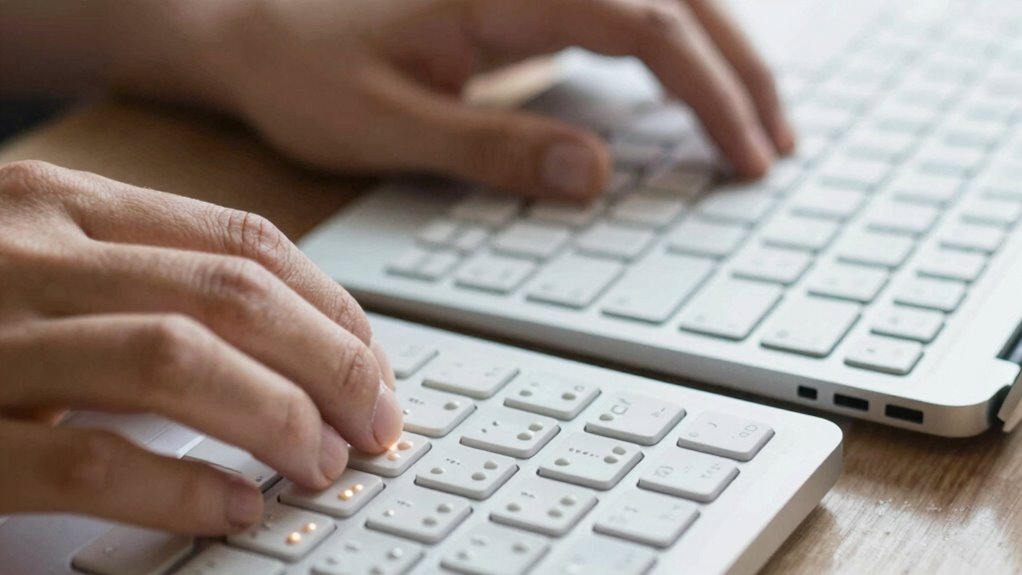
While misconceptions about typing speed can hinder your progress, understanding the actual challenges helps you set realistic expectations. Many believe that mastering touch typing automatically leads to faster work, but it requires consistent practice and patience. Another myth is that ergonomic design guarantees increased speed; while it improves comfort, it doesn’t instantly boost your performance. People often underestimate the importance of proper technique and muscle memory in achieving high typing speeds. Additionally, some think that switching to a different keyboard type, like a Braille keyboard, will quickly improve speed without effort. Recognizing these myths helps you focus on realistic goals, like developing good habits, practicing regularly, and understanding that speed improves with experience, not just equipment. Understanding the fundamentals of proper technique and practice is essential for meaningful progress, and being aware of typing performance factors can help you tailor your training effectively.
Which Keyboard Is Better for Different Work Environments?

Choosing the right keyboard depends heavily on your work environment and specific needs. If you work in a setting that requires assistive technology, a Braille keyboard can enhance accessibility and productivity. Conversely, a traditional QWERTY keyboard offers versatility for standard tasks. Ergonomic design also plays a critical role, reducing strain during long hours. Consider this comparison:
| Environment Type | Recommended Keyboard |
|---|---|
| Accessibility-focused work | Braille Keyboard |
| General office tasks | QWERTY Keyboard |
| Extended typing sessions | Ergonomic Design QWERTY or Braille |
| Assistive technology needs | Braille Keyboard |
Matching your work environment with the appropriate keyboard guarantees comfort, efficiency, and better integration with assistive tech. Additionally, selecting a keyboard with ergonomic features can help prevent repetitive strain injuries during prolonged use. Furthermore, understanding the design thinking process can help you evaluate and choose the most suitable input device for your needs. A thorough understanding of user needs and ergonomic principles ensures optimal performance and comfort. Incorporating adaptive technology into your workspace can further improve accessibility and productivity for diverse user requirements.
How Can You Choose the Right Keyboard for Your Work Needs?
To select the right keyboard for your work needs, start by evaluating how you use your device and what tasks you perform most frequently. Consider whether you need precise tactile feedback for accuracy or prefer a softer touch for comfort during long typing sessions. An ergonomic design can reduce strain and improve your overall efficiency, especially if you type for hours daily. If you require tactile feedback to feel confident with each keystroke, a mechanical or Braille keyboard might suit you best. On the other hand, if comfort and minimizing fatigue are your priorities, look for keyboards with ergonomic features that promote proper hand positioning. Additionally, understanding home charging options and setup can help ensure your workspace remains safe and efficient, especially for those working from home. Incorporating low light office plants can also create a more relaxing environment, potentially reducing eye strain and boosting productivity. Considering the adaptability of the keyboard to different work environments can further enhance your overall comfort and productivity. Staying informed about AI tools for content creation can also help you find ways to streamline your workflow. Ultimately, choosing a keyboard tailored to your specific tasks will enhance your productivity and help prevent discomfort over time.
How Can You Improve Your Typing Speed on Braille or QWERTY Keyboards?

Improving your typing speed on Braille or QWERTY keyboards requires consistent practice and focused strategies. First, focus on tactile feedback; feeling the keys accurately helps you develop muscle memory and reduces errors. Regularly practicing drills or timed exercises can boost your speed over time. Additionally, pay attention to ergonomic design—using a comfortable, well-designed keyboard minimizes fatigue and allows for longer practice sessions. For Braille users, refining finger dexterity through specialized training enhances tactile awareness. For QWERTY typists, maintaining proper hand positioning and posture ensures efficiency. Consistent practice combined with awareness of these factors will gradually improve your typing speed and accuracy, regardless of your chosen input method.
Frequently Asked Questions
Are There Specific Tasks Where Braille Keyboards Outperform QWERTY?
You’ll find that braille keyboards excel in tasks requiring tactile feedback and precise haptic response, such as reading or editing tactile content. When you need to interpret textured information or rely on touch alone, braille keyboards provide a distinct advantage. They allow you to feel characters directly, making them ideal for visually impaired users. For tasks involving detailed tactile input, braille keyboards outperform QWERTY, especially when speed and accuracy depend on sensory feedback.
How Does Learning Curve Influence Typing Speed With Each Keyboard?
The learning curve acts like a steep mountain, making initial typing speed slow but promising mastery over time. You’ll find that with dedication, skill development on a QWERTY keyboard is quicker due to familiarity, while Braille requires more patience. Your progress depends on how much you invest in practice. Early frustrations fade as your fingers become familiar, and speed gradually climbs, turning effort into effortless fluency.
Can Users Switch Efficiently Between Braille and QWERTY for Different Tasks?
You can switch efficiently between braille and QWERTY for different tasks with practice, boosting your multitasking flexibility. However, shift challenges may arise, especially if you’re less familiar with one layout. To improve, regularly alternate between the two, develop muscle memory, and use training tools. Over time, you’ll find it easier to adapt quickly, making your work more seamless and productive across diverse input methods.
What Ergonomic Considerations Affect Typing Speed on Braille Vs QWERTY?
Think of your hands as dancers on a stage—smooth, confident, and well-coordinated. For braille, tactile feedback is vital; it guides your fingers to feel the dots accurately, while proper hand positioning minimizes fatigue. In QWERTY, ergonomic layout reduces strain and boosts speed. You’ll find that good ergonomics, like aligned wrists and relaxed fingers, help you type faster and more comfortably on both keyboards.
How Does Software Compatibility Impact Typing Efficiency for Each Keyboard Type?
Software compatibility directly impacts your typing efficiency by determining how well your keyboard integrates with accessibility software and other programs. If your device supports robust accessibility tools, you’ll experience smoother workflows and fewer disruptions. Braille keyboards often need specialized software integration, which can slow you down if not optimized. QWERTY keyboards generally have broader software compatibility, making your work faster and more seamless across various applications.
Conclusion
Ultimately, choosing between Braille and QWERTY can transform your work pace from sluggish to lightning-fast, turning you into a typing legend. With the right keyboard, you could outpace even the most seasoned typists, making your colleagues wonder if you’ve harnessed some secret superpower. So, pick the one that aligns with your needs, practice diligently, and watch your typing speed soar beyond imagination—your work will never be the same again.