
To build a more accessible home audio setup, incorporate voice control features like smart speakers and assistants to allow hands-free operation for power, volume, and track changes. Add tactile controls such as large, textured buttons or knobs placed within easy reach for manual use. Guarantee compatibility with popular voice assistants and include clear labels or markings. Follow inclusive design principles to make your setup intuitive and comfortable for all users. Keep exploring how these features can create a truly inclusive listening environment.

Get everyday helpers delivered free with Prime
- Fast, free delivery on millions of items
- Prime Video, Amazon Music and more included
- Member-only deals all year
Key Takeaways
- Integrate voice control with compatible smart speakers for hands-free operation of audio devices.
- Install tactile controls like textured buttons and knobs for easy identification and manual operation.
- Ensure equipment and controls are positioned within accessible reach for all users.
- Use universal design principles to create an intuitive and consistent layout for easy navigation.
- Combine voice and tactile interfaces to accommodate diverse abilities and promote shared listening experiences.
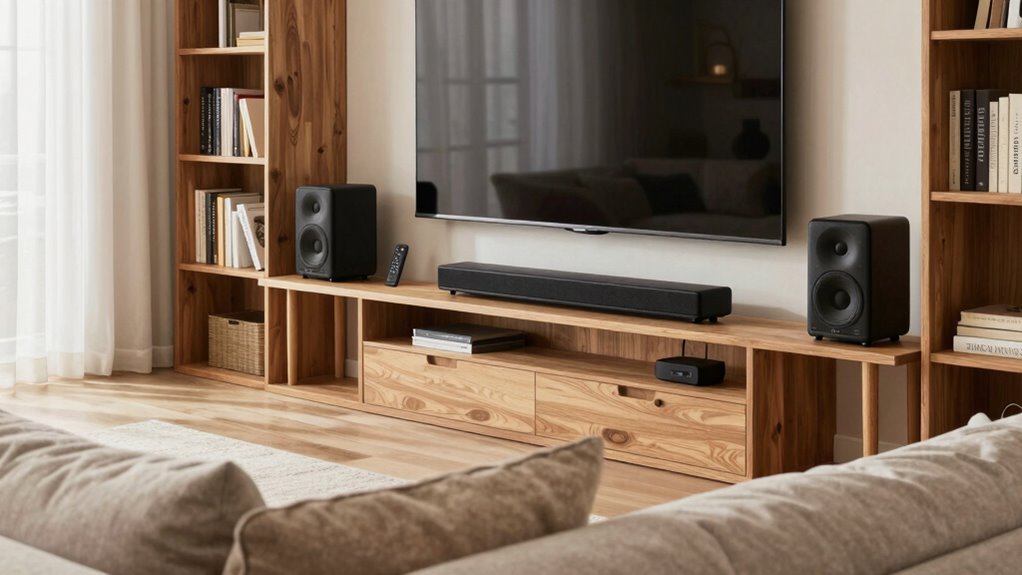
Creating an accessible home audio setup guarantees everyone can enjoy high-quality sound without frustration or barriers. To make this happen, you need to focus on features that accommodate different abilities and preferences. One of the first steps is integrating voice control. Voice control allows you to operate your audio system hands-free, which is especially helpful if you have mobility challenges or find physical controls difficult to use. With voice commands, you can easily turn the system on or off, adjust the volume, change tracks, or switch inputs simply by speaking. Modern smart speakers, voice assistants, and compatible audio devices make this straightforward to set up. You’ll find that voice control not only enhances accessibility but also adds convenience, allowing you to manage your sound environment effortlessly.
Voice control enables hands-free operation, making audio systems more accessible and effortless for everyone to enjoy.
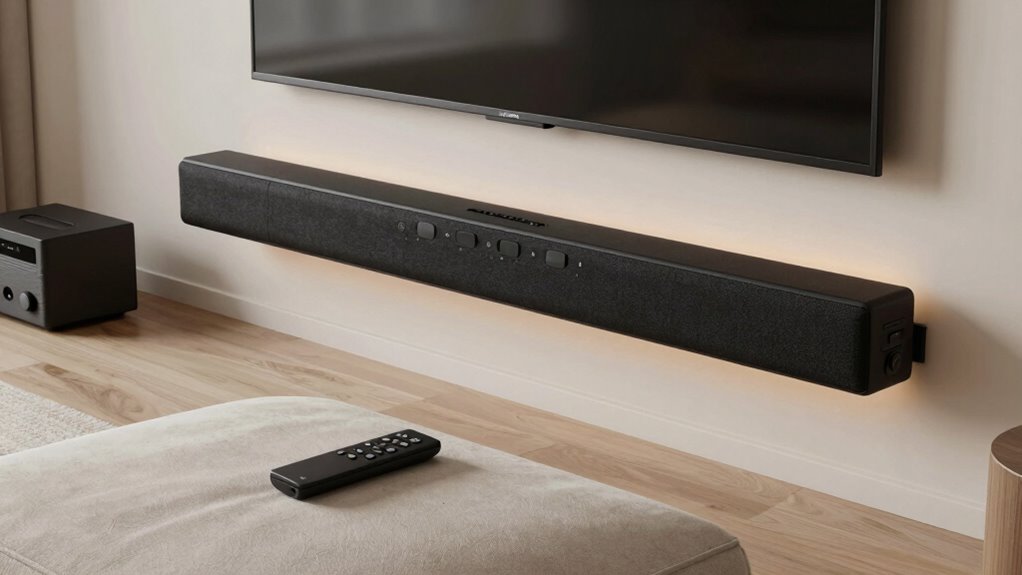
Alongside voice control, tactile interfaces play a vital role in creating an inclusive setup. Tactile interfaces are physical controls designed to be easily identifiable and operable through touch. They include large, textured buttons, knobs, or switches that provide clear feedback, making it easier for users with visual impairments or limited dexterity to control their audio devices. When selecting equipment, look for models that feature tactile markings, such as raised symbols or distinct shapes, so you can differentiate functions by touch alone. These interfaces can be placed in accessible locations, reducing the need to fumble around or rely solely on visual cues. Combining tactile interfaces with voice control creates a flexible system that adapts to your specific needs. Incorporating accessible technology can further improve usability and integration, ensuring that all users can enjoy a seamless experience. Additionally, selecting equipment with universal design principles ensures that the system is intuitive for a diverse range of users. Implementing consistent layout and labeling strategies can also enhance overall usability, making the system more intuitive to operate for everyone. Paying attention to ergonomic considerations can help reduce strain and improve comfort during use.
It’s also important to choose equipment that supports both voice control and tactile operation seamlessly. Many modern speakers and receivers are compatible with popular voice assistants like Amazon Alexa, Google Assistant, or Apple Siri. These systems often come with companion apps or remote controls designed for accessibility, making it easier to set up and customize your preferences. When installing your setup, position controls within easy reach and ensure that voice commands are reliable and responsive in your environment. You might also consider adding visual aids or labels to tactile controls to further enhance usability. Additionally, considering adaptive technology can help tailor your system even more closely to individual needs and preferences.
Ultimately, building an accessible home audio setup involves selecting the right technology and thoughtfully arranging controls to suit your abilities. Voice control offers hands-free convenience, while tactile interfaces provide tactile feedback for those who prefer or need physical cues. By combining these features, you create an inclusive listening environment that everyone can enjoy with minimal effort and maximum enjoyment. Making these adjustments guarantees that high-quality sound isn’t just a luxury for some but a shared experience accessible to all in your home.
Products Worth Considering

Bose Lifestyle Ultra Wireless Home Speaker

Sonos Era 100 Wireless Smart Speaker, Black

Logitech MX Mechanical Wireless Illuminated Keyboard, Tactile Quiet, Graphite
As an affiliate, we earn on qualifying purchases.
Frequently Asked Questions
What Budget Should I Allocate for an Accessible Home Audio System?
You should allocate around $300 to $800 for a budget-friendly yet accessible home audio system. Focus on cost-effective options that include essential accessibility features like tactile controls, large buttons, or voice command capabilities. Prioritize your needs, such as clear sound quality and easy-to-use interfaces, to guarantee the setup is both functional and inclusive. With careful planning, you can create an accessible and enjoyable audio environment within this budget.
Are There Specific Brands Known for Accessible Audio Equipment?
Think of your audio setup as a trusted guide on a journey—some brands like Bose, Sonos, and Logitech stand out for accessibility. They prioritize sound quality and guarantee brand compatibility, making your experience smooth and enjoyable. These brands design equipment with user-friendly features, so you can navigate your audio landscape confidently. With their reliable support, you’ll find your home audio system both accessible and high-quality, guiding you effortlessly through your listening adventures.
How Do I Integrate Voice Control With Existing Home Systems?
To integrate voice control with your existing home systems, start by checking your devices for voice command compatibility. Use smart home hubs like Amazon Alexa, Google Assistant, or Apple HomeKit, which facilitate seamless smart home integration. Connect your audio equipment to these platforms, enabling voice commands for easy control. Guarantee your devices support the chosen system, and follow setup instructions for smooth integration, making your audio experience more accessible and convenient.
Can I Customize Audio Settings for Different Users?
You can definitely customize audio settings for different users by creating personalized sound profiles. For example, a family might set up user profiles on their smart speaker, allowing each member to enjoy their preferred volume, bass, and treble levels automatically. This guarantees a tailored listening experience, enhancing accessibility and comfort. By managing these profiles through your system’s app, you easily switch between personalized sound settings for every user.
What Safety Features Are Recommended for Accessible Audio Setups?
To guarantee safety in your accessible audio setup, prioritize safety considerations like secure wiring and non-slip placement of equipment. Install emergency features such as easy-to-reach volume controls, visual alerts, or emergency call buttons. Make sure all devices are grounded properly to prevent electrical hazards. Regularly check for loose connections or damaged cords. These safety features help protect users and provide peace of mind, especially during emergencies.
Conclusion
By making small adjustments, you can create a home audio setup that’s truly accessible and enjoyable for everyone. Remember, it’s all about tailoring your space to meet your needs and preferences. Don’t be afraid to think outside the box—sometimes, you have to go the extra mile to get things just right. When you put in the effort, you’ll find that a more inclusive audio environment isn’t just a pipe dream but a reality waiting to happen.