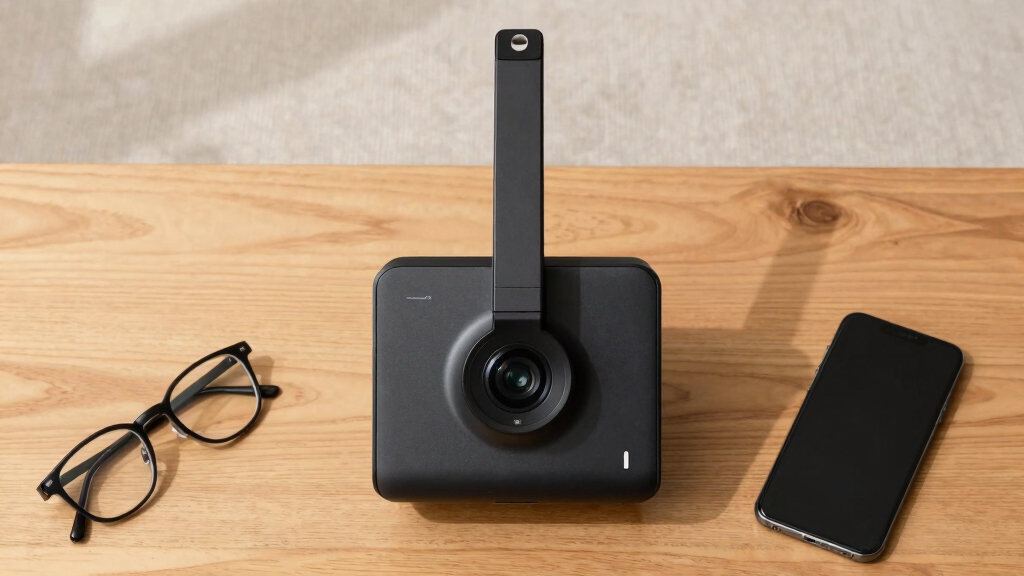
Finding the best document cameras for low vision reading involves balancing image clarity, ease of use, and affordability. The THUSTAR 8MP/4K Model stands out as the overall top choice thanks to its high resolution and foldable design, ideal for detailed reading. For those on a budget, the INSWAN INS-2 offers excellent 4K quality with plug-and-play simplicity. Meanwhile, the Zoomax Snow provides specialized low vision features like OCR and TTS, making it perfect for accessibility. However, buyers must weigh tradeoffs such as price versus feature set and portability versus image quality. Continue reading for a comprehensive breakdown of these options to find the best fit for your low vision reading needs.
Key Takeaways
- High-resolution cameras like the INSWAN INS-2 and VIISAN A8401 deliver sharp images crucial for low vision reading.
- Foldable and portable designs, such as the INSWAN INS-Flip 4 and Gawervan, enhance mobility and ease of setup.
- Built-in microphones and lighting features improve usability in different environments, especially for distance learning.
- Specialized low vision devices like the Zoomax Snow offer OCR and TTS, but come at a higher price point.
- Price and feature tradeoffs are significant—premium models offer better clarity but may be less portable or more expensive.


More Details on Our Top Picks
THUSTAR 8MP/4K Document Camera with Dual Microphones and Foldable Design
This model stands out for its crisp 8MP/4K video quality combined with adjustable image reversal, making it ideal for users who need detailed visuals for low vision reading. Compared with the INSWAN INS-2, it offers slightly higher resolution and dual microphones, though its weight of 0.84 kg makes it less portable for frequent travel. Its bright, adjustable LED lighting enhances clarity in various lighting conditions, but the lack of wireless options could limit convenience in some setups. For those who prioritize image clarity and audio quality in a stable, reliable package, this camera proves to be a well-rounded choice. The tradeoff involves its heavier weight and USB-only connection, which might be less ideal for mobile or wireless needs.
Pros:- High-resolution 8MP/4K video with smooth 30fps
- Adjustable image reversal for flexible orientation
- Built-in noise-reducing dual microphones
Cons:- Slightly heavy for frequent portable use
- Limited to USB connectivity without wireless options
Best for: Low vision users who need high-resolution, stable imaging for detailed reading and presentations.
Not ideal for: People seeking a lightweight, wireless, or battery-powered solution for on-the-go use.
- Resolution:8MP/4K
- Frame Rate:30 FPS
- LED Lighting:3 levels adjustable brightness
- Compatibility:Windows, macOS, Chrome OS; Zoom, Teams
- Weight:0.84 kg (1.85 lbs)
- Coverage Area:16.5″ x 116″ (A3 paper)
Bottom line: Best suited for users prioritizing resolution and audio quality over portability.
4K USB Document Camera for Teachers with 8MP, A3 Coverage, Dual Microphones & Foldable Design
This pick makes the most sense for educators who need sharp 4K imaging combined with flexible positioning, thanks to its 8MP sensor and foldable design. Unlike the THUSTAR, it emphasizes automatic focus for quick, clear images, and its portability makes it ideal for mobile teaching setups. The inclusion of dual microphones and adjustable LED lighting enhances clarity during virtual lessons, but its requirement for a USB-C cable and somewhat bulkier form factor could pose challenges in tight spaces. For teachers or presenters who value quick setup and high-quality image capture, this camera provides excellent performance, though its size and cable dependency may limit use in small or cluttered environments.
Pros:- Ultra-high-definition imaging with automatic focus
- Foldable, portable design
- Includes dual microphones and adjustable LED lighting
Cons:- Requires USB-C cable, limiting flexibility
- May be bulky for very tight workspaces
Best for: Teachers and presenters needing reliable, high-quality imaging for live virtual or in-person instruction.
Not ideal for: Users requiring wireless operation or minimal setup complexity in small or cluttered spaces.
- Resolution:4K (8MP sensor)
- Frame Rate:30fps
- Coverage Area:A3 (16.5″ x 116″)
- Compatibility:Windows, macOS, Chrome OS
- Built-in Features:Dual microphones, 3-level LED
- Foldable:Yes
Bottom line: Ideal for educators who prioritize high-resolution visuals and quick setup in mobile teaching environments.
INSWAN INS-Flip 4 4K Portable Document Camera/Webcam with Foldable Design and Auto Focus
The INS-Flip 4 excels in combining portability with high-resolution imaging, thanks to its 13MP Sony sensor capable of 4K video at 30fps. Its lightweight, foldable design and included carry bag make it ideal for users who need to carry their device between locations. Unlike the previous models, its compact size (under a pound) makes it perfect for quick setups but limits its coverage area to smaller A4/letter size documents. The device’s macro mode and auto-focus support close-up reading, but its limited frame rate at 4K (30fps) and lack of water resistance mean it’s less suited for prolonged or rugged use. For mobile users or those requiring a webcam with document scanning, this is a versatile option.
Pros:- High-quality 4K UHD video with macro capabilities
- Ultra-lightweight and foldable for portability
- Dual function as document scanner and webcam
Cons:- Limited to 30fps at 4K, which may affect real-time smoothness
- Requires third-party magnets for wall mounting (not included)
Best for: Low vision users needing a portable, high-resolution camera for quick scans and video conferencing on the go.
Not ideal for: Users looking for a large coverage area or long-term rugged durability in a fixed setting.
- Resolution:4K UHD (3840×2160)
- Sensor:13MP Sony
- Frame Rate:30fps
- Coverage Area:A4/Letter
- Weight:0.67 lbs
- Connectivity:USB
Bottom line: Best for mobile users who prioritize resolution and compactness over large coverage or ruggedness.
INSWAN INS-2 4K USB Document Camera – 13MP, Dual Auto-Focus, LED Light & Microphone, Plug & Play for Mac, Windows, iPad, Chromebook
This model offers excellent 4K resolution with dual auto-focus, making it suitable for detailed low vision reading and document sharing. Compared to the INS-Flip, it features a larger, more adjustable multi-joint arm for flexible positioning, ideal for larger documents or closer examination. Its built-in LED light and anti-glare sheet help improve clarity, but at 2.34 lbs, it’s heavier and less portable. The plug-and-play setup across multiple platforms simplifies compatibility, yet its non-waterproof design limits durability in rugged environments. This camera makes a strong case for users who need professional-quality visuals with versatile positioning in a semi-permanent setup.
Pros:- High-quality 4K resolution with dual auto-focus
- Flexible multi-joint arm for precise positioning
- Plug-and-play ease across Windows, Mac, iPad, Chromebook
Cons:- Heavier than portable models, at 2.34 lbs
- Not waterproof or rugged for outdoor use
Best for: Professionals and educators who require high-resolution imaging with flexible positioning across multiple operating systems.
Not ideal for: Those seeking lightweight, portable options or waterproof durability for outdoor or rugged use.
- Resolution:4K (13MP)
- Auto-Focus:Dual
- LED Light:Built-in
- Compatibility:Windows, macOS, iPad, Chromebook
- Weight:2.34 lbs
- Coverage Area:A3 size
Bottom line: Ideal for users needing flexible, high-resolution imaging in semi-permanent, professional setups.
8MP USB Document Camera with Auto Focus & Dual Mic, Foldable A3 Scanner for Teachers and Online Teaching
This camera offers a solid balance of high resolution (8MP/2448P) and auto-focus, making it suitable for detailed low vision reading tasks. Its foldable A3 scanner design simplifies storage and portability, similar to the INS-Flip but with a focus on affordability and ease of use. Dual microphones and adjustable LED lighting support clear, glare-free images and audio during online lessons, but its limited 30fps frame rate at 4K could result in less smooth video for fast-moving content. It’s a practical choice for educators or remote teachers who need reliable image quality without extra bells and whistles, though it lacks wireless or advanced connectivity features.
Pros:- Good resolution with auto-focus and macro for detailed visuals
- Foldable, space-saving design
- Dual noise-reduction microphones
Cons:- Limited to 30fps, which may affect real-time smoothness
- No wireless connectivity options
Best for: Budget-conscious teachers or online educators needing dependable high-resolution imaging and audio in a portable form.
Not ideal for: Users requiring wireless connectivity or high frame rates for fast-paced demonstrations.
- Resolution:8MP / 2448P
- Frame Rate:30fps
- LED Light Levels:3 adjustable
- Compatibility:Windows, Mac, Chromebook
- Coverage Area:16.5″ x 11.6″ (A3)
- Microphones:Dual noise-reduction
Bottom line: Best suited for educators needing reliable resolution and portability at an affordable price point.
IPEVO V4K PRO Ultra HD USB Document Camera with AI-Enhanced Microphone and Noise Cancellation, Black
The IPEVO V4K PRO stands out for its 8-megapixel Sony image sensor, providing vivid, detailed images that are essential for low vision reading. Its Ultra HD resolution surpasses most competitors like the INSWAN INS-1, which offers slightly lower resolution but adds OCR and TTS features. The V4K PRO’s noise-canceling AI microphone makes it ideal for online classes or presentations where clear audio is crucial. While it’s limited to USB Type-A ports, its adjustable LED light and flexible arm make positioning straightforward. Compared with the AlKOR, which is more portable but offers less resolution, the V4K PRO excels in image clarity, though its slightly higher price and port restrictions might be drawbacks for some users.
Pros:- High-resolution 8MP Sony sensor for sharp, detailed images
- AI-enhanced noise cancellation microphone for clear audio
- Adjustable LED light and multi-jointed arm for flexible positioning
- Plug-and-play compatibility with major conferencing platforms
Cons:- Limited to USB Type-A ports, requiring adapters for newer devices
- 30 fps frame rate may not suit fast-motion or high-speed activities
Best for: Educators or professionals needing high-resolution visuals combined with clear audio for remote teaching or streaming.
Not ideal for: Users seeking wireless functionality or those with only USB-C ports, as this camera lacks direct Type-C support.
- Image Sensor:8-megapixel Sony
- Video Resolution:3264 x 2448p at 30 fps
- Microphone:AI-enhanced with noise cancellation
- LED Light:Included
- Capture Area:13.46” x 10.04”
- Compatibility:Mac, Windows, Chromebooks (USB Type-A)
Bottom line: This camera suits users who prioritize image quality and audio clarity for professional or educational use.
USB Document Camera with Manual Focus and Built-in Microphone for Distance Learning, Web Conferencing, and Remote Teaching (Mac/Windows/Chromebook Compatible)
The USB Document Camera with Manual Focus offers reliable image quality with 1080P resolution, making it suitable for low vision reading where sharpness is vital. Its foldable, lightweight design rivals the AlKOR, but the manual focus feature ensures users can fine-tune images for clarity rather than relying on autofocus, which can sometimes struggle with low contrast or small text. The built-in noise-reducing microphone enhances audio during remote lessons, yet this camera requires a wired connection, unlike wireless models like the IPEVO VZ-X. Its adjustable height and 360-degree rotation provide versatility, but the lack of wireless functionality and slightly lower frame rate (30 fps) might limit its appeal for fast-paced activities.
Pros:- Foldable, lightweight design for portability
- Manual focus for precise image clarity
- 360-degree rotation and adjustable height for flexible positioning
- Compatibility with major conferencing platforms
Cons:- Requires wired connection, limiting mobility
- No wireless or mobile device support
Best for: Teachers or remote workers needing a portable, easy-to-adjust camera with manual focus control for clear, close-up reading.
Not ideal for: Users who require wireless operation or need to frequently move the camera between multiple locations without cable constraints.
- Resolution:1080P (2MP)
- Frame Rate:30 fps
- Adjustable Height:Up to 20.4 inches
- Rotation:360 degrees
- Compatibility:Windows, Mac OS, Chromebook (USB-C cable included)
- Microphone:Built-in sealed silicon microphone
Bottom line: Ideal for educators who need a portable, manually focused camera for clear reading and demonstrations in remote settings.
VIISAN A8401 16MP Document Scanner Camera with OCR & TTS for Windows/MacOS
The VIISAN A8401 offers a high 16MP resolution, ideal for detailed low vision reading and document digitization. Its OCR and TTS features give it an edge over simpler cameras like the INSWAN INS-1, particularly for users needing searchable, editable text output or reading assistance. The integrated barcode recognition adds functionality for specialized tasks. While its portability is somewhat limited due to its design, the A8401’s software features support extensive accessibility and productivity, though it relies on USB connectivity, which might restrict mobility compared to wireless models. This makes it a solid choice for dedicated reading or documentation tasks, but less so for on-the-go use.
Pros:- High 16MP resolution for detailed image capture
- OCR converts documents into editable, searchable files
- TTS technology supports reading assistance and language learning
- Barcode recognition enhances data handling
Cons:- Bulkier and less portable than compact models
- Dependent on wired USB connection
Best for: Accessibility-focused users who need high-resolution scanning, OCR, and TTS for reading and document management.
Not ideal for: Those wanting wireless, mobile, or lightweight solutions for quick, casual use in multiple locations.
- Resolution:16MP
- Connectivity:USB
- Software Features:OCR, TTS, Barcode Recognition
- Compatibility:Windows & MacOS
- UVC/UAC Compliance:Yes
Bottom line: Best suited for users requiring high-resolution document digitization with accessibility tools integrated into their workflow.
AlKOR USB Document Camera for Teaching & Distance Learning, Manual Focus Webcam with Mic
The AlKOR USB Document Camera offers a straightforward 1080P resolution with manual focus, making it suitable for simple low vision reading tasks. Its portability and adjustable angles outperform bulkier options like the INSWAN INS-1, but it lacks autofocus, which means users must manually focus to achieve clarity. The built-in microphone and compatibility with Zoom and Google Meet make it a reliable choice for basic online demonstrations. However, its lower frame rate and absence of wireless support can be limiting for fast-moving content or users seeking a wireless setup. Overall, it’s a good entry-level option for those prioritizing affordability and portability over advanced features.
Pros:- Compact, lightweight, and portable design
- Manual focus for consistent image clarity
- Adjustable angles and height for versatile positioning
- Compatible with major conferencing software
Cons:- No autofocus, requiring manual adjustment for sharp images
- Limited to 30 fps, less ideal for fast motion
Best for: Budget-conscious educators or remote workers needing reliable, straightforward documentation and reading support.
Not ideal for: Power users requiring autofocus, wireless operation, or high-speed video for dynamic content.
- Resolution:1080P Full HD
- Focus Type:Manual
- Adjustable Height:Up to 20.4 inches
- Compatibility:Mac OS, Windows, Chromebook
- Features:Built-in mic, adjustable angles
Bottom line: This camera works well for basic reading and demonstration tasks on a budget, especially for stationary use.
IPEVO VZ-X Wireless 8MP Document Camera (Black, Blue)
This model stands out for its exceptional flexibility, combining high-definition capture with wireless connectivity options like Wi-Fi, HDMI, and USB, making it ideal for dynamic classroom environments or presentations. Compared to the IPEVO V4K, which offers slightly higher resolution in a wired setup, the VZ-X’s wireless range and battery life give it an edge for mobility. However, its limited aspect ratios for viewing area might restrict low vision users needing larger or more adaptable fields. The built-in LED lighting and swiveling head support clear, adjustable visuals, but the absence of mounting accessories could pose challenges for stable, hands-free use in some settings. Best for educators or presenters requiring flexible, high-res visuals on the go, especially in scenarios where mobility and multi-device connectivity are priorities.
Pros:- High-resolution capture in both Wi-Fi and USB modes
- Long battery life supports extended use
- Multiple connectivity options for versatile setups
- Built-in LED lighting for better clarity
Cons:- Limited aspect ratio options for viewing area
- No included mounting accessories, which could limit hands-free use
Best for: Educators, presenters, or students needing flexible, high-definition visual aid in varied environments
Not ideal for: Users seeking a dedicated low vision device with larger, customizable viewing areas or mounting options
- Resolution (Wi-Fi/HDMI):1920 x 1080
- Resolution (USB Mode):3264 x 2448
- Video Recording:1920 x 1080 @30 FPS
- Battery Life:9-12 hours
- Wireless Range:Up to 33 feet
- Sensor Type:Sony 8MP with Ambarella SoC
Bottom line: This pick works best for mobile users who need high-quality visuals across multiple devices and settings.
PAKOTOO 8MP USB Document Camera with Dual Mic and Adjustable LED Lighting for Classroom Use
This model makes the list for its straightforward, plug-and-play design combined with features that support low vision reading, such as adjustable LED lighting and physical image reversal buttons. Unlike the IPEVO V4K, which offers ultra-high resolution, the PAKOTOO prioritizes convenience and compatibility across platforms like Windows, Mac, and Chromebook, making it suitable for quick, on-the-fly setups. Its foldable design enhances portability, but the lack of zoom or HDMI support limits its flexibility for detailed viewing or larger displays. Manual setup may require some patience, but the absence of software dependency simplifies operation for less tech-savvy users. This pick suits teachers and students needing a reliable, portable visualizer without complex features.
Pros:- Plug-and-play setup across multiple platforms
- Foldable, portable design for easy transport
- Adjustable LED lighting to adapt to different environments
- Physical image reversal buttons for quick adjustments
Cons:- No zoom functionality for detailed close-up views
- Limited to USB connectivity, no HDMI or HDMI support
Best for: Educators or students seeking a lightweight, portable document camera compatible with various platforms
Not ideal for: Users who require zoom, HDMI output, or advanced image manipulation for low vision needs
- Resolution:8MP (2448P HD)
- Connectivity:USB 2.0/USB-C
- Coverage Area:16.5″ x 11.6″ (A3)
- Brightness Adjustment:3 levels
- Compatibility:Windows, Mac, Chromebook
- Plug-and-Play Support:No
Bottom line: Ideal for quick, portable use where simplicity outweighs advanced zoom or large display features.
Zoomax Snow 12 Foldable Video Magnifier with OCR for Low Vision and Reading Assistance
The Zoomax Snow 12 offers a compact, portable solution for low vision users who need magnification combined with text-to-speech. Its 12-inch display and up to 19x magnification provide clear visuals for reading, while OCR technology supports reading aloud in over 20 languages, making it a versatile tool for diverse users. Compared to larger desktop magnifiers, its foldable stand ensures easy storage and transport, but its smaller screen size may not suit users who prefer larger displays for detailed reading. Exact weight details are scarce, which could be a concern for users needing lightweight devices. This device suits individuals who want a portable, all-in-one low vision aid with OCR capabilities.
Pros:- Ultra-portable with foldable stand for easy carry
- High magnification and HD camera for clarity
- OCR with text-to-speech in 20+ languages
Cons:- Limited information on weight for portability assessment
- May require additional accessories for optimal use
Best for: Low vision users needing a portable magnifier with OCR and multilingual speech support
Not ideal for: Users who prefer large screens or require extensive adjustability in viewing angles
- Display Size:12 inches
- Magnification:Up to 19x
- Camera Resolution:HD
- Languages Supported:20+
- Weight:Lightweight (unspecified)
Bottom line: This device is ideal for low vision users seeking compact, portable magnification with speech support.
IPEVO V4K Ultra High Definition 8MP USB Document Camera
The IPEVO V4K excels in delivering ultra-high-definition live images with its 8MP sensor, capturing details sharply at 3264 x 2448 resolution. Its smooth 30 fps streaming supports real-time viewing, making it suitable for detailed low vision reading and intricate demonstrations. Its Sony CMOS sensor enhances low-light performance, but system compatibility requirements might pose challenges for users with older computers. Compared to the wireless VZ-X, which offers greater mobility, the V4K’s wired setup emphasizes image quality over flexibility. Its limited color options can be a minor aesthetic drawback. This camera is best suited for users prioritizing image detail and stability over wireless convenience.
Pros:- Ultra high resolution with smooth live streaming
- Excellent noise reduction and color accuracy
- Durable multi-jointed stand for stability
- Strong low-light performance
Cons:- Requires specific system configurations for best performance
- Limited color variants available
Best for: Individuals needing ultra high-definition live imaging with stable, wired connections
Not ideal for: Users seeking wireless operation or portability in low vision reading environments
- Resolution:8MP (3264 x 2448)
- Frame Rate:30 fps (1920×1080), 15 fps (3264×2448)
- Max Shooting Area:13.46″ x 10.04″
- Sensor Type:Sony CMOS
- Compatibility:Mac OS X 10.10+, Windows 10, Chromebook
- System Requirements:Intel Core i5, 4GB RAM
Bottom line: Ideal for users who need high-quality, stable imaging with detailed visuals, and don’t mind wired setups.
Gawervan USB Document Camera with Built-in Mic for Classroom and Remote Teaching
The Gawervan USB Document Camera provides a versatile solution with its ability to function as a document camera, webcam, and visualizer, making it highly adaptable for remote or in-person classrooms. Its 1080P resolution and manual focus enable clear images in low light, while dual noise-reduced microphones support audio clarity. Compared with dedicated low vision devices like the Zoomax Snow 12, this camera emphasizes multi-functionality, but its manual focus can require frequent adjustments, which might hinder seamless reading for some users. The 30fps frame rate is decent but less smooth for fast-moving content. Its foldable, portable design makes it suitable for mobility but limits advanced image adjustments. This model is best for educators or remote learners who need a multi-purpose device that’s easy to carry and set up.
Pros:- Functions as document camera, webcam, and visualizer
- Portable, foldable, and easy to carry
- 1080P resolution with manual focus for clarity
- Dual noise-reduced microphones for audio
Cons:- Manual focus may be inconvenient for continuous reading
- Frame rate at 30fps may feel less smooth for fast movements
Best for: Teachers or remote learners needing a compact, multi-use visualizer with audio capabilities
Not ideal for: Users requiring high magnification or advanced low vision features like OCR or zoom
Bottom line: Best suited for educators or remote users who value multi-functionality and portability over specialized low vision features.

How We Picked
These document cameras were evaluated based on several key criteria relevant to low vision reading. Image resolution and clarity were prioritized, as detailed visuals are essential for users with low vision. Usability factors such as auto-focus, portability, and ease of setup influence daily comfort and setup time. Build quality and durability matter for long-term use, especially in educational or professional settings. We also considered additional features like lighting, microphones, OCR, and accessibility tools, which can significantly enhance the reading experience. Products were ranked to balance performance, affordability, and practicality, ensuring options suit a range of low vision needs and budgets.Factors to Consider When Choosing Best Document Cameras For Low Vision Reading
Choosing the right document camera for low vision reading requires understanding several important factors. Beyond resolution, consider how the device’s design and features will impact daily use. The right choice depends on your environment, whether it’s for personal reading, educational settings, or professional use. Evaluating these aspects helps ensure you get a model that combines clarity with usability, without overspending on unnecessary features.Image Resolution and Clarity
For low vision reading, high resolution is essential to discern fine details. Cameras with 8MP or higher, especially those offering 4K or better, provide sharper images that reduce eye strain and improve readability. Avoid models with lower megapixels unless they come with advanced image enhancement features, as they may compromise clarity. Remember, higher resolution often means a higher price, but the clarity gained can be worth the investment for critical reading tasks.
Ease of Use and Portability
Ease of setup and portability can significantly influence daily convenience. Foldable or compact models like the INSWAN INS-Flip 4 and Gawervan are ideal for users who need to move between locations or store their device easily. Auto-focus features also streamline the reading process, reducing the need for manual adjustments. Be cautious of overly complex controls or bulky designs if portability and quick setup are priorities, as these can hinder regular use.
Lighting and Accessibility Features
Built-in LED lighting can dramatically improve image quality in dim environments, making reading easier for low vision users. Microphones and audio features can enhance distance learning or virtual meetings, providing a more accessible experience. Some devices include OCR and TTS functions, transforming static images into spoken words, which is particularly beneficial for users with severe vision impairment. Weigh these features against cost, as they can add to the overall price but may be essential for comprehensive accessibility.
Durability and Compatibility
Long-term investment means selecting a device with solid build quality that withstands regular use. Compatibility with various operating systems like Windows, Mac, and Chromebooks expands usability across different devices. Ensure that the device supports your preferred software and connectivity options, such as USB or wireless. This prevents future frustrations and ensures your device remains functional as your needs evolve.
Cost vs. Value
Higher-priced models typically offer better image quality, more features, and greater durability, but may not be necessary for every user. Conversely, budget options can provide decent clarity and essential functions at a lower price, though they might lack advanced accessibility features. Consider your specific reading needs and how often you’ll use the device to determine if investing in a premium model justifies the expense or if a mid-range option offers better value for your situation.
Frequently Asked Questions
Can a document camera replace traditional magnifiers for low vision reading?
While a high-quality document camera offers significant advantages like larger viewing area and adjustable magnification, it generally complements rather than replaces traditional magnifiers. Magnifiers are portable, simple, and don’t require setup, making them ideal for quick, on-the-go needs. Document cameras excel in providing enlarged, clear images for detailed reading, especially in stationary settings. The choice depends on your mobility needs and reading habits.
Are 4K resolution cameras worth the extra cost for low vision reading?
Yes, 4K resolution cameras deliver sharper, more detailed images, which can reduce eye strain and improve reading accuracy for low vision users. However, they tend to be more expensive and may require more powerful hardware and larger screens to fully appreciate the clarity. If detailed visual information is crucial for your reading tasks, investing in a 4K camera can significantly enhance your experience. For casual or less detailed reading, a lower resolution might suffice and save money.
What features should I prioritize if I have severe vision impairment?
For severe vision impairment, focus on devices with OCR and TTS capabilities, as these tools convert text into speech, reducing reliance on visual clarity alone. High-resolution cameras with excellent image enhancement, adjustable lighting, and easy-to-use interfaces also matter. Portability is less critical if you primarily use the device in one place. Prioritizing accessibility features over bells and whistles ensures you get a device that truly supports your reading needs.
Is portability more important than image quality for low vision reading?
The importance of portability versus image quality depends on your specific situation. If you frequently move between locations or need a device for on-the-go use, a foldable, lightweight model will serve you better, even if it sacrifices some resolution. Conversely, if most of your reading occurs in a fixed environment, investing in a higher-resolution device with larger screens may be more beneficial. Often, finding a balance between the two provides the best overall experience.
How much should I expect to spend on a good document camera for low vision reading?
Entry-level models with decent resolution and basic features typically start around $100 to $200, suitable for casual use or light reading. Mid-range options, offering better image quality, lighting, and usability, usually fall in the $200 to $400 range. Premium devices with 4K resolution, OCR, TTS, and advanced accessibility features can cost $500 or more. Your choice should reflect how frequently you’ll use the device and the critical features you need for effective low vision reading.
Conclusion
For most users seeking a versatile, reliable device, the THUSTAR 8MP/4K Document Camera offers a strong balance of clarity and portability, making it the best overall pick. Those prioritizing budget-friendly options should consider the INSWAN INS-2 for excellent resolution without a hefty price tag. If accessibility features like OCR and TTS are essential, the Zoomax Snow makes a compelling premium choice. Beginners or users with minimal needs might opt for simpler models like the INSWAN INS-1, while professionals requiring advanced functionality should look at the IPEVO V4K PRO. Tailoring your choice to your specific reading environment and needs ensures the best experience for low vision reading in 2026.