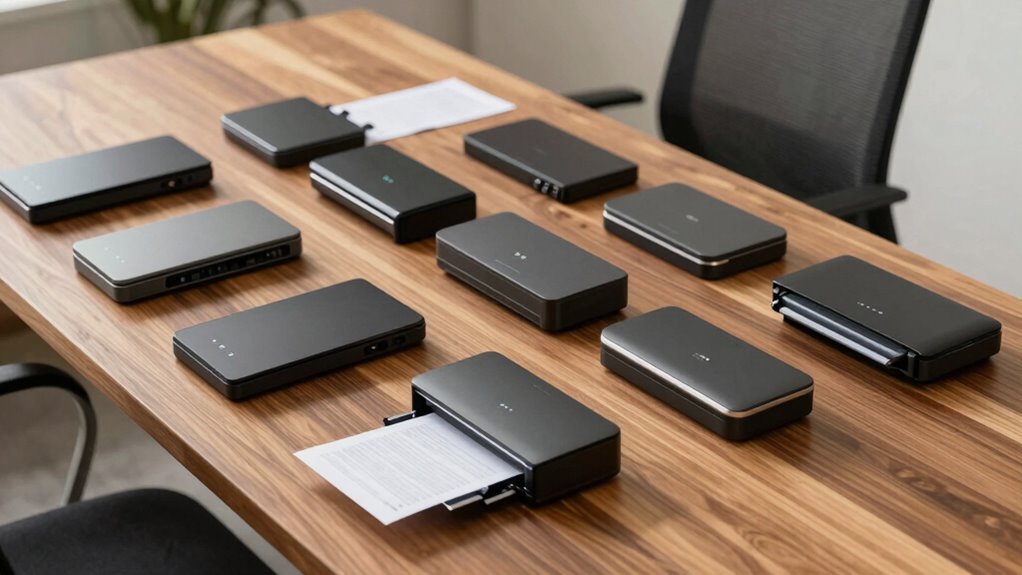

Finding a portable document scanner with OCR designed for accessibility can transform how you digitize and access important documents on the go. The HP Small USB Document & Photo Scanner stands out for its compact size and ease of use, making it ideal for quick scans. Meanwhile, the ScanSnap iX1300 offers robust wireless functionality and double-sided scanning that appeals to power users. The main tradeoffs in this category often involve balancing portability against scan quality, OCR accuracy, and price. Continue reading to see the full breakdown of the best options for accessibility-focused portable scanning in 2026.

Get everyday helpers delivered free with Prime
- Fast, free delivery on millions of items
- Prime Video, Amazon Music and more included
- Member-only deals all year
Key Takeaways
- The top picks balance portability, OCR accuracy, and ease of use for accessibility needs.
- Wireless and USB connectivity options vary, with some models prioritizing convenience and others focusing on speed.
- Price often correlates with features such as duplex scanning, battery life, and OCR quality—more expensive models tend to offer better performance.
- Most portable scanners have tradeoffs between size and scan quality; selecting the right depends on your specific accessibility needs.
- Durability and build quality are consistent across top models, ensuring they withstand frequent use.
| Epson WorkForce ES-400 II High-Speed Duplex Desktop Document Scanner |  | Best Overall for High-Volume Office Use | Scan Speed: 35 pages per minute | Auto Document Feeder: 50 sheets | Color Modes: Black-and-White, Grayscale, Color | VIEW ON AMAZON | See Our Full Breakdown |
| HP Small USB Document & Photo Scanner for Portable 1-Sided Sheetfed Digital Scanning, Model HPPS100 |  | Best for Portable, On-the-Go Use | Scanning Speed: 15 ppm | Resolution: 1200 dpi | Paper Size Range: 2″ x 2.9″ to 8.5″ x 14″ | VIEW ON AMAZON | See Our Full Breakdown |
| ScanSnap iX1300 Wireless and USB Double-Sided Color Document Scanner, White |  | Best for Small Spaces and Versatile Connectivity | Connectivity: USB, Wi-Fi | Scan Speed: up to 30 ppm | Features: Auto de-skew, color optimize, blank page removal | VIEW ON AMAZON | See Our Full Breakdown |
| Epson WorkForce ES-50 Compact & Lightweight Mobile Document Scanner |  | Best for Ultra-Portable, Occasional Scanning | Scanning Speed: 5.5 seconds per page | Maximum Document Size: 8.5 x 72 inches | Power: USB 2.0 | VIEW ON AMAZON | See Our Full Breakdown |
| Brother DS-640 Compact Mobile Document Scanner |  | Best for Multi-Platform Compatibility and Basic OCR | Scan Speed: 16 ppm | Weight: 1.5 pounds | Dimensions: Less than 1 foot in length | VIEW ON AMAZON | See Our Full Breakdown |
| Canon imageFORMULA R10 Portable Document Scanner, USB Powered, Duplex Scanning, Document Feeder, White |  | Best Overall for Mobile and Home Use | Power Consumption: 2.5W or less (Energy Saving Mode: 0.7W) | Suggested Daily Volume: 500 scans | Media Types: Receipts, business cards, reports, legal documents, plastic or embossed cards | VIEW ON AMAZON | See Our Full Breakdown |
| CZUR Shine Ultra Smart Portable Document Scanner, Thin Book Scanner with OCR, USB Document Camera for Desktop and Laptop |  | Best for Flat Papers and Books with Multilingual OCR | Scanner Type: Book, Document | Connection Type: USB | Resolution: 245 DPI | VIEW ON AMAZON | See Our Full Breakdown |
| CZUR Lens1200 Pro Portable Document Scanner, 12MP USB Document Camera |  | Best for Versatile Document and Card Scanning with High-Resolution Camera | Camera Resolution: 12MP | Scanning Speed: 1 second per page | Scanning Size: A4 (8.27 x 11.69 inches) | VIEW ON AMAZON | See Our Full Breakdown |
| Plustek Mobile Scanner S410 Plus – Portable Sheet-Fed Document Scanner with OCR Software |  | Best for Single-Page, Quick Digitization of Receipts and IDs | Scanner Type: Document | Connection Type: USB | Resolution: 600 dpi | VIEW ON AMAZON | See Our Full Breakdown |
| Brother DS-640 Compact Mobile Document Scanner |  | Best for High-Speed, Multi-Platform Mobile Scanning | Scan Speed: 16 ppm | Weight: 1.5 lbs | Dimensions: Less than 1 foot in length | VIEW ON AMAZON | See Our Full Breakdown |
| Brother DS-740D Duplex Compact Mobile Document Scanner |  | Best for On-the-Go Duplex Scanning | Scan Speed: 16 ppm | Duplex Scanning: Yes | Color Scanning: Yes | VIEW ON AMAZON | See Our Full Breakdown |
| portable document scanners with ocr for accessibility | Scan Speed | Connectivity |
|---|---|---|
| Epson WorkForce ES-400 II High | 35 pages per minute | USB, Cloud Storage |
| HP Small USB Document & Photo | — | USB 2.0 |
| ScanSnap iX1300 Wireless and U | up to 30 ppm | USB, Wi-Fi |
| Epson WorkForce ES-50 Compact | — | USB |
| Brother DS-640 Compact Mobile | 16 ppm | — |
| Canon imageFORMULA R10 Portabl | Up to 12 pages-per-minute | USB |
| CZUR Shine Ultra Smart Portabl | — | — |
| CZUR Lens1200 Pro Portable Doc | — | — |
| Plustek Mobile Scanner S410 Pl | — | — |
| Brother DS-640 Compact Mobile | 16 ppm | — |
| Brother DS-740D Duplex Compact | 16 ppm | Micro USB 3.0 |
More Details on Our Top Picks
Epson WorkForce ES-400 II High-Speed Duplex Desktop Document Scanner
The Epson WorkForce ES-400 II stands out for its rapid 35 pages per minute scanning speed and robust duplex capabilities, making it well-suited for busy office environments that need fast, reliable OCR results. Compared with the ScanSnap iX1300, it offers higher throughput and a larger 50-sheet auto feeder, but it relies on a wired connection and requires an internet connection for some cloud features, which may hinder mobility. Its 300 dpi resolution is sufficient for most text-based documents but less ideal for detailed images or high-quality scans. The included software simplifies OCR and sharing, though the need for a USB or cloud connection limits flexibility in some scenarios. This model is best for users who prioritize speed and volume over portability and are comfortable with wired setups.
Pros:- High-speed scanning up to 35 ppm for efficiency
- Duplex scanning supports both sides simultaneously
- Automatic document feeder handles 50 sheets reliably
- Includes OCR and sharing software for quick digitization
Cons:- Requires internet for cloud features, limiting offline use
- Limited to 300 dpi resolution, less ideal for detailed images
Best for: Busy office workers or administrative staff handling large batches of documents daily
Not ideal for: Travelers or remote workers who need a lightweight, wireless solution for occasional scans
- Scan Speed:35 pages per minute
- Auto Document Feeder:50 sheets
- Color Modes:Black-and-White, Grayscale, Color
- Resolution:300 dpi
- Connectivity:USB, Cloud Storage
- Double Feed Detection:Ultrasonic
Our verdict“This scanner is ideal for high-volume, fast-paced environments where wired connectivity is acceptable.”
HP Small USB Document & Photo Scanner for Portable 1-Sided Sheetfed Digital Scanning, Model HPPS100
The HPPS100 excels as a portable, lightweight scanner for quick single-sided captures, making it a solid choice for mobile users needing high-resolution scans up to 1200 dpi. While it’s faster than some compact models like the Brother DS-640 for small batches, it only scans one side at a time, limiting throughput for larger projects. Its USB-powered design ensures easy setup wherever you are, but the lack of wireless connectivity restricts flexibility. With a maximum document size of 8.5 x 14 inches, it suits most personal and light professional tasks, yet the light-duty focus means it might struggle with heavier workloads. This scanner is best for individuals who prioritize portability and high-res scans over volume or multi-page efficiency.
Pros:- Compact, lightweight, ideal for travel
- High-resolution scans up to 1200 dpi for detailed images
- USB-powered, no external power needed
- Fast enough for small batches at 15 ppm
Cons:- Limited to single-sided scanning, reducing efficiency for double-sided documents
- No wireless or Wi-Fi connectivity options
Best for: Freelancers or field workers who need portable, high-res scans and minimal bulk
Not ideal for: Offices with high-volume scanning needs or those requiring wireless connectivity
- Scanning Speed:15 ppm
- Resolution:1200 dpi
- Paper Size Range:2″ x 2.9″ to 8.5″ x 14″
- Connectivity:USB 2.0
- Power:USB powered
- Maximum Document Length:72 inches
Our verdict“This pick makes the most sense for mobile users who need high-quality, one-sided scans without bulk.”
ScanSnap iX1300 Wireless and USB Double-Sided Color Document Scanner, White
The ScanSnap iX1300 offers a balanced mix of speed, ease of use, and connectivity, with duplex scanning up to 30 ppm and automatic features like de-skew and blank page removal. Its compact, space-saving design makes it suitable for small offices or home setups, especially for users who prefer wireless operation alongside USB. Compared with the Epson ES-400 II, it provides less volume capacity but excels in flexibility and device compatibility, supporting Mac, PC, mobile devices, and cloud services. The need for software setup can be a slight hurdle for some, but the overall user experience is smooth once configured. This scanner is best for users who want reliable, fast duplex scans with flexible connectivity options in limited space.
Pros:- Compact, space-saving design fits small desks
- Fast duplex scanning up to 30 ppm
- Wireless and USB connectivity for flexibility
- Automatic image enhancements improve scan quality
Cons:- Requires software setup for full functionality
- Limited capacity compared to larger office scanners
Best for: Small office users or remote workers seeking a versatile, space-efficient scanner with wireless options
Not ideal for: High-volume environments where faster throughput and larger feeders are needed
- Connectivity:USB, Wi-Fi
- Scan Speed:up to 30 ppm
- Features:Auto de-skew, color optimize, blank page removal
- Color:White
- Compatibility:Mac, PC, mobile devices, cloud
Our verdict“This model is ideal for users needing a versatile, space-conscious scanner with strong connectivity options.”
Epson WorkForce ES-50 Compact & Lightweight Mobile Document Scanner
The ES-50 is designed for users who need a truly portable scanner capable of quick, single-page scans on the move. Its lightweight build and simple USB connection make it easy to carry in a bag or pocket, ideal for scanning receipts, IDs, or short documents. While it scans a maximum length of 72 inches, its slow speed of 5.5 seconds per page and single-sheet limit means it’s not suitable for high-volume tasks, especially when compared to larger models like the Epson ES-400 II. The built-in OCR feature allows for searchable PDFs, which enhances accessibility for different users, but the limited capacity and lack of wireless connectivity restrict its use for more extensive projects. This device makes sense for occasional, high-quality scans in mobile scenarios.
Pros:- Extremely lightweight and portable for travel
- Fast scan-to-image in 5.5 seconds per page
- Built-in OCR for searchable PDFs
- No external power supply needed
Cons:- Limited to single-page scans, not suitable for batch processing
- No wireless or cloud connectivity options
Best for: Travelers, students, or field professionals who need quick, portable OCR scans of individual pages
Not ideal for: Offices or users with large batches of documents needing fast, multi-page processing
- Scanning Speed:5.5 seconds per page
- Maximum Document Size:8.5 x 72 inches
- Power:USB 2.0
- OCR:Yes
- Connectivity:USB
Our verdict“This scanner is best for users who need quick, portable OCR scanning of individual pages during travel or fieldwork.”
Brother DS-640 Compact Mobile Document Scanner
The Brother DS-640 emphasizes portability with its ultra-compact design and supports a wide range of platforms, including Windows, Mac, and Linux. It offers a solid 16 pages per minute, which is adequate for light to medium tasks, and includes software for basic image enhancement and OCR, making it suitable for users who need a simple, reliable scanner that can handle diverse system environments. Compared with the Epson ES-50, it provides a slightly faster scan speed and supports more platforms but falls short in high-volume capacity and advanced features. Its micro USB power source and limited batch handling make it less suitable for heavy workloads, but perfect for on-the-go professionals needing quick OCR-enabled scans with broad compatibility.
Pros:- Very lightweight and portable at less than 1.5 pounds
- Supports multiple platforms including Linux
- Decent scan speed for its size
- Includes OCR and image enhancement software
Cons:- Requires micro USB power, limiting mobility in some settings
- Limited to document scanning, not suitable for large volume workflows
Best for: Freelancers or small teams requiring portable scanning across different operating systems
Not ideal for: High-volume office environments or users needing wireless, multi-page batch processing
- Scan Speed:16 ppm
- Weight:1.5 pounds
- Dimensions:Less than 1 foot in length
- Power Source:Micro USB 3.0
- Features:Color detection, image rotation, OCR
Our verdict“This scanner is ideal for users needing a highly portable, multi-platform OCR solution for light, on-the-go scanning.”
Canon imageFORMULA R10 Portable Document Scanner, USB Powered, Duplex Scanning, Document Feeder, White
The Canon imageFORMULA R10 stands out for its lightweight, portable design combined with efficient duplex scanning at 12 pages per minute, making it ideal for those who need quick, on-the-go document digitization. Compared to the Brother DS-640, which offers faster speeds at 16 ppm but is slightly bulkier, the R10 excels in ease of use and compatibility, especially with its built-in software that simplifies editing. However, its reliance on a USB connection and lack of wireless options limit its flexibility for frequent travelers or team environments. This model is perfect for individuals who prioritize portability and straightforward workflow over high-volume capacity or wireless features.
Pros:- Lightweight and easy to carry
- Fast duplex scanning of up to 12 pages per minute
- Compatible with Windows and Mac, with built-in software
Cons:- Requires USB connection, no wireless option
- Limited to document types, not designed for photos or high-volume scanning
Best for: Freelancers, remote workers, or small office users needing portable, reliable scanning on a daily basis
Not ideal for: Photographers or users needing to scan high volumes or photographs, as it’s limited to document types and doesn’t handle images well
- Power Consumption:2.5W or less (Energy Saving Mode: 0.7W)
- Suggested Daily Volume:500 scans
- Media Types:Receipts, business cards, reports, legal documents, plastic or embossed cards
- Scan Speed:Up to 12 pages-per-minute
- Automatic Document Feeder:20 sheets
- Connectivity:USB
Our verdict“This scanner is ideal for mobile professionals who need a straightforward, portable solution for scanning documents on the go.”
CZUR Shine Ultra Smart Portable Document Scanner, Thin Book Scanner with OCR, USB Document Camera for Desktop and Laptop
The CZUR Shine Ultra is tailored for users who digitize flat documents and books, offering rapid scanning in about one second per page and OCR support for over 180 languages. Its lightweight, adjustable height makes it suitable for on-the-fly scanning without bulky equipment—surpassing many similar portable options like the Plustek Mobile S410 Plus, which supports only one sheet at a time. Its main tradeoff is limited compatibility with thicker or glossy materials, and some languages like Thai or Arabic may have partial recognition issues. This pick makes the most sense for academics, students, or professionals working with multilingual texts and flat media.
Pros:- Fast scanning speed of about 1 second per page
- Supports OCR in 180+ languages for broad text recognition
- Lightweight with adjustable height for flexibility
Cons:- Not compatible with Android or iOS devices
- Limited to flat papers and thin books, not suitable for thick or glossy media
Best for: Students or researchers needing fast, multi-language OCR for flat documents and books on the go
Not ideal for: Photographers or users needing to scan thick books or glossy photos, as it’s optimized for flat, thin media
- Scanner Type:Book, Document
- Connection Type:USB
- Resolution:245 DPI
- Media Type:USB
- Item Dimensions:116.9″D x 157.9″W x 334.9″H
- Minimum System Requirements:Windows XP/7/8/10/11, macOS 10.13 or later
Our verdict“This scanner is excellent for multilingual text digitization and quick flat media capture for users who prioritize speed and language support.”
CZUR Lens1200 Pro Portable Document Scanner, 12MP USB Document Camera
The CZUR Lens1200 Pro offers a 12MP camera that captures high-resolution images in just about one second per page, making it well-suited for users needing detailed scans of documents, IDs, or forms. Its foldable, portable design makes it stand out against bulkier scanners like the Canon R10, especially for users who need high-res images on the move. However, it isn’t recommended for glossy or textured surfaces, and some languages like Thai or Hebrew may not be fully supported by its OCR software. It’s a good choice for professionals or travelers who want quick, detailed scans of various media, with an emphasis on image quality and portability.
Pros:- Fast 1 second per page scanning speed
- High-resolution 12MP camera captures detailed images
- Compact, foldable design for easy portability
Cons:- Not suited for glossy or textured paper
- Limited language support for OCR in some languages
Best for: Business travelers or field professionals needing high-res images of documents and IDs quickly and reliably
Not ideal for: Photographers or users who need to scan large, glossy, or thick items regularly, as the device is optimized for flat, standard documents
- Camera Resolution:12MP
- Scanning Speed:1 second per page
- Scanning Size:A4 (8.27 x 11.69 inches)
- DPI:330
- Resolution:4032 x 3024
- Weight:0.93 lbs
- Dimensions:13.88 x 4.13 x 3.09 inches
Our verdict“This scanner is ideal for those who prioritize high-resolution images and portability for standard documents and IDs.”
Plustek Mobile Scanner S410 Plus – Portable Sheet-Fed Document Scanner with OCR Software
The Plustek S410 Plus is perfect for users who need to scan individual documents rapidly, such as receipts or IDs, with its button-free, one-touch operation. Its compact form factor and built-in OCR make it a strong choice for those prioritizing simplicity and portability, especially compared to bulkier options like the CZUR Shine Ultra. The main limitation is its capacity—only one sheet at a time—and absence of wireless connectivity, which can hinder high-volume or multi-user workflows. Still, for quick, on-the-fly scans of single items, it’s a reliable device for mobile professionals or small business owners.
Pros:- Compact and lightweight for portability
- Automatic, button-free operation simplifies scanning
- Built-in OCR converts scans into editable files
Cons:- Limited to one sheet at a time, not suitable for batch scanning
- No wireless connectivity options
Best for: Small business owners or mobile employees who need quick, single-page scans of receipts, IDs, or forms
Not ideal for: Users requiring high-volume scanning or multi-page documents, as it only handles one sheet at a time without wireless support
- Scanner Type:Document
- Connection Type:USB
- Resolution:600 dpi
- Light Source:LED
- Standard Sheet Capacity:1
- Optical Sensor Technology:CIS
Our verdict“This scanner is best for quick, single-page scans in mobile or small office environments where speed and simplicity matter most.”
Brother DS-640 Compact Mobile Document Scanner
The Brother DS-640 offers a compelling mix of high-speed scanning at 16 pages per minute and ultra-compact design, making it suitable for professionals who need quick document digitization on the move. Its compatibility with Windows, Mac, and Linux, along with OCR software, provides broad flexibility compared to the Canon R10, which is more limited in operating system support. A potential tradeoff is its reliance on external power via USB and a somewhat more complex setup process, which might deter less tech-savvy users. This device makes the most sense for users who need fast, multi-platform compatibility in a portable package.
Pros:- High-speed scanning at 16 pages per minute
- Ultra-compact, lightweight design for portability
- Supports multiple OS including Linux
Cons:- Requires external power via USB cable
- Limited to document scanning, no photo or large format support
Best for: Business travelers or field staff needing rapid, multi-platform document scanning with OCR support
Not ideal for: Photographers or users who need to scan large-format items or photographs, as it’s strictly for documents
- Scan Speed:16 ppm
- Weight:1.5 lbs
- Dimensions:Less than 1 foot in length
- Power:Powered via micro USB 3.0
- Compatibility:Windows, Mac, Linux
- Features:Automatic color detection, image rotation, OCR
Our verdict“Ideal for professionals who need fast, portable, multi-OS compatible scanning with OCR capabilities for documents.”
Brother DS-740D Duplex Compact Mobile Document Scanner
The Brother DS-740D stands out for its ultra-compact size and duplex scanning ability, making it a strong contender for mobile professionals who need to digitize both sides of documents quickly. Unlike larger desktop scanners like the Epson ES-400 II, this model emphasizes portability, fitting easily into a bag or pocket. Its 16 ppm duplex speed ensures efficient processing of multiple pages, but relying solely on USB power may limit its use for high-volume tasks. Additionally, while it supports cloud and email integration, full functionality depends on software that can be complex for less tech-savvy users. Compared to other mobile options like the HP Small USB Scanner, the DS-740D offers faster duplex performance, but at the expense of a more involved setup process. This pick makes the most sense for professionals who need reliable, portable duplex scanning without sacrificing speed, but it may not suit those requiring high-volume or plug-in power solutions.
Pros:- Extremely compact design fits into small bags or pockets
- Fast duplex scanning at 16 ppm for both color and black-and-white documents
- Powered via USB, eliminating the need for a power outlet
Cons:- Limited to USB power, which may restrict continuous, high-volume use
- Requires additional software setup for full functionality, which could be complex for beginners
Best for: Traveling professionals and field workers who need quick, duplex scans on the go without bulky equipment
Not ideal for: High-volume scanning environments or users seeking battery-powered operation, as it is limited to USB power and lower capacity
- Scan Speed:16 ppm
- Duplex Scanning:Yes
- Color Scanning:Yes
- Connectivity:Micro USB 3.0
- Compatibility:Windows, Mac, Linux
- Dimensions:Less than 1 foot in length
Our verdict“This scanner is best suited for mobile users prioritizing portability and duplex speed over high-volume capacity.”

How We Picked
These products were evaluated based on their portability, OCR accuracy, ease of use, connectivity options, and overall build quality. We prioritized models that are specifically designed for accessibility, ensuring they are lightweight, simple to operate, and capable of high-quality text recognition. Scanners with both wireless and USB options were favored to maximize versatility. The ranking also considers value for money, assessing whether the features justify the price. Our goal was to highlight options suitable for a range of users—from casual consumers to accessibility professionals—who need reliable, portable scanning solutions with OCR capabilities.| portable document scanners with ocr for accessibility | Connectivity |
|---|---|
| Epson WorkForce ES-400 II High | USB, Cloud Storage |
| HP Small USB Document & Photo | USB 2.0 |
| ScanSnap iX1300 Wireless and U | USB, Wi-Fi |
| Epson WorkForce ES-50 Compact | USB |
| Brother DS-640 Compact Mobile | — |
| Canon imageFORMULA R10 Portabl | USB |
| CZUR Shine Ultra Smart Portabl | — |
| CZUR Lens1200 Pro Portable Doc | — |
| Plustek Mobile Scanner S410 Pl | — |
| Brother DS-640 Compact Mobile | — |
| Brother DS-740D Duplex Compact | Micro USB 3.0 |
Factors to Consider When Choosing Portable Document Scanners With Ocr For Accessibility
Choosing the right portable document scanner with OCR for accessibility involves balancing several factors. Beyond just the size and weight, consider how OCR accuracy impacts your workflow, especially if you rely on digitized text for screen readers or other assistive technologies. Connectivity options determine how easily you can integrate the scanner into your existing setup, whether at home, in the office, or on the move. Durability and power sources are also key, especially if you plan to use the device frequently or in varied environments. Understanding these factors will help you select a model that fits your specific accessibility and mobility needs.OCR Accuracy and Text Recognition
Accurate OCR is vital for accessibility, ensuring that scanned documents can be read aloud or converted into editable formats. Look for scanners that explicitly mention high OCR accuracy and support multiple languages if needed. Some models include software that improves recognition quality, which is especially important for complex layouts or handwritten notes. Be aware that higher OCR quality often comes with a higher price, but it can significantly improve the usability of your scans for screen readers and text-to-speech tools.
Connectivity Options
Wireless connectivity, such as Wi-Fi or Bluetooth, provides greater flexibility for mobile use, allowing you to scan directly to cloud services or mobile devices without cables. USB connection remains a reliable choice for stable, fast transfers, especially when working with larger files or in environments with unstable Wi-Fi. Some models support both, giving you the best of both worlds. Consider your typical use scenarios to determine which connection type will serve you best, whether in a fixed location or on the go.
Portability and Size
The core advantage of these scanners is their portability, but size and weight vary. Smaller, lightweight models are easier to carry in a bag or pocket but may compromise on features like document feeders or duplex scanning. Larger models tend to offer better speed and OCR capabilities but reduce mobility. Think about where you’ll use the scanner most often—if you need it for quick, on-the-spot scans, prioritize compactness and battery life. For more comprehensive scanning needs, slightly larger devices might be justified.
Power Sources and Battery Life
Battery life is a key consideration if you plan to use your scanner away from power outlets. Some models are USB-powered only, which limits their portability but simplifies charging. Others feature rechargeable batteries that can last for dozens of scans before needing a recharge. Evaluate your typical scanning volume and environment to decide whether battery life or wired operation is more important. Keep in mind that longer battery life often means a larger device with a bigger battery, impacting portability slightly.
Durability and Ease of Use
Since portability often involves frequent handling, select a scanner with sturdy construction and simple controls. Devices with minimal buttons and clear interfaces tend to be easier for users with accessibility needs. Look for models that are dust-resistant, have secure paper feeding mechanisms, and are easy to clean. A well-designed software interface that guides you through the scanning and OCR process also enhances usability, especially for users with limited technical experience.
Frequently Asked Questions
How accurate is OCR on portable scanners for accessibility?
OCR accuracy varies across models but generally, premium scanners deliver higher recognition rates, especially for printed text. Many portable scanners now incorporate advanced OCR engines that recognize multiple languages and complex layouts, which is essential for accessibility. Keep in mind that OCR accuracy can be affected by document quality, font size, and formatting. Investing in a model with high OCR precision ensures your digitized documents are usable for screen readers and text-to-speech applications, reducing the need for manual corrections.
Can I use these portable scanners to scan handwritten notes for accessibility?
While some portable scanners support basic handwriting recognition, most are optimized for printed text. OCR engines tend to struggle with cursive or messy handwriting, which can limit accessibility benefits. If digitizing handwritten notes is a priority, look for models that specify support for handwriting OCR or consider dedicated OCR software that specializes in recognizing handwritten text. For most users, scanning typed documents will provide more reliable results for accessibility tools.
How important is wireless connectivity for accessibility in portable scanners?
Wireless connectivity is often a key feature for accessibility, allowing users to scan directly to mobile devices or cloud services without needing cables. This flexibility can be especially helpful for users with mobility or dexterity challenges, enabling smoother operation. Wireless models also facilitate easier sharing and storage of scans, which can be crucial for collaborative or remote work environments. However, ensure your wireless network is secure to protect sensitive documents during transfer.
Are portable scanners with OCR suitable for professional use?
Yes, many portable scanners with OCR are capable of handling professional workloads, especially those with duplex scanning, high OCR accuracy, and fast processing speeds. They are ideal for professionals who need to digitize documents quickly during travel or in fieldwork settings. However, for high-volume or enterprise-level needs, larger, desktop scanners might be more appropriate. Always check the specific OCR and scanning speed specifications to match your professional requirements.
What should I consider regarding battery life for portable scanners?
Battery life is critical if you plan to use your scanner extensively away from power sources. Look for models with rechargeable batteries that offer dozens of scans per charge, which reduces interruptions during use. Some devices also support pass-through charging, allowing you to use the scanner while charging. Evaluate your typical scanning volume and usage environment to find a model whose battery life aligns with your needs, ensuring productivity without frequent recharges.
Conclusion
For general accessibility use and everyday mobility, the Epson WorkForce ES-50 offers a highly portable, easy-to-use solution. If you need a versatile scanner with strong wireless capabilities and double-sided OCR, the ScanSnap iX1300 stands out as the best overall pick. Those seeking a premium, durable device for frequent use may prefer the CZUR Shine Ultra with advanced OCR features. Beginners or those on a budget will find the HP Small USB Scanner straightforward and affordable. For specialized needs, such as handwriting OCR or high-volume scanning, consider models like the Brother DS-740D. Your choice depends on balancing portability, OCR quality, and how you plan to integrate the scanner into your accessibility workflow.Evergreen bestsellers Picks
bestsellers
As an affiliate, we earn on qualifying purchases.