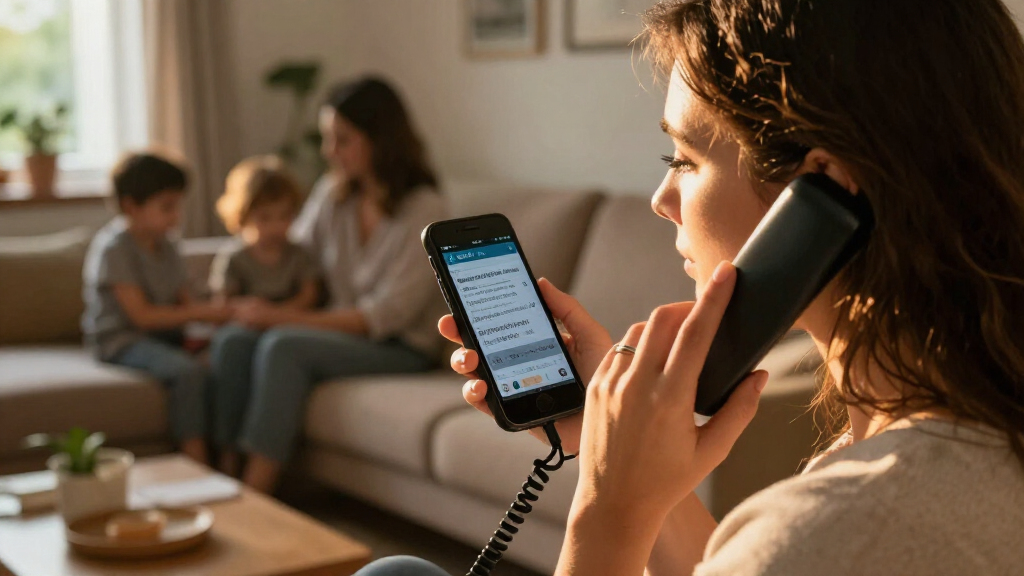

Choosing among caption phones for hearing-impaired users depends on whether you need on-screen captions, stronger sound, or the freedom to answer in more than one room. I rank the Hamilton CapTel 840i first for its combination of real-time captions, large physical buttons, amplified sound, and captioned voicemail. The Hamilton CapTel 2400iSPNBT is the better fit if a large touchscreen matters more than tactile controls, while the Clarity XLC3.4+ bundle suits households that prioritize cordless handsets and amplified listening over live captions.

Get everyday helpers delivered free with Prime
- Fast, free delivery on millions of items
- Prime Video, Amazon Music and more included
- Member-only deals all year
The main tradeoff is between reading the conversation and hearing it more clearly. Both Hamilton models provide real-time captions and up to 40dB of amplification, but require phone service and high-speed internet for full functionality and are limited to eligible US users. Clarity adds handset flexibility and hearing-focused features, but the supplied information does not describe live captioning. I rank these options by how directly they address caption-phone needs, then by usability, household flexibility, and practical setup limits.
Key Takeaways
- Hamilton CapTel 840i is my strongest all-around pick for readers who want live captions, large physical buttons, up to 40dB amplification, and captioned voicemail.
- Hamilton CapTel 2400iSPNBT offers the more modern touchscreen approach to captioned calls, but buyers who prefer raised, tactile controls may find the 840i easier to operate.
- Clarity XLC3.4+ with two XLC3.6+ handsets is the lineup’s cordless choice for household reach and amplified listening, not a direct substitute for a phone with confirmed real-time captions.
- Both Hamilton caption phones need compatible phone service and high-speed internet for full functionality; check availability and eligibility before choosing either one.
- The right pick depends on whether your main barrier is following spoken calls, hearing the caller, or answering from multiple rooms—these phones address those needs differently.
| Hamilton CapTel 840i Large Button Captioned Telephone |  | Best Overall | Phone type: Corded captioned telephone | Captioning: Real-time captions; captioned voicemail | Volume boost: Up to 40dB | VIEW LATEST PRICE | See Our Full Breakdown |
| Hamilton CapTel 2400iSPNBT Large Touch Screen Captioned Telephone |  | Best for a Large Touchscreen | Phone type: Large-touchscreen captioned telephone | Captioning: Real-time captions; captioned voicemail | Volume boost: Up to 40dB gain | VIEW LATEST PRICE | See Our Full Breakdown |
| Clarity XLC3.4+ Severe Hearing Loss Cordless Phone with 2 XLC3.6+ Handsets |  | Best Cordless Household Bundle | Included handsets: XLC3.4+ base with two XLC3.6+ handsets | Wireless technology: DECT 6.0 | Captioning: Real-time captioning not specified in supplied details | VIEW LATEST PRICE | See Our Full Breakdown |
| caption phones for hearing impaired | Captioning | Hearing aid compatibility | Dimensions | Phone type |
|---|---|---|---|---|
| Hamilton CapTel 840i Large But | Real-time captions; captioned voicemail | Yes | 7.5 x 9 x 6.5 inches | Corded captioned telephone |
| Hamilton CapTel 2400iSPNBT Lar | Real-time captions; captioned voicemail | Yes | 3.64 x 12.56 x 9.54 inches | Large-touchscreen captioned telephone |
| Clarity XLC3.4+ Severe Hearing | Real-time captioning not specified in supplied details | Yes; confirm fit with the specific hearing aid | 15.5 x 14 x 10.25 inches | — |
More Details on Our Top Picks
Hamilton CapTel 840i Large Button Captioned Telephone
I rank the Hamilton CapTel 840i first because it is the most balanced match for a buyer who explicitly wants a caption phone rather than amplification alone. Its real-time captions address the difficulty of following a caller’s words, and its large physical buttons give the interface a familiar, tactile feel. That combination is a practical advantage over the 2400iSPNBT if you would rather press clear keypad buttons than rely on a touchscreen.
Sound support adds another layer: the 840i offers up to 40dB of volume boost, speakerphone, and hearing aid compatibility. The built-in answering machine stores up to 18 minutes, and the listing specifies captioned voicemail. That gives it a useful advantage when a call arrives while you are away from the phone: messages remain part of the caption-oriented experience instead of being an afterthought. Compared with the Clarity bundle, the 840i is the more direct choice for reading live calls; compared with the Hamilton 2400i, it leans toward conventional controls rather than a large touch display.
That broad feature set comes with setup and placement constraints. The phone requires high-speed internet and landline service for its intended captioning function, so it will not fit every home or phone arrangement. The listing also states that it is limited to US residents with hearing loss due to FCC certification. Its roughly 7.5-by-9-by-6.5-inch footprint may take more desk space than a compact handset base. I would choose it for someone who wants readable captions and physical buttons in one main location, but not for someone who needs a cordless phone to carry around the house or cannot meet the service and eligibility conditions.
Pros:- Real-time captions support following live conversations.
- Large physical buttons suit users who prefer tactile keypad controls.
- Up to 40dB amplification, speakerphone, and hearing aid compatibility offer several listening options.
- Captioned voicemail and an 18-minute recording capacity extend caption support to messages.
Cons:- Full caption functionality requires high-speed internet and landline service.
- Its desk-phone form and stated dimensions may be cumbersome in a small space.
- The listing limits eligibility to US residents with hearing loss.
Best for: People who want real-time captions, large tactile buttons, amplified sound, and captioned voicemail on a main household phone.
Not ideal for: Buyers who need a portable cordless handset, lack compatible phone service or high-speed internet, or are outside the stated US eligibility limits.
- Phone type:Corded captioned telephone
- Captioning:Real-time captions; captioned voicemail
- Volume boost:Up to 40dB
- Hearing aid compatibility:Yes
- Answering system:Digital; answering machine included
- Recording capacity:18 minutes
- Dimensions:7.5 x 9 x 6.5 inches
- Weight:2 pounds
Our verdict“I recommend the 840i as the most balanced caption-first choice for buyers who want live text, tactile buttons, and amplified audio in one stationary phone.”
Hamilton CapTel 2400iSPNBT Large Touch Screen Captioned Telephone
The Hamilton CapTel 2400iSPNBT is my pick for buyers who want captioning presented on a large touchscreen rather than a conventional phone interface. It keeps the core appeal of the 840i—real-time captions, up to 40dB of amplification, hearing aid compatibility, and captioned voicemail—while putting the display and controls into a more screen-centered design. For someone who finds small phone displays hard to read, that large touch interface may make the call easier to follow and manage.
Compared with the 840i, the difference is less about caption capability and more about how you interact with it. The 840i has large physical buttons and may feel more straightforward to a person who depends on touch and familiar key presses. The 2400i has a touchscreen and may appeal to someone comfortable navigating an on-screen interface. It also supports three-way calling and is listed as compatible with several phone-network types, including VoIP services and analog, digital cable, DSL, and FIOS networks. That range can be useful, but it does not remove the need to verify that a particular service and setup support the phone’s captioning functions.
The 2400i remains a single-line desk phone, not a multi-room cordless system. Its supplied dimensions are 3.64 by 12.56 by 9.54 inches, so buyers should check the intended surface and how they want the phone positioned. Like the other Hamilton, it requires high-speed internet and phone service for full functionality, and the listing limits it to US residents with hearing loss. Against the Clarity XLC3.4+ bundle, the 2400i is the clear choice if reading live captions is the priority; Clarity offers more handset mobility, but its supplied details do not establish live captioning. I would skip this Hamilton if a touchscreen is less accessible to you than physical buttons or if your main need is answering calls around the home.
Pros:- Large touchscreen presents a screen-led alternative to the 840i’s physical-button approach.
- Real-time captions and captioned voicemail support both live calls and recorded messages.
- Up to 40dB amplification and hearing aid compatibility support listening needs.
- Three-way calling and listed compatibility with several phone-service types broaden possible setups.
Cons:- Touch controls may be less comfortable than the 840i’s large physical buttons for some users.
- Full functionality requires high-speed internet and phone service.
- It is a single-line desk phone, not a multi-handset cordless solution.
Best for: Caption-phone users who prefer a large touchscreen and want real-time text, amplified sound, and captioned voicemail in a single-line phone.
Not ideal for: People who rely on tactile buttons, need cordless coverage across several rooms, or cannot use compatible phone service and high-speed internet.
- Phone type:Large-touchscreen captioned telephone
- Captioning:Real-time captions; captioned voicemail
- Volume boost:Up to 40dB gain
- Hearing aid compatibility:Yes
- Phone line operation:Single-line
- Conference calling:Three-way
- Recording capacity:18 minutes
- Dimensions:3.64 x 12.56 x 9.54 inches
Our verdict“I would choose the 2400i over the 840i when a large touchscreen is the preferred way to read and control a captioned call.”
Clarity XLC3.4+ Severe Hearing Loss Cordless Phone with 2 XLC3.6+ Handsets
The Clarity XLC3.4+ bundle earns a place here for buyers whose main practical need is hearing-focused cordless coverage around the home. The package includes the XLC3.4+ base phone and two XLC3.6+ handsets, giving it a flexibility neither Hamilton desk phone offers. It also lists hearing aid compatibility, talking caller ID, a digital answering system, and dual power backup. These features can make the bundle more convenient for someone who wants a handset nearby rather than having to return to a fixed phone.
Its role is different from the Hamilton models. Both Hamilton options specifically list real-time captions, which makes them stronger choices when seeing the caller’s words is central. The Clarity description focuses on severe-hearing-loss support and cordless calling, but does not confirm live captioning. I would not treat amplified audio, hearing aid compatibility, or talking caller ID as a replacement for captions. If you regularly miss spoken words even with amplification, I would put either Hamilton ahead of this bundle, provided its connection and eligibility requirements suit you.
The bundle’s extra handsets can be useful in a larger home, yet they come with bulk and upkeep tradeoffs. The listed package dimensions are 15.5 by 14 by 10.25 inches, and it weighs 6.3 pounds; that is a much larger bundle to accommodate than either Hamilton phone. It also requires nine AAA batteries, so buyers should plan for battery replacement. The listing describes compatibility as specific rather than universal, so people using hearing aids should confirm their devices work with the phone before relying on it. I would choose Clarity for a household that values amplified cordless listening and multiple handsets; I would skip it if confirmed on-screen captions are the deciding requirement.
Pros:- Includes two additional XLC3.6+ handsets for answering calls in more than one room.
- Hearing aid compatibility and severe-hearing-loss positioning address listening needs.
- Talking caller ID and a digital answering system add spoken call and message functions.
- Dual power backup is listed as part of the phone’s reliability features.
Cons:- The supplied details do not confirm real-time captioning, unlike both Hamilton models.
- The complete bundle is relatively bulky and may take substantial storage or setup space.
- Requires nine AAA batteries, and compatibility may vary with specific hearing aids.
Best for: Households seeking a hearing-focused cordless phone setup with two additional handsets, talking caller ID, and hearing aid compatibility.
Not ideal for: Anyone who needs confirmed real-time captions, wants a compact single-base setup, or prefers not to manage multiple AAA batteries.
- Included handsets:XLC3.4+ base with two XLC3.6+ handsets
- Wireless technology:DECT 6.0
- Captioning:Real-time captioning not specified in supplied details
- Hearing aid compatibility:Yes; confirm fit with the specific hearing aid
- Caller ID:Talking caller ID
- Answering system:Digital
- Batteries:Nine AAA batteries required
- Dimensions:15.5 x 14 x 10.25 inches
- Weight:6.3 pounds
Our verdict“I recommend Clarity for cordless reach and amplified listening, but not as a substitute for a phone whose live-caption feature is confirmed.”
How We Picked
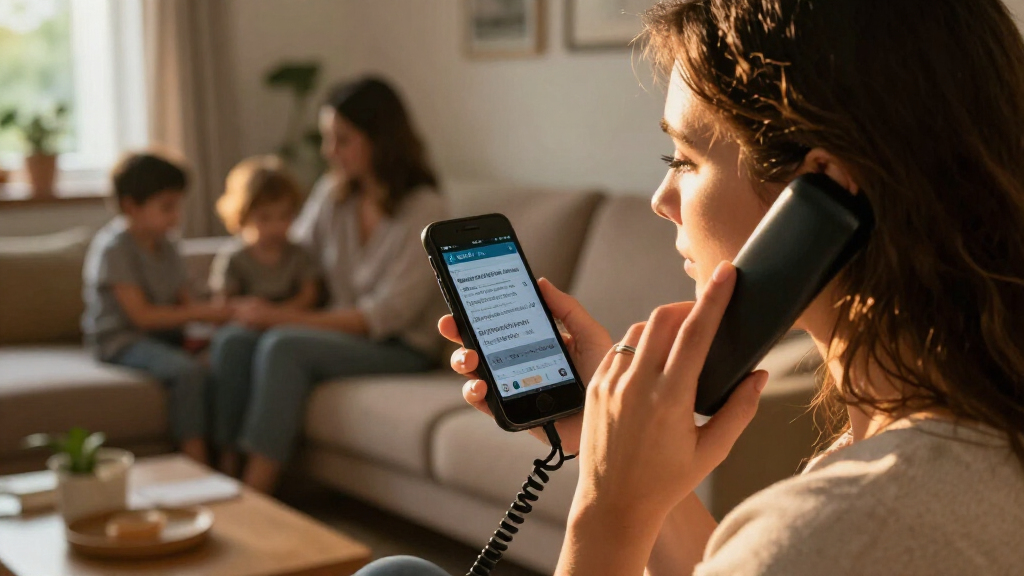
I ranked these phones around the specific job implied by caption phones for hearing impaired: helping a user follow a phone conversation through visible text, amplified audio, or both. That distinction matters. A phone with strong amplification can improve audibility, but it is not automatically a caption phone. I gave the highest priority to options whose supplied details specifically identify real-time captions, then weighed the controls, voicemail support, hearing aid compatibility, and stated amplification.
My first-place pick, the Hamilton CapTel 840i, combines live captions with familiar large physical buttons, amplified volume, speakerphone, and captioned voicemail. Those features serve multiple points in a typical call: placing it, listening, reading, and checking messages. I placed the touchscreen 2400iSPNBT next because it also has live captions and up to 40dB of gain, but its touch-led layout is a more specific fit for people who favor a large display over tactile keypad controls.
The Clarity XLC3.4+ bundle fills a different role. It offers a base phone and two additional cordless handsets, plus hearing aid compatibility and talking caller ID. Those traits can be useful around a home, particularly when a user needs to answer from different rooms. However, the supplied product details do not confirm real-time captioning, so I rank it behind the Hamilton devices for a search specifically focused on caption phones. I treat it as a hearing-assistance alternative, not as an equivalent captioning option.
I also considered the practical limits described for each device, including internet and phone-service requirements, household space, and battery needs. I do not assume that every listed network type will work in every setup; buyers should confirm service compatibility with the provider and manufacturer before purchase. The product information identifies Hamilton eligibility restrictions for US residents with hearing loss, so I include that as a real purchase constraint. I compare the supplied specifications and features rather than suggesting I tested these phones or can promise a particular captioning experience in every location.
| caption phones for hearing impaired | Phone type | Captioning | Volume boost | Hearing aid compatibility |
|---|---|---|---|---|
| Hamilton CapTel 840i Large But | Corded captioned telephone | Real-time captions; captioned voicemail | Up to 40dB | Yes |
| Hamilton CapTel 2400iSPNBT Lar | Large-touchscreen captioned telephone | Real-time captions; captioned voicemail | Up to 40dB gain | Yes |
| Clarity XLC3.4+ Severe Hearing | — | Real-time captioning not specified in supplied details | — | Yes; confirm fit with the specific hearing aid |
Factors to Consider When Choosing Caption Phones For Hearing Impaired
I would start by identifying what makes phone calls difficult: following speech, hearing it at a comfortable level, reaching the phone in time, or some combination. These three products do not solve those problems in the same way. The Hamilton phones pair live captions with amplification; the Clarity bundle focuses on cordless access and hearing assistance. The points below help separate those needs before you choose.
Decide whether live captions are a must
If you need to read what the caller says, choose a product whose details specifically identify real-time captions. Both Hamilton models list this feature, and both also include captioned voicemail. The 840i combines it with large physical buttons; the 2400iSPNBT puts it on a large touchscreen. Those are the closest matches in this lineup to a caption-first requirement.
The Clarity bundle can still be a useful hearing-focused phone, but the supplied information does not confirm live text captions. Talking caller ID is a different feature: it announces caller information, rather than displaying a transcript of the conversation. I would verify caption support directly before buying Clarity if seeing the caller’s words is non-negotiable.
Match the interface to how you use a phone
Large physical keys and touchscreens solve different usability problems. The 840i’s large buttons give users tactile feedback and familiar dialing controls. That can be a better fit for someone who does not want to navigate a screen or who prefers to locate keys by touch. The tradeoff is a conventional desk-phone layout rather than a cordless handset that can move with you.
The 2400i’s large touchscreen is the more screen-oriented option and may suit a buyer who wants captions and controls presented together on a display. A touchscreen will not suit every person, especially if physical key feedback is a priority. Clarity’s handsets address a separate concern: where you can answer. Consider which matters more—screen-led caption access, tactile dialing, or being able to pick up a handset in another room.
Separate amplification from captioning
Both Hamilton phones specify up to 40dB of amplification, plus hearing aid compatibility. Those features can support audibility, while captions provide a visual route for following the caller. Buyers should think about whether sound boost alone is enough or whether reading text is also part of their call routine. Clarity is described as designed for severe hearing loss and is hearing aid compatible, but its supplied specifications do not state a volume-boost figure or live caption feature.
Compatibility is not a guarantee that every hearing aid will work equally well with every phone. If you plan to rely on a hearing aid connection, confirm compatibility for your specific device and preferred listening setup. Keep the distinction clear: amplification helps make sound louder; captions help convey speech in text. For many people, those functions are complementary rather than interchangeable.
Check phone service, internet, and eligibility
The Hamilton caption phones require high-speed internet and phone service for full functionality, and their listings state eligibility limits for US residents with hearing loss. Confirm that you qualify and that your home setup meets the manufacturer’s current requirements before choosing one. The 2400i lists compatibility with several network types, but buyers should still verify their specific provider, connection, and service plan rather than assume every configuration will work.
These details can determine the shortlist before display size or voicemail capacity does. If you lack the needed service or are outside the stated eligibility, a caption feature may not be available as expected. Clarity avoids the listed Hamilton captioning setup in its description, but it is not a confirmed live-caption alternative based on the information supplied. Ask the manufacturer or seller specific questions about the features you need before placing an order.
Think about room coverage and upkeep
The Clarity bundle’s three handsets make it the most flexible choice for answering calls in different areas of a home. That advantage comes with a larger overall package and a requirement for nine AAA batteries. Check where the base and handsets will sit, how often batteries may need attention, and whether the bundle’s size works in your home.
By contrast, both Hamilton models are better thought of as caption-equipped main phones than as whole-home handset systems. The 840i and 2400i include answering machines with 18 minutes of recording capacity, and their captioned voicemail can help with missed calls. If you want to carry a handset from room to room, Clarity’s form factor is more aligned with that preference; if the priority is reading calls at a fixed station, the Hamilton options have the stronger match.
Choose voicemail and calling features that fit your routine
Messages matter when a user cannot always answer in real time. Both Hamilton models list captioned voicemail and 18 minutes of recording capacity, which extends text support beyond a live conversation. The 840i also lists speakerphone, while the 2400i lists three-way calling. These features are not the main reason to choose a caption phone, but they can distinguish two otherwise similar caption-first options.
Clarity lists a digital answering system and talking caller ID. Those features can make incoming calls and stored messages easier to manage, but they do not establish that messages are captioned. I would compare the exact voicemail behavior you need, rather than assuming that an answering machine on its own provides captions. If captions on missed calls are important, the Hamilton specifications are more explicit.
Frequently Asked Questions
What is the difference between a caption phone and an amplified phone?
A caption phone displays spoken conversation as text, helping the user follow words that are difficult to hear. An amplified phone raises the caller’s audio, while hearing aid compatibility supports use with certain hearing devices. The Hamilton CapTel 840i and 2400i list both real-time captions and up to 40dB amplification. The Clarity bundle lists hearing aid compatibility and hearing-focused features, but the supplied details do not confirm real-time captioning.
Which phone in this roundup is best if I want physical buttons?
I would look first at the Hamilton CapTel 840i. It combines real-time captions with large physical buttons, making it the clearest choice here for someone who prefers tactile dialing over an on-screen interface. The 2400i is the touchscreen alternative, while Clarity supplies cordless handsets but is not confirmed as a live-caption phone in the product details provided.
Do the Hamilton CapTel phones need internet?
Yes. The product information says the Hamilton models require high-speed internet and phone service for full functionality. The 2400i lists several types of phone networks as compatible, but that does not guarantee that every provider or home configuration will support the features you need. I would check the current service requirements and confirm your setup before buying either Hamilton phone.
Is the Clarity XLC3.4+ bundle a caption phone?
The supplied product details describe the Clarity XLC3.4+ as a cordless phone designed for severe hearing loss, with hearing aid compatibility, talking caller ID, and two additional handsets. They do not specify real-time captions. I would consider it for amplified listening and cordless coverage, but would not choose it on the assumption that it displays live call transcripts. Confirm caption support with the manufacturer if that feature is required.
Which option is best for answering calls from multiple rooms?
The Clarity XLC3.4+ bundle is the strongest fit for that need because it includes two additional XLC3.6+ handsets alongside the base phone. The Hamilton models are better aligned with captioning at a main phone location and are not described here as multi-handset cordless systems. The Clarity bundle is bulkier and requires nine AAA batteries, so weigh its reach against setup space and battery upkeep.
Conclusion
For a buyer who wants captions, large tactile buttons, and amplified sound, I would start with the Hamilton CapTel 840i. Choose the Hamilton CapTel 2400iSPNBT instead if a large touchscreen is more accessible or appealing than physical keys and you want the same caption-first focus. If the main need is cordless coverage across the home, the Clarity XLC3.4+ bundle is the better match, provided you understand that the supplied details do not confirm live captions. Before ordering either Hamilton, confirm internet and phone-service requirements and eligibility; before choosing Clarity, verify hearing aid compatibility and whether its feature set meets your captioning needs.
Halloween Picks
halloween
As an affiliate, we earn on qualifying purchases.