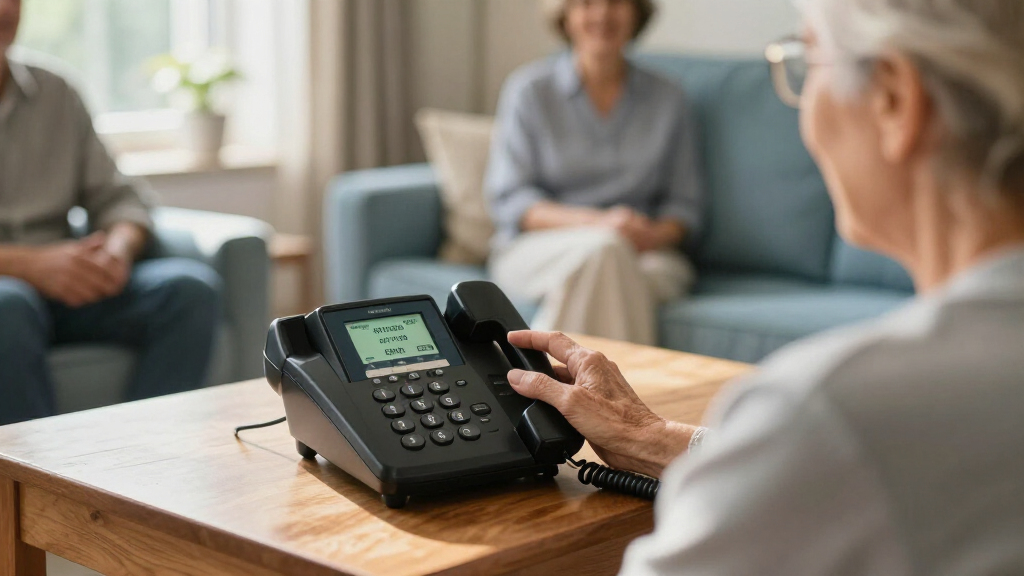

Choosing a captioned phone for hearing loss means weighing more than caption accuracy: display controls, dialing style, home internet, and the need for a conventional phone line can all shape daily use. I’ve ranked these three Hamilton CapTel models by how well their specific designs support different callers, rather than treating their shared captioning features as interchangeable.

Get everyday helpers delivered free with Prime
- Fast, free delivery on millions of items
- Prime Video, Amazon Music and more included
- Member-only deals all year
The CapTel 2400i earns my Best Overall spot for its large touchscreen, captioned voicemail, and up to 40 dB of amplification. The CapTel 840i is the better fit for someone who prefers physical buttons and a simpler control layout, while the 2400iSPNBT is an alternative touchscreen model with customizable captions and Wi-Fi capability listed in its specifications. All three offer captions for calls and operator-assisted captioning, but none is a stand-alone solution that works without setup: high-speed internet, electrical power, registration, and service eligibility matter. The main choice is whether a touchscreen or buttons suit the caller best, and whether the household can meet each phone’s connection requirements.
Key Takeaways
- I rank the Hamilton CapTel 2400i first for buyers who want a large touchscreen, incoming and outgoing call captions, amplified audio, and captioned voicemail in one corded phone.
- The CapTel 840i is the clearest match for callers who favor large physical buttons over touchscreen navigation, though its listed requirements include telephone service as well as internet and power.
- The 2400iSPNBT shares the 2400i’s touchscreen format and 40 dB amplification; its listed Wi-Fi capability may suit a setup where wireless connectivity is useful, but internet and electrical power are still required.
- Every model offers up to 40 dB of amplification and captioned voicemail, so the decision turns more on interface, stated connection requirements, and ease of use than on headline audio gain.
- Captioning requires registration and is limited to eligible U.S. residents with hearing loss; I would verify current service eligibility and household line compatibility before choosing any of these phones.
| Hamilton CapTel 2400i Captioned Telephone with Large Touchscreen |  | Best Overall | Model: Hamilton CapTel 2400i | Phone type: Corded captioned telephone | Amplification: Up to 40 dB | VIEW LATEST PRICE | See Our Full Breakdown |
| Hamilton CapTel 2400iSPNBT Captioned Telephone with Large Touchscreen | | Best Touchscreen Alternative | Model: Hamilton CapTel 2400iSPNBT | Phone type: Corded captioned telephone | Amplification: Up to 40 dB | VIEW LATEST PRICE | See Our Full Breakdown |
| Hamilton CapTel 840i Captioned Telephone with Large Buttons |  | Best for Physical-Button Controls | Model: Hamilton CapTel 840i | Phone type: Corded captioned telephone | Controls: Large buttons with simple button navigation | VIEW LATEST PRICE | See Our Full Breakdown |
| captioned phones for hearing impaired | Model | Phone type | Amplification | Answering system |
|---|---|---|---|---|
| Hamilton CapTel 2400i Captione | Hamilton CapTel 2400i | Corded captioned telephone | Up to 40 dB | Digital; 18-minute voicemail recording capacity |
| Hamilton CapTel 2400iSPNBT Cap | Hamilton CapTel 2400iSPNBT | Corded captioned telephone | Up to 40 dB | Digital; 18-minute recording capacity |
| Hamilton CapTel 840i Captioned | Hamilton CapTel 840i | Corded captioned telephone | Up to 40 dB | Digital; 18-minute voicemail recording capacity |
More Details on Our Top Picks
Hamilton CapTel 2400i Captioned Telephone with Large Touchscreen
I place the CapTel 2400i first because it combines the features many caption-phone buyers are likely to need in one corded unit: live captions, up to 40 dB of amplification, a large touchscreen, captioned voicemail, and an answering system. Captions appear for incoming and outgoing calls, helping the caller follow speech while still taking part in the conversation. The option of automated captions or live operator support gives buyers a choice of captioning approach, rather than locking them into a single mode.
Compared with the button-based CapTel 840i, the 2400i is the better match for someone comfortable using a touchscreen and who values a screen-centered interface. It also lists compatibility with VoIP and several telephone network types, including analog, digital cable, DSL, and FIOS networks. That range may help households with varied phone service, though it is not a promise that every local setup will work without checking. The 18-minute digital answering system and captioned voicemail are useful when a caller cannot answer in real time, since messages can be reviewed on screen.
The main tradeoff is its dependence on internet and power. It is a corded phone, and captioning requires registration and service eligibility for U.S. residents with hearing loss. The touchscreen may also be a poor fit for someone who prefers tactile keys, wants the most basic possible controls, or has difficulty using a touch interface. The 2400i is my most balanced pick, not a universal choice: I would select it for a touchscreen-friendly household that wants a broad feature set, and compare it with the 840i if physical buttons are a priority.
Pros:- Shows real-time captions for incoming and outgoing calls.
- Offers up to 40 dB of amplification and hearing aid compatibility.
- Includes captioned voicemail and an 18-minute digital answering system.
- Provides automated captioning or live operator support.
Cons:- Needs high-speed internet and electrical power for captioned use.
- Captioning requires registration and is limited to eligible U.S. residents with hearing loss.
- The touchscreen interface may not suit callers who prefer tactile buttons.
Best for: A U.S. caller with hearing loss who wants touchscreen controls, captions for calls and voicemail, strong amplification, and an answering system in one phone.
Not ideal for: Someone who dislikes touchscreens, needs a phone that works without internet or electrical power, or is not eligible for the registered U.S. captioning service.
- Model:Hamilton CapTel 2400i
- Phone type:Corded captioned telephone
- Amplification:Up to 40 dB
- Captioning:Automated captions or live operator support
- Answering system:Digital; 18-minute voicemail recording capacity
- Hearing aid compatible:Yes
- Conference calling:3-way
- Requirements:Internet and electrical power; registration and eligibility for captioning
Our verdict“I recommend the 2400i as the most rounded choice for touchscreen users who want live call captions, amplified sound, and captioned voicemail together.”
Hamilton CapTel 2400iSPNBT Captioned Telephone with Large Touchscreen
The 2400iSPNBT is a close alternative to the 2400i, rather than a radically different kind of captioned phone. It provides real-time captions for incoming and outgoing calls, up to 40 dB of amplification, hearing aid compatibility, captioned voicemail, and a digital answering system. Buyers who want a touchscreen for caption display and call handling can get the central benefits of the 2400i in this model as well.
Its most useful stated distinction is Wi-Fi capability, alongside support for automated captions or live operator assistance. That may make it worth comparing against the 2400i when wireless connectivity matters to a home’s setup. The listing also names compatibility with VoIP, analog, digital cable, DSL, and FiOS telephone networks. Those details broaden the range of systems a buyer can investigate, but I would still confirm actual network compatibility rather than assume a given provider or router arrangement will work.
Compared with the CapTel 840i, this is the touchscreen choice; compared with the 2400i, its advantages are less decisive from the supplied details. Both touchscreen models share the same amplification ceiling, captioned voicemail, three-way calling, and 18-minute recording capacity. The 2400iSPNBT needs high-speed internet and standard electrical power, and captioning requires registration for eligible U.S. residents with hearing loss. It is not a suitable pick for someone seeking an offline phone, a cordless handset, or a clearly simpler physical-button interface. I rank it second because it serves a specific touchscreen-and-connectivity preference, while the 2400i reads as the more rounded default.
Pros:- Displays live captions for incoming and outgoing calls.
- Provides up to 40 dB amplification and hearing aid compatibility.
- Shows captioned voicemail and includes an 18-minute digital answering system.
- Lists Wi-Fi capability and a choice of automated or live operator-assisted captions.
Cons:- Requires high-speed internet and standard electrical power.
- Captioning requires registration and is limited to eligible U.S. residents with hearing loss.
- Its supplied feature details overlap substantially with the 2400i, so the distinction may be modest for some buyers.
Best for: A caller who wants a touchscreen captioned phone and sees value in the listed Wi-Fi capability, with access to eligible captioning service.
Not ideal for: A buyer who prefers physical buttons, needs captioning without internet or power, or expects a clearly different feature set from the CapTel 2400i.
- Model:Hamilton CapTel 2400iSPNBT
- Phone type:Corded captioned telephone
- Amplification:Up to 40 dB
- Captioning:Automated captions or live operator support
- Connectivity:High-speed internet; Wi-Fi capable
- Answering system:Digital; 18-minute recording capacity
- Conference calling:3-way
- Requirements:High-speed internet, standard electrical power, and captioning registration and eligibility
Our verdict“I would choose the 2400iSPNBT over the 2400i when its listed Wi-Fi capability better matches the household setup, not simply because the model name differs.”
Hamilton CapTel 840i Captioned Telephone with Large Buttons
The CapTel 840i is my pick for callers who want buttons rather than a touchscreen. Its large-button layout and simple button navigation give it a distinct role among these three phones. It still displays real-time captions for incoming and outgoing calls, and it offers up to 40 dB of amplified sound, adjustable tone and caption size, captioned voicemail, and automated or operator-assisted captions. Buyers who want those core accessibility functions without making a touchscreen the main interface should start here.
Compared with the 2400i and 2400iSPNBT, the 840i is the more tactile option. The two touchscreen models may better suit someone who prefers screen-based controls, while the 840i’s physical buttons can feel more straightforward to callers who want recognizable keys and less reliance on touch navigation. Its adjustable caption size and tone are useful because people differ in how they prefer to read and hear a call. The phone is also listed at two pounds, lighter than the touchscreen models in the supplied specifications, though size and placement still matter more than weight for many desk-phone buyers.
The tradeoff is its more explicit service checklist: the description calls for high-speed internet, telephone service, and electrical power. A buyer should check all three before choosing it, especially if the home uses a phone arrangement that may not provide traditional telephone service. Like its siblings, captioning is limited to registered U.S. residents with hearing loss. I rank it third overall only because its button-first design is a narrower preference than the touchscreen format, not because its captioning features are inherently weaker. If tactile controls matter most, it may be the best fit in this group.
Pros:- Displays captions for incoming and outgoing calls.
- Has large physical buttons and simple button navigation.
- Offers up to 40 dB amplification with adjustable tone and caption size.
- Includes captioned voicemail and automated or operator-assisted captioning.
Cons:- Requires high-speed internet, telephone service, and electrical power.
- Captioning is limited to registered U.S. residents with hearing loss.
- Its physical-button format may be less appealing to buyers who prefer a touchscreen.
Best for: A caller who prefers a large-button phone with simple physical navigation, adjustable caption size and tone, and live captions for calls.
Not ideal for: Someone who wants touchscreen controls, cannot meet the listed internet, telephone-service, and power requirements, or is outside the service eligibility area.
- Model:Hamilton CapTel 840i
- Phone type:Corded captioned telephone
- Controls:Large buttons with simple button navigation
- Amplification:Up to 40 dB
- Caption adjustments:Adjustable caption size and tone
- Answering system:Digital; 18-minute voicemail recording capacity
- Requirements:High-speed internet, telephone service, and electrical power
- Weight:2 pounds
Our verdict“I recommend the 840i when large physical buttons are more important than the touchscreen interface offered by both 2400i models.”
How We Picked
I compared the three phones against the needs that define this category: readable live captions, usable call controls, amplified sound, and practical setup requirements. Each model displays captions for incoming and outgoing calls and offers up to 40 dB of amplification, so I did not treat those shared features alone as a reason to rank one far above another. Instead, I focused on the ways the products differ and on what a buyer is likely to notice at home.
The CapTel 2400i takes first place because its large touchscreen, captioned voicemail, answering system, and choice of automated or live operator support make it the most rounded match for buyers seeking a central all-in-one captioned phone. The 2400iSPNBT sits close behind: it has a similar touchscreen approach and adds listed Wi-Fi capability, but the provided information does not establish a meaningful advantage over the 2400i for every household. I rank the 840i as the physical-button choice, not a lesser captioning phone; its simpler button-based format is a meaningful distinction for people who would rather avoid touchscreen controls.
I also weighed connection and eligibility limits, since they can rule a device out regardless of its interface. These phones need electrical power and high-speed internet, while the 840i description specifically names telephone service too. Captioning is tied to registration and eligibility for U.S. residents with hearing loss. I have not assumed that every network, service arrangement, or installation will work in every home, and I recommend confirming compatibility with the provider before purchase. I do not imply firsthand testing; the ranking reflects the supplied product information and the practical fit those features suggest.
| captioned phones for hearing impaired | Model | Answering system | Requirements |
|---|---|---|---|
| Hamilton CapTel 2400i Captione | Hamilton CapTel 2400i | Digital; 18-minute voicemail recording capacity | Internet and electrical power; registration and eligibility for captioning |
| Hamilton CapTel 2400iSPNBT Cap | Hamilton CapTel 2400iSPNBT | Digital; 18-minute recording capacity | High-speed internet, standard electrical power, and captioning registration and eligibility |
| Hamilton CapTel 840i Captioned | Hamilton CapTel 840i | Digital; 18-minute voicemail recording capacity | High-speed internet, telephone service, and electrical power |
Factors to Consider When Choosing Captioned Phones For Hearing Impaired
I would choose among these phones by starting with the caller’s preferred controls and the home’s available services. Their core promise is similar—captions during calls plus amplified audio—but the touchscreen-versus-button decision and the connection checklist can make one model far more practical than another.
Choose the control style before comparing model names
The most visible difference is the interface. The CapTel 2400i and 2400iSPNBT use large touchscreens, while the 840i is described with large buttons and simple button navigation. If the caller already feels comfortable with touchscreen devices, a 2400i model may make it easier to interact with screen-based captions and voicemail. If tactile keys are easier to locate and use, the 840i deserves priority, even though I rank it third overall. A ranking based on broad appeal should not override a caller’s comfort with the controls they will use every day.
I would also think about who else in the household may use the phone. A device that feels intuitive to the primary caller may be less familiar to another household member. Discuss whether the caller wants screen navigation or physical keys before deciding based only on the similar feature lists. When possible, review current setup and support information from the captioning provider so the user can get help with the interface that matches their needs.
Check captions, voicemail, and captioning support
All three products are described as showing real-time captions for incoming and outgoing calls. Each also offers captioned voicemail and a choice of automated captions or live operator support. These are useful common capabilities, but they do not remove the need to confirm how registration works, what service eligibility requires, and which support options are currently available. The listings specify service for eligible U.S. residents with hearing loss, with registration required.
Do not treat captioning as a feature that automatically works as soon as the phone is plugged in. The captioning service is a separate part of the setup, and eligibility rules apply. I would verify those rules before purchase and ask how the phone presents voicemail captions, how a caller chooses an operator-assisted option, and what steps are needed to activate the service. That conversation can help avoid buying a phone whose central function is unavailable to the intended user.
Match amplification and display adjustments to the caller
Each model lists up to 40 dB of amplification, so maximum gain does not separate these options. A caller should still consider whether the sound controls, tone adjustment, hearing aid compatibility, and listening setup meet personal needs. The 840i description specifically lists adjustable tone and caption size. The 2400iSPNBT also lists customizable caption size, while the 2400i’s supplied details emphasize its large touchscreen and amplification. Feature labels alone cannot tell every buyer which screen or sound presentation will feel clearest.
For a caller who relies on captions more than amplified sound, screen readability and the ability to change caption presentation may take priority. Someone who mainly needs more audible volume may pay closer attention to the amplification controls and hearing aid compatibility. These phones are not interchangeable with a clinician’s advice about hearing devices or communication needs, so I would use the specifications as a shortlist and confirm individual requirements with the appropriate professional or provider.
Verify internet, power, and telephone service
Internet and electrical power are requirements for the touchscreen models, and the 840i description also names telephone service. The 2400i is listed as compatible with VoIP and several telephone network types, including analog, digital cable, DSL, and FIOS telephone networks. The 2400iSPNBT lists those network types as well as Wi-Fi capability. These compatibility details are helpful starting points, but a broad list should not be read as a guarantee for a specific provider, router, or home installation.
Before choosing, identify the household’s actual internet connection, phone service, and available outlet near the intended phone location. Ask the provider whether the setup supports the captioning service and whether any additional connection steps apply. This matters especially for households that use internet-based phone service or do not maintain a conventional landline. A corded phone also needs a suitable place to sit, so check the location and cable arrangement rather than assuming a desk phone can be moved freely like a cordless handset.
Compare the two touchscreen models on the detail that matters
The 2400i and 2400iSPNBT overlap heavily in the supplied descriptions: both are corded touchscreen phones with captioned voicemail, an answering system, up to 40 dB of amplification, hearing aid compatibility, and automated or operator-assisted captions. The 2400iSPNBT explicitly lists Wi-Fi capability, which may matter to a buyer considering a wireless internet connection. The details supplied for the 2400i identify a large touchscreen and broad phone-network compatibility. Neither distinction alone proves that one will suit every home better.
I rank the 2400i first as the more balanced overall recommendation, while treating the 2400iSPNBT as a specific alternative for shoppers drawn to its listed Wi-Fi capability. I would compare the current product and service information, confirm compatibility, and base the final decision on the household’s actual network and preferred setup. If the deciding factor is physical keys, skip this comparison and look at the 840i instead.
Set realistic expectations for a captioned telephone
A captioned phone helps a caller read what is being said during a call, but it does not remove every communication barrier. The caller still needs a suitable display or button interface, functioning power and connectivity, and access to the service. Captions can also depend on the captioning method selected and the conditions of a particular call. I would treat the phone as an accessibility tool that supports conversation, not as a guarantee that every spoken word will be rendered perfectly in every situation.
That distinction reinforces the value of choosing for the person who will use it. A touchscreen that offers more screen-centered controls is not automatically easier for every caller, and large buttons are not the right answer for someone who prefers a touch display. Look at the full setup—service eligibility, connection, controls, sound, and caption readability—before deciding which model’s strengths matter most.
Frequently Asked Questions
How do captioned phones help people with hearing loss?
These phones display captions of spoken conversation during incoming and outgoing calls, giving the caller a text reference while listening. The three Hamilton models here also list amplified sound up to 40 dB and captioned voicemail. Captioning does not remove the need for a compatible setup or registration, and the service is limited to eligible U.S. residents with hearing loss.
Do these Hamilton CapTel phones work without internet?
No. The supplied descriptions state that the 2400i models need high-speed internet, and the 840i also requires high-speed internet. All three require electrical power. The 840i description additionally lists telephone service, so I would verify the connection requirements for the specific model and household before ordering.
Which model should I choose if I do not like touchscreens?
I would start with the CapTel 840i, which is described as having large buttons and simple button navigation. The 2400i and 2400iSPNBT are touchscreen models. The 840i still includes captions for calls, up to 40 dB amplification, adjustable caption size and tone, and captioned voicemail, but its listed setup requirements include internet, telephone service, and electrical power.
Are captioning services available to everyone who buys one of these phones?
No. The product information states that captioning is available to eligible U.S. residents with hearing loss and requires registration. I recommend checking the current eligibility and activation process with the service provider before choosing a model, since purchasing the hardware by itself does not establish access to captioning.
What is the main difference between the CapTel 2400i and 2400iSPNBT?
Both are touchscreen captioned phones with similar listed features, including up to 40 dB amplification, captioned voicemail, an answering system, and automated or operator-assisted captions. The 2400iSPNBT specifically lists Wi-Fi capability. I would treat that as a possible setup distinction, confirm current network compatibility, and choose between them based on the household’s connection and the exact model information available.
Conclusion
For a buyer who wants the broadest mix of touchscreen controls, live call captions, amplified sound, and captioned voicemail, I recommend the Hamilton CapTel 2400i as my Best Overall pick. Choose the 2400iSPNBT if its listed Wi-Fi capability better fits the household’s connection plans and the provider confirms compatibility. If the caller values tactile keys and simple physical navigation more than a touchscreen, the 840i is the better personal fit, despite its more explicit requirement for telephone service.
Before settling on any model, I would confirm registration eligibility, internet access, electrical power, and telephone-network compatibility. The right choice is the phone the caller can comfortably operate and reliably connect, not simply the one with the most familiar model name.