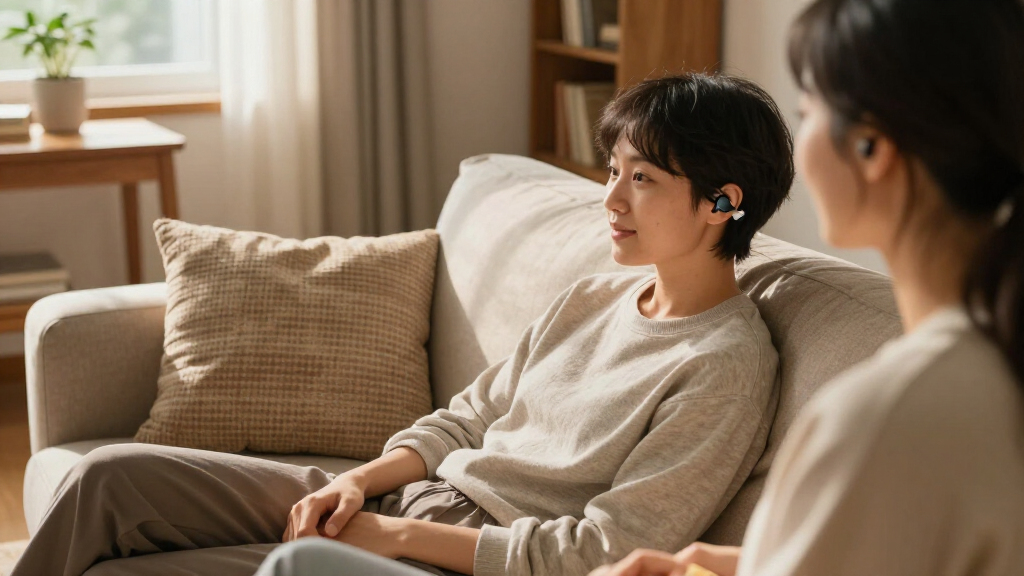

Wireless Bluetooth assistive listening devices span a surprisingly wide range of use cases, from TV listening systems to church-wide broadcast kits to pocket amplifiers for conversations, and the biggest challenge is matching the device to the right scenario. My top pick overall is the Jabees HearLink 3-in-1, because its remote microphone plus audio transmitter design handles one-on-one conversation and media streaming better than any single-purpose rival. For houses of worship and tour groups, the Retekess TT119 stands out with its one-transmitter, ten-receiver bundle at an accessible price, while the Widex TV Play 2 is the premium choice for existing Widex hearing aid users who want direct, lag-free TV streaming. The core tradeoff in this category is versatility versus specialization: multi-channel systems serve groups but feel clunky for solo TV watching, and personal amplifiers are portable but lack the range of dedicated transmitters. Keep reading for the full breakdown of all seven devices and which one fits your situation.

Get everyday helpers delivered free with Prime
- Fast, free delivery on millions of items
- Prime Video, Amazon Music and more included
- Member-only deals all year
Key Takeaways
- The lineup split cleanly into three use-case camps — personal amplification, TV streaming, and venue/group broadcast — and no single device excelled at all three, so the correct pick depends on where you struggle most to hear.
- The Jabees HearLink won best overall because its 3-in-1 remote microphone design is the only option here that genuinely covers both conversation and audio streaming without a group-transmitter setup.
- Receiver count is the real price driver for venue systems: the Retekess TT119’s ten-receiver bundle makes it a far better value per listener than the three-receiver Avantree Audiplex M3, though the Audiplex offers more channel flexibility.
- Closed ecosystems are a hidden trap — the Widex TV Play 2 only streams to Widex Allure, Moment, and Evoke hearing aids, which makes it the best or worst pick on this list depending entirely on what you already wear.
- The SIMOLIO TV speaker and BeHear SMARTO fill the middle ground for people without hearing aids, trading the discretion of earbuds for louder, voice-boosted speaker or neck-worn output that works even for severe hearing loss.
| Jabees HearLink 3-in-1 Hearing Enhancement Device |  | Best Versatile Pick | Connectivity: Bluetooth with aptX technology | Functions: Wireless remote microphone, audio transmitter, 2-way communication | Battery Life: Up to 8 hours | VIEW LATEST PRICE | See Our Full Breakdown |
| Retekess TT119 Assistive Listening System for Church Translation |  | Best for Large Venues | Configuration: 1 transmitter, 10 receivers | Working Distance: 300 m / 984 ft | Channels: 17 | VIEW LATEST PRICE | See Our Full Breakdown |
| Widex TV Play 2 TV Streamer |  | Best for Widex Hearing Aid Users | Connectivity: Bluetooth LE Audio, 2.4GHz | Connector: Micro USB | Compatible Devices: Widex Allure, Moment, and Evoke hearing aids | VIEW LATEST PRICE | See Our Full Breakdown |
| BeHear SMARTO Personal Hearing Amplifier |  | Best for Seniors | Amplification: Up to 70 dB | Battery Life: Up to 40 hours (2-3 hour charge) | Power Source: Rechargeable lithium-ion | VIEW LATEST PRICE | See Our Full Breakdown |
| SIMOLIO Wireless TV Speaker for Hard of Hearing |  | Best for TV Dialogue | Wireless Technology: 2.4GHz RF | Wireless Range: Up to 164 feet (open air) | Battery Life: 8 hours continuous use | VIEW LATEST PRICE | See Our Full Breakdown |
| Avantree Audiplex M3 Multi-Channel Assistive Listening System with 1 Transmitter and 3 Clip-On Receivers |  | Best for Multi-Group Environments and Larger Venues | Channels: Up to 4 selectable channels | Latency: 30 ms | Wireless range: Up to 100 m (328 ft) in open areas | VIEW LATEST PRICE | See Our Full Breakdown |
| Venucast AuraPlex M3 Auracast Assistive Listening System for Churches |  | Best for Bluetooth LE Audio and Modern Compatibility | Included: 1 transmitter, 3 receivers | Connectivity: Bluetooth LE Audio (Auracast) | Range: Up to 100m / 328ft line-of-sight | VIEW LATEST PRICE | See Our Full Breakdown |
| wireless Bluetooth assistive listening device | Connectivity |
|---|---|
| Jabees HearLink 3-in-1 Hearing | Bluetooth with aptX technology |
| Retekess TT119 Assistive Liste | — |
| Widex TV Play 2 TV Streamer | Bluetooth LE Audio, 2.4GHz |
| BeHear SMARTO Personal Hearing | Bluetooth (smartphone, TV) |
| SIMOLIO Wireless TV Speaker fo | Optical, RCA, AUX, Bluetooth |
| Avantree Audiplex M3 Multi-Cha | — |
| Venucast AuraPlex M3 Auracast | Bluetooth LE Audio (Auracast) |
More Details on Our Top Picks
Jabees HearLink 3-in-1 Hearing Enhancement Device
The Jabees HearLink earns its place through sheer flexibility: it works as a wireless remote microphone, an audio transmitter, and a two-way communication tool in one clip-on device. Compared with the Retekess TT119, which is built around fixed venue installations, the HearLink is a personal companion — clip it near a speaker in a classroom or meeting, and stream their voice straight to your Bluetooth or bone conduction headphones with aptX low-latency audio that avoids the lag and feedback common in cheaper FM systems.
The tradeoff is scale. This model suits mild hearing challenges — including Microtia, Atresia, and Glue Ear — and serves as an affordable alternative to BAHA devices, but it cannot replace medical-grade hearing instruments for severe loss. The 8-hour battery is also shorter than the BeHear SMARTO’s 40 hours, so all-day users will want a midday top-up.
Pros:- Versatile 3-in-1 design covers remote mic, transmitter, and two-way talk
- aptX low-latency streaming keeps audio in sync without feedback
- Affordable alternative to BAHA devices
- Compact clip-on form factor works in classrooms, conferences, and flights
Cons:- Not powerful enough to substitute for medical-grade hearing devices with severe loss
- 8-hour battery life requires midday charging for all-day use
Best for: Students and professionals with mild hearing loss or ear conditions like Microtia and Glue Ear who need one portable device for conversations, TV, and calls
Not ideal for: Anyone with severe or profound hearing loss — this is an enhancement device, not a medical-grade hearing instrument
- Connectivity:Bluetooth with aptX technology
- Functions:Wireless remote microphone, audio transmitter, 2-way communication
- Battery Life:Up to 8 hours
- Design:Clip-on, portable
- Compatibility:Bluetooth headphones and bone conduction headsets
- Intended Users:Individuals with Microtia, Atresia, Glue Ear, or mild hearing challenges
Our verdict“A smart buy for people with mild hearing challenges who want one pocketable device that handles nearly every listening scenario.”
Retekess TT119 Assistive Listening System for Church Translation
Where the Jabees HearLink serves one listener, the Retekess TT119 serves an audience. With one transmitter and ten receivers, a 300 m (984 ft) working range, and 17 channels for simultaneous interpretation, this system is purpose-built for churches, courtrooms, and auditoriums. Its XLR/AUX/RCA/USB inputs mean it connects to virtually any sound board, and automatic pairing with one-click mute keeps volunteers from wrestling with setup — a real advantage over multi-channel kits like the Avantree Audiplex M3, which covers fewer listeners out of the box.
The compromises are structural. The transmitter is corded electric, so placement near a power outlet is mandatory, and the AA-battery receivers become an ongoing expense across ten units. At 3.86 kg boxed, this is equipment you install, not something you toss in a bag.
Pros:- Ultra-long 984-foot working range covers large venues
- 17 channels support multiple simultaneous languages
- Wide audio input compatibility (XLR/AUX/RCA/USB)
- Plug-and-play with automatic pairing and one-click controls
Cons:- Corded transmitter must sit near a power outlet, limiting placement
- Ten AA-battery receivers create ongoing replacement cost and downtime risk
Best for: Churches, conference organizers, and courtrooms that need to serve 10+ listeners with translation or assistive audio across a large space
Not ideal for: Personal or home use — it’s heavy, outlet-bound, and far more system than one household listener needs
- Configuration:1 transmitter, 10 receivers
- Working Distance:300 m / 984 ft
- Channels:17
- Audio Inputs:XLR/AUX/RCA/USB
- Receiver Battery:2 AA batteries, up to 10 hours
- Receiver Weight:90 grams each
- System Weight:3.86 kg
Our verdict“The right choice when the goal is delivering clear audio to a crowd rather than one pair of ears.”
Widex TV Play 2 TV Streamer
The Widex TV Play 2 does something no generic option in this lineup can: it pipes television audio directly into Widex hearing aids, bypassing headphones entirely. Using Bluetooth LE Audio or 2.4GHz connectivity, it delivers stable stereo sound with clear dialogue, and the Widex app allows personalized volume and balance adjustments — so the viewer with hearing loss can raise their own level without forcing the whole room to endure blasting volume.
Compared with the SIMOLIO wireless TV speaker, which outputs sound to a separate speaker, the TV Play 2 is cleaner and more discreet — but only if you already own Widex Allure, Moment, or Evoke hearing aids. Everyone else is locked out entirely. The aging Micro USB port is another small annoyance in an era of USB-C, and getting the most from the device means spending time in the app.
Pros:- Streams TV audio directly into compatible Widex hearing aids
- Dual Bluetooth LE Audio and 2.4GHz connectivity for stable signal
- App-based volume, balance, and preference customization
- Compact TV-box design fits unobtrusively into a media setup
Cons:- Compatibility limited to selected Widex Allure, Moment, and Evoke models only
- Micro USB connector instead of USB-C
- Full personalization requires using the Widex app
Best for: Existing Widex Allure, Moment, or Evoke hearing aid owners who want private, app-tunable TV audio without headphones
Not ideal for: Households without compatible Widex hearing aids — the device simply won’t connect to anything else
- Connectivity:Bluetooth LE Audio, 2.4GHz
- Connector:Micro USB
- Compatible Devices:Widex Allure, Moment, and Evoke hearing aids
- Audio:Stereo sound with app-adjustable balance
- Video Pass-Through:Up to 4K (3840p), H.264/H.265 codecs
- Form Factor:TV box
Our verdict“A near-mandatory accessory for Widex hearing aid owners — and useless for everyone else.”
BeHear SMARTO Personal Hearing Amplifier
The BeHear SMARTO is the most senior-focused option here, pairing up to 70 dB amplification with noise reduction for TV, calls, and conversation. Its standout advantages are practical: large, easy-to-press buttons, a one-touch emergency call feature, and a genuinely long 40-hour battery that embarrasses the 8-hour runtimes of the Jabees HearLink and SIMOLIO speaker. The bundled kit with both over-ear and in-ear headsets plus a charging cradle means no extra purchases.
Be clear about what it is: an assistive listening device, not a certified hearing aid, so it won’t replace a prescription instrument for diagnosed loss. Pairing over Bluetooth may also frustrate less tech-savvy users at first, and long-term software update support is listed as unknown — a fair worry for a device meant to be personalized via app.
Pros:- Up to 70 dB amplification with background noise reduction
- 40-hour battery life with fast 2-3 hour recharge
- Large senior-friendly buttons and one-touch emergency call
- Personalized hearing profiles via the BeHear app, including self-administered hearing assessments
Cons:- Not a medically certified hearing aid — amplification only
- Software update support is uncertain long-term
- Initial Bluetooth pairing may challenge some elderly users
Best for: Seniors with mild-to-moderate hearing difficulty who want powerful amplification, big buttons, and an emergency call button in one device
Not ideal for: Anyone needing a medically certified hearing aid for diagnosed hearing loss, or seniors entirely uncomfortable with Bluetooth pairing
- Amplification:Up to 70 dB
- Battery Life:Up to 40 hours (2-3 hour charge)
- Power Source:Rechargeable lithium-ion
- Connectivity:Bluetooth (smartphone, TV)
- Noise Control:Noise cancellation for voice calls
- Special Features:Emergency call, programmable hearing compensation, app customization
- Included Accessories:USB-C cable, charging cradle, lanyard, over-ear and in-ear headsets
Our verdict“The strongest all-around choice for older adults who need serious amplification with senior-friendly controls and marathon battery life.”
SIMOLIO Wireless TV Speaker for Hard of Hearing
For households where one person needs louder TV than everyone else, the SIMOLIO wireless TV speaker solves the volume war. Its voice enhancement technology and EQ switch lift dialogue clarity without raising overall volume, and independent volume control means the listener adjusts their speaker while the TV stays at a normal level for everyone else. With optical, RCA, AUX, and Bluetooth inputs plus a 164-foot range, it moves from living room to kitchen without losing signal.
Unlike the Widex TV Play 2, it works with any hearing level and any TV — no proprietary hearing aids required. The catch is the 8-hour battery, and SIMOLIO advises removing the battery during long idle periods, which is easy to forget. Owners of a soundbar may also hit optical port conflicts unless they use the by-pass feature.
Pros:- Voice enhancement clarifies dialogue without blasting TV volume
- 164-foot wireless range works anywhere in the house
- Versatile optical, RCA, AUX, and Bluetooth connectivity
- Includes charging dock, two AC adapters, cables, and a wired headset
Cons:- Battery must be removed during long storage periods to avoid degradation
- Optical port can conflict with a soundbar unless using by-pass mode
Best for: Seniors and hard-of-hearing viewers who want louder, clearer TV dialogue without disturbing family members or needing hearing aids
Not ideal for: Listeners who also need amplification for conversations and phone calls away from the TV — this is a single-purpose device
- Wireless Technology:2.4GHz RF
- Wireless Range:Up to 164 feet (open air)
- Battery Life:8 hours continuous use
- Audio Inputs:Digital optical, RCA, 3.5mm AUX
- Connectivity:Optical, RCA, AUX, Bluetooth
- Special Features:Voice enhancement, EQ switch, independent volume control, headphone jack, optical by-pass
- Includes:3 audio cables, 2 AC adapters, charging dock, wired headset
Our verdict“The most direct fix for one-sided TV volume disputes, with enough inputs and range for almost any home setup.”
Avantree Audiplex M3 Multi-Channel Assistive Listening System with 1 Transmitter and 3 Clip-On Receivers
The Avantree Audiplex M3 stands out for its ability to support up to four separate listening channels, making it ideal for environments like schools or churches where multiple groups need discreet audio streams. Compared with the Venucast AuraPlex, which supports Bluetooth LE Audio, the Audiplex’s multi-channel support offers more flexibility for simultaneous groups, though it relies on traditional wireless technology rather than newer standards. Its low 30 ms latency helps keep audio synchronized with live presentations, which is critical in settings with multiple speakers. The inclusion of three wired earbuds and individual volume controls enhances user customization, but the system’s range is specified only for open areas, and it comes with just three receivers, which could be limiting in larger venues. Overall, this model is better suited to venues with defined zones where multiple groups need separate audio streams, but it may fall short if more than three users need assistance simultaneously.
Pros:- Supports up to four separate listening channels for different groups
- Low 30 ms latency ensures audio stays synchronized with live speech
- Includes three wired earbuds and individual volume controls
Cons:- Wireless range is specified only for open areas, limiting indoor flexibility
- Limited to three receivers included, which may not suffice for larger groups
Best for: Facilities like schools, churches, or conference centers that need support for multiple independent listening groups.
Not ideal for: Small venues or personal use where only one or two listeners require assistance, as its multi-channel feature adds unnecessary complexity and cost.
- Channels:Up to 4 selectable channels
- Latency:30 ms
- Wireless range:Up to 100 m (328 ft) in open areas
- Included devices:1 transmitter and 3 clip-on receivers
- Expandable:Supports additional receivers
- Receiver controls:Individual volume control
Our verdict“This system is ideal for larger venues needing multiple independent channels but may be excessive for small-scale or personal use.”
Venucast AuraPlex M3 Auracast Assistive Listening System for Churches
The Venucast AuraPlex M3 offers a sleek, modern approach to assistive listening by utilizing Bluetooth LE Audio (Auracast), making it highly compatible with many newer hearing aids and BYOD devices. Compared to the Avantree Audiplex M3, which relies on traditional wireless channels, the AuraPlex leverages Bluetooth LE Audio’s simplicity and robustness, providing a more straightforward setup for venues with compatible devices. Its 100-meter line-of-sight range is impressive for medium-sized spaces, and support for select hearing aids like Oticon and Starkey adds to its appeal for users with compatible models. However, compatibility is limited to specific hearing aids listed by the manufacturer, and the system isn’t suited for outdoor or heavily obstructed environments. Overall, this system makes the most sense for venues seeking a future-proof, Bluetooth-based solution for tech-savvy users with compatible hearing aids.
Pros:- Includes one transmitter and three receivers, ready to use
- Works with select Bluetooth LE Audio hearing aids and BYOD devices
- Simpler setup compared to traditional FM systems
Cons:- Limited to specific hearing aid models, restricting flexibility
- Not designed for outdoor, obstructed, or stadium environments due to range and line-of-sight requirements
Best for: Churches or venues with many Bluetooth-enabled hearing aids and a desire for a streamlined, wireless experience.
Not ideal for: Large outdoor events or venues with many non-compatible hearing aids, as it’s limited to specific models and Bluetooth conditions.
- Included:1 transmitter, 3 receivers
- Connectivity:Bluetooth LE Audio (Auracast)
- Range:Up to 100m / 328ft line-of-sight
- Recommended venue size:Up to ~300 seats
- Compatible hearing aids:ReSound Nexia, Jabra Enhance Pro 20/30, Beltone Serene, Starkey Edge AI, Oticon Intent, Philips HearLink 9050
- BYOD support:Yes
Our verdict“This Auracast-enabled system suits venues with Bluetooth-compatible hearing aids seeking a modern, easy-to-operate listening solution, but less so for diverse or outdoor environments.”
How We Picked
I evaluated these seven devices against the criteria that actually determine satisfaction in this category: use-case fit (TV, conversation, or venue), range and connection stability, setup difficulty, scalability (how many listeners one system supports), and value relative to intended purpose. A church system with ten receivers and a pocket amplifier are solving completely different problems, so I ranked each product within its lane rather than forcing a single scoring formula across mismatched categories. Battery life, latency during TV watching, and whether a device works with or without hearing aids were also weighted heavily, because these are the most common sources of buyer regret.
The ranking logic reflects versatility first: devices that serve multiple scenarios (the Jabees HearLink) placed above single-purpose units, while specialized systems earned their positions through depth — the Retekess TT119 for group value, the Widex TV Play 2 for premium hearing-aid integration. Price alone never determined rank; a $200 system that solves a venue’s problem cleanly outranks a cheaper gadget that only half-solves it.
| wireless Bluetooth assistive listening device | Connectivity |
|---|---|
| Jabees HearLink 3-in-1 Hearing | Bluetooth with aptX technology |
| Retekess TT119 Assistive Liste | — |
| Widex TV Play 2 TV Streamer | Bluetooth LE Audio, 2.4GHz |
| BeHear SMARTO Personal Hearing | Bluetooth (smartphone, TV) |
| SIMOLIO Wireless TV Speaker fo | Optical, RCA, AUX, Bluetooth |
| Avantree Audiplex M3 Multi-Cha | — |
| Venucast AuraPlex M3 Auracast | Bluetooth LE Audio (Auracast) |
Factors to Consider When Choosing Wireless Bluetooth Assistive Listening Devices
Before spending money on any of these devices, it helps to understand the landscape and the mistakes buyers commonly make. The single biggest error I see is buying a device built for a different hearing situation than the one you actually face.Match the Device to Your Listening Scenario First
Every device in this category is built around one of three scenarios: face-to-face conversation, TV and media at home, or public venue and group listening. Buying the wrong type is the most common and expensive mistake, because the features that make a venue system great — long range, multiple receivers, a fixed transmitter — make it awkward in a living room. A remote microphone like the Jabees HearLink thrives in restaurants and one-on-one chats but will underperform as a room-filling church solution. Ask yourself where you most often miss words, and buy for that scenario exclusively. If you need coverage in two scenarios, prioritize the one that affects your daily life more, or budget for two purpose-built devices rather than forcing one compromise purchase.
Bluetooth Alone Is Not Enough — Check the Audio Protocol
Buyers often assume “Bluetooth” guarantees compatibility with everything, but that’s rarely true with assistive devices. The Widex TV Play 2 streams only to Widex hearing aids on a proprietary protocol, and classic Bluetooth introduces audio lag that makes lips and dialogue fall out of sync on TV. Newer Auracast broadcast technology, as in the Venucast AuraPlex, is changing this by letting compatible hearing aids and earbuds join a public stream directly, but adoption is still young. Before buying, verify exactly what your device pairs with — hearing aid brand, earbuds, or its own dedicated receiver — and confirm the latency spec if TV sync matters to you. A cheap transmitter that works with nothing you own is no bargain.
How Many Listeners Do You Actually Need to Support?
Receiver count is where pricing swings wildly, and misjudging it costs real money. A single-user personal amplifier like the BeHear SMARTO costs a fraction of a multi-receiver system, while kits scale from three clip-on receivers (Avantree Audiplex) up to ten (Retekess TT119) and beyond. Churches should count realistic attendance of hearing-assisted members, not total congregation — and remember receivers get lost, so having spares matters. Home buyers should almost never pay for multi-receiver kits. Also check whether extra receivers are sold separately and at what price, because the expansion cost over five years often exceeds the initial bundle difference between brands.
Hearing Aids Change the Entire Equation
Whether or not you wear hearing aids should reshape your shopping list before anything else. Hearing aid wearers can stream directly from devices like the Widex TV Play 2, getting personalized amplification tuned to their audiogram rather than generic volume boosting. Non-wearers need output that reaches them another way — a speaker (SIMOLIO), a neck-worn amplifier (BeHear SMARTO), or paired earbuds — and generic boosting is never as speech-intelligible as programmed amplification. If you’re on the fence about hearing aids, a personal amplifier can be a reasonable stopgap, but it is not a medical substitute, and anyone with noticeable or worsening loss should get a hearing test first. Buying a $400 streamer that only works with hearing aids you don’t own is a purely avoidable mistake.
Setup Burden and Who Will Operate It
In a venue, the person setting up the system is rarely the person using it, and complexity kills adoption. A church volunteer needs a transmitter that works after being plugged in, and elderly congregants need receivers with simple volume dials rather than menus. At home, seniors facing a multi-step Bluetooth pairing ritual every evening will abandon the device within a month — fixed, plug-and-play connections matter more than feature lists here. Look for dedicated buttons, physical volume controls, and receivers that remember their paired state. The most technically impressive system on paper is worthless in practice if the intended user can’t operate it without help.
Range, Battery Life, and Hidden Running Costs
Manufacturer range claims assume open air with no obstructions; real-world range through walls, pews, and crowds can drop by half or more, so buy more range than you think you need. Battery life determines whether a receiver survives a full service, tour, or evening of TV — check whether batteries are rechargeable or disposable, because feeding ten receivers AA batteries monthly becomes a genuine budget line for a church. Also factor in transmitter placement flexibility, spare-part availability, and warranty length, since these devices live in high-traffic environments. The cheapest system is rarely the cheapest over three years of ownership.
Frequently Asked Questions
Can I use one of these devices if I don’t wear hearing aids?
Yes, but not all of them. The BeHear SMARTO and SIMOLIO TV speaker are designed specifically for people without hearing aids, delivering amplified audio through a neck-worn device or a standalone speaker. The Jabees HearLink works with your own earbuds or hearing aids via its remote microphone. The one to watch out for is the Widex TV Play 2, which streams exclusively to Widex Allure, Moment, and Evoke hearing aids and is effectively useless without them. If you have noticeable hearing loss but no hearing aids yet, get tested first — a personal amplifier is a helpful stopgap but cannot replicate programmed, audiogram-based amplification.
Which system is right for a church or house of worship?
It comes down to congregation size and technology direction. The Retekess TT119 is the value play: one transmitter and ten receivers cover a mid-sized congregation at a price that fits most budgets, with simple controls volunteers and elderly members can operate. The Venucast AuraPlex points toward the future with Auracast broadcasting, letting members with compatible hearing aids and phones join the stream without borrowing hardware — but only a minority of devices support Auracast today. The Avantree Audiplex M3 sits between them, offering multi-channel flexibility for translation or multiple audio feeds with only three receivers. My practical advice: buy the TT119 if you need coverage now, and consider Auracast if you’re planning a multi-year technology rollout.
Will there be a lip-sync delay when I watch TV with these devices?
Lip-sync lag is the most common complaint with Bluetooth-based TV listening, and it varies sharply by product. Devices using classic Bluetooth often introduce a noticeable delay, while dedicated low-latency RF or proprietary streaming protocols — like the Widex TV Play 2 uses with its matching hearing aids — keep audio and picture tightly aligned. The SIMOLIO uses its own wireless link rather than generic Bluetooth partly for this reason. If dialogue sync matters to you, check the stated latency spec before buying and favor systems with their own transmitter-receiver connection over standard Bluetooth pairing. Some TVs also offer an audio-delay adjustment setting that can compensate for mild lag, so it’s worth checking your TV menu before returning a device.
Is a personal hearing amplifier a substitute for a hearing aid?
No, and understanding the difference will save you money and frustration. Amplifiers like the BeHear SMARTO make everything louder, which helps in moderate situations but doesn’t address the specific frequencies where your hearing actually drops off. Hearing aids are programmed to your audiogram, processing speech frequencies selectively and suppressing background noise in ways a generic amplifier cannot. Amplifiers shine as affordable stopgaps — for situational use like TV watching, restaurant conversations, or while you’re on a hearing-aid waiting list. If you find yourself needing an amplifier in most situations throughout the day, that’s a strong signal to book a hearing assessment rather than buy progressively bigger amplifiers.
Can I use my own earbuds or headphones with these systems?
Some, yes — and it’s a meaningful cost saver since you skip proprietary receivers. The Jabees HearLink pairs with standard Bluetooth earbuds and hearing aids, which is part of why it earned the top spot for versatility. Venue systems like the Retekess TT119 and Avantree Audiplex use dedicated clip-on receivers instead, because managing ten pairs of personal earbuds across a congregation isn’t practical — but many include a headphone jack so listeners can plug in their own wired headphones. Auracast-based systems like the Venucast take a third path, streaming directly to any Auracast-compatible device without pairing at all. Check the connectivity options before buying, especially if you already own comfortable headphones you prefer.
Conclusion
The right choice here depends entirely on where hearing breaks down in your life. For best overall, the Jabees HearLink 3-in-1 earns the top spot because it’s the most versatile device in the lineup, covering conversation and media streaming in one portable package. For best value, the Retekess TT119 delivers ten receivers and reliable group coverage at a price that embarrasses most venue competitors. The best premium pick is the Widex TV Play 2 — but only if you wear Widex Allure, Moment, or Evoke hearing aids, in which case nothing else streams TV as cleanly.
For beginners and seniors, the BeHear SMARTO is the gentlest entry point, with simple controls and no pairing rituals to learn. For specific needs: choose the SIMOLIO if your main battle is TV dialogue at home without hearing aids, the Avantree Audiplex M3 if you need multi-channel support for translation services, and the Venucast AuraPlex if your venue wants to invest in Auracast-ready broadcasting for the future. Pick the scenario that matters most to you, match it to one of these roles, and you’ll avoid the most common — and most expensive — mistake in this category: buying the wrong tool for the right problem.
Fall Picks
fall essentials
As an affiliate, we earn on qualifying purchases.