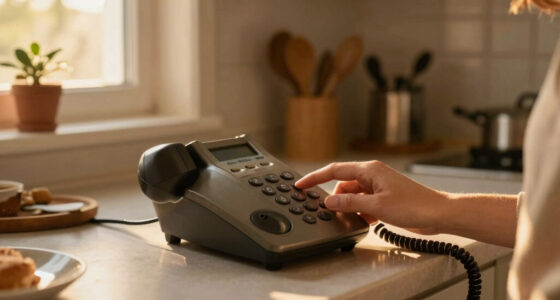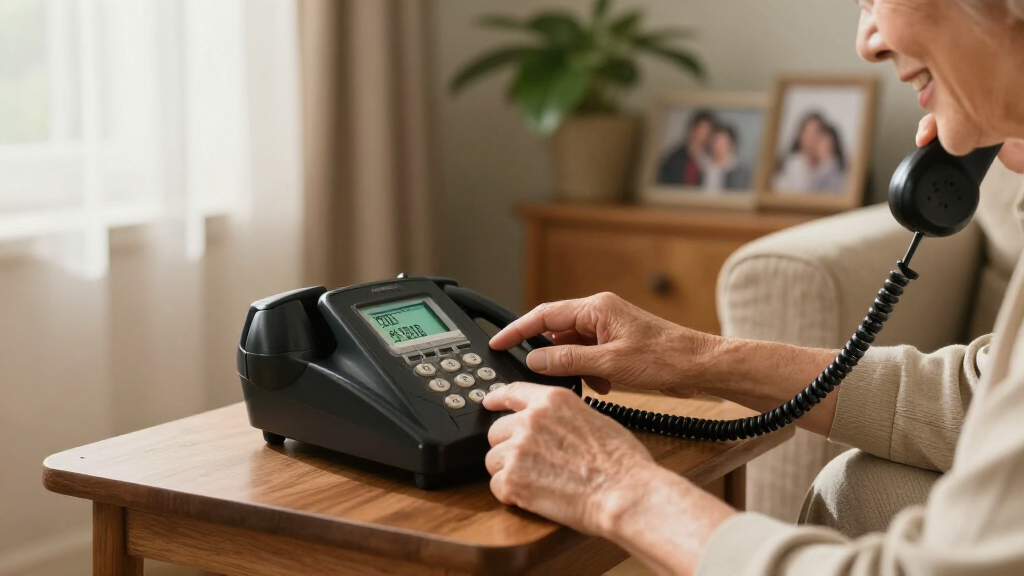

Captioned phones for hearing impaired callers display a written transcript of the other person’s speech, while amplified phones make calls louder or easier to understand. My best overall pick is the Hamilton CapTel 840i for callers who want captions on a familiar telephone; the CapTel 2400iSPNBT stands out for its large touchscreen, while the Clarity XLC3.4+ suits households that need cordless handsets and strong amplification. The main tradeoff is that captioned calling may depend on internet access and a captioning service, while amplified phones can be simpler but do not provide captions. I also compare corded options, large-button designs, and features such as slow talk to help match a phone to the caller’s needs. Continue reading for the full breakdown, buying advice, and answers to common questions.

Get everyday helpers delivered free with Prime
- Fast, free delivery on millions of items
- Prime Video, Amazon Music and more included
- Member-only deals all year
Key Takeaways
- Captioning and amplification solve different problems: The Hamilton CapTel models provide call captions, while most Clarity and Panasonic picks focus on making speech louder or clearer.
- The CapTel 840i is the balanced captioning pick: It offers captioned calling in a traditional telephone format, while the CapTel 2400iSPNBT puts a larger touchscreen interface at the center of the experience.
- Cordless flexibility favors the Clarity XLC3.4+ bundle: Its extra handset supports callers who move between rooms; a fixed corded phone may be easier for someone who prefers a single, familiar location.
- Amplification alone can be a simpler fit: The Clarity P300 and Panasonic KX-TGM450S focus on call audibility without adding captioning, which may suit callers who can follow speech with extra volume or slower playback.
- Included handsets and phone style change the fit: The XLC3.4+ bundle and Bogen Horn E814CC package add handsets, while the E814CC combines corded and cordless use for households with different calling preferences.
| Hamilton CapTel 840i Captioned Telephone |  | Best Overall for Captioned Landline Calls | Power source: Corded electric | Amplified gain: Up to 40 dB | Caption modes: Automated captions or live operator support | VIEW LATEST PRICE | See Our Full Breakdown |
| Clarity XLC3.4+ Cordless Phone Bundle with Two XLC3.6+ Handsets |  | Best for Multiroom Hearing Aid Users | Technology: DECT 6.0 | Frequency: 1.9 GHz | Hearing aid compatibility: Yes | VIEW LATEST PRICE | See Our Full Breakdown |
| Clarity XLC8 DECT 6.0 Amplified Cordless Phone |  | Best for Maximum Audio Amplification | Phone type: DECT 6.0 cordless | Incoming volume amplification: Up to 50 dB | Outgoing speech amplification: Up to 15 dB | VIEW LATEST PRICE | See Our Full Breakdown |
| Clarity E814CC Amplified Corded and Cordless Phone for Hearing Impaired Users |  | Best for Large, Easy-to-Read Controls | Phone type: Corded and cordless | Sound amplification: Up to 40 dB | Tone settings: 4 | VIEW LATEST PRICE | See Our Full Breakdown |
| Hamilton CapTel 2400iSPNBT Captioned Telephone with Large Touchscreen |  | Best for Touchscreen Caption Reading | Display: Large touchscreen | Amplified gain: Up to 40 dB | Caption modes: Automatic or assisted with live operator support | VIEW LATEST PRICE | See Our Full Breakdown |
| Clarity P300 Corded Landline Phone with Sound Amplification |  | Best Simple Corded Pick | Connection: Corded, standard phone jack | Incoming sound amplification: Up to 26 dB | Ringer: Adjustable pitch and volume | VIEW LATEST PRICE | See Our Full Breakdown |
| Panasonic Amplified Cordless Phone with Slow Talk (KX-TGM450S, Silver) |  | Best for Clearer Conversations | Model: KX-TGM450S | Color: Silver | Caller volume boost: Up to 50 dB | VIEW LATEST PRICE | See Our Full Breakdown |
| Clarity Bogen Horn E814CC Amplified Telephone with 2 Handsets |  | Best for Tone Customization and Messages | Incoming sound amplification: Up to 40 decibels | Tone settings: 4 | Answering machine: Digital, amplified | VIEW LATEST PRICE | See Our Full Breakdown |
More Details on Our Top Picks
Hamilton CapTel 840i Captioned Telephone
Live captions for both sides of a call make the CapTel 840i the clearest fit here for someone who needs spoken conversation displayed as text. It also offers up to 40 dB amplification, adjustable caption settings, and captioned voicemail, so missed calls and messages remain more accessible. Compared with the Hamilton CapTel 2400iSPNBT, the 840i keeps the experience centered on a conventional phone layout rather than a large touchscreen; that may suit buyers who prefer physical controls. It also offers automated captions or live operator support. The tradeoff is that captions depend on registration and eligibility for the US service, plus high-speed internet, phone service, and power. Unlike the Clarity amplified models in this roundup, its defining benefit is captioning rather than especially high incoming volume.
Pros:- Displays real-time captions for incoming and outgoing calls
- Amplifies sound up to 40 dB with adjustable caption settings
- Offers automated captions or live operator support
- Includes captioned voicemail
Cons:- Requires high-speed internet, telephone service, and electrical power
- Captioning requires registration and is limited to eligible US residents with hearing loss
Best for: US residents with hearing loss who qualify for captioning and want real-time call text on a familiar desk phone
Not ideal for: People outside the eligible US service area, or anyone without reliable high-speed internet, phone service, and electrical power
- Power source:Corded electric
- Amplified gain:Up to 40 dB
- Caption modes:Automated captions or live operator support
- Voicemail:Built-in digital answering system with captioned voicemail
- Conference calls:Supported
- Recording capacity:18 minutes
- Requirements:High-speed internet, telephone service, and standard electrical power
- Dimensions and weight:7.5 x 9 x 6.5 inches; 2 pounds
- Captioning availability:Eligible US residents with hearing loss; registration required
Our verdict“Choose the CapTel 840i if access to live captions matters more than cordless convenience or the higher amplification of the Clarity XLC8.”
Clarity XLC3.4+ Cordless Phone Bundle with Two XLC3.6+ Handsets
This bundle is the practical choice for someone who needs amplified calls available in several rooms: it includes the XLC3.4+ base and two XLC3.6+ handsets. Its hearing aid compatibility and talking Caller ID help make calls easier to manage, while DECT 6.0 operates in the 1.9 GHz band. Compared with the Hamilton CapTel 840i, it does not provide real-time captions, so it is a weaker match when reading a transcript is the central need. Its advantage over the Clarity XLC8 is that two extra handsets come in the bundle, rather than needing to add them separately. The supplied details do not state an amplification level, tone controls, or a built-in captioning feature, which makes it harder to judge against models with clearer audio specifications.
Pros:- Includes two additional XLC3.6+ handsets for multiroom access
- Designed for users with severe hearing loss
- Hearing aid compatible
- Talking Caller ID announces callers aloud
Cons:- Does not provide real-time captions, unlike the Hamilton CapTel models
- The supplied product details do not specify amplification level or tone controls
Best for: Hearing aid users who want cordless access to amplified calling in multiple rooms and value talking Caller ID
Not ideal for: Buyers who need on-screen call captions or want a clearly specified amplification level before choosing
- Technology:DECT 6.0
- Frequency:1.9 GHz
- Hearing aid compatibility:Yes
- Caller ID:Talking Caller ID
- Power backup:Dual power battery backup
- Bundle contents:Clarity XLC3.4+ phone and two XLC3.6+ handsets
Our verdict“Pick this bundle for cordless, multiroom amplified calling with hearing aids, but choose a CapTel if captions are the main requirement.”
Clarity XLC8 DECT 6.0 Amplified Cordless Phone
The XLC8 suits callers who can follow speech more easily when it is louder and tonally adjusted: incoming volume reaches up to 50 dB, with four tone settings and a boost button. Its talking Caller ID, flashing ringer, and high-contrast display add cues beyond sound. Compared with the Hamilton CapTel 840i, it offers substantially higher stated amplification but no real-time captions, so it cannot turn a conversation into readable text. It also pairs with Bluetooth-enabled mobile phones and can expand to four handsets, while the XLC3.4+ bundle includes two extra handsets from the start. That flexibility has a setup cost: additional handsets are sold separately, and the phone requires four AA batteries. Buyers should choose it for adjustable listening support, not captioning.
Pros:- Incoming audio amplification up to 50 dB with a boost button
- Four tone settings help tailor speech clarity
- Talking Caller ID, large high-contrast display, and flashing ringer
- Supports Bluetooth-enabled mobile phones and expansion to four handsets
Cons:- Does not provide real-time captions like the Hamilton CapTel 840i
- Additional handsets are not included
- Requires four AA batteries
Best for: Cordless landline callers who need very high incoming volume, tone adjustment, and optional Bluetooth mobile pairing
Not ideal for: People who rely on captions to understand calls or want extra handsets included in the box
- Phone type:DECT 6.0 cordless
- Incoming volume amplification:Up to 50 dB
- Outgoing speech amplification:Up to 15 dB
- Tone control:4 settings
- Handset expansion:Up to 4 handsets
- Hearing aid compatibility:Yes; TIA-1083 compliant
- Connectivity:Bluetooth-enabled mobile phones, landline, 2.5 mm or 3.5 mm headset
- Answering and calling:Digital answering system; 3-way conference calling
- Battery and standby:4 AA batteries; up to 130 hours standby
Our verdict“Choose the XLC8 when adjustable, high-volume audio is the priority and captions are not required.”
Clarity E814CC Amplified Corded and Cordless Phone for Hearing Impaired Users
The E814CC puts usability cues directly on the phone: a large high-contrast display and keypad, visual ringer, and speakerphone make it easier to place and answer calls without relying on small print or sound alone. Incoming audio is amplified up to 40 dB, with four tone settings. Compared with the Hamilton CapTel 2400iSPNBT, it lacks a touchscreen caption display and live captions, so it is best for callers who benefit from louder audio and visible controls rather than text transcription. Compared with the XLC8, its corded base plus support for up to four compatible handsets favors a stable desk-phone setup, though extra handsets are not included. Its desktop footprint is also larger than a handset-first cordless option.
Pros:- Large high-contrast caller ID display and keypad
- Amplifies incoming sound up to 40 dB with four tone settings
- Includes an answering machine, speakerphone, and visual ringer
- Supports up to four compatible cordless handsets
Cons:- Does not display real-time captions like the Hamilton CapTel 2400iSPNBT
- Additional cordless handsets are not included
- Larger desktop design takes more space than a handset-focused cordless phone
Best for: Callers who want a prominent desk-phone display and keypad, hands-free speakerphone, and optional cordless extensions
Not ideal for: People who need live captions, or those with limited desk space who prefer a compact cordless setup
- Phone type:Corded and cordless
- Sound amplification:Up to 40 dB
- Tone settings:4
- Expandable handsets:Up to 4 compatible D703HS handsets
- Display and keypad:Large high-contrast caller ID display; large buttons with high-contrast numbers
- Answering and speakerphone:Answering machine; speakerphone
- Visual ringer:Yes
- Speed dial:5 buttons
- Dimensions and weight:5.5 x 7.5 x 9 inches; 3 pounds
Our verdict“Choose the E814CC for readable physical controls and amplified desk-phone calling, not for captioned conversations.”
Hamilton CapTel 2400iSPNBT Captioned Telephone with Large Touchscreen
The CapTel 2400iSPNBT makes captions the main interface, displaying incoming and outgoing call text on a large touchscreen. For someone who prefers adjustable on-screen reading to a more traditional phone layout, that is its distinction from the CapTel 840i. It keeps the same core appeal of up to 40 dB amplification, customizable captions and tone controls, captioned voicemail, and automatic or live operator-assisted captions. Against the Clarity E814CC, it trades a physical high-contrast keypad and answering machine for on-screen text that can make spoken conversation easier to follow. The tradeoff is service dependence: callers need high-speed internet and power, and phone service may also be required. Captioning requires registration and is limited to eligible US residents with hearing loss.
Pros:- Displays real-time captions for incoming and outgoing calls on a large touchscreen
- Amplifies sound up to 40 dB and includes tone controls
- Supports automatic captions or live operator assistance
- Includes captioned voicemail and customizable caption display options
Cons:- Requires high-speed internet and electrical power; telephone service may also be required
- Captioning requires registration and is limited to eligible US residents with hearing loss
Best for: Eligible US residents with hearing loss who want call captions and prefer reading them on a large touchscreen
Not ideal for: People outside the eligible US captioning service or anyone who prefers physical buttons and does not have reliable internet and power
- Display:Large touchscreen
- Amplified gain:Up to 40 dB
- Caption modes:Automatic or assisted with live operator support
- Voicemail:Captioned
- Tone controls:Customizable
- Connectivity requirements:High-speed internet and electrical power; telephone service in some cases
- Service availability:Eligible US residents with hearing loss; registration required
Our verdict“Choose the CapTel 2400iSPNBT if you qualify for captioning and want a touchscreen-first alternative to the CapTel 840i.”
Clarity P300 Corded Landline Phone with Sound Amplification
The Clarity P300 suits someone who wants louder incoming calls without learning extra controls or managing batteries. Its amplification reaches up to 26 dB, and adjustable ringer pitch and volume help tailor alerts to the listener. Large buttons and a basic handset keep everyday dialing straightforward. Compared with the cordless Panasonic KX-TGM450S, the P300 offers less amplification and none of its Slow Talk, noise reduction, or mobility, but it avoids handset batteries and keeps the setup simple through a standard phone jack. That simplicity comes with a clear limit: the handset stays tethered, and the phone depends on an active landline. It also provides sound amplification rather than the on-screen captions that define a captioned phone, so readers who need calls transcribed should look to a captioning model instead.
Pros:- Incoming sound amplification up to 26 dB
- Adjustable ringer pitch and volume
- Large buttons and a simple handset
- Connects through a standard phone jack without batteries or wireless signals
Cons:- Corded handset restricts where calls can be taken
- Designed for landline use
- Does not provide call captions
Best for: Landline users who want a straightforward corded handset, louder incoming audio, and large dialing buttons.
Not ideal for: People who need call captions, cordless mobility, or stronger amplification and speech-processing features.
- Connection:Corded, standard phone jack
- Incoming sound amplification:Up to 26 dB
- Ringer:Adjustable pitch and volume
- Buttons:Large buttons
- Telephone line cord:25 feet, included
- Power:No batteries or wireless connection required
Our verdict“Choose the P300 for a simple, amplified corded landline phone; choose a captioning model if you need spoken calls displayed as text.”
Panasonic Amplified Cordless Phone with Slow Talk (KX-TGM450S, Silver)
The Panasonic KX-TGM450S is the strongest fit here for listeners who need more than louder volume: it combines up to 50 dB of caller volume boost with Slow Talk and noise reduction to make speech easier to follow. Its visual ringer, backlit display, large keypad, and talking Caller ID offer useful cues when hearing an alert or reading the screen is difficult. Compared with the corded Clarity P300, Panasonic adds cordless movement and more conversation aids, though it requires two AAA batteries and still depends on a landline. It also does not provide live captions, so it cannot replace the Hamilton CapTel 840i for someone who needs spoken calls transcribed. This is a feature-rich amplified phone, but its controls and options may be more than a buyer seeking a basic handset wants.
Pros:- Caller volume boost up to 50 dB and ringer volume up to 112 dB
- Slow Talk and noise reduction aid speech understanding
- Backlit display, large keypad, and visual ringer
- Talking Caller ID, call blocking for up to 250 numbers, and expansion to six handsets
Cons:- Landline use only
- Requires two AAA batteries
- Does not provide live call captions
Best for: Landline users who can hear with amplification but benefit from slower speech, noise reduction, visual alerts, and cordless handset use.
Not ideal for: People who require live captions, want a very simple phone, or need a mobile or internet-based calling option.
- Model:KX-TGM450S
- Color:Silver
- Caller volume boost:Up to 50 dB
- Ringer volume:Up to 112 dB
- Display:1.8 in (4.4 cm) LCD
- Speed dials:9
- Call block capacity:250 numbers
- Expandable handsets:Up to 6
- Batteries:2 AAA batteries required
Our verdict“Pick the Panasonic if stronger amplification and speech aids matter more than simplicity, but choose a captioned phone when text transcription is essential.”
Clarity Bogen Horn E814CC Amplified Telephone with 2 Handsets
The Clarity Bogen Horn E814CC pairs up to 40 dB of incoming amplification with four tone settings, giving listeners a way to adjust the sound to what they can hear most clearly. Its amplified digital answering machine and large, high-contrast caller ID display make it a more useful choice for households that need to check messages and identify callers than the basic Clarity P300. The included two handsets also give the household more than one place to answer. Compared with the cordless Panasonic KX-TGM450S, however, the listed features emphasize tone adjustment and recorded messages rather than Slow Talk, noise reduction, and very high ringer volume. This is still an amplified telephone, not a captioning system; it may not suit callers who need live speech converted to text.
Pros:- Incoming sound amplification up to 40 dB
- Four tone settings customize incoming audio
- Digital answering machine amplifies messages
- Large, high-contrast caller ID display and two handsets
Cons:- Does not provide live captions
- No caller volume boost beyond the listed 40 dB amplification
- Product data does not specify cordless range or handset battery details
Best for: Landline households that want stronger incoming audio, tone customization, an amplified answering machine, and two handsets.
Not ideal for: People who need live captions, speech-slowing tools, or the Panasonic’s listed high ringer volume and noise reduction.
- Incoming sound amplification:Up to 40 decibels
- Tone settings:4
- Answering machine:Digital, amplified
- Caller ID display:Large, high-contrast
- Handsets:2
Our verdict“Choose the E814CC if adjustable tones, audible recorded messages, and two handsets suit your household; seek a captioned model for live call transcription.”

How We Picked
I ranked these phones by how directly they address the needs behind a search for captioned phones: access to readable call captions, speech audibility, ease of use, and flexibility for the caller’s routine. Captioning received the most weight because an amplified phone does not provide a written transcript. I also considered practical differences such as corded versus cordless use, handset count, controls, display approach, and whether a model’s features may help more than one person in a household.
That ranking puts the Hamilton CapTel 840i first as a captioning-focused option in a conventional phone format, with the touchscreen CapTel 2400iSPNBT next for readers who prefer a larger visual interface. Amplified Clarity and Panasonic models follow according to the kind of calling setup they support; they can be sensible alternatives when louder or slower speech is the main need, but they are not substitutes for captions. Bundle contents and extra features shape each model’s niche, while drawbacks such as limited mobility with a corded phone or the absence of captions keep every pick from being a fit for everyone.
Factors to Consider When Choosing Captioned Phones For Hearing Impaired
Before choosing a model, decide what makes a phone conversation hard to follow and what the caller can comfortably operate day to day. These broader checks can prevent a common mismatch: buying amplification when the caller needs text, or choosing a feature-rich phone that feels harder to use than the one it replaces.
Decide Whether You Need Captions or Louder Speech
Captions and amplification address different parts of a call. Captions show spoken words as text, which can help when hearing speech remains difficult even at higher volume. Amplification raises sound levels, and features such as slow talk can give the listener more time to process speech. A common mistake is to assume that a phone described as being for hearing impaired users automatically includes captions. Check the product’s captioning function specifically if a written transcript is essential. If the caller can follow speech with extra volume but does not need text, an amplified phone may be the simpler choice.
Check the Captioning Service and Connection Requirements
Captioned calling can rely on a service and an internet connection, so the phone itself may not be the whole setup. Before buying, check what kind of connection the household has, whether the service is available where the caller lives, and whether registration or setup is required. Ask who supplies the captioning and whether there are any eligibility or account steps. This matters especially when replacing an old landline or moving the phone to a location with weak connectivity. If a connection drops, the caller may lose access to captions even though the phone remains powered. Confirming the complete calling arrangement can prevent an expensive mismatch.
Match the Phone Layout to the Caller’s Routine
A phone that is easy to reach and operate can matter as much as its sound settings. Cordless handsets allow calls from different rooms, while corded designs stay in one place and do not need handset charging. Large screens, visible controls, and familiar physical buttons may make daily use easier for callers with vision, dexterity, or memory concerns. Think about where incoming calls are usually answered and whether the user is comfortable navigating menus. Extra handsets are useful only if they will be placed where the caller can find and charge them. Choose a layout the person can use independently, rather than paying for features that will go untouched.
Check Compatibility With Hearing Devices and Accessories
Call quality can depend on how a phone works with a hearing aid, headset, or other assistive device. Look for explicit compatibility information and confirm whether the feature applies to the handset, speakerphone, or both. A loud maximum volume does not guarantee clear speech, since feedback, background noise, and the caller’s hearing profile also affect comprehension. If possible, check the return policy before purchase so the intended user can assess comfort and clarity at home. Households with more than one caller should check compatibility for each person rather than assuming one setting will suit everyone. Prioritize intelligibility over the largest amplification number.
Plan for Power, Placement, and Backup Calling
Some phone functions may depend on household power, network equipment, or a working internet connection. Consider what happens during an outage and whether the caller needs a separate mobile phone or backup communication plan. Place the phone where its display is readable and its ringing or visual alerts can be noticed. Keep cordless handsets charged and make sure the main base is easy to reach. If the phone is part of a safety routine, confirm that its alerting features fit the caller’s needs instead of assuming a louder ringer will solve every problem. A little planning around placement and backup access can matter more than another menu feature.
Frequently Asked Questions
Do all phones marketed for hearing impaired users show captions?
No. Some phones display captions, while others mainly amplify sound, slow speech, or add visible controls. The Clarity and Panasonic amplified models in this roundup do not serve the same role as the Hamilton CapTel captioned phones. Check the feature list for live call captions specifically, rather than relying on a broad description of the intended audience. If a transcript is necessary for understanding calls, an amplified handset alone will not provide it.
Do captioned phones need internet access?
Many captioned phone setups rely on an internet connection and a captioning service, though the exact requirements depend on the model and service. Check the manufacturer’s current setup instructions before choosing a phone, especially if the home uses a traditional landline or has unreliable broadband. Ask whether the service needs an account, registration, or other equipment. A phone that cannot connect as required may not deliver captions. Plan for outages if the caller relies on captioning for important conversations.
Should I choose captions or an amplified phone if the caller uses hearing aids?
That depends on what still makes calls hard to follow with the hearing aids in use. Captions may help when the caller needs written support, while amplification or slow talk may help when clearer or louder speech is enough. Compatibility can differ across phones and hearing devices, so confirm the specific pairing and how the phone handles handset and speakerphone calls. If possible, have the caller try the controls and listen to a typical conversation before settling on a model. The best choice is the one that supports understandable, comfortable calls without adding confusing steps.
Is a cordless phone a better choice than a corded one for an older caller?
Neither style is automatically better; the caller’s habits and mobility should guide the choice. Cordless handsets let someone answer from another room, but they need charging and can be misplaced. A corded phone stays in a set location and may feel familiar, though it limits where calls can be taken. A mixed setup can make sense when one caller prefers a fixed phone and another wants room-to-room use. Check handset size, button visibility, and how easy the base is to reach before deciding.
Can I use a captioned phone during an internet or power outage?
Caption availability may stop if the phone loses the connection or power its service needs. The exact behavior varies by setup, so check the model’s instructions and ask the service provider what remains usable during an outage. A cordless phone may also become unavailable if its base loses power, even when a handset is charged. If the caller depends on phone access for urgent needs, keep a separate backup option that does not depend on the same connection. Test the backup plan with the person who will use it.
Conclusion
For most callers who specifically need written call support, I recommend the Hamilton CapTel 840i as the best overall; choose the CapTel 2400iSPNBT as the premium pick if a large touchscreen better suits the user. The Clarity XLC3.4+ bundle is my best value for households needing cordless flexibility and amplification, while the Clarity P300 is a straightforward beginner pick for someone who wants a simple corded amplified phone and does not need captions. For callers who want slower speech, the Panasonic KX-TGM450S offers a distinct feature to compare; for households mixing fixed and mobile use, consider the Clarity E814CC or Bogen Horn E814CC bundle. Match the choice to whether the caller needs captions, more audible speech, or a handset they can comfortably use where they spend their time.
Halloween Picks
halloween
As an affiliate, we earn on qualifying purchases.