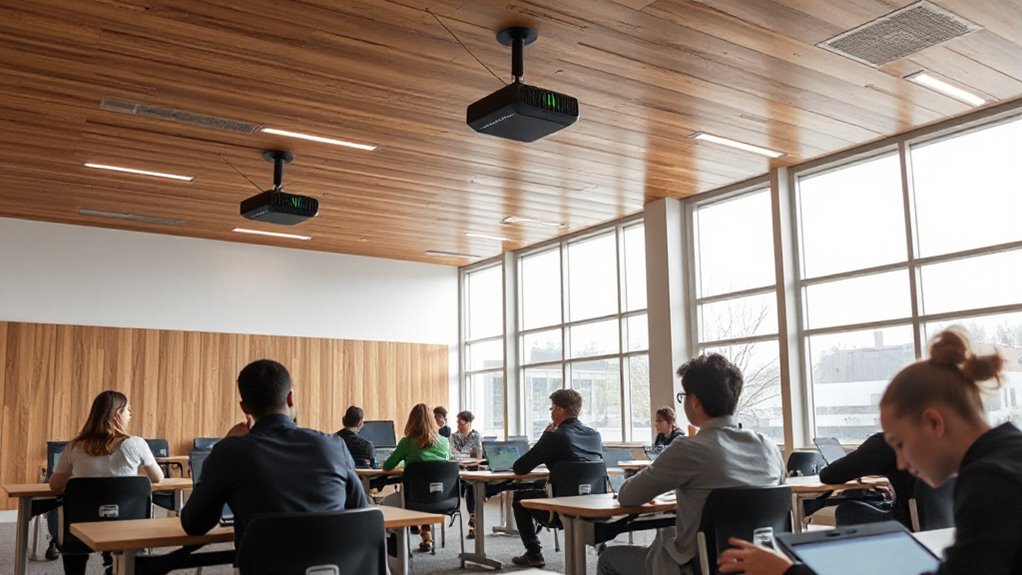
Choosing the right Auracast transmitter for a classroom depends heavily on your venue size, device compatibility, and specific audio needs. For smaller classrooms or dedicated assistive listening, the Venucast Oasis Aura offers versatile input options and firmware customization, though it’s limited to Auracast-enabled hearing aids. For larger or more dynamic environments, the Venucast AuraPlex MX and Avantree AuraPlex MX provide longer-range coverage and support both personal devices and hearing aids, making them ideal for medium-sized spaces. Meanwhile, the MoerLink Bluetooth 5.3 excels in portability and multi-device streaming, perfect for hybrid setups or on-the-go use. Each choice involves tradeoffs between range, device compatibility, and setup complexity, so understanding your specific venue and audience is key.

Get everyday helpers delivered free with Prime
- Fast, free delivery on millions of items
- Prime Video, Amazon Music and more included
- Member-only deals all year
Key Takeaways
- Venucast Oasis Aura is best for small classrooms with multiple hearing aid compatibility but limited to Auracast-enabled devices.
- Venucast AuraPlex MX and Avantree AuraPlex MX support longer ranges and both hearing aids and personal devices, suited for medium-sized venues.
- MoerLink Bluetooth 5.3 offers portable, multi-device streaming but relies on connected device power and Bluetooth compatibility.
- Choosing the right transmitter depends on venue size, device ecosystem, and whether the focus is assistive listening or multi-device streaming.
- All options involve tradeoffs between range, device compatibility, and setup complexity, so match the product to your specific needs.
| Venucast Oasis Aura – Auracast Transmitter for Churches & Venues |  | Best for Small Classrooms & Assistive Listening | Compatibility: Auracast-enabled hearing aids and receivers | Input options: AUX (3.5mm), Optical, Bluetooth | Supported devices: ReSound Nexia, Jabra Enhance Pro 20/30, Oticon Intent, Philips HearLink 9050 | VIEW ON AMAZON | See Our Full Breakdown |
| Venucast AuraPlex MX Auracast Assistive Listening System for Churches and Events |  | Best for Medium Venues & Long-Range Coverage | Connectivity Technology: Auracast | Compatible Devices: Bluetooth Devices, Wired Devices | Connector Type: AUX | VIEW ON AMAZON | See Our Full Breakdown |
| MoerLink Bluetooth 5.3 Auracast Audio Transmitter – USB Plug-and-Play Adapter for TV, PC, Speakers, and Auracast-Compatible Hearing Aids |  | Best for Portability & Multi-Device Streaming | Bluetooth Version: 5.3 | Low Latency: Yes | Compatibility: Android, iOS, Windows, Mac, Linux | VIEW ON AMAZON | See Our Full Breakdown |
| Avantree AuraPlex MX Auracast Assistive Listening System for Churches |  | Best for Long-Range Assistive Listening | Range: 328 ft | Includes: 1 Transmitter, 10 Receivers | Compatibility: Auracast hearing aids and devices | VIEW ON AMAZON | See Our Full Breakdown |
| auracast transmitters for classroom | Compatibility | Supported devices | Range |
|---|---|---|---|
| Venucast Oasis Aura | Auracast-enabled hearing aids and receivers | ReSound Nexia, Jabra Enhance Pro 20/30, Oticon Intent, Philips HearLink 9050 | — |
| Venucast AuraPlex MX Auracast | — | — | 328 ft |
| MoerLink Bluetooth 5.3 Auracas | Android, iOS, Windows, Mac, Linux | — | — |
| Avantree AuraPlex MX Auracast | Auracast hearing aids and devices | ReSound Nexia, Jabra Enhance Pro, Beltone Serene, Starkey Edge AI, Oticon Intent, Philips HearLink | 328 ft |
More Details on Our Top Picks
Venucast Oasis Aura – Auracast Transmitter for Churches & Venues
The Venucast Oasis Aura stands out for its compatibility with a wide range of hearing aids and receivers, supporting multiple devices simultaneously. Its input options include AUX, Optical, and Bluetooth, making it flexible for various classroom setups. However, it’s limited to Auracast-enabled hearing aids and does not support classic Bluetooth headphones like AirPods or Bose, which could be a drawback in mixed device environments. Compared with larger venue options, this model excels in smaller spaces where high customization and firmware updates can enhance the listening experience. It’s ideal for classrooms that prioritize assistive listening for students with hearing aids but aren’t dealing with outdoor or very large venues.
Pros:- Supports multiple hearing aids and receivers simultaneously
- Compatible with various input sources including AUX, Optical, and Bluetooth
- Allows firmware updates for advanced features
Cons:- Not suitable for large outdoor venues
- Does not support non-Auracast Bluetooth headphones
- Requires Auracast-enabled devices for full functionality
Best for: Small classrooms or specialized assistive listening environments
Not ideal for: Large outdoor venues or classrooms without Auracast-enabled hearing aids
- Compatibility:Auracast-enabled hearing aids and receivers
- Input options:AUX (3.5mm), Optical, Bluetooth
- Supported devices:ReSound Nexia, Jabra Enhance Pro 20/30, Oticon Intent, Philips HearLink 9050
- Firmware updates:Supported
- Designed for:Small to mid-sized venues
- Does not work with:Classic Bluetooth headphones
Our verdict“A versatile choice for small classrooms focused on assistive listening with multiple hearing aid support.”
Venucast AuraPlex MX Auracast Assistive Listening System for Churches and Events
The Venucast AuraPlex MX offers a robust solution for larger venues, with a range of up to 328 feet and support for both hearing aids and personal devices through Auracast. Its four-channel system allows for multiple audio streams, making it well-suited for medium-sized classrooms or churches. Compared to smaller systems, this transmitter provides increased coverage and flexibility, although it’s not ideal for outdoor or obstructed spaces where signal interference may occur. Its support for both Bluetooth and wired devices broadens compatibility, but it requires users to have Auracast-compatible hearing aids or devices to realize full benefits.
Pros:- Long-range coverage up to 328 feet
- Supports both hearing aids and personal devices
- Multiple channels for different audio streams
Cons:- Limited outdoor use due to range restrictions
- Requires Auracast-compatible hearing aids
- Designed primarily for medium venues, not large stadiums
Best for: Medium-sized classrooms or venues needing long-range audio
Not ideal for: Outdoor or heavily obstructed spaces without line-of-sight
- Connectivity Technology:Auracast
- Compatible Devices:Bluetooth Devices, Wired Devices
- Connector Type:AUX
- Number of Channels:4
- Range:328 ft
Our verdict“A strong option for medium venues needing reliable, long-distance audio streaming.”
MoerLink Bluetooth 5.3 Auracast Audio Transmitter – USB Plug-and-Play Adapter for TV, PC, Speakers, and Auracast-Compatible Hearing Aids
The MoerLink Bluetooth 5.3 transmitter excels in portability and ease of use, supporting Auracast for simultaneous streaming to multiple headphones or hearing aids. Its compact size, USB plug-and-play setup, and low latency Bluetooth 5.3 make it ideal for on-the-go classrooms or hybrid learning environments. However, reliance on connected devices for power and Bluetooth compatibility limits its use to Bluetooth-enabled hearing aids and headphones. It’s less suited for larger venues or setups that require extensive coverage but shines in scenarios demanding flexibility and mobility.
Pros:- Supports multi-device streaming via Auracast
- Low latency Bluetooth 5.3 for high-quality audio
- Plug-and-play USB design, no drivers needed
- Highly portable and lightweight
Cons:- Limited to Bluetooth audio devices
- No built-in battery, relies on connected device power
- Not designed for extensive venue coverage
Best for: Portable classroom setups, hybrid learning, or on-the-move use
Not ideal for: Large venues or environments without Bluetooth devices
- Bluetooth Version:5.3
- Low Latency:Yes
- Compatibility:Android, iOS, Windows, Mac, Linux
- Dimensions:32 × 18 × 6 mm
- Weight:2.5g
Our verdict“A flexible, portable solution for hybrid classrooms and remote teaching needs.”
Avantree AuraPlex MX Auracast Assistive Listening System for Churches
The Avantree AuraPlex MX offers comparable features to the Venucast AuraPlex MX, with a focus on ease of setup and compatibility with a wide range of hearing aids. Its 328-foot range and support for Bluetooth LE Audio make it a reliable choice for medium-sized venues like churches and lecture halls. Unlike some other options, it emphasizes simplicity and seamless connection with Auracast-enabled hearing aids. However, similar to other long-range systems, outdoor or obstructed environments may reduce effectiveness, and full functionality depends on users having compatible hearing aids or devices.
Pros:- Up to 328 feet range
- Supports Auracast hearing aids and devices
- Simple setup with Bluetooth LE Audio
Cons:- Limited outdoor performance
- Requires compatible Auracast-enabled hearing aids
- Line-of-sight or minimal obstructions preferred
Best for: Medium-sized venues needing straightforward, long-range assistive listening
Not ideal for: Outdoor or environments with significant obstructions
- Range:328 ft
- Includes:1 Transmitter, 10 Receivers
- Compatibility:Auracast hearing aids and devices
- Supported Devices:ReSound Nexia, Jabra Enhance Pro, Beltone Serene, Starkey Edge AI, Oticon Intent, Philips HearLink
Our verdict“A straightforward, long-range assistive listening system suited for medium venues with modern Bluetooth LE Audio support.”

How We Picked
Our selections are based on a combination of technical features, venue suitability, and device compatibility. We prioritized products that support Auracast’s Bluetooth LE Audio standard for future-proofing, along with range and input versatility. We also considered ease of setup, the variety of compatible hearing aids and devices, and whether the product is designed for small, medium, or portable use. Tradeoffs were carefully evaluated to ensure each pick offers a clear advantage for specific classroom scenarios, avoiding products that are overly specialized or limited in scope.
| auracast transmitters for classroom | Compatibility | Supported devices |
|---|---|---|
| Venucast Oasis Aura | Auracast-enabled hearing aids and receivers | ReSound Nexia, Jabra Enhance Pro 20/30, Oticon Intent, Philips HearLink 9050 |
| Venucast AuraPlex MX Auracast | — | — |
| MoerLink Bluetooth 5.3 Auracas | Android, iOS, Windows, Mac, Linux | — |
| Avantree AuraPlex MX Auracast | Auracast hearing aids and devices | ReSound Nexia, Jabra Enhance Pro, Beltone Serene, Starkey Edge AI, Oticon Intent, Philips HearLink |
Factors to Consider When Choosing Auracast Transmitters For Classrooms
When selecting an Auracast transmitter for a classroom, the key factors include venue size, device compatibility, and whether the primary goal is assistive listening or multi-device streaming. Understanding these needs helps narrow down choices, whether you need a compact solution for small rooms or a robust system covering larger spaces. Compatibility with your existing hearing aids or Bluetooth devices also significantly influences the best fit. Here, I’ll break down these considerations to help you find the right match for your educational environment.
Venue Size and Range Needs
If your classroom or venue is small, a device like the Venucast Oasis Aura offers excellent support for multiple hearing aids in a confined space. For medium-sized classrooms, the AuraPlex MX and Avantree AuraPlex MX provide extended coverage up to 328 feet, suitable for larger or more open environments. For portable or hybrid scenarios, the MoerLink Bluetooth transmitter gives you mobility, though with limited coverage.
Device Compatibility
Most classroom systems benefit from Auracast support, especially if students or attendees use hearing aids. The key is to verify whether their devices are Auracast-enabled. If not, support for traditional Bluetooth headphones or wired connections might be necessary, which could restrict options or require additional adapters. For assistive listening, focus on products supporting hearing aid compatibility, while for general audio streaming, Bluetooth compatibility suffices.
Ease of Setup and Use
Many modern transmitters, like the MoerLink, emphasize plug-and-play convenience, requiring no drivers or complex installation. Venue-based systems like AuraPlex models typically involve straightforward setup but may need some configuration for channels and range. Consider whether your staff or users are comfortable with technical setups or prefer plug-and-play solutions for quick deployment.
Frequently Asked Questions
What is Auracast, and how does it benefit classrooms?
Auracast is Bluetooth LE Audio technology that enables multiple devices to stream audio simultaneously from a single source. In classrooms, this means students with hearing aids or personal Bluetooth devices can receive synchronized audio directly, improving clarity and inclusivity. It also reduces the need for multiple transmitters or bulky equipment, streamlining the audio experience.
Do I need special hearing aids for these transmitters?
Most Auracast transmitters are compatible with Auracast-enabled hearing aids and devices. If your students or attendees use traditional hearing aids, ensure they support Bluetooth LE Audio and Auracast. For those without compatible hearing aids, Bluetooth headphones or personal devices can often be used if the transmitter supports those connections. Compatibility is a key factor when choosing a system.
Can these transmitters be used outdoors?
While some models claim long-range capabilities, outdoor use generally introduces interference and obstructions that can reduce performance. The AuraPlex MX and Avantree AuraPlex MX work best in environments with minimal obstacles, and their effectiveness diminishes in heavily obstructed outdoor spaces. For outdoor venues, carefully consider the range and line-of-sight requirements before purchasing.
Are these transmitters suitable for large stadiums?
Most Auracast transmitters, including those reviewed here, are designed for small to medium venues. For large stadiums or outdoor concert halls, specialized high-power systems or multiple transmitters working together are usually necessary. These options are better suited for classrooms, churches, or lecture halls rather than massive outdoor spaces.
How important is device compatibility for classroom use?
Device compatibility is critical because it determines whether students can connect easily with their hearing aids or Bluetooth devices. Ensuring the transmitter supports the devices your students use regularly—be it hearing aids with Auracast support or standard Bluetooth headphones—can significantly improve the listening experience and reduce setup issues. Always verify device compatibility before making a purchase.
Conclusion
For smaller classrooms or specialized assistive listening, the Venucast Oasis Aura provides versatile input options and customization, making it ideal for environments with hearing aid users. Medium-sized venues, like churches or lecture halls, benefit from the long-range coverage of the AuraPlex MX or Avantree AuraPlex MX, which support both hearing aids and personal devices with ease. For portable needs or hybrid learning setups, the MoerLink Bluetooth transmitter offers flexibility and mobility, though with limited range. Matching the right transmitter to your venue size, device ecosystem, and whether your focus is assistive listening or multi-device streaming will ensure the best experience for your classroom.
Halloween Picks
halloween
As an affiliate, we earn on qualifying purchases.