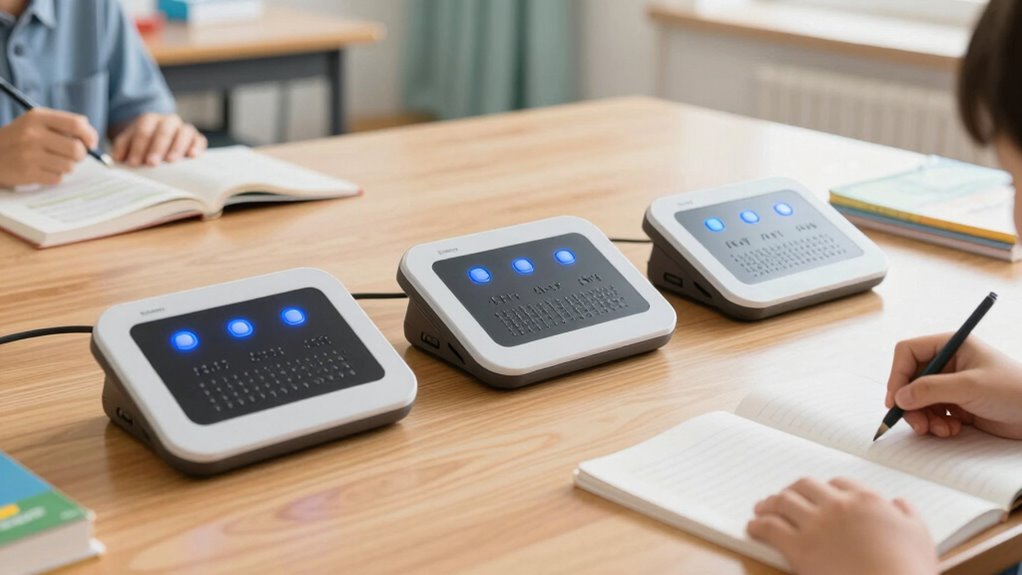

Choosing a braille display for students means balancing classroom computer access against reading space, portability, and how much the device can do on its own. I rank the BrailleNote Evolve 32 first for students who need a complete Windows computer, the Brailliant BI 40X for longer braille lines and all-day reading, and the BI 20X for students who value a smaller, travel-friendly companion. The central tradeoff is straightforward: a standalone Windows system can handle a broader range of schoolwork, while dedicated displays may be easier to pair with a student’s existing laptop or mobile device.

Get everyday helpers delivered free with Prime
- Fast, free delivery on millions of items
- Prime Video, Amazon Music and more included
- Member-only deals all year
These options suit different stages and school routines, rather than offering three interchangeable versions of the same product. I compare them by classroom fit, cell count, connection options, battery claims, and the independence they offer away from a host computer. A student who writes assignments in mainstream Windows apps may benefit most from the Evolve 32; someone who already has a school computer may get more value from a Brailliant display.
Key Takeaways
- BrailleNote Evolve 32 is the most self-contained choice, pairing 32 braille cells with Windows 11 Pro, 32GB RAM, and 512GB storage.
- Brailliant BI 40X offers the longest line here at 40 cells, a useful advantage for reading longer passages without as much line shifting.
- Brailliant BI 20X trades the 40X’s wider reading line for a more portable 20-cell layout and connections to as many as five Bluetooth devices.
- The Evolve 32 lists up to 5 hours of battery life, while both Brailliant models list up to 20 hours; students should plan charging around their actual schedule.
- A dedicated display is a better match for students who already use a compatible computer or mobile device; the Evolve 32 makes more sense when an integrated Windows system is the priority.
| BrailleNote Evolve 32 Windows 11 Pro Braille Computer |  | Best Overall for a Student Who Needs a Full Windows Computer | Braille display: 32-cell refreshable display | Operating system: Windows 11 Pro | Processor: Intel Core Ultra 5 | VIEW ON AMAZON | See Our Full Breakdown |
| Brailliant BI 40X Braille Display |  | Best for Long Reading Sessions and a Wide Braille Line | Display cells: 40 | Connectivity: Bluetooth 5, USB-C | Internal storage: 32GB | VIEW ON AMAZON | See Our Full Breakdown |
| Brailliant BI 20X Braille Display |  | Best Compact Display for Students Carrying a Separate Device | Display cells: 20 | Connectivity: Bluetooth for up to 5 devices, USB | Internal storage: 16GB | VIEW ON AMAZON | See Our Full Breakdown |
| braille display for student | Connectivity | Battery life | Display cells | Internal storage |
|---|---|---|---|---|
| BrailleNote Evolve 32 Windows | Wi-Fi 6, Bluetooth 5, USB-C Thunderbolt, USB-A 3.2, HDMI, NFC | Up to 5 hours | — | — |
| Brailliant BI 40X Braille Disp | Bluetooth 5, USB-C | Up to 20 hours | 40 | 32GB |
| Brailliant BI 20X Braille Disp | Bluetooth for up to 5 devices, USB | Up to 20 hours | 20 | 16GB |
More Details on Our Top Picks
BrailleNote Evolve 32 Windows 11 Pro Braille Computer
The BrailleNote Evolve 32 is the most capable all-in-one option in this group because it combines a 32-cell display with Windows 11 Pro, rather than depending on a separate laptop or tablet as its main computing partner. That distinction matters for students who need to work directly in Microsoft 365 or other mainstream Windows applications. Its Intel Core Ultra 5 processor, 32GB of RAM, and 512GB of storage give it the profile of a full computer built around braille access, not just a display that relays a host device’s screen.
Compared with the Brailliant BI 40X, the Evolve 32 gives up eight braille cells but adds a Windows environment and stronger independence from other hardware. Compared with the BI 20X, it is much less about portability and more about doing a broader range of school tasks in one system. A student can use the onboard Windows setup and accessibility tools, including NVDA and JAWS, while its Wi-Fi 6, Bluetooth 5, USB-C Thunderbolt, USB-A, HDMI, and NFC options give it flexibility for accessories and school connections.
The main caution is stamina: up to five hours of battery life is shorter than the listed 20 hours for either Brailliant model. A student with a long day away from charging may need a power plan, and the system’s advanced features may bring a steeper setup and learning curve. I would choose it for a student who needs a braille-first Windows computer and has support to configure it, not for someone seeking the smallest display or a simple add-on for an existing school laptop.
Pros:- Runs Windows 11 Pro alongside a 32-cell refreshable braille display.
- Supports mainstream Windows applications, including Microsoft 365 apps.
- Includes customizable access through NVDA and JAWS.
- Offers a broad range of wired and wireless connections.
Cons:- Listed battery life of up to five hours is shorter than the Brailliant models’ claims.
- Its computing power and assistive setup may be more than a student needs.
- Students need familiarity with braille and assistive technology to use it well.
Best for: Students who need Windows applications, braille access, and a single primary computer for schoolwork.
Not ideal for: Students who need long unplugged days, a lightweight travel display, or a basic companion for a computer they already use.
- Braille display:32-cell refreshable display
- Operating system:Windows 11 Pro
- Processor:Intel Core Ultra 5
- Memory:32GB RAM
- Storage:512GB
- Connectivity:Wi-Fi 6, Bluetooth 5, USB-C Thunderbolt, USB-A 3.2, HDMI, NFC
- Battery life:Up to 5 hours
Our verdict“I rank the Evolve 32 first for students who need an integrated Windows computer, but its short listed battery life and learning curve make it a specialized choice rather than the easiest one to carry through every school day.”
Brailliant BI 40X Braille Display
The Brailliant BI 40X is the strongest fit for students who already have a school computer and want more braille text in view at once. Its 40 cells provide the widest line in this roundup, which can reduce how often a reader has to move through text compared with the 20-cell BI 20X. That can be useful for following longer passages, reviewing documents, or keeping more of a sentence visible while reading class material.
Unlike the Evolve 32, the BI 40X is a dedicated display with onboard applications rather than a Windows computer. It connects over Bluetooth 5 or USB-C, supports multiple devices, and includes KeySoft Lite tools, cursor routing keys, thumb keys, and an 8-dot Perkins keyboard. Its Bookshare, NLS BARD, and NFB Newsline access, plus text-to-speech, make it more self-sufficient for reading than a basic display that relies entirely on a connected host. The up to 20-hour battery claim also gives it a clear advantage over the Evolve 32 for students who spend long days away from an outlet.
The tradeoff is its larger footprint. Compared with the BI 20X, the 40X offers a longer line but is bulkier to carry between classes. It also does not replace a Windows computer for software-dependent assignments, so a student still needs a compatible host for many school tasks. I would put it ahead of the 20X for students whose priority is extended reading and a broader braille line, but behind the Evolve 32 for anyone seeking one device to run mainstream computer applications.
Pros:- The 40-cell line shows more braille at once than either other option here.
- Lists up to 20 hours of battery life.
- Supports Bluetooth 5 and USB-C connections to devices.
- Includes onboard apps, cursor routing, and access to named reading libraries.
Cons:- Bulkier than the BI 20X for carrying between classes.
- Does not serve as a full Windows computer like the Evolve 32.
- Braille and screen-reader familiarity is still needed for effective use.
Best for: Students who already use a compatible computer and want a long braille line, onboard reading tools, and extended battery life.
Not ideal for: Students who need a complete Windows computer or want the most compact display for daily transport.
- Display cells:40
- Connectivity:Bluetooth 5, USB-C
- Internal storage:32GB
- Battery life:Up to 20 hours
- Supported libraries:Bookshare, NLS BARD, NFB Newsline
- Keyboard:8-dot Perkins keyboard
- Accessibility tools:KeySoft Lite apps, cursor routing keys, thumb keys, text-to-speech
Our verdict“I recommend the BI 40X to students who value a wide reading line and long listed battery life more than compact size or an all-in-one Windows setup.”
Brailliant BI 20X Braille Display
The Brailliant BI 20X is the most portable pick in this comparison, built for students who want a dedicated braille display without carrying the wider BI 40X. Its 20-cell line takes up less space, while Bluetooth can connect it to as many as five devices and USB offers a wired connection. That combination suits a student switching between a school computer and personal devices, particularly when the display is meant to complement rather than replace a laptop.
It shares much of the BI 40X’s independent-reading approach: KeySoft Lite applications, text-to-speech, access to Bookshare, NLS BARD, and NFB Newsline, along with Wi-Fi and SD card support. The BI 20X lists up to 20 hours of battery life, matching the 40X claim and exceeding the Evolve 32’s listed runtime. It also supports more than 250 braille tables, which can matter for students who work across languages or braille formats.
Its compactness has a reading tradeoff. With half the cells of the BI 40X, the student sees less text at a time and may need to move through lines more frequently. And unlike the Evolve 32, the BI 20X does not run Windows applications as its main computing environment; many assignments still depend on a connected host device. I would choose it over the 40X when carrying space matters more than line length, and over the Evolve 32 when the student already has a computer and wants a portable braille interface. It is not the best fit for someone seeking a standalone school computer.
Pros:- Compact 20-cell design is easier to carry than the BI 40X.
- Bluetooth connection supports up to five devices, with USB also available.
- Lists up to 20 hours of battery life.
- Includes onboard tools, library access, Wi-Fi, SD card support, and extensive braille tables.
Cons:- The shorter 20-cell line shows less text at once than the BI 40X.
- Does not replace a Windows computer for mainstream school applications.
- Requires braille and assistive-technology familiarity.
Best for: Students who need a portable braille companion for a separate computer or mobile device and value long listed battery life.
Not ideal for: Students who want the widest reading line or a self-contained Windows system for school assignments.
- Display cells:20
- Connectivity:Bluetooth for up to 5 devices, USB
- Internal storage:16GB
- Battery life:Up to 20 hours
- Supported libraries:Bookshare, NLS BARD, NFB Newsline
- Wireless and storage features:Wi-Fi, SD card support
- Braille support:250+ braille tables
Our verdict“I recommend the BI 20X for students who put portability and multi-device pairing ahead of a wide reading line or a self-contained computer.”
How We Picked
I ranked these products around the practical needs of school use, not around a single specification. A student needs to read classroom material, write and edit work, connect to devices used by teachers, and carry the equipment through a real school day. I gave weight to the amount of braille available at once, whether the product works as a host computer or as a connected display, and whether onboard tools can support reading and note-taking without a separate computer.
I also compared stated battery life and connection choices, since students may use a display across classes, study periods, and travel between home and school. The listed battery figures are manufacturer specifications, not a guarantee of a full day under every workload. I treated portability as a distinct advantage rather than an automatic win: a smaller display is easier to carry, but a longer line can make reading more comfortable. Finally, I considered the learning curve. These products are intended for braille users and work best when the student is comfortable with braille and assistive technology or has access to instruction and setup support.
The ranking reflects those differences. The Evolve 32 leads for its broad Windows capability, though its shorter listed battery life is a real compromise. The BI 40X comes next for students who want a dedicated device with a wide line and long battery claim. The BI 20X earns its place as the compact option, especially for students who already have a computer and want a portable braille companion.
| braille display for student | Connectivity | Battery life |
|---|---|---|
| BrailleNote Evolve 32 Windows | Wi-Fi 6, Bluetooth 5, USB-C Thunderbolt, USB-A 3.2, HDMI, NFC | Up to 5 hours |
| Brailliant BI 40X Braille Disp | Bluetooth 5, USB-C | Up to 20 hours |
| Brailliant BI 20X Braille Disp | Bluetooth for up to 5 devices, USB | Up to 20 hours |
Factors to Consider When Choosing Braille Display For Students
I would start by deciding whether the student needs a computer or a braille interface for a computer they already have. That single choice separates the Evolve 32 from the two Brailliant displays. From there, compare reading width, portability, connection needs, and the student’s school-day routine.Choose between an all-in-one computer and a connected display
The Evolve 32 runs Windows 11 Pro, so it is the clearest choice when mainstream desktop applications are central to schoolwork and the student needs a braille-first computer. The BI 40X and BI 20X are better understood as dedicated braille displays with onboard reading and productivity tools. They can connect to computers and other devices, but they do not offer the same standalone Windows environment. Before choosing, ask which computer the school supplies, what screen reader or software the student uses, and whether a personal display must work with more than one device.
Match cell count to reading habits
A longer display line can show more text at once. The BI 40X has 40 cells, the Evolve 32 has 32, and the BI 20X has 20. More cells may help a student follow longer passages with fewer line shifts, while fewer cells make for a smaller device that is easier to carry. Cell count does not determine whether a student can read braille; it shapes how much text appears at a time. If possible, consider the student’s preferred reading pace and classroom material length alongside the numbers.
Treat battery claims as planning information
The two Brailliant models list up to 20 hours, while the Evolve 32 lists up to five. These are stated maximums, not guarantees for every combination of use, settings, and connectivity. A student using the Evolve 32 as a computer throughout a school day should plan around access to charging. For the Brailliant options, longer stated runtime may ease day-to-day charging, but the student still needs a way to power the device and any connected host.
Prioritize carry comfort without ignoring reading width
The BI 20X is the compact choice; the 40X gives up some portability for a wider braille line. The Evolve 32 serves a different purpose as a full computer, so it should not be selected on the assumption that it will feel like a small add-on display. Think about the full school kit: backpack space, other equipment, travel between classes, and whether the display will stay on a desk or move constantly. A device that fits the student’s routine is more useful than one chosen for a specification alone.
Check school compatibility and support
Before committing, confirm that the display works with the student’s school computer, screen reader, documents, and required applications. The Brailliant models offer Bluetooth and USB connections, while the Evolve 32 provides a broader set of built-in Windows and hardware connections. Ask who will help with setup, updates, braille configuration, and classroom troubleshooting. For a student still learning braille or assistive technology, training and consistent support can matter as much as the device’s onboard features.
Frequently Asked Questions
Which of these braille displays is best for a student who needs a computer?
The BrailleNote Evolve 32 is the only option in this lineup described as a Windows 11 Pro braille computer. It is the strongest match for a student who needs mainstream Windows applications and braille access in one system. The BI 40X and BI 20X are dedicated displays with onboard tools, but students may still need a separate computer for software-dependent coursework.
Is the BI 40X easier to read than the BI 20X?
The BI 40X has 40 cells compared with the BI 20X’s 20, so it can show a longer braille line at once. That may reduce how often a student needs to move through a passage, though reading comfort is personal and depends on the student’s habits and tasks. The BI 20X is smaller to carry, making it a reasonable choice when portability matters more than line length.
Can the Brailliant displays work without a computer?
The BI 40X and BI 20X include KeySoft Lite applications and features for reading, writing, and productivity, along with access to named online libraries. Those tools can support some independent tasks, but they are not equivalent to a complete Windows computer. Students whose coursework depends on specific desktop programs should check whether they also need a host computer.
Which model has the longest stated battery life?
The BI 40X and BI 20X both list up to 20 hours, while the Evolve 32 lists up to five hours. These figures are stated maximums and should be treated as planning guidance rather than a promise for every school-day workload. A student choosing the Evolve 32 may need to plan charging more carefully, especially if using it as a primary computer.
What should a student check before choosing a braille display?
Check compatibility with school computers, screen readers, and required applications, then compare cell count, portability, connections, and battery expectations. The student should also have a realistic plan for braille and assistive-technology instruction, setup, and ongoing support. If possible, match the device to the student’s actual classroom routine rather than choosing only by its listed features.
Conclusion
I would choose the BrailleNote Evolve 32 for a student who needs a braille-first Windows computer and can plan around its shorter listed battery life. For a student with a school laptop who wants a wider reading line and long stated runtime, the Brailliant BI 40X is the better fit. If a smaller device and multi-device pairing matter more than seeing as much text at once, I would pick the BI 20X. The best choice depends on whether the student needs a computer, a long display line, or a portable companion—and on the school support available to set it up well.
Fall Picks
fall essentials
As an affiliate, we earn on qualifying purchases.