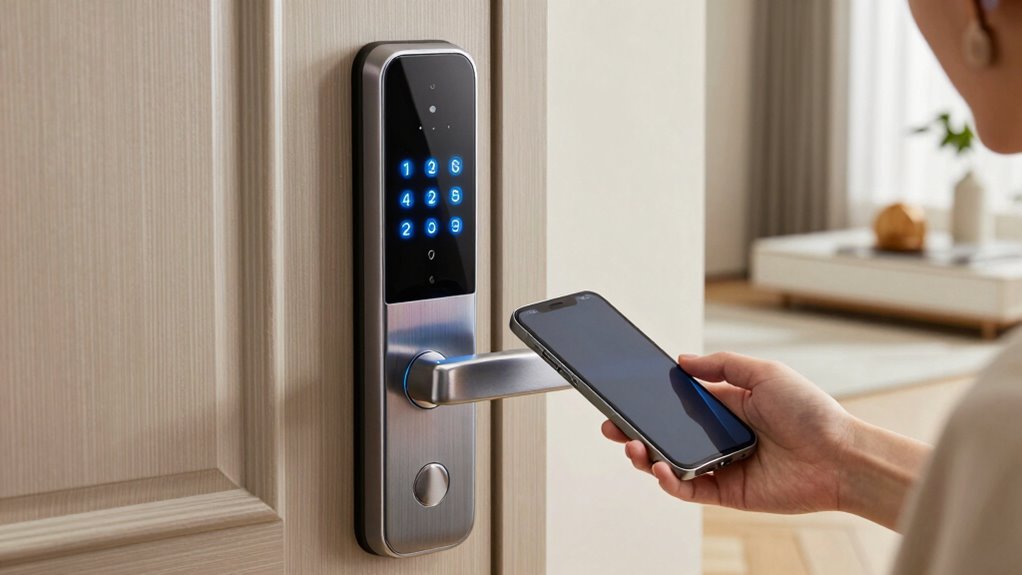

Choosing a smart lock with a keypad that suits hard of hearing users involves balancing accessibility features, ease of use, and reliable security. The best overall pick is the Philips Wi-Fi Smart Lock, praised for its intuitive app control and compatibility with voice assistants. For those seeking affordability, the Kwikset Powerbolt 250 offers straightforward keypad access at a lower price point. Meanwhile, the Philips WiFi Keypad Door Lock with Handle stands out for its built-in WiFi and backlit keypad, making it easier to operate in low-light conditions. These options illustrate common tradeoffs: premium features versus simplicity and cost. Keep reading for a full breakdown of how these locks compare across key factors and which might be right for your needs.

Get everyday helpers delivered free with Prime
- Fast, free delivery on millions of items
- Prime Video, Amazon Music and more included
- Member-only deals all year
Key Takeaways
- The best picks balance accessibility features like backlit keypads and tactile feedback with smartphone and voice control integration.
- Affordable models often lack advanced accessibility options but provide reliable basic keypad functions suitable for many users.
- WiFi-enabled locks tend to be more accessible for remote management but may come with higher costs and complexity.
- Build quality and ease of installation are consistent differentiators, with premium options generally offering more durable materials and clearer instructions.
- Choosing a lock with customizable alerts and support for assistive devices can significantly improve usability for hard of hearing users.
| Philips Wi-Fi Smart Lock for Front Door, Fingerprint Keyless Entry Deadbolt, App Control, Compatible with Alexa & Google |  | Best Overall for Versatile Access and Security Monitoring | Fingerprint Capacity: 50 fingerprints | Connectivity: Wi-Fi 2.4GHz | Auto Lock Timer: 10-180 seconds | VIEW ON AMAZON | See Our Full Breakdown |
| Kwikset HomeConnect 620 Z-Wave Long Range Enabled Keypad Smart Lock – Polished Brass, Traditional |  | Best for Whole-Home Integration with Secure Keypad Access | Material: Polished Brass | Connectivity: Z-Wave Long Range | Security: S2 encryption, Grade 2 BHMA | VIEW ON AMAZON | See Our Full Breakdown |
| Philips WiFi Keypad Door Lock with Handle, Built-in WiFi, APP Remote Control, Voice & Fingerprint Unlock, Satin Nickel |  | Best for Easy Installation and Versatile Remote Access | Connectivity: WiFi (2.4GHz) | Control: App, Voice (Alexa, Google) | Fingerprint Speed: 0.3 seconds | VIEW ON AMAZON | See Our Full Breakdown |
| Smart Door Handle Lock with Keypad and Fingerprint for Front Door |  | Best for Multiple Access Methods and Quick DIY Setup | Unlocking Methods: Fingerprint, Bluetooth app, passcode, key fob, mechanical key, Alexa voice | Installation: Reversible handle, 10-minute setup | Remote Control: Yes (via WiFi gateway) | VIEW ON AMAZON | See Our Full Breakdown |
| Bluetooth Fingerprint Smart Lock with Handle & Keypad – Fits Most US Doors, DIY Install, Keyless Entry: Code, FOB, Auto-Lock |  | Best for Versatile, Easy DIY Installation with Multiple Access Methods | Recommended Uses: Front door, Home, Airbnb, Rental | Number of Pieces: 16 | Included Components: Mounting Plate, Rubber Gasket, Face Plate, Back Plate, Bolt | VIEW ON AMAZON | See Our Full Breakdown |
| Kwikset Powerbolt 250 10-Button Keypad Satin Nickel Electronic Deadbolt Door Lock |  | Best Overall for Secure Keyless Entry and Manageability | Material: Satin Nickel | Number of Buttons: 10 | Battery Life: 12 months | VIEW ON AMAZON | See Our Full Breakdown |
| TEEHO TE001 Keyless Entry Deadbolt with Keypad for Front Door, Matte Black |  | Best for Outdoor Durability and Flexibility | Security Grade: ANSI Grade 3 | Number of User Codes: 20 | Battery Life: up to 365 days | VIEW ON AMAZON | See Our Full Breakdown |
| Philips Wi-Fi Smart Deadbolt Lock, Keyless Entry Door Lock with Code, Fingerprint, APP, Voice Control, Auto Lock, Backlit Touchscreen |  | Best for High-Tech Convenience with Multiple Unlock Options | Connectivity: Wi-Fi (2.4GHz only) | Unlock Methods: App, passcode, fingerprint, voice | Auto Lock Timer: 10-180 seconds | VIEW ON AMAZON | See Our Full Breakdown |
| Veise VE012W-K WiFi Fingerprint Smart Lock with 2 Knob Set, Satin Nickel |  | Best for Advanced Security and Multiple Access Options | Connectivity: Wi-Fi (2.4GHz) | Fingerprint Recognition: Yes, 0.2s unlock | Number of Fingerprints: 20 | VIEW ON AMAZON | See Our Full Breakdown |
| Fingerprint Smart Door Lock with Handle & Keypad |  | Best for Families and Rental Property Management | Unlock Methods: Fingerprint, keypad, app, FOB, key | Compatibility: Standard doors | Installation: DIY, reversible handle | VIEW ON AMAZON | See Our Full Breakdown |
| Kwikset SmartCode 260 Keyless Entry Electronic Keypad Deadbolt Door Lock, Satin Nickel |  | Best Overall for Secure, Customizable Access | Finish: Satin Nickel | Auto-Lock: Yes | Battery Life: 12 months | VIEW ON AMAZON | See Our Full Breakdown |
| Keypad Smart Door Knob Lock with Keyless Entry and Handle | 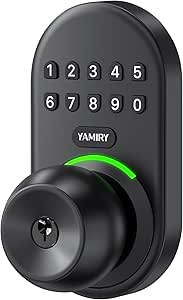 | Best for Easy, Durable Front Door Access | Material: Aluminum alloy | Number of User Codes: 20 | Auto Lock Range: 5 to 99 seconds | VIEW ON AMAZON | See Our Full Breakdown |
More Details on Our Top Picks
Philips Wi-Fi Smart Lock for Front Door, Fingerprint Keyless Entry Deadbolt, App Control, Compatible with Alexa & Google
This Philips model stands out for offering multiple unlocking methods—fingerprint, PIN, app, voice, and physical key—making it highly adaptable for users with hearing challenges who may prefer tactile or visual cues. Compared with the Philips WiFi Keypad Door Lock with Handle, it provides a broader range of access options and activity logs, which are vital for users needing visual confirmation of entry. The need for 8 AA batteries, sold separately, is a drawback, especially for those who want a low-maintenance solution. Its Wi-Fi 2.4GHz connectivity is reliable but may limit integration with some smart home setups, unlike Z-Wave options. Installation may require some DIY effort, but the security features like auto-lock enhance peace of mind. This lock is ideal for homeowners seeking flexible, remote-controlled security monitoring, but less so for those preferring battery-free or simpler solutions.
Pros:- Multiple unlocking methods including fingerprint, PIN, app, voice, and physical key
- Remote access and activity logs improve security oversight
- Auto-lock feature increases convenience and safety
Cons:- Requires 8 AA batteries, which are not included and need purchasing
- Limited to Wi-Fi 2.4GHz networks, possibly restricting smart home integrations
Best for: Families or individuals who prioritize multiple unlocking options and security monitoring capabilities
Not ideal for: Users seeking a battery-free or straightforward lock without DIY installation challenges
- Fingerprint Capacity:50 fingerprints
- Connectivity:Wi-Fi 2.4GHz
- Auto Lock Timer:10-180 seconds
- Battery Type:8 AA alkaline batteries (not included)
- Door Thickness Compatibility:1-3/8″ to 2″
- Installation:Fits most standard doors
Our verdict“This model suits users wanting comprehensive access options and remote security management, despite some installation and power considerations.”
Kwikset HomeConnect 620 Z-Wave Long Range Enabled Keypad Smart Lock – Polished Brass, Traditional
The Kwikset HomeConnect 620 excels for users who want a reliable, long-range Z-Wave connection combined with a classic, easy-to-use touchscreen keypad. Its compatibility with hubs like SmartThings and Ring Alarm allows for seamless integration into broader smart home systems, making it suitable for users who value centralized control. The S2 encryption and Grade 2 BHMA certification deliver strong security, but it requires a compatible Z-Wave hub, which adds to the setup complexity and cost. Compared to the Philips Wi-Fi Smart Lock for Front Door, this lock is less feature-rich in remote access but offers more reliable home coverage with Z-Wave. Its longer battery life—up to 12 months—reduces maintenance concerns. This pick is ideal for those with existing Z-Wave ecosystems, but not for users seeking a standalone Wi-Fi solution or without a hub.
Pros:- Long-range Z-Wave connectivity ensures dependable operation across large homes
- Secure S2 encryption and Grade 2 certification for high security standards
- Easy DIY installation with adjustable fit for standard doors
Cons:- Requires a compatible Z-Wave hub for full functionality, sold separately
- Battery life may vary depending on usage, requiring periodic replacements
Best for: Homeowners with Z-Wave hubs seeking reliable, long-range smart lock access
Not ideal for: Users without a Z-Wave hub or those preferring direct Wi-Fi control without additional equipment
- Material:Polished Brass
- Connectivity:Z-Wave Long Range
- Security:S2 encryption, Grade 2 BHMA
- Battery Life:12 months
- Batteries:4x AA alkaline (included)
- Compatibility:Ring Alarm, SmartThings
Our verdict“This lock offers excellent reliable coverage for Z-Wave users who value security and ease of installation, but it depends on additional hub equipment.”
Philips WiFi Keypad Door Lock with Handle, Built-in WiFi, APP Remote Control, Voice & Fingerprint Unlock, Satin Nickel
This Philips WiFi keypad lock is tailored for users who prefer straightforward installation and multiple access methods. Its built-in WiFi allows remote management via the Philips Home Access App, making it ideal for users with hearing impairments who benefit from visual feedback and app notifications. It combines fingerprint, keypad, and voice control, but requires 8 AA batteries (not included), which could be a downside for those seeking a more maintenance-free device. Compared with the Smart Door Handle Lock with Keypad and Fingerprint, this model offers more complete package components and a more familiar handle design. Its auto-lock feature adds security, though users should verify door compatibility (1-3/8″ to 1-3/4″). This pick is best suited for users wanting a simple, WiFi-connected lock with comprehensive remote capabilities, but less so for those seeking battery-free operation or minimal tech setup.
Pros:- Easy to install on most standard doors
- Remote control and monitoring via smartphone app
- Supports multiple unlocking methods including fingerprint, keypad, and voice
Cons:- Batteries are not included and must be purchased separately
- Requires WiFi for remote features, limiting offline use
Best for: Homeowners or renters who want easy installation with remote, app-based control
Not ideal for: Users without a stable WiFi connection or those who prefer battery-free locks
- Connectivity:WiFi (2.4GHz)
- Control:App, Voice (Alexa, Google)
- Fingerprint Speed:0.3 seconds
- Passcode Options:Permanent, one-time, periodic, recurring
- Auto Lock:0-180 seconds
- Included Components:Door lever x2, latch, hardware
Our verdict“This lock makes sense for users seeking straightforward installation and versatile remote access through WiFi, despite battery and connectivity requirements.”
Smart Door Handle Lock with Keypad and Fingerprint for Front Door
This smart handle lock combines a range of unlocking options—fingerprint, app, passcodes, keys, and voice—making it suitable for users who value versatility and quick installation. Its straightforward, 10-minute DIY setup and reversible handle design make it accessible for many users, including property managers or landlords who need fast, flexible access control. It requires a separate WiFi gateway for voice commands, which adds an extra step and cost for full voice integration. Compared to the Bluetooth Fingerprint Smart Lock with Handle & Keypad, this model emphasizes ease of use with a complete handle set and multi-access options. Battery life details are limited, so users should plan for periodic replacements. This lock is ideal for those who want quick, multi-method access without complex wiring, but it may be less suitable for users seeking all-in-one WiFi solutions without extra hardware.
Pros:- Multiple unlocking options including fingerprint, app, passcode, keys, and voice
- Easy, quick installation without tools or drilling
- Reversible handle compatible with most standard doors
Cons:- Requires separate WiFi gateway for Alexa voice control
- Some dependency on app and internet connectivity
Best for: Landlords, property managers, and homeowners needing quick, flexible installation and multiple access options
Not ideal for: Users looking for a standalone WiFi lock or those who want a simple, no-hardware setup
- Unlocking Methods:Fingerprint, Bluetooth app, passcode, key fob, mechanical key, Alexa voice
- Installation:Reversible handle, 10-minute setup
- Remote Control:Yes (via WiFi gateway)
Our verdict“Best suited for users who need fast, flexible access methods and easy DIY installation, even if it involves extra hardware for voice control.”
Bluetooth Fingerprint Smart Lock with Handle & Keypad – Fits Most US Doors, DIY Install, Keyless Entry: Code, FOB, Auto-Lock
The Sifely Bluetooth Fingerprint Smart Lock is designed for users seeking a straightforward, versatile lock with easy DIY installation on most US doors. Its keyless options—fingerprint, keypad, FOB, app, and physical key—cover a broad range of preferences, especially useful for households with varying tech comfort levels. The lock can be installed without drilling, a major advantage over models requiring more complex setup. Auto-lock and remote management via smartphone app add security and convenience. Compared with the Philips WiFi Keypad Door Lock with Handle, this model emphasizes hardware simplicity and compatibility, though it depends on a Bluetooth connection rather than WiFi, which may limit remote access range. Battery life varies with usage, but the one-year warranty provides some peace of mind. It’s best for users who want flexible, no-fuss installation and multi-access options at an affordable price.
Pros:- Multiple unlocking methods including fingerprint, keypad, FOB, app, and key
- Easy, drill-free DIY installation on most US doors
- Supports remote access and auto-lock features
Cons:- Requires a gateway for voice assistant compatibility, adding hardware cost
- Battery life depends heavily on usage and may require frequent replacements
Best for: Homeowners, Airbnb hosts, and rental property managers seeking easy DIY install and multiple unlock options
Not ideal for: Users needing WiFi remote control or long-range connectivity without additional hardware
- Recommended Uses:Front door, Home, Airbnb, Rental
- Number of Pieces:16
- Included Components:Mounting Plate, Rubber Gasket, Face Plate, Back Plate, Bolt
- Model Number:samtechT S
- Manufacturer Warranty:One Year
Our verdict“This lock offers flexible, simple installation with broad access options, ideal for users prioritizing DIY setup and versatility but not WiFi-only remote control.”
Kwikset Powerbolt 250 10-Button Keypad Satin Nickel Electronic Deadbolt Door Lock
The Kwikset Powerbolt 250 stands out for its combination of traditional deadbolt reliability and modern keypad convenience, making it ideal for users who prioritize straightforward security with minimal tech fuss. Compared with the Philips Wi-Fi Smart Deadbolt, it lacks remote control via Wi-Fi, but offers a simpler, more reliable mechanical and electronic interface, especially for those wary of complex setups. Its customizable user codes and auto-lock feature increase everyday security, while the SmartKey rekeying ensures quick key replacement after loss or theft. The main tradeoff is its dependence on batteries not included, which could lead to unexpected lockouts if replacements are delayed. This model suits homeowners seeking dependable, keyless access without needing remote management.
Pros:- Keyless entry with customizable user codes
- Auto-lock feature enhances security
- Easy to install with clear instructions
- Rekeyable with SmartKey technology
Cons:- Batteries not included, requiring separate purchase
- Limited to certain door types and thicknesses
- Battery life of approximately 12 months may require frequent replacements
Best for: Homeowners who want a straightforward, secure keypad lock with easy rekeying and manual control.
Not ideal for: Tech-savvy users wanting remote access or smart home integration via Wi-Fi, as this lock does not support app control or voice commands.
- Material:Satin Nickel
- Number of Buttons:10
- Battery Life:12 months
- Batteries:4x AA alkaline batteries (not included)
- Rekeying:Yes, SmartKey security
- Auto-Lock Timing:30 sec, 1 min, 3 min, 5 min, 10 min
Our verdict“This lock is best suited for users who want reliable, keyless security without relying on Wi-Fi or app control.”
TEEHO TE001 Keyless Entry Deadbolt with Keypad for Front Door, Matte Black
The TEEHO TE001 offers robust outdoor-ready features with its weather-resistant design and multiple user codes, making it ideal for those who need a keypad lock that withstands the elements. Unlike the Philips Wi-Fi Smart Deadbolt, it does not support remote app control, but its IP54 water resistance and anti-peep password protect against weather and security threats. The 20 user code capacity and one-time guest code make it highly flexible for families or rental properties. A key tradeoff is its compatibility only with specific door thicknesses, limiting installation options. This lock is best for users who want a durable, outdoor keypad lock with straightforward setup and no reliance on Wi-Fi for operation.
Pros:- Weather-resistant and durable construction
- Multiple user codes and guest access
- Easy installation with minimal tools
- Anti-peep password protection
Cons:- Requires 4 AA batteries (not included), needing replacement over time
- Limited compatibility to specific door sizes
- No remote or app control features
Best for: Renters, families, or property managers needing a weatherproof lock with multiple user codes and simple installation.
Not ideal for: Users seeking remote management or smart home features, since this lock lacks Wi-Fi or app connectivity.
- Security Grade:ANSI Grade 3
- Number of User Codes:20
- Battery Life:up to 365 days
- Water Resistance:IP54
- Material:Aluminum alloy
- Power:4 AA batteries (not included)
Our verdict“This lock is ideal for users who prioritize outdoor durability and straightforward keypad security over remote management features.”
Philips Wi-Fi Smart Deadbolt Lock, Keyless Entry Door Lock with Code, Fingerprint, APP, Voice Control, Auto Lock, Backlit Touchscreen
The Philips Wi-Fi Smart Deadbolt excels at providing flexible access through app, fingerprint, passcode, and voice commands, making it ideal for tech-savvy users seeking a comprehensive smart lock. Compared to the Veise VE012W-K, it offers more unlocking methods and real-time notifications, enhancing security and control. Its auto-lock feature and compatibility with Alexa and Google Assistant streamline daily use, although its reliance on Wi-Fi means it needs a stable 2.4GHz network and may face connectivity issues. The lack of a door sensor for open/close status is a drawback for those wanting full automation. This lock is best for users who want a feature-rich, remotely manageable smart lock that integrates seamlessly into a smart home ecosystem.
Pros:- Multiple unlocking options including app, fingerprint, passcode, and voice
- Remote access with real-time notifications
- Auto lock and easy installation
- Backlit touchscreen for visibility
Cons:- Requires 2.4GHz Wi-Fi, not compatible with 5GHz networks
- Batteries are not included, with potential for frequent replacements
- No built-in door sensor for open/close detection
Best for: Tech-savvy homeowners or renters who want remote access, voice control, and multiple unlocking options.
Not ideal for: Users with unreliable Wi-Fi or those seeking a simple, offline keypad lock, since this model depends heavily on internet connectivity.
- Connectivity:Wi-Fi (2.4GHz only)
- Unlock Methods:App, passcode, fingerprint, voice
- Auto Lock Timer:10-180 seconds
- Battery Type:4 or 8 AA alkaline batteries (not included)
- Supported Door Thickness:1-3/8″ to 2″
- Colors:Black, Nickel
Our verdict“This model is best suited for users who want sophisticated remote management and voice control capabilities, accepting some dependency on Wi-Fi stability.”
Veise VE012W-K WiFi Fingerprint Smart Lock with 2 Knob Set, Satin Nickel
The Veise VE012W-K combines fingerprint recognition with Wi-Fi connectivity, offering a high level of security and convenience for tech-savvy users. Its fast 0.2-second fingerprint unlock and 20 stored prints make it ideal for families or busy households. Unlike the Kwikset Powerbolt 250, which relies solely on keypad codes, this lock adds biometric access, providing a quick, contactless option especially valuable for users with hearing impairments who may prefer a tactile method. It also supports remote management via app, but its reliance on Wi-Fi and batteries (not included) can pose challenges. Its weather resistance and certified security make it suitable for outdoor or high-use settings.
Pros:- Fast fingerprint recognition and 20 stored prints
- Remote access and user management via app
- Weather-resistant and certified for security
- Easy DIY installation with included hardware
Cons:- Batteries not included, requiring replacements
- Wi-Fi dependency for remote features
- Limited to US door sizes and configurations
Best for: Families or users needing quick, multiple access methods including fingerprint, with remote management capabilities.
Not ideal for: Users in areas with unreliable Wi-Fi or those seeking a purely offline keypad lock, as remote features depend on stable internet.
- Connectivity:Wi-Fi (2.4GHz)
- Fingerprint Recognition:Yes, 0.2s unlock
- Number of Fingerprints:20
- Material:Metal handles
- Weather Resistance:IP55
- Certification:BHMA/ANSI Grade 3
- Power:8 AA batteries (not included)
Our verdict“This lock offers advanced biometric and remote management features, best for users who want high security with quick access methods.”
Fingerprint Smart Door Lock with Handle & Keypad
The Fingerprint Smart Door Lock with Handle & Keypad provides a versatile, all-in-one solution for families or rental hosts who need multiple access options. Its combination of fingerprint, keypad, app, FOB, and physical key ensures flexibility, even if Wi-Fi connectivity is unstable—an advantage over Wi-Fi-only models like the Veise VE012W-K. The reversible handle and DIY installation simplify setup on most standard doors. However, its reliance on an optional Wi-Fi Gateway for remote operation can be a drawback for those seeking fully remote control without additional accessories. This lock suits users who want a comprehensive, easy-to-install system with multiple access methods.
Pros:- Multiple unlocking methods including fingerprint, keypad, app, FOB, and key
- Reversible handle and DIY installation
- Remote access with optional gateway
- Suitable for most standard doors
Cons:- Remote control requires additional WiFi Gateway
- Potential dependency on app for full functionality
- Limited compatibility with non-standard doors
Best for: Families, Airbnb hosts, or property managers needing multiple access options including keypad and fingerprint, with remote management as an option.
Not ideal for: Users seeking a purely Wi-Fi-connected lock without extra accessories, as remote access depends on an optional gateway.
- Unlock Methods:Fingerprint, keypad, app, FOB, key
- Compatibility:Standard doors
- Installation:DIY, reversible handle
- Remote Access:Yes, with optional WiFi Gateway
- Supported Voice Assistants:Alexa, Google Assistant
Our verdict“This lock is most suitable for users who want multiple access options with the flexibility of optional remote management.”
Kwikset SmartCode 260 Keyless Entry Electronic Keypad Deadbolt Door Lock, Satin Nickel
The Kwikset SmartCode 260 stands out for its combination of security, convenience, and user customization. Its ability to support up to 50 user codes makes it ideal for households or small businesses needing multiple access options, especially for hard of hearing users who benefit from clear, tactile keypad entry. Compared with the Keypad Smart Door Knob Lock, it offers more extensive user management and advanced security features like intrusion alerts and vacation mode, making it a better fit for those prioritizing safety. However, the need for 4 AA batteries, which are not included, is a drawback, as replacement can be a hassle over time. Its easy re-keying with Kwikset’s SmartKey system simplifies installation and security updates. The built-in auto-lock feature adds peace of mind, and the grade 2 certification confirms a solid security level. Still, some might find the keypad’s disable feature inconvenient if it locks out users unexpectedly during a power or battery issue.
Pros:- Supports up to 50 user codes for flexible access management
- Auto-lock feature enhances daily security
- Easy installation with re-keying via SmartKey technology
- Intrusion alerts and vacation mode add security layers
Cons:- Batteries are not included and need replacement every 12 months
- Disabling keypad feature may be inconvenient for some users
Best for: Families or small offices needing secure, customizable keypad access with multiple user codes
Not ideal for: Individuals seeking a fully smart, remote-controlled lock with app integration, since this model lacks connectivity features
- Finish:Satin Nickel
- Auto-Lock:Yes
- Battery Life:12 months
- Batteries:4x AA alkaline (not included)
- User Codes:Up to 50
- Certification:Grade 2 BHMA
Our verdict“This lock is ideal for users prioritizing security, multiple access options, and straightforward installation without smart home integration.”
Keypad Smart Door Knob Lock with Keyless Entry and Handle
The Keypad Smart Door Knob Lock makes a compelling choice for those who want a durable, weather-resistant lock with straightforward features. Its aluminum alloy construction ensures longevity in outdoor conditions, making it suitable for front doors exposed to the elements. It supports up to 20 user codes, enough for family members or occasional guests, with an auto-lock feature that can be set between 5 and 99 seconds. Compared with the Kwikset SmartCode 260, it lacks smart home integration, but its simple setup—done in less than 15 minutes—appeals to users who prefer a no-fuss solution. The low battery indicator helps prevent lockouts, yet the need for battery replacements over time and lack of remote access options are notable limitations. Its weather resistance (IP54) makes it more suitable for outdoor use than the SmartCode 260, but it doesn’t support smart home networks or app control, which could be a downside for tech-savvy users.
Pros:- Heavy-duty aluminum alloy construction resists weather and prying
- Supports up to 20 user codes for guest access
- Quick installation with minimal tools
- Auto-lock feature enhances security
Cons:- Requires battery replacement over time, no rechargeable option
- Limited to front door use, no smart home integration
- No remote control or app management
Best for: Homeowners seeking a durable, weatherproof keypad lock for front doors with easy installation
Not ideal for: Users wanting a smart, connected lock with remote access or integration with home automation systems
- Material:Aluminum alloy
- Number of User Codes:20
- Auto Lock Range:5 to 99 seconds
- Weather Resistance:IP54
- Backup Keys:2
- Battery Indicator:Low battery indicator
Our verdict“This lock suits users wanting a rugged, easy-to-install keypad lock for outdoor front doors without smart home features.”
How We Picked
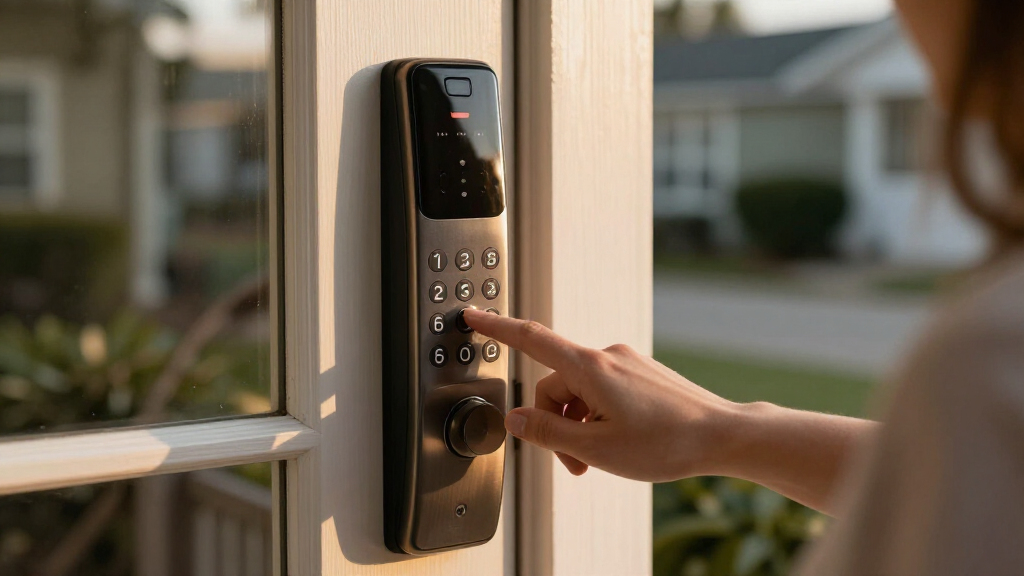
These products were selected based on their compatibility with accessibility needs for hard of hearing users, focusing on features like backlit keypads, tactile feedback, and voice control support. We prioritized locks that are reliable, easy to install, and offer clear user interfaces. Devices with positive reviews for usability and durability, as well as those offering remote access or integration with smart home systems, ranked higher. Cost was considered, but emphasis was placed on how well each lock supports users with hearing impairments, not just standard security features. The final ranking reflects a combination of accessibility, functionality, and value for different user priorities.Factors to Consider When Choosing Smart Lock With Keypad For Hard Of Hearing Users
When selecting a smart lock with a keypad for hard of hearing users, it’s important to consider features that enhance visibility, tactile feedback, and remote management. Understanding these factors helps ensure you choose a lock that is both secure and accessible, reducing frustration and improving daily convenience. Avoiding common pitfalls like poor lighting or complicated interfaces can make a significant difference in usability. The following sections outline key considerations to guide your decision.Accessibility Features
Prioritize locks that include backlit keypads, high-contrast displays, or tactile cues. These features improve visibility in low-light conditions and provide sensory feedback, making it easier to operate the lock confidently. Some models also support visual alerts or compatible assistive devices, which can be game-changers for users with hearing impairments. Be cautious of models lacking these features, as they can significantly hinder usability at night or in dim environments.
Ease of Installation and Use
Choose a model that is straightforward to install with clear instructions or video guides, especially if you plan a DIY setup. A user-friendly interface, with large, easy-to-press buttons and simple setup procedures, helps prevent errors and frustration. Complex systems with multiple app steps or confusing controls can outweigh the benefits of advanced features for users who prefer simplicity. Consider whether the lock’s design reduces the chance of accidental misentry or technical issues.
Connectivity and Remote Access
Locks with WiFi or Bluetooth enable remote control, alerts, and integration with voice assistants like Alexa or Google. For hard of hearing users, voice commands or app notifications can greatly enhance usability. However, these features often add cost and complexity. Ensure your home’s WiFi is reliable, as connectivity issues can hinder access during emergencies. Some users might prefer locks that work well with local control options if internet reliability is a concern.
Durability and Security
Opt for locks made from sturdy materials like reinforced metal, with tamper-proof features. Accessibility should not compromise safety; look for models with rated security certifications. The ease of changing batteries and maintaining the lock also matters, especially if frequent use or long-term durability are priorities. Cheaper or poorly made locks may break or malfunction, defeating the purpose of enhanced accessibility.
Cost and Value
Higher-end models often combine advanced accessibility features with smart integrations, but they can come at a premium. Balance your budget against needed features—sometimes a mid-range lock with backlit keypad and good app support provides the best value. Beware of overly cheap options that lack essential accessibility cues or have questionable build quality. Investing in a slightly more expensive, well-reviewed model can pay off in reliability and ease of use over time.
Frequently Asked Questions
Can I use these smart locks if I have hearing aids?
Many smart locks with keypads are compatible with assistive listening devices or can be paired with voice control systems like Alexa or Google Assistant, which may work alongside hearing aids. Features such as visual alerts, backlit keypads, and tactile feedback are especially helpful. However, it’s important to check each lock’s compatibility with your specific hearing aids or assistive devices before purchase, as integration varies.
Are keypad smart locks reliable in low-light conditions?
Most models designed with accessibility in mind include backlit or illuminated keypads, significantly improving visibility at night or in dim settings. Some also feature high-contrast displays or tactile cues to aid users. Reliability depends on the quality of the lighting and the keypad design itself—cheaper locks may have dim or uneven backlighting, so reading reviews on visibility in low light can help you choose confidently.
What should I consider if I want remote access for a hard of hearing user?
Remote access via smartphone apps or voice assistants can simplify daily use, especially if the user struggles with physical keypad entry. Look for locks that support reliable WiFi connections, clear app interfaces, and integration with voice commands. Keep in mind that network stability is critical; a poor WiFi signal can render remote features unusable, so consider your home’s internet setup before choosing a model.
Are there specific brands known for better accessibility features?
Brands like Philips and Kwikset are recognized for incorporating accessibility features into their smart locks, such as backlit keypads and straightforward interfaces. Philips models often emphasize compatibility with voice control and app management, making them popular among users needing additional support. However, always review individual product details and user feedback, as features can vary even within a brand’s lineup.
How long do the batteries last in these locks, and are replacements accessible?
Battery life varies widely, with many models lasting from several months to over a year on a single set. Locks designed with accessibility in mind typically feature low-battery alerts and easy-access battery compartments. Choosing a lock with a straightforward battery replacement process reduces the risk of being locked out unexpectedly. Always check the manufacturer’s recommendations for battery type and replacement procedures to ensure ongoing usability.
Conclusion
The best overall choice for most users is the Philips Wi-Fi Smart Lock, thanks to its combination of accessibility features, reliable connectivity, and user-friendly design. If you’re seeking a budget-friendly option, the Kwikset Powerbolt 250 offers dependable keypad access without extra bells and whistles. For those prioritizing premium features, the Philips WiFi Keypad Door Lock with Handle provides built-in WiFi and excellent visibility in low-light settings. Beginners or users with minimal technical comfort should consider models with simpler interfaces, while those requiring advanced remote management will benefit from more sophisticated options. Ultimately, your choice should align with your specific accessibility needs and budget constraints to make daily entry as smooth as possible.