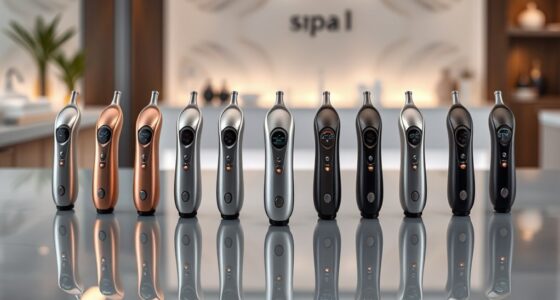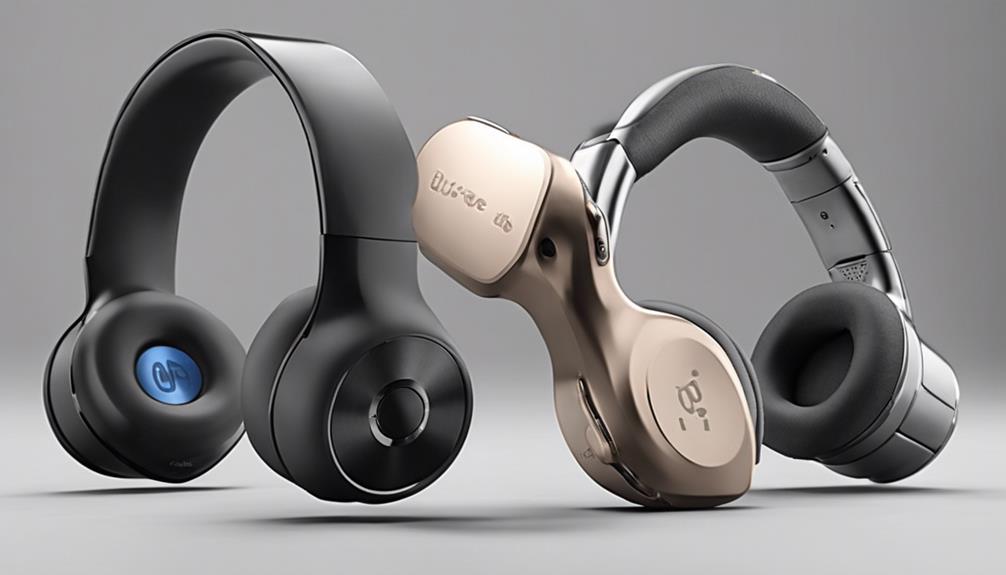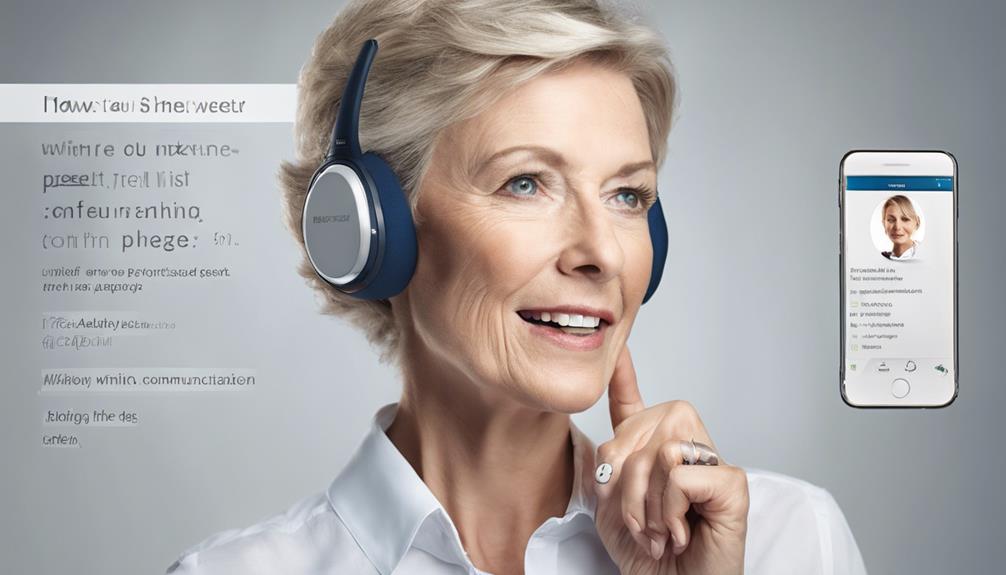

Choosing a speech-to-text device for hearing impaired buyers depends first on where spoken words are getting missed. I rank the Hamilton CapTel 2400iSPNBT first for its direct, live captioning during phone calls, the Plaud Note Pro for portable meeting and call recordings, and the 80GB AI Voice Recorder for lectures and multilingual recordings. These devices solve different communication problems: Hamilton captions a phone conversation as it happens, while the two recorders turn recorded audio into transcripts that may be reviewed later.

Get everyday helpers delivered free with Prime
- Fast, free delivery on millions of items
- Prime Video, Amazon Music and more included
- Member-only deals all year
That distinction drives my ranking. If you need to follow a call in real time, delayed transcription is not an equivalent substitute for a captioned telephone. If you need notes from a class or meeting, a dedicated phone can be unnecessarily restrictive. I also weigh setup requirements, portability, battery life, and the limits of each product’s captioning or transcription service. The right choice is the one that fits the moment you need help understanding speech.
Key Takeaways
- The Hamilton CapTel 2400iSPNBT is the strongest fit for following incoming and outgoing home phone calls because it displays captions during the conversation and also amplifies sound.
- The Plaud Note Pro is better suited to recording meetings and calls for later review; its compact design and long stated recording time favor carrying it throughout the day.
- The 80GB AI Voice Recorder offers a larger touchscreen and translation across 134 languages, making it the most flexible of these picks for lectures and multilingual recordings.
- Neither AI recorder is described as a live captioning aid for face-to-face conversation, so buyers who need immediate access to spoken words should check that limitation carefully.
- Hamilton’s captioning service has a specific eligibility and registration requirement for US residents with hearing loss, while the portable recorders depend on their apps, connectivity, and transcription plans.
| Hamilton CapTel 2400iSPNBT Captioned Telephone with Large Touchscreen |  | Best Overall for Live Captioned Phone Calls | Telephone type: Corded, single-line | Captioning: Incoming and outgoing calls; automated or operator-assisted | Amplification: Up to 40 dB | VIEW ON AMAZON | See Our Full Breakdown |
| Plaud Note Pro AI Voice Recorder with Transcription and Summaries |  | Best Compact Recorder for Meetings and Calls | Thickness and weight: 0.12 inches; 1.06 oz | Microphones: Four MEMS microphones and one VPU microphone | Recording range: Up to 16.4 ft (5 m) in Enhance Mode | VIEW ON AMAZON | See Our Full Breakdown |
| AI Voice Recorder with Playback, Transcription, Translation, and Touchscreen – 80GB |  | Best for Lectures and Multilingual Recordings | Storage: 80GB; includes 64GB TF card | Screen: 5-inch touchscreen | Battery and recording time: Up to 8 hours | VIEW ON AMAZON | See Our Full Breakdown |
| speech to text device for hearing impaired | Screen | Microphones |
|---|---|---|
| Hamilton CapTel 2400iSPNBT Cap | Large touchscreen with adjustable caption size and tone | — |
| Plaud Note Pro AI Voice Record | — | Four MEMS microphones and one VPU microphone |
| AI Voice Recorder with Playbac | 5-inch touchscreen | Two directional and six omnidirectional |
More Details on Our Top Picks
Hamilton CapTel 2400iSPNBT Captioned Telephone with Large Touchscreen
The Hamilton CapTel 2400iSPNBT takes the top spot because it addresses a specific, immediate need: understanding a telephone conversation while it is happening. Captions appear for incoming and outgoing calls on its large touchscreen, alongside up to 40 dB of amplified volume. That combination gives the caller both text and louder audio, and hearing aid compatibility makes it a more purpose-built communication aid than either portable recorder here.
Compared with the Plaud Note Pro and the 80GB AI recorder, Hamilton is less flexible beyond its intended setting. It is a corded, single-line home phone, not a device for capturing lectures or conversations around a table. Its captioning also requires high-speed internet and electrical power; some setups need telephone service as well. Registration and eligibility are limited to US residents with hearing loss, so this pick may not be available to every reader.
Captioned voicemail and the choice between automated and operator-assisted captioning add useful options for callers who also need help with messages. Still, I would check service eligibility and the required connection before choosing it. For a buyer whose main challenge is phone calls, those constraints are more relevant than the portable recorders’ translation and meeting-summary features. For someone who needs captions in person, the Hamilton’s strengths do not carry over to that situation.
Pros:- Displays captions for incoming and outgoing phone calls in real time.
- Combines captions with up to 40 dB of amplification and hearing aid compatibility.
- Large touchscreen allows caption size and tone adjustments.
- Includes captioned voicemail and automated or operator-assisted captioning options.
Cons:- Needs high-speed internet and electrical power; some configurations also need telephone service.
- Captioning is restricted to eligible US residents with hearing loss who register.
- Its corded, single-line design is focused on home calls rather than portable or face-to-face use.
Best for: People with hearing loss who need live captions and amplified sound for calls on a home telephone, and who are eligible to register for the US captioning service.
Not ideal for: Buyers who need captions for in-person conversations, a portable recorder for classes, or a telephone option without internet, power, and service eligibility requirements.
- Telephone type:Corded, single-line
- Captioning:Incoming and outgoing calls; automated or operator-assisted
- Amplification:Up to 40 dB
- Hearing aid compatible:Yes
- Screen:Large touchscreen with adjustable caption size and tone
- Voicemail:Captioned voicemail; digital answering system
- Connectivity requirements:High-speed internet and electrical power; telephone service may also be required
- Captioning eligibility:Registered US residents with hearing loss
Our verdict“I recommend the Hamilton first when live, readable phone captions are the priority and its service requirements fit your situation.”
Plaud Note Pro AI Voice Recorder with Transcription and Summaries
For a buyer who needs a record of meetings or calls to review afterward, the Plaud Note Pro is the most portable choice in this group. At 0.12 inches thick and 1.06 ounces, it is designed to be carried without the bulk of the 5-inch-screen recorder. Its four MEMS microphones and a VPU microphone are paired with a recording range stated as up to 16.4 feet in Enhance Mode, while an AMOLED display provides a quick way to check the device.
The Plaud’s strongest advantage over the Hamilton is flexibility: it can capture meetings as well as calls and syncs with desktop, web, and mobile software. Compared with the 80GB AI recorder, it is slimmer and lists much longer recording endurance, with up to 30 hours in Enhance Mode or 50 hours in Endurance Mode. But the Hamilton remains the better fit for a live phone conversation, since the Plaud’s transcription and summaries are based on recordings and do not make it a captioned telephone.
Its AI features can generate summaries and answer questions about recordings, and users can mark key moments or add typed notes and photos for context. The included Starter Plan provides 300 transcription minutes per month; higher transcription allowances require a paid plan. A compact recording device also raises a practical issue: recording other people calls for attention to consent and local rules. I would choose this pick for carrying and later review, not as a substitute for real-time captions.
Pros:- Slim, lightweight format is easier to carry than the 5-inch touchscreen recorder.
- Offers up to 30 hours in Enhance Mode or 50 hours in Endurance Mode, according to the product details.
- Supports transcription, summaries, AI questions, key moment markers, and added context.
- Syncs with Plaud desktop, web, and mobile apps and supports Apple Find My.
Cons:- The included Starter Plan provides 300 transcription minutes per month; higher allowances require a paid plan.
- Transcription and summaries are for recorded content, so this is not a live captioning phone.
- Recording calls or meetings requires attention to consent and applicable local laws.
Best for: People who want a slim device to record meetings and calls, then use transcripts, summaries, and notes for later reference.
Not ideal for: Anyone who needs live captions during a phone or face-to-face conversation, or who wants transcription beyond the included monthly allowance without a paid plan.
- Thickness and weight:0.12 inches; 1.06 oz
- Microphones:Four MEMS microphones and one VPU microphone
- Recording range:Up to 16.4 ft (5 m) in Enhance Mode
- Battery life:Up to 30 hours in Enhance Mode; up to 50 hours in Endurance Mode
- Display:AMOLED status display
- Included transcription:300 minutes per month with Starter Plan
- Software:Plaud Desktop, web, and mobile app
- Included accessories:Magnetic case, magnetic ring, and charging cable
Our verdict“I would choose the Plaud Note Pro for discreet carrying and later meeting review, while choosing Hamilton when captions must appear during a phone call.”
AI Voice Recorder with Playback, Transcription, Translation, and Touchscreen – 80GB
The 80GB AI Voice Recorder is the broadest-purpose recorder in this lineup. Its 5-inch touchscreen gives it a more substantial interface than the Plaud Note Pro’s small status display, and the listed transcription and translation features cover 134 languages. For a student who records a lecture or a multilingual household that wants a transcript to review, that mix may be more useful than Plaud’s slimmer format and meeting-focused workflow.
The tradeoff is that the available recording time is stated as up to eight hours, far below Plaud’s listed endurance modes. Eight hours may cover a day of planned sessions, but it leaves less room for extended use without recharging. Storage is listed as 80GB, with a 64GB TF card included, and the device uses two directional and six omnidirectional microphones. Those details suggest flexibility in how audio is captured, though they do not establish transcription accuracy in a particular room.
Unlike Hamilton, this recorder is not described as producing live captions during an ordinary conversation. Its value is in capturing audio for transcription, translation, and summaries, which may depend on online connectivity. USB-C charging is supported, but the listing says there is no fast Power Delivery support. I would choose it over Plaud when the larger screen and language features matter more than all-day endurance or pocket-friendly size; I would skip it when immediate captions are essential.
Pros:- Lists transcription, translation, and summarization features, with translation support for 134 languages.
- A 5-inch touchscreen offers more room to operate than the Plaud’s status display.
- Includes 80GB of memory storage and a 64GB TF card.
- Uses two directional and six omnidirectional microphones with noise reduction features.
Cons:- Listed battery life and recording time are up to eight hours, shorter than Plaud’s stated endurance.
- Some features require an online connection, which can limit use offline.
- Charges over USB-C and does not support fast Power Delivery, according to the listing.
Best for: Students, interviewers, and multilingual users who want a larger touchscreen, substantial storage, and translation features for recorded audio.
Not ideal for: People who need live captions during a conversation, especially long sessions without charging, or buyers who need all transcription features to work offline.
- Storage:80GB; includes 64GB TF card
- Screen:5-inch touchscreen
- Battery and recording time:Up to 8 hours
- Microphones:Two directional and six omnidirectional
- Language feature:Translation support for 134 languages
- Connectivity:USB Type-C, Wi-Fi, and mobile hotspot
- Headset connection:Type-C wired headset
- Dimensions:0.43 × 2.4 × 4.84 inches
Our verdict“I recommend this recorder when a large screen and multilingual transcription matter more than compact size or longer recording endurance.”
How We Picked
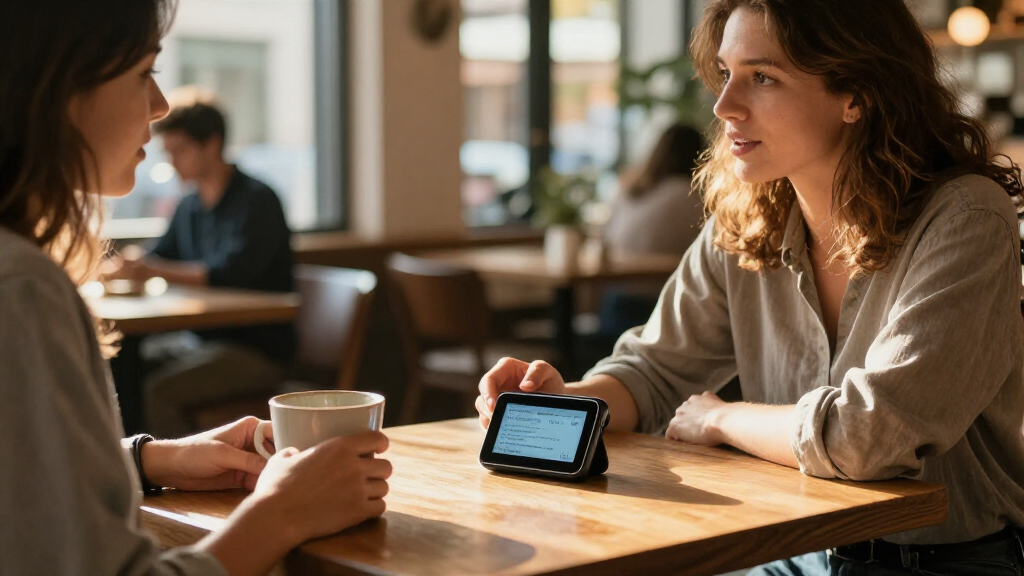
I ranked these three products by how directly they address the search for a speech-to-text device for hearing impaired readers. I gave the most weight to whether speech appears as text during the interaction or is transcribed after recording. That matters because live captions can support a conversation as it happens, whereas a recorder’s transcript is principally useful for reviewing what was said later.
I also compared the intended setting, ease of access, and practical constraints stated in the product details. For the Hamilton phone, I considered its caption display, amplification, hearing aid compatibility, and service eligibility. For the recorders, I weighed their microphones, recording endurance, screen or carrying format, language features, and reliance on connected software or online services. A feature only earns weight when it changes what a buyer can do: longer recording time helps with extended sessions, while a large display can make a transcript easier to navigate.
These are product-detail comparisons, not claims of hands-on testing. The listings do not establish transcription accuracy in a buyer’s environment, how quickly captions appear, or whether all AI features work offline. I treat those points as uncertainties rather than promises. My ranking therefore favors the device whose stated function best matches the need, while calling out the setup, service, privacy, and workflow tradeoffs that could make another pick more suitable.
| speech to text device for hearing impaired | Microphones |
|---|---|
| Hamilton CapTel 2400iSPNBT Cap | — |
| Plaud Note Pro AI Voice Record | Four MEMS microphones and one VPU microphone |
| AI Voice Recorder with Playbac | Two directional and six omnidirectional |
Factors to Consider When Choosing Speech To Text Device For Hearing Impaired
I would start by identifying whether you need to understand speech in real time or create a record that you can read afterward. That single distinction separates the Hamilton telephone from both AI recorders.Decide whether you need live captions or a later transcript
Live access changes the conversation. The Hamilton is the only pick here explicitly described as displaying captions for incoming and outgoing calls as they happen. That makes it the clearest match for someone who struggles to follow telephone speech in real time. The Plaud and 80GB recorder instead focus on recording, transcription, translation, and summaries. Their transcripts can help with review, but the supplied details do not establish that they provide live captions while a conversation is taking place.
If you need support in face-to-face conversations, check the timing and display behavior of any transcription tool before relying on it. A transcript that appears after a lecture may be valuable for notes but will not necessarily help you understand a question as someone asks it. Match the tool to the moment when you need the words.
Match the device to your setting
The Hamilton is a home telephone with a single line, speakerphone, amplification, and captioned voicemail. It suits regular calls, but its corded design does not follow you to a class or meeting. The Plaud is aimed at portable recording across calls and meetings, while the larger-screen 80GB recorder is positioned for lectures, interviews, and other recorded sessions.
Think through a typical week. If most communication challenges happen on calls at home, a dedicated captioned phone may be simpler than carrying and managing recordings. If you need to revisit spoken material, a recorder can cover more settings. For occasional use in classes, compare how the screen, recording controls, and transcript workflow fit your routine.
Consider battery life, storage, and carrying format
The recorders trade size against operating time and interface. Plaud weighs 1.06 ounces and lists up to 50 hours in Endurance Mode, making it the stronger option for carrying through long days. The 80GB recorder has a 5-inch touchscreen and substantial listed storage, but its stated battery and recording time is up to eight hours. That difference matters for back-to-back sessions or days when charging is inconvenient.
Hamilton draws power from an electrical connection and is intended to stay in place, so portability is not its selling point. Consider whether you would rather keep a device on a desk or take it with you, and whether you need to operate it directly through a larger display. Recording capacity alone does not tell you how clear a transcript will be, so treat it as a workflow feature rather than an accuracy measure.
Check service, connectivity, and language needs
Before choosing Hamilton, verify that you meet the captioning service’s stated US eligibility and registration requirements, and confirm your internet, power, and telephone setup. Those requirements are part of whether the device can serve its central purpose. The 80GB recorder can use Wi-Fi or a mobile hotspot, but some features require online connectivity; buyers who need offline transcription should clarify which functions remain available without a connection.
The 80GB recorder lists translation in 134 languages, which sets it apart from the other two products in the supplied details. Plaud’s listing instead emphasizes summaries, questions about recordings, and app syncing. Choose language translation only if it matches your actual use, and check which functions depend on accounts, apps, or a plan before relying on them.
Plan for privacy and transcript review
Recorders can capture more than the speaker you intend to transcribe. If you use either AI recorder in a meeting or call, think about consent and local recording rules before starting. Plaud’s listing specifically flags this responsibility. I would also review transcripts for names, numbers, and other details where a mistake could matter; the supplied product information does not provide a measured accuracy rate for any of the three options.
For a communication aid, accessibility includes the whole workflow: starting a device, seeing text clearly, keeping it powered, and retrieving the words afterward. If someone will help configure the device, check that setup together before depending on it for an important appointment or conversation.
Frequently Asked Questions
Which of these devices provides live captions for phone calls?
The Hamilton CapTel 2400iSPNBT is the only product in this comparison explicitly described as displaying captions for incoming and outgoing calls in real time. It also offers amplified sound and hearing aid compatibility. The Plaud Note Pro and the 80GB AI recorder are presented as recording and transcription devices, so I would not treat either as a replacement for a captioned telephone without confirming its live-caption behavior.
Can I use the Hamilton CapTel phone outside the United States?
The captioning availability described for the Hamilton is limited to eligible US residents with hearing loss who register. It also needs high-speed internet and electrical power, and some setups may require telephone service. If you live outside the United States or do not meet the stated eligibility, this product’s captioning service may not be available to you.
Which recorder is better for lectures or long meetings?
For long sessions, the Plaud Note Pro lists up to 30 hours in Enhance Mode and up to 50 hours in Endurance Mode, while the 80GB recorder lists up to eight hours. The 80GB model has the larger touchscreen and translation features for 134 languages, which may suit a lecture workflow better when sessions are shorter or a larger interface matters. Neither recorder’s listed battery life alone guarantees transcription accuracy or live captions.
Do these products transcribe speech without an internet connection?
The product details do not establish that all transcription features work offline. The 80GB recorder says some features require online connectivity, and the Hamilton needs high-speed internet for captioning. Plaud syncs with its desktop, web, and mobile software, but the supplied details do not specify which transcription functions operate offline. I would confirm offline behavior for the exact features you need before buying.
Are the AI recorders suitable for understanding a conversation as it happens?
The Plaud Note Pro and 80GB recorder are described around recording and creating transcripts or summaries, not around providing real-time captions during a conversation. They may help you review speech later, but that is a different kind of support from following words as someone speaks. If immediate access to spoken conversation is the requirement, the Hamilton’s live phone captions are the clearest match here, though its captioning is for telephone calls.
Conclusion
I would choose the Hamilton CapTel 2400iSPNBT if phone calls are the main barrier and you qualify for its US captioning service. For someone who wants a portable meeting and call recorder with long stated recording endurance, the Plaud Note Pro is the more natural fit, provided its monthly transcription allowance and consent considerations work for you. If your priority is a larger screen, recorded lectures, or translation across many languages, I would look at the 80GB AI Voice Recorder, while accounting for its shorter stated battery life and online feature requirements.
My ranking comes down to the kind of access you need: live phone captions, portable review of recorded speech, or large-screen multilingual recording. These products address different situations, so I would choose based on when you need the words rather than the broad label of speech-to-text.