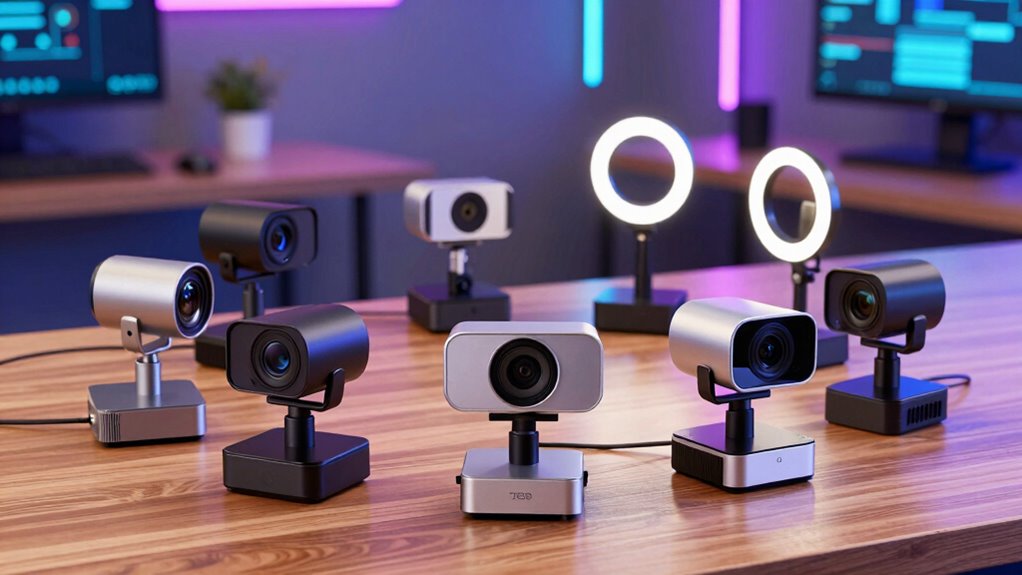
For streaming webcams for sign language video, I rank the EMEET S600 as the best overall because its 4K sensor and PDAF autofocus make it a strong fit for clear, responsive framing. The Logitech MX Brio is a premium alternative for people who want 4K detail, while the Logitech Brio 101 offers a simpler 1080p route for everyday calls. The main choice is between sharper image detail and a setup that is easier to position, light, and use reliably. A webcam cannot compensate for hands leaving the frame or poor lighting, so fit and placement matter as much as resolution. Continue reading for the full breakdown and guidance on choosing a camera for your signing space.

Get everyday helpers delivered free with Prime
- Fast, free delivery on millions of items
- Prime Video, Amazon Music and more included
- Member-only deals all year
Complete the kit



Key Takeaways
- The EMEET S600 leads the lineup for balanced signing video: its 4K sensor and PDAF autofocus give it a stronger feature set for showing hand movement clearly than the basic 1080p options.
- Two different 4K approaches stand out: the Logitech MX Brio is a premium single-camera option, while the EMEET C60E’s dual-camera design offers wide-angle and telephoto views for different framing needs.
- 1080p can be the more sensible choice: the Brio 101, NexiGo N60, and C920x suit simpler setups, but they give up the extra image detail available from the 4K picks.
- Autofocus is not a replacement for good framing: the Nova 4K and S600 offer PDAF autofocus, yet a camera still needs enough room to show the signer’s face, hands, and upper body at once.
- The best match depends on the whole setup: buyers who need flexible views may favor the C60E, while beginners may prefer a straightforward 1080p webcam over features their connection or lighting cannot support.
| EMEET Nova 4K Webcam with PDAF Autofocus and Dual Omnidirectional Microphones |  | Best for Clear Movement Detail | Resolution: 4K at 30 fps | Sensor: CMOS | Autofocus: Phase-detect autofocus; stated range 7.9 to 118 inches | VIEW ON AMAZON | See Our Full Breakdown |
| Logitech Brio 101 Full HD 1080p Webcam for Streaming and Meetings – Black |  | Best for Simple 1080p Setups | Resolution: 1080p Full HD | Focus: Fixed focus | Viewing angle: 60 degrees | VIEW ON AMAZON | See Our Full Breakdown |
| Logitech Brio Ultra 4K HD Webcam |  | Best for Adjustable Framing | Resolution: 4K Ultra HD at 30 fps | Sensor: CMOS | Focus: Autofocus | VIEW ON AMAZON | See Our Full Breakdown |
| EMEET C60E Dual-Camera 4K Webcam for Streaming, Wide-Angle & Telephoto |  | Best for Remote Framing Control | Camera system: Wide-angle and telephoto cameras on a 1/2.8-inch CMOS sensor | Zoom: Up to 11× hybrid zoom | Focus: PDAF autofocus | VIEW ON AMAZON | See Our Full Breakdown |
| EMEET S600 4K Webcam – Sony 1/2.55″ Sensor with PDAF Autofocus |  | Best for Smooth 1080p Signing | Resolution options: 4K at 30 fps; 1080p at 60 fps | Sensor: Sony 1/2.55-inch CMOS | Autofocus: Phase-detection autofocus | VIEW ON AMAZON | See Our Full Breakdown |
| NexiGo N60 1080P Webcam with Microphone, Privacy Cover, and Software Control |  | Best Value for Straightforward Setup | Resolution: 1920 x 1080 at 30fps | Lens: 3.6mm glass lens | Focus: Fixed focus | VIEW ON AMAZON | See Our Full Breakdown |
| Logitech MX Brio Ultra HD 4K Webcam – Graphite |  | Best Premium Image Detail | Resolution: 4K at 30fps; 1080p at 60fps | Sensor: CMOS | Focus: Autofocus | VIEW ON AMAZON | See Our Full Breakdown |
| Logitech C920x HD Pro PC Webcam (1080p/30fps) |  | Best for Established 1080p Streaming | Video resolution: 1080p at 30fps | Sensor: CMOS | Lens: Five-element glass lens | VIEW ON AMAZON | See Our Full Breakdown |
| streaming webcams for sign language video | Connectivity | Compatibility | Resolution | Sensor |
|---|---|---|---|---|
| EMEET Nova 4K Webcam with PDAF | USB 2.0 Type-A | Windows 10/11, macOS 10.14+, Android TV 7.0+; not compatible with Chrome OS | 4K at 30 fps | CMOS |
| Logitech Brio 101 Full HD 1080 | USB-A | Windows 7 and up, macOS 10.10 and up, Chrome OS | 1080p Full HD | — |
| Logitech Brio Ultra 4K HD Webc | USB-A and USB-C | Windows, Mac, ChromeOS | 4K Ultra HD at 30 fps | CMOS |
| EMEET C60E Dual-Camera 4K Webc | USB 2.0 Type-A | Windows 10/11 64-bit, macOS 10.14+, Android TV 7.0+; Chrome OS not fully supported | — | — |
| EMEET S600 4K Webcam | — | Windows, macOS, Linux, Android TV 7.0+; limited Chrome OS compatibility | — | Sony 1/2.55-inch CMOS |
| NexiGo N60 1080P Webcam with M | USB 2.0/3.0 | Mac OS X 10.7+, Windows 7/8/10/11, Android 4.0+, Linux 2.6.24, Chrome OS, Ubuntu 10.04+ | 1920 x 1080 at 30fps | — |
| Logitech MX Brio Ultra HD 4K W | USB-C | Windows, macOS, Chrome OS, Linux | 4K at 30fps; 1080p at 60fps | CMOS |
| Logitech C920x HD Pro PC Webca | USB | — | — | CMOS |
More Details on Our Top Picks
EMEET Nova 4K Webcam with PDAF Autofocus and Dual Omnidirectional Microphones
For sign language video, the Nova’s 4K at 30 fps gives hand shapes and facial cues more image detail than the Logitech Brio 101’s 1080p. Its PDAF autofocus can refocus across a broad distance range, which helps if you move nearer to the camera to sign or demonstrate something. Dual omnidirectional microphones offer a useful bonus for spoken introductions, though visual clarity matters more than mic reach in a signing-focused setup. The tradeoff is setup flexibility: the Nova has no facial tracking or manual focus, and 4K requires software because video defaults to 1080p. Its fixed 73-degree view is less adjustable than the Logitech Brio Ultra 4K’s presets, and Chrome OS users should skip it.
Pros:- 4K at 30 fps captures more detail in hand shapes and facial expression than 1080p models such as the Brio 101.
- PDAF autofocus supports changes in distance without relying on fixed focus.
- Universal joint and tripod thread allow flexible camera placement.
- Built-in privacy cover and dual omnidirectional microphones add practical meeting features.
Cons:- Defaults to 1080p; enabling 4K requires software.
- Fixed 73-degree viewing angle with no facial tracking or manual focus.
- Not compatible with Chrome OS and connects through USB 2.0 Type-A.
Best for: Signers who want detailed 4K video and may move closer to or farther from the camera during a stream, using a Windows or Mac computer.
Not ideal for: Chrome OS users and signers who need adjustable framing, facial tracking, or a camera that starts in 4K without a software change.
- Resolution:4K at 30 fps
- Sensor:CMOS
- Autofocus:Phase-detect autofocus; stated range 7.9 to 118 inches
- Viewing angle:73 degrees
- Microphones:Dual omnidirectional; stated pickup range up to 8 feet
- Connectivity:USB 2.0 Type-A
- Compatibility:Windows 10/11, macOS 10.14+, Android TV 7.0+; not compatible with Chrome OS
- Mounting and privacy:Universal joint, tripod thread, built-in privacy cover
Our verdict“Choose the Nova if you want detailed 4K signing video and autofocus, and can work around its software-dependent 4K setting and fixed framing.”
Logitech Brio 101 Full HD 1080p Webcam for Streaming and Meetings – Black
The Brio 101 suits signers who value an uncomplicated camera over maximum image detail. Its 1080p video and fixed-focus lens can work well when the camera stays at a consistent distance and the signer remains within the frame. RightLight brightness enhancement may help keep a face and hands visible in dimmer rooms, while the slide-out shutter makes camera privacy easy to manage. Compared with the EMEET Nova or Logitech Brio Ultra 4K, though, the Brio 101 gives up 4K detail and autofocus—two useful advantages when viewers need to read small hand movements or the signer shifts position. Its 60-degree view also calls for deliberate camera placement, and USB-A-only connectivity may be inconvenient on newer devices.
Pros:- Full HD 1080p is a straightforward resolution for routine calls and streams.
- RightLight brightness enhancement can improve visibility in less-than-ideal room lighting.
- Slide-out privacy shutter is easy to close when the camera is not in use.
- Compatible with Windows, macOS, and Chrome OS.
Cons:- Fixed focus is less accommodating than the autofocus on the EMEET Nova and Logitech Brio Ultra 4K.
- 1080p provides less image detail for hand shapes than the roundup’s 4K options.
- USB-A connection may require an adapter for computers with USB-C ports only.
Best for: New streamers who use a Windows, Mac, or Chrome OS computer and keep a steady seated position in a well-planned camera frame.
Not ideal for: Signers who move toward or away from the camera, need detailed 4K video, or rely on a USB-C-only computer without an adapter.
- Resolution:1080p Full HD
- Focus:Fixed focus
- Viewing angle:60 degrees
- Connectivity:USB-A
- Lighting feature:RightLight brightness enhancement
- Microphone:Built-in mono microphone
- Compatibility:Windows 7 and up, macOS 10.10 and up, Chrome OS
- Privacy:Slide-out privacy shutter
Our verdict“Pick the Brio 101 for a simple, fixed-position 1080p setup, but choose an autofocus 4K model if hand detail or changing distance is a priority.”
Logitech Brio Ultra 4K HD Webcam
The Logitech Brio Ultra 4K is the most adaptable choice here for fitting both hands and face into a signing frame. Its three field-of-view presets—65, 78, and 90 degrees—let you widen the view when gestures extend outward or tighten it to reduce background clutter. That framing control sets it apart from the EMEET Nova, whose viewing angle is fixed at 73 degrees. 4K at 30 fps, autofocus, and RightLight 3 also support detailed video across changing room conditions. The tradeoff is that the adjustable view does not provide the C60E’s telephoto-style close-up control, and its privacy shutter is an attachable accessory rather than built in. For signers who want one camera to handle different desk setups, the Brio’s flexibility is a stronger draw than extra zoom.
Pros:- 4K at 30 fps provides detailed video for hand shapes and facial cues.
- Three field-of-view presets make it easier to frame signing space than with the fixed-angle Nova.
- Autofocus and RightLight 3 help accommodate changing distance and lighting.
- USB-A and USB-C connectivity and Windows, Mac, and ChromeOS compatibility broaden setup options.
Cons:- Privacy shutter is attachable rather than built into the webcam.
- Its listed field-of-view presets adjust framing but do not offer the C60E’s wide-and-telephoto camera system.
- The available listing does not specify a frame-rate option above 30 fps.
Best for: Sign language streamers who alternate between close and wide framing, or need to fit expressive hand movements into different room setups.
Not ideal for: Buyers seeking built-in privacy hardware, telephoto close-ups, or a camera with controls aimed at repositioning the image during a stream.
- Resolution:4K Ultra HD at 30 fps
- Sensor:CMOS
- Focus:Autofocus
- Field of view:65, 78, or 90 degrees; adjustable presets
- Microphones:Dual omnidirectional microphones with noise cancellation
- Connectivity:USB-A and USB-C
- Compatibility:Windows, Mac, ChromeOS
- Privacy:Attachable privacy shutter
Our verdict“Choose the Brio Ultra 4K if adjustable framing and broad computer compatibility matter more than built-in privacy or telephoto control.”
EMEET C60E Dual-Camera 4K Webcam for Streaming, Wide-Angle & Telephoto
The EMEET C60E takes a different approach from the single-view webcams in this lineup: its wide-angle and telephoto cameras pair with up to 11× hybrid zoom and remote or software controls. That makes it a strong fit for a signer who wants to change the view without reaching for the camera, or who needs a closer shot of hand movement. Compared with the Logitech Brio Ultra 4K, which offers three field-of-view presets, the C60E emphasizes zoom control rather than a short list of fixed framing choices. Its most important limitation is mode-dependent zoom: it is disabled in 4K, 60 fps, or YUY2 modes. USB 2.0 also limits bandwidth, and Chrome OS is not fully supported, so this is best for a controlled Windows or Mac setup.
Pros:- Wide-angle and telephoto cameras offer more framing range than the fixed-view Nova.
- Up to 11× hybrid zoom supports closer views of signing gestures.
- Remote and EMEET STUDIO controls let streamers adjust the view without reaching for the camera.
- PDAF autofocus helps maintain focus as framing or subject distance changes.
Cons:- Zoom is disabled in 4K, 60 fps, and YUY2 modes, limiting the usefulness of its headline framing feature in those settings.
- USB 2.0 bandwidth may restrict high-frame-rate performance.
- Chrome OS is not fully supported, and Windows Hello is unavailable.
Best for: Windows or Mac streamers who want remote control of framing and zoom for switching between a full signing view and a closer hand view.
Not ideal for: Chrome OS users, or signers who need zoom while recording in 4K, 60 fps, or YUY2 mode.
- Camera system:Wide-angle and telephoto cameras on a 1/2.8-inch CMOS sensor
- Zoom:Up to 11× hybrid zoom
- Focus:PDAF autofocus
- Viewing angle:73 degrees
- Connectivity:USB 2.0 Type-A
- Controls:Remote control and EMEET STUDIO software
- Microphones:Dual omnidirectional microphones
- Compatibility:Windows 10/11 64-bit, macOS 10.14+, Android TV 7.0+; Chrome OS not fully supported
Our verdict“Choose the C60E if you need remotely controlled zoom and can accept that zoom is unavailable in several high-resolution or high-frame-rate modes.”
EMEET S600 4K Webcam – Sony 1/2.55″ Sensor with PDAF Autofocus
The EMEET S600 is the most useful pick here when smoother motion matters more than adjustable framing: it supports 1080p at 60 fps, while the listed 4K mode runs at 30 fps. For fast hand movements, that higher 1080p frame rate may suit a stream better than the Nova’s 4K-at-30-fps-only listing. The Sony sensor and PDAF autofocus add support for clear, responsive video, and a built-in privacy cover avoids the separate accessory used by the Logitech Brio Ultra 4K. The main compromise is framing: the S600’s field of view is fixed at 73 degrees in 4K, and its stated 40–73-degree range applies at 1080p. Signers who need broad angle control may prefer the Brio Ultra’s presets.
Pros:- 1080p at 60 fps offers a smoother listed option for fast hand movements than 30 fps-only models.
- 4K at 30 fps provides a higher-detail alternative when motion smoothness is less important.
- PDAF autofocus supports quick changes in subject distance.
- Built-in privacy cover and dual noise-canceling microphones are included.
Cons:- The 4K field of view is fixed at 73 degrees, unlike the Brio Ultra 4K’s adjustable presets.
- Chrome OS compatibility is limited.
- The supplied specs do not identify a USB connector type beyond USB.
Best for: Signers who make quick hand movements and want a 60 fps option at 1080p, with 4K available for less motion-intensive streams.
Not ideal for: Streamers who need adjustable 4K framing, Chrome OS support, or a camera with verified platform compatibility beyond the systems listed.
- Resolution options:4K at 30 fps; 1080p at 60 fps
- Sensor:Sony 1/2.55-inch CMOS
- Autofocus:Phase-detection autofocus
- Field of view:40–73 degrees at 1080p; fixed 73 degrees at 4K
- Digital zoom:2.1×
- Microphones:Dual noise-canceling microphones
- Privacy:Built-in privacy cover
- Compatibility:Windows, macOS, Linux, Android TV 7.0+; limited Chrome OS compatibility
Our verdict“Pick the S600 if smoother 1080p motion is your priority and you can accept fixed 4K framing and limited Chrome OS support.”
NexiGo N60 1080P Webcam with Microphone, Privacy Cover, and Software Control
The NexiGo N60 makes sense for sign language calls when you want a clear, fixed 1080p image without paying for advanced framing or 4K detail. Its 1080p at 30fps and 3.6mm glass lens can show hand movements clearly when you sit at a consistent distance and keep your hands within the frame. The privacy cover is a practical extra for a webcam that may stay plugged in between calls. Compared with the Logitech MX Brio, the N60 lacks 4K capture, 60fps Full HD, and autofocus, so it offers less flexibility if you move around or need finer detail. Its built-in noise-canceling microphone handles basic call audio, but sign language viewers may rely more on seeing your face and hands than on microphone features. The fixed focus can be limiting at unusual distances, and reported audio delays may call for firmware updates.
Pros:- 1080p video at 30fps provides a clear Full HD image for calls.
- Privacy cover blocks the lens when the camera is not in use.
- Plug-and-play USB connection supports a wide range of operating systems.
- Built-in noise-canceling microphone provides an onboard audio option.
Cons:- Fixed focus is less forgiving when the user or camera moves to a different distance.
- Audio delays may require firmware updates.
- Not compatible with Xbox or PlayStation consoles.
Best for: Budget-conscious sign language users who sit at a steady distance, want 1080p video, and need broad operating-system compatibility with plug-and-play setup.
Not ideal for: People who shift position during calls, need autofocus for changing distances, or use an Xbox or PlayStation, which this webcam does not support.
- Resolution:1920 x 1080 at 30fps
- Lens:3.6mm glass lens
- Focus:Fixed focus
- Microphone:Built-in noise-canceling microphone
- Connectivity:USB 2.0/3.0
- Privacy cover:Included
- Compatibility:Mac OS X 10.7+, Windows 7/8/10/11, Android 4.0+, Linux 2.6.24, Chrome OS, Ubuntu 10.04+
Our verdict“Choose the N60 for affordable, fixed-position 1080p sign language calls; choose the MX Brio if you need autofocus, higher resolution, or smoother Full HD motion.”
Logitech MX Brio Ultra HD 4K Webcam – Graphite
The Logitech MX Brio is the premium pick here for sign language video where hand and facial detail matter and lighting is not always ideal. 4K at 30fps gives a sharper image than the 1080p NexiGo N60 or Logitech C920x, while 1080p at 60fps offers smoother movement if your call platform supports it. Its AI-enhanced image processing is aimed at keeping faces clear in low light, and autofocus helps when your distance from the camera changes. Show Mode adds a useful option for tilting the camera toward notes or other objects, though it does not replace a carefully framed view of both face and hands. The tradeoffs are its USB-C-only connection, which may need an adapter on older computers, and a more feature-rich setup than some callers need. For a stable desktop setup, the N60 is simpler; the MX Brio earns its place through image flexibility and detail.
Pros:- 4K at 30fps captures fine visual detail, with 1080p available at 60fps for smoother motion.
- AI-enhanced image processing supports clearer faces in low-light settings.
- Autofocus accommodates changes in camera distance.
- Show Mode tilt, dual beamforming microphones, and a privacy cover add useful call controls.
Cons:- USB-C connectivity may require an adapter for computers with USB-A ports.
- Higher-end image features may be unnecessary for simple, fixed-position calls.
- Digital-only zoom offers less framing flexibility than optical zoom.
Best for: Sign language users and streamers who want high image detail, autofocus, and a 60fps Full HD option, and whose computer has USB-C or a suitable adapter.
Not ideal for: People with only USB-A ports who prefer not to use an adapter, or callers who need a basic 1080p webcam without premium image features.
- Resolution:4K at 30fps; 1080p at 60fps
- Sensor:CMOS
- Focus:Autofocus
- Connectivity:USB-C
- Microphones:Dual beamforming microphones with noise reduction
- Special features:AI-enhanced image processing, Show Mode tilt, privacy cover
- Compatibility:Windows, macOS, Chrome OS, Linux
- Dimensions:5.5 x 5.5 x 2.63 inches
Our verdict“Pick the MX Brio when image detail, autofocus, and smoother Full HD motion are worth more to you than the N60’s simpler setup or the C920x’s standard 1080p approach.”
Logitech C920x HD Pro PC Webcam (1080p/30fps)
The Logitech C920x suits sign language streamers who want dependable Full HD resolution, autofocus, and broad computer compatibility without moving up to the MX Brio’s 4K tier. Its 1080p at 30fps, 78-degree field of view, and light correction provide a practical starting point for framing your face and upper body, though you should check that your hands remain visible in your chosen position. The five-element glass lens and autofocus offer more flexibility with distance than the fixed-focus NexiGo N60. Dual omnidirectional microphones capture natural stereo sound, but they do not change the fact that visual clarity is the main concern for sign language communication. Unlike the N60 and MX Brio, the C920x has no built-in privacy shutter. Its XSplit VCam license adds background tools, but advanced background features depend on external software.
Pros:- Autofocus and a five-element glass lens help maintain a clear image as distance changes.
- Light correction supports clearer video in varied room lighting.
- 78-degree field of view provides room to frame the face and upper body.
- Dual omnidirectional microphones and broad Windows and Mac compatibility suit general calls.
Cons:- No built-in privacy shutter, unlike the NexiGo N60 and Logitech MX Brio.
- Limited to 1080p at 30fps, with no 4K or 60fps Full HD option.
- Advanced background customization relies on external XSplit software.
Best for: Sign language streamers and video callers who want an autofocus 1080p camera with a moderately wide frame and compatibility with Windows or Mac.
Not ideal for: Users who need a built-in privacy shutter, 4K resolution, or a webcam that can provide advanced background effects without external software.
- Video resolution:1080p at 30fps
- Sensor:CMOS
- Lens:Five-element glass lens
- Aperture:f/1.8
- Field of view:78 degrees
- Audio:Dual omnidirectional microphones
- Connectivity:USB
- Dimensions and weight:3.7 x 2.7 x 1.7 inches; 5.7 ounces
- Included software:3-month XSplit VCam license
Our verdict“Choose the C920x for autofocus and familiar 1080p streaming features, but opt for the MX Brio for greater resolution or the N60 if a built-in privacy cover matters more.”

How We Picked
I compared these eight webcams around the needs of sign language video: clear detail on hands and facial expression, a frame wide enough for signing, dependable focus, and practical setup for streaming or calls. I also considered whether each model’s listed features solve a real signing-video problem, rather than treating resolution or microphone count as a guarantee of better communication. A camera that can capture 4K detail has an advantage on paper, but its value depends on lighting, streaming software, bandwidth, and how far the signer sits from the lens.
The ranking favors a useful balance of image detail, focus features, and day-to-day usability. The EMEET S600 takes the lead for its 4K sensor and PDAF autofocus; the Logitech MX Brio sits among the premium choices, while the EMEET C60E earns attention for its dual-camera framing flexibility. The 1080p models rank as practical simpler picks, not equivalent substitutes for the higher-detail options. Product names and specifications alone do not establish performance in every room, so I also weigh the limitations buyers should plan around: camera placement, lighting, connection quality, and supported software.
| streaming webcams for sign language video | Sensor | Microphones | Connectivity | Focus |
|---|---|---|---|---|
| EMEET Nova 4K Webcam with PDAF | CMOS | Dual omnidirectional; stated pickup range up to 8 feet | USB 2.0 Type-A | — |
| Logitech Brio 101 Full HD 1080 | — | — | USB-A | Fixed focus |
| Logitech Brio Ultra 4K HD Webc | CMOS | Dual omnidirectional microphones with noise cancellation | USB-A and USB-C | Autofocus |
| EMEET C60E Dual-Camera 4K Webc | — | Dual omnidirectional microphones | USB 2.0 Type-A | PDAF autofocus |
| EMEET S600 4K Webcam | Sony 1/2.55-inch CMOS | Dual noise-canceling microphones | — | — |
| NexiGo N60 1080P Webcam with M | — | — | USB 2.0/3.0 | Fixed focus |
| Logitech MX Brio Ultra HD 4K W | CMOS | Dual beamforming microphones with noise reduction | USB-C | Autofocus |
| Logitech C920x HD Pro PC Webca | CMOS | — | USB | — |
Factors to Consider When Choosing Streaming Webcams For Sign Language Video
Choosing a webcam for signing is less about chasing the biggest resolution number and more about building a usable image from your actual space. I would decide how you sit, how much of your body needs to appear, and what your streaming platform can handle before paying for extra features.
Frame Hands, Face, and Upper Body Together
A tight head-and-shoulders frame can crop out the very movements viewers need to see. Before choosing a camera, estimate the distance between your seat and the webcam and check whether a wide enough view includes your hands at their normal signing height. A wider lens can make room for gestures, but it may also make the signer appear smaller or distort the edges of the image. Do not assume a product’s field of view guarantees useful framing from every desk. Test the camera position and background with your usual movements, then adjust the distance or camera height. If you regularly change rooms or framing, flexible mounting and software controls may matter more than a small gain in resolution.
Choose Resolution Around Your Stream, Not the Box
4K can preserve more fine image detail, but the stream only benefits when the computer, software, connection, and receiving platform support the chosen settings. If a service compresses video heavily or your upload connection struggles, a stable 1080p stream may communicate more clearly than an unreliable higher-resolution feed. Higher resolution can also demand more processing and bandwidth. Check the resolution and frame-rate options in the software you actually use before upgrading. A common mistake is paying for 4K while leaving the stream configured to a lower setting. I would prioritize a dependable, well-lit image at the resolution viewers will receive.
Treat Focus as One Part of Motion Clarity
Autofocus can help keep the image sharp when a signer shifts position, but rapid hand movement and changing light can still challenge a camera. PDAF is a useful feature to compare, not a promise that every gesture will appear perfectly crisp. Stable positioning, adequate light, and a camera that keeps the signing area in focus all contribute to a readable image. If you sign at a consistent distance, manual or locked focus may be preferable to focus changes that distract viewers. When comparing autofocus models, think about whether you move toward and away from the camera during a session. Do not confuse autofocus with a high frame rate; they address different parts of image capture.
Plan Lighting Before Spending More on a Webcam
Uneven or dim lighting can hide hand detail and facial expression, even with a high-resolution camera. Place light in front of the signer where possible, and avoid a bright window behind you that can leave your face and hands dark. A simple change in room lighting may improve the image more than moving from a basic webcam to a premium model. Watch for glare, strong shadows, and backgrounds that make hands hard to distinguish. If you cannot control the room, look for a setup that allows easy changes to camera exposure or positioning. Treat lighting as part of the video system, not an optional accessory.
Match Extra Camera Views to a Real Framing Need
A dual-camera design can offer more than one perspective, but that flexibility is useful only if your streaming workflow can select and manage those views. For a fixed desk setup, a single well-positioned webcam may be simpler and less distracting. Before choosing multiple views, ask whether you need a wide shot for signing space and a closer view for another purpose, or whether one carefully framed image can do both. Check software compatibility and how easily you can switch views during a session. More camera hardware can add setup decisions without improving communication. I would pay for flexible framing only when the extra view solves a recurring problem.
Separate Communication Audio From Signing Video
Microphones matter when a stream also includes spoken conversation, but they do not improve the visual information in signing. Built-in webcam microphones can be convenient for casual calls, yet room echo, keyboard noise, and distance can make speech less clear. If speech quality is a priority, compare microphone placement and your room acoustics instead of relying on microphone count alone. Some buyers may prefer a separate headset or microphone while choosing the webcam mainly for its image. Also check privacy controls and whether the camera can be positioned securely. A webcam should serve the way you communicate, not dictate it.
Frequently Asked Questions
Is a 4K webcam necessary for sign language video?
No; 4K is not a requirement for clear signing video. It can retain more detail, but only if your software, connection, and viewers receive a high-resolution stream. A well-framed 1080p image with good lighting can be more useful than 4K video that is compressed, dim, or cropped too tightly. In this lineup, the 4K choices make the most sense for buyers who can use their extra detail, while the 1080p options suit simpler setups. Check your platform’s actual video limits before deciding.
How much of my body should appear in the webcam frame?
Your frame should include your face, hands, and the signing space you use, without making you so small that facial expression becomes hard to see. The right view varies with signing style, camera distance, and whether you move during a conversation. Set up a test using your normal gestures rather than judging the crop while sitting still. If your hands approach the edge of the image, move the camera farther away or adjust the angle. Do not rely on a camera’s wide-angle label alone; confirm that the resulting image stays readable.
Should I prioritize autofocus or a wider view?
Choose based on the problem your current setup has. Autofocus can help when you shift position or change distance from the camera, while a wider view can keep hands and arms inside the frame. Neither feature guarantees a clear signing image: focus cannot fix cropping, and a wide view may make the signer appear smaller. If you sit at a steady distance, framing may deserve priority over autofocus. If you move often, a camera with responsive focus can be more useful.
Will these webcams work with every video-call or streaming platform?
Do not assume every listed feature will be available in every app. Webcam compatibility, selectable resolution, frame rate, and camera controls can depend on your operating system, streaming software, and platform settings. A camera may connect as a basic webcam even when advanced controls are unavailable. Before buying, check the manufacturer’s compatibility information and the requirements of the software you use. If your platform caps video resolution, a less expensive 1080p model may meet your needs without leaving useful quality unused.
Is a webcam’s built-in microphone enough for a signing session?
It can be enough when speech is occasional and the room is quiet, but a built-in mic is not automatically clear just because a webcam has more than one microphone. Distance, echo, fans, and other background noise all affect spoken audio. For a session where spoken communication matters, test the webcam mic from your normal seated position or use a separate audio device. If the conversation is primarily visual, prioritize framing and image quality over microphone specifications. Decide based on how you communicate, rather than expecting one webcam feature to handle every need.
Conclusion
For most buyers, I would choose the EMEET S600 as the best overall because its 4K sensor and PDAF autofocus make a strong combination for signing video. The best value for a straightforward setup is the Logitech Brio 101: it keeps the feature set simpler with 1080p video, though it does not offer the extra detail of the 4K models. For a best premium pick, choose the Logitech MX Brio if you can use its 4K capability and want a higher-end single-camera option. The Brio 101 is also my best choice for beginners who want a familiar, uncomplicated webcam; buyers who want an entry-level privacy cover and software control should compare the NexiGo N60. For specific framing needs, the EMEET C60E’s wide-angle and telephoto views stand apart, while the Nova 4K is another PDAF autofocus option. Whichever you choose, confirm that your frame captures your signing space and that your platform can use the video settings you want.