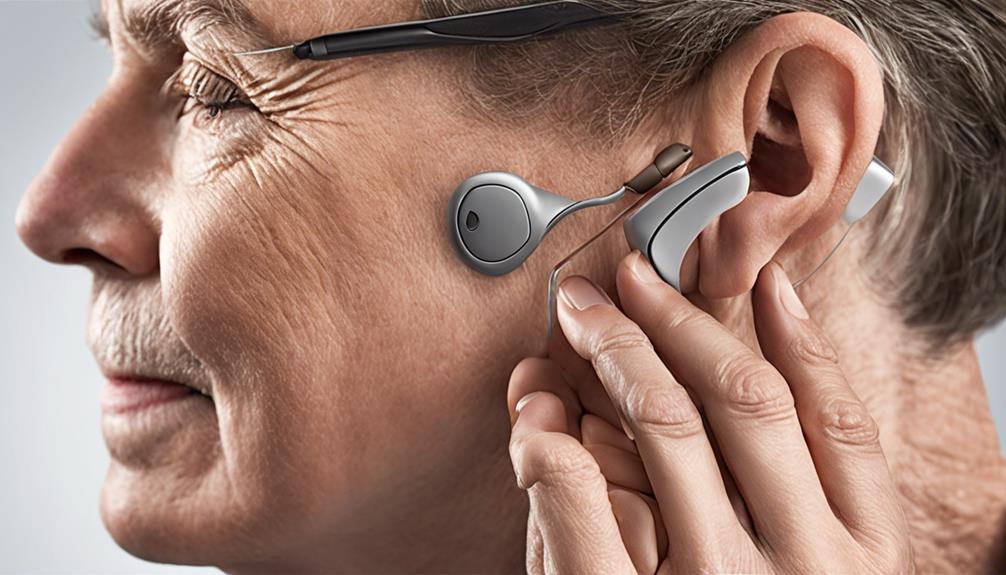
Finding the best Auracast transmitters for classrooms involves balancing performance, ease of integration, and affordability. The Avantree C82 Aura stands out as the best overall for its versatile private and public modes, making it adaptable for various classroom needs. The Venucast Oasis Aura offers a robust solution tailored for larger venues like schools or auditoriums, while the Avantree Voyager HA Premium excels in hearing aid compatibility for inclusive listening. The main tradeoffs involve choosing between simplicity and advanced features, along with balancing cost against technical capabilities. Continue reading for a detailed breakdown to find the best fit for your classroom setup.

Get everyday helpers delivered free with Prime
- Fast, free delivery on millions of items
- Prime Video, Amazon Music and more included
- Member-only deals all year
Complete the kit


Key Takeaways
- The top picks vary significantly based on intended use, from general classroom broadcasting to assistive listening for hearing aids.
- Ease of setup and user interface are critical factors, especially for educators without technical backgrounds.
- Low latency audio codecs like LC3 improve synchronization, making some transmitters more suitable for multimedia use.
- Wired and wireless input options broaden compatibility with existing classroom equipment, influencing overall value.
- Price often correlates with features, but the most expensive options aren’t always the best choice for every classroom budget.
| Avantree C82 Aura – Auracast Transmitter with Private & Public Modes for Hearing Aids |  | Best Overall for Personal Hearing Assistance in Classrooms | Color: Black | Weight: 2 g | Compatibility: Auracast-enabled hearing aids only | VIEW LATEST PRICE | See Our Full Breakdown |
| Venucast Oasis Aura – Auracast Transmitter for Churches & Venues |  | Best for Medium-Sized Venues and Multi-Device Streaming | Compatibility: Auracast hearing aids and receivers | Input Options: AUX (3.5mm), Optical, Bluetooth | Supported Devices: ReSound Nexia, Jabra Enhance Pro 20/30, Oticon Intent, Philips HearLink 9050 | VIEW LATEST PRICE | See Our Full Breakdown |
| Avantree Voyager HA Premium OLED Display Auracast Transmitter for Hearing Aids |  | Best Premium for Versatile Hearing Aid Compatibility | Compatibility: ReSound Nexia, Vivia, Savi Jabra, Starkey Edge Al | Connectivity: Bluetooth 5.4, AUX 3.5mm | Display: OLED | VIEW LATEST PRICE | See Our Full Breakdown |
| Avantree AuraPlex MX Auracast Assistive Listening System for Churches |  | Best for Large Venues with Multiple Listeners | Range: 328 ft | Includes: 1 Transmitter, 10 Receivers | Compatibility: Auracast-enabled hearing aids and devices | VIEW LATEST PRICE | See Our Full Breakdown |
| Auracast Broadcast Transmitter with LC3 Low Latency Audio Codec, Bluetooth & Wired Dual Input Mode, Optical Digital, RCA, AUX, USB-C Audio Input, Wireless Audio Sender for TV, Projector, Home Stereo |  | Best for Home and Media Use with Versatile Connectivity | Advanced Audio Codec: LC3 Low Latency | Input Ports: AUX, RCA, Optical Digital, USB-C | Wireless Compatibility: Bluetooth | VIEW LATEST PRICE | See Our Full Breakdown |
| Avantree Oasis Aura – Auracast Hearing Aids Transmitter for Assistive Listening and Broadcast |  | Best for Long-Range, Hearing-Aid Compatible Streaming | Input Options: Optical, 3.5 mm AUX, Bluetooth | Compatibility: Auracast-enabled hearing aids (Starkey, ReSound, Oticon) | Range: Up to 100 meters line-of-sight | VIEW LATEST PRICE | See Our Full Breakdown |
| auracast transmitters for classroom | Compatibility | Supported Devices |
|---|---|---|
| Avantree C82 Aura | Auracast-enabled hearing aids only | — |
| Venucast Oasis Aura | Auracast hearing aids and receivers | ReSound Nexia, Jabra Enhance Pro 20/30, Oticon Intent, Philips HearLink 9050 |
| Avantree Voyager HA Premium OL | ReSound Nexia, Vivia, Savi Jabra, Starkey Edge Al | — |
| Avantree AuraPlex MX Auracast | Auracast-enabled hearing aids and devices | — |
| Auracast Broadcast Transmitter | — | TVs, projectors, stereos, game consoles, media players, smartphones, tablets, laptops |
| Avantree Oasis Aura | Auracast-enabled hearing aids (Starkey, ReSound, Oticon) | Hearing aids with Auracast support |
More Details on Our Top Picks
Avantree C82 Aura – Auracast Transmitter with Private & Public Modes for Hearing Aids
The Avantree C82 Aura stands out as the best choice for classrooms focused on assistive listening, primarily because of its dedicated support for Auracast-enabled hearing aids and its privacy features. Unlike the Venucast Oasis Aura, which caters to larger venues and multiple device types, the C82 is optimized for individual hearing aid users, offering private and public modes with password protection. Its Bluetooth 5.4 ensures low latency, essential for clear speech transmission but limits compatibility to hearing aids only, excluding Bluetooth headphones. This specificity makes it less versatile than the Oasis Aura but more reliable for hearing aid users. The tradeoff is its narrow compatibility scope and reliance on USB-C sources, which restricts its use to certain devices. Overall, this makes the C82 ideal for smaller, hearing-aid-focused classrooms where privacy and low latency are priorities.
Pros:- Supports private and public modes with password protection
- Streams to multiple hearing aids simultaneously
- Utilizes Qualcomm Bluetooth 5.4 for stable, low-latency audio
Cons:- Only compatible with Auracast-enabled hearing aids
- Works solely with USB-C audio sources, not TVs or gaming consoles
Best for: Classrooms with students who use Auracast-enabled hearing aids and need private, low-latency audio streaming.
Not ideal for: Schools wanting to stream audio to Bluetooth headphones or speakers, or with non-USB-C devices, as it lacks broader compatibility.
- Color:Black
- Weight:2 g
- Compatibility:Auracast-enabled hearing aids only
- Ports & Interfaces:USB Type C
- Number of Ports:1
Our verdict“This pick is best suited for classrooms prioritizing private, low-latency audio for hearing aid users over broader device compatibility.”
Venucast Oasis Aura – Auracast Transmitter for Churches & Venues
The Venucast Oasis Aura excels in venues like churches and classrooms where multiple users need simultaneous audio access, making it more suitable for larger groups than the Avantree C82 Aura. Its support for multiple Auracast hearing aids and receivers, along with input options like AUX, Optical, and Bluetooth, provide heightened flexibility. Unlike the C82, which is limited to hearing aids, the Oasis Aura can broadcast to various devices, including specialized receivers, making it more versatile for diverse users. Its customization features—such as broadcast name and password—are vital in multi-user environments but require some setup. The main tradeoff is its limited range for large outdoor spaces and less clarity about power needs, which could be a concern for long sessions. Overall, it’s best for medium-sized venues where multiple simultaneous streams are needed, but not outdoor or very large spaces.
Pros:- Supports multiple Auracast hearing aids and devices concurrently
- Flexible input options including AUX, Optical, and Bluetooth
- Customizable broadcast settings and firmware updates
Cons:- Not suitable for large outdoor spaces or stadiums
- Limited power information, possibly requiring external power sources
Best for: Small to mid-sized venues with multiple hearing aid users or assistive listening device users needing simultaneous access.
Not ideal for: Outdoor venues or stadiums where range and environmental factors limit performance, or for users needing simple, single-device connections.
- Compatibility:Auracast hearing aids and receivers
- Input Options:AUX (3.5mm), Optical, Bluetooth
- Supported Devices:ReSound Nexia, Jabra Enhance Pro 20/30, Oticon Intent, Philips HearLink 9050
- Firmware Features:Broadcast name customization, password protection, QR code connection
Our verdict“Ideal for medium-sized venues with multiple assistive listening users, but less suited for outdoor or expansive environments.”
Avantree Voyager HA Premium OLED Display Auracast Transmitter for Hearing Aids
The Avantree Voyager HA offers a premium experience with broad hearing aid compatibility, making it a top-tier choice for audiologists or schools with diverse assistive listening needs. Its OLED display simplifies setup and status monitoring, unlike simpler models like the C82, which lack visual interfaces. Supporting Bluetooth 5.4 with aptX Adaptive, it ensures high-quality, low-latency sound. Compared to the Venucast Oasis Aura, which focuses on venues and multiple users, the Voyager is tailored for individual hearing aid users who value privacy and sound fidelity. The requirement for Auracast-enabled hearing aids limits its scope, and the absence of detailed battery info could be a concern for all-day use. Nonetheless, its upgradeability and secure modes make it a strong pick for those needing reliable personal audio streaming in educational settings.
Pros:- Compatible with a wide range of hearing aids
- OLED display for easy monitoring and setup
- Supports high-quality low-latency audio with aptX Adaptive
Cons:- Requires Auracast-enabled hearing aids, limiting compatibility
- Limited info on battery life, which may affect all-day use
Best for: Schools or clinics with a variety of hearing aid models requiring high-fidelity, private audio streaming.
Not ideal for: Institutions seeking multi-user, venue-wide broadcasts or non-hearing aid-based streaming, as its scope is more personal-oriented.
- Compatibility:ReSound Nexia, Vivia, Savi Jabra, Starkey Edge Al
- Connectivity:Bluetooth 5.4, AUX 3.5mm
- Display:OLED
- Firmware:Upgradeable
Our verdict“Best suited for individual hearing aid users needing high-fidelity, private audio in educational environments with diverse hearing aids.”
Avantree AuraPlex MX Auracast Assistive Listening System for Churches
The AuraPlex MX is the most expansive in this lineup, designed to serve larger venues like churches and large classrooms. Its ability to broadcast across a 328-foot range to ten receivers makes it suitable for sizable spaces with multiple simultaneous listeners, unlike the Avantree Voyager HA which is more focused on individual use. Its support for a broad array of Auracast hearing aids and devices, plus the inclusion of venue-provided and personal receivers, makes it highly versatile. However, it’s not meant for outdoor use or spaces with heavy obstructions, and its reliance on compatible hearing aids limits universal accessibility. This system shines where large groups need synchronized audio but might be overkill for smaller classrooms or outdoor environments.
Pros:- Long-range coverage of 328 feet
- Includes 1 transmitter and 10 receivers for multiple users
- Compatible with a wide range of Auracast hearing aids and devices
Cons:- Not suitable for outdoor or heavily obstructed spaces
- Limited to venues up to about 300 people, depending on environment
Best for: Large venues like churches or large classrooms where multiple listeners require synchronized sound over long distances.
Not ideal for: Small rooms or outdoor settings where range and simplicity are more critical than volume or multiple receivers.
- Range:328 ft
- Includes:1 Transmitter, 10 Receivers
- Compatibility:Auracast-enabled hearing aids and devices
- Supported Venues:Churches, classrooms, events
Our verdict“Ideal for large venues needing synchronized, multi-user audio, but not designed for outdoor or small-scale environments.”
Auracast Broadcast Transmitter with LC3 Low Latency Audio Codec, Bluetooth & Wired Dual Input Mode, Optical Digital, RCA, AUX, USB-C Audio Input, Wireless Audio Sender for TV, Projector, Home Stereo
The Auracast Broadcast Transmitter offers a flexible solution for home entertainment, gaming, and small group sharing, standing out for its support of LC3 low latency audio and multiple wired and wireless inputs. Unlike the classroom-focused models, it prioritizes high-quality audio synchronization for movies and gaming, with extensive connection options including AUX, RCA, optical, and USB-C. Its ease of setup and plug-and-play design make it accessible for users unfamiliar with audio equipment. However, it’s limited to devices supporting Auracast and LC3, meaning not all Bluetooth devices are compatible, and it requires a constant power source, which might be inconvenient for portable use. This makes it more suitable for home theaters or shared media spaces than dedicated classroom audio systems.
Pros:- Supports low-latency, synchronized audio with LC3
- Multiple wired and wireless input options for flexibility
- Easy to set up and operate with plug-and-play design
Cons:- Limited to Auracast-compatible devices supporting LC3
- Requires continuous power supply, limiting portability
Best for: Home users and gamers seeking versatile, low-latency wireless audio for entertainment setups.
Not ideal for: Classrooms or large venues that require multiple simultaneous streams or more specialized assistive listening features.
- Advanced Audio Codec:LC3 Low Latency
- Input Ports:AUX, RCA, Optical Digital, USB-C
- Wireless Compatibility:Bluetooth
- Supported Devices:TVs, projectors, stereos, game consoles, media players, smartphones, tablets, laptops
- Color:Black
- Power Source:Corded Electric
Our verdict“Best suited for home entertainment and gaming environments needing versatile, high-quality wireless audio, not for large or assistive listening classroom use.”
Avantree Oasis Aura – Auracast Hearing Aids Transmitter for Assistive Listening and Broadcast
The Avantree Oasis Aura stands out for its ability to broadcast Auracast audio directly to hearing aids from Starkey, ReSound, and Oticon, making it ideal for classrooms where inclusive listening is essential. Compared with the Avantree C82 Aura, which offers private and public modes for general Bluetooth use, the Oasis Aura is specialized for hearing aid compatibility, though it doesn’t support standard Bluetooth headphones—limiting flexibility. Its impressive 100-meter line-of-sight range is perfect for large spaces, but performance can diminish through obstacles or in crowded environments. The multiple input options (Optical, AUX, Bluetooth) enhance versatility, yet the device’s focus on hearing aids means it’s not suitable for typical headphone users. Best suited for educational settings aiming to aid hearing-impaired students or attendees who rely on compatible hearing aids.
Pros:- Supports direct streaming to compatible hearing aids, enhancing accessibility
- Long-range transmission of up to 100 meters for large or open spaces
- Multiple input options including Optical and AUX for flexible device connections
Cons:- Not compatible with standard Bluetooth headphones or earbuds, limiting user options
- Performance may be affected by physical obstructions or large venue layouts
- Requires verification of hearing aid compatibility, which could add setup complexity
Best for: Educational institutions, churches, or venues with hearing-impaired individuals using compatible hearing aids
Not ideal for: Classrooms or venues that rely solely on Bluetooth headphones or need universal streaming without hearing aid compatibility
- Input Options:Optical, 3.5 mm AUX, Bluetooth
- Compatibility:Auracast-enabled hearing aids (Starkey, ReSound, Oticon)
- Range:Up to 100 meters line-of-sight
- Not for:Bluetooth headphones or earbuds
- Dimensions:Approx. 3 x 2 x 0.8 inches
- Power:USB-C powered
- Weight:Approx. 4 ounces
- Connectivity:Wireless via Auracast, wired via Optical/AUX
- Supported Devices:Hearing aids with Auracast support
Our verdict“This transmitter offers an excellent choice for classrooms prioritizing inclusive audio for hearing aid users over general Bluetooth headphone support.”
How We Picked
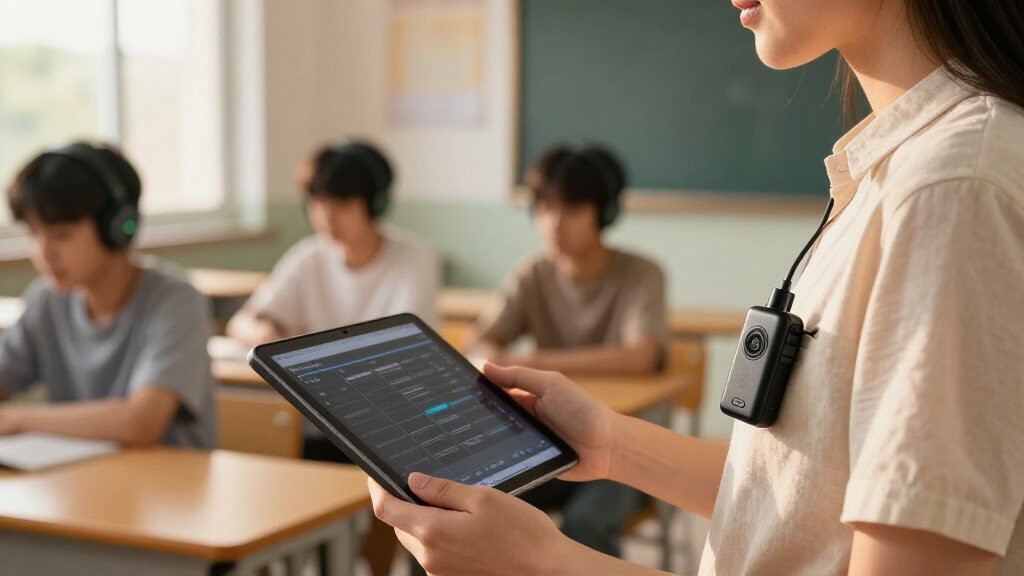
Products were evaluated based on a combination of performance, usability, build quality, versatility, and value. We prioritized transmitters that support Auracast technology with reliable connectivity, clear audio quality, and easy operation. Durability and compatibility with existing classroom devices also played a role, along with user interface simplicity. The ranking reflects a balance between advanced features for tech-savvy users and straightforward options suitable for educators with minimal technical support. Our selections aim to serve different classroom sizes, budgets, and special needs, ensuring broad relevance.| auracast transmitters for classroom | Compatibility | Supported Devices |
|---|---|---|
| Avantree C82 Aura | Auracast-enabled hearing aids only | — |
| Venucast Oasis Aura | Auracast hearing aids and receivers | ReSound Nexia, Jabra Enhance Pro 20/30, Oticon Intent, Philips HearLink 9050 |
| Avantree Voyager HA Premium OL | ReSound Nexia, Vivia, Savi Jabra, Starkey Edge Al | — |
| Avantree AuraPlex MX Auracast | Auracast-enabled hearing aids and devices | — |
| Auracast Broadcast Transmitter | — | TVs, projectors, stereos, game consoles, media players, smartphones, tablets, laptops |
| Avantree Oasis Aura | Auracast-enabled hearing aids (Starkey, ReSound, Oticon) | Hearing aids with Auracast support |
Factors to Consider When Choosing Best Auracast Transmitters For Classrooms
Choosing the best Auracast transmitter for a classroom requires understanding key factors that impact usability, compatibility, and long-term value. Beyond mere features, it’s important to consider how well a device integrates into your existing setup and how it meets your specific needs, whether for general instruction, assistive listening, or large venue broadcasting.Compatibility with Classroom Equipment
Ensure the transmitter supports common input options such as Bluetooth, AUX, USB-C, or optical digital to match your existing devices like projectors, microphones, or sound systems. Compatibility issues can lead to additional costs or setup delays, so verifying input/output options before purchase is essential. Some transmitters include dual input modes, which provide flexibility but may increase complexity.
Ease of Use and Setup
Classroom environments often require quick, straightforward setup without technical expertise. Look for transmitters with intuitive controls, clear display interfaces, and minimal configuration steps. Devices with automatic pairing and straightforward channel management reduce downtime and frustration, especially in busy school settings.
Audio Quality and Latency
High-quality audio clarity is critical for effective communication, particularly in noisy classrooms. Transmitters supporting advanced codecs like LC3 provide lower latency and better synchronization with multimedia content, enhancing the learning experience. Consider whether the device is optimized for speech clarity or multimedia applications to match your primary use case.
Range and Signal Stability
The transmitter’s effective range ensures coverage across the entire classroom without dropouts. Larger rooms or venues may require devices with extended range or signal repeaters. Stability in wireless connections reduces interruptions, which is vital for maintaining focus and engagement during lessons.
Budget and Long-Term Value
While higher-priced transmitters often offer more features, they are not always necessary for every classroom. Balance your budget against required functionalities, such as multiple input options or assistive listening capabilities. Investing in a reliable, durable device can lower maintenance costs and improve overall user satisfaction over time.
Frequently Asked Questions
Can I use an Auracast transmitter with multiple hearing aids at once?
Yes, many Auracast transmitters are designed to broadcast to multiple hearing aids simultaneously, supporting features like private and public modes. This capability is especially useful in classrooms with multiple students or teachers using hearing aids, ensuring everyone can listen clearly without interference. However, verifying the device’s capacity for simultaneous connections is important to match your classroom size.
Will I need technical support to set up an Auracast transmitter in my classroom?
Most modern Auracast transmitters are designed for easy setup with user-friendly interfaces, often involving simple pairing procedures. While basic configurations can be handled by educators or staff with minimal training, more complex installations or troubleshooting might require technical support. Choosing a model with clear instructions and simple controls can minimize setup time and frustrations.
Are wired inputs necessary, or can I rely solely on Bluetooth connectivity?
Wired inputs provide reliable, low-latency connections and are often necessary for certain classroom equipment like microphones or computers. Relying solely on Bluetooth can introduce latency and connection stability issues, especially with multiple devices. For comprehensive coverage and dependable audio, a transmitter with both wired and wireless options offers greater flexibility.
Is low latency audio important for classroom use?
Absolutely. Low latency audio ensures that speech or multimedia content is synchronized correctly, preventing distracting delays. This is especially relevant for multimedia lessons, video conferencing, or when using microphones for speech amplification. Devices supporting codecs like LC3 tend to provide the best synchronization, improving the overall learning experience.
How do I determine the right range for my classroom?
Consider the size and layout of your classroom or venue. Larger spaces or rooms with thick walls may require transmitters with extended range or additional repeaters to maintain a stable connection everywhere. Check the manufacturer’s specifications for maximum range and consider your specific space dimensions to avoid dead zones or frequent dropouts.
Conclusion
For most standard classrooms, the Avantree C82 Aura offers a balanced combination of ease of use, versatility, and reliable performance, making it the best overall choice. If budget is a concern, the Avantree Oasis Aura provides solid value without sacrificing core features. For large venues or special needs, the Avantree AuraPlex MX and Venucast Oasis Aura excel with extended range and robust connectivity. Beginners will appreciate models with simple setup, while tech-savvy users should consider devices supporting advanced codecs and multiple input options. Tailor your choice to your specific environment and needs to get the most from your Auracast investment in the classroom.Halloween Picks

10-Foot Halloween Inflatable Double-Headed Dragon Archway

27FT Giant Inflatable Pumpkin Lighted Outdoor Halloween Decor

ELAMAS 11ft Animatronic Flying Witch Halloween Decoration
As an affiliate, we earn on qualifying purchases.