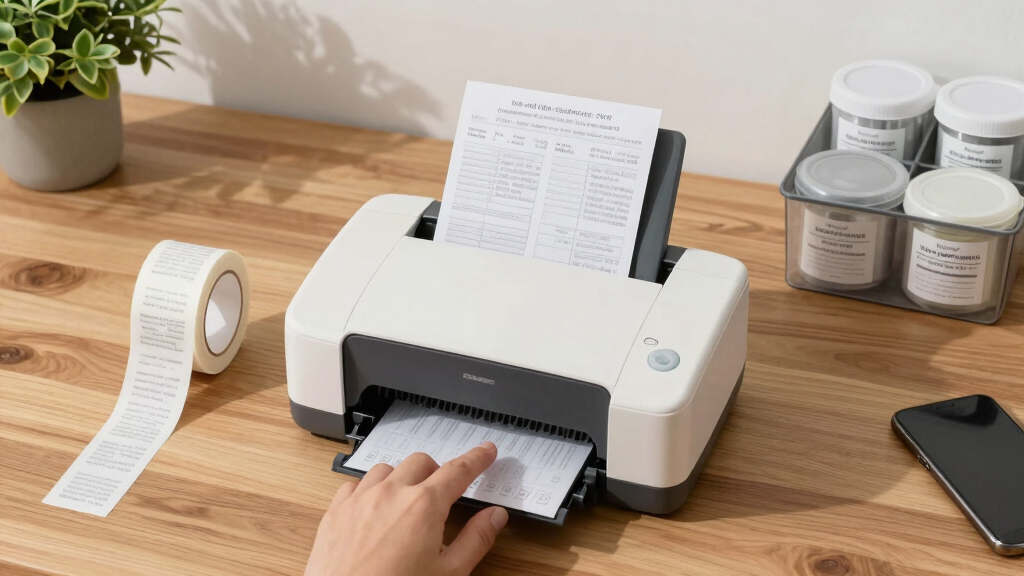
Finding the best large-print label printers for accessible organization requires balancing print size, ease of use, and connectivity. The Brother P-Touch PTD220 stands out as the overall top pick for its user-friendly design and reliable performance. For those needing high-speed printing, the Brother QL-800 offers rapid output, while the DYMO LabelManager 360D provides excellent portability for on-the-go labeling. Each option presents tradeoffs, such as cost versus features or size versus versatility. Continue reading for a detailed breakdown to help you choose the right fit for your needs.

Get everyday helpers delivered free — and shop member deals
- Fast, free delivery on millions of items
- Access to Prime Big Deal Days deals on October 6–7
- Prime Video, Amazon Music and more included
Key Takeaways
- Top picks balance print size, connectivity options, and ease of use, catering to different user needs.
- Portability features like rechargeable batteries are a key factor for on-the-move labeling tasks.
- High-speed printers excel in busy environments but often come with higher price points and larger footprints.
- Many top models include Bluetooth or Wi-Fi for seamless smartphone integration, simplifying large-print label creation.
- Cost varies significantly, with premium models offering advanced features and durable construction, while budget options focus on basic performance.
| Brother P-Touch PTD220 Home/Office Label Maker |  | Best Overall for Compact, Customizable Labeling | Label Width: up to 12mm (~1/2 inch) | Print Resolution: 180 DPI | Print Lines: 2 | VIEW LATEST PRICE | See Our Full Breakdown |
| Brother P-Touch PT-N20 Personal Desktop Label Maker, Portable, Handheld, Prints ½” (12mm) Wide Color Labels |  | Best for Colorful, On-the-Go Labeling | Label Tape Width: ½” (12mm) | Tape Length: 13.1’ (4m) | Fonts: 3 pre-loaded | VIEW LATEST PRICE | See Our Full Breakdown |
| Brother QL-800 High-Speed Professional Thermal Label Printer with Dual-Color Printing |  | Best for Fast, Professional-Quality Labels with Dual-Color Options | Printing Technology: Direct thermal | Resolution: 300 dpi | Print Speed: 93 labels per minute | VIEW LATEST PRICE | See Our Full Breakdown |
| Brother QL-820NWB Professional Monochrome Label Printer with Multiple Connectivity |  | Best for Flexible Connectivity and High-Speed Monochrome Labeling | Connectivity: Bluetooth, Ethernet, Wi-Fi, USB | Print Speed: 110 labels per minute | Maximum Label Length: 3 feet | VIEW LATEST PRICE | See Our Full Breakdown |
| DYMO LabelManager 360D Desktop Label Maker with Rechargeable Battery |  | Best for Desktop Use with Customization and Reusable Labels | Battery: Rechargeable lithium-ion | Display: 1-1/2″ x 2-3/4″ graphical screen | Print Capacity: Up to 10 copies of the same label | VIEW LATEST PRICE | See Our Full Breakdown |
| P780BT Label Maker Machine with 1-Inch Wide Tape, Rechargeable Bluetooth Waterproof Labels for Business and Industrial Use |  | Best Versatile Wireless Large-Format Label Printer | Tape Width: 9mm, 12mm, 18mm, 24mm | Battery Capacity: 1200mAh | Print Length: 118 meters | VIEW LATEST PRICE | See Our Full Breakdown |
| DYMO LabelManager 160 Label Maker Bundle with 3 D1 Label Cassettes, Portable Handheld, QWERTY Keyboard, One-Touch Smart Keys, Large Display |  | Best Portable Handheld Label Maker for Easy Organization | Printer Type: Thermal | Special Features: Portable, QWERTY keyboard, LCD display | Print Media: Labels | VIEW LATEST PRICE | See Our Full Breakdown |
| DYMO Desktop Label Maker | LabelManager 210D Portable Label Maker |  | Best Desktop Label Maker for Versatility and Customization | Type: Desktop Label Maker | Keyboard: QWERTY | Display: Large | VIEW LATEST PRICE | See Our Full Breakdown |
| Brother P-Touch PT-D610BT Business Professional Connected Label Maker with Bluetooth |  | Best Professional-Grade Connected Label Maker with High-Res Printing | Print Resolution: 180×360 dpi | Tape Width: Up to 24mm | Display: 20-character, 2-line color LCD | VIEW LATEST PRICE | See Our Full Breakdown |
| DYMO LabelManager 160 Portable Label Maker, Easy-to-Use with QWERTY Keyboard and Large Display |  | Best Compact Portable Label Maker for Quick Labeling | Printer Type: Thermal | Special Features: Portable, QWERTY keyboard, LCD display | Output Type: Black and White | VIEW LATEST PRICE | See Our Full Breakdown |
| SUPVAN T50M Pro Bluetooth Label Maker Machine with 3 Tapes, Set 1 |  | Best for Customization and Versatile Labeling | Label Width: 3/4″ – 2″ | Connectivity: Bluetooth | App Features: 30+ fonts, 50+ frames, 660+ icons, image editing | VIEW LATEST PRICE | See Our Full Breakdown |
More Details on Our Top Picks
Brother P-Touch PTD220 Home/Office Label Maker
The Brother P-Touch PTD220 stands out as the best overall choice for those seeking a portable, customizable label maker for home or small office use. Its ability to produce durable laminated labels up to 12mm wide ensures clarity and longevity, making it ideal for everyday organization. Compared with the DYMO LabelManager 360D, this model offers more font and symbol options, plus a more compact form factor. However, its reliance on batteries or an optional power adapter can be a drawback for continuous use, and the limited 12mm width might fall short for larger labels. This makes it best suited for users who prioritize portability and customization without requiring large or multi-line labels regularly.
Pros:- Compact and portable design perfect for small spaces
- Customizable with 14 fonts, 11 styles, and over 600 symbols
- Ability to save and reprint up to 30 labels quickly
Cons:- Requires batteries or an additional AC adapter, which may be inconvenient
- Limited to 12mm label width, restricting larger labeling tasks
Best for: Home users and small office workers needing portable, customizable labels
Not ideal for: Users who need larger labels or high-volume printing in a professional setting
- Label Width:up to 12mm (~1/2 inch)
- Print Resolution:180 DPI
- Print Lines:2
- Power:6 AAA batteries or optional AC adapter
- Memory:Save up to 30 labels
- Fonts:14 fonts, 11 styles
Our verdict“This label maker is ideal for users seeking portability and customization for occasional labeling needs.”
Brother P-Touch PT-N20 Personal Desktop Label Maker, Portable, Handheld, Prints ½” (12mm) Wide Color Labels
The Brother P-Touch PT-N20 makes a compelling choice for those who want vibrant, colorful labels with straightforward operation, especially in home, dorm, or studio environments. Its ability to produce 12mm wide color labels with pre-loaded fonts and symbols simplifies customization, and the built-in cutter allows for clean, quick cuts. Compared to the Brother P-Touch PTD220, the PT-N20 offers a more dedicated desktop experience with color options, but it’s limited to using Brother’s specific label tapes and only supports two lines of text, which may restrict more complex labeling tasks. This model suits users who prioritize ease of use and visual appeal over extensive customization or larger label sizes.
Pros:- Easy to operate with a full QWERTY keyboard and built-in cutter
- Creates vibrant, colorful labels with multiple font and symbol options
- Preview feature helps prevent mistakes before printing
Cons:- Limited to Brother P-touch B-ink tapes, restricting material choices
- Supports only two lines of text, limiting label length
Best for: Students, crafters, or hobbyists who want colorful, simple labels in small quantities
Not ideal for: Professionals needing large, multi-line, or high-volume labels for business use
- Label Tape Width:½” (12mm)
- Tape Length:13.1’ (4m)
- Fonts:3 pre-loaded
- Font Styles:7
- Frames:15
- Symbols:250
Our verdict“This label maker is best suited for users who want quick, colorful labels with minimal fuss and small-scale needs.”
Brother QL-800 High-Speed Professional Thermal Label Printer with Dual-Color Printing
The Brother QL-800 is designed for busy environments where speed and professional appearance matter. Its ability to print up to 93 labels per minute and support dual-color printing in black and red makes it a top pick for labeling in retail, shipping, or inventory scenarios. While it offers seamless connectivity with both Windows and Mac, its reliance on thermal printing technology means no true color options beyond black and red, unlike the Brother QL-820NWB that supports multiple connectivity options and longer label lengths. If high-volume, fast, dual-color labels are your priority, the QL-800 fits well, but it’s less suited for color branding or larger multi-line labels.
Pros:- Extremely fast printing speed of 93 labels per minute
- Supports dual-color printing in black and red for enhanced visibility
- Compatible with Windows and Mac, with auto cutter for professional finish
Cons:- Limited to thermal printing, with no true color options
- Requires genuine Brother DK labels for best results
Best for: Small business owners or warehouse staff needing high-speed, dual-color labels
Not ideal for: Users who require full-color, multi-line labels or more versatile connectivity options
- Printing Technology:Direct thermal
- Resolution:300 dpi
- Print Speed:93 labels per minute
- Color Printing:Black & Red
- Connectivity:USB
- Supported Labels:Brother DK pre-sized labels, continuous tapes up to 3 ft
Our verdict“This model is best for high-volume environments needing rapid, dual-color label production with minimal fuss.”
Brother QL-820NWB Professional Monochrome Label Printer with Multiple Connectivity
The Brother QL-820NWB offers a versatile option for users who need reliable, high-speed monochrome labeling across multiple devices. Its multiple connectivity options—including Bluetooth, Ethernet, Wi-Fi, and USB—make it suitable for various office environments. The ability to print up to 110 labels per minute paired with a 300 dpi resolution ensures efficient, crisp labels. Compared with the Brother QL-800, this model’s expansive connectivity supports more flexible setups, though it remains limited to monochrome printing. It’s an excellent choice for organizations prioritizing speed and multi-device access, but it’s not ideal if color labels are necessary.
Pros:- Multiple connectivity options for versatile use
- High-speed printing of up to 110 labels per minute
- Supports label lengths up to 3 feet for extended labeling
Cons:- Limited to monochrome printing, no color options
- Requires compatible labels like DK 2251 for proper operation
Best for: Offices or warehouses needing fast, reliable monochrome labels with flexible network options
Not ideal for: Users requiring color printing or larger, multi-line labels
- Connectivity:Bluetooth, Ethernet, Wi-Fi, USB
- Print Speed:110 labels per minute
- Maximum Label Length:3 feet
- Resolution:300 dpi
- Includes:Software, USB cable, AC adapter, starter rolls
- Supported Labels:DK 2251 and others
Our verdict“This printer suits fast-paced office or warehouse environments where monochrome labels are sufficient and connectivity flexibility is valued.”
DYMO LabelManager 360D Desktop Label Maker with Rechargeable Battery
The DYMO LabelManager 360D offers a practical desktop solution for users who prefer a familiar QWERTY keyboard and rechargeable power. Its graphical display provides a clear preview of labels, allowing for precise customization with various fonts, sizes, and symbols. Compared to portable models like the Brother PT-N20, the 360D’s larger screen and ability to save multiple labels streamline batch labeling tasks. However, its reliance on D1 tapes limits material choices, and its small screen can be restrictive for complex designs. This device is most suitable for home or office environments where consistent, customizable, and reusable labels are needed, but it’s less ideal for high-volume or industrial applications.
Pros:- Rechargeable battery eliminates need for constantly replacing batteries
- Large graphical display allows easy editing and preview
- Supports multiple font styles, sizes, and symbols
Cons:- Limited to DYMO D1 tape cartridges, restricting material options
- Small display size can limit design complexity
Best for: Home or office users needing customizable, reusable labels with a familiar keyboard
Not ideal for: Industrial settings or users requiring large, multi-line, or color labels
- Battery:Rechargeable lithium-ion
- Display:1-1/2″ x 2-3/4″ graphical screen
- Print Capacity:Up to 10 copies of the same label
- Label Widths:1/4″, 3/8″, 1/2″, 3/4″
- Keyboard:QWERTY
- Symbols:200+
Our verdict“This label maker is perfect for users who want customizable, reusable labels in a desktop format with familiar controls.”
P780BT Label Maker Machine with 1-Inch Wide Tape, Rechargeable Bluetooth Waterproof Labels for Business and Industrial Use
The P780BT stands out for its flexibility, offering waterproof labels up to 24mm wide and wireless connectivity via Bluetooth, making it ideal for on-the-go labeling in diverse environments. Compared to the Brother PT-D610BT, it supports custom templates, icons, and QR codes through a mobile app, which the Brother lacks. However, it is limited to EazeID BZ tapes and isn’t compatible with Brother TZE tapes, which could be restrictive for some users. Its rechargeable battery and fast charging make it suitable for mobile use, but the reliance on a mobile app for full functionality may pose a learning curve. This pick makes the most sense for professionals who need waterproof, wide-format labels with wireless convenience, but not for those seeking a simple, corded device with broad tape compatibility.
Pros:- Wireless Bluetooth connectivity for flexible device pairing
- Supports waterproof labels up to 24mm wide for heavy-duty use
- Customizable templates, icons, and QR codes via mobile app
Cons:- Limited to EazeID BZ tapes, reducing tape variety options
- Requires mobile app for full features, which may complicate simple tasks
Best for: Business owners or industrial workers who require waterproof, wide-format labels on the go.
Not ideal for: Casual users or home office organizers who prefer straightforward, wired label printers without app dependency.
- Tape Width:9mm, 12mm, 18mm, 24mm
- Battery Capacity:1200mAh
- Print Length:118 meters
- Charging Time:2 hours
- Connectivity:Bluetooth 4.0, USB
- Templates:1000+ symbols, 60+ borders
Our verdict“This is best suited for professionals needing versatile, waterproof, large-format labels with mobile connectivity.”
DYMO LabelManager 160 Label Maker Bundle with 3 D1 Label Cassettes, Portable Handheld, QWERTY Keyboard, One-Touch Smart Keys, Large Display
The DYMO LabelManager 160 excels in portability, offering a lightweight design that makes it perfect for quick labeling tasks anywhere. Its computer-style QWERTY keyboard and one-touch formatting keys enable fast, intuitive label creation, especially compared to bulkier desktop models like the Brother P-Touch PT-D610BT. However, it’s limited to monochrome printing and supports only up to five copies per run, which can slow down larger labeling projects. The bundle includes three D1 label cassettes, providing immediate versatility for home or office use. While it lacks Bluetooth or Wi-Fi, its simplicity benefits users who need quick, reliable labels without complex software. This device is ideal for individuals who prioritize portability and ease of use over advanced features or color printing.
Pros:- Extremely lightweight and portable for versatile use
- QWERTY keyboard and one-touch keys enable fast, easy label creation
- Includes multiple label cassettes for immediate use
Cons:- Limited to monochrome printing, restricting visual options
- Supports only up to five copies per print run, slowing larger jobs
Best for: Home users or office staff needing portable, simple labeling on demand.
Not ideal for: Large-scale or color labeling projects where higher volume and multi-color options are necessary.
- Printer Type:Thermal
- Special Features:Portable, QWERTY keyboard, LCD display
- Print Media:Labels
- Maximum Media Size:2.625 inches
- Item Weight:1.3 pounds
- Dimensions:2.5″D x 10″W x 10″H
Our verdict“This device is perfect for users who need quick, portable, monochrome labels without complex setups.”
DYMO Desktop Label Maker | LabelManager 210D Portable Label Maker
The DYMO LabelManager 210D offers a solid desktop solution with support for multiple label sizes and extensive customization options, including over 200 symbols and clip art. Its large display and one-touch keys streamline the process, making it an attractive choice for organized home or small office environments. Compared to the DYMO LabelManager 160, it supports larger labels and more formatting options, which benefits users with more complex labeling needs. Its reliance on authentic DYMO tapes is a common trait, but this can lead to higher ongoing costs. While it’s easy to operate and versatile, it’s not designed for mobile or on-the-fly use. This model fits best for users who need a reliable, semi-professional desktop label maker with broad customization but don’t require wireless connectivity.
Pros:- Supports multiple label sizes and colors for diverse needs
- Large display and extensive formatting options facilitate complex labels
- Includes a wide range of symbols and clip art for customization
Cons:- Requires authentic DYMO tapes, which can be costly over time
- Primarily designed for desktop use, not portable
Best for: Home office or small business owners needing a versatile desktop labeling device with extensive customization.
Not ideal for: Users seeking a portable or wireless label maker for field or on-the-move tasks.
- Type:Desktop Label Maker
- Keyboard:QWERTY
- Display:Large
- Print Capacity:Up to 10 copies
- Compatible Labels:DYMO D1 tapes, 1/4″, 3/8″, 1/2″ widths
- Symbols and Clip Art:200+
Our verdict“Best suited for users who want a versatile, customizable desktop label maker with straightforward operation.”
Brother P-Touch PT-D610BT Business Professional Connected Label Maker with Bluetooth
The Brother P-Touch PT-D610BT is tailored for professional environments with high-resolution printing and extensive template options. Its Bluetooth and USB connectivity allow multiple users to create accurate, polished labels, making it suitable for commercial or large-scale organizational needs. Its 180×360 dpi resolution produces clear barcodes, logos, and detailed graphics, which surpasses the simpler monochrome printers like the DYMO LabelManager 160. The large, full-color LCD display simplifies label editing, although the device’s complexity may require a learning curve for casual users. Its tape width limit of 24mm can be restrictive for some larger labeling projects. This makes it ideal for busy offices or warehouses where high-quality, versatile labels are essential, but less so for casual or home use.
Pros:- Wireless Bluetooth and USB connectivity for multi-user access
- High-resolution printing supports logos and detailed graphics
- Large color LCD display for easy label editing
- Pre-loaded templates for quick, professional labels
Cons:- Limited to 24mm tape width, restricting larger labels
- Complex features may be overwhelming for casual users
Best for: Business professionals or warehouse managers needing high-resolution, multi-user label creation.
Not ideal for: Individual hobbyists or home users who prefer straightforward, single-user, simple label printers.
- Print Resolution:180×360 dpi
- Tape Width:Up to 24mm
- Display:20-character, 2-line color LCD
- Memory:Stores up to 90 labels
- Templates:175 pre-loaded
Our verdict“This is a top choice for professionals needing precise, high-quality labels with multi-user capabilities.”
DYMO LabelManager 160 Portable Label Maker, Easy-to-Use with QWERTY Keyboard and Large Display
The DYMO LabelManager 160 excels at quick, simple labeling tasks thanks to its compact design and user-friendly features. Its QWERTY keyboard and large display make it easy to craft labels in seconds, ideal for home or small office environments. Compared with the DYMO LabelManager 210D, it’s less feature-rich but more portable, making it a better fit for users prioritizing mobility. Its support for only monochrome printing and a maximum of five copies per run can be limiting for larger projects, but these constraints keep it straightforward. If your goal is rapid, on-the-spot labeling without fuss, this model offers a reliable, no-frills solution.
Pros:- Compact and lightweight for easy transport
- Large display and familiar QWERTY keyboard simplify use
- Supports multiple formatting options and symbols
Cons:- Limited to monochrome printing, reducing visual options
- Supports only up to five copies per job, slowing larger tasks
Best for: Individuals or small teams needing portable, quick, monochrome labels for everyday organization.
Not ideal for: Users requiring color labels, large-volume printing, or advanced customization features.
- Printer Type:Thermal
- Special Features:Portable, QWERTY keyboard, LCD display
- Output Type:Black and White
- Item Weight:21.82 g
- Dimensions:4.65″D x 10″W x 1.93″H
- Maximum Copy Speed:3 pages per minute
Our verdict“Ideal for users who need portable, straightforward, monochrome labels for quick organization tasks.”
SUPVAN T50M Pro Bluetooth Label Maker Machine with 3 Tapes, Set 1
The SUPVAN T50M Pro stands out for its high-resolution, clear label printing, making it ideal for users who need visually accessible labels with detailed icons and fonts. Unlike the Brother P-Touch PT-D610BT, which offers more straightforward connectivity, this model’s app provides extensive font, icon, and image editing options, allowing for more personalized labels. However, its reliance on a smartphone or tablet can be a drawback for those who prefer standalone devices or have limited tech experience. The ability to print labels up to 2 inches wide while supporting various label types makes it versatile for home, school, or small business organization. The absence of ink or toner simplifies maintenance but limits the maximum label width and adds a learning curve for beginners unfamiliar with app-based tools.
This pick makes the most sense for users who value customization and high-quality visuals over simplicity or speed.
Pros:- High-resolution, clear label output
- Extensive font, icon, and image editing options
- No ink or toner required, low maintenance
Cons:- Limited to label widths up to 2 inches, which may restrict larger labels
- Requires a smartphone or tablet to operate, adding complexity for some users
- Learning curve for new users unfamiliar with app-based customization
Best for: Individuals needing highly customizable, visually accessible labels for home or small business use
Not ideal for: Users seeking a straightforward, simple label printer without smartphone dependency
- Label Width:3/4″ – 2″
- Connectivity:Bluetooth
- App Features:30+ fonts, 50+ frames, 660+ icons, image editing
- Compatibility:Square, round, cable, file labels
- Power:Inkless, toner-free
Our verdict“This device is best suited for users who prioritize customizable, detailed labels and are comfortable using a mobile app.”
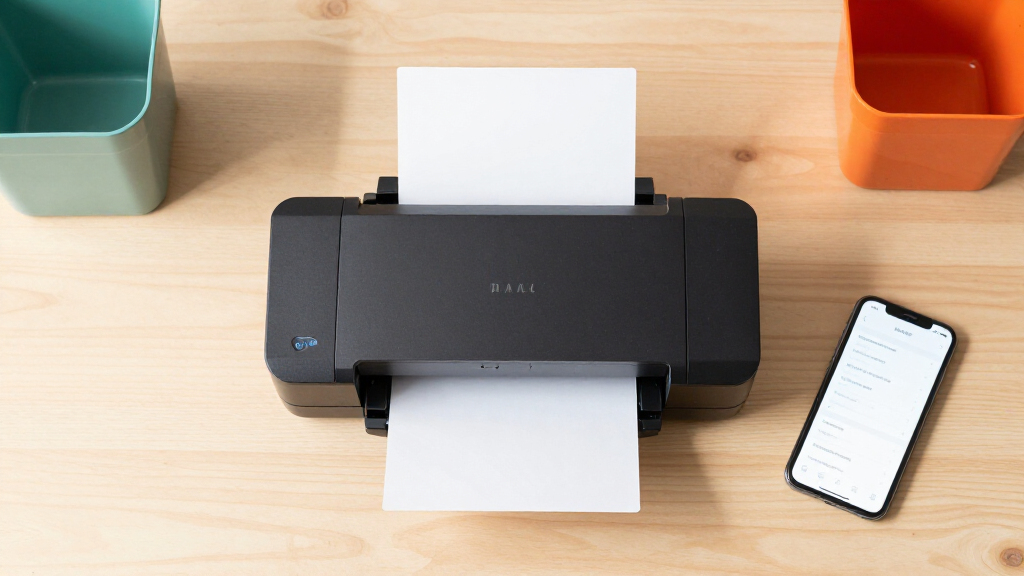
How We Picked
To determine the best large-print label printers for accessible organization, I evaluated each product based on print size, usability, connectivity options, build quality, and value. Priority was given to printers that produce clear, large fonts suitable for accessibility, along with intuitive interfaces for users with varying tech skills. Durability and maintenance requirements also played a role, ensuring the choices are practical for everyday use. The ranking reflects a balance between performance, versatility, and price, helping buyers find options aligned with different organizational needs and budgets.Factors to Consider When Choosing Best Large-print Label Printers For Accessible Organization
When selecting a large-print label printer for accessible organization, several factors can influence your decision. Understanding these will help you pick a model that fits your specific needs and prevents common mistakes, such as choosing a printer with insufficient font size or poor connectivity. Consider how much you print regularly, your preferred device integrations, and where you’ll use the printer most often. A well-chosen label maker can streamline your organization efforts and improve accessibility across your home or workspace.Print Size and Font Clarity
Large, clear fonts are essential for accessibility, especially for users with visual impairments. Look for printers that explicitly support font sizes of at least ½ inch or more, with adjustable font options for customization. Some models allow you to preview labels before printing, reducing errors. Avoid printers with limited font options or poor print resolution, which can negate the benefits of large text by making labels hard to read.
Connectivity and Compatibility
Wireless options like Bluetooth and Wi-Fi greatly enhance convenience, allowing you to print directly from smartphones, tablets, or computers. This is particularly useful for accessibility since it simplifies label creation without needing to connect via cables or navigate complex menus. Check compatibility with your devices and operating systems beforehand. Models with app integration often provide more flexible design tools and larger font previews, improving the overall user experience.
Ease of Use and Interface
An intuitive interface reduces frustration, especially for users who are not tech-savvy. Features like large displays, simple navigation buttons, and one-touch label templates make the process faster and more accessible. Avoid overly complicated setups or tiny control panels, which can hinder usability for those with visual or dexterity challenges. The best models offer straightforward operation with minimal learning curve.
Durability and Maintenance
A sturdy build and easy-to-replace consumables ensure your label printer remains reliable over time. Consider models with rechargeable batteries if portability is needed, but check battery life and replacement costs. Regular maintenance, such as replacing tapes and cleaning print heads, is essential for consistent readability. Cheaper models may save money upfront but can incur higher ongoing costs due to frequent repairs or part replacements.
Price and Value
While budget models can fulfill basic large-print labeling needs, investing a bit more often yields better print quality, durability, and features like multiple connectivity options. Consider your primary use: if you need frequent, high-volume printing, a higher-end model could save time and frustration. Conversely, occasional users might prefer a more affordable option that still meets accessibility standards without unnecessary extras. Balance your budget with the features most important for your organization.
Frequently Asked Questions
How large should the font size be on a label for it to be accessible?
For accessibility, labels should generally feature font sizes of at least ½ inch (12 mm) to ensure readability from a distance and for users with visual impairments. Many printers allow you to customize font size and style, so choosing a model that supports large, bold fonts is key. Always preview your labels to confirm the text is clear and legible before printing multiple copies, especially if the labels will be used in environments requiring high visibility.
Can I connect these label printers to my smartphone or tablet?
Most top models in this category support wireless connections such as Bluetooth or Wi-Fi, enabling direct printing from smartphones or tablets. This feature simplifies large-print label creation, especially for users who prefer designing labels on their devices with larger screens. Ensure the printer you choose is compatible with your device’s operating system and that the accompanying app offers sufficient customization options for accessible labels.
Are rechargeable batteries reliable for portable use?
Rechargeable batteries can provide excellent portability, allowing you to print labels without being tethered to a power outlet. Look for models with high-capacity batteries and clear usage time estimates. Keep in mind that battery life varies with usage intensity, and replacement costs can add up over time. For frequent mobile labeling, investing in a model with a long-lasting, easily replaceable battery makes practical sense.
What should I consider if I need high-volume printing?
If you anticipate printing large volumes regularly, prioritize models with high-speed printing capabilities and large tape capacities. Thermal printers like the Brother QL-800 excel in rapid output, reducing wait times. However, they often come at a higher purchase price, and consumable costs can be significant. Balancing speed with affordability and ensuring ease of reloading tapes will help avoid disruptions during busy periods.
How important is the tape width for accessibility?
Tape width directly impacts the size of the printed label, influencing readability. For accessible organization, wider tapes—up to 1 inch (25 mm)—are preferable as they allow for larger, clearer text. Many models support multiple tape widths, providing flexibility depending on the labeling environment. Choosing a printer with adjustable tape options ensures you can create labels suited to various needs, from small storage bins to large signage.
Conclusion
For general users seeking a reliable and easy-to-use solution, the Brother P-Touch PTD220 offers excellent value with straightforward operation and decent print size. Those needing high-speed or professional-grade labels might find the Brother QL-800 best suited, especially in busy environments. Beginners or infrequent users will benefit from portable models like the DYMO LabelManager 360D, which combines portability with simple controls. For users with specific accessibility needs, prioritizing models with large fonts, clear displays, and wireless connectivity ensures the best experience. Ultimately, your choice should align with your printing volume, mobility, and budget to achieve accessible, organized spaces effectively.
Halloween Picks
halloween
As an affiliate, we earn on qualifying purchases.