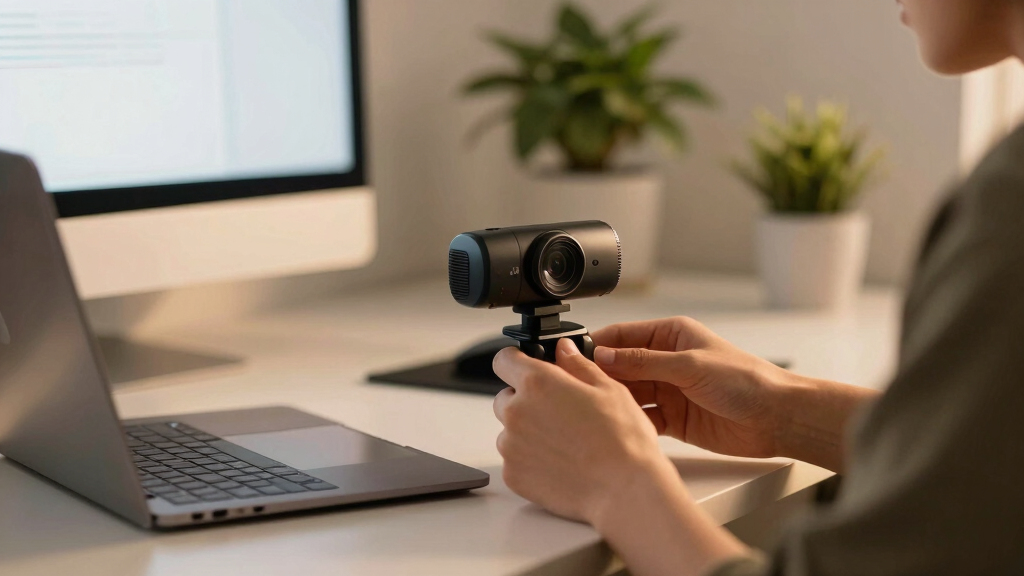

When it comes to lipreading on video calls, clarity and focus matter more than ever. The best webcams for this purpose deliver sharp image quality, good lighting correction, and minimal lag, making speech easier to interpret visually. The Logitech C920S stands out as the overall top choice for reliable clarity, while the EMEET NOVA 4K offers ultra-high-definition visuals for detailed viewing. Buyers often face tradeoffs between resolution, affordability, and ease of setup, so understanding what matters most for lipreading is key. Keep reading for a full breakdown of these options and how to choose the right webcam for your needs.

Get everyday helpers delivered free with Prime
- Fast, free delivery on millions of items
- Prime Video, Amazon Music and more included
- Member-only deals all year
Complete the kit



Key Takeaways
- Higher resolution webcams, like 4K models, significantly improve visual clarity for lipreading but tend to be more expensive and require better lighting.
- Built-in stereo microphones and noise reduction features enhance audio clarity, reducing the need for external mics when visual speech is the priority.
- Auto light correction and wide field of view help adapt to varying lighting conditions and ensure the speaker remains clearly visible at different distances.
- Privacy features, such as shutters or software controls, are important for security but should not compromise image quality or ease of use.
- Ease of setup and compatibility with common conferencing platforms can influence usability, especially for less tech-savvy users.
| NexiGo N60 1080P Webcam with Microphone, Privacy Cover, USB HD Computer Web Camera for Video Calls and Conferencing |  | Best Overall for Clear Lipreading and Versatile Use | Resolution: 1920 x 1080 at 30fps | Lens: 3.6mm glass lens | Microphone: Built-in noise-canceling microphone | VIEW LATEST PRICE | See Our Full Breakdown |
| Logitech Brio 101 Full HD 1080p Webcam for Streaming and Meetings – Black |  | Best for Broad Platform Compatibility and Eco-Friendly Design | Resolution: 1080p Full HD | Auto-Light Correction: Yes | Privacy Shutter: Yes | VIEW LATEST PRICE | See Our Full Breakdown |
| EMEET NOVA 4K Webcam for PC, Ultra HD, PDAF Autofocus, Dual Microphones, Privacy Cover, 73° FOV, Auto Light Correction, USB-A |  | Best for Ultra HD Clarity and Business Use | Resolution: 4K@30fps, switchable to 1080p via software | Field of View: 73° | Focus: PDAF Auto Focus | VIEW LATEST PRICE | See Our Full Breakdown |
| Logitech C920S HD Pro Webcam with Privacy Shutter, 1080p/30fps Video Calling |  | Best for Reliable, Vivid Video with Autofocus | Video Resolution: 1080p/30fps | Autofocus: Yes | Light Correction: Yes | VIEW LATEST PRICE | See Our Full Breakdown |
| EMEET C960 4K Webcam for PC with Auto Focus and Dual Mics |  | Best for Versatile 4K Video and Remote Teaching | Resolution: 4K@30fps, switchable to 1080p via software | Focus: PDAF Auto Focus | Microphones: Dual Omnidirectional Mics | VIEW LATEST PRICE | See Our Full Breakdown |
| Logitech C920e HD 1080p Webcam with Microphone, Certified for Zoom and Microsoft Teams |  | Best Overall for Clear, Consistent Video Calls | Resolution: 1080p HD | Field of View: 78° | Microphones: Dual omnidirectional microphones | VIEW LATEST PRICE | See Our Full Breakdown |
| Logitech C920x HD Pro PC Webcam 1080p/30fps with Light Correction and Stereo Audio |  | Best for Versatile Use with Additional Software Features | Resolution: 1080p/30fps | Light Correction: Yes | Autofocus: Yes | VIEW LATEST PRICE | See Our Full Breakdown |
| webcams for clear lipreading on video call | Resolution | Compatibility | Microphones |
|---|---|---|---|
| NexiGo N60 1080P Webcam with M | 1920 x 1080 at 30fps | USB 2.0/3.0, Mac OS X 10.7+, Windows 7/8/10/11, Android 4.0+, Linux 2.6.24, Chrome OS 29.0.1547, Ubuntu 10.04+ | — |
| Logitech Brio 101 Full HD 1080 | 1080p Full HD | Windows, Mac, Teams, Google Meet, Zoom | — |
| EMEET NOVA 4K Webcam for PC | 4K@30fps, switchable to 1080p via software | — | Dual Omnidirectional Mics |
| Logitech C920S HD Pro Webcam w | — | Windows, Mac | — |
| EMEET C960 4K Webcam for PC wi | 4K@30fps, switchable to 1080p via software | — | Dual Omnidirectional Mics |
| Logitech C920e HD 1080p Webcam | 1080p HD | — | Dual omnidirectional microphones |
| Logitech C920x HD Pro PC Webca | 1080p/30fps | Windows 11, Nintendo Switch 2, Mac, Tablet | Stereo dual mics |
More Details on Our Top Picks
NexiGo N60 1080P Webcam with Microphone, Privacy Cover, USB HD Computer Web Camera for Video Calls and Conferencing
The NexiGo N60 stands out for delivering sharp 1080p video with a dependable noise-canceling microphone, making it ideal for clear lipreading during video calls. Its plug-and-play setup and broad OS compatibility mean it works seamlessly across platforms, unlike some higher-end models that require additional drivers. The included privacy cover adds a layer of security, which is essential for sensitive conversations. While its fixed focus lens may struggle with varying distances, this tradeoff simplifies setup. Compared with the Logitech Brio 101, the N60’s focus on straightforward video clarity and microphone quality makes it more accessible for everyday use, though it lacks the ultra-high resolution or advanced features of premium models. This webcam is perfect for users prioritizing reliable, clear visuals and sound without complexity.
Pros:- Sharp 1080p video with clear image quality
- Built-in noise-canceling microphone enhances audio clarity
- Easy to set up with broad OS compatibility
- Privacy cover for security when not in use
Cons:- Fixed focus lens may not suit all distances
- Not compatible with gaming consoles like Xbox or PlayStation
Best for: Individuals needing reliable, high-quality video and audio for everyday video calls and conferencing
Not ideal for: Gamers or streamers seeking advanced zoom or 4K capabilities, as this model focuses on simplicity and core features
- Resolution:1920 x 1080 at 30fps
- Lens:3.6mm glass lens
- Microphone:Built-in noise-canceling microphone
- Compatibility:USB 2.0/3.0, Mac OS X 10.7+, Windows 7/8/10/11, Android 4.0+, Linux 2.6.24, Chrome OS 29.0.1547, Ubuntu 10.04+
- Privacy Cover:Yes
- Focus:Fixed focus
Our verdict“This webcam offers a reliable, straightforward choice for users who need clear lipreading and consistent performance on video calls.”
Logitech Brio 101 Full HD 1080p Webcam for Streaming and Meetings – Black
The Logitech Brio 101 offers dependable 1080p video with auto-light correction, making it suitable for well-lit environments where clear lipreading is essential. Its privacy shutter provides security, and its compatibility with platforms like Teams, Zoom, and Google Meet ensures versatility. Unlike the NexiGo N60, it’s designed with a focus on eco-conscious construction, using 77% recycled plastic, which appeals to environmentally conscious users. Its reliance on USB-A may limit compatibility for newer USB-C devices, and its basic zoom control is limited, requiring app adjustments. Compared to the EMEET NOVA 4K, it lacks 4K resolution but offers a more straightforward, plug-and-play experience. Overall, it suits users who prioritize compatibility and eco-friendliness for everyday professional calls.
Pros:- High-quality 1080p video with auto-light correction
- Privacy shutter for added security
- Broad platform support including Teams, Zoom, Google Meet
- Eco-friendly construction with recycled plastic
Cons:- Limited to USB-A connection, no USB-C support
- Basic zoom and framing adjustments only via app
Best for: Professionals seeking reliable video quality with broad platform support and security features
Not ideal for: Power users or gamers requiring 4K resolution or advanced camera controls, as this model is more basic in features
- Resolution:1080p Full HD
- Auto-Light Correction:Yes
- Privacy Shutter:Yes
- Built-in Microphone:Yes
- Connection:USB-A
- Compatibility:Windows, Mac, Teams, Google Meet, Zoom
Our verdict“This webcam is well-suited for professionals needing dependable, secure video calls across multiple platforms, with a focus on sustainability.”
EMEET NOVA 4K Webcam for PC, Ultra HD, PDAF Autofocus, Dual Microphones, Privacy Cover, 73° FOV, Auto Light Correction, USB-A
The EMEET NOVA 4K offers remarkable video detail with 4K resolution, autofocus, and light correction, making it ideal for users who need to see lip movements with precision. Its dual omnidirectional microphones ensure audio clarity, comparable to the C960, but with added resolution and a larger field of view. However, the default video resolution defaults to 1080p, requiring software to switch to 4K, which may be inconvenient for some. Its lack of image stabilization and incompatibility with Chrome OS or Windows Hello could be drawbacks for those specific ecosystems. Compared with the EMEET C960, it provides higher resolution but at the cost of more setup steps. It’s best for users prioritizing ultra-high-definition visuals for professional or educational purposes.
Pros:- High-quality 4K video with autofocus
- Dual omnidirectional microphones for stereo sound
- Flexible mounting with 360° rotation and tripod compatibility
- Privacy cover for security
Cons:- Video defaults to 1080p; needs software for 4K
- No image stabilization, some instability possible
Best for: Business professionals and educators needing high-resolution visuals with clear lip movements
Not ideal for: Casual users or gamers who do not need 4K detail, as this adds complexity and cost
- Resolution:4K@30fps, switchable to 1080p via software
- Field of View:73°
- Focus:PDAF Auto Focus
- Microphones:Dual Omnidirectional Mics
- Connectivity:USB-A
- Privacy:Privacy cover
Our verdict“This webcam benefits users who require detailed visuals for lipreading and professional engagement, accepting some setup complexity for superior clarity.”
Logitech C920S HD Pro Webcam with Privacy Shutter, 1080p/30fps Video Calling
The Logitech C920S is a staple for clear, consistent video quality, providing sharp 1080p footage with autofocus and light correction. Its stereo microphones deliver natural sound, supporting clear lipreading. The built-in privacy shutter is a key feature for security. While it doesn’t offer the ultra-high resolution of 4K or integrated advanced controls like some newer models, it excels in simplicity and dependability. The 30fps frame rate might slightly limit motion smoothness compared to higher frame rate webcams, but for most video calls, it remains adequate. Compared with the EMEET C960, its autofocus and audio quality are superior, though it lacks the flexibility or higher resolution options of the 4K models. It’s a solid choice for everyday professional use.
Pros:- Sharp 1080p video with autofocus
- Stereo microphones for natural sound
- Privacy shutter for security
- Reliable plug-and-play setup
Cons:- Limited to 30fps at 1080p
- No 4K or advanced zoom features
Best for: Users seeking a dependable webcam with excellent image and audio quality for daily meetings
Not ideal for: Those needing 4K resolution or advanced video customization, as this model stays at 1080p and 30fps
- Video Resolution:1080p/30fps
- Autofocus:Yes
- Light Correction:Yes
- Stereo Audio:Yes
- Includes Privacy Shutter:Yes
- Compatibility:Windows, Mac
Our verdict“This webcam is an excellent choice for users who prioritize dependable, high-quality video and audio in a straightforward package.”
EMEET C960 4K Webcam for PC with Auto Focus and Dual Mics
The EMEET C960 balances high-resolution video with ease of use, defaulting to 1080p but capable of 4K via software, making it suitable for detailed lipreading. Its autofocus and auto light correction ensure consistent clarity, while dual omnidirectional microphones support natural, stereo audio. Unlike the NOVA 4K, it’s more straightforward to operate, with simple plug-and-play functionality, though some features rely on proprietary software. The webcam’s flexible mounting options and privacy cover add to its suitability for varied remote work environments. Compared with the NOVA 4K, it offers a more accessible, user-friendly experience while still providing excellent resolution for clear lip movements. This makes it a versatile choice for educators, remote workers, and streamers alike.
Pros:- High-resolution 4K (via software) with autofocus
- Auto light correction for consistent visuals
- Dual omnidirectional mics for stereo sound
- Flexible mounting and privacy cover included
Cons:- Video defaults to 1080p; needs software for 4K
- Some features require proprietary software
Best for: Remote workers, teachers, and streamers who need high-quality video with flexible setup options
Not ideal for: Users looking for true 4K out-of-the-box without software adjustments or those with USB-C only devices
- Resolution:4K@30fps, switchable to 1080p via software
- Focus:PDAF Auto Focus
- Microphones:Dual Omnidirectional Mics
- Field of View:73°
- Connectivity:USB-A
- Privacy:Privacy cover
Our verdict“This webcam provides a strong balance of high resolution and ease of use, ideal for professionals and educators needing clear lipreading capabilities.”
Logitech C920e HD 1080p Webcam with Microphone, Certified for Zoom and Microsoft Teams
This model stands out for its reliable 1080p HD video quality combined with automatic light correction, ensuring clear visuals even in less-than-ideal lighting conditions—crucial for effective lipreading. Unlike the Logitech C920x, which offers similar resolution but at 30fps, the C920e’s consistent autofocus and versatile mounting options make it a flexible choice for professional settings. However, the fixed 78° field of view may limit framing options, especially if multiple participants are visible, and the lack of zoom or pan features requires careful positioning. Dual omnidirectional microphones deliver clear audio, complementing the visual clarity for speech comprehension. Its privacy cover adds security for sensitive calls, making it ideal for remote work environments where clarity is non-negotiable.
Pros:- High-quality 1080p HD video with automatic light correction
- Clear audio with dual omnidirectional microphones
- Versatile mounting options including tripod compatibility
- Built-in privacy cover for security
Cons:- Fixed 78° field of view may not suit all framing needs
- Requires USB connection, limiting portability without a hub
Best for: Professionals and remote workers who prioritize consistent, high-quality video and audio for lipreading during video calls
Not ideal for: Users needing a wider field of view or adjustable zoom for group calls or dynamic framing
- Resolution:1080p HD
- Field of View:78°
- Microphones:Dual omnidirectional microphones
- Autofocus:Yes
- Light Correction:Automatic
- Privacy Cover:Attachable and flip-up
Our verdict“This webcam is best suited for professionals needing reliable, high-quality visuals and audio for focused, single-speaker calls.”
Logitech C920x HD Pro PC Webcam 1080p/30fps with Light Correction and Stereo Audio
Compared with the C920e, the C920x offers the same 1080p resolution but at 30fps, which may be slightly less smooth for fast movements but still excellent for lipreading clarity. Its stereo microphones enhance audio fidelity, making speech easier to understand. Its compatibility with a broad range of devices, including Nintendo Switch 2, expands its versatility beyond professional calls. The included 3-month XSplit VCam license supports background editing, a useful feature for privacy and focus, although it requires extra software setup. The absence of a privacy shutter might be a drawback for users concerned about security during sensitive conversations. Despite this, the C920x’s affordability and software extras make it suitable for those who want flexible, high-quality video for various applications.
Pros:- High-quality 1080p video at 30fps with light correction
- Stereo microphones for clearer audio
- Compatible with multiple devices including Nintendo Switch 2
- Includes a 3-month license for background editing software
Cons:- No built-in privacy shutter, raising security concerns
- Limited to 30fps at 1080p, less smooth for fast motion
Best for: Content creators and casual professionals who value multi-device compatibility and background editing options
Not ideal for: Users who prioritize built-in privacy shutters or need very high frame rates for fast-paced video
- Resolution:1080p/30fps
- Light Correction:Yes
- Autofocus:Yes
- Microphones:Stereo dual mics
- Compatibility:Windows 11, Nintendo Switch 2, Mac, Tablet
- Includes:3-month XSplit VCam license
Our verdict“This webcam is ideal for users seeking versatile connectivity and editing features, with good visual and audio quality for lipreading.”
How We Picked
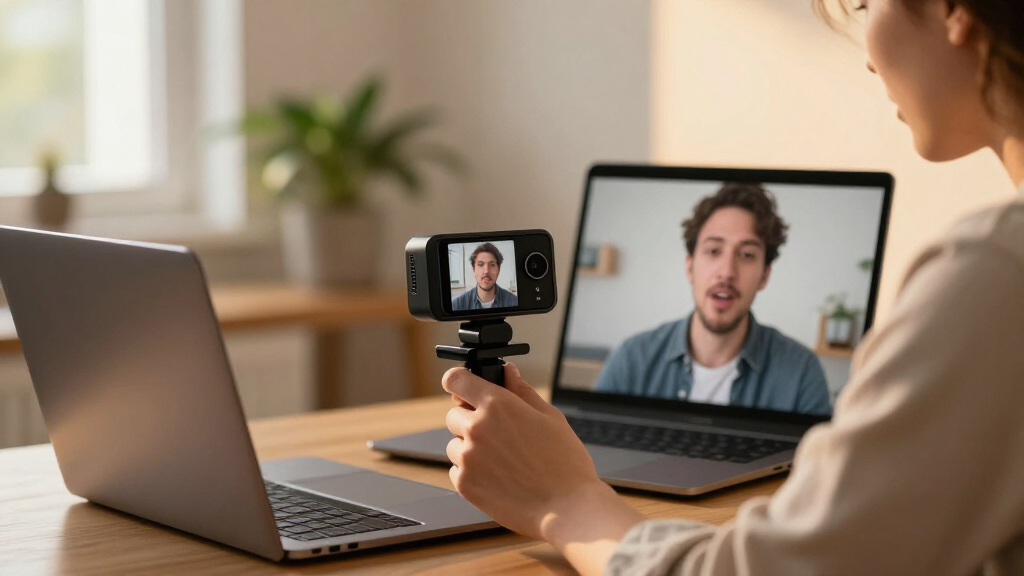
These webcams were evaluated based on key factors that impact lipreading clarity during video calls. Priority was given to resolution, autofocus performance, lighting correction, and microphone quality, as these directly affect how well speech is visually and audibly conveyed. Ease of installation and compatibility with popular platforms also played a role, ensuring the models are practical for everyday use. We ranked products by balancing image sharpness, audio fidelity, build quality, and value, aiming to highlight options suited for different budgets and user needs.| webcams for clear lipreading on video call | Compatibility | Microphones |
|---|---|---|
| NexiGo N60 1080P Webcam with M | USB 2.0/3.0, Mac OS X 10.7+, Windows 7/8/10/11, Android 4.0+, Linux 2.6.24, Chrome OS 29.0.1547, Ubuntu 10.04+ | — |
| Logitech Brio 101 Full HD 1080 | Windows, Mac, Teams, Google Meet, Zoom | — |
| EMEET NOVA 4K Webcam for PC | — | Dual Omnidirectional Mics |
| Logitech C920S HD Pro Webcam w | Windows, Mac | — |
| EMEET C960 4K Webcam for PC wi | — | Dual Omnidirectional Mics |
| Logitech C920e HD 1080p Webcam | — | Dual omnidirectional microphones |
| Logitech C920x HD Pro PC Webca | Windows 11, Nintendo Switch 2, Mac, Tablet | Stereo dual mics |
Factors to Consider When Choosing Best Webcams For Clear Lipreading On Video Calls
Choosing the best webcam for clear lipreading involves more than just megapixels. It requires understanding how various features work together to improve visual and audio clarity under different conditions. Here are the key factors to consider before making a purchase:Resolution and Image Quality
Higher resolution webcams, such as 1080p or 4K, provide sharper images that make lip shapes more discernible. While 4K offers more detail, it also demands better lighting and a faster computer to process the video smoothly. 1080p remains a reliable standard that balances clarity and performance, especially for users with limited hardware or inconsistent lighting.
Autofocus and Frame Consistency
Autofocus ensures the face remains sharp even if you move slightly during a call. This feature is vital for maintaining clarity, especially if you shift position or if lighting conditions change. Some models offer PDAF (phase detection autofocus) for faster, more reliable focusing, reducing blurriness that hampers lipreading.
Lighting Correction and Field of View
Automatic light correction helps you look clear in dim or uneven lighting, which is common in home setups. A wider field of view captures more of your face and expression, but it can also introduce background distractions if not managed properly. Balance is key—choose a model with adjustable FOV if possible.
Microphone Quality and Audio Features
While visual clarity is primary, having a good microphone can enhance overall communication, especially if your environment isn’t ideal for audio. Dual microphones and noise reduction help isolate speech and reduce background noise, making lip movements easier to interpret.
Compatibility and Ease of Use
Ensure the webcam works seamlessly with your preferred conferencing apps like Zoom, Teams, or Skype. Installation should be straightforward, with plug-and-play functionality. For less tech-savvy users, models with dedicated software for adjustments can be a plus, but avoid overly complex setups that could hinder quick deployment.
Frequently Asked Questions
Is 4K resolution necessary for clear lipreading?
While 4K resolution offers the highest detail and can significantly improve lipreading accuracy, it isn’t strictly necessary. 1080p webcams provide excellent clarity for most users and are more affordable, require less processing power, and perform better in lower-light conditions. Your choice should consider your lighting environment and hardware capabilities.
How important is autofocus for lipreading purposes?
Autofocus is very important because it ensures your face remains sharp even if you move slightly during a call. Without it, blurriness can make lip shapes hard to distinguish, reducing communication effectiveness. Models with fast, reliable autofocus will make a noticeable difference in maintaining visual clarity.
Should I prioritize external microphones over built-in ones?
For lipreading, clear audio is critical, but an external microphone isn’t always necessary if the webcam has high-quality built-in mics with noise reduction. However, if your environment is noisy, investing in an external mic can provide cleaner sound, reducing confusion caused by background noise and improving overall comprehension.
Are privacy shutters or features a tradeoff for image quality?
Not necessarily. Many webcams include privacy shutters that do not impact image quality. When choosing, look for models that combine privacy features with high-resolution sensors and good lens quality. The key is ensuring privacy controls do not compromise the clarity needed for effective lipreading.
How much should I spend for a webcam suited for lipreading?
Prices vary widely, but investing in a mid-range model around $70-$150 typically provides a good balance of resolution, autofocus, and lighting correction necessary for lipreading. Higher-end options, like 4K models, tend to cost more but offer extra detail, which can be worth it if you need the best possible clarity or work in challenging lighting conditions.
Conclusion
For most users seeking reliable clarity, the Logitech C920S remains the best overall choice thanks to its balance of image quality, ease of use, and compatibility. Budget-conscious buyers will find the NexiGo N60 sufficient for everyday calls, while those with better hardware may benefit from the ultra HD detail of the EMEET NOVA 4K. Beginners should focus on plug-and-play ease, whereas advanced users might prioritize higher resolution and autofocus speed. Ultimately, your decision depends on your specific needs for clarity, environment, and budget.
Columbus Day / Indigenous Peoples' Day Picks
long weekend sales
As an affiliate, we earn on qualifying purchases.