On-device captioning is generally safer and faster because it processes audio locally, reducing data transmission and privacy risks, while offering lower latency especially with strong hardware. Cloud captioning can provide higher accuracy and handle complex inputs but may face delays due to network issues and pose privacy concerns. To understand which option best fits your needs and how they compare, explore the full details below.
Key Takeaways
- On-device captions process data locally, offering faster response times and enhanced privacy by avoiding external data transmission.
- Cloud captions leverage powerful servers for higher accuracy but may experience latency due to network delays.
- On-device captioning is generally safer for privacy, as it keeps data within the device, reducing interception risks.
- Cloud captioning can be slower if network conditions are poor but allows for more advanced transcription capabilities.
- Hardware performance impacts on-device speed and safety, with powerful devices providing quicker, more secure captioning.
What Are On-Device and Cloud Captioning?
Have you ever wondered how captions are generated for videos? On-device captioning processes audio locally on your device, ensuring AI ethics by prioritizing user preferences and privacy. It offers faster responses because data doesn’t leave your device, which appeals to those concerned about security. Conversely, cloud captioning sends audio data to remote servers, where powerful AI algorithms generate captions. This allows for more advanced transcription capabilities but raises privacy concerns. Your choice depends on your priorities: if you value speed and privacy, on-device is ideal. If you want more sophisticated captions and don’t mind data sharing, cloud captioning might be better. Understanding these differences helps you make informed decisions based on AI ethics and your personal preferences. Additionally, processing speed can vary significantly between the two methods, affecting how quickly captions are displayed during live videos. Recognizing the computational resources involved can further influence your decision, especially in environments with limited device capabilities.
How Do Privacy and Security Compare Between the Two?
When comparing privacy and security, you should consider how data privacy controls differ between on-device and cloud captioning. On-device solutions keep your data local, reducing transmission risks, while cloud services rely on secure channels to transfer information. Understanding these differences helps you choose the option that best protects your privacy. Additionally, affiliate disclosure policies ensure transparency about how third-party links may impact your data privacy. For example, the electric bike industry demonstrates varied safety and security standards across different platforms. Moreover, the use of encryption protocols can significantly enhance security in cloud-based captioning services. Implementing privacy controls is also vital to maintain data confidentiality regardless of the method used, and being aware of data transmission methods can further inform your security choices.
Data Privacy Controls
On-device captioning often offers better control over your data since all processing happens locally, reducing the risk of exposure. Because your data stays on your device, encryption protocols are typically implemented to protect sensitive information from unauthorized access. This setup minimizes the chance of data leaks or breaches compared to cloud-based systems. Additionally, on-device captioning usually requires explicit user consent for any data collection or processing, giving you more authority over your privacy choices. Furthermore, design principles play a role in how securely data is handled during on-device processing. Cloud systems, however, often involve storing and transmitting data to remote servers, which can complicate control over privacy. While cloud providers may implement strong security measures, the reliance on external servers means you have less direct influence over how your data is handled. Data sovereignty considerations also come into play, affecting how data privacy is managed across different jurisdictions. Moreover, on-device solutions benefit from reduced latency, providing faster responses and a more seamless user experience. In addition, advances in hardware security help safeguard data processed directly on devices.
Data Transmission Security
While on-device captioning keeps your data stored locally, cloud-based systems transmit information over networks, which introduces different security considerations. During transmission, encryption protocols like SSL or TLS protect your data from interception, but vulnerabilities can still exist if these protocols aren’t properly implemented. Cloud services often require user consent to collect and send data, giving you some control over privacy. However, the security of your information depends on how well the provider manages data encryption and network security measures. On the other hand, on-device captioning minimizes transmission risks by processing data locally, reducing exposure to hacking or interception. Ultimately, understanding how encryption protocols and user consent are managed helps you gauge the security level of each approach.
Which Is Faster for Real-Time Captioning?

When it comes to real-time captioning, speed depends on processing capabilities and network reliability. On-device systems often process data faster without relying on internet speed, but cloud solutions can benefit from powerful servers and hardware optimization. Understanding these factors helps you choose the fastest option for your needs. Additionally, modern kitchen technology emphasizes the importance of selecting tools that balance speed and safety for optimal performance. The choice may also depend on the security features to ensure sensitive information remains protected during captioning. Incorporating local automation can further enhance privacy by minimizing reliance on external servers and reducing latency. Moreover, integrating connected devices into your setup can optimize the overall efficiency and responsiveness of real-time captioning systems. Being aware of surveillance and privacy concerns helps users make informed decisions about data handling and system security during operation.
Processing Speed Differences
Processing speed is a critical factor when choosing between on-device and cloud captioning systems, especially for real-time applications. On-device captioning often offers lower processing latency because it processes data locally, eliminating delays caused by data transmission. However, hardware constraints can limit its speed, particularly on devices with less powerful processors or limited memory. Cloud captioning, in contrast, benefits from powerful servers that can handle complex algorithms quickly, but it may experience delays due to network latency. For rapid, real-time captioning, on-device systems generally provide faster response times when hardware is sufficient. Still, when hardware constraints are tight, cloud solutions can sometimes compensate with their processing power, though at the risk of increased latency due to network factors. Additionally, advancements in sound processing algorithms are helping both systems improve their efficiency and accuracy in real-time scenarios.
Network Dependency Factors
Network dependency plays an essential role in determining which captioning system is faster for real-time use. When relying on cloud captioning, your device’s speed depends heavily on your internet connection’s stability and bandwidth. A strong, consistent connection ensures low latency and quick caption delivery, but any network disruptions cause delays. Conversely, on-device captioning operates independently of the internet, offering instant results without lag. This also benefits offline accessibility, allowing you to generate captions without an active connection. Additionally, local processing capabilities can impact the efficiency of on-device systems, especially with complex audio inputs. However, on-device systems may consume more battery life since they process data locally. If your environment has unreliable Wi-Fi or limited connectivity, on-device captioning is the safer, faster choice. Ultimately, your network quality directly influences captioning speed and reliability. Understanding network stability is crucial when choosing the most effective captioning method for your needs.
Hardware Optimization Impact
Hardware plays a significant role in determining which captioning method delivers faster real-time results. Your device’s performance and battery efficiency directly impact captioning speed. A powerful processor reduces lag, enabling quicker processing of on-device captions. Efficient hardware conserves battery life, ensuring sustained performance during long sessions. To optimize hardware impact:
- Use devices with high-performance CPUs and GPUs.
- Prioritize hardware with better thermal management.
- Select devices with longer battery life for extended use.
- Ensure hardware supports the latest AI acceleration features.
Additionally, hardware compatibility is crucial for maximizing captioning speed and reliability. Faster device performance minimizes delays, making on-device captions more responsive. Meanwhile, improved battery efficiency keeps your device running smoothly without overheating or slowing down. Fundamentally, the better your hardware, the faster and safer your real-time captioning experience becomes. Incorporating hardware optimization techniques can further enhance overall responsiveness and stability.
Does Data Transmission Affect Privacy and Speed?
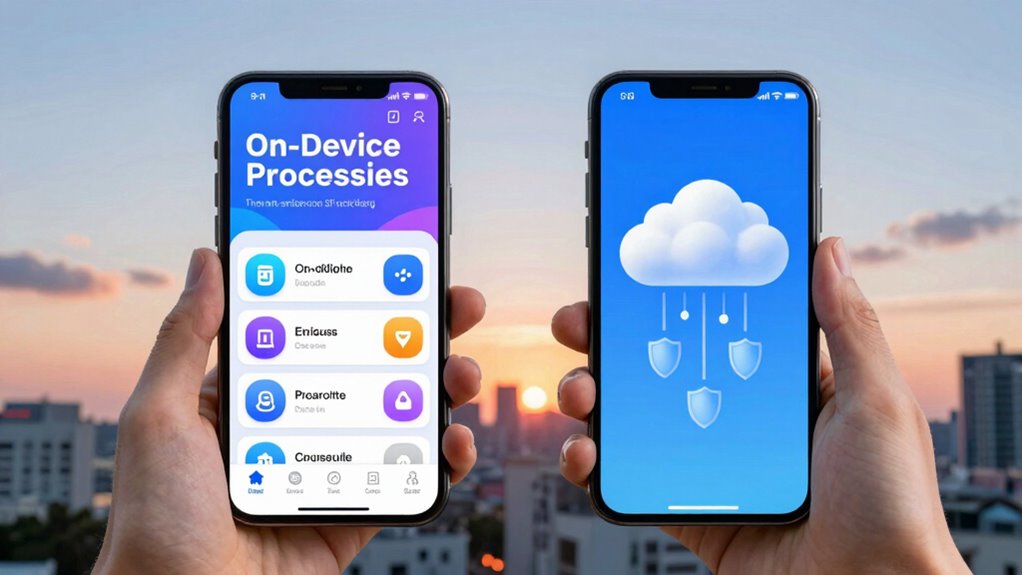
Because data transmission involves sending audio or video files to external servers, it can impact both your privacy and the speed of captioning services. When your data is transmitted, encryption techniques play a vital role in protecting your information from unauthorized access. Strong encryption ensures that your audio or video remains secure during transfer, reducing the risk of privacy breaches. However, the speed of captioning can still be affected, especially if encryption adds processing delays or if network connections are slow. Additionally, user consent is essential; you should be aware of how your data is used and whether it’s shared with third parties. Being informed about encryption practices and consent helps you make safer, faster choices when selecting captioning services. Understanding data security is crucial to balancing privacy and performance. Moreover, knowing how data encryption functions can help you evaluate the overall safety of the service. Considering protective styling benefits from the textile industry can also provide insights into the importance of secure and protective data handling. Recognizing the role of encryption protocols can further assist in assessing the reliability of different captioning options.
What Are the Costs of On-Device vs Cloud Captioning?
When comparing the costs of on-device and cloud captioning, it’s important to take into account both upfront investments and ongoing expenses. A clear cost comparison helps you weigh affordability against user accessibility needs. On-device captioning often requires higher initial hardware investments, but it reduces ongoing data transmission costs. Cloud captioning, meanwhile, typically involves subscription fees and data usage charges, which can add up over time. Consider these key factors:
- Hardware upgrades for on-device solutions
- Monthly cloud service subscription fees
- Data transmission costs for cloud captioning
- Maintenance and support expenses
- Waterproofing features can also influence hardware longevity and costs in certain environments.
Your choice depends on balancing budget constraints with the need for seamless user accessibility and privacy. Both options come with distinct financial implications that influence your overall costs.
How Do Accuracy and Quality Differ?

While both on-device and cloud captioning aim to provide accurate transcriptions, their quality can vary considerably depending on several factors. An accuracy comparison shows that cloud captioning often delivers higher accuracy, especially with complex vocabulary and diverse accents, thanks to powerful servers and extensive datasets. On the other hand, on-device captioning might struggle with such variations, leading to more errors. The quality distinctions are noticeable in real-time performance and consistency. Cloud systems typically offer better contextual understanding and fewer misinterpretations. However, on-device captioning can sometimes produce more consistent results in stable environments. Ultimately, your choice depends on your specific needs for accuracy, quality, and real-time responsiveness.
When Is On-Device Captioning Better for Privacy?
On-device captioning offers a significant privacy advantage by processing all data locally without transmitting sensitive information over the internet. This keeps your user privacy intact and reduces the risk of data breaches. You should consider on-device captioning when:
On-device captioning ensures privacy by processing data locally and minimizing security risks.
- You handle sensitive conversations or confidential content.
- You want to minimize reliance on external servers, enhancing device security.
- You’re in an environment with poor or unreliable internet connectivity.
- You prioritize quick, real-time captions without lag caused by network delays.
Are Cloud Captions Better for Large-Scale Use?

Cloud captions often excel for large-scale use because they can process vast amounts of data quickly and update models more frequently. This capability enhances the user experience by providing more accurate and up-to-date captions across diverse environments. For organizations, cloud solutions offer better scalability, enabling you to serve many users simultaneously without sacrificing performance. Additionally, cloud captioning systems often include advanced accessibility features, such as real-time translations and customizable captions, making content more inclusive. Because updates happen centrally, improvements reach all users instantly, ensuring consistency. If you’re managing large audiences or multiple locations, cloud captions streamline operations and improve overall accessibility, making them a smarter choice for expansive, dynamic settings.
Which Captioning Method Is Right for You?
Choosing the right captioning method depends on your specific needs and circumstances. Consider these factors:
- Security requirements—if you handle sensitive data, on-device captions with robust user authentication and data encryption may be best.
- Speed—on-device processing offers faster results without relying on internet connectivity.
- Privacy—if data privacy is a priority, on-device options keep information local, reducing exposure.
- Scalability—cloud captions support large-scale use but may involve additional security measures to protect data during transmission.
Ultimately, if you prioritize security and speed, on-device captioning with strong user authentication and data encryption is ideal. For flexible, large-scale deployment, cloud solutions might suit you better, provided you implement proper data protections.
Frequently Asked Questions
Can On-Device Captioning Work Offline Without Internet Access?
Yes, on-device captioning can work offline without internet access, thanks to its offline capabilities. You just need a compatible device that supports on-device processing, ensuring the necessary software and hardware are in place. Device compatibility is key, as not all devices offer this feature. When set up properly, you get real-time captions instantly, without relying on an internet connection, making it ideal for secure or remote environments.
How Do Latency Issues Impact User Experience With Each Method?
Imagine you’re using a streaming service in 1984—latency impacts you just like today. For on-device captioning, processing delay is minimal, offering quick, real-time captions even offline. With cloud captions, network lag can cause noticeable delays, disrupting your experience. Faster captioning enhances comprehension and engagement, so minimizing latency is vital. On-device tech provides more reliable, low-latency captions, giving you a smoother, more responsive viewing experience.
Are There Specific Devices Better Suited for On-Device Captioning?
You’ll find that devices with high processing power and optimized hardware are better suited for on-device captioning. Smartphones with advanced chips, tablets, and specialized hardware like AI accelerators can handle real-time captioning more efficiently. These devices reduce latency and improve accuracy by leveraging hardware optimization, allowing you to enjoy seamless captions without relying on internet connectivity. So, investing in devices with robust processing capabilities enhances your overall experience.
What Are the Compatibility Considerations for Cloud Captioning Services?
You should consider device compatibility and software integration when choosing cloud captioning services. Make certain your devices support the required internet protocols and that the service integrates smoothly with your existing platforms. Compatibility issues can lead to delays or errors, so verify that your hardware and software meet the service’s specifications. This way, you’ll enjoy faster, more reliable captions without risking security or performance problems.
How Do Updates and Maintenance Differ Between the Two Captioning Options?
You’ll find updates and maintenance differ markedly between on‑device and cloud captioning. With on‑device options, software updates and security patches require manual installation, which can be time-consuming but keeps your device offline. Cloud captioning automatically receives updates and security patches, ensuring you always have the latest features and protection. However, you depend on an internet connection, and updates may introduce compatibility issues.
Conclusion
Ultimately, choosing between on-device and cloud captions is like selecting the right brush for your masterpiece—each has its artistry. On-device offers a fortress of privacy, while cloud provides the swift currents of speed and scalability. Consider your needs carefully; whether safeguarding your castle or riding the wave of real-time flow, your perfect captioning partner awaits. Make your choice wisely, and let your content shine with clarity and confidence.