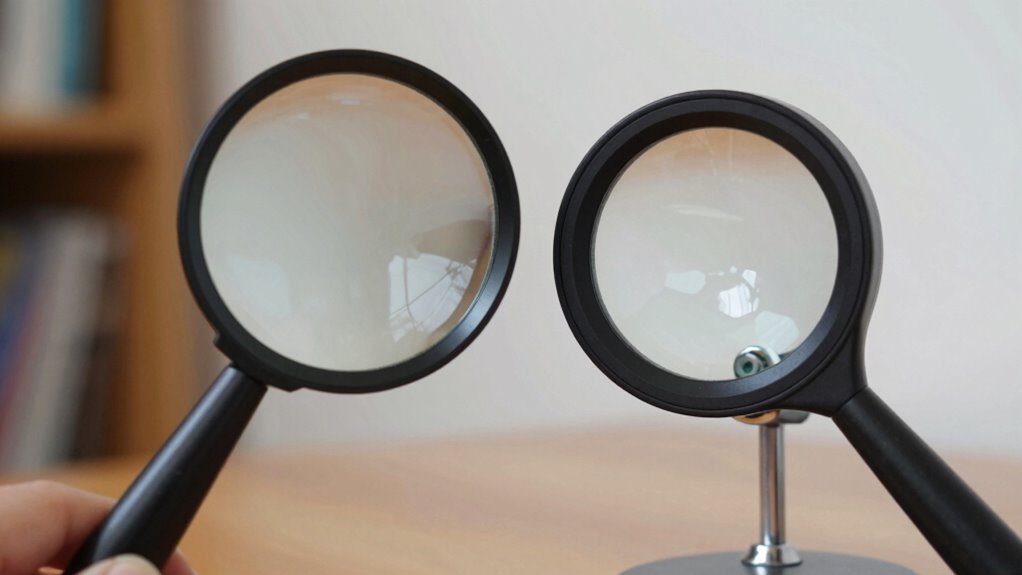
Handheld magnifiers are great when you need portability for quick, on-the-go tasks like checking labels or menus. They’re lightweight, easy to use, and don’t require setup, making them perfect for spontaneous use. Desktop magnifiers, on the other hand, provide stability and higher magnification for detailed, extended work like crafting or model building. Both types serve different needs, and if you keep exploring, you’ll discover how to choose the right one for your activities.

Get everyday helpers delivered free with Prime
- Fast, free delivery on millions of items
- Prime Video, Amazon Music and more included
- Member-only deals all year
Key Takeaways
- Handheld magnifiers are ideal for on-the-go tasks like reading labels or menus quickly and conveniently.
- Desktop magnifiers provide stability and higher magnification for detailed, prolonged activities such as crafting or model work.
- Portable handhelds are simple to use without setup, suitable for spontaneous needs.
- Desktop models offer adjustable lighting and positioning, perfect for precise, extended tasks.
- Both types cater to different preferences, balancing mobility and stability based on individual visual and activity requirements.
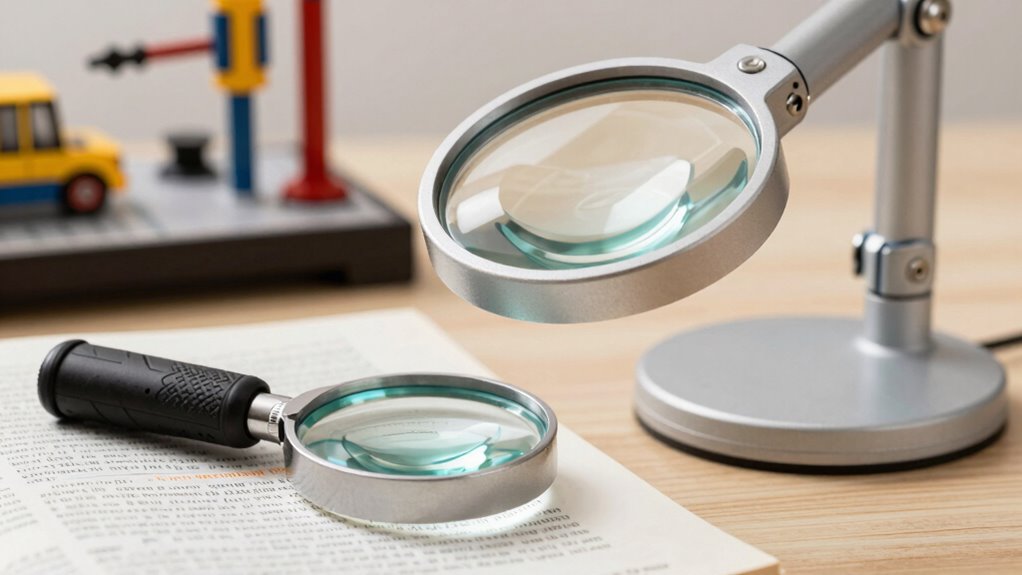
Magnifiers are versatile tools designed to meet a wide range of visual needs, whether you’re reading small print, inspecting tiny details, or pursuing hobbies that require precision. When choosing between handheld and desktop magnifiers, it’s important to consider how each fits into your daily activities and enhances your visual acuity. Both types serve as assistive technology, helping you see better and perform tasks more comfortably, but they do so in different ways suited to specific needs.
Magnifiers enhance visual clarity and comfort for diverse tasks, offering portable or stable solutions tailored to your needs.
A handheld magnifier is portable and easy to use for quick, on-the-go tasks. You can carry it in your bag or pocket, making it ideal for reading labels, prescriptions, or menus when you’re outside or in unfamiliar environments. Its lightweight design means you can hold it steadily over small text or objects without much effort. Handheld magnifiers typically have a larger lens area, allowing you to see more detail in a single glance, which improves your visual acuity for specific tasks. Because they’re simple to operate and require no setup, they’re perfect if you need a quick boost in clarity or if mobility is a priority. They’re also cost-effective and versatile, making them a popular choice for individuals who need occasional magnification.
In contrast, desktop magnifiers provide a more stable and magnified view, making them suitable for extended tasks that demand precision and comfort. They are usually mounted on adjustable stands or bases, allowing you to position the lens at the ideal distance and angle. This stability reduces hand fatigue and enables you to focus on detailed work like reading fine print, embroidery, or model building. Desktop magnifiers often come with higher magnification levels and built-in lighting, which enhance your ability to see intricate details clearly. If you spend long periods performing close-up work, a desktop magnifier can considerably improve your visual acuity without causing strain. magnification levels are an important factor to consider, especially when working with very small or detailed objects. Additionally, ergonomic design can influence comfort during prolonged use, making certain models more suitable for extended tasks. Choosing a model with adjustable lighting can further enhance visual comfort and reduce eye fatigue during detailed work. Moreover, selecting a magnifier with ergonomic features can help prevent discomfort during extended use, especially for individuals with specific needs.
Ultimately, your choice depends on your specific needs and lifestyle. If you require a portable, quick solution for various tasks, a handheld magnifier is the way to go. If you need to do detailed work regularly and prefer a hands-free experience, a desktop magnifier offers the stability and magnification power to support your activities. Both types are valuable assistive technology tools that help you see better, reduce eye strain, and maintain greater independence in everyday tasks.
handheld magnifier for reading labels
As an affiliate, we earn on qualifying purchases.
As an affiliate, we earn on qualifying purchases.
Frequently Asked Questions
Can Handheld Magnifiers Be Used for Reading on the Go?
Yes, handheld magnifiers are great for reading on the go. Their portable convenience and lightweight design make it easy to carry them around, whether you’re commuting, traveling, or just moving from room to room. You can quickly grab one whenever you need to enlarge text or images, providing instant assistance without the bulk of larger devices. This flexibility helps you stay independent and comfortable in various settings.
Are Desktop Magnifiers Suitable for Detailed Crafting Work?
Think of a desktop magnifier as your detailed crafting partner, offering steady support. Yes, they’re perfect for intricate work thanks to their superior magnification clarity and adjustable lighting. You can see every tiny detail clearly, like a painter’s palette of precision. With adjustable lighting, you won’t strain your eyes, making it easier to focus on delicate tasks. This stability and clarity make desktop magnifiers ideal for meticulous crafting projects.
How Do Magnifiers Accommodate Different Eye Conditions?
Magnifiers accommodate different eye conditions by enhancing your visual acuity and supporting your eye health. If you have presbyopia or age-related vision loss, magnifiers can make reading easier and reduce eye strain. For those with specific conditions like macular degeneration, specialized magnifiers improve clarity without overworking your eyes. Adjustable magnification levels and ergonomic designs guarantee you find the right fit, promoting comfort and protecting your eye health over time.
Can I Switch Between Handheld and Desktop Magnifiers Easily?
Switching between handheld and desktop magnifiers is like changing gears on a bike—you can do it smoothly if you consider ergonomics considerations. Handhelds are portable and easy to maneuver, making quick adjustments simple, while desktops offer stable positioning and higher magnification levels. You can switch between them with minimal hassle, especially if you choose models designed for compatibility. Just make certain your workspace supports comfortable use for both types.
What Are the Cost Differences Between Handheld and Desktop Options?
The cost comparison shows handheld magnifiers are generally more affordable, making them a great choice if you’re budget-conscious. Desktop magnifiers tend to be pricier due to their larger size and advanced features. For an affordability analysis, consider how often you’ll use the device and which features matter most. Handheld options are portable and budget-friendly, while desktop models offer enhanced magnification but at a higher cost.
Conclusion
In the end, choosing between handheld and desktop magnifiers isn’t just about preference—it’s about finding your perfect vision partner. Handhelds are your nimble, on-the-go heroes, while desktops act as mighty giants, offering unwavering support. Whether you’re reading a tiny print or tackling detailed projects, your ideal magnifier can transform your daily life more profoundly than a miracle. Find the right fit, and watch your world become breathtakingly clear, almost as if you’ve revealed a secret superpower.
Halloween Picks
halloween
As an affiliate, we earn on qualifying purchases.