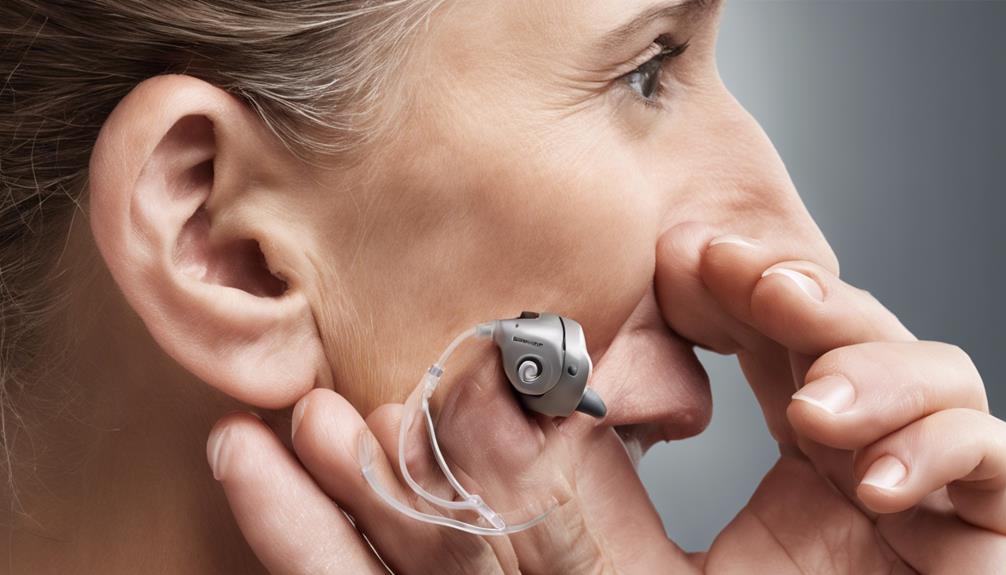


Use this guide to choose and connect a wireless accessory—such as a TV streamer, remote microphone, or phone adapter—to compatible hearing aids. It is for hearing aid users and caregivers who can follow basic device instructions; allow 20–40 minutes, including a sound check. The steps cover compatibility, pairing, and practical checks so you can tell whether the accessory is working.

Get everyday helpers delivered free with Prime
- Fast, free delivery on millions of items
- Prime Video, Amazon Music and more included
- Member-only deals all year

Phonak 5.0 2M Right Hearing Aid Receiver, Red
- ✔ Receiver: 5.0, 2M
- ✔ Power: Low power
- ✔ Side: Right

Lillu SDS 5.0 Hearing Aid Receiver Wire for Phonak Audeo M/P/L, Right Ear, Size 2, Medium Power (2M)
- ✔ Brand: Lillu
- ✔ Receiver type: SDS 5.0
- ✔ Power class: Medium (2M)

5.0 2M Medium Power Replacement Receiver Wire for Phonak and Unitron Hearing Aids
- ✔ Receiver technology: 5.0
- ✔ Power: Medium (2M)
- ✔ Quantity: 1 piece
Difficulty: Beginner | Time: 20–40 minutes
What You’ll Need
Tools & Materials:
- Hearing aids and their charging case or fresh batteries
- The wireless accessory and its power cable, if required
- The accessory’s model-specific setup instructions
- The phone, television, or other audio source you plan to use, if applicable
Knowledge:
- Basic ability to use hearing aid buttons or a companion app
- Ability to identify the hearing aid and accessory model
Wireless features differ by hearing aid model and manufacturer. Confirm that the accessory is listed as compatible with your exact hearing aid model, not just the brand. If you cannot find the model number, check the hearing aid app, paperwork, or ask your hearing care professional.
Phonak 5.0 2M Right Hearing Aid Receiver, Red
For shoppers who already know they need a right-side, low-power 5.0 2M receiver, this is the easiest option in the group to assess. The listing identifies the side by both its red color and its right-ear designation, and it names compatible Phonak and Unitron families including Marvel, Paradise, and Lumity. That gives buyers a useful starting point, though it does not replace checking the exact device and receiver requirements.Its tool-free installation and lightweight, flexible design make it a practical replacement component when the original receiver is the part that needs attention. Compared with the Lillu, it does not provide the same specific Audeo three-pin and size-2 detail, nor does it call out the Lillu’s medium-power classification. That makes this Phonak pick less informative for a buyer matching a particular Audeo configuration, but simpler for someone whose device calls for the stated low-power right receiver.The tradeoff is that this package contains one receiver for the right ear only. It is not a pair or a full hearing aid accessory kit, and the broad compatibility statement still leaves model-level confirmation to the buyer. We would skip it if your original part is left-sided, uses a different power class, or your device is not among the compatible models.
Pros:
- Tool-free installation
- Lightweight, flexible design
- Clearly identified right-side red receiver
- Lists select Phonak and Unitron compatibility
Cons:
- Right-side receiver only; package contains one piece
- Specific model compatibility should be confirmed before ordering
Best for: Owners of a compatible Phonak or Unitron hearing aid who need a clearly identified right-side, low-power replacement receiver.
Not ideal for: Buyers who need a left receiver, need medium power, or cannot confirm their specific hearing aid model matches the listed compatibility.
Bottom line: Choose this as the clearest general option when your compatible device specifically calls for a right-side, low-power 5.0 receiver.
“Choose this as the clearest general option when your compatible device specifically calls for a right-side, low-power 5.0 receiver.”
Lillu SDS 5.0 Hearing Aid Receiver Wire for Phonak Audeo M/P/L, Right Ear, Size 2, Medium Power (2M)
Lillu is the most narrowly specified choice here. It names Phonak Audeo M, P (Paradise), and L (Lumity) RIC hearing aids, and requires a three-pin connector. It also identifies the right side, size 2, medium power, and replacement part number 054-1215. Buyers with an original receiver carrying that part number can use these details to make a more informed match than the broader compatibility wording on the Phonak and Unitron listings.That specificity is useful, but it also makes the boundaries important. This receiver is not for older two-pin Audeo models or the newer Infinio series, and its medium power should match the original receiver rather than be treated as an upgrade option. Compared with the first pick, Lillu is better documented for a particular Audeo setup, but it is less flexible as a general replacement choice.Plan for maintenance parts as well: the listing says the receiver needs SDS 5.0 wax guards, and domes are not included. Those requirements can mean sourcing compatible accessories separately, especially if your current supplies belong to an older receiver generation. We would skip this option if you cannot confirm the connector and power code, or if you need a dome included in the package.
Pros:
- Names compatible Audeo M, P, and L RIC models
- Three-pin connector and replacement part number are specified
- Right side and size 2 are clearly marked
- Medium-power classification is stated
Cons:
- Not compatible with older two-pin models or Infinio series devices
- Requires specific SDS 5.0 wax guards
- Domes are sold separately
Best for: Audeo M, P, or L RIC owners who have a three-pin connector and need a right-side, size-2 medium-power receiver matching part 054-1215.
Not ideal for: Owners of two-pin Audeo or Infinio devices, anyone unsure of the original power code, or buyers expecting domes or older-style wax guards in the box.
Bottom line: Choose Lillu when its exact Audeo connector, part number, side, size, and medium-power requirements match your current receiver.
“Choose Lillu when its exact Audeo connector, part number, side, size, and medium-power requirements match your current receiver.”
5.0 2M Medium Power Replacement Receiver Wire for Phonak and Unitron Hearing Aids
This listing describes a medium-power 5.0 receiver wire for compatible Phonak and Unitron hearing aids, making its broad purpose similar to the other two options. Its key distinction is also its biggest drawback: the title says right and red, while the description says left and blue. Because side and color are commonly used to identify which ear a receiver fits, this is a material uncertainty rather than a minor wording inconsistency.Compared with the Phonak receiver, this option specifies medium power instead of low power. Compared with Lillu, however, it does not give the same detailed Audeo connector, size, or replacement-part guidance. The listing notes compatibility with Phonak CeruStop filters, but excludes older stick-style CeruStop filters and CeruShield Disk filters. Those limitations make filter matching another required check.We would consider it only if the seller or product information confirms the exact ear side and color before purchase and those details match the original receiver. The one-piece format can address a failed receiver without replacing a whole hearing aid, but the available listing information is too inconsistent for confident ear-side selection. Skip it if you need a clear match now or cannot verify the filter type.
Pros:
- Medium-power 2M receiver is identified
- Designed for compatible Phonak and Unitron hearing aids
- Single-piece replacement can address a receiver wire issue
- CeruStop filter compatibility is stated
Cons:
- Listing conflicts on ear side: right in the title, left in the description
- Listing conflicts on color: red in the title, blue in the description
- Does not fit older stick-style CeruStop or CeruShield Disk filters
Best for: A buyer whose compatible Phonak or Unitron device needs a medium-power receiver and who can confirm the correct side, color, and filter fit before ordering.
Not ideal for: Anyone who needs a certain right- or left-ear part immediately, or whose device relies on older stick-style CeruStop or CeruShield Disk filters.
Bottom line: Treat this as a conditional option and buy only after the seller confirms which side and color the receiver actually is.
“Treat this as a conditional option and buy only after the seller confirms which side and color the receiver actually is.”
As an Amazon Associate we earn from qualifying purchases.
Before You Start
Charge the accessory and hearing aids before pairing. Keep the devices close together during setup, and turn off nearby accessories that might connect automatically. Do not change prescribed hearing aid settings or force a connector into a port. If you use an implant or have questions about safe use, follow the manufacturer’s instructions and ask your hearing care professional.
Step-by-Step Instructions
Step 1: Choose the accessory for your task
Match the accessory to what you want to hear. Choose a TV streamer for television audio, a remote microphone for speech across a room or in noise, or a phone adapter when your hearing aids do not connect directly to the phone. Check the accessory’s required hearing aid models and connection method before buying or setting it up.
Tip:Some hearing aids connect directly to phones, while others need a manufacturer-specific adapter. Similar-looking accessories may not be interchangeable.
Check: The accessory’s compatibility information names your hearing aid model or confirms support through your hearing care professional.
Step 2: Prepare the hearing aids and accessory
Place the hearing aids in your ears or switch them on as directed. Power on the accessory, connect it to its audio source if needed, and put it near the hearing aids. Use the accessory’s setup instructions to identify its pairing control or app menu.
Tip:Keep the accessory within arm’s reach while pairing. A low battery or an unconnected TV cable can make a successful wireless link seem faulty.
Check: The hearing aids are on, the accessory has power, and any required cable to the TV or other source is firmly connected.
Step 3: Start pairing mode
Open the hearing aid manufacturer’s app or use the hearing aids’ pairing procedure. Start pairing mode on the accessory using its button or setup menu. Follow the model-specific sequence; pairing controls and timing vary between products.
Tip:If the accessory has a status light, check its manual to learn which pattern indicates pairing mode. Do not assume a blinking light means the connection is complete.
Check: The app or accessory indicates that it is discoverable or ready to pair.
Step 4: Pair the devices
Select the accessory in the hearing aid app or the pairing list specified by its instructions. Approve any connection prompt, then wait for the app or accessory to report a completed connection. If asked to select a hearing aid, choose the correct pair or both sides as directed.
Tip:Use the hearing aid manufacturer’s recommended pairing method. Pairing through a phone’s general Bluetooth menu may not set up audio routing for every hearing aid or accessory.
Check: The app or accessory shows a connected status, or the manufacturer’s instructions give another clear confirmation.
Step 5: Select the accessory as the audio source
Start audio on the TV, phone, or other source. Use the hearing aid app, hearing aid controls, or accessory instructions to switch to the accessory’s audio stream. For a remote microphone, place or clip it as directed, with its microphone aimed toward the speaker.
Tip:Some systems switch streams through a long press on a hearing aid button, while others use the app. Follow the instructions for your specific model.
Check: You hear the source through the hearing aids, or the app indicates that the accessory stream is active.
Step 6: Set a comfortable level and test the sound
Begin with the source volume and streamed volume low. Play speech or familiar audio, then raise the level gradually using the controls recommended by the manufacturer. Check that speech is clear, both hearing aids receive sound if intended, and the sound is comfortable.
Tip:Keep the TV or source volume at a reasonable level for other listeners. If sound is too loud, stop the audio and lower the streaming level before testing again.
Check: Audio remains steady at a comfortable level, with no unexpected silence, harsh distortion, or feedback.
Step 7: Confirm reconnection and store the setup details
Pause or stop the stream, then restart it once to check how the accessory resumes connection. Note which app or hearing aid control starts the stream and where the accessory works best. Store and charge the accessory according to its instructions.
Tip:Some accessories reconnect automatically; others require you to select the stream again. This behavior can be normal for your model.
Check: You know how to start the stream again and can repeat the setup without entering pairing mode.
Common Mistakes to Avoid
- Buying an accessory based only on its brand or Bluetooth label. — Check compatibility with the exact hearing aid model and accessory generation before purchase.
- Trying to pair while one device is uncharged or too far away. — Charge both devices and keep them close together during pairing.
- Assuming pairing also selects the accessory as the active audio source. — After pairing, start the stream using the app or control specified in the hearing aid instructions.
- Raising volume sharply before testing. — Start low and increase gradually; stop if the audio becomes uncomfortable.
Troubleshooting
Problem: The accessory does not appear in the pairing list.
Solution: Check that it is charged and in pairing mode. Move it close to the hearing aids, close other pairing screens, and repeat the manufacturer’s pairing sequence. If it still does not appear, confirm model compatibility.
Problem: The app says connected, but there is no sound.
Solution: Start audio on the source, select the accessory stream in the hearing aid app or controls, and check the source’s output and cable connections. Raise the stream level gradually.
Problem: Sound cuts out or is unclear.
Solution: Move the source and accessory closer, remove obstructions, and check the battery level. For a remote microphone, reposition it as directed and keep it near the speaker.
Problem: Only one hearing aid receives sound.
Solution: Check the app’s left and right hearing aid connection status, reseat or restart the hearing aids as instructed, and reconnect the stream. Contact the hearing care professional if one aid still fails to connect.
What Success Looks Like
The accessory is compatible and paired, the intended audio source streams through the hearing aid or aids, and the sound is clear and comfortable. You can start the stream again using the correct app or hearing aid control.
Next Steps
Keep the accessory charged and clean it only as its manufacturer directs. If you change phones, hearing aids, or accessory settings, check the compatibility and pairing instructions again. Contact your hearing care professional if repeated pairing attempts fail or sound quality changes unexpectedly.
Frequently Asked Questions
Can any Bluetooth accessory connect to my hearing aids?
No. Hearing aids may use specific Bluetooth profiles or a manufacturer’s accessory system. Check the exact hearing aid and accessory models for compatibility.
Do I need a TV streamer if my hearing aids connect to my phone?
Possibly. Phone connectivity does not always provide a direct link to a television. A compatible TV streamer can send TV audio to the hearing aids.
Why does the accessory connect but not play sound?
The accessory may be paired but not selected as the active stream, or the audio source may be paused, muted, or routed elsewhere. Start the source and select the stream in the hearing aid app or controls.
Will the accessory reconnect automatically?
That depends on the model and how you stopped the stream. Test once after setup and follow the instructions to restart streaming; some systems require you to select the accessory again.